warning LINCOLN AVIATOR 2023 Owners Manual
[x] Cancel search | Manufacturer: LINCOLN, Model Year: 2023, Model line: AVIATOR, Model: LINCOLN AVIATOR 2023Pages: 681, PDF Size: 9.33 MB
Page 341 of 681
WARNING: In situations where the
vehicle camera has limited detection
capability, this may reduce system
performance. These situations include but
are not limited to direct or low sunlight,
vehicles at night without tail lights,
unconventional vehicle types, pedestrians
with complex backgrounds, running
pedestrians, partly obscured pedestrians,
or pedestrians that the system cannot
distinguish from a group. Failure to take
care may result in the loss of control of
your vehicle, serious personal injury or
death.
WARNING: The system cannot help
prevent all crashes. Do not rely on this
system to replace driver judgment and the
need to maintain a safe distance and
speed.
Using the Pre-Collision Assist System
The system is active at speeds above
approximately3 mph (5 km/h)and pedestrian
detection is active at speeds up to 50 mph
(80 km/h).
E156130
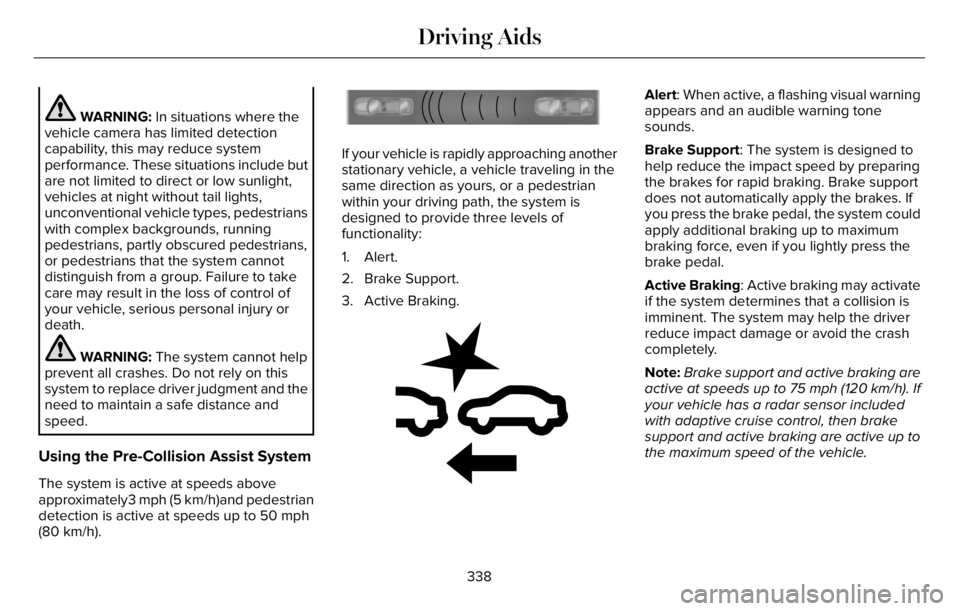
If your vehicle is rapidly approaching another
stationary vehicle, a vehicle traveling in the
same direction as yours, or a pedestrian
within your driving path, the system is
designed to provide three levels of
functionality:
1. Alert.
2. Brake Support.
3. Active Braking.
E255268E255268
Alert: When active, a flashing visual warning
appears and an audible warning tone
sounds.
Brake Support: The system is designed to
help reduce the impact speed by preparing
the brakes for rapid braking. Brake support
does not automatically apply the brakes. If
you press the brake pedal, the system could
apply additional braking up to maximum
braking force, even if you lightly press the
brake pedal.
Active Braking: Active braking may activate
if the system determines that a collision is
imminent. The system may help the driver
reduce impact damage or avoid the crash
completely.
Note:Brake support and active braking are
active at speeds up to 75 mph (120 km/h). If
your vehicle has a radar sensor included
with adaptive cruise control, then brake
support and active braking are active up to
the maximum speed of the vehicle.
338
Driving Aids
Page 342 of 681
Note:If you perceive the pre-collision assist
alert as being too frequent or disturbing, you
can reduce the alert sensitivity. The low
sensitivity causes fewer and later warnings
of a potential forward collision. The
manufacturer recommends using the high
sensitivity setting where possible.
Note:The sensitivity setting does not affect
the performance of the automatic
emergency braking.
Note:The system turns off when you select
deep conditions or deep sand mode.
Distance Indication and Alert (If Equipped)
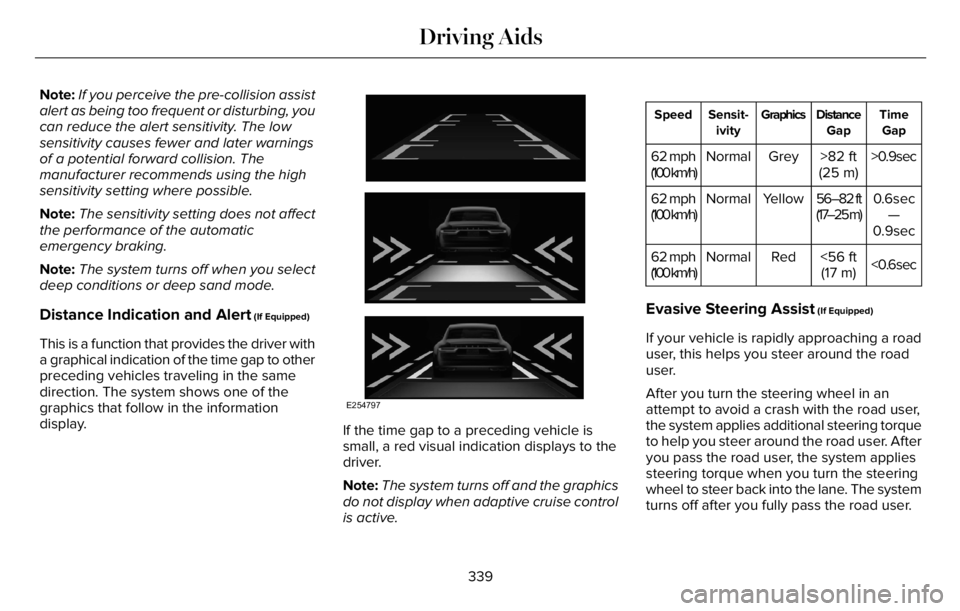
This is a function that provides the driver with
a graphical indication of the time gap to other
preceding vehicles traveling in the same
direction. The system shows one of the
graphics that follow in the information
display.
E254797
If the time gap to a preceding vehicle is
small, a red visual indication displays to the
driver.
Note:The system turns off and the graphics
do not display when adaptive cruise control
is active.
Time
Gap Distance
Gap Graphics Sensit-
ivity Speed
>0.9sec >82 ft
(25 m) Grey Normal 62 mph
(100 km/h)
0.6sec
—
0.9sec 56–82 ft
(17–25 m) Yellow Normal 62 mph
(100 km/h)
<0.6sec <56 ft
(17 m) Red Normal 62 mph
(100 km/h)
Evasive Steering Assist (If Equipped)
If your vehicle is rapidly approaching a road
user, this helps you steer around the road
user.
After you turn the steering wheel in an
attempt to avoid a crash with the road user,
the system applies additional steering torque
to help you steer around the road user. After
you pass the road user, the system applies
steering torque when you turn the steering
wheel to steer back into the lane. The system
turns off after you fully pass the road user.
339
Driving Aids
Page 349 of 681
REAR UNDER FLOOR STORAGE
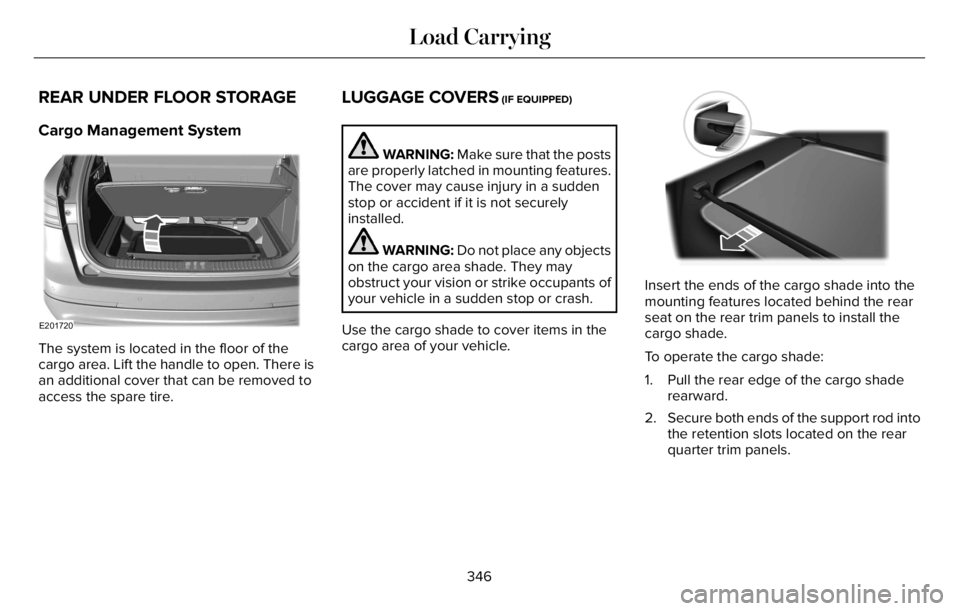
Cargo Management System
E201720
The system is located in the floor of the
cargo area. Lift the handle to open. There is
an additional cover that can be removed to
access the spare tire.
LUGGAGE COVERS (IF EQUIPPED)
WARNING: Make sure that the posts
are properly latched in mounting features.
The cover may cause injury in a sudden
stop or accident if it is not securely
installed.
WARNING: Do not place any objects
on the cargo area shade. They may
obstruct your vision or strike occupants of
your vehicle in a sudden stop or crash.
Use the cargo shade to cover items in the
cargo area of your vehicle.E14224477777777777777777
Insert the ends of the cargo shade into the
mounting features located behind the rear
seat on the rear trim panels to install the
cargo shade.
To operate the cargo shade:
1. Pull the rear edge of the cargo shade
rearward.
2. Secure both ends of the support rod into
the retention slots located on the rear
quarter trim panels.
346
Load Carrying
Page 350 of 681
ROOF RACKS AND LOAD
CARRIERS
WARNING: When loading the roof
racks, we recommend you evenly distribute
the load, as well as maintain a low center
of gravity. Loaded vehicles, with higher
centers of gravity, may handle differently
than unloaded vehicles. Take extra
precautions, such as slower speeds and
increased stopping distance, when driving
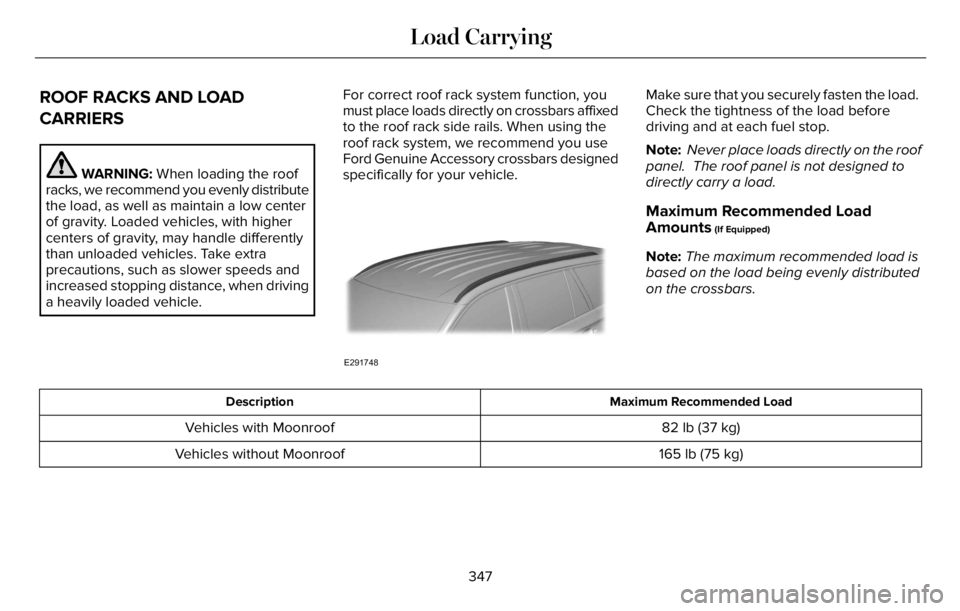
a heavily loaded vehicle.For correct roof rack system function, you
must place loads directly on crossbars affixed
to the roof rack side rails. When using the
roof rack system, we recommend you use
Ford Genuine Accessory crossbars designed
specifically for your vehicle.
E291748
Make sure that you securely fasten the load.
Check the tightness of the load before
driving and at each fuel stop.
Note: Never place loads directly on the roof
panel. The roof panel is not designed to
directly carry a load.
Maximum Recommended Load
Amounts
(If Equipped)
Note:The maximum recommended load is
based on the load being evenly distributed
on the crossbars.
Maximum Recommended Load Description
82 lb (37 kg) Vehicles with Moonroof
165 lb (75 kg) Vehicles without Moonroof
347
Load Carrying
Page 352 of 681
WARNING: The appropriate
loading capacity of your vehicle can
be limited either by volume capacity
(how much space is available) or by
payload capacity (how much weight
the vehicle should carry). Once you
have reached the maximum payload
of your vehicle, do not add more
cargo, even if there is space available.
Overloading or improperly loading
your vehicle can contribute to loss of
vehicle control and vehicle rollover.
GAWR (Gross Axle Weight Rating)
GAWR is the maximum allowable weight
that a single axle (front or rear) can carry.
These numbers are on the Safety
Compliance Certification label. The label
is located on the door hinge pillar,
door-latch post, or the door edge that
meets the door-latch post, next to the
driver seating position.
The total load on each axle must never
exceed its Gross Axle Weight Rating.GVWR (Gross Vehicle Weight Rating)
GVWR is the maximum allowable weight
of the fully loaded vehicle. This includes
all options, equipment, passengers and
cargo. It appears on the Safety
Compliance Certification label. The label
is located on the door hinge pillar,
door-latch post, or the door edge that
meets the door-latch post, next to the
driver seating position.
The gross vehicle weight must never
exceed the Gross Vehicle Weight Rating.
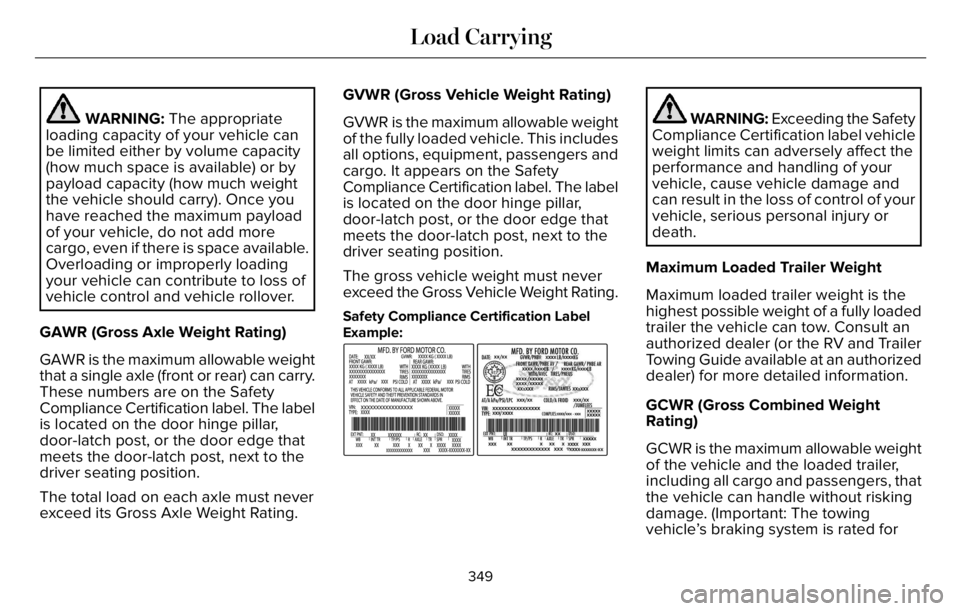
Safety Compliance Certification Label
Example:
E198828
WARNING: Exceeding the Safety
Compliance Certification label vehicle
weight limits can adversely affect the
performance and handling of your
vehicle, cause vehicle damage and
can result in the loss of control of your
vehicle, serious personal injury or
death.
Maximum Loaded Trailer Weight
Maximum loaded trailer weight is the
highest possible weight of a fully loaded
trailer the vehicle can tow. Consult an
authorized dealer (or the RV and Trailer
Towing Guide available at an authorized
dealer) for more detailed information.
GCWR (Gross Combined Weight
Rating)
GCWR is the maximum allowable weight
of the vehicle and the loaded trailer,
including all cargo and passengers, that
the vehicle can handle without risking
damage. (Important: The towing
vehicle’s braking system is rated for
349
Load Carrying
Page 353 of 681
operation at Gross Vehicle Weight
Rating, not at Gross Combined Weight
Rating.) Separate functional brakes
should be used for safe control of towed
vehicles and for trailers where the Gross
Combined Weight of the towing vehicle
plus the trailer exceed the Gross Vehicle
Weight Rating of the towing vehicle.
The gross combined weight must never
exceed the Gross Combined Weight
Rating.
Note: For trailer towing information
refer to the RV and Trailer Towing Guide
available at an authorized dealer.
WARNING: Do not exceed the
GVWR or the GAWR specified on the
certification label.
WARNING: Do not use
replacement tires with lower load
carrying capacities than the original
tires because they may lower your
vehicle's GVWR and GAWR limitations.
Replacement tires with a higher limit
than the original tires do not increase
the GVWR and GAWR limitations.
WARNING: Exceeding any
vehicle weight rating can adversely
affect the performance and handling
of your vehicle, cause vehicle damage
and can result in the loss of control of
your vehicle, serious personal injury
or death.
Steps for determining the correct load
limit:
1. Locate the statement "The combined
weight of occupants and cargo
should never exceed XXX kg or XXX
lb." on your vehicle’s placard.2. Determine the combined weight of
the driver and passengers that will
be riding in your vehicle.
3. Subtract the combined weight of the
driver and passengers from XXX kg
or XXX lb.
4. The resulting figure equals the
available amount of cargo and
luggage load capacity. For example,
if the “XXX” amount equals 1,400 lb.
and there will be five 150 lb.
passengers in your vehicle, the
amount of available cargo and
luggage load capacity is 650 lb.
(1400-750 (5 x 150) = 650 lb.)
5. Determine the combined weight of
luggage and cargo being loaded on
the vehicle. That weight may not
safely exceed the available cargo
and luggage load capacity calculated
in Step 4.
350
Load Carrying
Page 355 of 681
Special Loading Instructions for
Owners of Pick-up Trucks and Utility-
type Vehicles
WARNING: When loading the
roof racks, we recommend you evenly
distribute the load, as well as maintain
a low center of gravity. Loaded
vehicles, with higher centers of gravity,
may handle differently than unloaded
vehicles. Take extra precautions, such
as slower speeds and increased
stopping distance, when driving a
heavily loaded vehicle.
AIR SUSPENSION (IF EQUIPPED)
WARNING: If your vehicle has
self-leveling air suspension, you must
switch the system off before carrying out
any maintenance or repair. Failure to follow
this warning could result in serious
personal injury or death.The air suspension system automatically
adjusts to maintain a constant frame height,
allows for ease of vehicle loading, provides
improved vehicle ride, and increased driver
comfort.
You can adjust different ride settings through
the selectable drive modes. See Selecting
a Drive Mode (page 343).
Note:The air suspension system may not
operate properly if you exceed the load limit.
See Load Limit (page 348).
Note:When your vehicle is off, the air
compressor may run for a short time. This is
normal.
Switching the systems on or off
You can access the air suspension, liftgate
and easy entry features through the
information display menu settings. See
General Information (page 136).
Using the Service Mode
When the service mode is active, the air
suspension does not make any adjustments
while your vehicle is stationary.Note:Always switch the air suspension
service mode to on before servicing your
vehicle.
Using Cargo Loading
The air suspension cargo loading feature
lowers your vehicle for easier access when
the system detects the liftgate is opening.
When the liftgate is closed your vehicle
returns to its normal height after a short time.
Note:To preserve your vehicle battery, your
vehicle may only lower for cargo mode one
to two times per ignition cycle.
Using Easy Entry
The air suspension can lower your vehicle
to an easier access entry height when the
system detects the intelligent access key,
you press the unlock button, use the remote
start, or use Phone as a Key.
The leveling process stops when you open
a door or the target level is achieved.
Note:To stop the leveling process, press the
lock button on the intelligent access key.
352
Load Carrying
Page 357 of 681
TOWING A TRAILER
WARNING: Towing trailers
beyond the maximum recommended
gross trailer weight exceeds the limit
of your vehicle and could result in
engine damage, transmission damage,
structural damage, loss of vehicle
control, vehicle rollover and personal
injury.
WARNING: Do not exceed the
GVWR or the GAWR specified on the
certification label.
Note: See Recommended Towing
Weights (page 356).
Your vehicle may have electrical items,
such as fuses or relays, related to
towing. See Fuses (page 382).Your vehicle's load capacity designation
is by weight, not by volume, so you
cannot necessarily use all available
space when loading a vehicle or trailer.
Towing a trailer places an extra load on
your vehicle's engine, transmission, axle,
brakes, tires and suspension. Inspect
these components periodically during,
and after, any towing operation.
Load Placement
To help minimize how trailer movement
affects your vehicle when driving:
• Load the heaviest items closest to
the trailer floor.
• Load the heaviest items centered
between the left and right side trailer
tires.• Load the heaviest items above the
trailer axles or just slightly forward
toward the trailer tongue. Do not
allow the final trailer tongue weight
to go above or below 10-15% of the
loaded trailer weight.
• Select a ball mount with the correct
rise or drop and load capacity. When
both the loaded vehicle and trailer
are connected, the trailer frame
should be level, or slightly angled
down toward your vehicle, when
viewed from the side.
When driving with a trailer or payload, a
slight takeoff vibration or shudder may
be present due to the increased payload
weight. Additional information regarding
proper trailer loading and setting your
vehicle up for towing is located in
another chapter of this manual. See
Load Limit (page 348).
You can also find information in the RV
& Trailer Towing Guide available at your
authorized dealer, or online.
354
Towing
Page 358 of 681
RV & Trailer Towing Guide Online
http://www.fleet.ford.com/towing-guides/ Website
TRAILER SWAY CONTROL (IF EQUIPPED)
WARNING: Turning off trailer sway
control increases the risk of loss of vehicle
control, serious injury or death. Ford does
not recommend disabling this feature
except in situations where speed reduction
may be detrimental (such as hill climbing),
the driver has significant trailer towing
experience, and can control trailer sway
and maintain safe operation.Note:This feature does not prevent trailer
sway, but reduces it when it begins.
Note:This feature cannot stop all trailers
from swaying.
Note:In some cases, if your vehicle speed
is too high, the system may turn on multiple
times, gradually reducing your vehicle speed.The system applies the brakes to the
individual wheels and reduces engine torque
to aid vehicle stability. If the trailer begins
to sway, the stability control warning lamp
flashes and a message appears in the
information display. See Information
Messages (page 142). Slow your vehicle
down, pull safely to the side of the road and
check for correct load distribution. See Load
Carrying (page 346).
When you switch the ignition on, the system
automatically turns on. You can switch this
feature off in the touchscreen.
355
Towing
Page 360 of 681
ESSENTIAL TOWING CHECKS
Follow these guidelines for safe towing:
• Do not tow a trailer until you drive your
vehicle at least 1,000 mi (1,600 km).
• Consult your local motor vehicle laws for
towing a trailer.
• See the instructions included with towing
accessories for the proper installation
and adjustment specifications.
• Service your vehicle more frequently if
you tow a trailer. See Scheduled
Maintenance (page 579).
• If you use a rental trailer, follow the
instructions the rental agency gives you.
You can find information on load
specification terms found on the tire label
and Safety Compliance label as well as
instructions on calculating your vehicle's load
in the Load Carrying chapter. See Load Limit
(page 348).
Remember to account for the trailer tongue
weight as part of your vehicle load when
calculating the total vehicle weight.
Hitches
Do not use a hitch that either clamps onto
the bumper or attaches to the axle.
Distribute the trailer load so 10-15% of the
total trailer weight is on the tongue.
A weight distributing hitch is not required for
your vehicle.
Safety Chains
Note:Do not attach safety chains to the
bumper.
Always connect the safety chains to the hook
retainers of your vehicle hitch.
To connect the trailer’s safety chains, cross
them under the trailer tongue and allow
enough slack for turning tight corners. Do
not allow the chains to drag on the ground.
Trailer Brakes
WARNING: Do not connect a trailer's
hydraulic brake system directly to your
vehicle's brake system. Your vehicle may
not have enough braking power and your
chances of having a collision greatly
increase.
Electric brakes and manual, automatic or
surge-type trailer brakes are safe if you install
them properly and adjust them to the
manufacturer's specifications. The trailer
brakes must meet local and federal
regulations.
The rating for the tow vehicle's braking
system operation is at the gross vehicle
weight rating, not the gross combined weight
rating.
Safe control of towed vehicles requires
separate functioning brake systems for
vehicles and trailers weighing more than
1,500 lb (680 kg) when loaded.
357
Towing