Anti theft LINCOLN AVIATOR 2023 Owners Manual
[x] Cancel search | Manufacturer: LINCOLN, Model Year: 2023, Model line: AVIATOR, Model: LINCOLN AVIATOR 2023Pages: 681, PDF Size: 9.33 MB
Page 5 of 681
Keys and Remote Controls
General Information on Radio Frequencies
........................................................................6 8
Remote Control ..............................................69
Replacing a Lost Key or Remote Control
.........................................................................73
Phone as a Key
What Is Phone as a Key ................................74
Phone as a Key Limitations .........................74
Programming Your Phone ............................74
Using the Valet Mode ...................................75
Using the Backup Start Passcode .............75
Phone as a Key – Troubleshooting ...........76
MyKey™
Principle of Operation ...................................78
Creating a MyKey ..........................................79
Clearing All MyKeys ......................................80
Checking MyKey System Status ................80
Using MyKey With Remote Start Systems
..........................................................................81
MyKey – Troubleshooting ............................81
Doors and Locks
Locking and Unlocking ................................83
Opening the Doors .......................................90
Emergency Door Release ............................91
Soft Closing Door ...........................................91
Keyless Entry ...................................................91
Liftgate
Power Liftgate ................................................94
Security
Passive Anti-Theft System ..........................99
Anti-Theft Alarm ...........................................100
Steering Wheel
Adjusting the Steering Wheel - Vehicles
With: Manual Adjustable Steering
Column .......................................................102
Adjusting the Steering Wheel - Vehicles
With: Power Adjustable Steering Column
.......................................................................102
Audio Control ................................................104
Voice Control ................................................104Cruise Control - Vehicles With: Adaptive
Cruise Control With Lane Centering
.......................................................................104
Cruise Control - Vehicles With: Cruise
Control ........................................................105
Information Display Control ......................106
Heated Steering Wheel ..............................106
Horn .................................................................106
Wipers and Washers
Windshield Wipers - Vehicles Without:
Heated Wiper Blades ..............................107
Windshield Wipers - Vehicles With: Heated
Wiper Blades .............................................108
Autowipers .....................................................108
Windshield Washers ....................................109
Rear Window Wiper and Washers ...........109
Lighting
General Information .......................................111
Lighting Control ..............................................111
Autolamps .......................................................112
Instrument Lighting Dimmer .......................112
Headlamp Exit Delay ....................................113
2
Table of Contents
Page 75 of 681
The remote start system does not work if any
of the following occur:
• The ignition is on.
• The anti-theft alarm triggers.
• You switch the feature off through the
touchscreen.
• The hood is open.
• The transmission is not in park (P).
• The battery voltage is below the
minimum operating voltage.
Note:Do not use remote start if your fuel
level is low.
Remote Control Feedback
An LED on the remote control provides status
feedback of remote start or stop commands.
Status LED
Remote start
successful Solid green
Remote stop
successful Solid red
Request failed or
status not received Blinking red
Status incomplete Blinking green
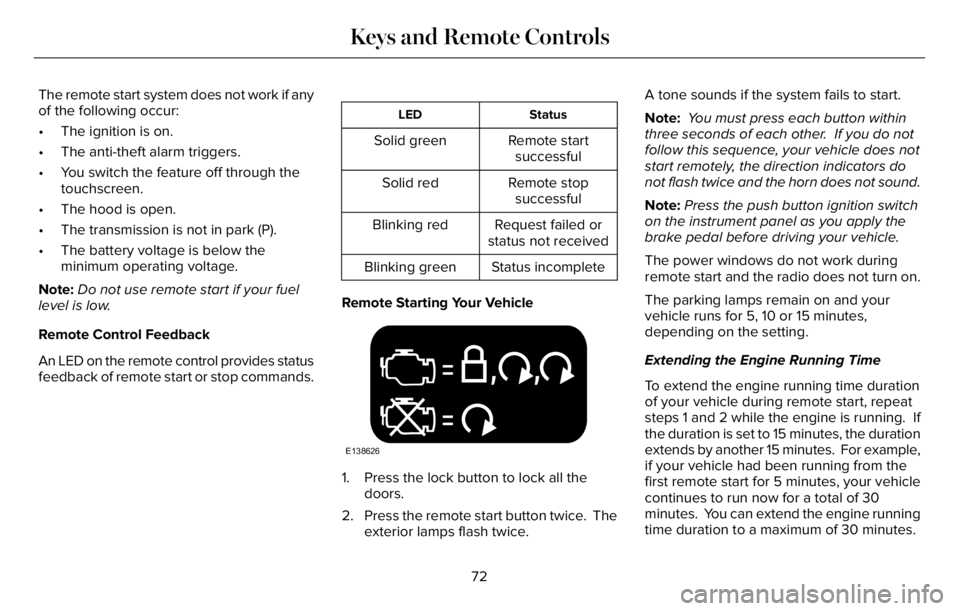
Remote Starting Your Vehicle
E138626
1. Press the lock button to lock all the
doors.
2. Press the remote start button twice. The
exterior lamps flash twice.A tone sounds if the system fails to start.
Note: You must press each button within
three seconds of each other. If you do not
follow this sequence, your vehicle does not
start remotely, the direction indicators do
not flash twice and the horn does not sound.
Note:Press the push button ignition switch
on the instrument panel as you apply the
brake pedal before driving your vehicle.
The power windows do not work during
remote start and the radio does not turn on.
The parking lamps remain on and your
vehicle runs for 5, 10 or 15 minutes,
depending on the setting.
Extending the Engine Running Time
To extend the engine running time duration
of your vehicle during remote start, repeat
steps 1 and 2 while the engine is running. If
the duration is set to 15 minutes, the duration
extends by another 15 minutes. For example,
if your vehicle had been running from the
first remote start for 5 minutes, your vehicle
continues to run now for a total of 30
minutes. You can extend the engine running
time duration to a maximum of 30 minutes.
72
Keys and Remote Controls
Page 84 of 681
Number of MyKeys
Indicates the number of MyKeys you have
programmed to your vehicle. Use this feature
to detect how many MyKeys you have for
your vehicle and determine when you have
deleted all MyKeys.
Number of Admin Keys
Indicates how many admin keys you have
programmed to your vehicle. Use this feature
to determine how many admin keys you have
for your vehicle, and detect if an additional
MyKey has been programmed.
USING MYKEY WITH REMOTE
START SYSTEMS
MyKey is not compatible with non
Ford-approved, aftermarket remote start
systems. If you choose to install a remote
start system, see an authorized dealer for a
Ford-approved remote start system.
MYKEY – TROUBLESHOOTING
Potential Causes Condition
· The key or remote control used to start the vehicle does not have
admin privileges. I cannot create a MyKey.
· Vehicles with keyless start: Make sure you place the remote control
into the backup slot. See Starting a Gasoline Engine (page 206).
· The key or remote control used to start the vehicle is the only admin
key. You always need at least one admin key.
· The SecuriLock passive anti-theft system is disabled or in unlimited
mode.
· The key or remote control used to start the vehicle does not have
admin privileges. I cannot program the configurable settings.
81
MyKey™
Page 94 of 681
EMERGENCY DOOR RELEASE
E2995773E295773295773
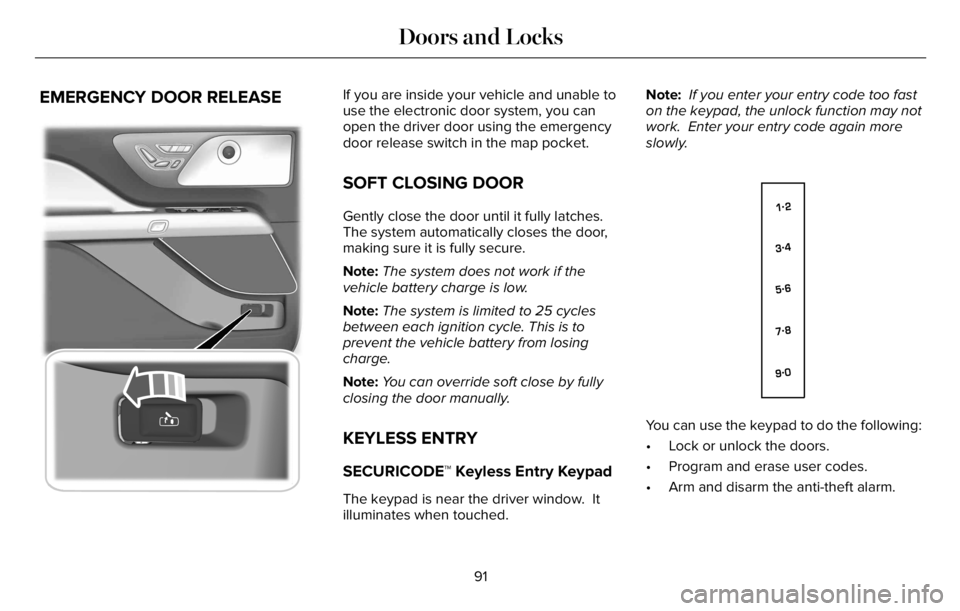
If you are inside your vehicle and unable to
use the electronic door system, you can
open the driver door using the emergency
door release switch in the map pocket.
SOFT CLOSING DOOR
Gently close the door until it fully latches.
The system automatically closes the door,
making sure it is fully secure.
Note:The system does not work if the
vehicle battery charge is low.
Note:The system is limited to 25 cycles
between each ignition cycle. This is to
prevent the vehicle battery from losing
charge.
Note:You can override soft close by fully
closing the door manually.
KEYLESS ENTRY
SECURICODE™ Keyless Entry Keypad
The keypad is near the driver window. It
illuminates when touched.Note: If you enter your entry code too fast
on the keypad, the unlock function may not
work. Enter your entry code again more
slowly.
E138637
You can use the keypad to do the following:
• Lock or unlock the doors.
• Program and erase user codes.
• Arm and disarm the anti-theft alarm.
91
Doors and Locks
Page 102 of 681
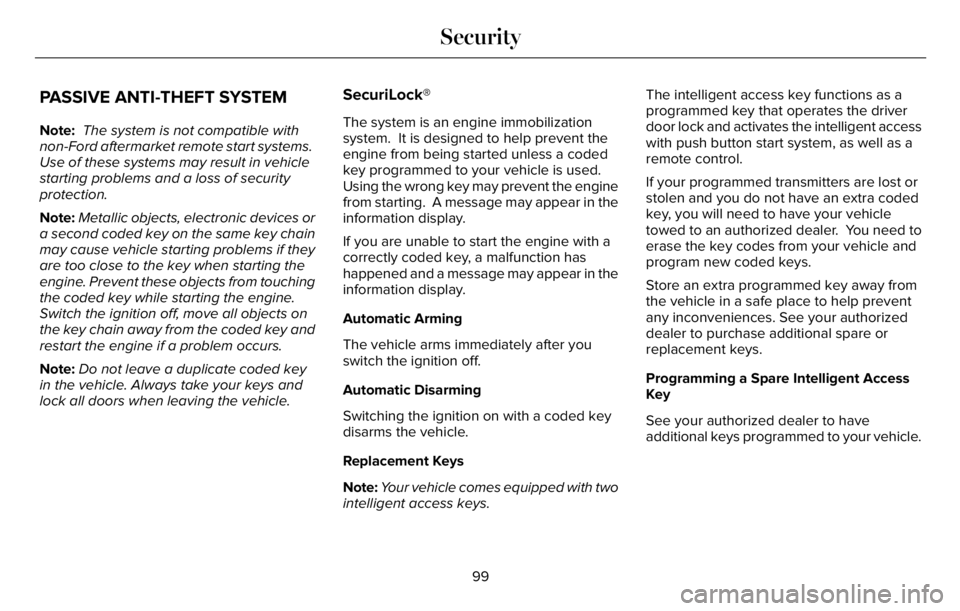
PASSIVE ANTI-THEFT SYSTEM
Note: The system is not compatible with
non-Ford aftermarket remote start systems.
Use of these systems may result in vehicle
starting problems and a loss of security
protection.
Note:Metallic objects, electronic devices or
a second coded key on the same key chain
may cause vehicle starting problems if they
are too close to the key when starting the
engine. Prevent these objects from touching
the coded key while starting the engine.
Switch the ignition off, move all objects on
the key chain away from the coded key and
restart the engine if a problem occurs.
Note:Do not leave a duplicate coded key
in the vehicle. Always take your keys and
lock all doors when leaving the vehicle.
SecuriLock®
The system is an engine immobilization
system. It is designed to help prevent the
engine from being started unless a coded
key programmed to your vehicle is used.
Using the wrong key may prevent the engine
from starting. A message may appear in the
information display.
If you are unable to start the engine with a
correctly coded key, a malfunction has
happened and a message may appear in the
information display.
Automatic Arming
The vehicle arms immediately after you
switch the ignition off.
Automatic Disarming
Switching the ignition on with a coded key
disarms the vehicle.
Replacement Keys
Note:Your vehicle comes equipped with two
intelligent access keys.The intelligent access key functions as a
programmed key that operates the driver
door lock and activates the intelligent access
with push button start system, as well as a
remote control.
If your programmed transmitters are lost or
stolen and you do not have an extra coded
key, you will need to have your vehicle
towed to an authorized dealer. You need to
erase the key codes from your vehicle and
program new coded keys.
Store an extra programmed key away from
the vehicle in a safe place to help prevent
any inconveniences. See your authorized
dealer to purchase additional spare or
replacement keys.
Programming a Spare Intelligent Access
Key
See your authorized dealer to have
additional keys programmed to your vehicle.
99
Security
Page 103 of 681
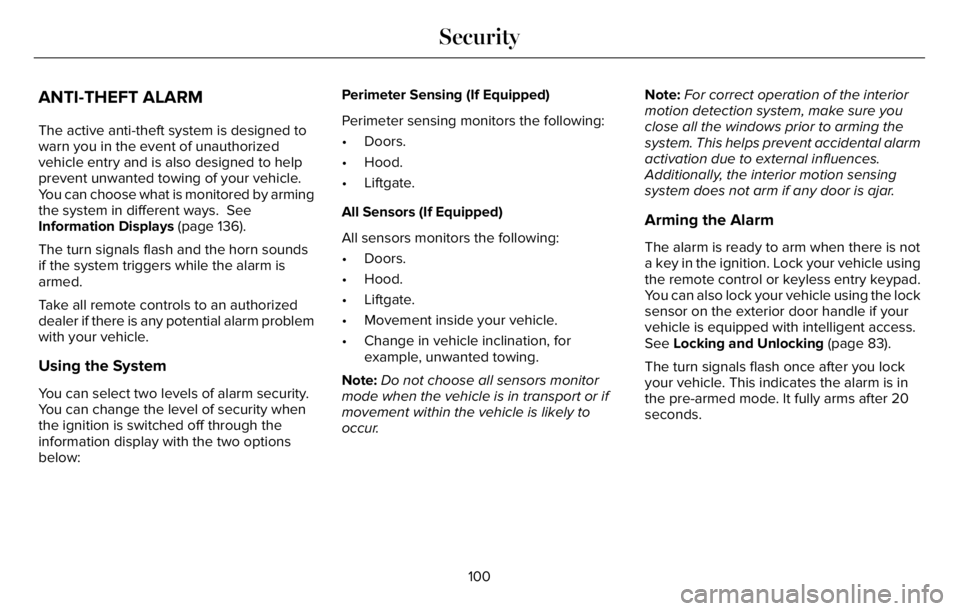
ANTI-THEFT ALARM
The active anti-theft system is designed to
warn you in the event of unauthorized
vehicle entry and is also designed to help
prevent unwanted towing of your vehicle.
You can choose what is monitored by arming
the system in different ways. See
Information Displays (page 136).
The turn signals flash and the horn sounds
if the system triggers while the alarm is
armed.
Take all remote controls to an authorized
dealer if there is any potential alarm problem
with your vehicle.
Using the System
You can select two levels of alarm security.
You can change the level of security when
the ignition is switched off through the
information display with the two options
below:Perimeter Sensing (If Equipped)
Perimeter sensing monitors the following:
• Doors.
• Hood.
• Liftgate.
All Sensors (If Equipped)
All sensors monitors the following:
• Doors.
• Hood.
• Liftgate.
• Movement inside your vehicle.
• Change in vehicle inclination, for
example, unwanted towing.
Note:Do not choose all sensors monitor
mode when the vehicle is in transport or if
movement within the vehicle is likely to
occur.Note:For correct operation of the interior
motion detection system, make sure you
close all the windows prior to arming the
system. This helps prevent accidental alarm
activation due to external influences.
Additionally, the interior motion sensing
system does not arm if any door is ajar.
Arming the Alarm
The alarm is ready to arm when there is not
a key in the ignition. Lock your vehicle using
the remote control or keyless entry keypad.
You can also lock your vehicle using the lock
sensor on the exterior door handle if your
vehicle is equipped with intelligent access.
See Locking and Unlocking (page 83).
The turn signals flash once after you lock
your vehicle. This indicates the alarm is in
the pre-armed mode. It fully arms after 20
seconds.
100
Security
Page 147 of 681
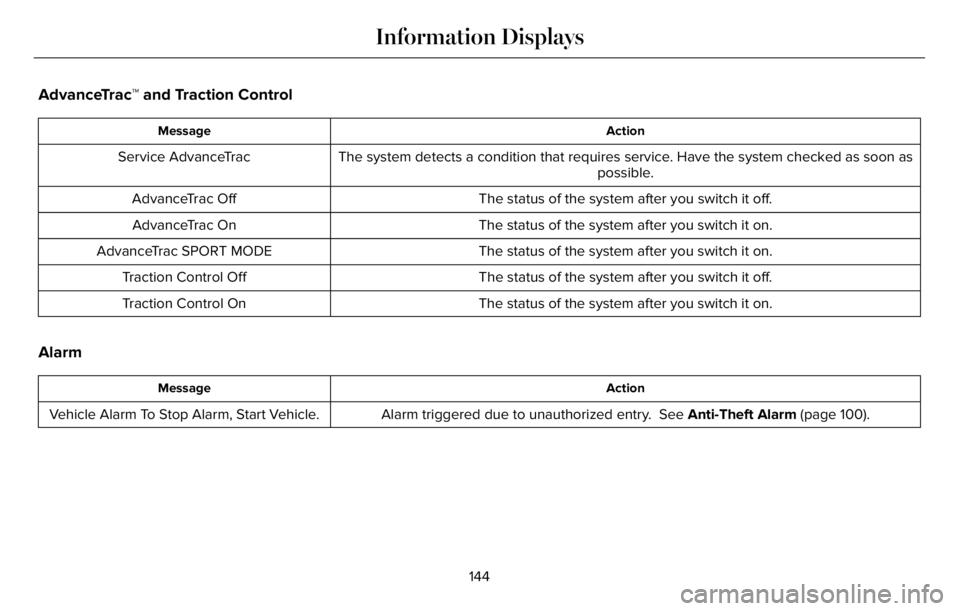
AdvanceTrac™ and Traction Control
Action Message
The system detects a condition that requires service. Have the system checked as soon as
possible. Service AdvanceTrac
The status of the system after you switch it off. AdvanceTrac Off
The status of the system after you switch it on. AdvanceTrac On
The status of the system after you switch it on. AdvanceTrac SPORT MODE
The status of the system after you switch it off. Traction Control Off
The status of the system after you switch it on. Traction Control On
Alarm
Action Message
Alarm triggered due to unauthorized entry. See Anti-Theft Alarm (page 100). Vehicle Alarm To Stop Alarm, Start Vehicle.
144
Information Displays
Page 153 of 681
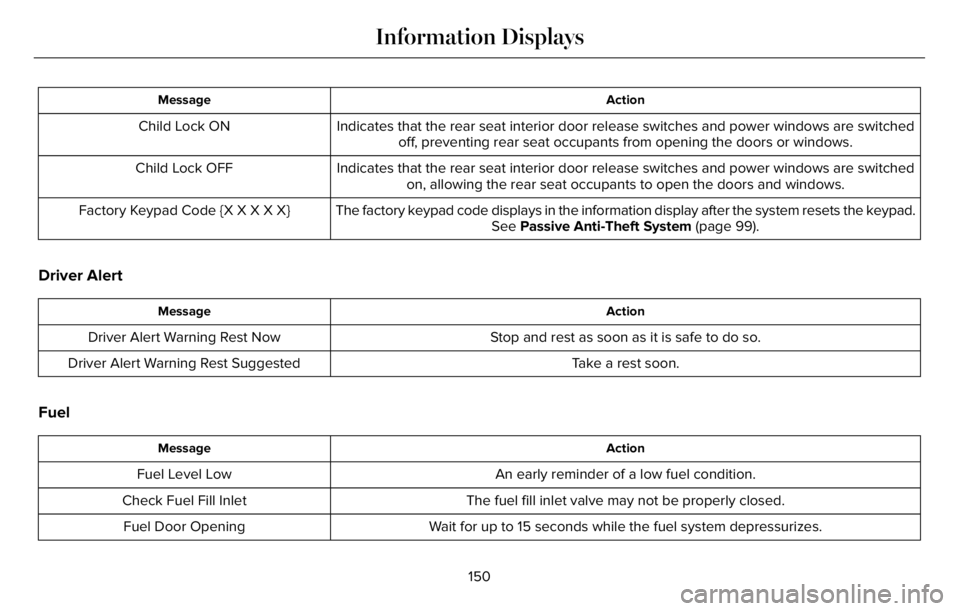
Action Message
Indicates that the rear seat interior door release switches and power windows are switched
off, preventing rear seat occupants from opening the doors or windows. Child Lock ON
Indicates that the rear seat interior door release switches and power windows are switched
on, allowing the rear seat occupants to open the doors and windows. Child Lock OFF
The factory keypad code displays in the information display after the system resets the keypad.
See Passive Anti-Theft System (page 99). Factory Keypad Code {X X X X X}
Driver Alert
Action Message
Stop and rest as soon as it is safe to do so. Driver Alert Warning Rest Now
Take a rest soon. Driver Alert Warning Rest Suggested
Fuel
Action Message
An early reminder of a low fuel condition. Fuel Level Low
The fuel fill inlet valve may not be properly closed. Check Fuel Fill Inlet
Wait for up to 15 seconds while the fuel system depressurizes. Fuel Door Opening
150
Information Displays
Page 670 of 681
3
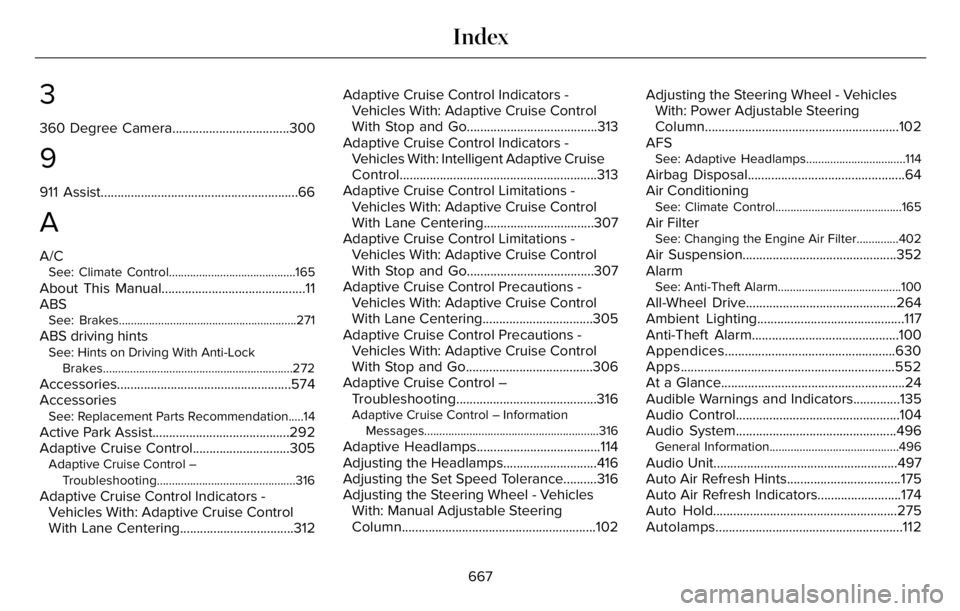
360 Degree Camera...................................300
9
911 Assist...........................................................66
A
A/CSee: Climate Control..........................................165
About This Manual...........................................11
ABS
See: Brakes...........................................................271
ABS driving hintsSee: Hints on Driving With Anti-Lock
Brakes...............................................................272
Accessories....................................................574
Accessories
See: Replacement Parts Recommendation.....14
Active Park Assist.........................................292
Adaptive Cruise Control.............................305
Adaptive Cruise Control –
Troubleshooting..............................................316
Adaptive Cruise Control Indicators -
Vehicles With: Adaptive Cruise Control
With Lane Centering..................................312Adaptive Cruise Control Indicators -
Vehicles With: Adaptive Cruise Control
With Stop and Go.......................................313
Adaptive Cruise Control Indicators -
Vehicles With: Intelligent Adaptive Cruise
Control...........................................................313
Adaptive Cruise Control Limitations -
Vehicles With: Adaptive Cruise Control
With Lane Centering.................................307
Adaptive Cruise Control Limitations -
Vehicles With: Adaptive Cruise Control
With Stop and Go......................................307
Adaptive Cruise Control Precautions -
Vehicles With: Adaptive Cruise Control
With Lane Centering.................................305
Adaptive Cruise Control Precautions -
Vehicles With: Adaptive Cruise Control
With Stop and Go......................................306
Adaptive Cruise Control –
Troubleshooting..........................................316
Adaptive Cruise Control – Information
Messages..........................................................316
Adaptive Headlamps.....................................114
Adjusting the Headlamps............................416
Adjusting the Set Speed Tolerance..........316
Adjusting the Steering Wheel - Vehicles
With: Manual Adjustable Steering
Column..........................................................102Adjusting the Steering Wheel - Vehicles
With: Power Adjustable Steering
Column..........................................................102
AFS
See: Adaptive Headlamps.................................114
Airbag Disposal...............................................64
Air Conditioning
See: Climate Control..........................................165
Air FilterSee: Changing the Engine Air Filter..............402
Air Suspension..............................................352
Alarm
See: Anti-Theft Alarm.........................................100
All-Wheel Drive.............................................264
Ambient Lighting............................................117
Anti-Theft Alarm............................................100
Appendices...................................................630
Apps................................................................552
At a Glance.......................................................24
Audible Warnings and Indicators..............135
Audio Control.................................................104
Audio System................................................496
General Information...........................................496
Audio Unit.......................................................497
Auto Air Refresh Hints..................................175
Auto Air Refresh Indicators.........................174
Auto Hold.......................................................275
Autolamps........................................................112
667
Index
Page 672 of 681
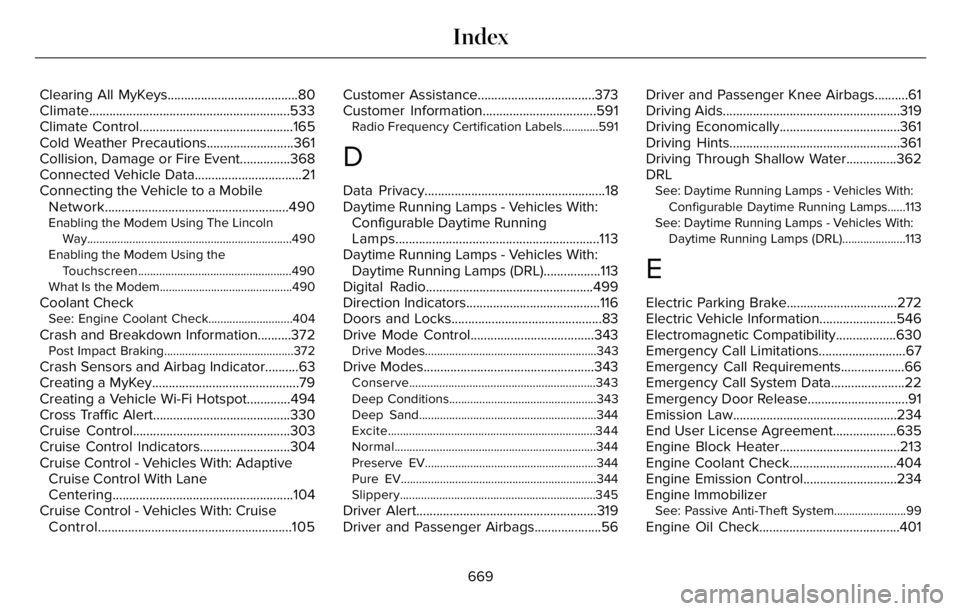
Clearing All MyKeys.......................................80
Climate............................................................533
Climate Control..............................................165
Cold Weather Precautions..........................361
Collision, Damage or Fire Event...............368
Connected Vehicle Data................................21
Connecting the Vehicle to a Mobile
Network.......................................................490
Enabling the Modem Using The Lincoln
Way....................................................................490
Enabling the Modem Using the
Touchscreen...................................................490
What Is the Modem............................................490
Coolant CheckSee: Engine Coolant Check............................404
Crash and Breakdown Information..........372Post Impact Braking...........................................372
Crash Sensors and Airbag Indicator..........63
Creating a MyKey............................................79
Creating a Vehicle Wi-Fi Hotspot.............494
Cross Traffic Alert.........................................330
Cruise Control...............................................303
Cruise Control Indicators...........................304
Cruise Control - Vehicles With: Adaptive
Cruise Control With Lane
Centering......................................................104
Cruise Control - Vehicles With: Cruise
Control..........................................................105Customer Assistance...................................373
Customer Information..................................591
Radio Frequency Certification Labels............591
D
Data Privacy......................................................18
Daytime Running Lamps - Vehicles With:
Configurable Daytime Running
Lamps.............................................................113
Daytime Running Lamps - Vehicles With:
Daytime Running Lamps (DRL).................113
Digital Radio..................................................499
Direction Indicators........................................116
Doors and Locks.............................................83
Drive Mode Control.....................................343
Drive Modes.........................................................343
Drive Modes...................................................343Conserve..............................................................343
Deep Conditions.................................................343
Deep Sand...........................................................344
Excite.....................................................................344
Normal...................................................................344
Preserve EV.........................................................344
Pure EV.................................................................344
Slippery.................................................................345
Driver Alert......................................................319
Driver and Passenger Airbags....................56Driver and Passenger Knee Airbags..........61
Driving Aids.....................................................319
Driving Economically....................................361
Driving Hints...................................................361
Driving Through Shallow Water...............362
DRL
See: Daytime Running Lamps - Vehicles With:
Configurable Daytime Running Lamps......113
See: Daytime Running Lamps - Vehicles With:
Daytime Running Lamps (DRL).....................113
E
Electric Parking Brake.................................272
Electric Vehicle Information.......................546
Electromagnetic Compatibility..................630
Emergency Call Limitations..........................67
Emergency Call Requirements...................66
Emergency Call System Data......................22
Emergency Door Release..............................91
Emission Law.................................................234
End User License Agreement...................635
Engine Block Heater....................................213
Engine Coolant Check................................404
Engine Emission Control............................234
Engine Immobilizer
See: Passive Anti-Theft System........................99
Engine Oil Check..........................................401
669
Index