ignition LINCOLN BLACKWOOD 2002 User Guide
[x] Cancel search | Manufacturer: LINCOLN, Model Year: 2002, Model line: BLACKWOOD, Model: LINCOLN BLACKWOOD 2002Pages: 248, PDF Size: 2.33 MB
Page 60 of 248
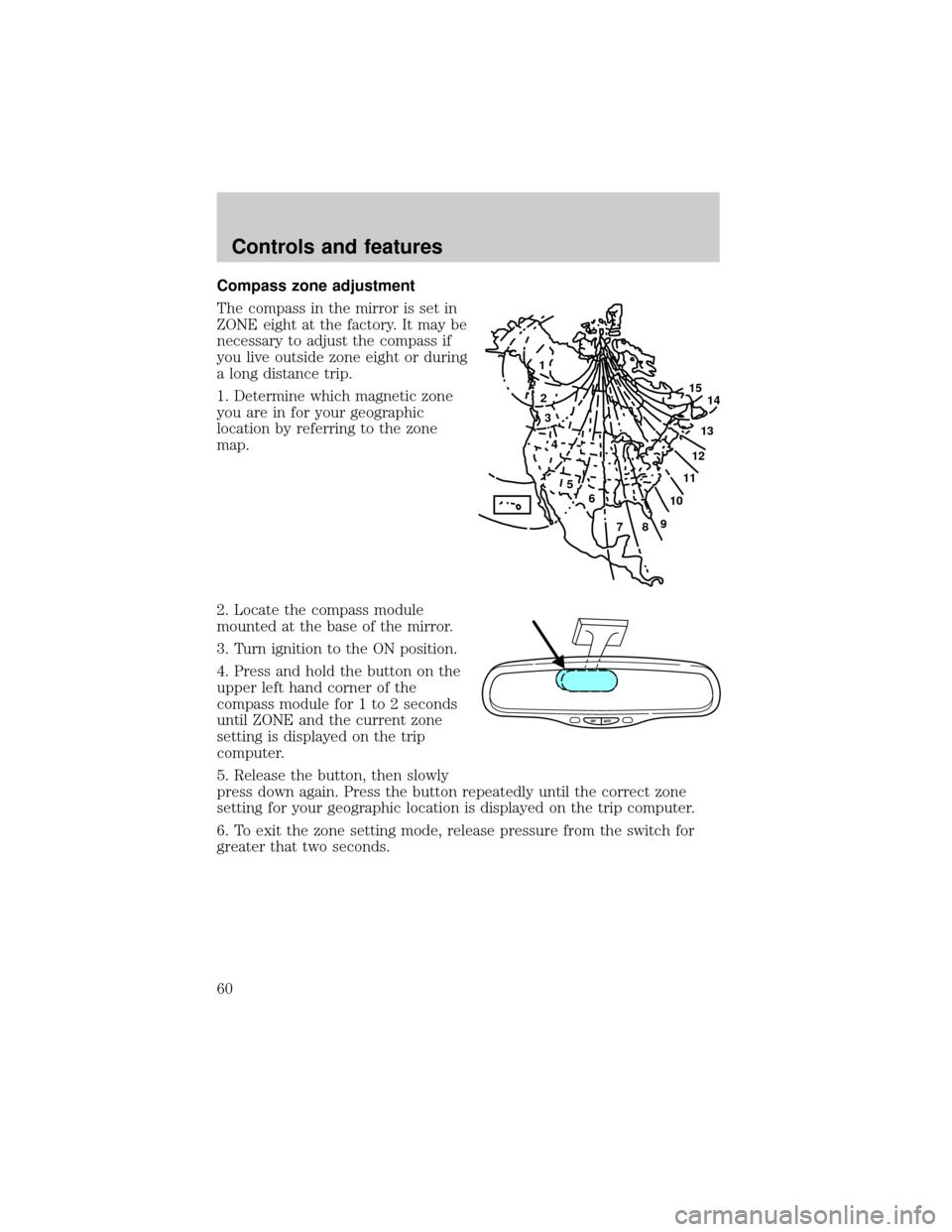
Compass zone adjustment
The compass in the mirror is set in
ZONE eight at the factory. It may be
necessary to adjust the compass if
you live outside zone eight or during
a long distance trip.
1. Determine which magnetic zone
you are in for your geographic
location by referring to the zone
map.
2. Locate the compass module
mounted at the base of the mirror.
3. Turn ignition to the ON position.
4. Press and hold the button on the
upper left hand corner of the
compass module for 1 to 2 seconds
until ZONE and the current zone
setting is displayed on the trip
computer.
5. Release the button, then slowly
press down again. Press the button repeatedly until the correct zone
setting for your geographic location is displayed on the trip computer.
6. To exit the zone setting mode, release pressure from the switch for
greater that two seconds.
1
2
3
4
5
6
7891011121314 15
Controls and features
60
Page 61 of 248
Compass calibration adjustment
The compass may need calibration adjustment if:
²the compass ZONE is set correctly and the trip computer display
window is not showing the correct heading
²ªCALº is displayed in the trip computer display window
Perform this adjustment in an open area free from steel structures and
high voltage lines.
For optimum calibration, turn off all electrical accessories (heater/air
conditioning, wipers, etc.) and make sure all vehicle doors are shut.
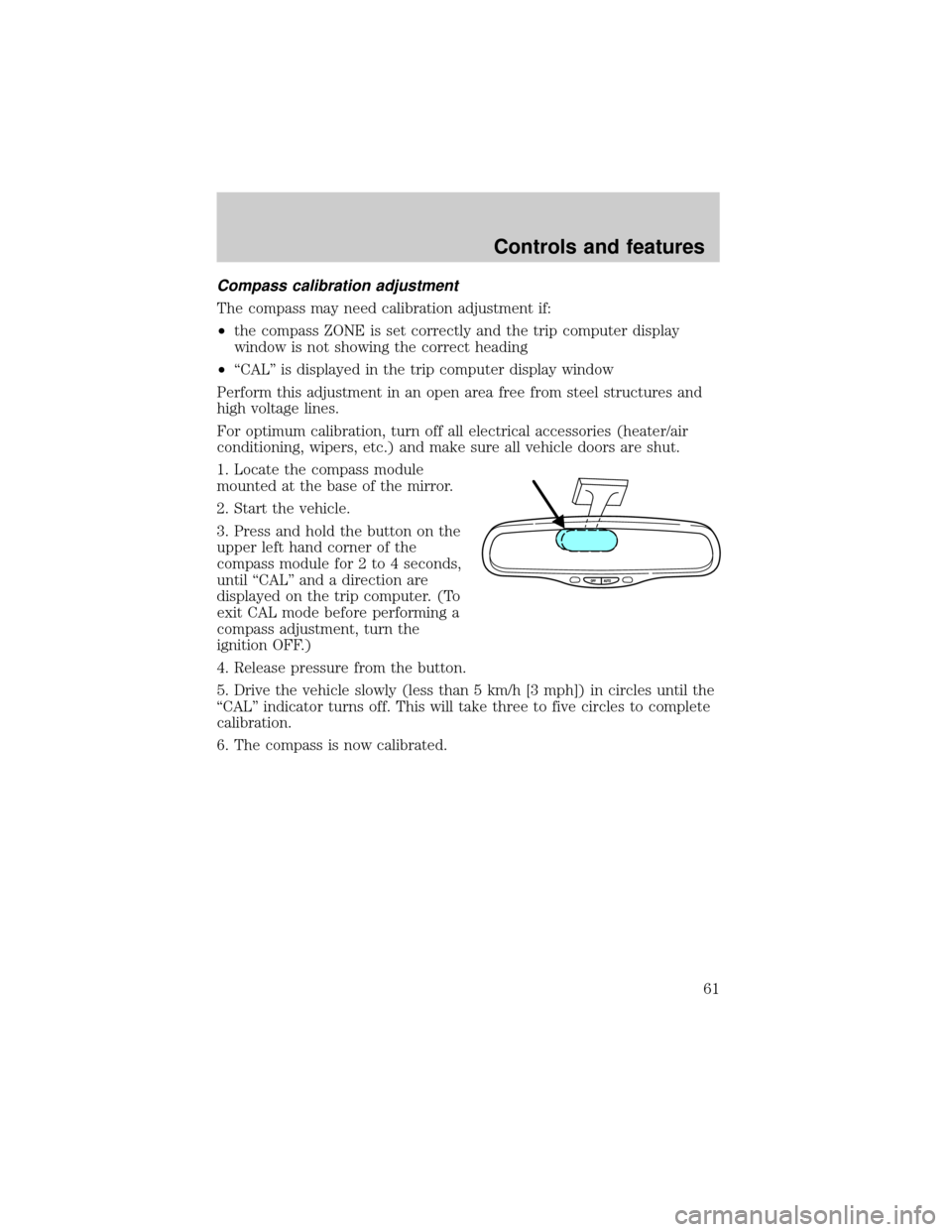
1. Locate the compass module
mounted at the base of the mirror.
2. Start the vehicle.
3. Press and hold the button on the
upper left hand corner of the
compass module for 2 to 4 seconds,
until ªCALº and a direction are
displayed on the trip computer. (To
exit CAL mode before performing a
compass adjustment, turn the
ignition OFF.)
4. Release pressure from the button.
5. Drive the vehicle slowly (less than 5 km/h [3 mph]) in circles until the
ªCALº indicator turns off. This will take three to five circles to complete
calibration.
6. The compass is now calibrated.
Controls and features
61
Page 63 of 248
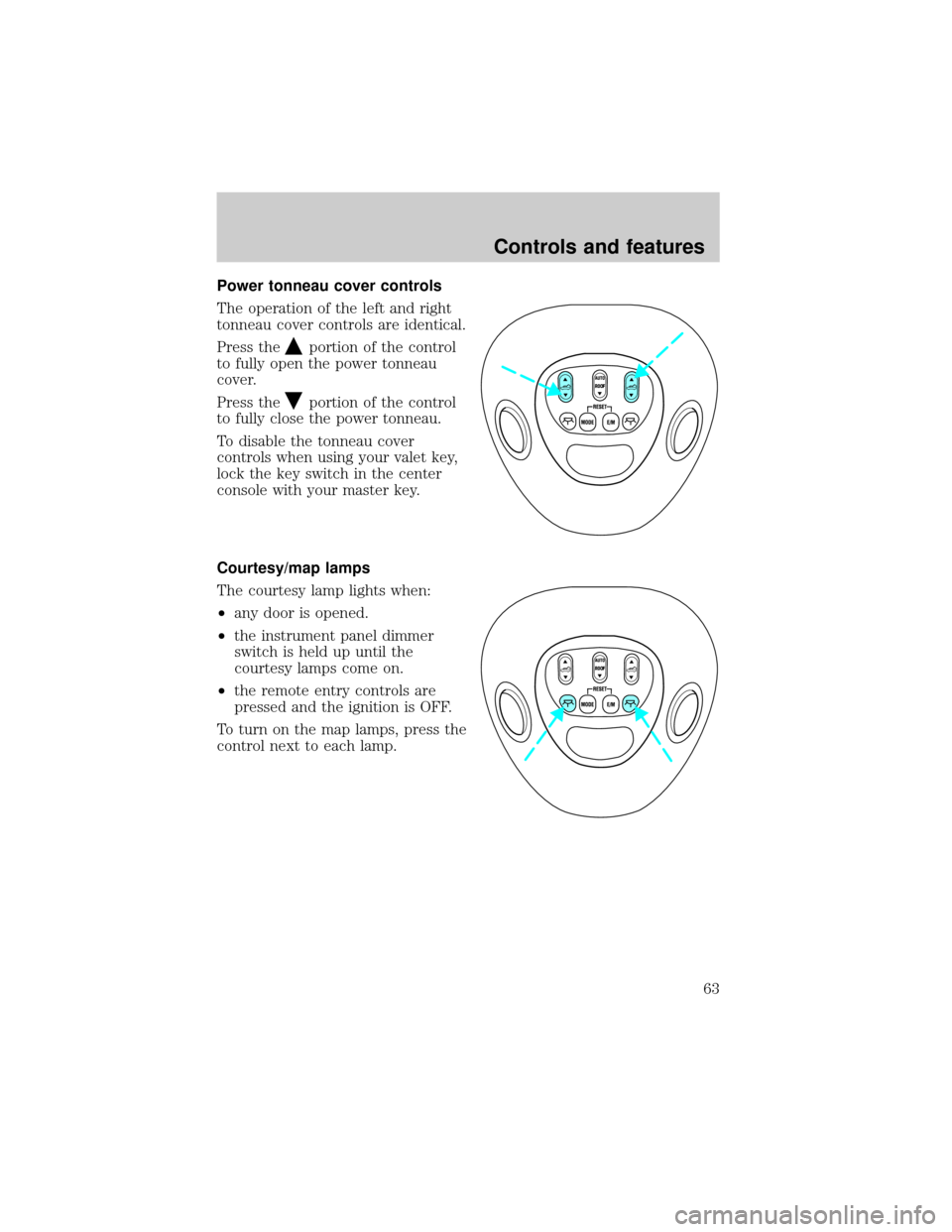
Power tonneau cover controls
The operation of the left and right
tonneau cover controls are identical.
Press the
portion of the control
to fully open the power tonneau
cover.
Press the
portion of the control
to fully close the power tonneau.
To disable the tonneau cover
controls when using your valet key,
lock the key switch in the center
console with your master key.
Courtesy/map lamps
The courtesy lamp lights when:
²any door is opened.
²the instrument panel dimmer
switch is held up until the
courtesy lamps come on.
²the remote entry controls are
pressed and the ignition is OFF.
To turn on the map lamps, press the
control next to each lamp.
ROOF
ROOF
Controls and features
63
Page 64 of 248
Rear door lamps
The rear door lamps light when:
²any door or tonneau cover is
opened.
²the instrument panel dimmer
switch is held up until the
courtesy lamps come on.
²the remote entry controls are
pressed and the ignition is OFF.
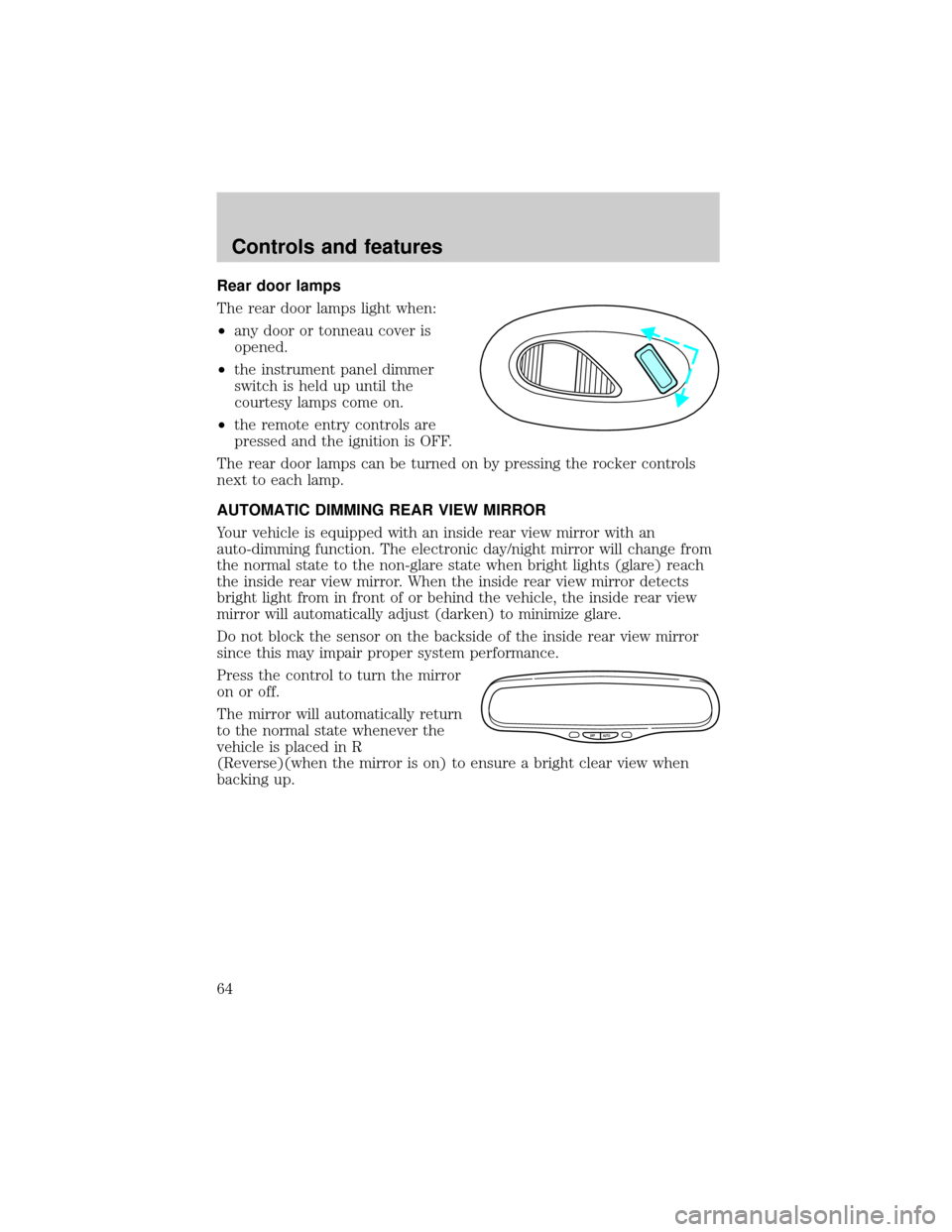
The rear door lamps can be turned on by pressing the rocker controls
next to each lamp.
AUTOMATIC DIMMING REAR VIEW MIRROR
Your vehicle is equipped with an inside rear view mirror with an
auto-dimming function. The electronic day/night mirror will change from
the normal state to the non-glare state when bright lights (glare) reach
the inside rear view mirror. When the inside rear view mirror detects
bright light from in front of or behind the vehicle, the inside rear view
mirror will automatically adjust (darken) to minimize glare.
Do not block the sensor on the backside of the inside rear view mirror
since this may impair proper system performance.
Press the control to turn the mirror
on or off.
The mirror will automatically return
to the normal state whenever the
vehicle is placed in R
(Reverse)(when the mirror is on) to ensure a bright clear view when
backing up.
OFF AUTO
Controls and features
64
Page 70 of 248
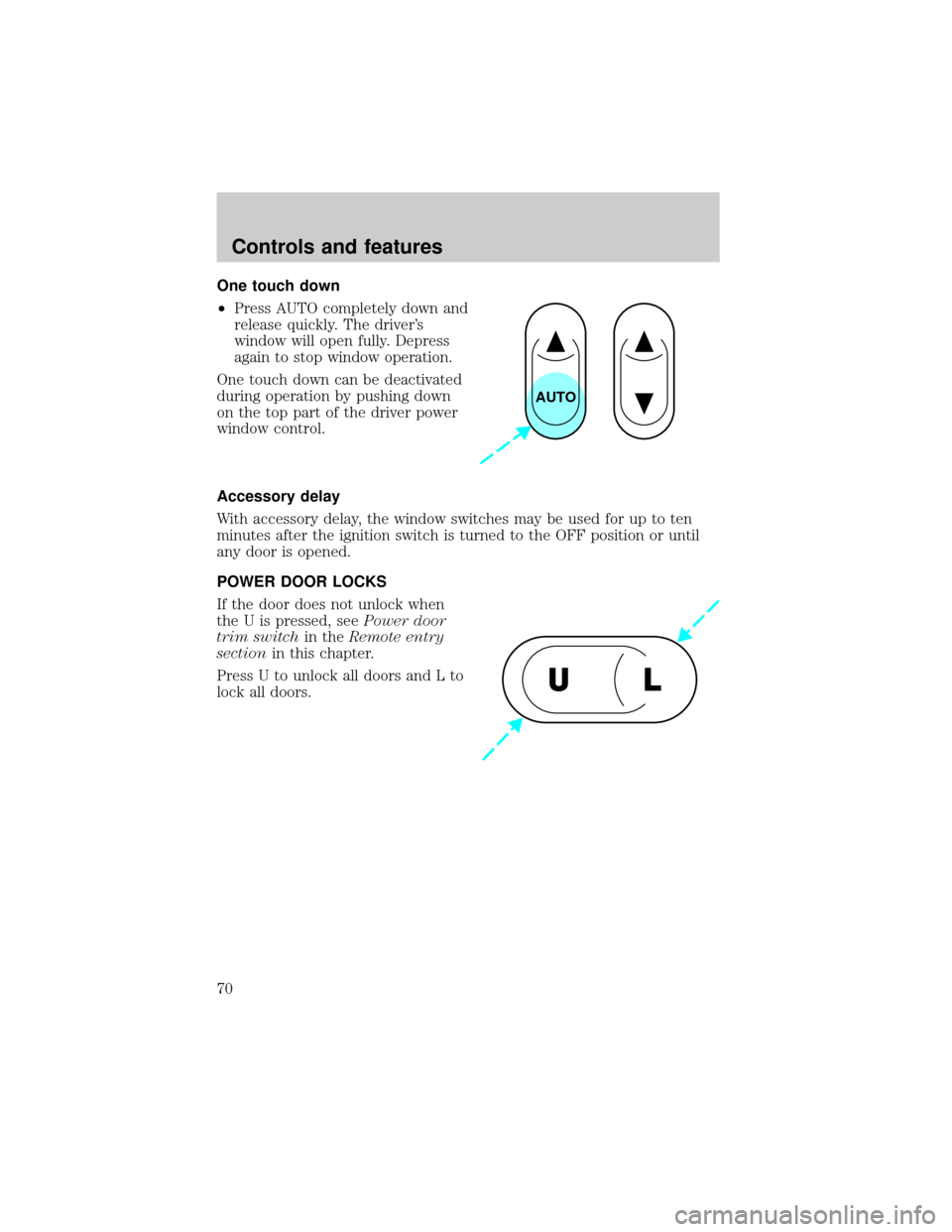
One touch down
²Press AUTO completely down and
release quickly. The driver's
window will open fully. Depress
again to stop window operation.
One touch down can be deactivated
during operation by pushing down
on the top part of the driver power
window control.
Accessory delay
With accessory delay, the window switches may be used for up to ten
minutes after the ignition switch is turned to the OFF position or until
any door is opened.
POWER DOOR LOCKS
If the door does not unlock when
the U is pressed, seePower door
trim switchin theRemote entry
sectionin this chapter.
Press U to unlock all doors and L to
lock all doors.
AUTO
UL
Controls and features
70
Page 71 of 248
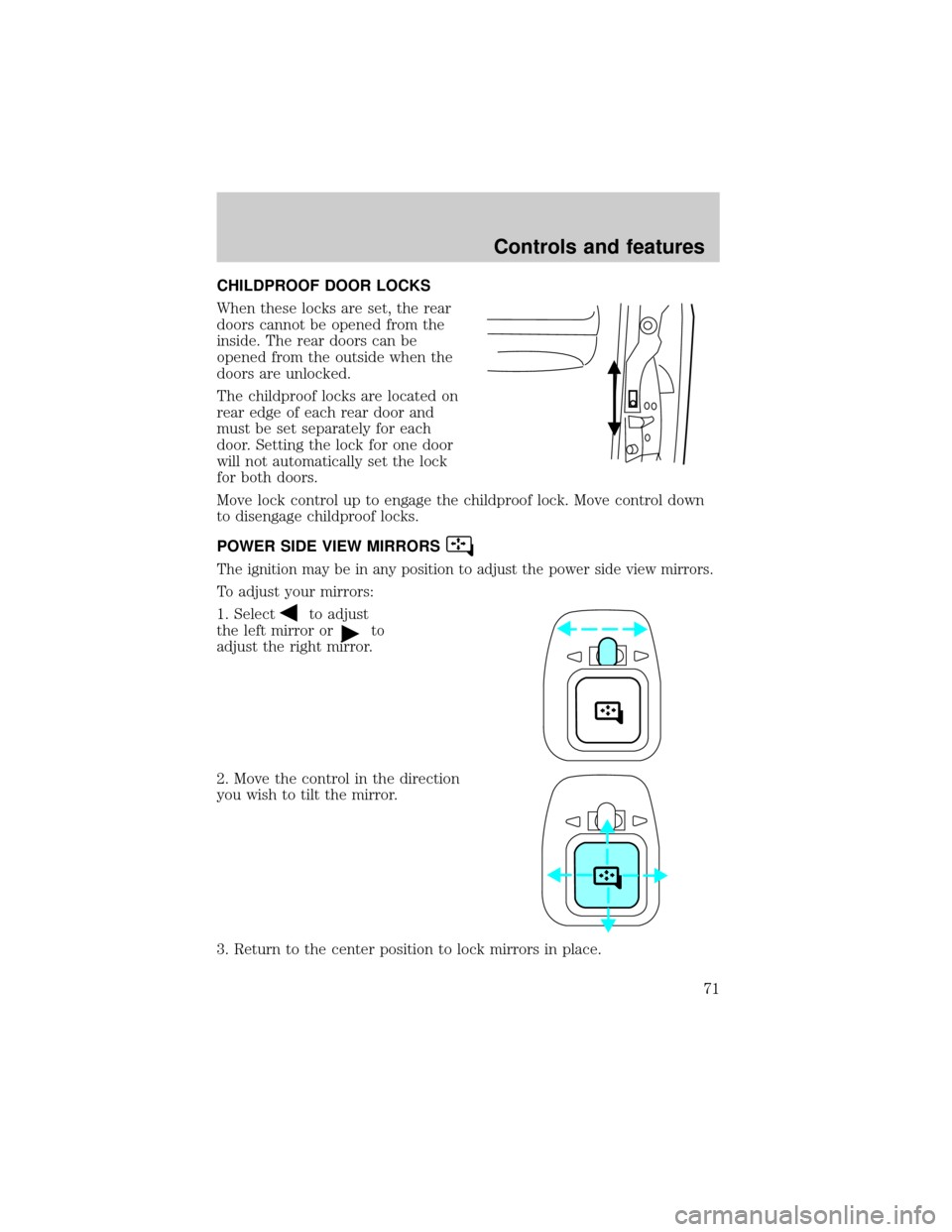
CHILDPROOF DOOR LOCKS
When these locks are set, the rear
doors cannot be opened from the
inside. The rear doors can be
opened from the outside when the
doors are unlocked.
The childproof locks are located on
rear edge of each rear door and
must be set separately for each
door. Setting the lock for one door
will not automatically set the lock
for both doors.
Move lock control up to engage the childproof lock. Move control down
to disengage childproof locks.
POWER SIDE VIEW MIRRORS
The ignition may be in any position to adjust the power side view mirrors.
To adjust your mirrors:
1. Select
to adjust
the left mirror or
to
adjust the right mirror.
2. Move the control in the direction
you wish to tilt the mirror.
3. Return to the center position to lock mirrors in place.
Controls and features
71
Page 75 of 248
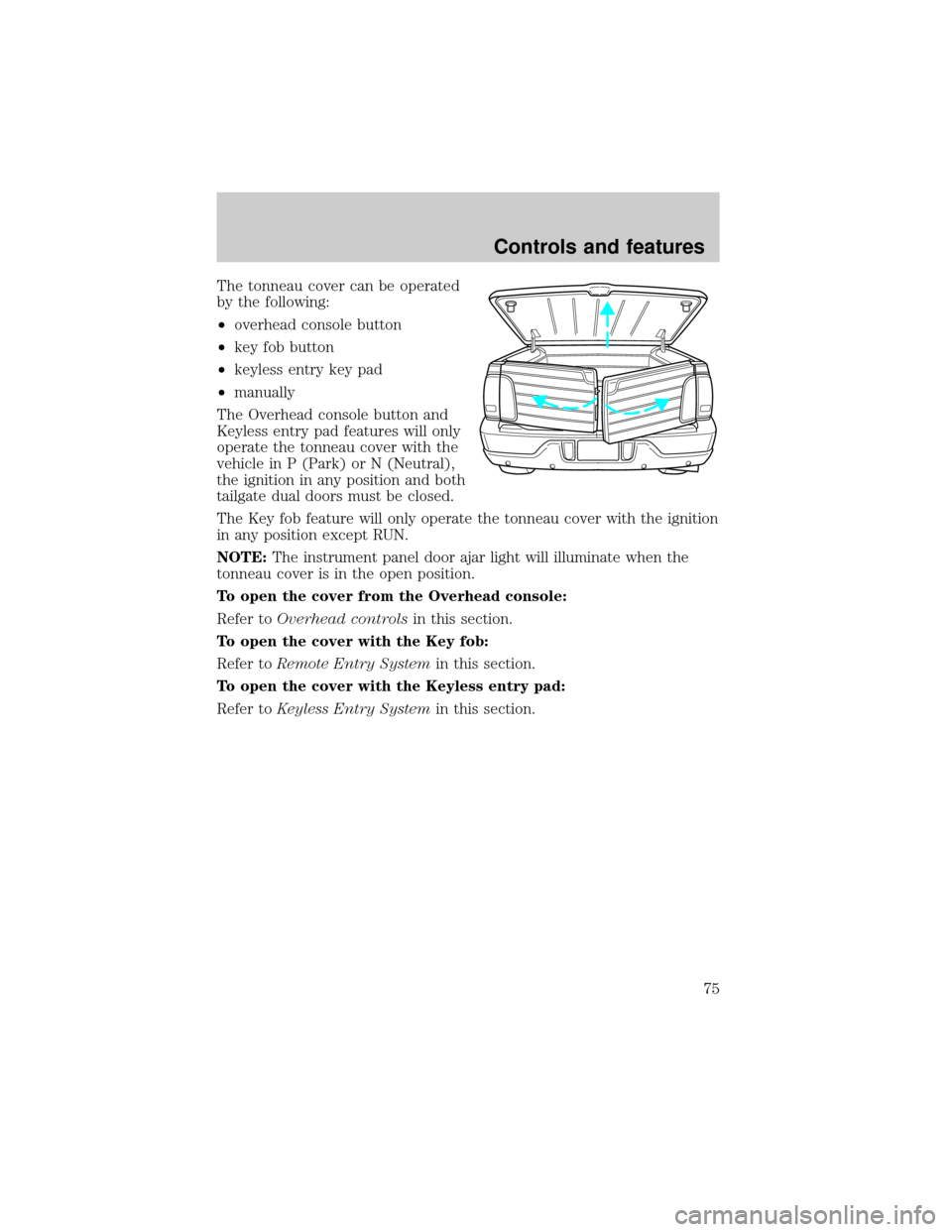
The tonneau cover can be operated
by the following:
²overhead console button
²key fob button
²keyless entry key pad
²manually
The Overhead console button and
Keyless entry pad features will only
operate the tonneau cover with the
vehicle in P (Park) or N (Neutral),
the ignition in any position and both
tailgate dual doors must be closed.
The Key fob feature will only operate the tonneau cover with the ignition
in any position except RUN.
NOTE:The instrument panel door ajar light will illuminate when the
tonneau cover is in the open position.
To open the cover from the Overhead console:
Refer toOverhead controlsin this section.
To open the cover with the Key fob:
Refer toRemote Entry Systemin this section.
To open the cover with the Keyless entry pad:
Refer toKeyless Entry Systemin this section.
Controls and features
75
Page 76 of 248
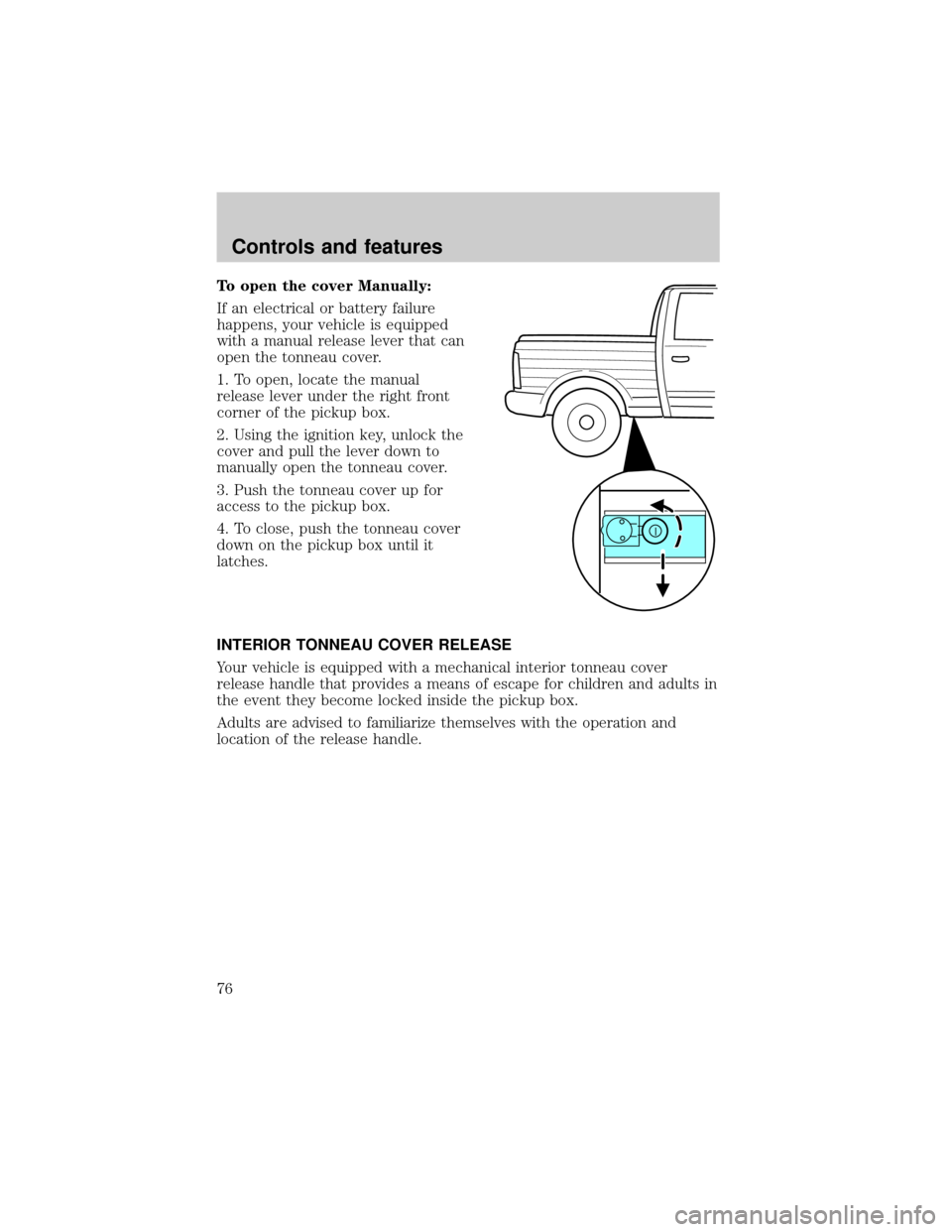
To open the cover Manually:
If an electrical or battery failure
happens, your vehicle is equipped
with a manual release lever that can
open the tonneau cover.
1. To open, locate the manual
release lever under the right front
corner of the pickup box.
2. Using the ignition key, unlock the
cover and pull the lever down to
manually open the tonneau cover.
3. Push the tonneau cover up for
access to the pickup box.
4. To close, push the tonneau cover
down on the pickup box until it
latches.
INTERIOR TONNEAU COVER RELEASE
Your vehicle is equipped with a mechanical interior tonneau cover
release handle that provides a means of escape for children and adults in
the event they become locked inside the pickup box.
Adults are advised to familiarize themselves with the operation and
location of the release handle.
Controls and features
76
Page 78 of 248
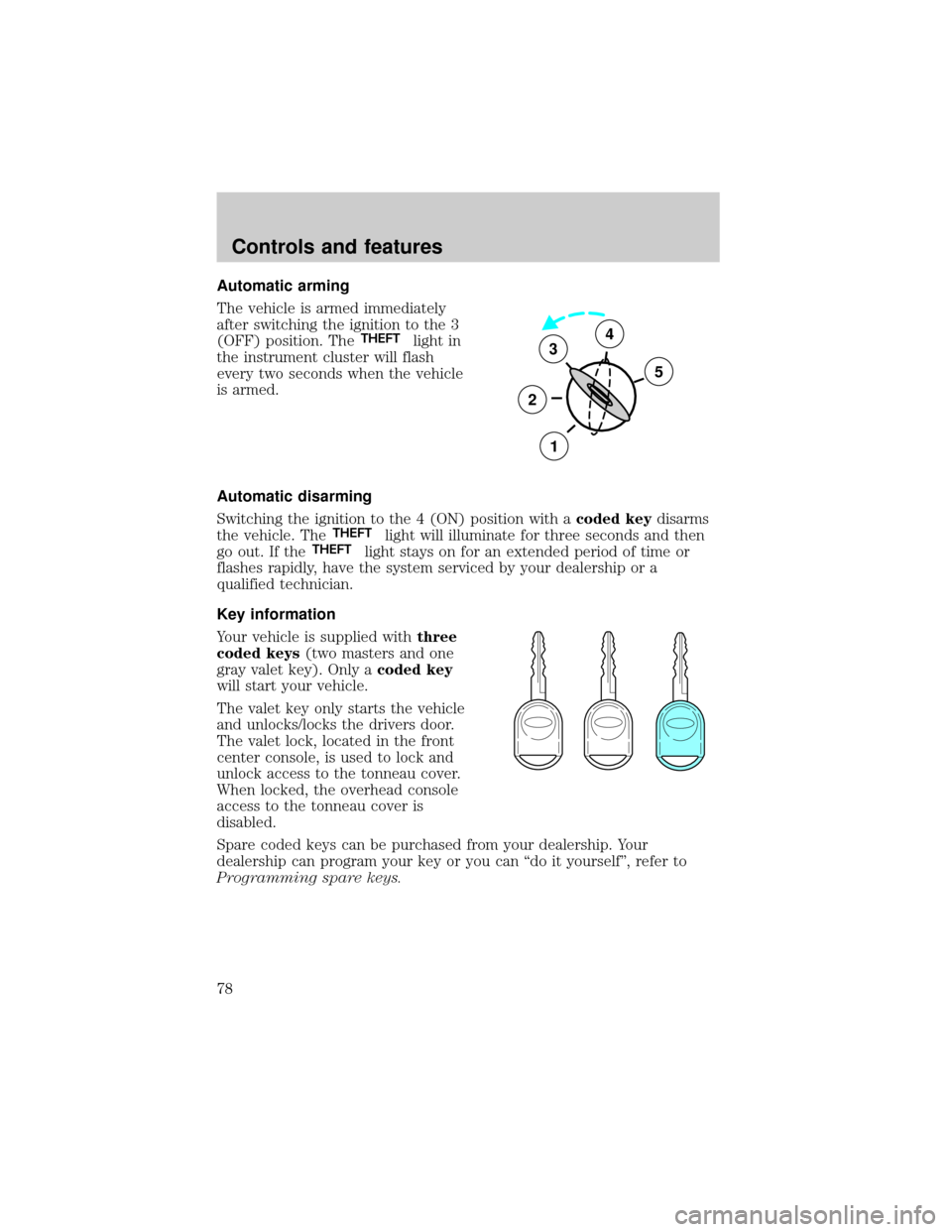
Automatic arming
The vehicle is armed immediately
after switching the ignition to the 3
(OFF) position. The
THEFTlight in
the instrument cluster will flash
every two seconds when the vehicle
is armed.
Automatic disarming
Switching the ignition to the 4 (ON) position with acoded keydisarms
the vehicle. The
THEFTlight will illuminate for three seconds and then
go out. If theTHEFTlight stays on for an extended period of time or
flashes rapidly, have the system serviced by your dealership or a
qualified technician.
Key information
Your vehicle is supplied withthree
coded keys(two masters and one
gray valet key). Only acoded key
will start your vehicle.
The valet key only starts the vehicle
and unlocks/locks the drivers door.
The valet lock, located in the front
center console, is used to lock and
unlock access to the tonneau cover.
When locked, the overhead console
access to the tonneau cover is
disabled.
Spare coded keys can be purchased from your dealership. Your
dealership can program your key or you can ªdo it yourselfº, refer to
Programming spare keys.
3
2
1
5
4
Controls and features
78
Page 79 of 248
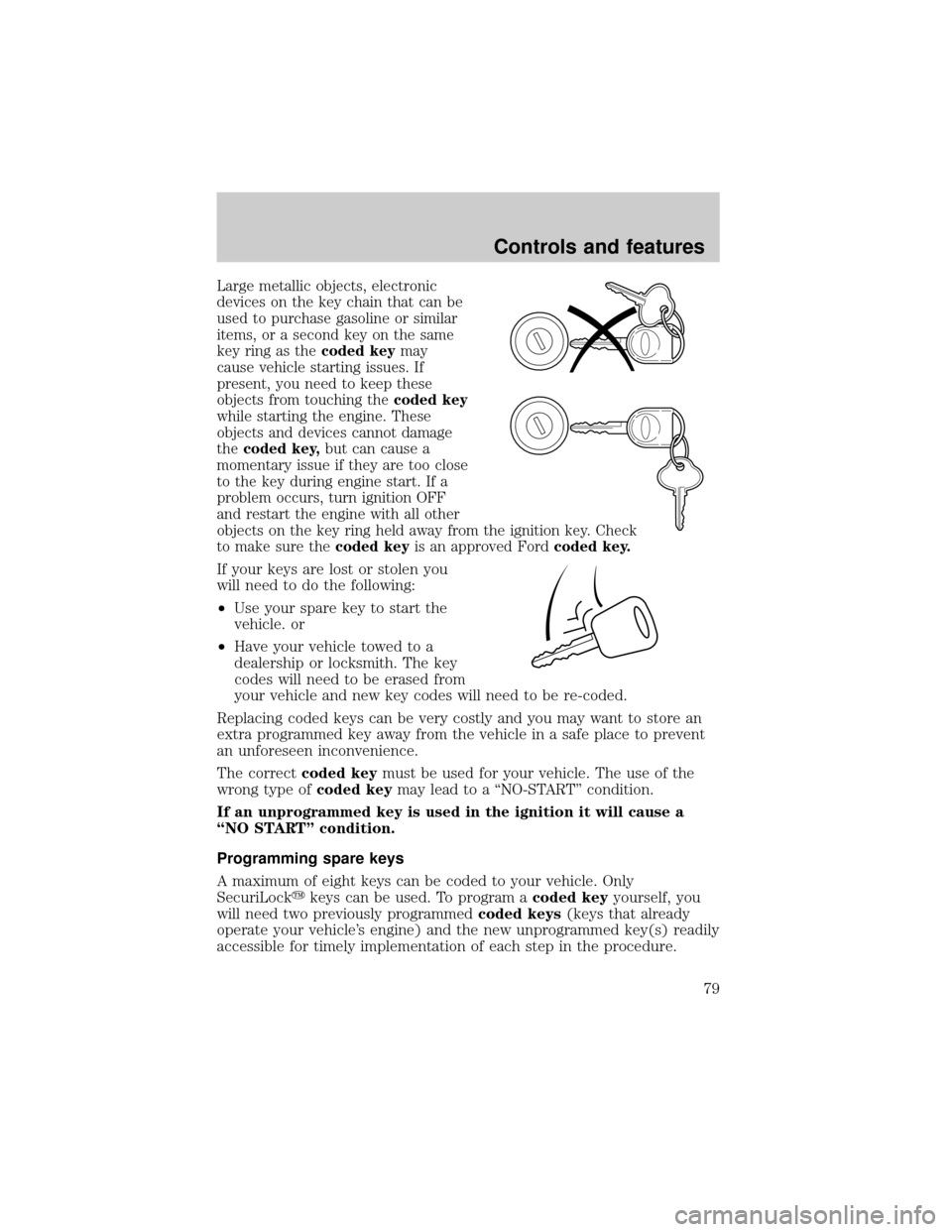
Large metallic objects, electronic
devices on the key chain that can be
used to purchase gasoline or similar
items, or a second key on the same
key ring as thecoded keymay
cause vehicle starting issues. If
present, you need to keep these
objects from touching thecoded key
while starting the engine. These
objects and devices cannot damage
thecoded key,but can cause a
momentary issue if they are too close
to the key during engine start. If a
problem occurs, turn ignition OFF
and restart the engine with all other
objects on the key ring held away from the ignition key. Check
to make sure thecoded keyis an approved Fordcoded key.
If your keys are lost or stolen you
will need to do the following:
²Use your spare key to start the
vehicle. or
²Have your vehicle towed to a
dealership or locksmith. The key
codes will need to be erased from
your vehicle and new key codes will need to be re-coded.
Replacing coded keys can be very costly and you may want to store an
extra programmed key away from the vehicle in a safe place to prevent
an unforeseen inconvenience.
The correctcoded keymust be used for your vehicle. The use of the
wrong type ofcoded keymay lead to a ªNO-STARTº condition.
If an unprogrammed key is used in the ignition it will cause a
ªNO STARTº condition.
Programming spare keys
A maximum of eight keys can be coded to your vehicle. Only
SecuriLockykeys can be used. To program acoded keyyourself, you
will need two previously programmedcoded keys(keys that already
operate your vehicle's engine) and the new unprogrammed key(s) readily
accessible for timely implementation of each step in the procedure.
Controls and features
79