ignition LINCOLN CONTINENTAL 1997 Owners Manual
[x] Cancel search | Manufacturer: LINCOLN, Model Year: 1997, Model line: CONTINENTAL, Model: LINCOLN CONTINENTAL 1997Pages: 321, PDF Size: 2.37 MB
Page 14 of 321
10The following warning lights and gauges are on the
instrument cluster. All of the warning lights and
gauges alert you to possible problems with your
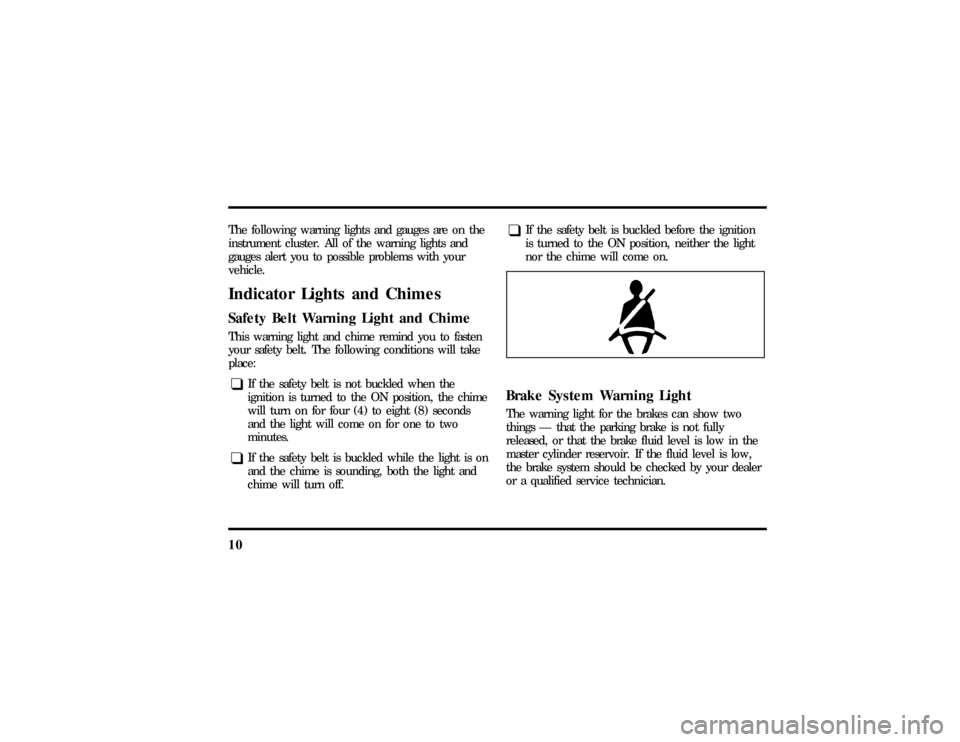
vehicle.Indicator Lights and ChimesSafety Belt Warning Light and ChimeThis warning light and chime remind you to fasten
your safety belt. The following conditions will take
place:q
If the safety belt is not buckled when the
ignition is turned to the ON position, the chime
will turn on for four (4) to eight (8) seconds
and the light will come on for one to two
minutes.
q
If the safety belt is buckled while the light is on
and the chime is sounding, both the light and
chime will turn off.
q
If the safety belt is buckled before the ignition
is turned to the ON position, neither the light
nor the chime will come on.
Brake System Warning LightThe warning light for the brakes can show two
things Ð that the parking brake is not fully
released, or that the brake fluid level is low in the
master cylinder reservoir. If the fluid level is low,
the brake system should be checked by your dealer
or a qualified service technician.
File:03fnisc.ex
Update:Mon Jun 17 14:14:40 1996
Page 18 of 321
14This light illuminates every time you turn the
ignition to the ON or START position (engine off).
The light should go off when the engine starts and
the alternator begins to charge.
If the light stays on or illuminates when the engine
is running, have the electrical system checked as
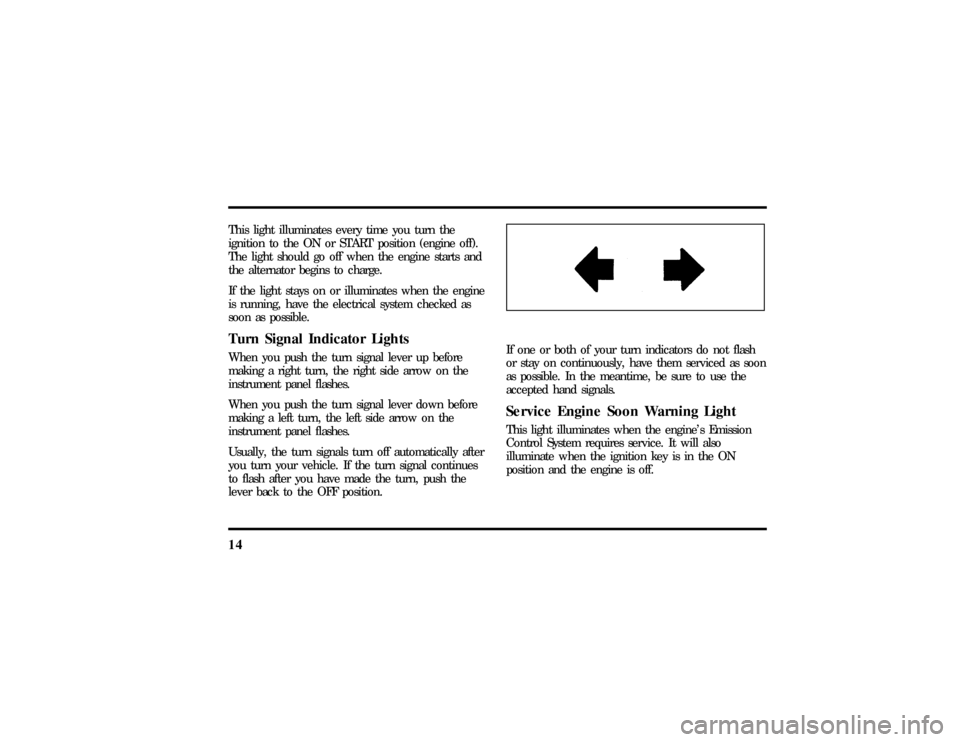
soon as possible.Turn Signal Indicator LightsWhen you push the turn signal lever up before
making a right turn, the right side arrow on the
instrument panel flashes.
When you push the turn signal lever down before
making a left turn, the left side arrow on the
instrument panel flashes.
Usually, the turn signals turn off automatically after
you turn your vehicle. If the turn signal continues
to flash after you have made the turn, push the
lever back to the OFF position.
If one or both of your turn indicators do not flash
or stay on continuously, have them serviced as soon
as possible. In the meantime, be sure to use the
accepted hand signals.Service Engine Soon Warning LightThis light illuminates when the engine's Emission
Control System requires service. It will also
illuminate when the ignition key is in the ON
position and the engine is off.
File:03fnisc.ex
Update:Mon Jun 17 14:14:40 1996
Page 19 of 321
15
High Beam LightThis light illuminates when the headlamps are
turned to high beam or when you flash the lights.
Chime for Headlamps OnThis chime sounds if the driver or any passenger
door is open when the parking lamps or headlamps
are on. The chime sounds until you close the door,
turn off the lamps or turn the ignition to the ON
position.Air Bag Readiness LightThe air bag system uses a readiness light and a tone
to indicate the condition of the system. The
readiness light is in the instrument cluster. When
you turn the ignition key to the ON position, this
light will light up for six (6) seconds and then turn
off. This indicates that the system is operating
normally. NOTE: Regularly scheduled maintenance
of the air bag system is not required.
File:03fnisc.ex
Update:Mon Jun 17 14:14:40 1996
Page 20 of 321
16If the light fails to illuminate, continues to flash,
remains on, or you hear a beeping sound, have the
system serviced at your Ford or Lincoln-Mercury
dealer immediately.Anti-Theft Alarm Light (If equipped)This light flashes on and off when the ignition is
turned to the OFF position and any door is opened.
As soon as you lock the doors, the light glows
steadily. Within 30 seconds of closing all the doors,
the light goes out. This indicates that the alarm
system is armed.
SeeAnti-Theft Systemin theControls and Features
chapter for more information.The Instrument ClusterIn addition to warning lights, the instrument cluster
has a message center/odometer, a speedometer,
tachometer, fuel and coolant temperature gauges.
File:03fnisc.ex
Update:Mon Jun 17 14:14:40 1996
Page 22 of 321

183. Let the engine cool.DO NOT REMOVE
COOLANT SYSTEM FILL CAP UNTIL THE
ENGINE IS COOL.
4. Check the coolant level following the
instructions on checking and adding coolant to
your engine, seeEngine Coolantin the Index.
If you do not follow these instructions, you or
others could be injured.
If the coolant continues to overheat, have the
coolant system serviced as soon as possible.Fuel GaugeThe fuel gauge displays approximately how much
fuel you have in the fuel tank. The ignition switch
must be in the OFF position while filling the tank
with at least three gallons (11 liters) for the fuel
gauge to indicate the new level. If the ignition is
left ON or less than 3 gallons (11 liters) of fuel are
added the fuel gauge will not immediately indicate
the new fuel level. The gauge will gradually correct
itself to indicate the true fuel level.
The Electronic Message Center
(M/C)The Electronic Message Center only works when
the ignition is in the ON position.
Each time the M/C is powered the display goes
through a self test by displaying the PLEASE
FASTEN SEATBELT message. This self test is used
to stabilize the systems before reporting the status
to you.
The message center tells you about the condition of
your vehicle by two methods:q
operator selectable features
q
continuous warning reporting of monitored
systems
File:03fnisc.ex
Update:Mon Jun 17 14:14:40 1996
Page 25 of 321
21
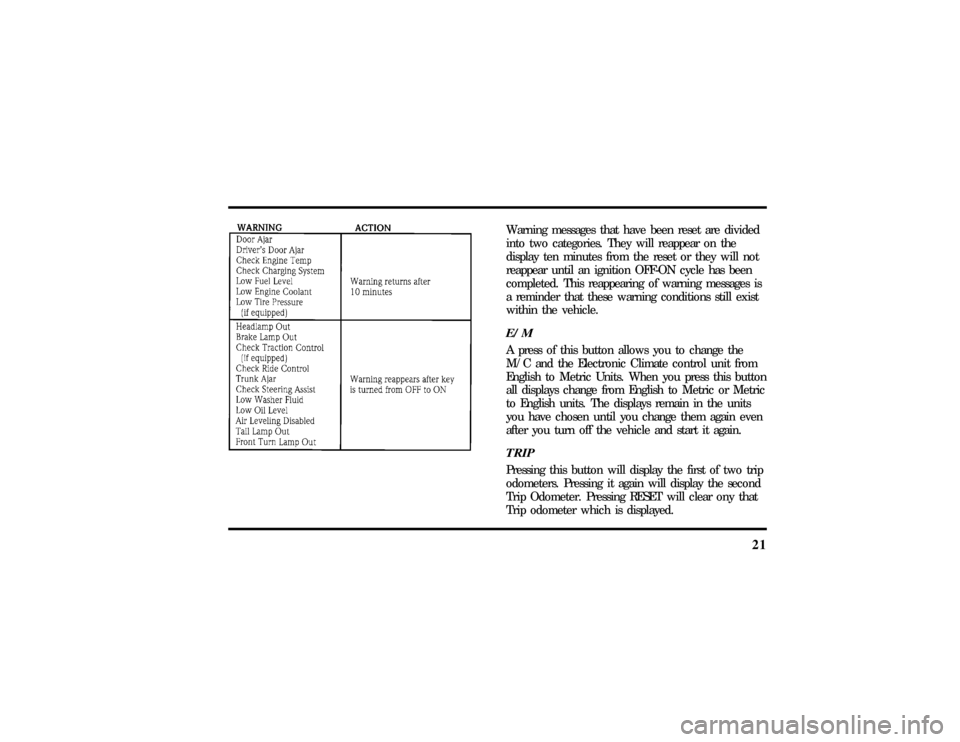
Warning messages that have been reset are divided
into two categories. They will reappear on the
display ten minutes from the reset or they will not
reappear until an ignition OFF-ON cycle has been
completed. This reappearing of warning messages is
a reminder that these warning conditions still exist
within the vehicle.E/MA press of this button allows you to change the
M/C and the Electronic Climate control unit from
English to Metric Units. When you press this button
all displays change from English to Metric or Metric
to English units. The displays remain in the units
you have chosen until you change them again even
after you turn off the vehicle and start it again.TRIPPressing this button will display the first of two trip
odometers. Pressing it again will display the second
Trip Odometer. Pressing RESET will clear ony that
Trip odometer which is displayed.
File:03fnisc.ex
Update:Mon Jun 17 14:14:40 1996
Page 26 of 321

22DTE/ECONPressing this button a first time will display
approximately how many miles you can drive before
you run out of fuel, or in other words the Distance
To Empty (DTE). To ensure accuracy, turn the
ignition OFF when you fill the tank.
Pressing this button a second time will allow you to
display your Average Fuel Economy in miles/gallon
or liters/100 kilometers. Your M/C computes this
figure using the distance traveled and rate of fuel
used information. If you want to reset this feature,
press the RESET button while the Average Fuel
Economy feature is displayed.
NOTE:DTE (Distance to Empty) is calculated using
a ªRunning Average Fuel Economyº initialized by
the factory. This value is not the same as the
Average Fuel Economy Display. The Running
Average Economy is based on more than 500 miles
(800 km) of driving history. Also the factory default
for Running Average Economy is reinitialized if the
battery is disconnected.If the FUEL LEVEL ERROR message is displayed
this means that there is a problem with the fuel
indication system and you should contact your
dealer for service as soon as possible.
RESETA press of the RESET button will allow you to reset
the current feature displayed. Warnings, Average
Fuel Economy, and Trip odometers are the only
features which respond to the RESET button.
Distance to Empty (DTE), RIDE/STEER and MENU
are unaffected by pressing the RESET switch.DISPLAYPressing this button will cause the message center
display to turn off. Pressing it again will cause the
display to come on again. Warnings override an off
display and must be reset in order for the display to
be off again.
File:03fnisc.ex
Update:Mon Jun 17 14:14:40 1996
Page 28 of 321

24Pressing MENU again will allow you to enable or
disable the HORN CHIRP feature. When HORN
CHIRP is ON the horn will briefly sound when the
Remote Entry Key Fob LOCK button is pressed.
This verifies the doors have been locked and the
ANTI-THEFT system has been armed (if equipped).
Pressing MENU again will allow you to enable or
disable the SEAT ACCESS feature. When ON, the
driver's seat will move back 2 inches (5 cm) or to
end of seat travel when the vehicle is turned off
and the ignition key is removed. Upon the driver
entering the vehicle and closing the door, the seat
will move forward to its previous position.Pressing MENU again will allow you to enable or
disable the REVERSE MIRRORS feature. When ON,
the outside rearview mirrors tilt down when the
gearshift is placed in R (Reverse). This provides for
an improved view of the side of the vehicle and
curb area when backing up. When you shift out of
REVERSE the mirrors return to their previous
positions.
File:03fnisc.ex
Update:Mon Jun 17 14:14:40 1996
Page 31 of 321

27
Luxury Audio SystemUsing the Controls on Your New RadioHow to turn the radio on and offPress the ªVOL/PUSH ONº knob to turn the radio
on. Press again to turn it off.How to adjust the volumeTurn the ªVOL/PUSH ONº knob clockwise to
increase the volume and counter-clockwise to
decrease the volume.
NOTE:If the volume is set above a certain level
when the ignition is turned off, the volume level
will reset to a ªnominalº listening level when the
ignition switch is turned back on. However, if the
radio is turned off with the ªVOL/PUSH ONº knob,
the volume will not reset and will stay at the same
level when the radio is turned back on.
Selecting the AM or FM frequency bandPush the ªAMº or ªFM1/FM2º button to select the
desired frequency band. Pushing the ªFM1/FM2º
button more than once will alternate between FM1
and FM2. These functions are used with the
memory preset buttons described underHow to
tune radio stations.How to tune radio stationsThere are four ways for you to tune in a particular
station. You can use the ªTUNEº, ªSEEKº, ªSCANº
or memory buttons.q
Using the ªTUNEº function
You can change the frequency up or down one
increment at a time by pressing and releasing
either the left (
b) or right (
a) side of the
ªTUNEº or ªTUNE DISCSº button. To change
frequencies quickly, press and hold down either
the right or left side of the button.
File:04fnasc.ex
Update:Mon Jun 17 14:15:17 1996
Page 35 of 321

31
Using the Digital Signal Processing
(DSP) FeaturePush the ª(
aDSP
b)º button to activate the
feature. The display will indicate which signal mode
is in effect. To change the signal mode press either
the left (
b) or right (
a) side of the selector
button (located under the ª(
aDSP
b)º button).
The following signal modes may be selected:
1. ªHALLº Ð Rectangular concert hall capacity of
about 2,000.
2. ªCHURCHº Ð Church with a high vault.
3. ªJAZZº Ð Jazz club with clearly reflected
sounds.
4. ªSTADIUMº Ð Outdoor stadium with a
capacity of about 30,000.
5. ªNEWSº Ð ªVoice-onlyº type of sound with a
limited audio band.To deactivate the DSP feature, press the
ª(
aDSP
b)º button again.
Delayed Accessory Feature
(If Equipped)If the ignition is turned off while the radio is on,
the radio will continue to play for up to ten
minutes or until a door is opened.Speaker LocationsYour Ford JBL sound system is equipped with a
total of ten speakers: two speakers in each of the
four doors and two subwoofers located in the rear
package tray.Your AntennaAntennas for both AM and FM reception are hidden
in the back glass of your vehicle. There is an
internal antenna module that will switch between
AM and FM, when bands are changed, for
maximum reception performance.
File:04fnasc.ex
Update:Mon Jun 17 14:15:17 1996