display LINCOLN CONTINENTAL 1998 User Guide
[x] Cancel search | Manufacturer: LINCOLN, Model Year: 1998, Model line: CONTINENTAL, Model: LINCOLN CONTINENTAL 1998Pages: 176, PDF Size: 1.32 MB
Page 29 of 176
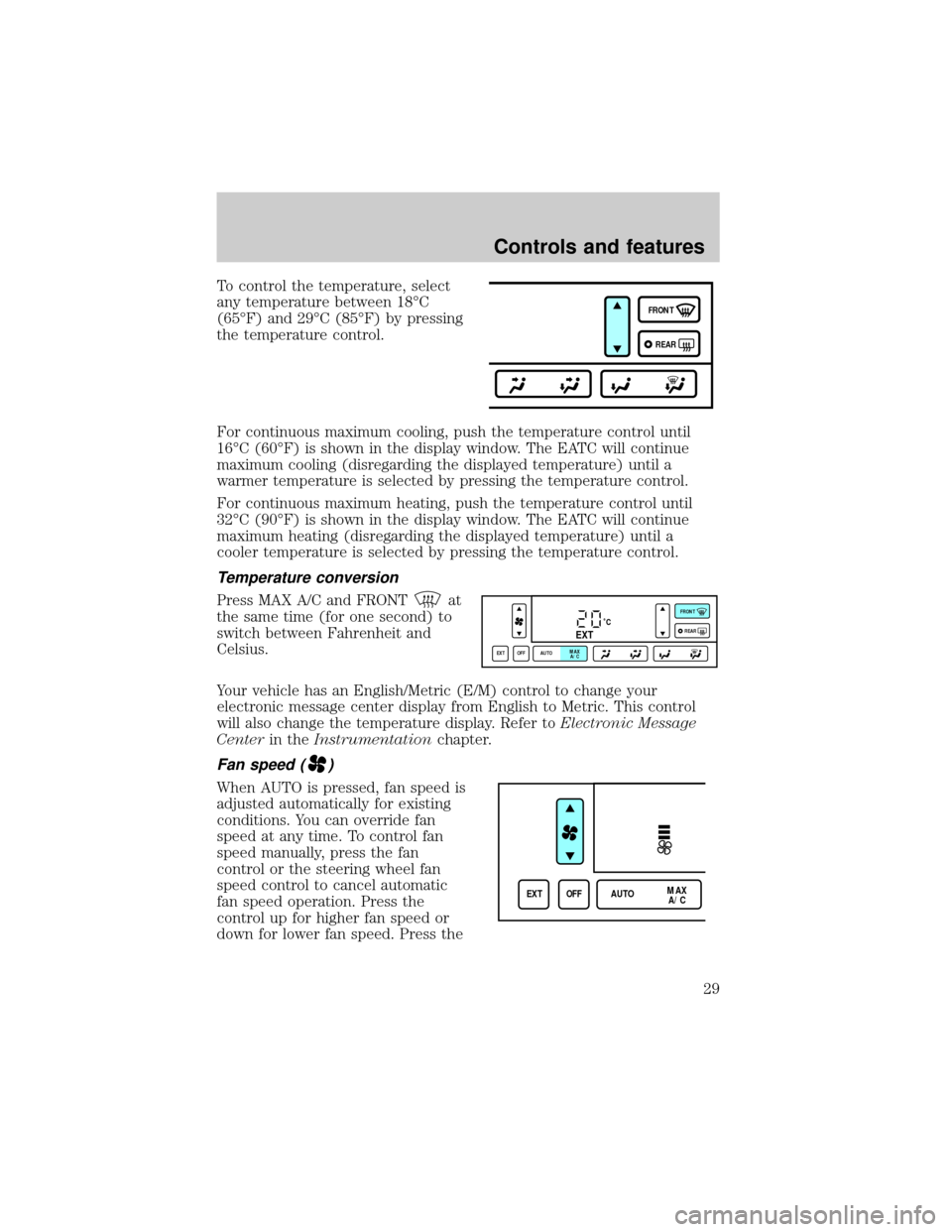
To control the temperature, select
any temperature between 18ÉC
(65ÉF) and 29ÉC (85ÉF) by pressing
the temperature control.
For continuous maximum cooling, push the temperature control until
16ÉC (60ÉF) is shown in the display window. The EATC will continue
maximum cooling (disregarding the displayed temperature) until a
warmer temperature is selected by pressing the temperature control.
For continuous maximum heating, push the temperature control until
32ÉC (90ÉF) is shown in the display window. The EATC will continue
maximum heating (disregarding the displayed temperature) until a
cooler temperature is selected by pressing the temperature control.
Temperature conversion
Press MAX A/C and FRONTat
the same time (for one second) to
switch between Fahrenheit and
Celsius.
Your vehicle has an English/Metric (E/M) control to change your
electronic message center display from English to Metric. This control
will also change the temperature display. Refer toElectronic Message
Centerin theInstrumentationchapter.
Fan speed ()
When AUTO is pressed, fan speed is
adjusted automatically for existing
conditions. You can override fan
speed at any time. To control fan
speed manually, press the fan
control or the steering wheel fan
speed control to cancel automatic
fan speed operation. Press the
control up for higher fan speed or
down for lower fan speed. Press the
FRONT
REAR
˚CEXT
EXT OFF AUTOMAX
A/CFRONT
REAR
EXT OFF AUTOMAX
A/C
Controls and features
29
Page 30 of 176
steering wheel control up for higher fan speed or down for lower fan
speed.
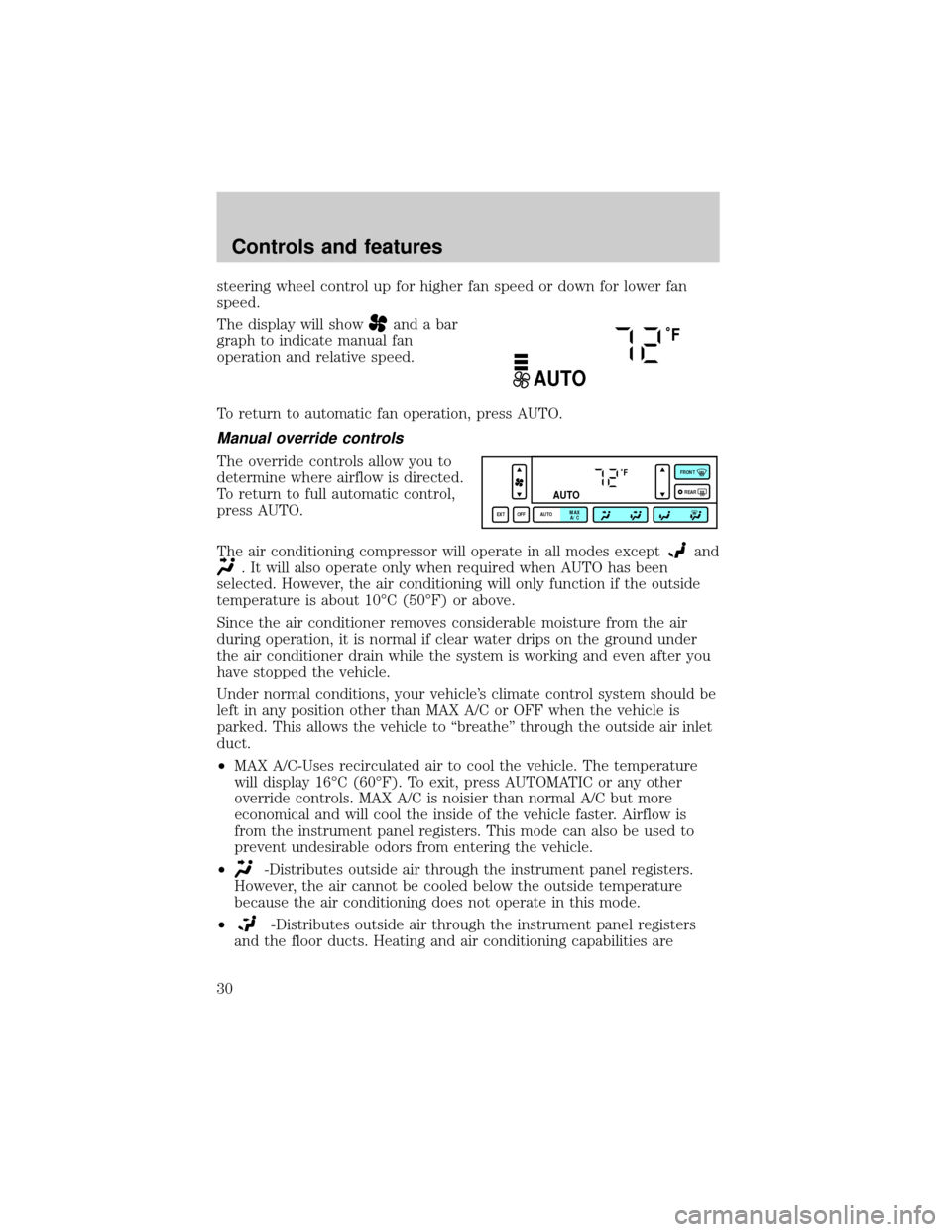
The display will show
and a bar
graph to indicate manual fan
operation and relative speed.
To return to automatic fan operation, press AUTO.
Manual override controls
The override controls allow you to
determine where airflow is directed.
To return to full automatic control,
press AUTO.
The air conditioning compressor will operate in all modes except
and
. It will also operate only when required when AUTO has been
selected. However, the air conditioning will only function if the outside
temperature is about 10ÉC (50ÉF) or above.
Since the air conditioner removes considerable moisture from the air
during operation, it is normal if clear water drips on the ground under
the air conditioner drain while the system is working and even after you
have stopped the vehicle.
Under normal conditions, your vehicle's climate control system should be
left in any position other than MAX A/C or OFF when the vehicle is
parked. This allows the vehicle to ªbreatheº through the outside air inlet
duct.
²MAX A/C-Uses recirculated air to cool the vehicle. The temperature
will display 16ÉC (60ÉF). To exit, press AUTOMATIC or any other
override controls. MAX A/C is noisier than normal A/C but more
economical and will cool the inside of the vehicle faster. Airflow is
from the instrument panel registers. This mode can also be used to
prevent undesirable odors from entering the vehicle.
²
-Distributes outside air through the instrument panel registers.
However, the air cannot be cooled below the outside temperature
because the air conditioning does not operate in this mode.
²
-Distributes outside air through the instrument panel registers
and the floor ducts. Heating and air conditioning capabilities are
˚F
AUTO
˚F
AUTO
EXT OFF AUTOMAX
A/CFRONT
REAR
Controls and features
30
Page 31 of 176
provided in this mode. The air will be heated or cooled based on the
temperature selection. For added customer comfort, the air
distributed through the floor ducts will be slightly warmer than the air
sent to the instrument panel registers.
²
-Allows for maximum heating by distributing outside air through
the floor ducts. However, the air cannot be cooled below the outside
temperature because the air conditioning does not operate in this
mode.
²
-Distributes outside air through the windshield defroster ducts
and the floor ducts. Heating and air conditioning capabilities are
provided in this mode. The air will be heated or cooled based on the
temperature selection. For added customer comfort, the air
distributed through the floor ducts will be slightly warmer than the air
sent to the windshield defroster ducts. If the temperature is about
10ÉC (50ÉF) or higher, the air conditioner will automatically
dehumidify the air to prevent fogging.
²FRONT
-Distributes outside air through the windshield defroster
ducts. It can be used to clear ice or fog from the windshield. If the
outside air temperature is about 10ÉC (50ÉF) or higher, the air
conditioner will automatically dehumidify the air to prevent fogging.
²OFF-Outside air is shut out and the fan will not operate. For short
periods of time only, use this mode to prevent undesirable odors from
entering the vehicle.
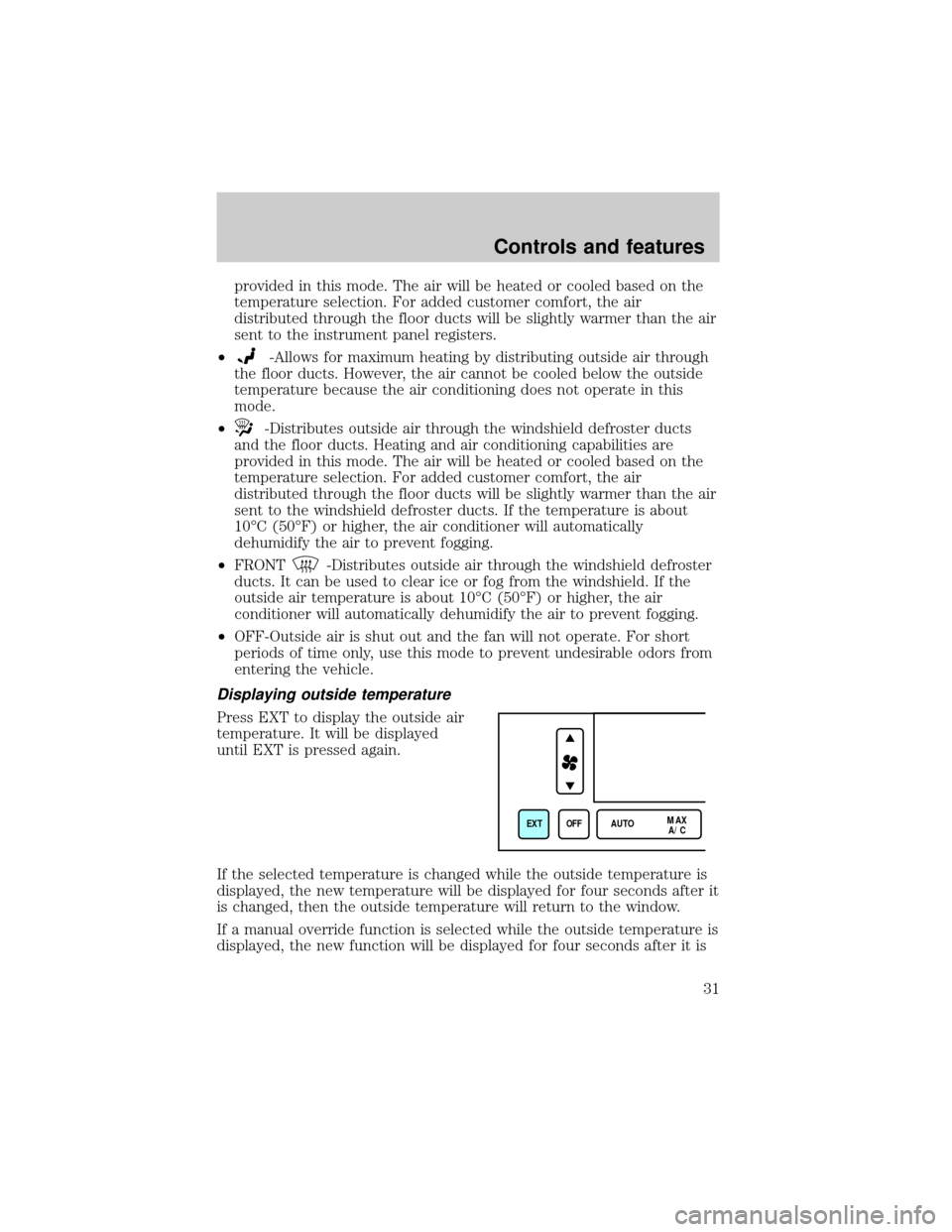
Displaying outside temperature
Press EXT to display the outside air
temperature. It will be displayed
until EXT is pressed again.
If the selected temperature is changed while the outside temperature is
displayed, the new temperature will be displayed for four seconds after it
is changed, then the outside temperature will return to the window.
If a manual override function is selected while the outside temperature is
displayed, the new function will be displayed for four seconds after it is
EXT OFF AUTOMAX
A/C
Controls and features
31
Page 33 of 176
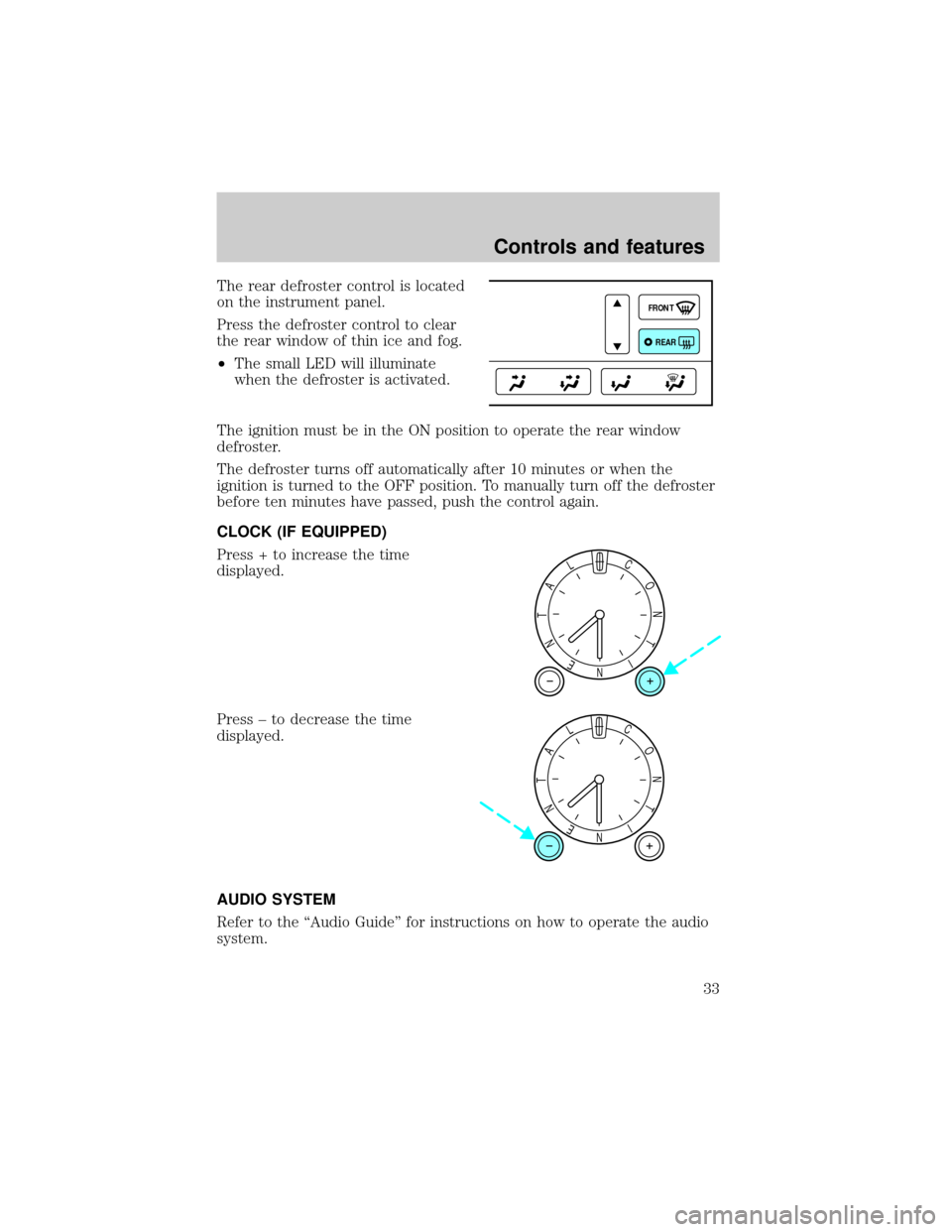
The rear defroster control is located
on the instrument panel.
Press the defroster control to clear
the rear window of thin ice and fog.
²The small LED will illuminate
when the defroster is activated.
The ignition must be in the ON position to operate the rear window
defroster.
The defroster turns off automatically after 10 minutes or when the
ignition is turned to the OFF position. To manually turn off the defroster
before ten minutes have passed, push the control again.
CLOCK (IF EQUIPPED)
Press + to increase the time
displayed.
Press ± to decrease the time
displayed.
AUDIO SYSTEM
Refer to the ªAudio Guideº for instructions on how to operate the audio
system.
FRONT
REAR
NI
T
N
O
CL
A
T
N
E
NI
T
N
O
CL
A
T
N
E
Controls and features
33
Page 41 of 176
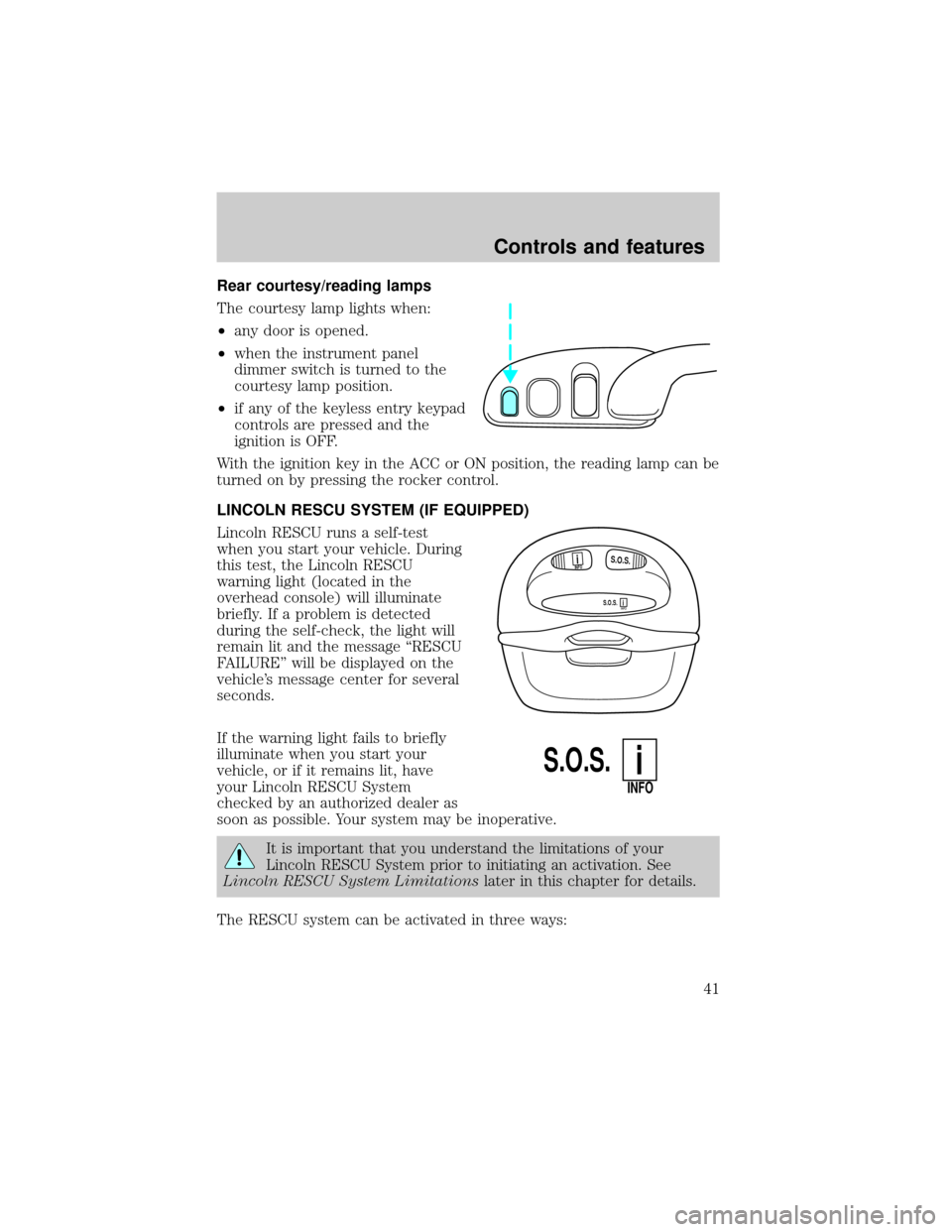
Rear courtesy/reading lamps
The courtesy lamp lights when:
²any door is opened.
²when the instrument panel
dimmer switch is turned to the
courtesy lamp position.
²if any of the keyless entry keypad
controls are pressed and the
ignition is OFF.
With the ignition key in the ACC or ON position, the reading lamp can be
turned on by pressing the rocker control.
LINCOLN RESCU SYSTEM (IF EQUIPPED)
Lincoln RESCU runs a self-test
when you start your vehicle. During
this test, the Lincoln RESCU
warning light (located in the
overhead console) will illuminate
briefly. If a problem is detected
during the self-check, the light will
remain lit and the message ªRESCU
FAILUREº will be displayed on the
vehicle's message center for several
seconds.
If the warning light fails to briefly
illuminate when you start your
vehicle, or if it remains lit, have
your Lincoln RESCU System
checked by an authorized dealer as
soon as possible. Your system may be inoperative.
It is important that you understand the limitations of your
Lincoln RESCU System prior to initiating an activation. See
Lincoln RESCU System Limitationslater in this chapter for details.
The RESCU system can be activated in three ways:
S.O.S.INFO
S.O.S.INFO
i
i
S.O.S.
INFO
i
Controls and features
41
Page 42 of 176

1. By pressing the Information
control.
2. By pressing the Emergency
(S.O.S) control.
3. The system will automatically activate if the vehicle's air bags have
been deployed.
Quick summary
²To utilize your vehicle's RESCU system, your cellular phone must be
activated.
²Information or emergency assistance can be requested whenever your
key is in the RUN/START position and for six minutes after the vehicle
is turned off.
²An assistance request is initiated by pressing either the Information or
Emergency control located in the overhead console.
²When a control is pressed, a warning lamp located in the overhead
console will begin to flash and status messages are displayed on the
vehicle's message center (messages can only be displayed when the
key is in the RUN/START position).
²The vehicle's cellular phone automatically places a call to a 24 hour
emergency response center.
²When contact is made, the vehicle sends an electronic data message
to the response center's computer. This data message includes latitude
and longitude coordinates obtained from the vehicle's positioning
system.
²Once the data transmission is complete, the call is forwarded to a
response center operator who confirms your location using a
computerized map.
²The vehicle's cellular handset is locked-out, the phone is automatically
placed in the ªhands-freeº mode and voice communication is
established with the operator through the ªhands-freeº microphone.
INFO
i
S.O.S.
Controls and features
42
Page 45 of 176

Activation and deactivation
When either of the two Lincoln RESCU controls are pressed, or the air
bags are deployed (this will activate the system as an emergency
automatically), a warning light, located in the overhead console, will
begin to flash and status messages will be displayed on the vehicle's
message center, confirming an assistance request has been made. The
warning light will continue to flash throughout the activation.
The system can be activated whenever your ignition key is in the
RUN/START position and for six minutes after your vehicle is turned off.
Once a RESCU control has been pressed, do not attempt to cranks the
engine as this may cancel the activation. In most situations, the
assistance request can only be terminated and the system reset when a
special tone is sent to the vehicle by the Lincoln Security Response
Center. (SeeAutomatic rediallater in this chapter for exceptions.)
Operation will continue even if the vehicle is turned off during an
activation (although visual feedback via the message center will not be
available in this situation).
Cellular phone interface
The cellular phone must be connected to the vehicle and activated for
the system to work. During an activation, Lincoln RESCU takes control
of the vehicle's cellular phone. If the phone is in use, the call will be
terminated and the Lincoln Security Response Center will automatically
be dialed. The cellular handset becomes inoperative and all voice
communication with the operator is accomplished via the cellular phone's
ªhands-freeº microphone.
When an activation is terminated, your phone is left unlocked, in the ON
state and may not return to its previous call restriction or system
selection setting. It can be reprogrammed to your previous setting as
desired.
Refer to your cellular phone user's manual for further information.
Message center interface
During an activation, Lincoln RESCU communication with the vehicle's
message center. Status message describing the sequence of the steps
being executed are displayed, allowing you to visually follow the
activation process. The following messages are typical of those displayed
during an assistance request. They are as shown in the order in which
they would appear:
Controls and features
45
Page 46 of 176

²INFORMATION REQUEST, EMERGENCY REQUEST or AIR BAG
REQUEST
²CALL IN PROGRESS
²RINGING RESPONSE CENTER
²SENDING LOCATION DATA
²DATA RECEIVED
²WAITING FOR OPERATOR
Once an assistance request is made, it will typically take less than one
minute until contact is made with an operator. During voice
communication the following messages will alternately toggle on the
display:
²CID XXXXXXXXXX
²LAT XXXXXXXXXX
²LON XXXXXXXXXX
²HDG XX
These messages respectively are the customer identification number,
vehicle latitude, vehicle longitude and heading. Under special conditions,
the operator may ask you to read the information being displayed on the
message center.
If vehicle messages are being displayed on the message center (low
washer fluid, low oil, door ajar, etc.), they must be cleared in order to
view the Lincoln RESCU messages. To clear the vehicle messages, press
the message center RESET control which is located to the right of the
display. Continue pressing the control until all messages are cleared.
Automatic redial
As described previously, when an assistance request is made, the
vehicle's cellular phone automatically dials the Lincoln Security Response
Center's central computer and attempts to send an electronic data
message. Occasionally, it can be difficult for the computer to recognize
the message if the cellular connection is weak or noisy. If the
transmission of the message is unsuccessful, the data call will be
terminated and the message ªREDIAL IN PROGRESSº will be displayed
on the message center. A second call will automatically be placed which
bypasses the response center's computer and is forwarded directly to an
operator.
Controls and features
46
Page 47 of 176

Similarly, if the cellular call is disconnected by the network prior to
receipt of the termination tone, another call to the response center will
also automatically be dialed. The message ªREDIAL IN PROGRESSº will
be displayed on the message center and voice communication with an
operator will be restored.
During redial calls, full control of the cellular phone is returned to you.
Pressing either PWR or END on the cellular handset will terminate the
assistance request and reset the system.
Location data retransmit capability
During an activation, the Lincoln Security Response Center operator has
the capability to initiate a retransmission of the electronic data message.
This may be necessary to ensure a more precise determination of vehicle
location or to track a vehicle that is moving. To accomplish the
retransmit, a special tone is sent to the vehicle by the response center.
In this situation you will temporarily lose voice contact with the operator
and the messages ªSENDING LOCATION DATAº and ªDATA RECEIVEDº
will be respectively displayed on the message center. After the data
retransmission is complete, voice communication will be restored and the
CID, LAT, LON and HDG message will again alternately toggle on the
message center display.
Global positioning system
Vehicle location is continuously updated via Global Positioning System
(GPS) technology. GPS was developed by the U.S. Department of
Defense for worldwide navigational and positioning purposes. It utilizes a
constellation of 24 orbiting satellites located more than 20 000 km
(12 428 miles) above the earth. At any given time, several of the
24 satellites should be visible to the vehicle's GPS receiver. Based on the
time for signals emitted by these satellites to reach the receiver, an
on-board computer will determine the vehicle's location, typically within
30 meters (100 feet). In addition to latitude and longitude, the system
also determines heading and speed.
Vehicle positioning information is relayed to the Lincoln Security
Response Center only during roadside or emergency requests. The
response center will not be able to track your location while in an
inactive state.
Controls and features
47
Page 49 of 176

Inoperative if cellular signal marginal or unavailable
Since the Lincoln RESCU System utilizes the vehicle's cellular phone, it
can only be operated in geographical areas with cellular coverage.
Although approximately 90 percent of the U.S. population lives and
works in cellular coverage areas, there are various rural or mountainous
areas where coverage is marginal or does not exist. If an activation
occurs in this situation, the messages ªNO CELLULAR SIGNALº and
ªWAITING TO ACQUIREº will alternately be displayed on the message
center. If after several attempts cellular service can not be acquired, the
message ªUNABLE TO PLACE CALLº will be displayed, the assistance
request will be terminated and the phone will return to its normal
operating mode.
Inoperative if cellular system is busy
In a particular area, the local cellular system can only handle a limited
number of cellular calls at one time. Once volume has reached the
maximum limit, additional callers are denied access. If an activation
occurs in this situation, the messages ªCELLULAR SYSTEM BUSYº and
ªPLEASE WAITº will alternately be displayed on the message center. If
after several attempts a cellular channel cannot be acquired, the message
ªUNABLE TO PLACE CALLº will be displayed, the assistance request
will be terminated and the phone will return to its normal operating
mode.
Incompatible with cellular PIN feature
Some cellular carriers offer custom phone numbers that are assigned a
personal identification number (PIN). In this situation, the user is
required to enter the PIN with any phone calls made over the network.
The Lincoln RESCU System is not compatible with the PIN feature. At
the time your phone is activated, ask your carrier to assign you a phone
number that does not require an personal identification number. If you
have difficulty obtaining a non-PIN number, contact you dealer or call
the Ford Cellular System Clearinghouse at 1±800±367±3357 for
assistance.
Incompatible or performance limited with certain cellular providers
features
Some cellular carriers offer customers various optional features with
their cellular services. Several of these features are not compatible or
could potentially limit the performance of your Lincoln RESCU System.
No outgoing calls, hotline and NPA restrictions are incompatible cellular
Controls and features
49