lock LINCOLN CONTINENTAL 1998 User Guide
[x] Cancel search | Manufacturer: LINCOLN, Model Year: 1998, Model line: CONTINENTAL, Model: LINCOLN CONTINENTAL 1998Pages: 176, PDF Size: 1.32 MB
Page 34 of 176
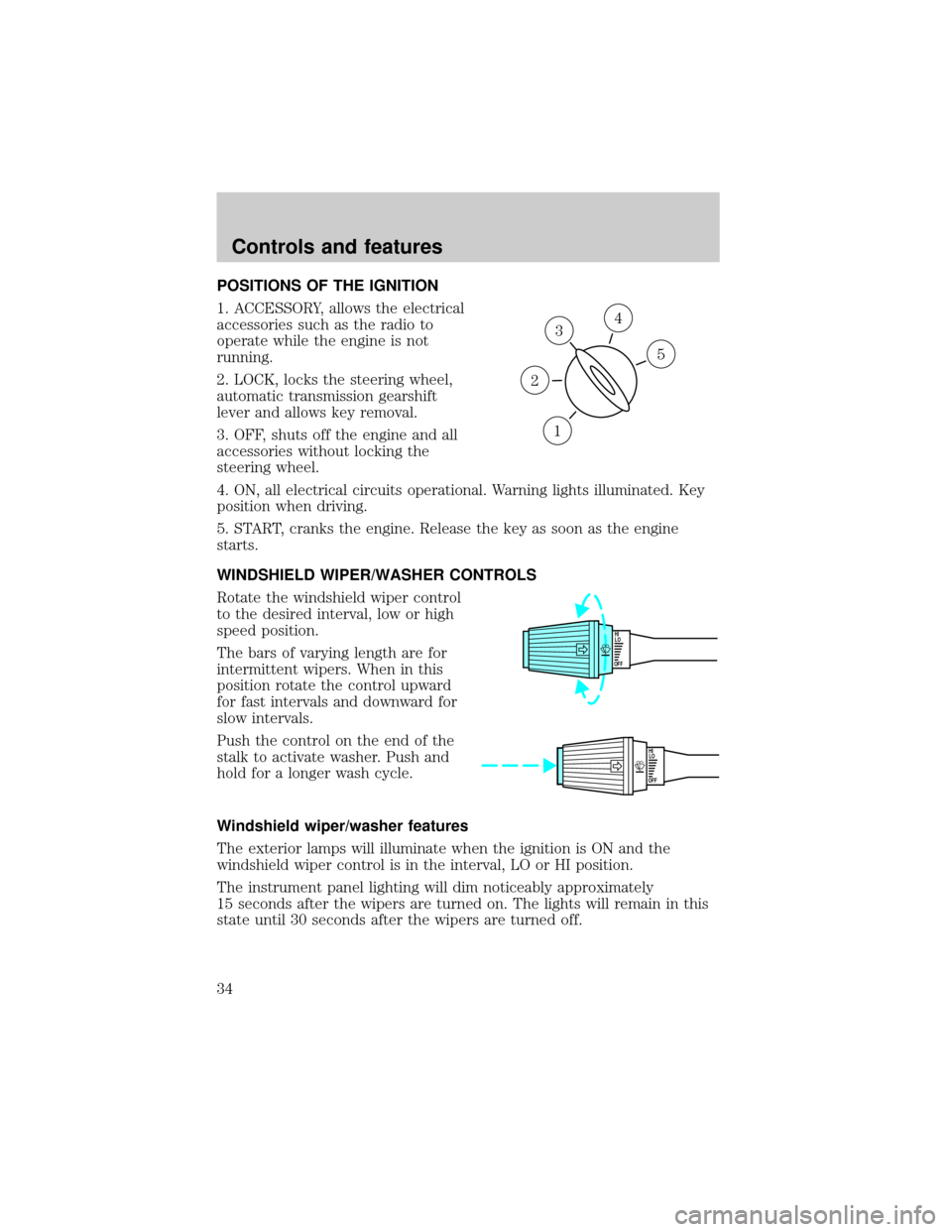
POSITIONS OF THE IGNITION
1. ACCESSORY, allows the electrical
accessories such as the radio to
operate while the engine is not
running.
2. LOCK, locks the steering wheel,
automatic transmission gearshift
lever and allows key removal.
3. OFF, shuts off the engine and all
accessories without locking the
steering wheel.
4. ON, all electrical circuits operational. Warning lights illuminated. Key
position when driving.
5. START, cranks the engine. Release the key as soon as the engine
starts.
WINDSHIELD WIPER/WASHER CONTROLS
Rotate the windshield wiper control
to the desired interval, low or high
speed position.
The bars of varying length are for
intermittent wipers. When in this
position rotate the control upward
for fast intervals and downward for
slow intervals.
Push the control on the end of the
stalk to activate washer. Push and
hold for a longer wash cycle.
Windshield wiper/washer features
The exterior lamps will illuminate when the ignition is ON and the
windshield wiper control is in the interval, LO or HI position.
The instrument panel lighting will dim noticeably approximately
15 seconds after the wipers are turned on. The lights will remain in this
state until 30 seconds after the wipers are turned off.
3
1
2
5
4
OFFHI
LO
OFFHI
LO
Controls and features
34
Page 42 of 176

1. By pressing the Information
control.
2. By pressing the Emergency
(S.O.S) control.
3. The system will automatically activate if the vehicle's air bags have
been deployed.
Quick summary
²To utilize your vehicle's RESCU system, your cellular phone must be
activated.
²Information or emergency assistance can be requested whenever your
key is in the RUN/START position and for six minutes after the vehicle
is turned off.
²An assistance request is initiated by pressing either the Information or
Emergency control located in the overhead console.
²When a control is pressed, a warning lamp located in the overhead
console will begin to flash and status messages are displayed on the
vehicle's message center (messages can only be displayed when the
key is in the RUN/START position).
²The vehicle's cellular phone automatically places a call to a 24 hour
emergency response center.
²When contact is made, the vehicle sends an electronic data message
to the response center's computer. This data message includes latitude
and longitude coordinates obtained from the vehicle's positioning
system.
²Once the data transmission is complete, the call is forwarded to a
response center operator who confirms your location using a
computerized map.
²The vehicle's cellular handset is locked-out, the phone is automatically
placed in the ªhands-freeº mode and voice communication is
established with the operator through the ªhands-freeº microphone.
INFO
i
S.O.S.
Controls and features
42
Page 45 of 176

Activation and deactivation
When either of the two Lincoln RESCU controls are pressed, or the air
bags are deployed (this will activate the system as an emergency
automatically), a warning light, located in the overhead console, will
begin to flash and status messages will be displayed on the vehicle's
message center, confirming an assistance request has been made. The
warning light will continue to flash throughout the activation.
The system can be activated whenever your ignition key is in the
RUN/START position and for six minutes after your vehicle is turned off.
Once a RESCU control has been pressed, do not attempt to cranks the
engine as this may cancel the activation. In most situations, the
assistance request can only be terminated and the system reset when a
special tone is sent to the vehicle by the Lincoln Security Response
Center. (SeeAutomatic rediallater in this chapter for exceptions.)
Operation will continue even if the vehicle is turned off during an
activation (although visual feedback via the message center will not be
available in this situation).
Cellular phone interface
The cellular phone must be connected to the vehicle and activated for
the system to work. During an activation, Lincoln RESCU takes control
of the vehicle's cellular phone. If the phone is in use, the call will be
terminated and the Lincoln Security Response Center will automatically
be dialed. The cellular handset becomes inoperative and all voice
communication with the operator is accomplished via the cellular phone's
ªhands-freeº microphone.
When an activation is terminated, your phone is left unlocked, in the ON
state and may not return to its previous call restriction or system
selection setting. It can be reprogrammed to your previous setting as
desired.
Refer to your cellular phone user's manual for further information.
Message center interface
During an activation, Lincoln RESCU communication with the vehicle's
message center. Status message describing the sequence of the steps
being executed are displayed, allowing you to visually follow the
activation process. The following messages are typical of those displayed
during an assistance request. They are as shown in the order in which
they would appear:
Controls and features
45
Page 48 of 176

Lincoln RESCU system limitations
Inoperative if cellular phone inactive or inoperative
Lincoln RESCU utilizes your vehicle's cellular phone and will not operate
if cellular service has not been activated or if the phone is inoperative.
Inoperative if battery discharged or disconnected
Lincoln RESCU is powered by the vehicle's battery and will not operate if
the battery if discharged or disconnected.
Potentially inoperative if vehicle involved in accident
If the vehicle is involved in an accident, some components can be
damaged, rendering your RESCU System inoperative.
Positioning capability degraded if satellite signals obstructed
Vehicle positioning is accomplished by receiving and interpreting signals
transmitted by satellites. If the signals are obstructed positioning
capability could be degraded or lost. This situation will be most prevalent
in urban areas populated with tall buildings. tunnels, underpasses,
parking garages, trees and similar structures could also adversely affect
positioning performance. Under these conditions, the system will operate
but the response center could have difficulty identifying your current
location. (The last valid position obtained before the obstruction is
retained, however, and will be sent.) The operator may depend on you to
provide verbal information regarding vehicle location.
Positioning capability temporarily degraded after battery reconnect
When your vehicle is started, the Lincoln RESCU GPS receiver begins
the process of determining vehicle location. The receiver will search the
sky and attempt to acquire signals from all visible satellites. A real-time
clock and an almanac containing detailed information about satellite
constellation are stored in the on-board computer's memory and are used
to expedite the search. If the vehicle's battery is disconnected, the clock
memory is erased and time and date are lost. Once the battery is
reconnected, it could take approximately 15 minutes to reacquire the
clock and for positioning capability to be restored. During this time, the
system will operate but the response center will not be able to identify
your location. In this situation, the operator will depend on you to
provide verbal information regarding vehicle location.
Controls and features
48
Page 50 of 176

features and must be avoided. Operation is possible with no incoming
calls, call forwarding, busy/no answer transfer and call waiting, but these
features could impact overall system performance. Because carriers are
regularly making new features available to customers, this list may not be
complete. Contact you dealer for assistance if you are unsure if a
particular cellular feature is compatible with your Lincoln RESCU
System.
Potential limitations if activated outside home cellular region
At the time you receive your vehicle (or shortly after), you will need to
select a cellular carrier and activate your phone. If desired, carrier
selection can be arranged through your dealer. This carrier is usually
local to your region and will handle call processing and billing services
for your cellular telephone. In order to use your phone when traveling
outside your home cellular region, the services of the carriers local to the
new area will be required. If your home carrier does not have an
agreement with the new local carrier, your phone callas could be
forwarded to an operator and you maybe required to provide a credit
card number before your call is processed. If an activation occurs in this
situation, the initial call will be terminated and a second call which
bypasses the response center's computer will be placed.
Unlike during the first call attempt, your cellular handset will not be
locked during the second call, so you will have the option of terminating
the assistance request at any time by pushing either PWR or END on the
cellular phone. If the second call is not terminated, it will be forwarded
to a local cellular carrier operator. In this situation, you can provide the
operator with the number you are dialing (Lincoln Security Response
Center at 1±800±334±1327) and your credit card number or ask to be
connected to the local 911 or other emergency services.
Registration requirement
You are required to register with the Lincoln Security Response Center
shortly after receiving your vehicle. The registration process is simple
and can be accomplished by calling the Lincoln Security Response
Center at 1±800±334±1327. Alternatively, the registration process can be
completed on-line during an acquaintance period activation. (See
ªAcquaintance activationsº later in this section for details.) The
information requested will aid in servicing you more efficiently during an
assistance request.
Controls and features
50
Page 58 of 176
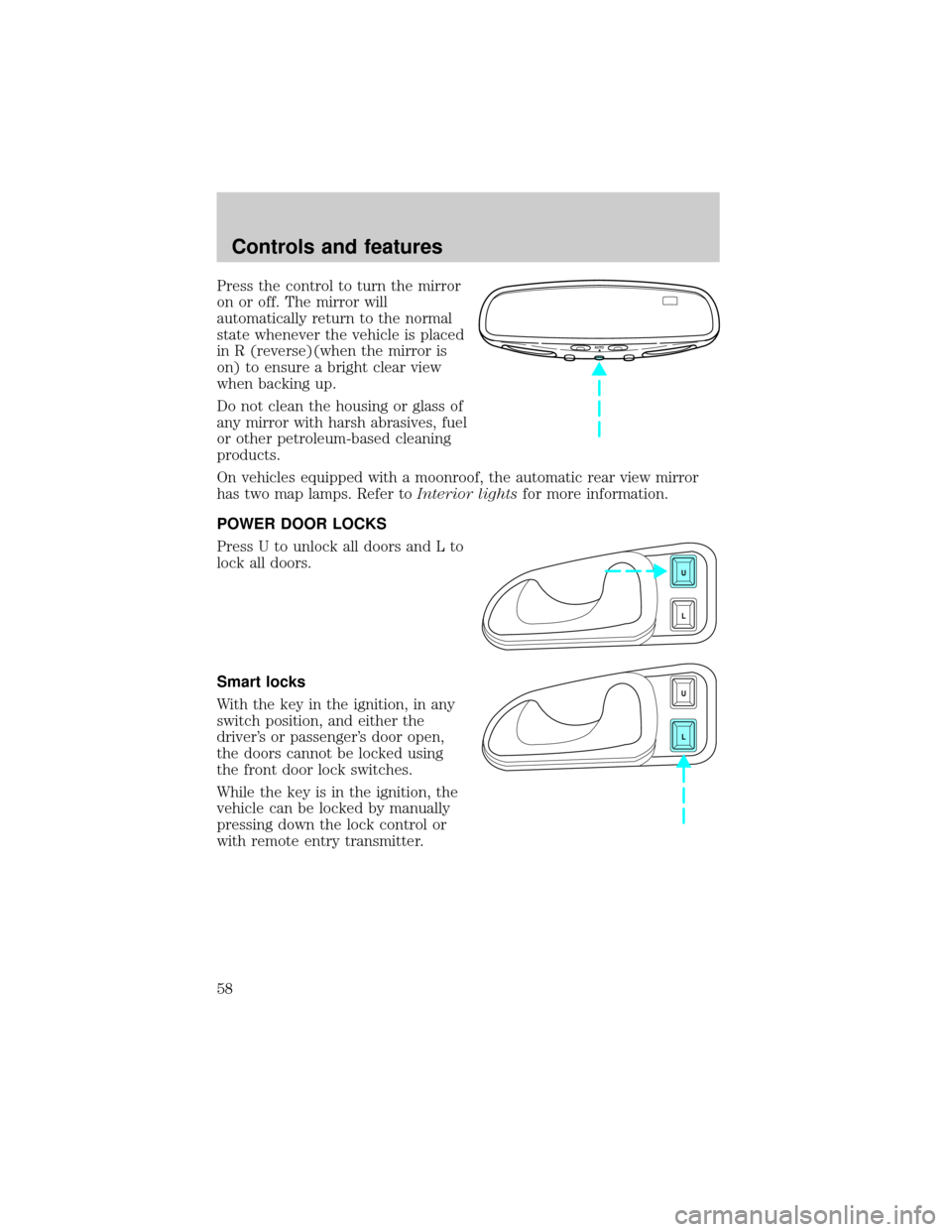
Press the control to turn the mirror
on or off. The mirror will
automatically return to the normal
state whenever the vehicle is placed
in R (reverse)(when the mirror is
on) to ensure a bright clear view
when backing up.
Do not clean the housing or glass of
any mirror with harsh abrasives, fuel
or other petroleum-based cleaning
products.
On vehicles equipped with a moonroof, the automatic rear view mirror
has two map lamps. Refer toInterior lightsfor more information.
POWER DOOR LOCKS
Press U to unlock all doors and L to
lock all doors.
Smart locks
With the key in the ignition, in any
switch position, and either the
driver's or passenger's door open,
the doors cannot be locked using
the front door lock switches.
While the key is in the ignition, the
vehicle can be locked by manually
pressing down the lock control or
with remote entry transmitter.
AUTO
U
L
U
L
Controls and features
58
Page 59 of 176
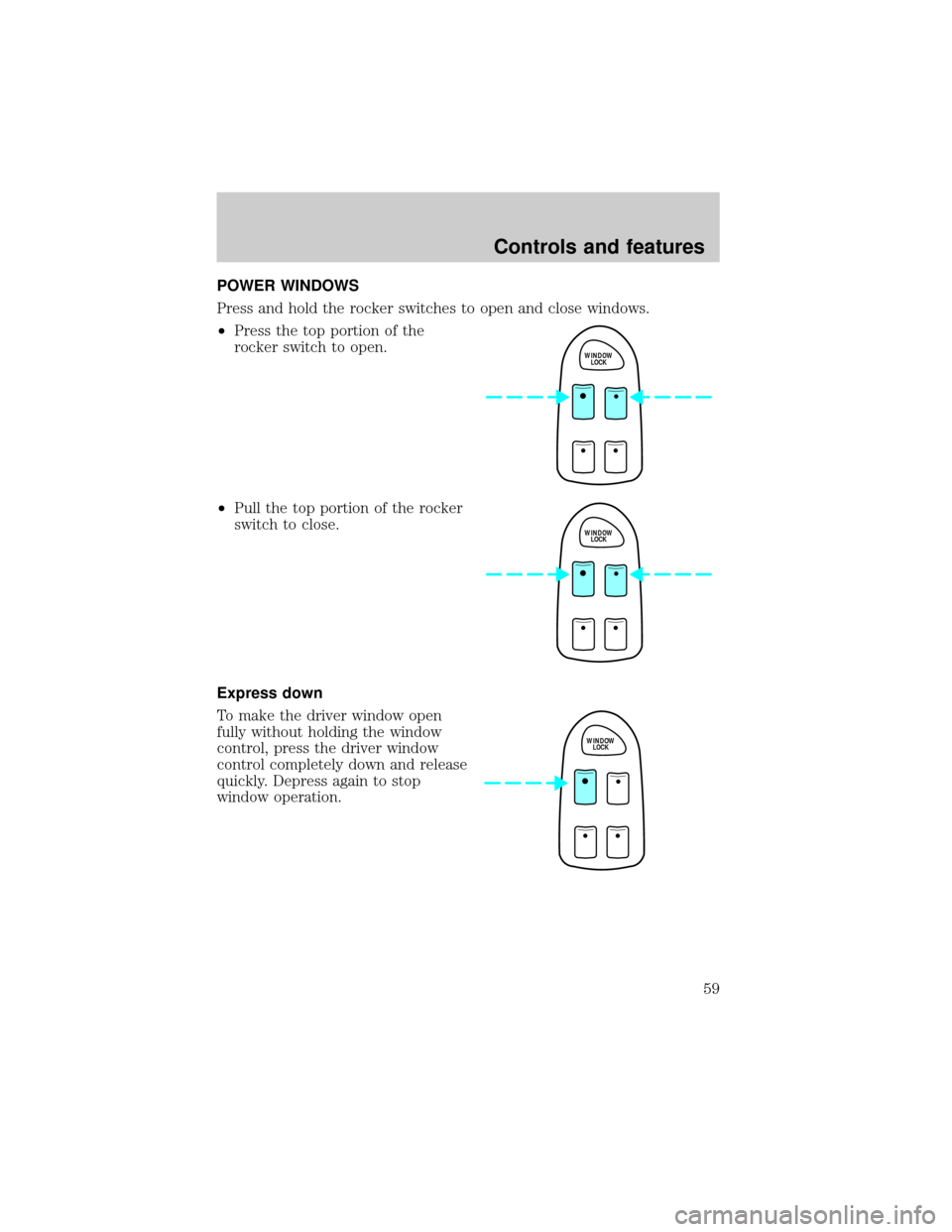
POWER WINDOWS
Press and hold the rocker switches to open and close windows.
²Press the top portion of the
rocker switch to open.
²Pull the top portion of the rocker
switch to close.
Express down
To make the driver window open
fully without holding the window
control, press the driver window
control completely down and release
quickly. Depress again to stop
window operation.
WINDOW
LOCK
WINDOW
LOCK
WINDOW
LOCK
Controls and features
59
Page 60 of 176
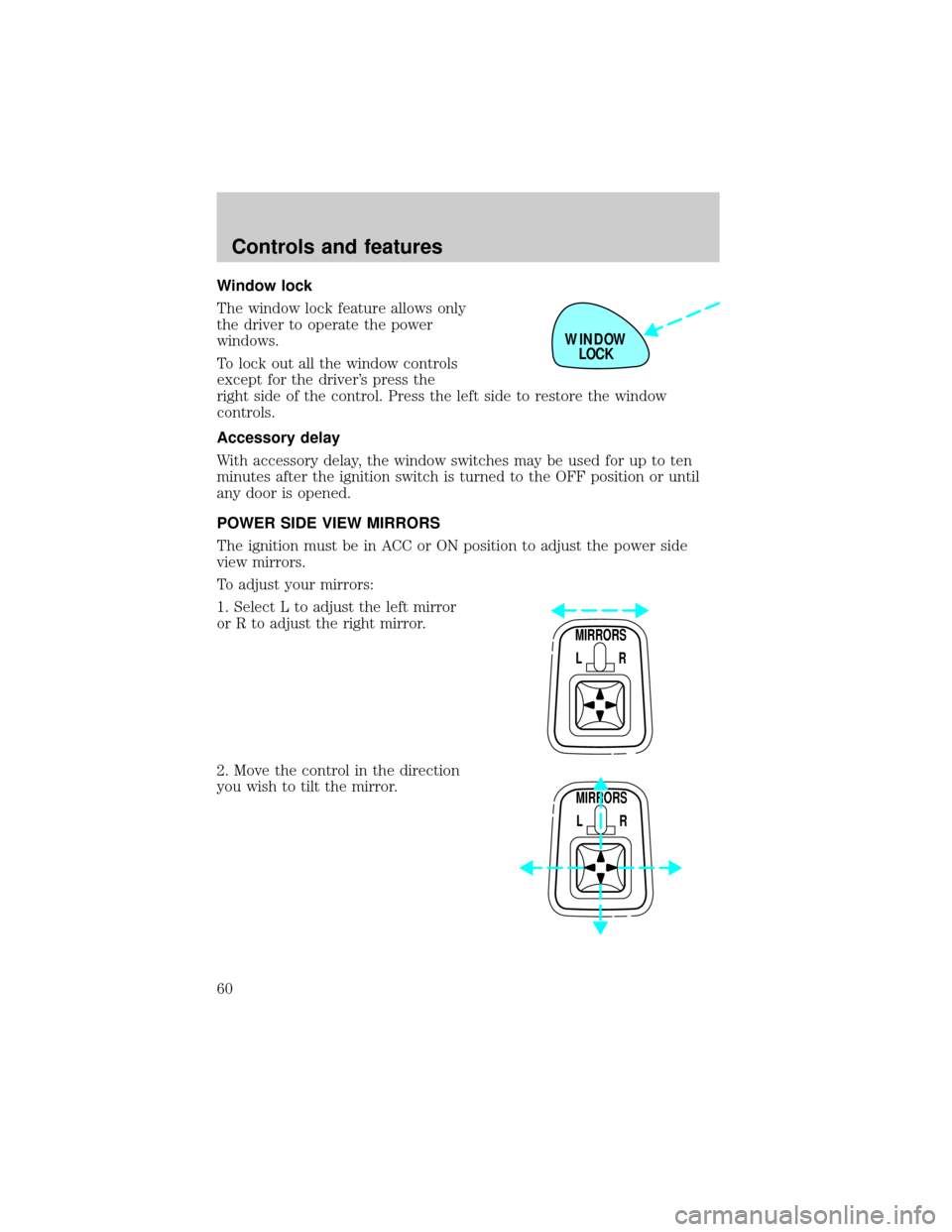
Window lock
The window lock feature allows only
the driver to operate the power
windows.
To lock out all the window controls
except for the driver's press the
right side of the control. Press the left side to restore the window
controls.
Accessory delay
With accessory delay, the window switches may be used for up to ten
minutes after the ignition switch is turned to the OFF position or until
any door is opened.
POWER SIDE VIEW MIRRORS
The ignition must be in ACC or ON position to adjust the power side
view mirrors.
To adjust your mirrors:
1. Select L to adjust the left mirror
or R to adjust the right mirror.
2. Move the control in the direction
you wish to tilt the mirror.
WINDOW
LOCK
MIRRORS
L R
MIRRORS
L R
Controls and features
60
Page 61 of 176
3. Return to the center position to lock mirrors in place.
Heated outside mirrors
Both mirrors are heated
automatically to remove ice, mist
and fog when the rear window
defrost is activated.
Do not remove ice from the mirrors
with a scraper or attempt to
readjust the mirror glass if it is
frozen in place. These actions could
cause damage to the glass and
mirrors.
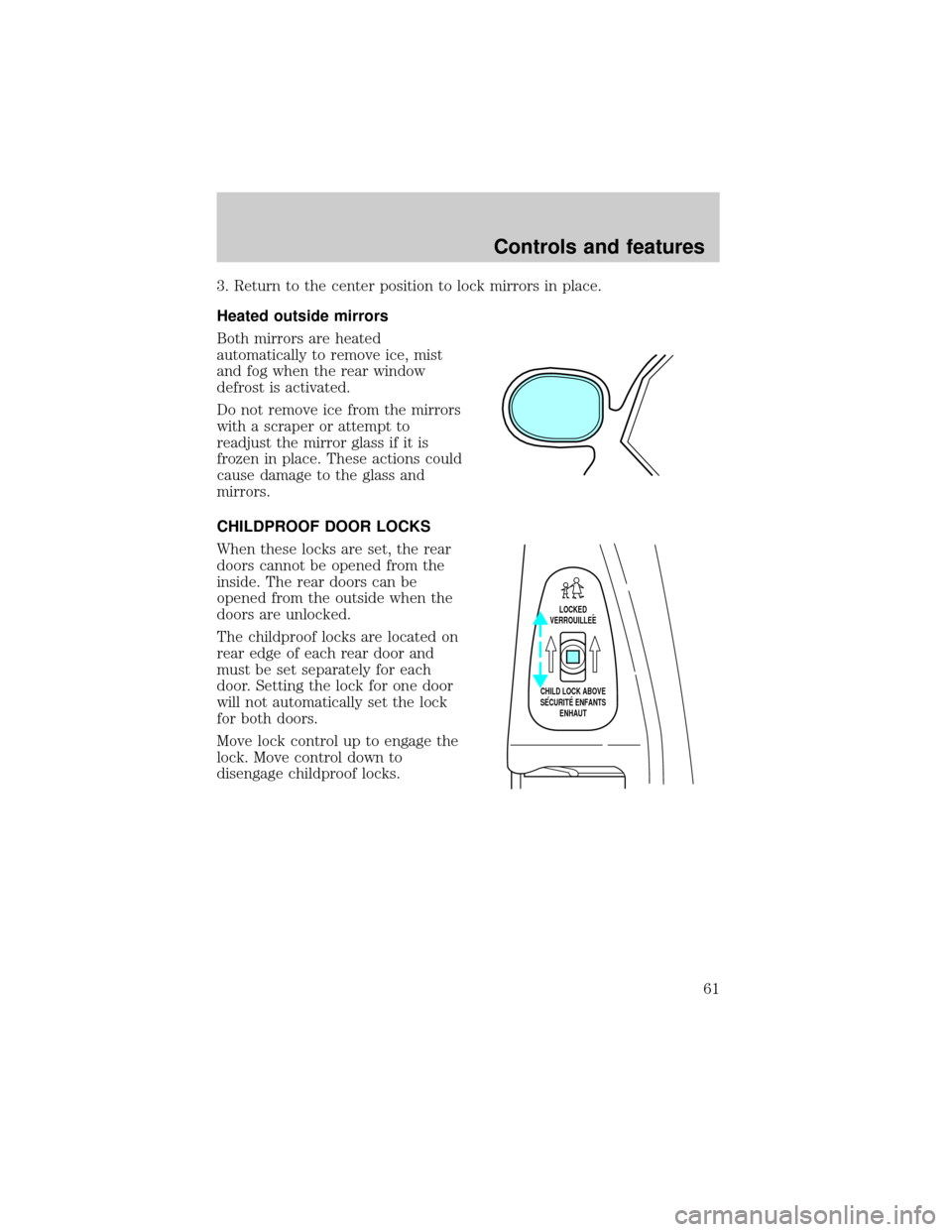
CHILDPROOF DOOR LOCKS
When these locks are set, the rear
doors cannot be opened from the
inside. The rear doors can be
opened from the outside when the
doors are unlocked.
The childproof locks are located on
rear edge of each rear door and
must be set separately for each
door. Setting the lock for one door
will not automatically set the lock
for both doors.
Move lock control up to engage the
lock. Move control down to
disengage childproof locks.
LOCKED
VERROUILLEE
CHILD LOCK ABOVE
SECURITE ENFANTS
ENHAUT
Controls and features
61
Page 63 of 176
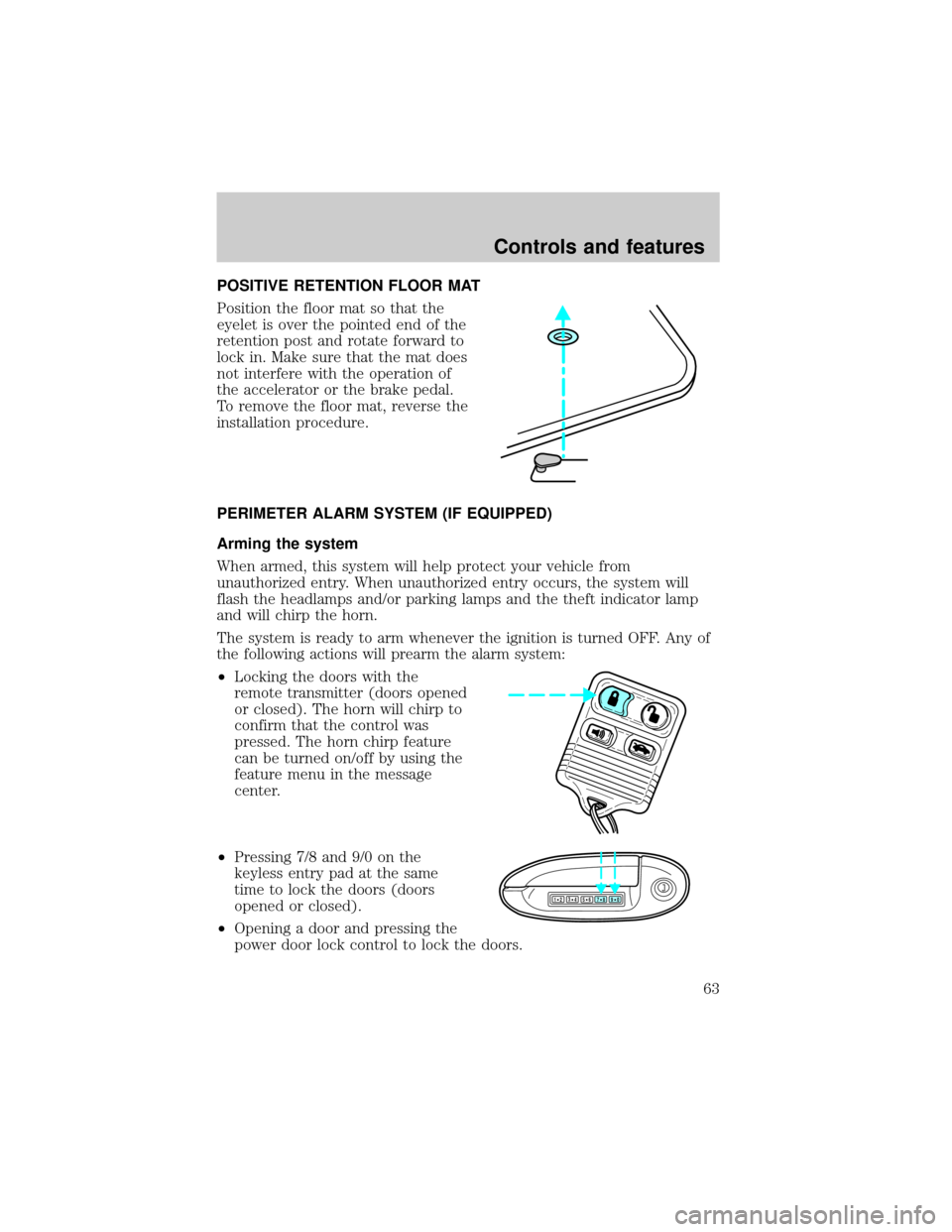
POSITIVE RETENTION FLOOR MAT
Position the floor mat so that the
eyelet is over the pointed end of the
retention post and rotate forward to
lock in. Make sure that the mat does
not interfere with the operation of
the accelerator or the brake pedal.
To remove the floor mat, reverse the
installation procedure.
PERIMETER ALARM SYSTEM (IF EQUIPPED)
Arming the system
When armed, this system will help protect your vehicle from
unauthorized entry. When unauthorized entry occurs, the system will
flash the headlamps and/or parking lamps and the theft indicator lamp
and will chirp the horn.
The system is ready to arm whenever the ignition is turned OFF. Any of
the following actions will prearm the alarm system:
²Locking the doors with the
remote transmitter (doors opened
or closed). The horn will chirp to
confirm that the control was
pressed. The horn chirp feature
can be turned on/off by using the
feature menu in the message
center.
²Pressing 7/8 and 9/0 on the
keyless entry pad at the same
time to lock the doors (doors
opened or closed).
²Opening a door and pressing the
power door lock control to lock the doors.
123
45678
90
Controls and features
63