mirror controls LINCOLN CONTINENTAL 2002 Owners Manual
[x] Cancel search | Manufacturer: LINCOLN, Model Year: 2002, Model line: CONTINENTAL, Model: LINCOLN CONTINENTAL 2002Pages: 240, PDF Size: 1.79 MB
Page 1 of 240
Introduction 4
Congratulations 4
Safety and environment protection 5
Symbol glossary 8
Instrument Cluster 10
Warning and control lights 10
Gauges 14
Entertainment Systems 16
AM/FM stereo cassette (CD changer compatible) 16
CD changer 28
Climate Controls 33
Electronic automatic temperature control 33
Lights 40
Headlamps 40
Bulb replacement 46
Driver Controls 53
Windshield wiper/washer control 53
Steering wheel adjustment 54
Power windows 57
Mirrors 58
Message center 76
Locks and Security 87
Keys 87
Locks 87
Anti-theft system 90
Table of Contents
1
Page 45 of 240
INTERIOR LAMPS
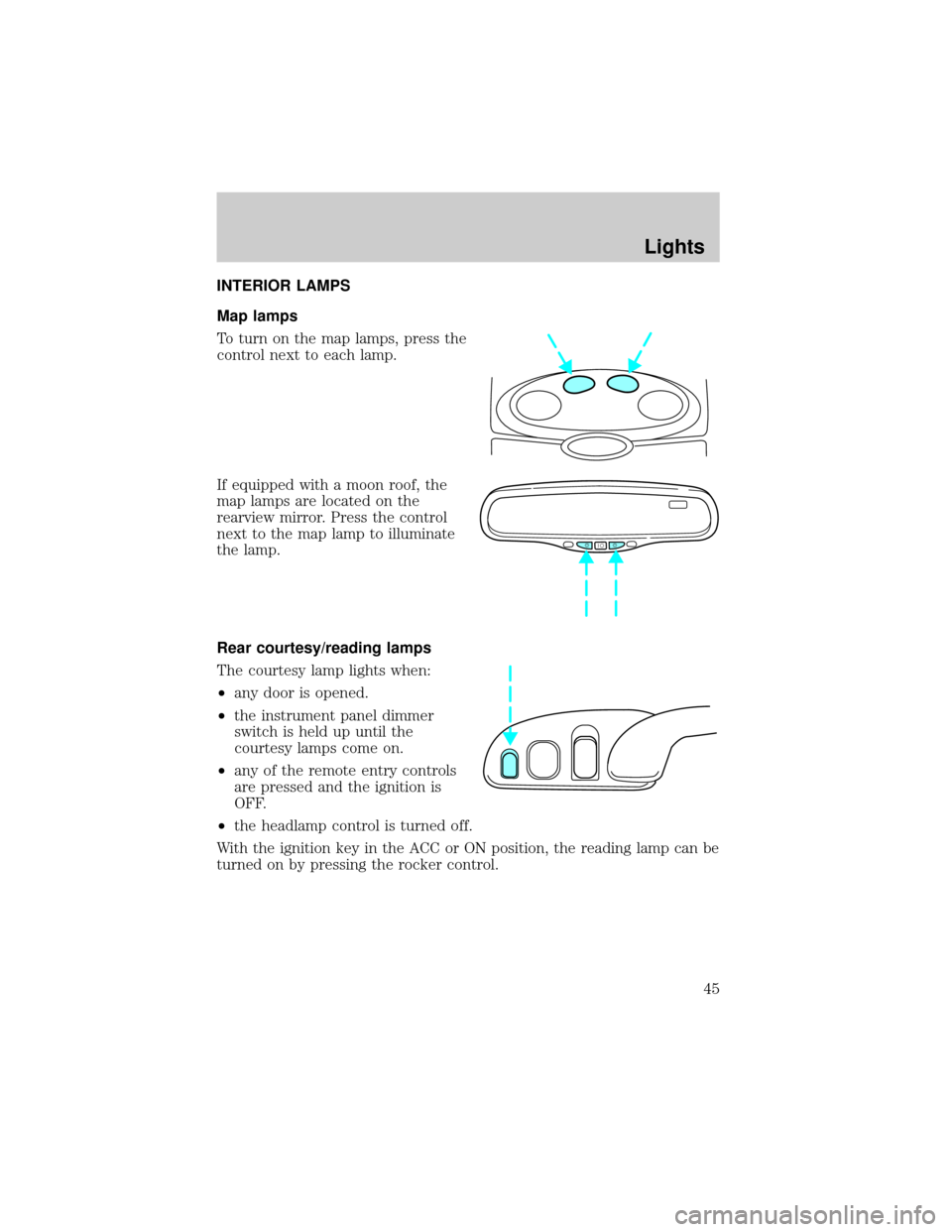
Map lamps
To turn on the map lamps, press the
control next to each lamp.
If equipped with a moon roof, the
map lamps are located on the
rearview mirror. Press the control
next to the map lamp to illuminate
the lamp.
Rear courtesy/reading lamps
The courtesy lamp lights when:
²any door is opened.
²the instrument panel dimmer
switch is held up until the
courtesy lamps come on.
²any of the remote entry controls
are pressed and the ignition is
OFF.
²the headlamp control is turned off.
With the ignition key in the ACC or ON position, the reading lamp can be
turned on by pressing the rocker control.
Lights
45
Page 55 of 240
ILLUMINATED VISOR MIRROR
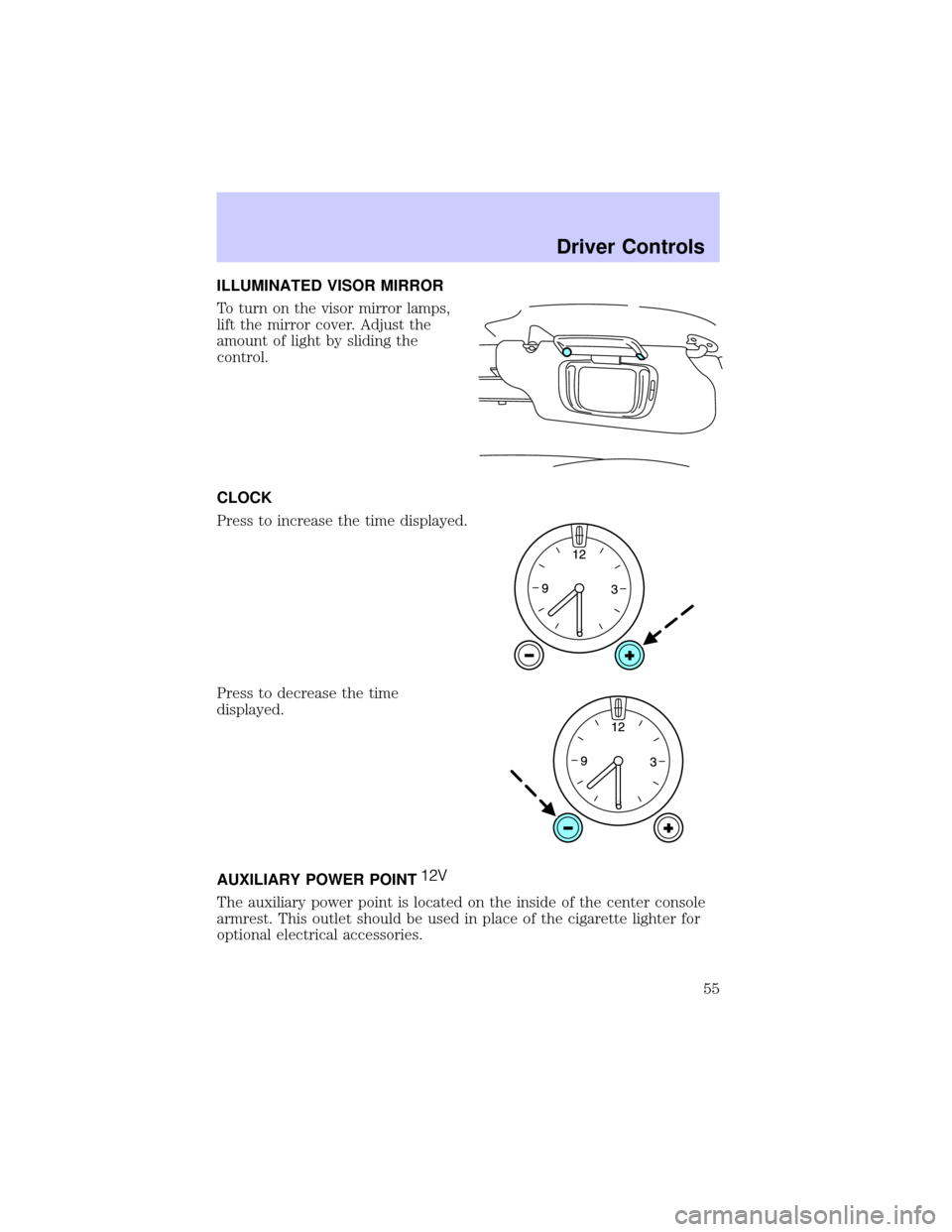
To turn on the visor mirror lamps,
lift the mirror cover. Adjust the
amount of light by sliding the
control.
CLOCK
Press to increase the time displayed.
Press to decrease the time
displayed.
AUXILIARY POWER POINT
The auxiliary power point is located on the inside of the center console
armrest. This outlet should be used in place of the cigarette lighter for
optional electrical accessories.
Driver Controls
55
Page 58 of 240
Express down
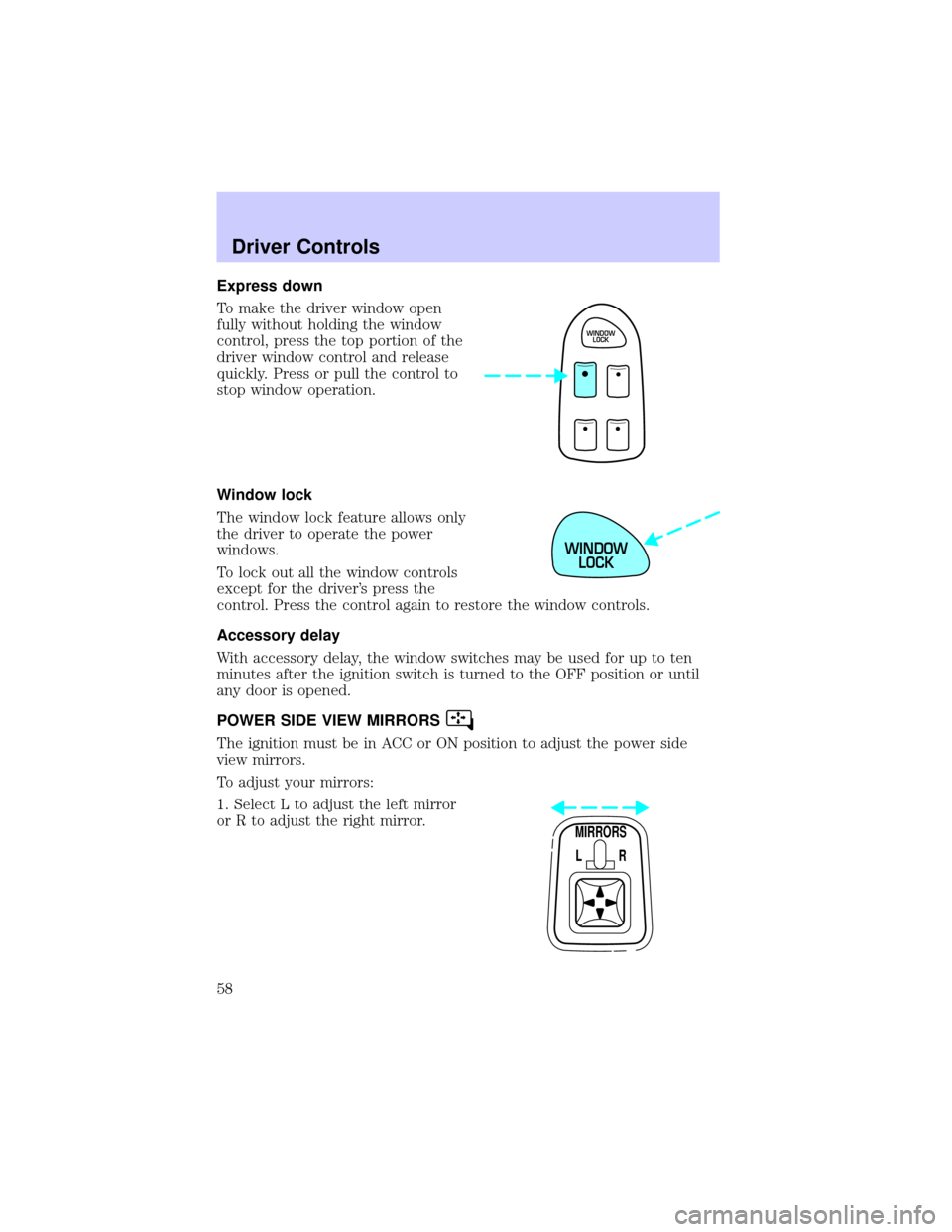
To make the driver window open
fully without holding the window
control, press the top portion of the
driver window control and release
quickly. Press or pull the control to
stop window operation.
Window lock
The window lock feature allows only
the driver to operate the power
windows.
To lock out all the window controls
except for the driver's press the
control. Press the control again to restore the window controls.
Accessory delay
With accessory delay, the window switches may be used for up to ten
minutes after the ignition switch is turned to the OFF position or until
any door is opened.
POWER SIDE VIEW MIRRORS
The ignition must be in ACC or ON position to adjust the power side
view mirrors.
To adjust your mirrors:
1. Select L to adjust the left mirror
or R to adjust the right mirror.
WINDOW
LOCK
WINDOW
LOCK
MIRRORS
L R
Driver Controls
58
Page 59 of 240

2. Move the control in the direction
you wish to tilt the mirror.
3. Return to the center position to lock mirrors in place.
Heated outside mirrors
Both mirrors are heated
automatically to remove ice, mist
and fog when the rear window
defrost is activated.
Do not remove ice from the mirrors
with a scraper or attempt to
readjust the mirror glass if it is
frozen in place. These actions could
cause damage to the glass and
mirrors.
Automatic dimming rear view mirror
Your vehicle is equipped with an inside rear view mirror and a driver's
outside mirror that has an auto-dimming function. The electronic
day/night mirrors will change from the normal state to the non-glare
state when bright lights (glare) reach the mirrors. When the inside rear
view mirror detects bright light from in front of or behind the vehicle,
the inside and driver side outside rear view mirrors will automatically
adjust (darken) to minimize glare.
MIRRORS
L R
Driver Controls
59
Page 60 of 240
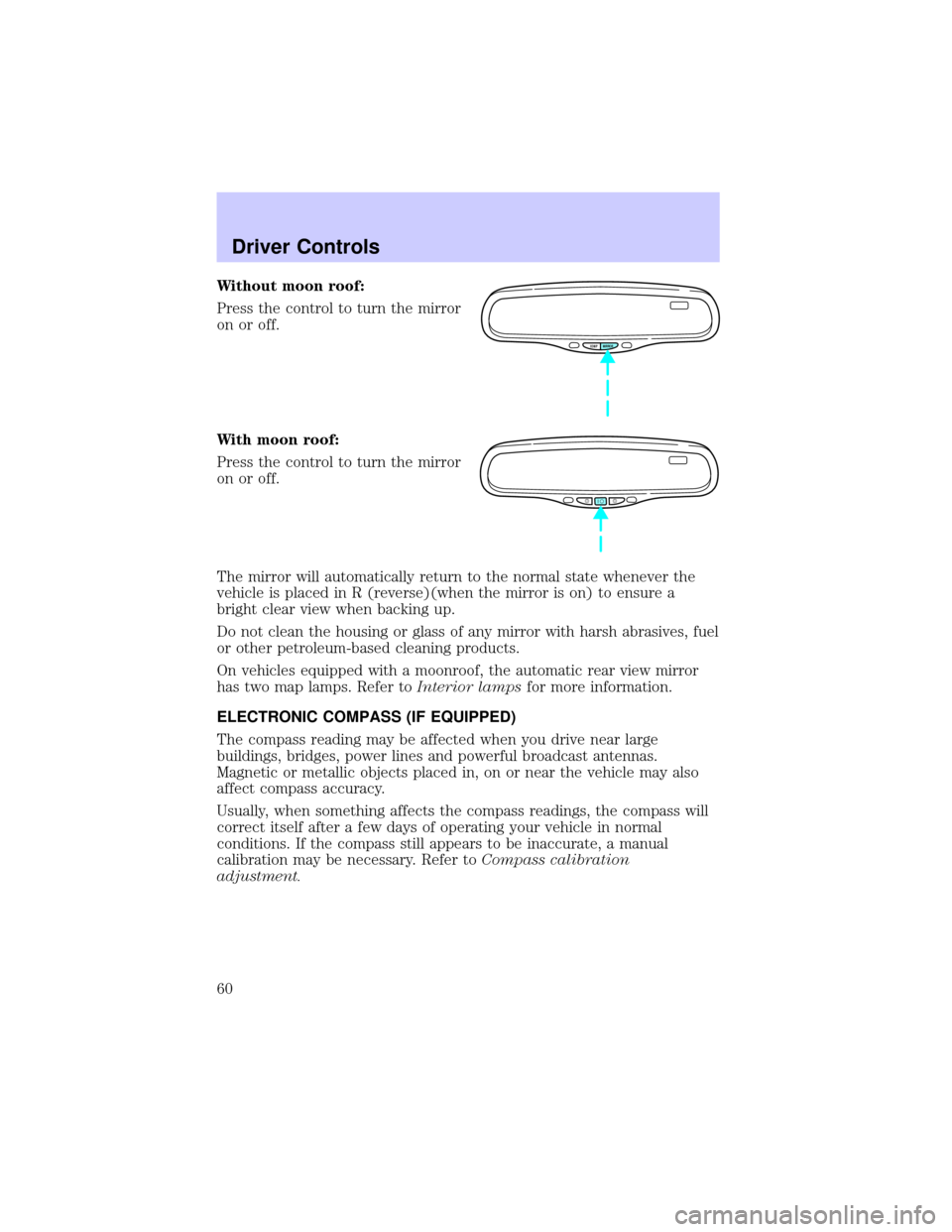
Without moon roof:
Press the control to turn the mirror
on or off.
With moon roof:
Press the control to turn the mirror
on or off.
The mirror will automatically return to the normal state whenever the
vehicle is placed in R (reverse)(when the mirror is on) to ensure a
bright clear view when backing up.
Do not clean the housing or glass of any mirror with harsh abrasives, fuel
or other petroleum-based cleaning products.
On vehicles equipped with a moonroof, the automatic rear view mirror
has two map lamps. Refer toInterior lampsfor more information.
ELECTRONIC COMPASS (IF EQUIPPED)
The compass reading may be affected when you drive near large
buildings, bridges, power lines and powerful broadcast antennas.
Magnetic or metallic objects placed in, on or near the vehicle may also
affect compass accuracy.
Usually, when something affects the compass readings, the compass will
correct itself after a few days of operating your vehicle in normal
conditions. If the compass still appears to be inaccurate, a manual
calibration may be necessary. Refer toCompass calibration
adjustment.
COMP MIRROR
Driver Controls
60
Page 61 of 240
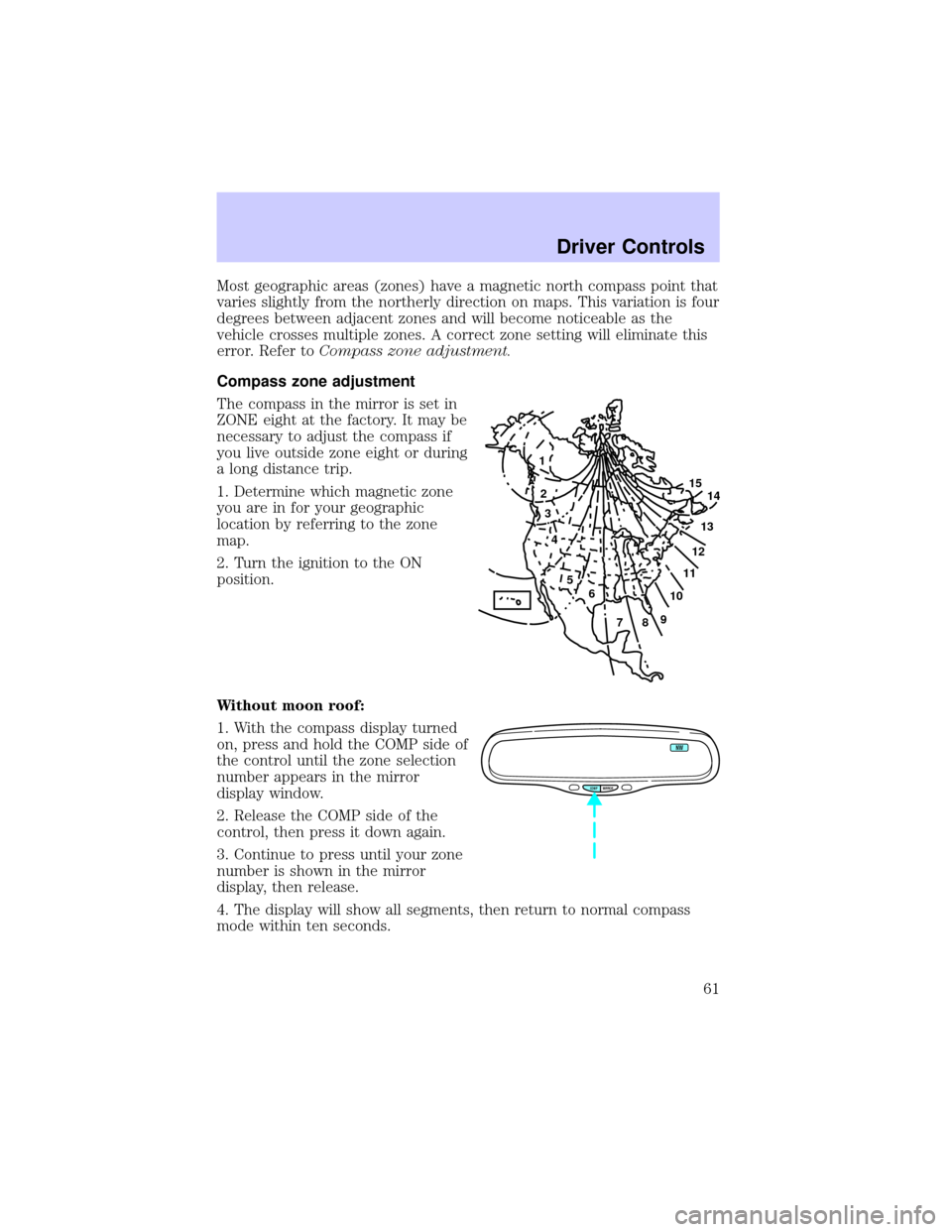
Most geographic areas (zones) have a magnetic north compass point that
varies slightly from the northerly direction on maps. This variation is four
degrees between adjacent zones and will become noticeable as the
vehicle crosses multiple zones. A correct zone setting will eliminate this
error. Refer toCompass zone adjustment.
Compass zone adjustment
The compass in the mirror is set in
ZONE eight at the factory. It may be
necessary to adjust the compass if
you live outside zone eight or during
a long distance trip.
1. Determine which magnetic zone
you are in for your geographic
location by referring to the zone
map.
2. Turn the ignition to the ON
position.
Without moon roof:
1. With the compass display turned
on, press and hold the COMP side of
the control until the zone selection
number appears in the mirror
display window.
2. Release the COMP side of the
control, then press it down again.
3. Continue to press until your zone
number is shown in the mirror
display, then release.
4. The display will show all segments, then return to normal compass
mode within ten seconds.
1
2
3
4
5
6
7891011121314 15
COMP MIRROR
NW
Driver Controls
61
Page 62 of 240
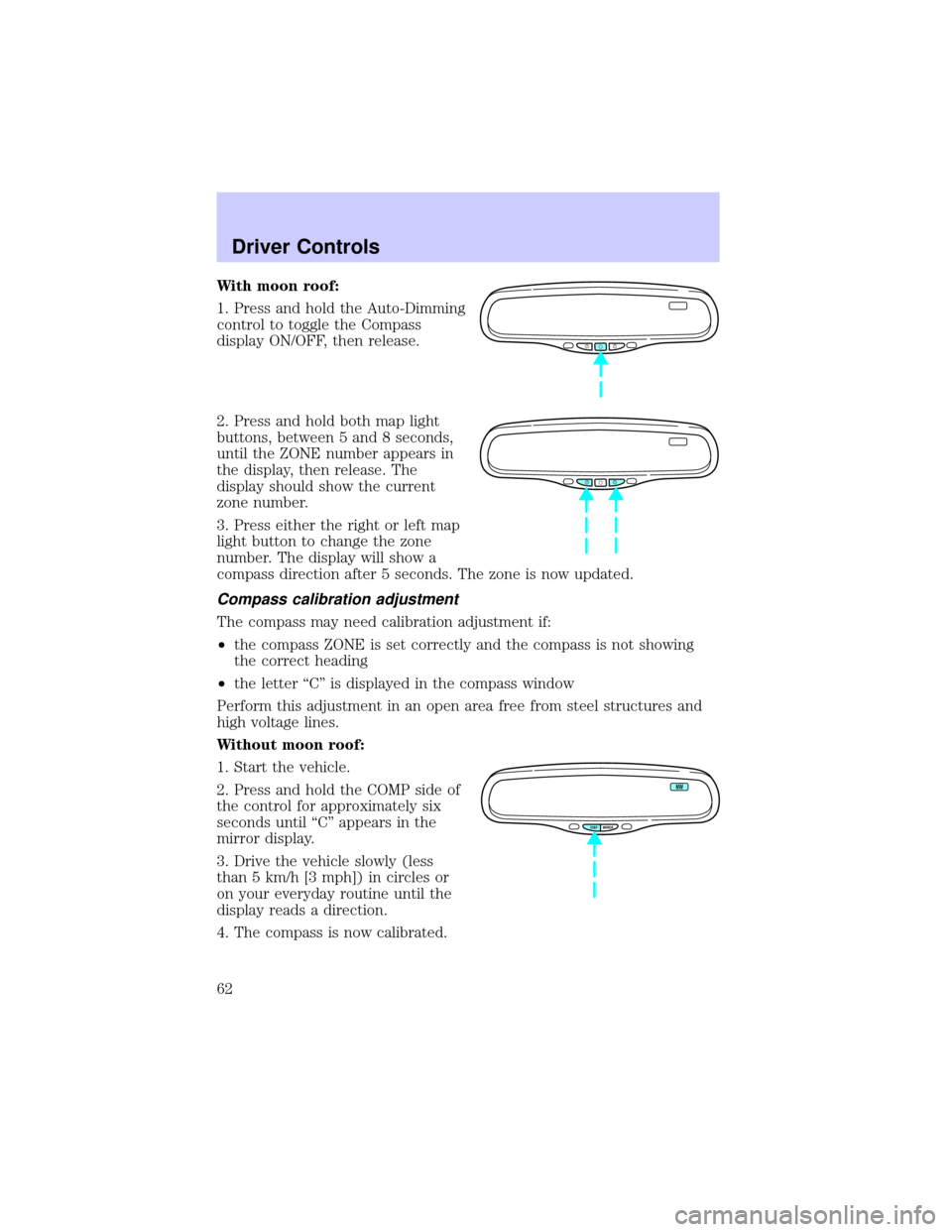
With moon roof:
1. Press and hold the Auto-Dimming
control to toggle the Compass
display ON/OFF, then release.
2. Press and hold both map light
buttons, between 5 and 8 seconds,
until the ZONE number appears in
the display, then release. The
display should show the current
zone number.
3. Press either the right or left map
light button to change the zone
number. The display will show a
compass direction after 5 seconds. The zone is now updated.
Compass calibration adjustment
The compass may need calibration adjustment if:
²the compass ZONE is set correctly and the compass is not showing
the correct heading
²the letter ªCº is displayed in the compass window
Perform this adjustment in an open area free from steel structures and
high voltage lines.
Without moon roof:
1. Start the vehicle.
2. Press and hold the COMP side of
the control for approximately six
seconds until ªCº appears in the
mirror display.
3. Drive the vehicle slowly (less
than 5 km/h [3 mph]) in circles or
on your everyday routine until the
display reads a direction.
4. The compass is now calibrated.
COMP MIRROR
NW
Driver Controls
62
Page 77 of 240
The message center will display theMemory Profile Systemfeatures
(operator selectable features) which are selected from the MENU and
VEHICLE HANDLING controls.
The Memory Profile System allows for two primary drivers to save their
individual seat and outside rearview mirror position preferences. The
feature will then be set to the remote entry transmitter, that will
automatically recall the saved individualized preferences. Refer toBasic
Operation of Memory Profile Systemin this section.
Basic operation of Memory Profile System
In order for the system to be able to store or recall an individual's seat
and mirror position preferences, the Memory Profile must first recognize
who will be driving the vehicle. Drivers may identify themselves to the
system one of two ways:
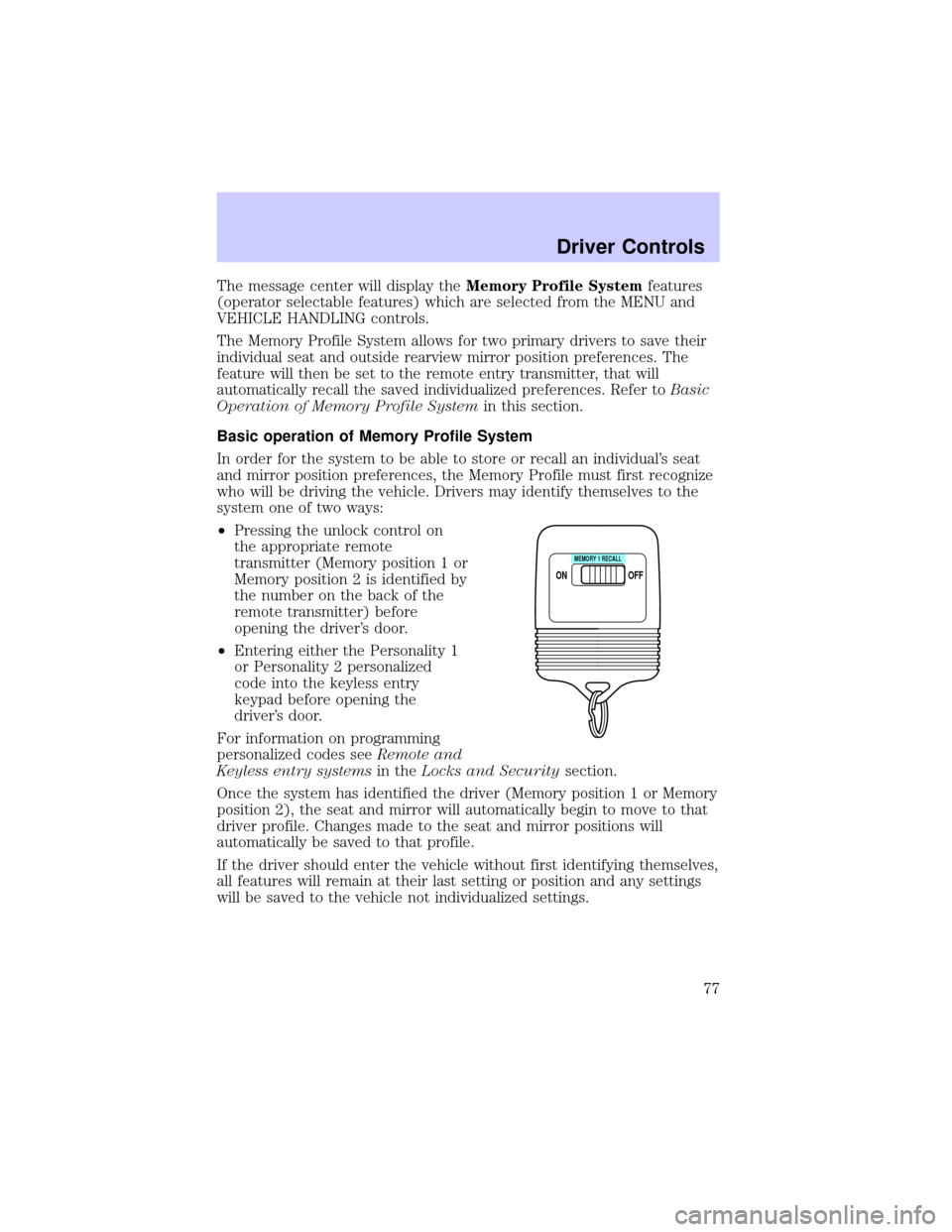
²Pressing the unlock control on
the appropriate remote
transmitter (Memory position 1 or
Memory position 2 is identified by
the number on the back of the
remote transmitter) before
opening the driver's door.
²Entering either the Personality 1
or Personality 2 personalized
code into the keyless entry
keypad before opening the
driver's door.
For information on programming
personalized codes seeRemote and
Keyless entry systemsin theLocks and Securitysection.
Once the system has identified the driver (Memory position 1 or Memory
position 2), the seat and mirror will automatically begin to move to that
driver profile. Changes made to the seat and mirror positions will
automatically be saved to that profile.
If the driver should enter the vehicle without first identifying themselves,
all features will remain at their last setting or position and any settings
will be saved to the vehicle not individualized settings.
ON
MEMORY 1 RECALL
OFF
Driver Controls
77
Page 78 of 240
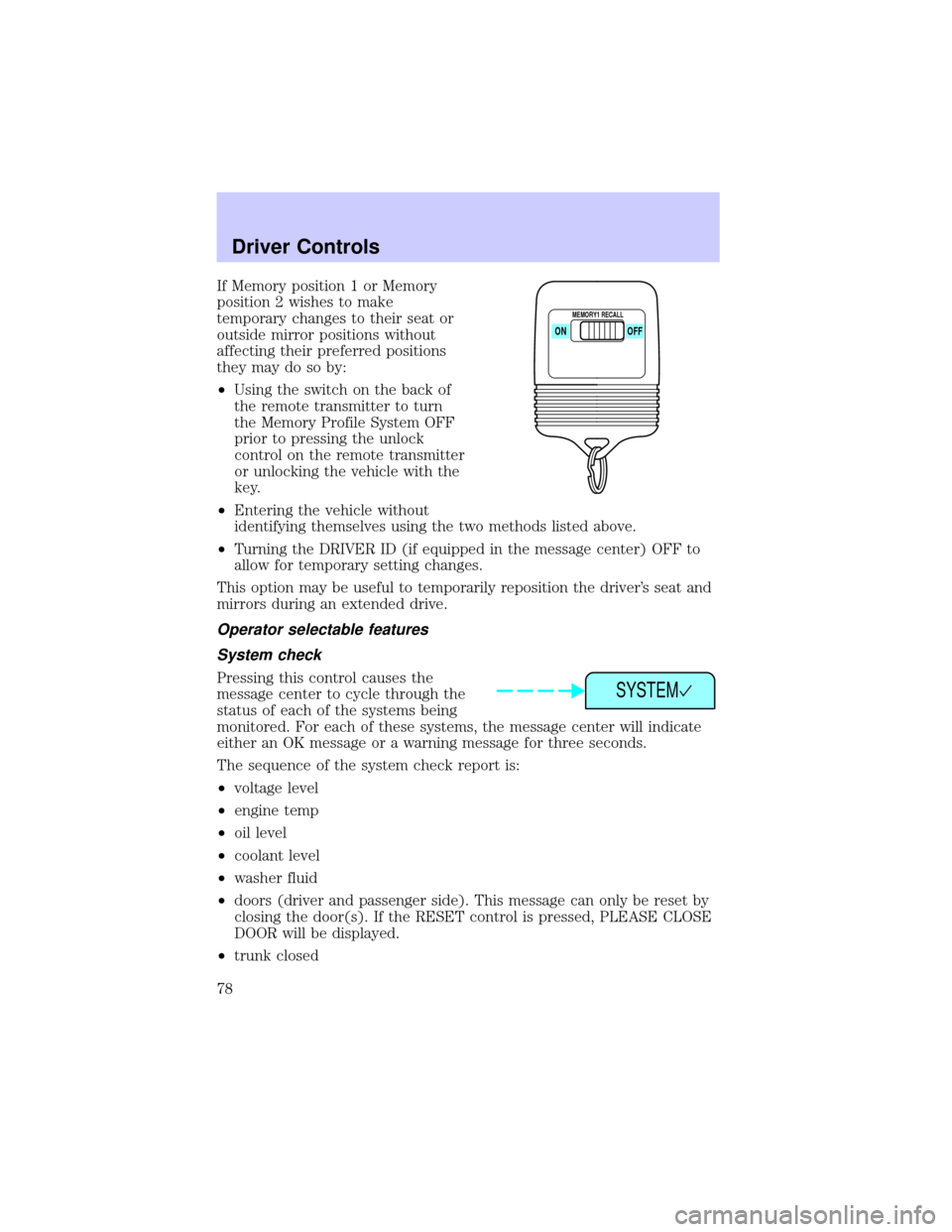
If Memory position 1 or Memory
position 2 wishes to make
temporary changes to their seat or
outside mirror positions without
affecting their preferred positions
they may do so by:
²Using the switch on the back of
the remote transmitter to turn
the Memory Profile System OFF
prior to pressing the unlock
control on the remote transmitter
or unlocking the vehicle with the
key.
²Entering the vehicle without
identifying themselves using the two methods listed above.
²Turning the DRIVER ID (if equipped in the message center) OFF to
allow for temporary setting changes.
This option may be useful to temporarily reposition the driver's seat and
mirrors during an extended drive.
Operator selectable features
System check
Pressing this control causes the
message center to cycle through the
status of each of the systems being
monitored. For each of these systems, the message center will indicate
either an OK message or a warning message for three seconds.
The sequence of the system check report is:
²voltage level
²engine temp
²oil level
²coolant level
²washer fluid
²doors (driver and passenger side). This message can only be reset by
closing the door(s). If the RESET control is pressed, PLEASE CLOSE
DOOR will be displayed.
²trunk closed
ON
MEMORY1 RECALL
OFF
SYSTEM
Driver Controls
78