roof LINCOLN CONTINENTAL 2002 Owners Manual
[x] Cancel search | Manufacturer: LINCOLN, Model Year: 2002, Model line: CONTINENTAL, Model: LINCOLN CONTINENTAL 2002Pages: 240, PDF Size: 1.79 MB
Page 45 of 240
INTERIOR LAMPS
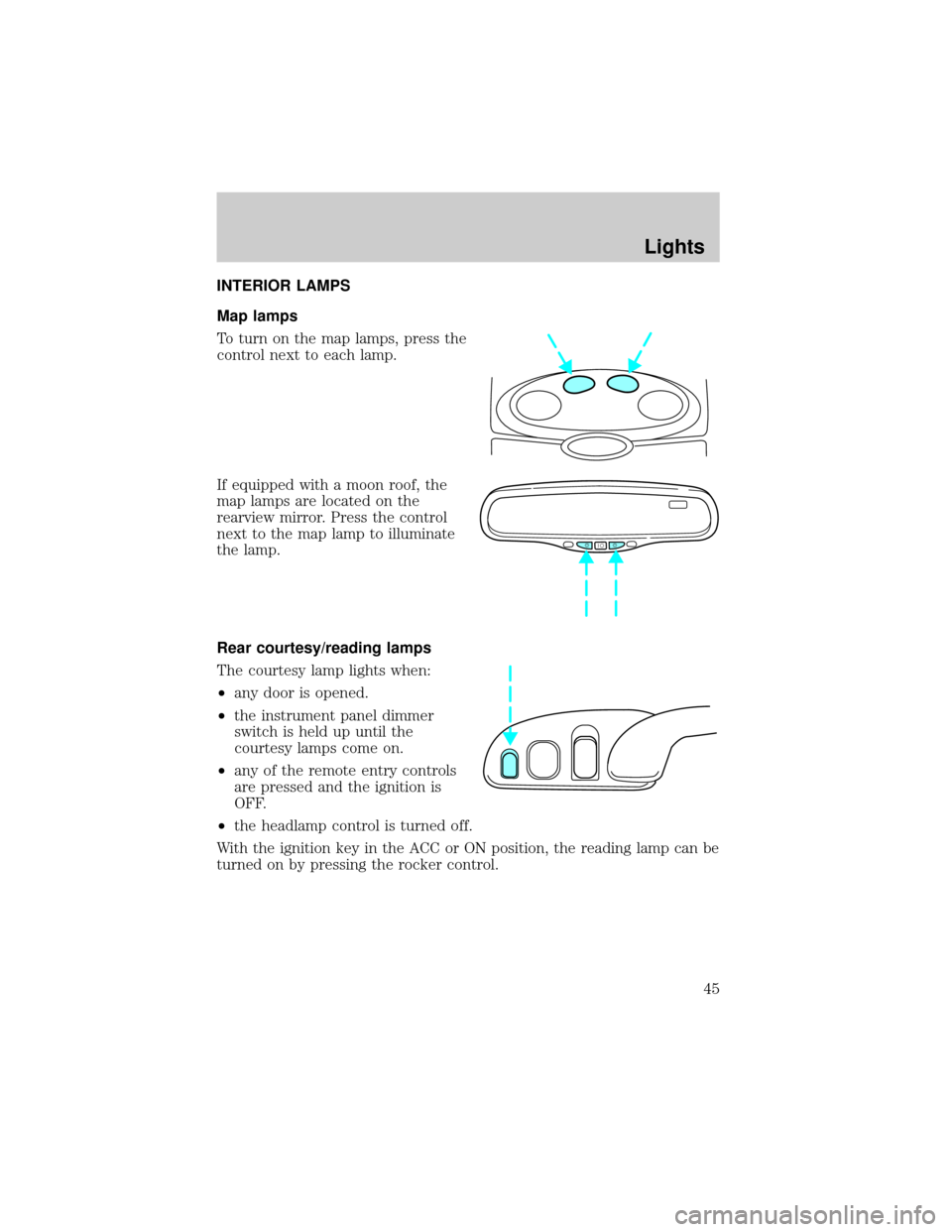
Map lamps
To turn on the map lamps, press the
control next to each lamp.
If equipped with a moon roof, the
map lamps are located on the
rearview mirror. Press the control
next to the map lamp to illuminate
the lamp.
Rear courtesy/reading lamps
The courtesy lamp lights when:
²any door is opened.
²the instrument panel dimmer
switch is held up until the
courtesy lamps come on.
²any of the remote entry controls
are pressed and the ignition is
OFF.
²the headlamp control is turned off.
With the ignition key in the ACC or ON position, the reading lamp can be
turned on by pressing the rocker control.
Lights
45
Page 47 of 240
Function Trade Number
Glovebox lamp 194
Ash receptacle 1445
Ash tray (rear) 37
Cigar lighter (console) 1893
Door mounted lamp (front) 214-2
Illuminated visor mirror 74
Overhead console reading lamp (without
moon roof)912
Passenger assist handle (rear seat) 211-2
All replacement bulbs are clear in color except where noted.
To replace all instrument panel lights - see your dealer.
Replacing the interior bulbs
Check the operation of the following interior bulbs frequently:
²interior overhead lamp
²map lamp
For bulb replacement, see a dealer or qualified technician.
Replacing headlamp bulbs
To remove the headlamp bulb:
1. Make sure headlamp switch is in OFF position.
2. Lift the hood and remove the protective cover from the top of the
headlamps by lifting up on the rear corners and release the velcro
attachments. Lift the cover and pull towards the windshield.
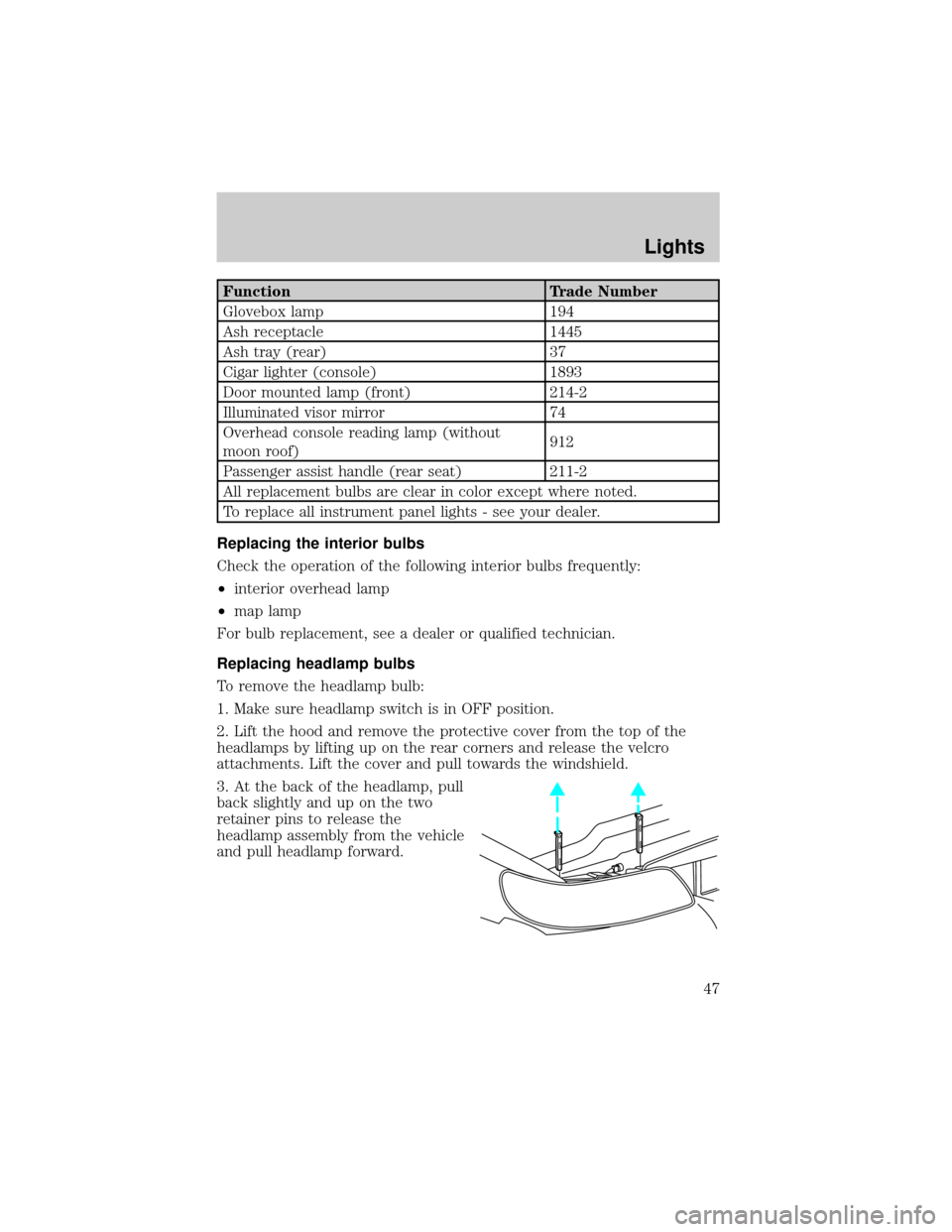
3. At the back of the headlamp, pull
back slightly and up on the two
retainer pins to release the
headlamp assembly from the vehicle
and pull headlamp forward.
Lights
47
Page 60 of 240
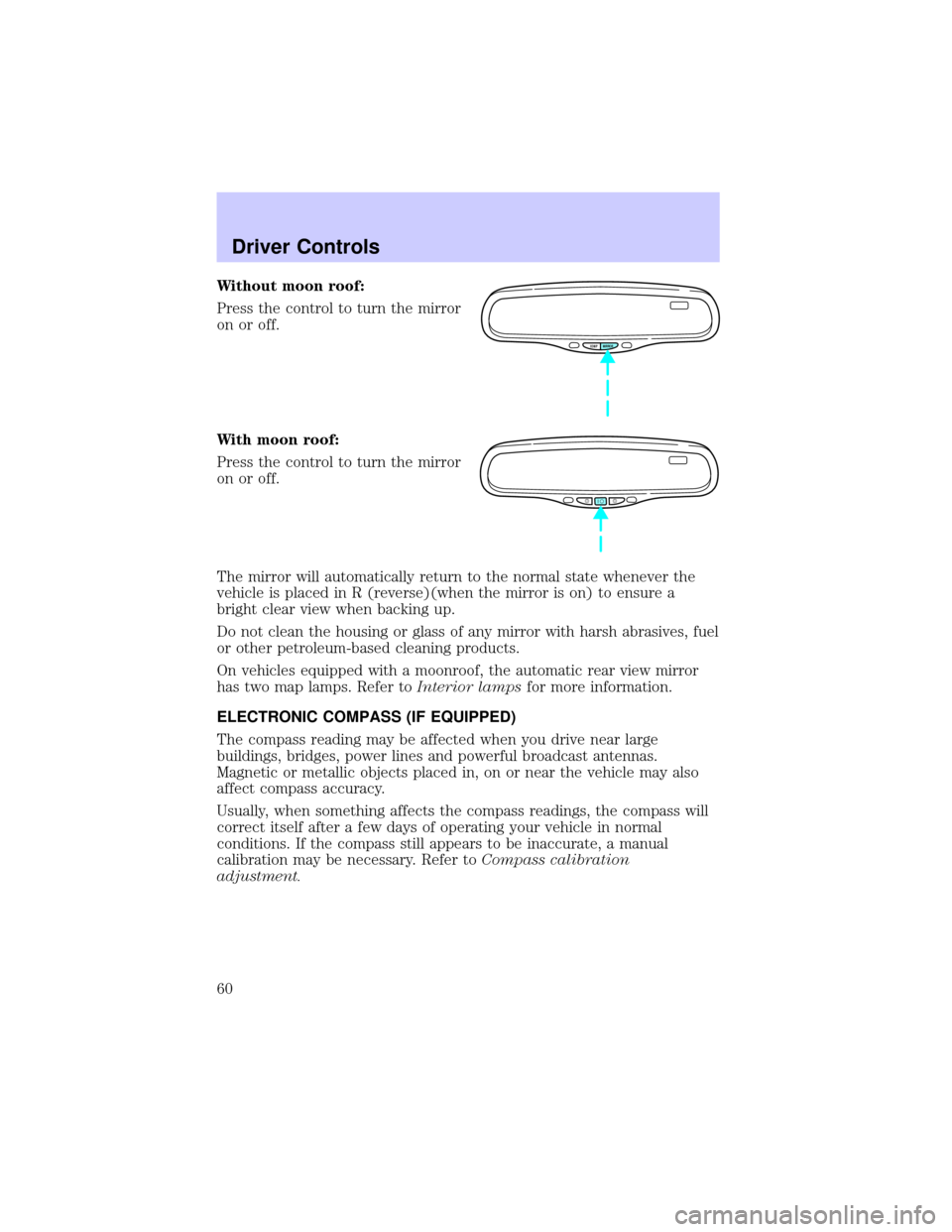
Without moon roof:
Press the control to turn the mirror
on or off.
With moon roof:
Press the control to turn the mirror
on or off.
The mirror will automatically return to the normal state whenever the
vehicle is placed in R (reverse)(when the mirror is on) to ensure a
bright clear view when backing up.
Do not clean the housing or glass of any mirror with harsh abrasives, fuel
or other petroleum-based cleaning products.
On vehicles equipped with a moonroof, the automatic rear view mirror
has two map lamps. Refer toInterior lampsfor more information.
ELECTRONIC COMPASS (IF EQUIPPED)
The compass reading may be affected when you drive near large
buildings, bridges, power lines and powerful broadcast antennas.
Magnetic or metallic objects placed in, on or near the vehicle may also
affect compass accuracy.
Usually, when something affects the compass readings, the compass will
correct itself after a few days of operating your vehicle in normal
conditions. If the compass still appears to be inaccurate, a manual
calibration may be necessary. Refer toCompass calibration
adjustment.
COMP MIRROR
Driver Controls
60
Page 61 of 240
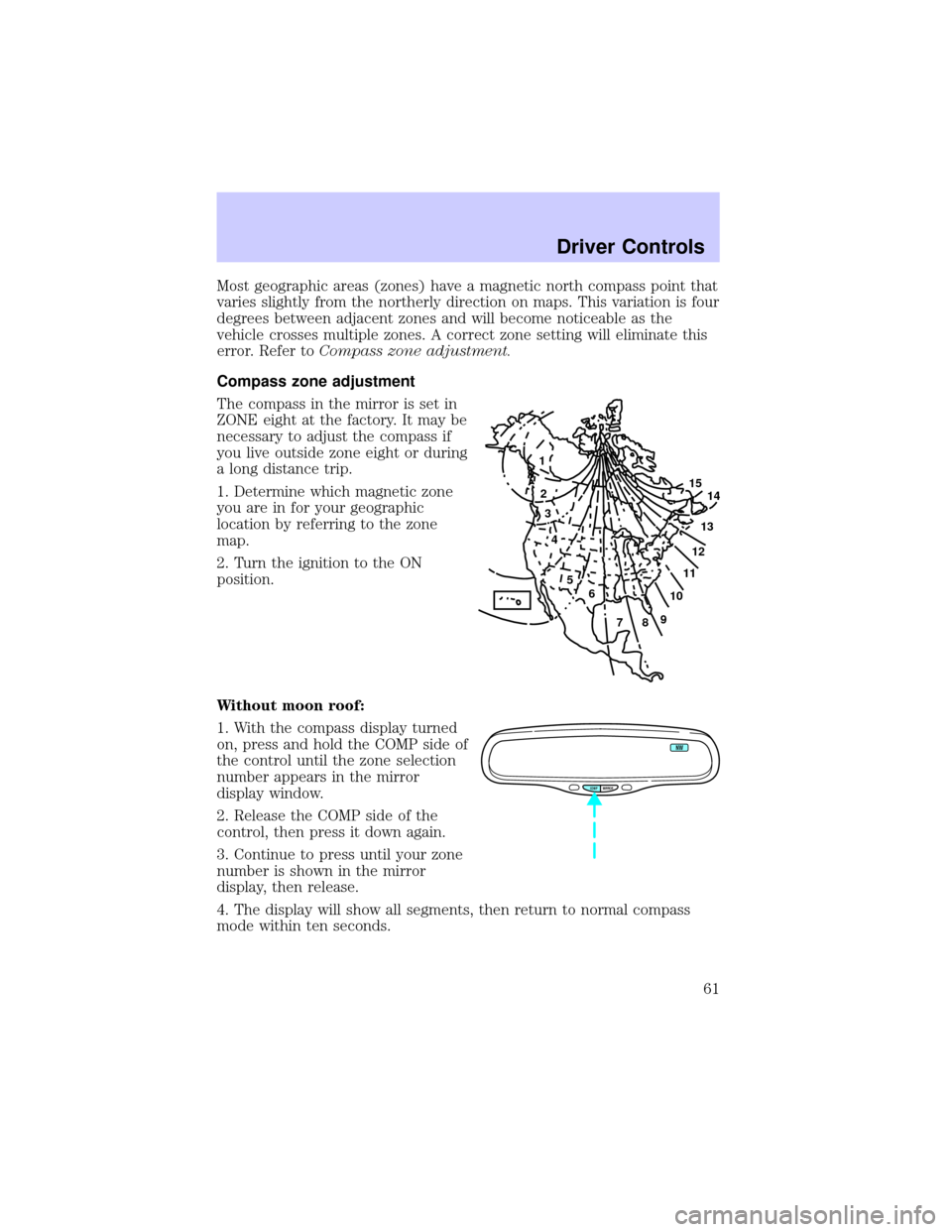
Most geographic areas (zones) have a magnetic north compass point that
varies slightly from the northerly direction on maps. This variation is four
degrees between adjacent zones and will become noticeable as the
vehicle crosses multiple zones. A correct zone setting will eliminate this
error. Refer toCompass zone adjustment.
Compass zone adjustment
The compass in the mirror is set in
ZONE eight at the factory. It may be
necessary to adjust the compass if
you live outside zone eight or during
a long distance trip.
1. Determine which magnetic zone
you are in for your geographic
location by referring to the zone
map.
2. Turn the ignition to the ON
position.
Without moon roof:
1. With the compass display turned
on, press and hold the COMP side of
the control until the zone selection
number appears in the mirror
display window.
2. Release the COMP side of the
control, then press it down again.
3. Continue to press until your zone
number is shown in the mirror
display, then release.
4. The display will show all segments, then return to normal compass
mode within ten seconds.
1
2
3
4
5
6
7891011121314 15
COMP MIRROR
NW
Driver Controls
61
Page 62 of 240
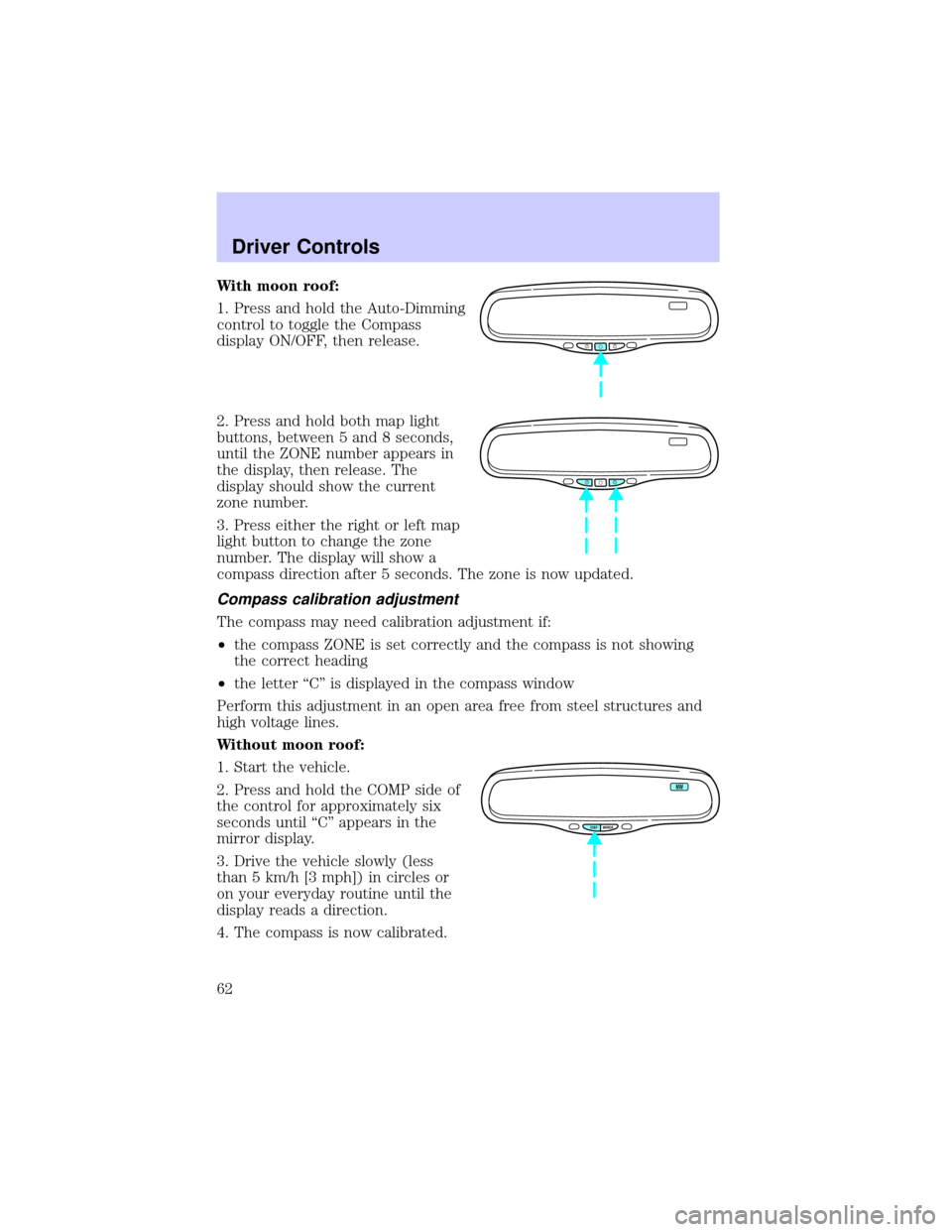
With moon roof:
1. Press and hold the Auto-Dimming
control to toggle the Compass
display ON/OFF, then release.
2. Press and hold both map light
buttons, between 5 and 8 seconds,
until the ZONE number appears in
the display, then release. The
display should show the current
zone number.
3. Press either the right or left map
light button to change the zone
number. The display will show a
compass direction after 5 seconds. The zone is now updated.
Compass calibration adjustment
The compass may need calibration adjustment if:
²the compass ZONE is set correctly and the compass is not showing
the correct heading
²the letter ªCº is displayed in the compass window
Perform this adjustment in an open area free from steel structures and
high voltage lines.
Without moon roof:
1. Start the vehicle.
2. Press and hold the COMP side of
the control for approximately six
seconds until ªCº appears in the
mirror display.
3. Drive the vehicle slowly (less
than 5 km/h [3 mph]) in circles or
on your everyday routine until the
display reads a direction.
4. The compass is now calibrated.
COMP MIRROR
NW
Driver Controls
62
Page 63 of 240
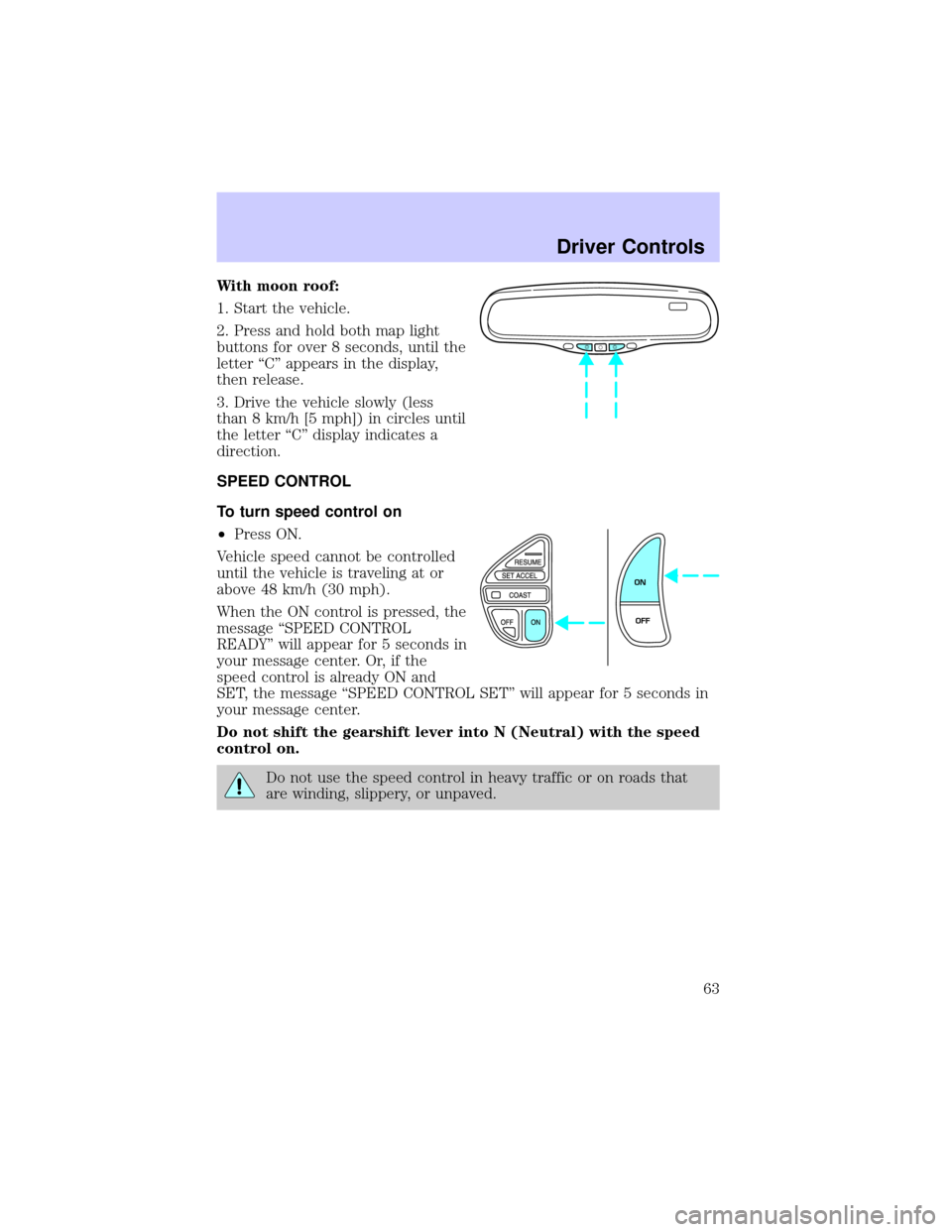
With moon roof:
1. Start the vehicle.
2. Press and hold both map light
buttons for over 8 seconds, until the
letter ªCº appears in the display,
then release.
3. Drive the vehicle slowly (less
than 8 km/h [5 mph]) in circles until
the letter ªCº display indicates a
direction.
SPEED CONTROL
To turn speed control on
²Press ON.
Vehicle speed cannot be controlled
until the vehicle is traveling at or
above 48 km/h (30 mph).
When the ON control is pressed, the
message ªSPEED CONTROL
READYº will appear for 5 seconds in
your message center. Or, if the
speed control is already ON and
SET, the message ªSPEED CONTROL SETº will appear for 5 seconds in
your message center.
Do not shift the gearshift lever into N (Neutral) with the speed
control on.
Do not use the speed control in heavy traffic or on roads that
are winding, slippery, or unpaved.
ON
OFF
Driver Controls
63
Page 68 of 240
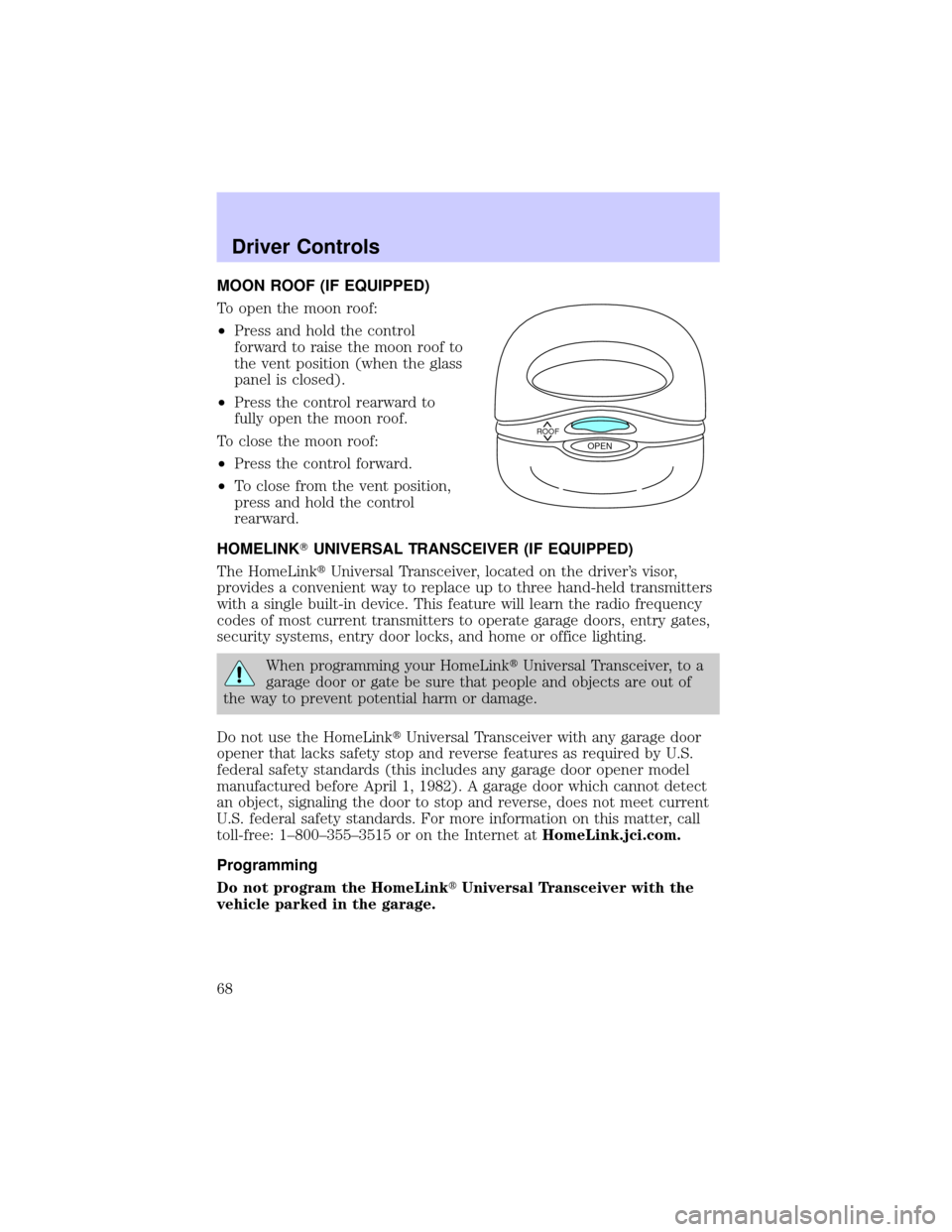
MOON ROOF (IF EQUIPPED)
To open the moon roof:
²Press and hold the control
forward to raise the moon roof to
the vent position (when the glass
panel is closed).
²Press the control rearward to
fully open the moon roof.
To close the moon roof:
²Press the control forward.
²To close from the vent position,
press and hold the control
rearward.
HOMELINKTUNIVERSAL TRANSCEIVER (IF EQUIPPED)
The HomeLinktUniversal Transceiver, located on the driver's visor,
provides a convenient way to replace up to three hand-held transmitters
with a single built-in device. This feature will learn the radio frequency
codes of most current transmitters to operate garage doors, entry gates,
security systems, entry door locks, and home or office lighting.
When programming your HomeLinktUniversal Transceiver, to a
garage door or gate be sure that people and objects are out of
the way to prevent potential harm or damage.
Do not use the HomeLinktUniversal Transceiver with any garage door
opener that lacks safety stop and reverse features as required by U.S.
federal safety standards (this includes any garage door opener model
manufactured before April 1, 1982). A garage door which cannot detect
an object, signaling the door to stop and reverse, does not meet current
U.S. federal safety standards. For more information on this matter, call
toll-free: 1±800±355±3515 or on the Internet atHomeLink.jci.com.
Programming
Do not program the HomeLinktUniversal Transceiver with the
vehicle parked in the garage.
ROOFOPEN
Driver Controls
68
Page 87 of 240
KEYS
The vehicle is equipped with a master key and valet key lock system.
The master key will access doors, trunk, glove box, ignition and remote
trunk release. The valet key (marked ªvaletº) will access doors and
ignition only. Before using this key, lock the trunk remote control to
disable theTrunk remote controlon the drivers door, then lock the
glove compartment with your master key.
Refer to theSecurilockyPassive Anti-Theft Systemsection in the
Locks and securitychapter for information on Securilockykeys.
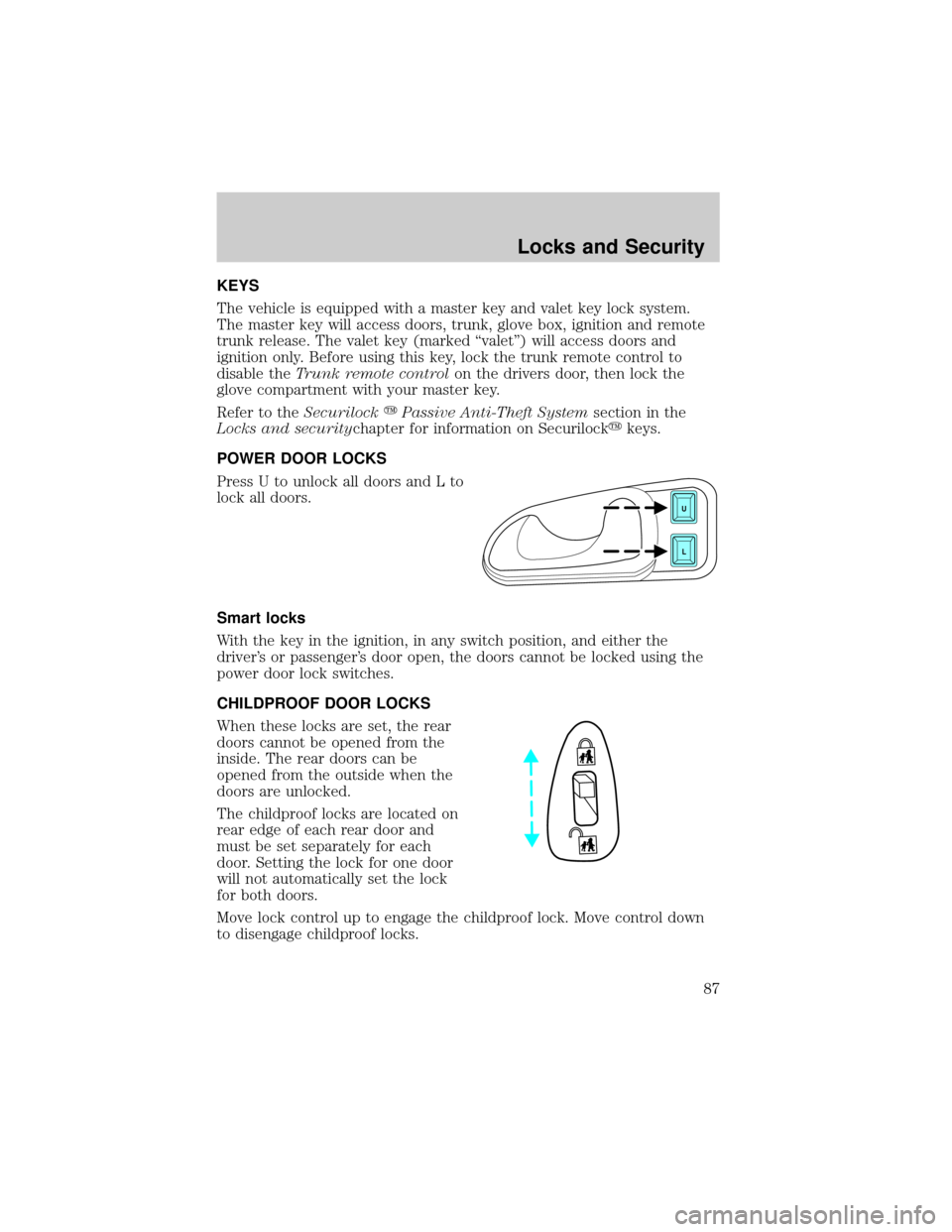
POWER DOOR LOCKS
Press U to unlock all doors and L to
lock all doors.
Smart locks
With the key in the ignition, in any switch position, and either the
driver's or passenger's door open, the doors cannot be locked using the
power door lock switches.
CHILDPROOF DOOR LOCKS
When these locks are set, the rear
doors cannot be opened from the
inside. The rear doors can be
opened from the outside when the
doors are unlocked.
The childproof locks are located on
rear edge of each rear door and
must be set separately for each
door. Setting the lock for one door
will not automatically set the lock
for both doors.
Move lock control up to engage the childproof lock. Move control down
to disengage childproof locks.
U
L
Locks and Security
87
Page 160 of 240
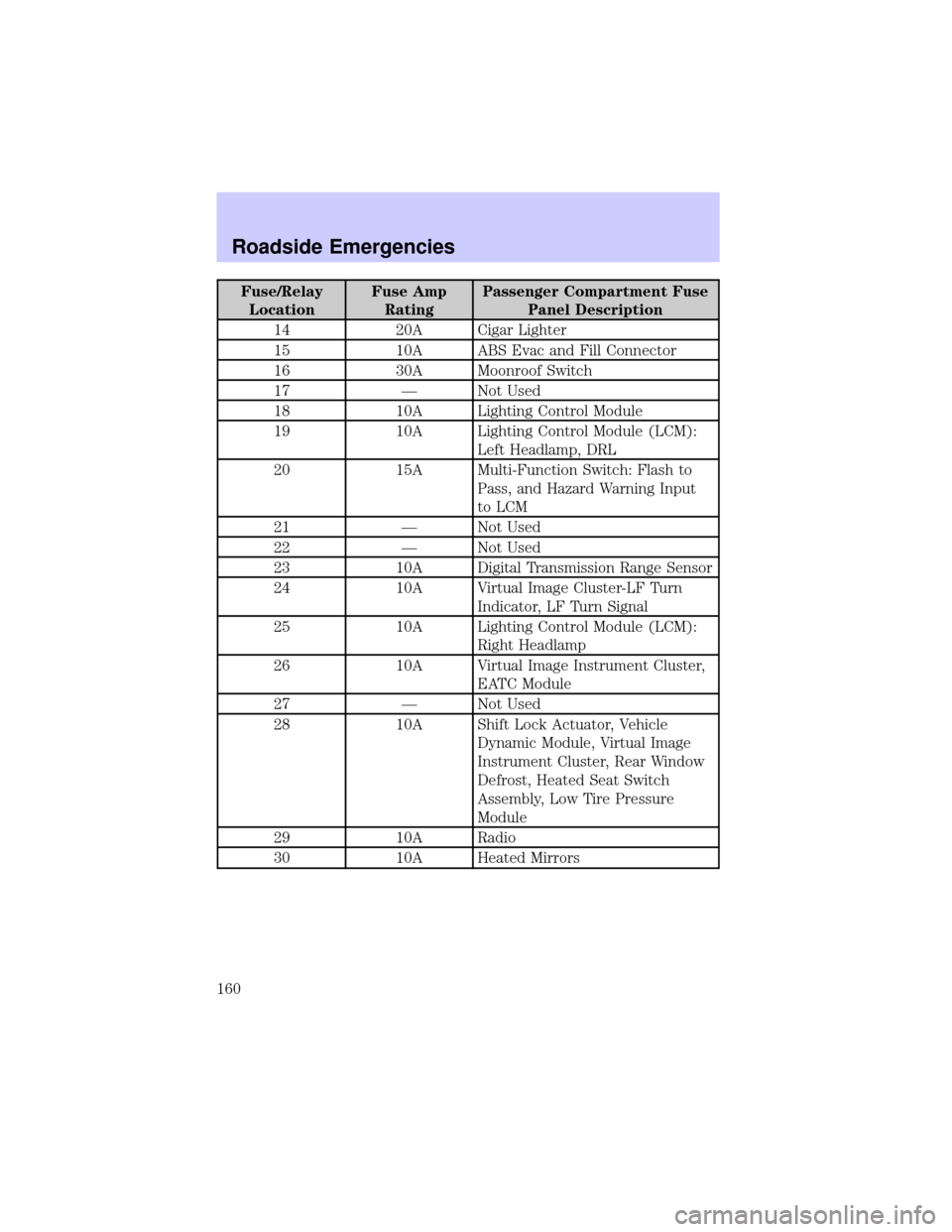
Fuse/Relay
LocationFuse Amp
RatingPassenger Compartment Fuse
Panel Description
14 20A Cigar Lighter
15 10A ABS Evac and Fill Connector
16 30A Moonroof Switch
17 Ð Not Used
18 10A Lighting Control Module
19 10A Lighting Control Module (LCM):
Left Headlamp, DRL
20 15A Multi-Function Switch: Flash to
Pass, and Hazard Warning Input
to LCM
21 Ð Not Used
22 Ð Not Used
23 10A Digital Transmission Range Sensor
24 10A Virtual Image Cluster-LF Turn
Indicator, LF Turn Signal
25 10A Lighting Control Module (LCM):
Right Headlamp
26 10A Virtual Image Instrument Cluster,
EATC Module
27 Ð Not Used
28 10A Shift Lock Actuator, Vehicle
Dynamic Module, Virtual Image
Instrument Cluster, Rear Window
Defrost, Heated Seat Switch
Assembly, Low Tire Pressure
Module
29 10A Radio
30 10A Heated Mirrors
Roadside Emergencies
160
Page 185 of 240

Do not allow paint sealant to come in contact with any non-body
(low-gloss black) colored trim, such as grained door handles, roof
racks, bumpers, side moldings, mirror housings or the windshield
cowl area. The paint sealant will ªgrayº or stain the parts over
time.
REPAIRING PAINT CHIPS
Remove particles such as bird droppings, tree sap, insect deposits, tar
spots, road salt and industrial fallout before repairing paint chips.
Minor scratches or paint damage from road debris may be repaired using
the Ultra Touch Prep and Finishing Kit (F7AZ-19K507±BA), which is
available at your authorized Ford, Lincoln or Mercury dealer. This kit
contains:
²Lacquer Touch-Up Paint (ALBZ-19500±XXXXA)
²Exterior Acrylic Spray Lacquer (ALAZ-19500±XXXXA)
Please note that the part numbers (shown as XXXX above) will vary with
your vehicle's specific coloring.Carefully observe the application
instructions on the products.
CLEANING THE WHEEL RIMS AND COVERS
Aluminum wheel rims or covers are coated with a clearcoat paint
finish.
Some automatic car washes may cause damage to the finish on your
wheel rims or covers. Chemical-strength cleaners, or cleaning chemicals,
in combination with brush agitation to remove brake dust and dirt, could
wear away the clearcoat finish over time.
Do not use hydrofluoric acid-based or high caustic-based wheel
cleaners, steel wool, fuels or strong household detergents for
soiled wheel rims and covers.
Never apply any cleaning chemical to hot or warm wheel rims or covers.
Clean wheel rims and covers with Detail Wash (ZC-3±A), which is
available from your authorized Ford, Lincoln or Mercury dealer. Spray
cleaner on cool wheel rims or covers and allow to set for 2±5 minutes.
Agitate the area with a sponge and rinse off with plenty of water.
Use Extra Strength Tar and Road Oil Removal (B7A-19520±AA),
available from your authorized Ford, Lincoln or Mercury dealer, in order
to remove tar and grease from wheel rims and covers.
Cleaning
185