parking brake LINCOLN CONTINENTAL 2017 User Guide
[x] Cancel search | Manufacturer: LINCOLN, Model Year: 2017, Model line: CONTINENTAL, Model: LINCOLN CONTINENTAL 2017Pages: 584, PDF Size: 6.13 MB
Page 177 of 584
Automatic Engine Shutdown Override
Note:
You cannot permanently switch off
the automatic shutdown. When you switch
it off temporarily, it turns on at the next
ignition cycle.
You can stop the shutdown, or reset the
timer, at any point before the 30-second
countdown has expired by doing any of the
following:
• Interacting with your vehicle, for example
pressing the brake or accelerator pedal.
• Disabling the shutdown using the
information display. See Information
Displays (page 110).
• Pressing the OK or RESET button during
the 30-second countdown.
Stopping the Engine When Your
Vehicle is Stationary
Note: The ignition, all electrical circuits and
all warning lamps and indicators will be
turned off.
Note: If the engine is idling for 30 minutes,
the ignition and engine automatically shuts
down. 1. Apply the parking brake.
2. Shift into park (P).
3. Briefly press the push button ignition
switch.
Stopping the Engine When Your
Vehicle is Moving WARNING
Switching off the engine when the
vehicle is still moving will result in a
loss of brake and steering assistance. The
steering will not lock, but higher effort will
be required. When the ignition is switched
off, some electrical circuits, including air
bags, warning lamps and indicators may also
be off. If the ignition was turned off
accidentally, you can shift into neutral (N) and
re-start the engine. 1. Shift into neutral and use the brakes to
bring your vehicle to a safe stop.
2. When your vehicle has stopped, shift into
park (P).
3. Apply the parking brake. 4. Press and hold the push button ignition
switch until the engine stops, or press it
three times within two seconds.
Guarding Against Exhaust Fumes WARNING
Exhaust leaks may result in entry of
harmful and potentially lethal fumes
into the passenger compartment. If you smell
exhaust fumes inside your vehicle, have your
vehicle inspected immediately. Do not drive
if you smell exhaust fumes. Important Ventilating Information
If you stop your vehicle and then leave the
engine idling for long periods, we
recommend that you do one of the following:
•
Open the windows at least
1 in (3 cm).
• Set your climate control to outside air.
174
Continental (CPL) Canada/United States of America, enUSA, First Printing Starting and Stopping the Engine
Page 184 of 584
Note:
When you insert the correct size fuel
pump nozzle a spring loaded inhibitor will
open.
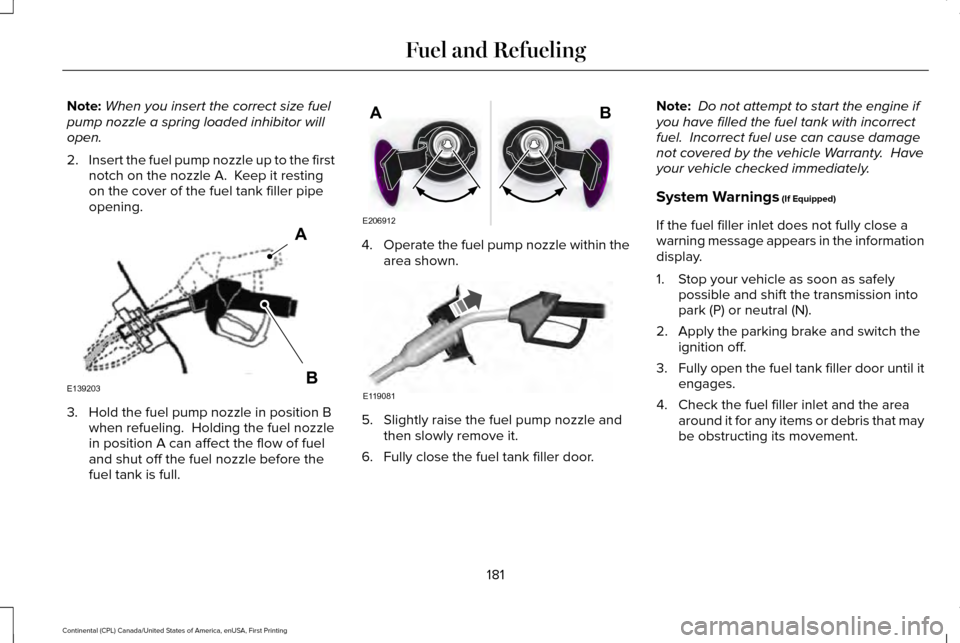
2. Insert the fuel pump nozzle up to the first
notch on the nozzle A. Keep it resting
on the cover of the fuel tank filler pipe
opening. 3. Hold the fuel pump nozzle in position B
when refueling. Holding the fuel nozzle
in position A can affect the flow of fuel
and shut off the fuel nozzle before the
fuel tank is full. 4.
Operate the fuel pump nozzle within the
area shown. 5. Slightly raise the fuel pump nozzle and
then slowly remove it.
6. Fully close the fuel tank filler door. Note:
Do not attempt to start the engine if
you have filled the fuel tank with incorrect
fuel. Incorrect fuel use can cause damage
not covered by the vehicle Warranty. Have
your vehicle checked immediately.
System Warnings (If Equipped)
If the fuel filler inlet does not fully close a
warning message appears in the information
display.
1. Stop your vehicle as soon as safely possible and shift the transmission into
park (P) or neutral (N).
2. Apply the parking brake and switch the ignition off.
3. Fully open the fuel tank filler door until it
engages.
4. Check the fuel filler inlet and the area around it for any items or debris that may
be obstructing its movement.
181
Continental (CPL) Canada/United States of America, enUSA, First Printing Fuel and RefuelingE139203
A
B E206912
AB E119081
Page 190 of 584
AUTOMATIC TRANSMISSION
WARNINGS
Always set the parking brake fully and
make sure you shift the gearshift lever
to park (P). Switch the ignition off and remove
the key whenever you leave your vehicle. Do not apply the brake pedal and
accelerator pedal simultaneously.
Applying both pedals simultaneously for
more than a few seconds will limit engine
rpm, which may result in difficulty maintaining
speed in traffic and could lead to serious
injury. Push Button Shift Transmission
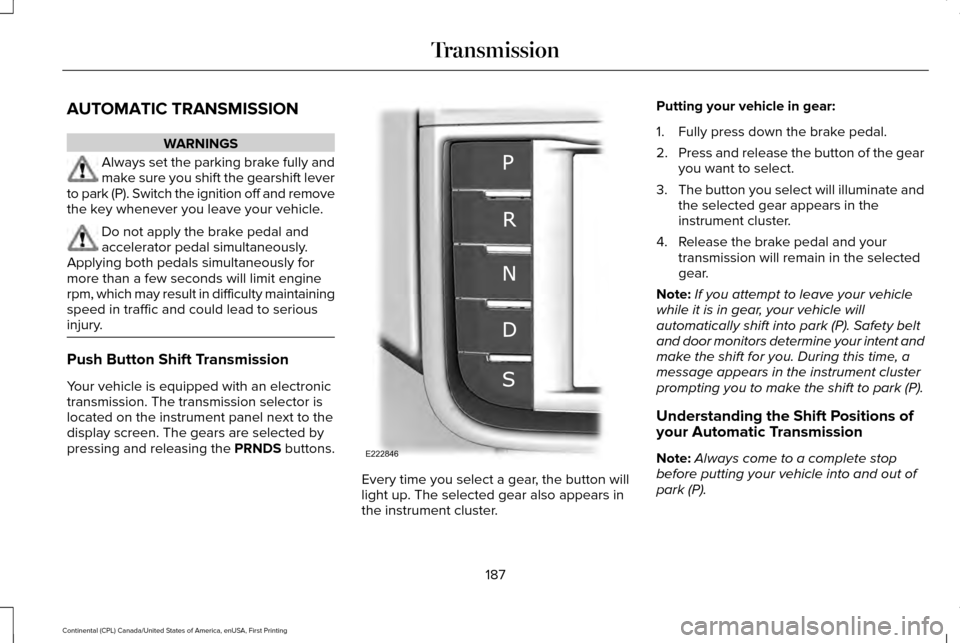
Your vehicle is equipped with an electronic
transmission. The transmission selector is
located on the instrument panel next to the
display screen. The gears are selected by
pressing and releasing the PRNDS buttons.
Every time you select a gear, the button will
light up. The selected gear also appears in
the instrument cluster.Putting your vehicle in gear:
1. Fully press down the brake pedal.
2.
Press and release the button of the gear
you want to select.
3. The button you select will illuminate and
the selected gear appears in the
instrument cluster.
4. Release the brake pedal and your transmission will remain in the selected
gear.
Note: If you attempt to leave your vehicle
while it is in gear, your vehicle will
automatically shift into park (P). Safety belt
and door monitors determine your intent and
make the shift for you. During this time, a
message appears in the instrument cluster
prompting you to make the shift to park (P).
Understanding the Shift Positions of
your Automatic Transmission
Note: Always come to a complete stop
before putting your vehicle into and out of
park (P).
187
Continental (CPL) Canada/United States of America, enUSA, First Printing TransmissionE222846
Page 193 of 584
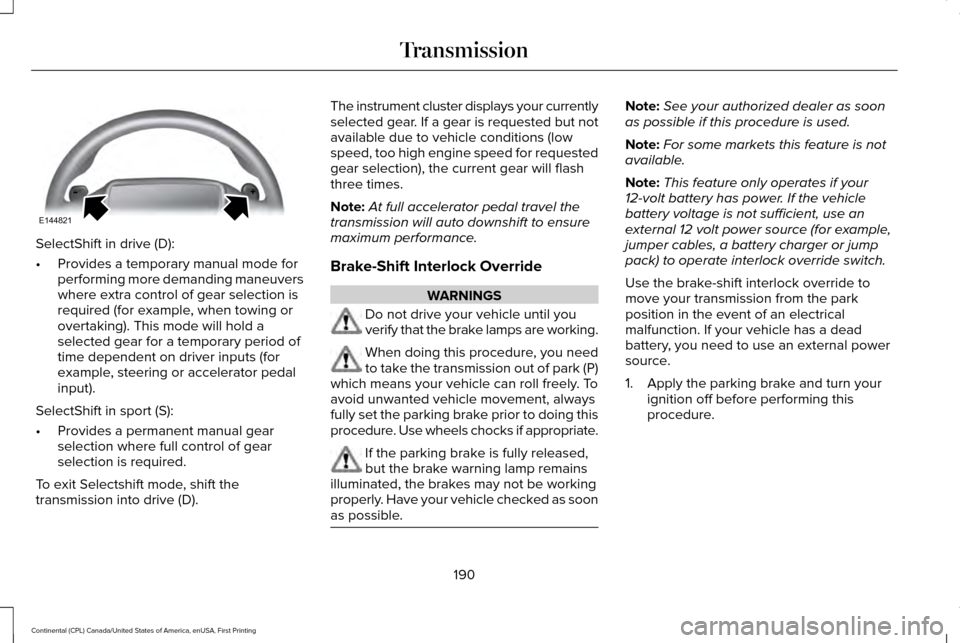
SelectShift in drive (D):
•
Provides a temporary manual mode for
performing more demanding maneuvers
where extra control of gear selection is
required (for example, when towing or
overtaking). This mode will hold a
selected gear for a temporary period of
time dependent on driver inputs (for
example, steering or accelerator pedal
input).
SelectShift in sport (S):
• Provides a permanent manual gear
selection where full control of gear
selection is required.
To exit Selectshift mode, shift the
transmission into drive (D). The instrument cluster displays your currently
selected gear. If a gear is requested but not
available due to vehicle conditions (low
speed, too high engine speed for requested
gear selection), the current gear will flash
three times.
Note:
At full accelerator pedal travel the
transmission will auto downshift to ensure
maximum performance.
Brake-Shift Interlock Override WARNINGS
Do not drive your vehicle until you
verify that the brake lamps are working.
When doing this procedure, you need
to take the transmission out of park (P)
which means your vehicle can roll freely. To
avoid unwanted vehicle movement, always
fully set the parking brake prior to doing this
procedure. Use wheels chocks if appropriate. If the parking brake is fully released,
but the brake warning lamp remains
illuminated, the brakes may not be working
properly. Have your vehicle checked as soon
as possible. Note:
See your authorized dealer as soon
as possible if this procedure is used.
Note: For some markets this feature is not
available.
Note: This feature only operates if your
12-volt battery has power. If the vehicle
battery voltage is not sufficient, use an
external 12 volt power source (for example,
jumper cables, a battery charger or jump
pack) to operate interlock override switch.
Use the brake-shift interlock override to
move your transmission from the park
position in the event of an electrical
malfunction. If your vehicle has a dead
battery, you need to use an external power
source.
1. Apply the parking brake and turn your ignition off before performing this
procedure.
190
Continental (CPL) Canada/United States of America, enUSA, First Printing TransmissionE144821
Page 194 of 584
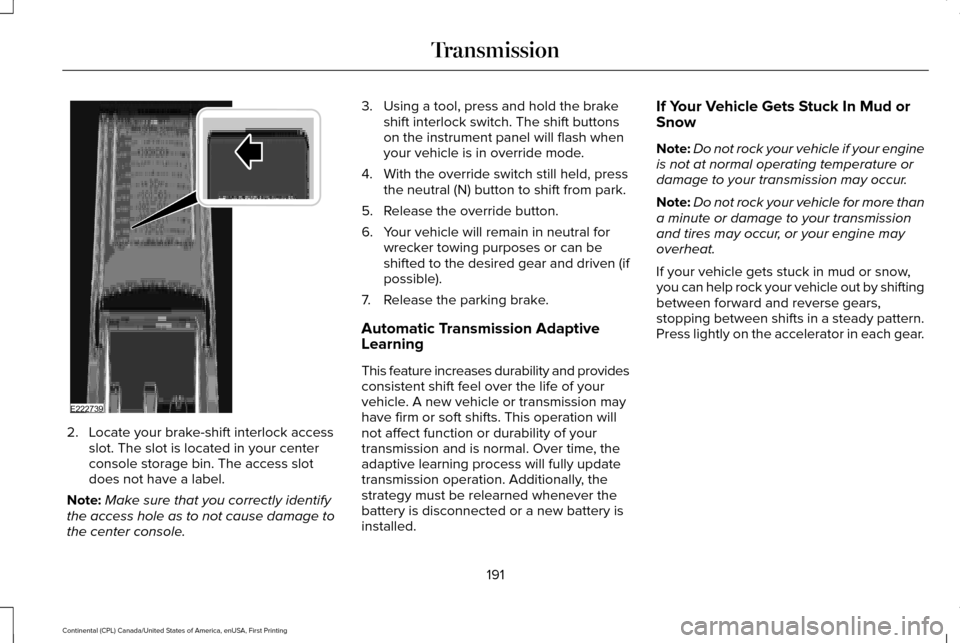
2. Locate your brake-shift interlock access
slot. The slot is located in your center
console storage bin. The access slot
does not have a label.
Note: Make sure that you correctly identify
the access hole as to not cause damage to
the center console. 3. Using a tool, press and hold the brake
shift interlock switch. The shift buttons
on the instrument panel will flash when
your vehicle is in override mode.
4. With the override switch still held, press the neutral (N) button to shift from park.
5. Release the override button.
6. Your vehicle will remain in neutral for wrecker towing purposes or can be
shifted to the desired gear and driven (if
possible).
7. Release the parking brake.
Automatic Transmission Adaptive
Learning
This feature increases durability and provides
consistent shift feel over the life of your
vehicle. A new vehicle or transmission may
have firm or soft shifts. This operation will
not affect function or durability of your
transmission and is normal. Over time, the
adaptive learning process will fully update
transmission operation. Additionally, the
strategy must be relearned whenever the
battery is disconnected or a new battery is
installed. If Your Vehicle Gets Stuck In Mud or
Snow
Note:
Do not rock your vehicle if your engine
is not at normal operating temperature or
damage to your transmission may occur.
Note: Do not rock your vehicle for more than
a minute or damage to your transmission
and tires may occur, or your engine may
overheat.
If your vehicle gets stuck in mud or snow,
you can help rock your vehicle out by shifting
between forward and reverse gears,
stopping between shifts in a steady pattern.
Press lightly on the accelerator in each gear.
191
Continental (CPL) Canada/United States of America, enUSA, First Printing TransmissionE222739
Page 198 of 584
If Your Vehicle Goes Off the Edge of the
Pavement
•
If your vehicle goes off the edge of the
pavement, slow down, but avoid severe
brake application, ease the vehicle back
onto the pavement only after reducing
your speed. Do not turn the steering
wheel too sharply while returning to the
road surface.
• It may be safer to stay on the apron or
shoulder of the road and slow down
gradually before returning to the
pavement. You may lose control if you
do not slow down or if you turn the
steering wheel too sharply or abruptly.
• It often may be less risky to strike small
objects, such as highway reflectors, with
minor damage to your vehicle rather than
attempt a sudden return to the pavement
which could cause the vehicle to slide
sideways out of control or rollover.
Remember, your safety and the safety of
others should be your primary concern. If Your Vehicle Gets Stuck WARNINGS
Always set the parking brake fully and
make sure you shift the gearshift lever
to park (P). Switch the ignition off and remove
the key whenever you leave your vehicle. If the parking brake is fully released,
but the brake warning lamp remains
illuminated, the brakes may not be working
properly. Have your vehicle checked as soon
as possible. Do not spin the wheels at over 34 mph
(55 km/h). The tires may fail and injure
a passenger or bystander. Note:
Do not rock the vehicle if the engine
is not at normal operating temperature or
damage to the transmission may occur.
Note: Do not rock the vehicle for more than
a few minutes or damage to the transmission
and tires may occur or the engine may
overheat. If your vehicle gets stuck in mud or snow it
may be rocked out by shifting between
forward and reverse gears, stopping
between shifts, in a steady pattern. Press
lightly on the accelerator in each gear.
If your vehicle is equipped with
AdvanceTrac® with Roll Stability Control™, it
may be beneficial to disengage the
AdvanceTrac® with Roll Stability Control™
system while attempting to rock the vehicle.
Emergency Maneuvers
•
In an unavoidable emergency situation
where a sudden sharp turn must be
made, remember to avoid "over-driving"
your vehicle (that is, turn the steering
wheel only as rapidly and as far as
required to avoid the emergency).
Excessive steering will result in less
vehicle control, not more. Additionally,
smooth variations of the accelerator
and/or brake pedal pressure should be
utilized if changes in vehicle speed are
called for. Avoid abrupt steering,
195
Continental (CPL) Canada/United States of America, enUSA, First Printing All-Wheel Drive
(If Equipped)
Page 204 of 584
GENERAL INFORMATION
Note:
Occasional brake noise is normal. If a
metal-to-metal, continuous grinding or
continuous squeal sound is present, the
brake linings may be worn-out. Have the
system checked by an authorized dealer. If
your vehicle has continuous vibration or
shudder in the steering wheel while braking,
have it checked by an authorized dealer.
Note: Brake dust may accumulate on the
wheels, even under normal driving
conditions. Some dust is inevitable as the
brakes wear and does not contribute to
brake noise. See Cleaning the Wheels
(page 338).
Note: Depending on applicable laws and
regulations in the country for which your
vehicle was originally built, your brake lamps
may flash during heavy braking. Following
this, your hazard lights may also flash when
your vehicle comes to a stop. See
Warning Lamps and
Indicators (page 105). Wet brakes result in reduced braking
efficiency. Gently press the brake pedal a
few times when driving from a car wash or
standing water to dry the brakes.
Brake Over Accelerator
In the event the accelerator pedal becomes
stuck or entrapped, apply steady and firm
pressure to the brake pedal to slow the
vehicle and reduce engine power. If you
experience this condition, apply the brakes
and bring your vehicle to a safe stop. Move
the transmission to park (P), switch the
engine off and apply the parking brake.
Inspect the accelerator pedal for any
interference. If none are found and the
condition persists, have your vehicle towed
to the nearest authorized dealer.
Brake Assist
Brake assist detects when you brake rapidly
by measuring the rate at which you press the
brake pedal. It provides maximum braking
efficiency as long as you press the pedal,
and can reduce stopping distances in critical
situations. Anti-lock Brake System
This system helps you maintain steering
control during emergency stops by keeping
the brakes from locking. This lamp momentarily illuminates
when you turn the ignition on. If
the light does not illuminate during
start up, remains on or flashes, the system
may be disabled. Have the system checked
by an authorized dealer. If the anti-lock brake
system is disabled, normal braking is still
effective. If the brake warning lamp
illuminates when you release the
parking brake, have the system
checked by an authorized dealer.
HINTS ON DRIVING WITH ANTI-
LOCK BRAKES
Note: When the system is operating, the
brake pedal may pulse and may travel
further. Maintain pressure on the brake
pedal. You may also hear a noise from the
system. This is normal.
201
Continental (CPL) Canada/United States of America, enUSA, First Printing BrakesE144522 E144522
Page 205 of 584
The anti-lock braking system will not
eliminate the risks when:
•
You drive too closely to the vehicle in
front of you.
• Your vehicle is hydroplaning.
• You take corners too fast.
• The road surface is poor.
ELECTRIC PARKING BRAKE
The electric parking brake replaces the
conventional handbrake. The operating
switch is located in the instrument panel. WARNING
Always set the parking brake and leave
your vehicle with the transmission in
park (P). Failure to set the parking brake and
placing the transmission in park (P) could
result in vehicle roll-away, property damage
or bodily injury. Note:
When you apply the electric parking
brake in certain conditions, for example, on
a steep hill, the electric parking brake may
reapply the brakes within three to ten
minutes.
Note: You may notice various noises when
you apply and release the electric parking
brake. This is normal and no cause for
concern.
Note: After a determined period of time, the
parking brake will automatically re-calibrate.
This process is short and only performed
when the vehicle is turned off.
Applying the Electric Parking brake WARNING
The brake system warning lamp will
flash during an electric parking brake
apply. If the brake system warning lamp
continues to flash there could be a problem
with your electric parking brake. Note:
The brake system warning lamp will
illuminate for ten seconds, if the ignition is
turned off after the electric parking brake
has been applied, or the electric parking
brake has been applied after the ignition
has been turned off.
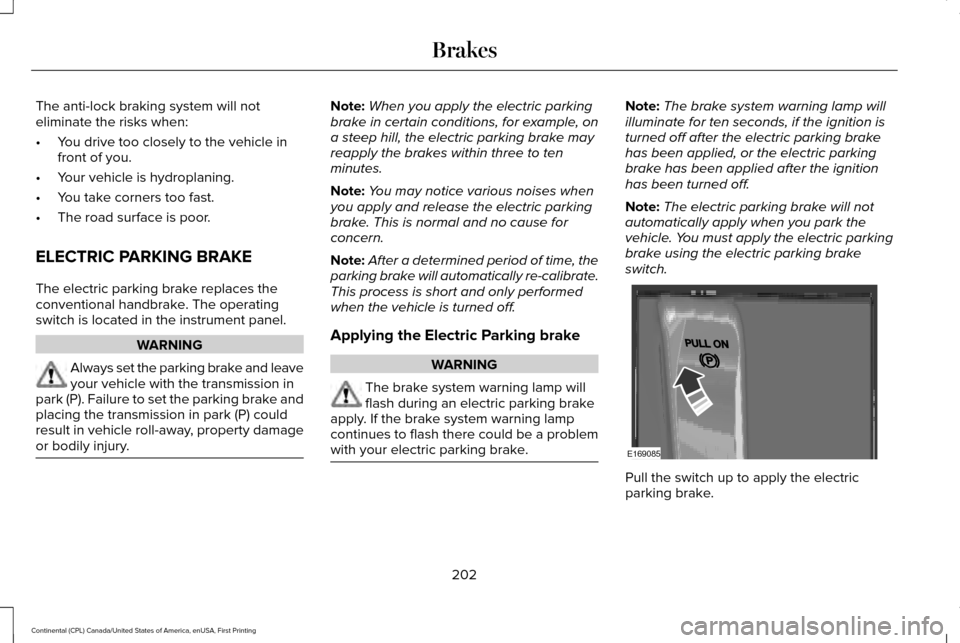
Note: The electric parking brake will not
automatically apply when you park the
vehicle. You must apply the electric parking
brake using the electric parking brake
switch. Pull the switch up to apply the electric
parking brake.
202
Continental (CPL) Canada/United States of America, enUSA, First Printing BrakesE169085
Page 206 of 584
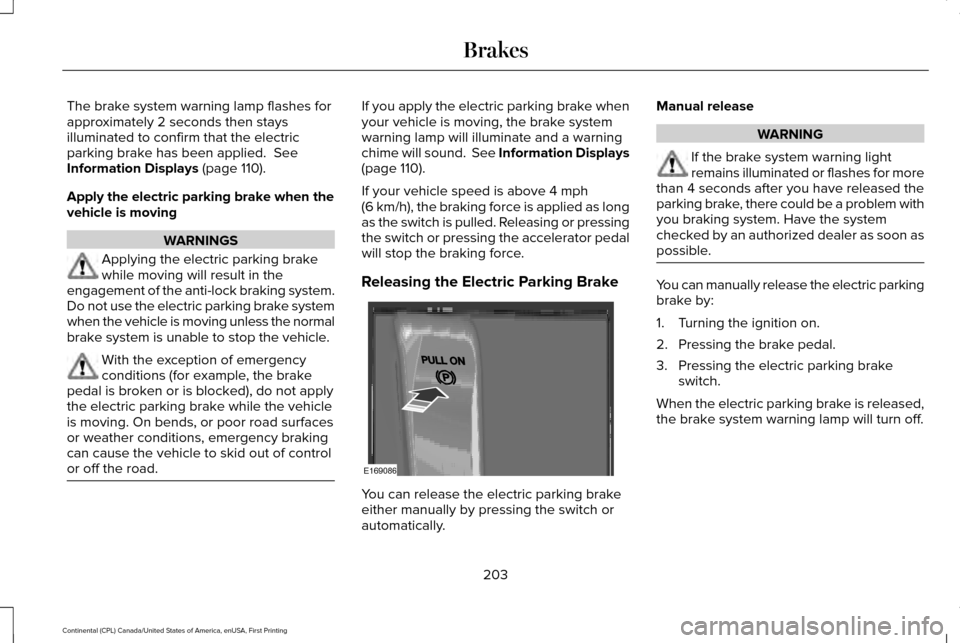
The brake system warning lamp flashes for
approximately 2 seconds then stays
illuminated to confirm that the electric
parking brake has been applied. See
Information Displays (page 110).
Apply the electric parking brake when the
vehicle is moving WARNINGS
Applying the electric parking brake
while moving will result in the
engagement of the anti-lock braking system.
Do not use the electric parking brake system
when the vehicle is moving unless the normal
brake system is unable to stop the vehicle. With the exception of emergency
conditions (for example, the brake
pedal is broken or is blocked), do not apply
the electric parking brake while the vehicle
is moving. On bends, or poor road surfaces
or weather conditions, emergency braking
can cause the vehicle to skid out of control
or off the road. If you apply the electric parking brake when
your vehicle is moving, the brake system
warning lamp will illuminate and a warning
chime will sound. See Information Displays
(page 110).
If your vehicle speed is above
4 mph
(6 km/h), the braking force is applied as long
as the switch is pulled. Releasing or pressing
the switch or pressing the accelerator pedal
will stop the braking force.
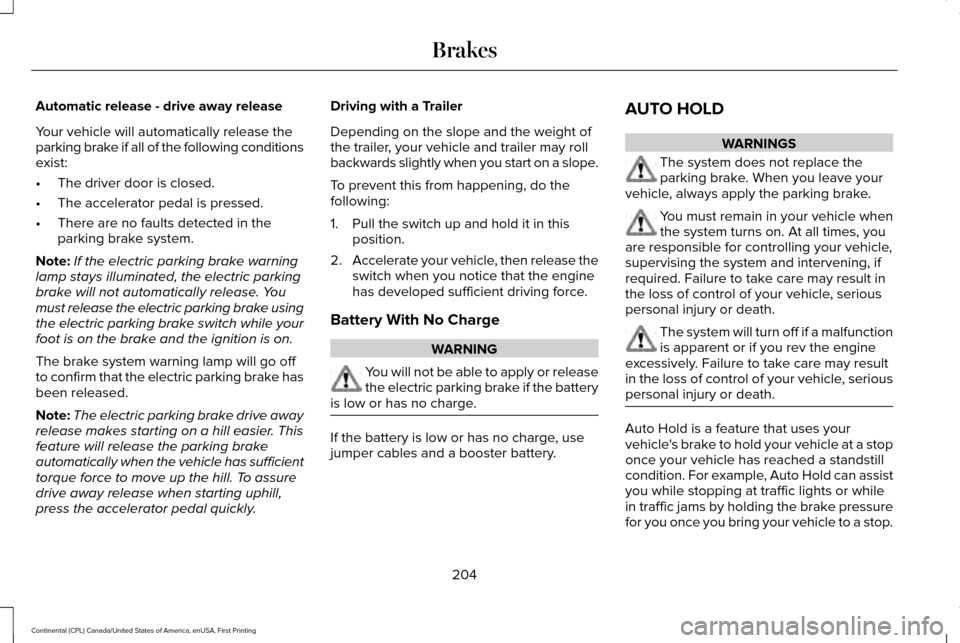
Releasing the Electric Parking Brake You can release the electric parking brake
either manually by pressing the switch or
automatically.Manual release WARNING
If the brake system warning light
remains illuminated or flashes for more
than 4 seconds after you have released the
parking brake, there could be a problem with
you braking system. Have the system
checked by an authorized dealer as soon as
possible. You can manually release the electric parking
brake by:
1. Turning the ignition on.
2. Pressing the brake pedal.
3. Pressing the electric parking brake
switch.
When the electric parking brake is released,
the brake system warning lamp will turn off.
203
Continental (CPL) Canada/United States of America, enUSA, First Printing BrakesE169086
Page 207 of 584
Automatic release - drive away release
Your vehicle will automatically release the
parking brake if all of the following conditions
exist:
•
The driver door is closed.
• The accelerator pedal is pressed.
• There are no faults detected in the
parking brake system.
Note: If the electric parking brake warning
lamp stays illuminated, the electric parking
brake will not automatically release. You
must release the electric parking brake using
the electric parking brake switch while your
foot is on the brake and the ignition is on.
The brake system warning lamp will go off
to confirm that the electric parking brake has
been released.
Note: The electric parking brake drive away
release makes starting on a hill easier. This
feature will release the parking brake
automatically when the vehicle has sufficient
torque force to move up the hill. To assure
drive away release when starting uphill,
press the accelerator pedal quickly. Driving with a Trailer
Depending on the slope and the weight of
the trailer, your vehicle and trailer may roll
backwards slightly when you start on a slope.
To prevent this from happening, do the
following:
1. Pull the switch up and hold it in this
position.
2. Accelerate your vehicle, then release the
switch when you notice that the engine
has developed sufficient driving force.
Battery With No Charge WARNING
You will not be able to apply or release
the electric parking brake if the battery
is low or has no charge. If the battery is low or has no charge, use
jumper cables and a booster battery.AUTO HOLD WARNINGS
The system does not replace the
parking brake. When you leave your
vehicle, always apply the parking brake. You must remain in your vehicle when
the system turns on. At all times, you
are responsible for controlling your vehicle,
supervising the system and intervening, if
required. Failure to take care may result in
the loss of control of your vehicle, serious
personal injury or death. The system will turn off if a malfunction
is apparent or if you rev the engine
excessively. Failure to take care may result
in the loss of control of your vehicle, serious
personal injury or death. Auto Hold is a feature that uses your
vehicle's brake to hold your vehicle at a stop
once your vehicle has reached a standstill
condition. For example, Auto Hold can assist
you while stopping at traffic lights or while
in traffic jams by holding the brake pressure
for you once you bring your vehicle to a stop.
204
Continental (CPL) Canada/United States of America, enUSA, First Printing Brakes