tow LINCOLN CONTINENTAL 2017 User Guide
[x] Cancel search | Manufacturer: LINCOLN, Model Year: 2017, Model line: CONTINENTAL, Model: LINCOLN CONTINENTAL 2017Pages: 584, PDF Size: 6.13 MB
Page 88 of 584
WINDSHIELD WIPERS
Note:
Fully defrost the windshield before
you switch the windshield wipers on.
Note: If streaks or smears appear on the
windshield, clean the windshield and the
wiper blades. See Checking the Wiper
Blades (page 325). If that does not resolve
the issue, install new wiper blades. See
Changing the Wiper Blades (page 325).
Note: Do not operate the wipers on a dry
windshield. This may scratch the glass,
damage the wiper blades or cause the wiper
motor to burn out. Always use the windshield
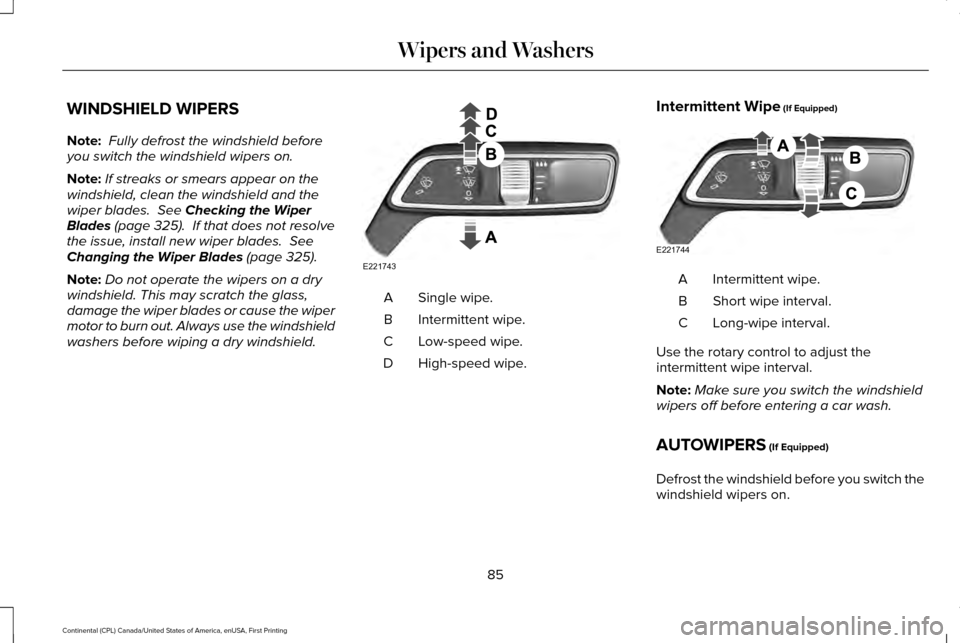
washers before wiping a dry windshield. Single wipe.
A
Intermittent wipe.
B
Low-speed wipe.
C
High-speed wipe.
D Intermittent Wipe
(If Equipped) Intermittent wipe.
A
Short wipe interval.
B
Long-wipe interval.
C
Use the rotary control to adjust the
intermittent wipe interval.
Note: Make sure you switch the windshield
wipers off before entering a car wash.
AUTOWIPERS
(If Equipped)
Defrost the windshield before you switch the
windshield wipers on.
85
Continental (CPL) Canada/United States of America, enUSA, First Printing Wipers and WashersE221743 E221744
Page 89 of 584
Do not operate the windshield wipers on a
dry windshield. This may scratch the glass,
damage the wiper blades or cause the wiper
motor to overheat. Always use the windshield
washers before you switch the windshield
wipers on.
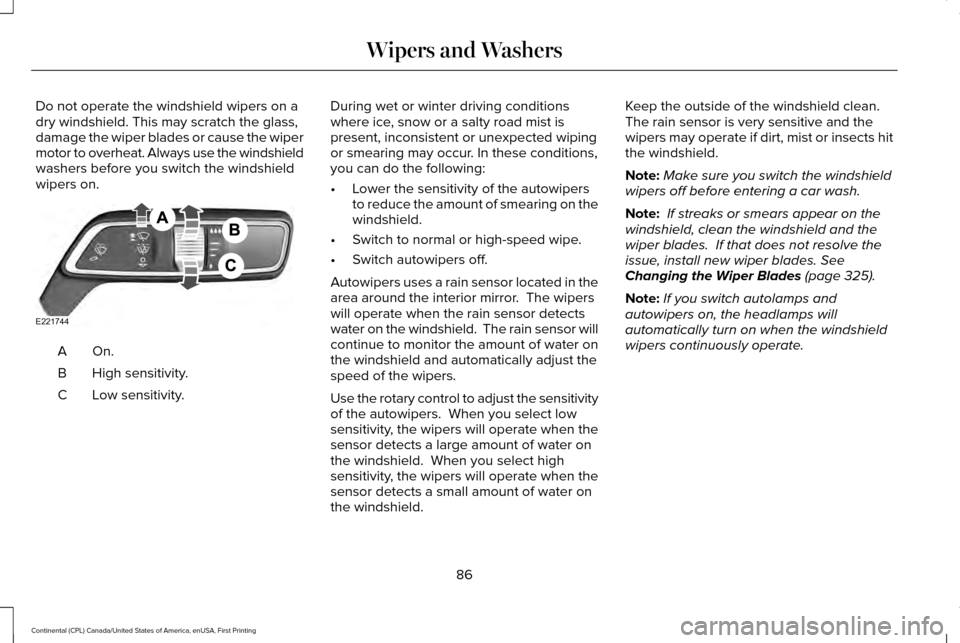
On.A
High sensitivity.
B
Low sensitivity.
C During wet or winter driving conditions
where ice, snow or a salty road mist is
present, inconsistent or unexpected wiping
or smearing may occur. In these conditions,
you can do the following:
•
Lower the sensitivity of the autowipers
to reduce the amount of smearing on the
windshield.
• Switch to normal or high-speed wipe.
• Switch autowipers off.
Autowipers uses a rain sensor located in the
area around the interior mirror. The wipers
will operate when the rain sensor detects
water on the windshield. The rain sensor will
continue to monitor the amount of water on
the windshield and automatically adjust the
speed of the wipers.
Use the rotary control to adjust the sensitivity
of the autowipers. When you select low
sensitivity, the wipers will operate when the
sensor detects a large amount of water on
the windshield. When you select high
sensitivity, the wipers will operate when the
sensor detects a small amount of water on
the windshield. Keep the outside of the windshield clean.
The rain sensor is very sensitive and the
wipers may operate if dirt, mist or insects hit
the windshield.
Note:
Make sure you switch the windshield
wipers off before entering a car wash.
Note: If streaks or smears appear on the
windshield, clean the windshield and the
wiper blades. If that does not resolve the
issue, install new wiper blades. See
Changing the Wiper Blades (page 325).
Note: If you switch autolamps and
autowipers on, the headlamps will
automatically turn on when the windshield
wipers continuously operate.
86
Continental (CPL) Canada/United States of America, enUSA, First Printing Wipers and WashersE221744
Page 90 of 584
WINDSHIELD WASHERS
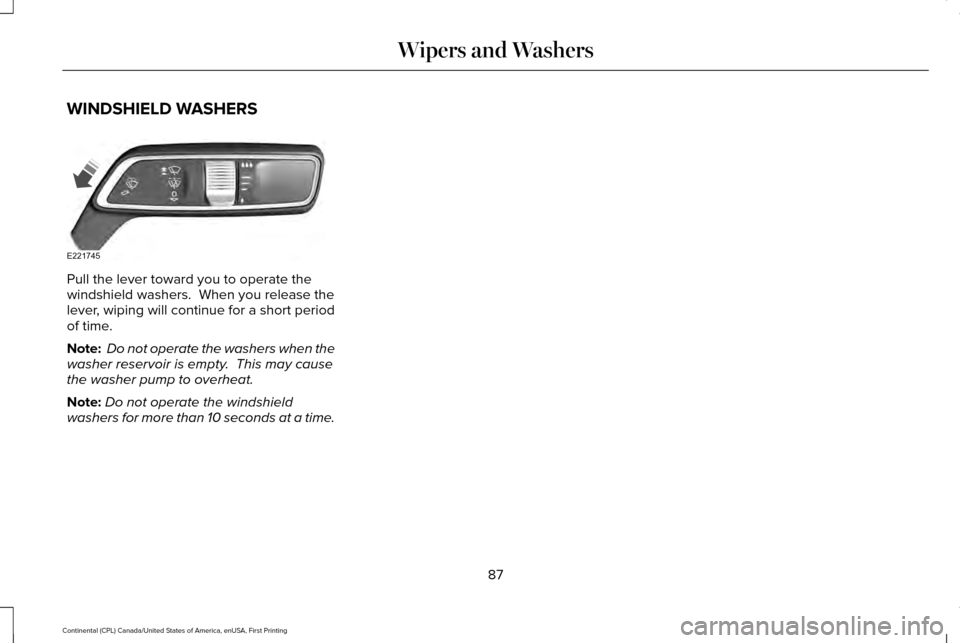
Pull the lever toward you to operate the
windshield washers. When you release the
lever, wiping will continue for a short period
of time.
Note:
Do not operate the washers when the
washer reservoir is empty. This may cause
the washer pump to overheat.
Note: Do not operate the windshield
washers for more than 10 seconds at a time.
87
Continental (CPL) Canada/United States of America, enUSA, First Printing Wipers and WashersE221745
Page 92 of 584
Headlamp High Beam
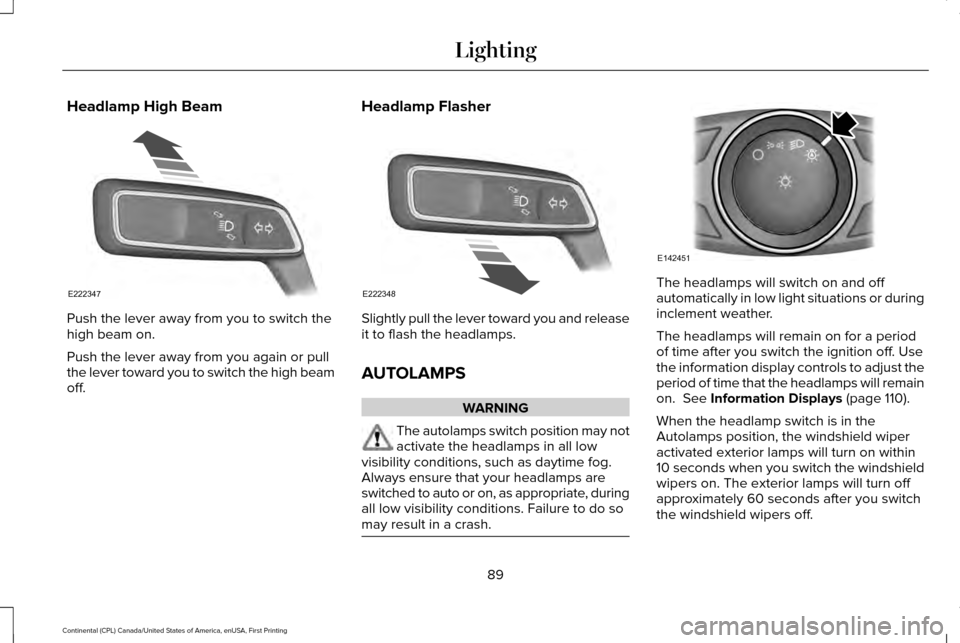
Push the lever away from you to switch the
high beam on.
Push the lever away from you again or pull
the lever toward you to switch the high beam
off.
Headlamp Flasher Slightly pull the lever toward you and release
it to flash the headlamps.
AUTOLAMPS
WARNING
The autolamps switch position may not
activate the headlamps in all low
visibility conditions, such as daytime fog.
Always ensure that your headlamps are
switched to auto or on, as appropriate, during
all low visibility conditions. Failure to do so
may result in a crash. The headlamps will switch on and off
automatically in low light situations or during
inclement weather.
The headlamps will remain on for a period
of time after you switch the ignition off. Use
the information display controls to adjust the
period of time that the headlamps will remain
on. See Information Displays (page 110).
When the headlamp switch is in the
Autolamps position, the windshield wiper
activated exterior lamps will turn on within
10 seconds when you switch the windshield
wipers on. The exterior lamps will turn off
approximately 60 seconds after you switch
the windshield wipers off.
89
Continental (CPL) Canada/United States of America, enUSA, First Printing LightingE222347 E222348 E142451
Page 93 of 584
This feature does not turn on the exterior
lamps:
•
during a mist wipe
• while the wipers are on to clear washer
fluid during a wash condition
• if the wipers are in automatic or
intermittent modes.
Note: If you have autolamps and autowipers
switched on the low beam headlamps will
turn on automatically when the windshield
wipers operate continuously.
Note: You may have to manually switch the
headlamps on in severe weather conditions.
Note: If you have autolamps switched on
you can only switch the high beam
headlamps on once the system has turned
the headlamps on.
INSTRUMENT LIGHTING DIMMER
Note: If you disconnect and connect the
battery, or fully discharge and charge the
battery, the illuminated components will
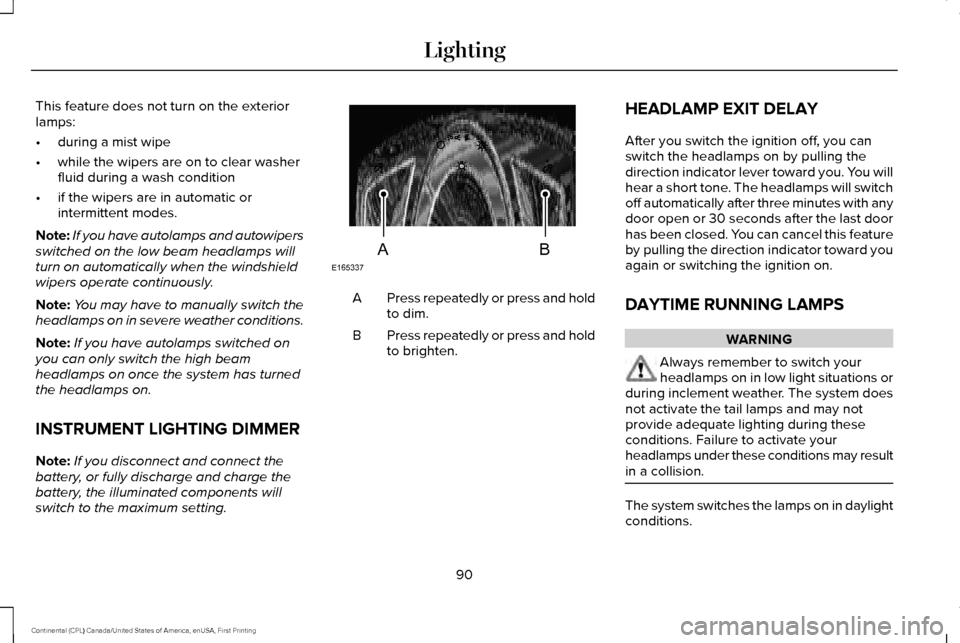
switch to the maximum setting. Press repeatedly or press and hold
to dim.
A
Press repeatedly or press and hold
to brighten.
B HEADLAMP EXIT DELAY
After you switch the ignition off, you can
switch the headlamps on by pulling the
direction indicator lever toward you. You will
hear a short tone. The headlamps will switch
off automatically after three minutes with any
door open or 30 seconds after the last door
has been closed. You can cancel this feature
by pulling the direction indicator toward you
again or switching the ignition on.
DAYTIME RUNNING LAMPS WARNING
Always remember to switch your
headlamps on in low light situations or
during inclement weather. The system does
not activate the tail lamps and may not
provide adequate lighting during these
conditions. Failure to activate your
headlamps under these conditions may result
in a collision. The system switches the lamps on in daylight
conditions.
90
Continental (CPL) Canada/United States of America, enUSA, First Printing LightingE165337AB
Page 101 of 584
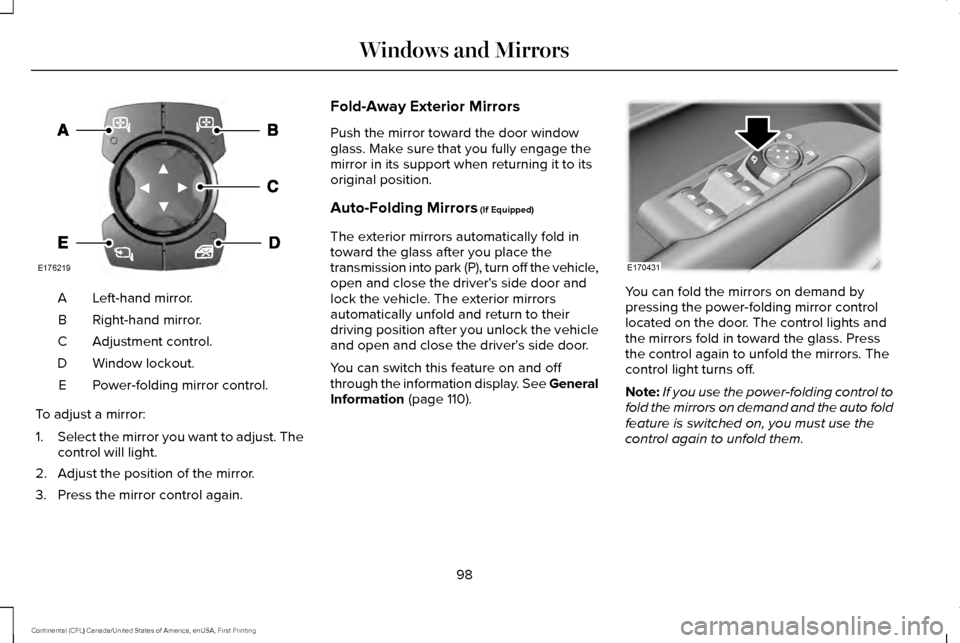
Left-hand mirror.
A
Right-hand mirror.
B
Adjustment control.
C
Window lockout.
D
Power-folding mirror control.
E
To adjust a mirror:
1. Select the mirror you want to adjust. The
control will light.
2. Adjust the position of the mirror.
3. Press the mirror control again. Fold-Away Exterior Mirrors
Push the mirror toward the door window
glass. Make sure that you fully engage the
mirror in its support when returning it to its
original position.
Auto-Folding Mirrors (If Equipped)
The exterior mirrors automatically fold in
toward the glass after you place the
transmission into park (P), turn off the vehicle,
open and close the driver's side door and
lock the vehicle. The exterior mirrors
automatically unfold and return to their
driving position after you unlock the vehicle
and open and close the driver's side door.
You can switch this feature on and off
through the information display. See General
Information
(page 110). You can fold the mirrors on demand by
pressing the power-folding mirror control
located on the door. The control lights and
the mirrors fold in toward the glass. Press
the control again to unfold the mirrors. The
control light turns off.
Note:
If you use the power-folding control to
fold the mirrors on demand and the auto fold
feature is switched on, you must use the
control again to unfold them.
98
Continental (CPL) Canada/United States of America, enUSA, First Printing Windows and MirrorsE176219 E170431
Page 104 of 584
SUN VISORS
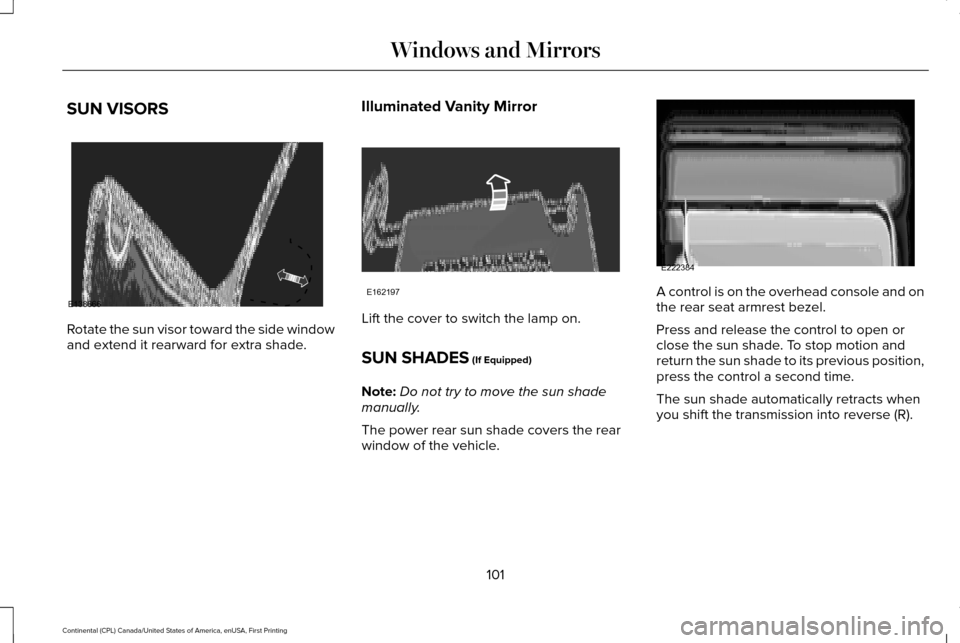
Rotate the sun visor toward the side window
and extend it rearward for extra shade.
Illuminated Vanity Mirror Lift the cover to switch the lamp on.
SUN SHADES (If Equipped)
Note: Do not try to move the sun shade
manually.
The power rear sun shade covers the rear
window of the vehicle. A control is on the overhead console and on
the rear seat armrest bezel.
Press and release the control to open or
close the sun shade. To stop motion and
return the sun shade to its previous position,
press the control a second time.
The sun shade automatically retracts when
you shift the transmission into reverse (R).
101
Continental (CPL) Canada/United States of America, enUSA, First Printing Windows and MirrorsE138666 E162197 E222384
Page 107 of 584
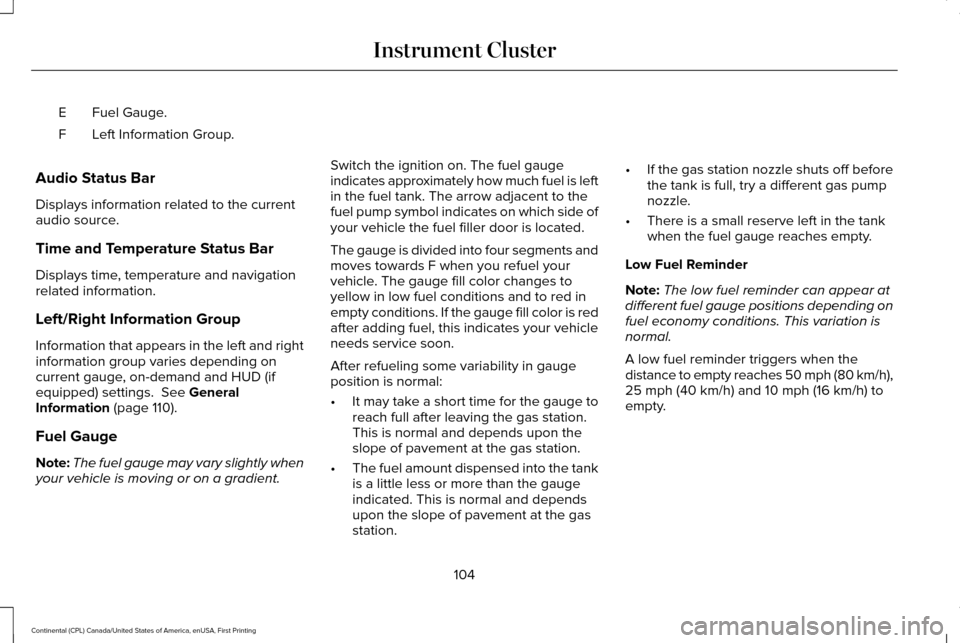
Fuel Gauge.
E
Left Information Group.
F
Audio Status Bar
Displays information related to the current
audio source.
Time and Temperature Status Bar
Displays time, temperature and navigation
related information.
Left/Right Information Group
Information that appears in the left and right
information group varies depending on
current gauge, on-demand and HUD (if
equipped) settings. See General
Information (page 110).
Fuel Gauge
Note: The fuel gauge may vary slightly when
your vehicle is moving or on a gradient. Switch the ignition on. The fuel gauge
indicates approximately how much fuel is left
in the fuel tank. The arrow adjacent to the
fuel pump symbol indicates on which side of
your vehicle the fuel filler door is located.
The gauge is divided into four segments and
moves towards F when you refuel your
vehicle. The gauge fill color changes to
yellow in low fuel conditions and to red in
empty conditions. If the gauge fill color is red
after adding fuel, this indicates your vehicle
needs service soon.
After refueling some variability in gauge
position is normal:
•
It may take a short time for the gauge to
reach full after leaving the gas station.
This is normal and depends upon the
slope of pavement at the gas station.
• The fuel amount dispensed into the tank
is a little less or more than the gauge
indicated. This is normal and depends
upon the slope of pavement at the gas
station. •
If the gas station nozzle shuts off before
the tank is full, try a different gas pump
nozzle.
• There is a small reserve left in the tank
when the fuel gauge reaches empty.
Low Fuel Reminder
Note: The low fuel reminder can appear at
different fuel gauge positions depending on
fuel economy conditions. This variation is
normal.
A low fuel reminder triggers when the
distance to empty reaches 50 mph (80 km/h),
25 mph (40 km/h)
and 10 mph (16 km/h) to
empty.
104
Continental (CPL) Canada/United States of America, enUSA, First Printing Instrument Cluster
Page 154 of 584
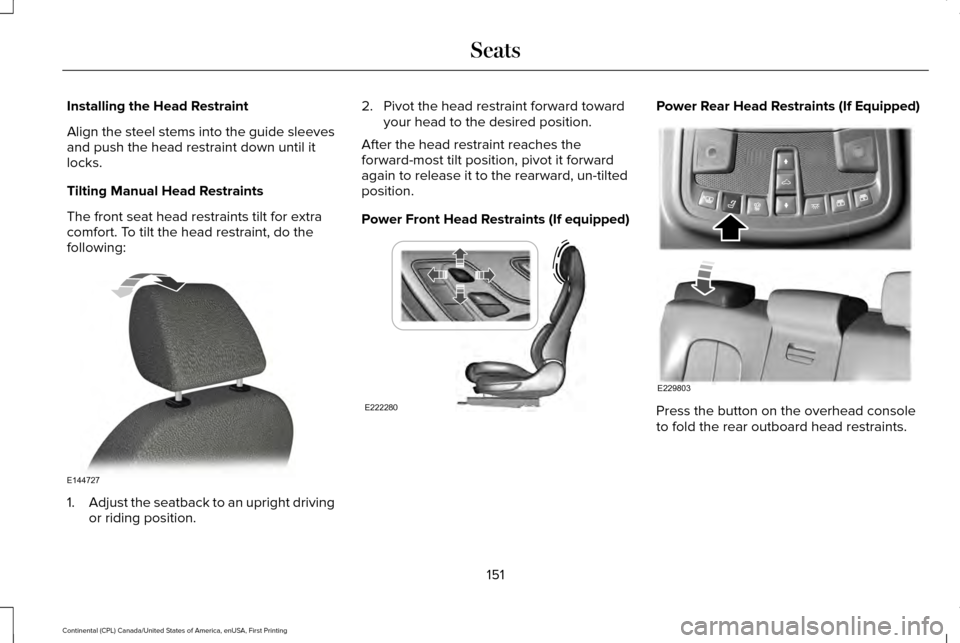
Installing the Head Restraint
Align the steel stems into the guide sleeves
and push the head restraint down until it
locks.
Tilting Manual Head Restraints
The front seat head restraints tilt for extra
comfort. To tilt the head restraint, do the
following:
1.
Adjust the seatback to an upright driving
or riding position. 2. Pivot the head restraint forward toward
your head to the desired position.
After the head restraint reaches the
forward-most tilt position, pivot it forward
again to release it to the rearward, un-tilted
position.
Power Front Head Restraints (If equipped) Power Rear Head Restraints (If Equipped)
Press the button on the overhead console
to fold the rear outboard head restraints.
151
Continental (CPL) Canada/United States of America, enUSA, First Printing SeatsE144727 E222280 E229803
Page 173 of 584
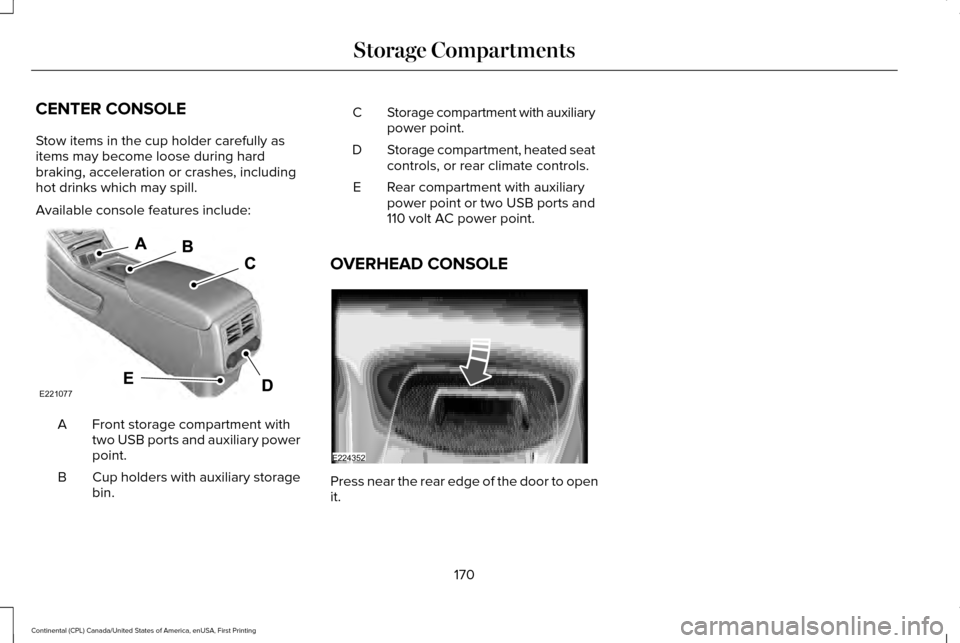
CENTER CONSOLE
Stow items in the cup holder carefully as
items may become loose during hard
braking, acceleration or crashes, including
hot drinks which may spill.
Available console features include:
Front storage compartment with
two USB ports and auxiliary power
point.
A
Cup holders with auxiliary storage
bin.
B Storage compartment with auxiliary
power point.
C
Storage compartment, heated seat
controls, or rear climate controls.
D
Rear compartment with auxiliary
power point or two USB ports and
110 volt AC power point.
E
OVERHEAD CONSOLE Press near the rear edge of the door to open
it.
170
Continental (CPL) Canada/United States of America, enUSA, First Printing Storage CompartmentsE221077 E224352