warning lights LINCOLN CONTINENTAL 2017 User Guide
[x] Cancel search | Manufacturer: LINCOLN, Model Year: 2017, Model line: CONTINENTAL, Model: LINCOLN CONTINENTAL 2017Pages: 584, PDF Size: 6.13 MB
Page 248 of 584
BLIND SPOT INFORMATION
SYSTEM (If Equipped)
WARNING
To help avoid injuries, NEVER use the
Blind Spot Information System as a
replacement for using the interior and
exterior mirrors or looking over your shoulder
before changing lanes. The Blind Spot
Information System is not a replacement for
careful driving. The Blind Spot Information System is
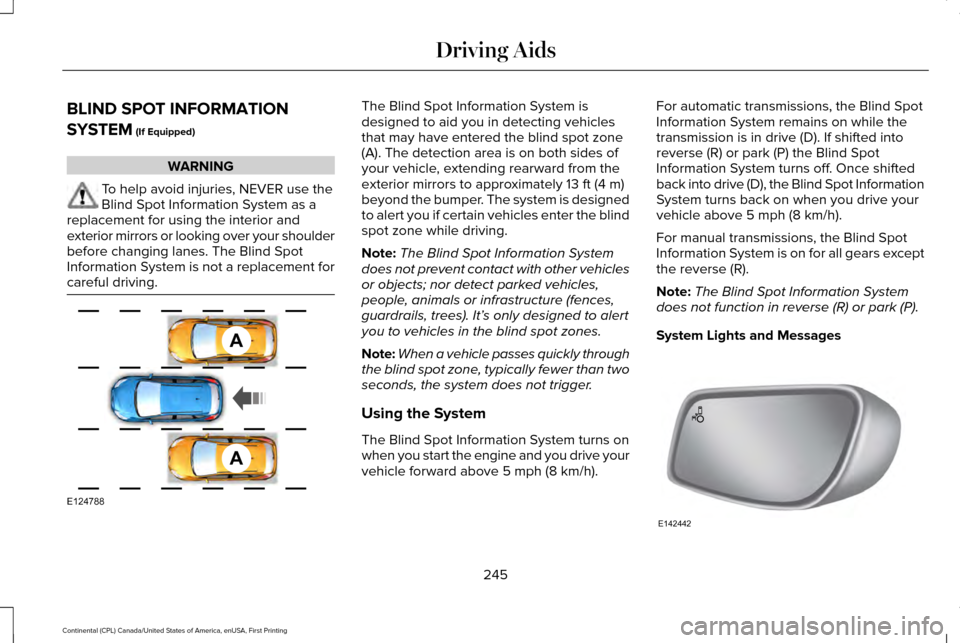
designed to aid you in detecting vehicles
that may have entered the blind spot zone
(A). The detection area is on both sides of
your vehicle, extending rearward from the
exterior mirrors to approximately
13 ft (4 m)
beyond the bumper. The system is designed
to alert you if certain vehicles enter the blind
spot zone while driving.
Note: The Blind Spot Information System
does not prevent contact with other vehicles
or objects; nor detect parked vehicles,
people, animals or infrastructure (fences,
guardrails, trees). It’ s only designed to alert
you to vehicles in the blind spot zones.
Note: When a vehicle passes quickly through
the blind spot zone, typically fewer than two
seconds, the system does not trigger.
Using the System
The Blind Spot Information System turns on
when you start the engine and you drive your
vehicle forward above
5 mph (8 km/h). For automatic transmissions, the Blind Spot
Information System remains on while the
transmission is in drive (D). If shifted into
reverse (R) or park (P) the Blind Spot
Information System turns off. Once shifted
back into drive (D), the Blind Spot Information
System turns back on when you drive your
vehicle above
5 mph (8 km/h).
For manual transmissions, the Blind Spot
Information System is on for all gears except
the reverse (R).
Note: The Blind Spot Information System
does not function in reverse (R) or park (P).
System Lights and Messages 245
Continental (CPL) Canada/United States of America, enUSA, First Printing Driving AidsA
A
E124788 E142442
Page 256 of 584
this time it is possible that the steering wheel
may not be straight when the vehicle is
driving straight ahead. During this time you
may notice that the steering wheel angle
required to steer the vehicle may be
different. Extreme operating conditions may
also cause the lock to engage. This strategy
prevents overheating and permanent
damage to the adaptive steering system.
Typical steering and driving maneuvers allow
the system to cool and return to normal
operation.
PRE-COLLISION ASSIST
WARNINGS
At all times, you are responsible for
controlling your vehicle, supervising
the system and intervening, if required.
Failure to take care may result in the loss of
control of your vehicle, serious personal
injury or death. WARNINGS
The system does not detect cyclists,
animals, pedestrians at night or
vehicles that are driving in a different
direction. Failure to take care may result in
the loss of control of your vehicle, serious
personal injury or death. The system does not operate during
hard acceleration or steering. Failure
to take care may lead to a crash or personal
injury. The system may fail or operate with
reduced function during cold and
severe weather conditions. Snow, ice, rain,
spray and fog can adversely affect the
system. Keep the front camera and radar free
of snow and ice. Failure to take care may
result in the loss of control of your vehicle,
serious personal injury or death. In situations where the vehicle camera
has limited detection capability, this
may reduce system performance. These
situations include but are not limited to direct
or low sunlight, vehicles at night without tail
lights, unconventional vehicle types, WARNINGS
pedestrians with complex backgrounds,
running pedestrians, partly obscured
pedestrians, or pedestrians that the system
cannot distinguish from a group. Failure to
take care may result in the loss of control of
your vehicle, serious personal injury or death. This system is an extra driving aid. It
does not replace your attention and
judgment, or the need to apply the brakes.
This system does NOT automatically brake
your vehicle. If you fail to press the brake
pedal when necessary, you may collide with
another vehicle. The system cannot help prevent all
crashes. Do not rely on this system to
replace driver judgment and the need to
maintain a safe distance and speed. Using the Pre-Collision Assist System
The Pre-Collision Assist system is active at
speeds above approximately 3 mph (5 km/h)
and pedestrian detection is active at speeds
up to 50 mph (80 km/h).
253
Continental (CPL) Canada/United States of America, enUSA, First Printing Driving Aids
Page 273 of 584
Before driving through standing water, check
the depth. Never drive through water that is
higher than the bottom of the front rocker
area of your vehicle.
When driving through standing water, drive
very slowly and do not stop your vehicle.
Your brake performance and traction may
be limited. After driving through water and
as soon as it is safe to do so:
•
Lightly press the brake pedal to dry the
brakes and to check that they work.
• Check that the horn works. •
Check that the exterior lights work.
• Turn the steering wheel to check that the
steering power assist works.
FLOOR MATS WARNINGS
Always use floor mats that are
designed to fit the foot well of your
vehicle. Only use floor mats that leave the
pedal area unobstructed. Only use floor mats
that are firmly secured to retention posts so
that they cannot slip out of position and
interfere with the pedals or impair safe
operation of your vehicle in other ways. Pedals that cannot move freely can
cause loss of vehicle control and
increase the risk of serious personal injury. Always make sure that the floor mats
are properly attached to the retention
posts in the carpet that are supplied with
your vehicle. Floor mats must be properly
secured to both retention posts to make sure
mats do not shift out of position. WARNINGS
Never place floor mats or any other
covering in the vehicle foot well that
cannot be properly secured to prevent them
from moving and interfering with the pedals
or the ability to control the vehicle. Never place floor mats or any other
covering on top of already installed
floor mats. Floor mats should always rest on
top of vehicle carpeting surface and not
another floor mat or other covering.
Additional floor mats or any other covering
will reduce the pedal clearance and
potentially interfere with pedal operation. Check attachment of floor mats on a
regular basis. Always properly reinstall
and secure floor mats that have been
removed for cleaning or replacement. Always make sure that objects cannot
fall into the driver foot well while the
vehicle is moving. Objects that are loose can
become trapped under the pedals causing
a loss of vehicle control.
270
Continental (CPL) Canada/United States of America, enUSA, First Printing Driving HintsE176360