window LINCOLN CONTINENTAL 2017 User Guide
[x] Cancel search | Manufacturer: LINCOLN, Model Year: 2017, Model line: CONTINENTAL, Model: LINCOLN CONTINENTAL 2017Pages: 584, PDF Size: 6.13 MB
Page 78 of 584
When Opening
The system stops when it detects an
obstacle and a tone sounds. Once you
remove the obstacle, you can continue to
operate the decklid.
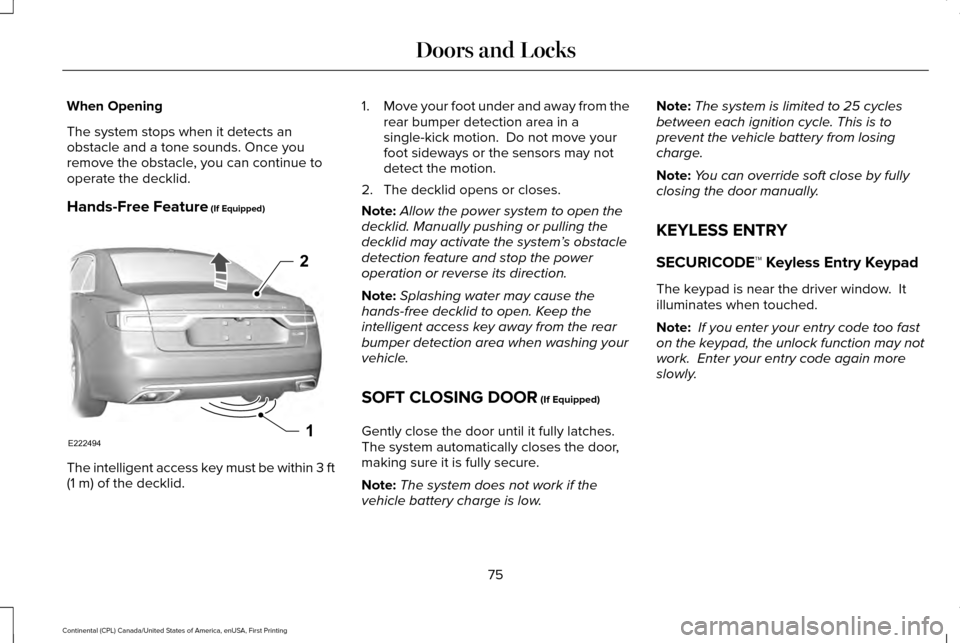
Hands-Free Feature (If Equipped)
The intelligent access key must be within 3 ft
(1 m)
of the decklid. 1.
Move your foot under and away from the
rear bumper detection area in a
single-kick motion. Do not move your
foot sideways or the sensors may not
detect the motion.
2. The decklid opens or closes.
Note: Allow the power system to open the
decklid. Manually pushing or pulling the
decklid may activate the system’ s obstacle
detection feature and stop the power
operation or reverse its direction.
Note: Splashing water may cause the
hands-free decklid to open. Keep the
intelligent access key away from the rear
bumper detection area when washing your
vehicle.
SOFT CLOSING DOOR
(If Equipped)
Gently close the door until it fully latches.
The system automatically closes the door,
making sure it is fully secure.
Note: The system does not work if the
vehicle battery charge is low. Note:
The system is limited to 25 cycles
between each ignition cycle. This is to
prevent the vehicle battery from losing
charge.
Note: You can override soft close by fully
closing the door manually.
KEYLESS ENTRY
SECURICODE™ Keyless Entry Keypad
The keypad is near the driver window. It
illuminates when touched.
Note: If you enter your entry code too fast
on the keypad, the unlock function may not
work. Enter your entry code again more
slowly.
75
Continental (CPL) Canada/United States of America, enUSA, First Printing Doors and LocksE222494
2
1
Page 96 of 584
Note:
There is a delay of two to five seconds
before the system operates when you drive
your vehicle.
Note: The system is only active at speeds
above 3 mph (5 km/h).
The system has a power-up movement check
feature. When your start your vehicle, the
lamps track left to right, then back to center
to alert the driver that the system is working
properly.
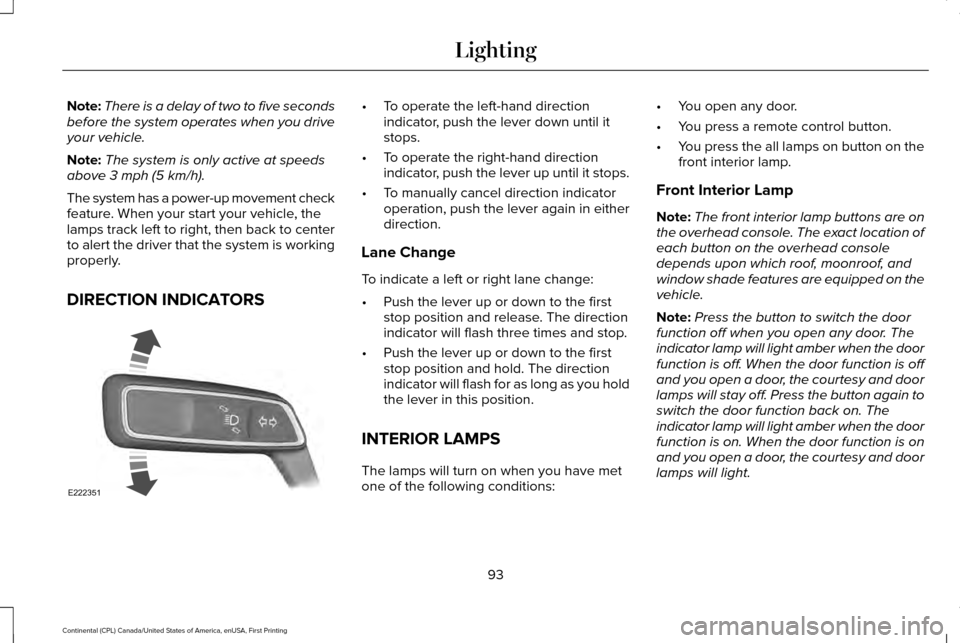
DIRECTION INDICATORS •
To operate the left-hand direction
indicator, push the lever down until it
stops.
• To operate the right-hand direction
indicator, push the lever up until it stops.
• To manually cancel direction indicator
operation, push the lever again in either
direction.
Lane Change
To indicate a left or right lane change:
• Push the lever up or down to the first
stop position and release. The direction
indicator will flash three times and stop.
• Push the lever up or down to the first
stop position and hold. The direction
indicator will flash for as long as you hold
the lever in this position.
INTERIOR LAMPS
The lamps will turn on when you have met
one of the following conditions: •
You open any door.
• You press a remote control button.
• You press the all lamps on button on the
front interior lamp.
Front Interior Lamp
Note: The front interior lamp buttons are on
the overhead console. The exact location of
each button on the overhead console
depends upon which roof, moonroof, and
window shade features are equipped on the
vehicle.
Note: Press the button to switch the door
function off when you open any door. The
indicator lamp will light amber when the door
function is off. When the door function is off
and you open a door, the courtesy and door
lamps will stay off. Press the button again to
switch the door function back on. The
indicator lamp will light amber when the door
function is on. When the door function is on
and you open a door, the courtesy and door
lamps will light.
93
Continental (CPL) Canada/United States of America, enUSA, First Printing LightingE222351
Page 97 of 584
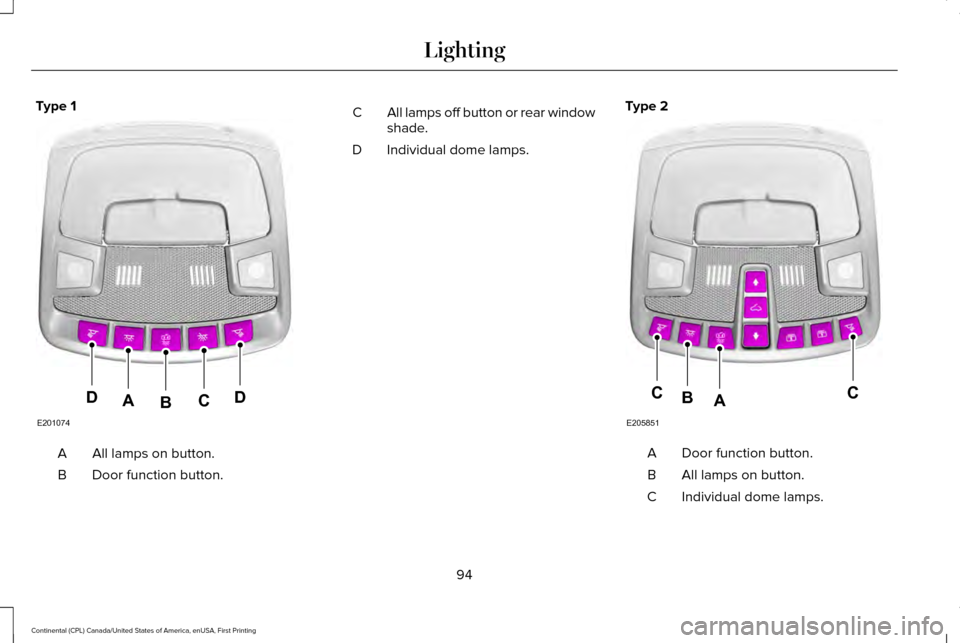
Type 1
All lamps on button.
A
Door function button.
B All lamps off button or rear window
shade.
C
Individual dome lamps.
D Type 2 Door function button.
A
All lamps on button.
B
Individual dome lamps.
C
94
Continental (CPL) Canada/United States of America, enUSA, First Printing LightingE201074
DDCAB E205851
CCAB
Page 99 of 584
POWER WINDOWS
WARNINGS
Do not leave children unattended in
your vehicle and do not let them play
with the power windows. They may seriously
injure themselves. When closing the power windows, you
should verify they are free of
obstructions and make sure that children and
pets are not in the proximity of the window
openings. Note:
You may hear a pulsing noise when
just one of the windows is open. Lower the
opposite window slightly to reduce this
noise.
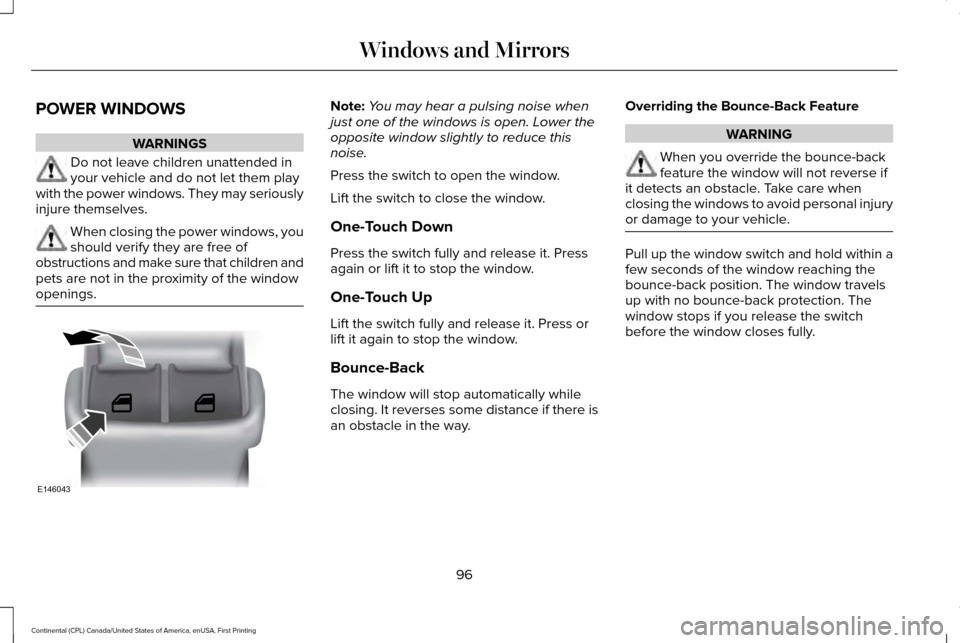
Press the switch to open the window.
Lift the switch to close the window.
One-Touch Down
Press the switch fully and release it. Press
again or lift it to stop the window.
One-Touch Up
Lift the switch fully and release it. Press or
lift it again to stop the window.
Bounce-Back
The window will stop automatically while
closing. It reverses some distance if there is
an obstacle in the way. Overriding the Bounce-Back Feature WARNING
When you override the bounce-back
feature the window will not reverse if
it detects an obstacle. Take care when
closing the windows to avoid personal injury
or damage to your vehicle. Pull up the window switch and hold within a
few seconds of the window reaching the
bounce-back position. The window travels
up with no bounce-back protection. The
window stops if you release the switch
before the window closes fully.
96
Continental (CPL) Canada/United States of America, enUSA, First Printing Windows and MirrorsE146043
Page 100 of 584
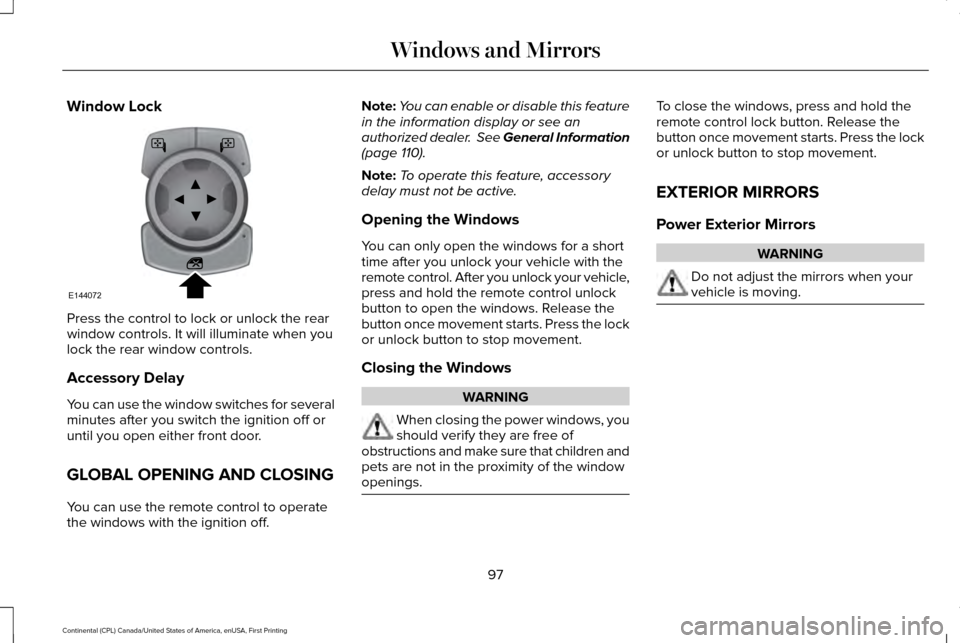
Window Lock
Press the control to lock or unlock the rear
window controls. It will illuminate when you
lock the rear window controls.
Accessory Delay
You can use the window switches for several
minutes after you switch the ignition off or
until you open either front door.
GLOBAL OPENING AND CLOSING
You can use the remote control to operate
the windows with the ignition off. Note:
You can enable or disable this feature
in the information display or see an
authorized dealer. See General Information
(page 110).
Note: To operate this feature, accessory
delay must not be active.
Opening the Windows
You can only open the windows for a short
time after you unlock your vehicle with the
remote control. After you unlock your vehicle,
press and hold the remote control unlock
button to open the windows. Release the
button once movement starts. Press the lock
or unlock button to stop movement.
Closing the Windows WARNING
When closing the power windows, you
should verify they are free of
obstructions and make sure that children and
pets are not in the proximity of the window
openings. To close the windows, press and hold the
remote control lock button. Release the
button once movement starts. Press the lock
or unlock button to stop movement.
EXTERIOR MIRRORS
Power Exterior Mirrors
WARNING
Do not adjust the mirrors when your
vehicle is moving.
97
Continental (CPL) Canada/United States of America, enUSA, First Printing Windows and MirrorsE144072
Page 101 of 584
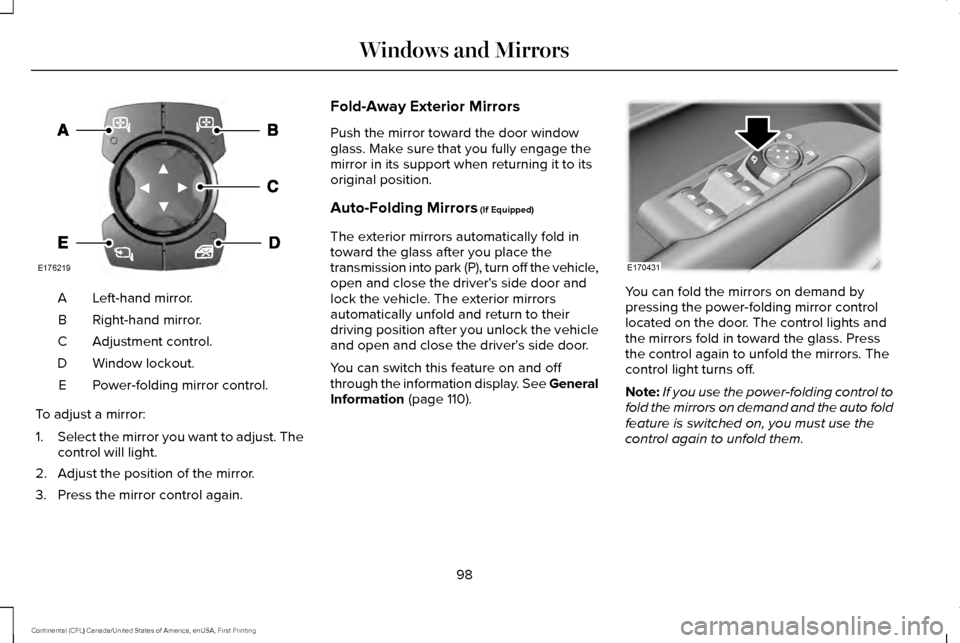
Left-hand mirror.
A
Right-hand mirror.
B
Adjustment control.
C
Window lockout.
D
Power-folding mirror control.
E
To adjust a mirror:
1. Select the mirror you want to adjust. The
control will light.
2. Adjust the position of the mirror.
3. Press the mirror control again. Fold-Away Exterior Mirrors
Push the mirror toward the door window
glass. Make sure that you fully engage the
mirror in its support when returning it to its
original position.
Auto-Folding Mirrors (If Equipped)
The exterior mirrors automatically fold in
toward the glass after you place the
transmission into park (P), turn off the vehicle,
open and close the driver's side door and
lock the vehicle. The exterior mirrors
automatically unfold and return to their
driving position after you unlock the vehicle
and open and close the driver's side door.
You can switch this feature on and off
through the information display. See General
Information
(page 110). You can fold the mirrors on demand by
pressing the power-folding mirror control
located on the door. The control lights and
the mirrors fold in toward the glass. Press
the control again to unfold the mirrors. The
control light turns off.
Note:
If you use the power-folding control to
fold the mirrors on demand and the auto fold
feature is switched on, you must use the
control again to unfold them.
98
Continental (CPL) Canada/United States of America, enUSA, First Printing Windows and MirrorsE176219 E170431
Page 102 of 584
Loose Mirror
If your power-folding mirrors are manually
folded, they may not work properly even
after you re-position them. You need to reset
them if:
•
The mirrors vibrate when you drive.
• The mirrors feel loose.
• The mirrors do not stay in the folded or
unfolded position.
• One of the mirrors is not in its normal
driving position.
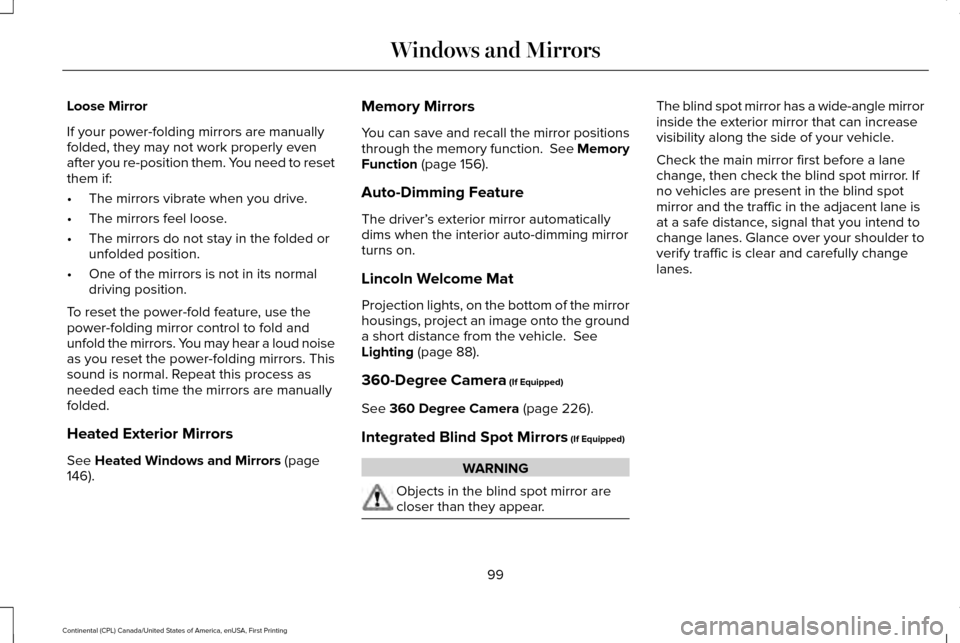
To reset the power-fold feature, use the
power-folding mirror control to fold and
unfold the mirrors. You may hear a loud noise
as you reset the power-folding mirrors. This
sound is normal. Repeat this process as
needed each time the mirrors are manually
folded.
Heated Exterior Mirrors
See Heated Windows and Mirrors (page
146). Memory Mirrors
You can save and recall the mirror positions
through the memory function. See Memory
Function
(page 156).
Auto-Dimming Feature
The driver’ s exterior mirror automatically
dims when the interior auto-dimming mirror
turns on.
Lincoln Welcome Mat
Projection lights, on the bottom of the mirror
housings, project an image onto the ground
a short distance from the vehicle.
See
Lighting (page 88).
360-Degree Camera
(If Equipped)
See
360 Degree Camera (page 226).
Integrated Blind Spot Mirrors
(If Equipped) WARNING
Objects in the blind spot mirror are
closer than they appear. The blind spot mirror has a wide-angle mirror
inside the exterior mirror that can increase
visibility along the side of your vehicle.
Check the main mirror first before a lane
change, then check the blind spot mirror. If
no vehicles are present in the blind spot
mirror and the traffic in the adjacent lane is
at a safe distance, signal that you intend to
change lanes. Glance over your shoulder to
verify traffic is clear and carefully change
lanes.
99
Continental (CPL) Canada/United States of America, enUSA, First Printing Windows and Mirrors
Page 103 of 584
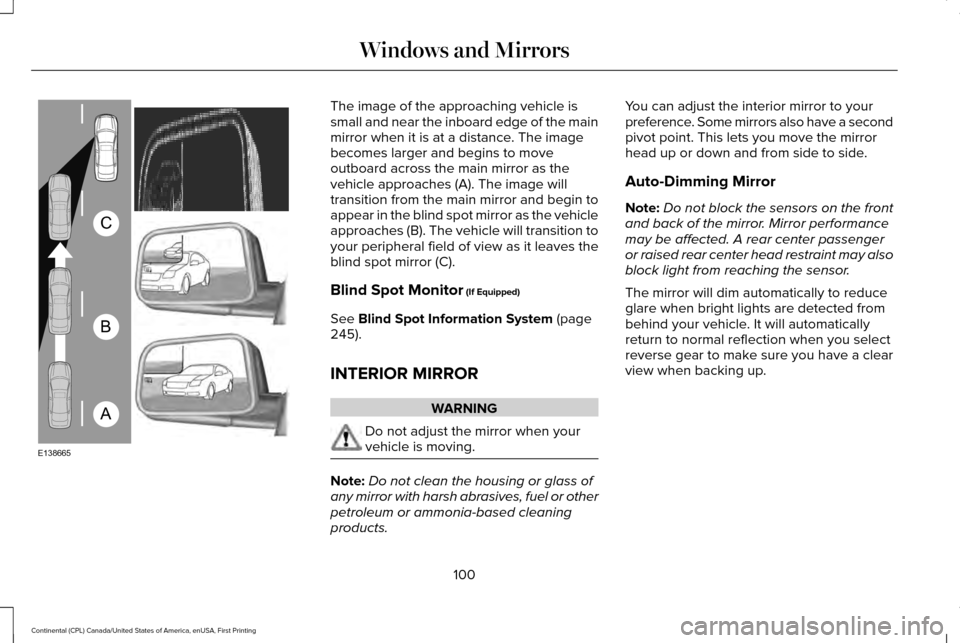
The image of the approaching vehicle is
small and near the inboard edge of the main
mirror when it is at a distance. The image
becomes larger and begins to move
outboard across the main mirror as the
vehicle approaches (A). The image will
transition from the main mirror and begin to
appear in the blind spot mirror as the vehicle
approaches (B). The vehicle will transition to
your peripheral field of view as it leaves the
blind spot mirror (C).
Blind Spot Monitor (If Equipped)
See
Blind Spot Information System (page
245).
INTERIOR MIRROR WARNING
Do not adjust the mirror when your
vehicle is moving.
Note:
Do not clean the housing or glass of
any mirror with harsh abrasives, fuel or other
petroleum or ammonia-based cleaning
products. You can adjust the interior mirror to your
preference. Some mirrors also have a second
pivot point. This lets you move the mirror
head up or down and from side to side.
Auto-Dimming Mirror
Note:
Do not block the sensors on the front
and back of the mirror. Mirror performance
may be affected. A rear center passenger
or raised rear center head restraint may also
block light from reaching the sensor.
The mirror will dim automatically to reduce
glare when bright lights are detected from
behind your vehicle. It will automatically
return to normal reflection when you select
reverse gear to make sure you have a clear
view when backing up.
100
Continental (CPL) Canada/United States of America, enUSA, First Printing Windows and MirrorsA
B
C
E138665
Page 104 of 584
SUN VISORS
Rotate the sun visor toward the side window
and extend it rearward for extra shade.
Illuminated Vanity Mirror Lift the cover to switch the lamp on.
SUN SHADES (If Equipped)
Note: Do not try to move the sun shade
manually.
The power rear sun shade covers the rear
window of the vehicle. A control is on the overhead console and on
the rear seat armrest bezel.
Press and release the control to open or
close the sun shade. To stop motion and
return the sun shade to its previous position,
press the control a second time.
The sun shade automatically retracts when
you shift the transmission into reverse (R).
101
Continental (CPL) Canada/United States of America, enUSA, First Printing Windows and MirrorsE138666 E162197 E222384
Page 105 of 584
MOONROOF (If Equipped)
WARNINGS
Do not let children play with the
moonroof or leave them unattended in
the vehicle. They may seriously hurt
themselves. When closing the moonroof, you
should verify that it is free of
obstructions and make sure that children and
pets are not in the proximity of the roof
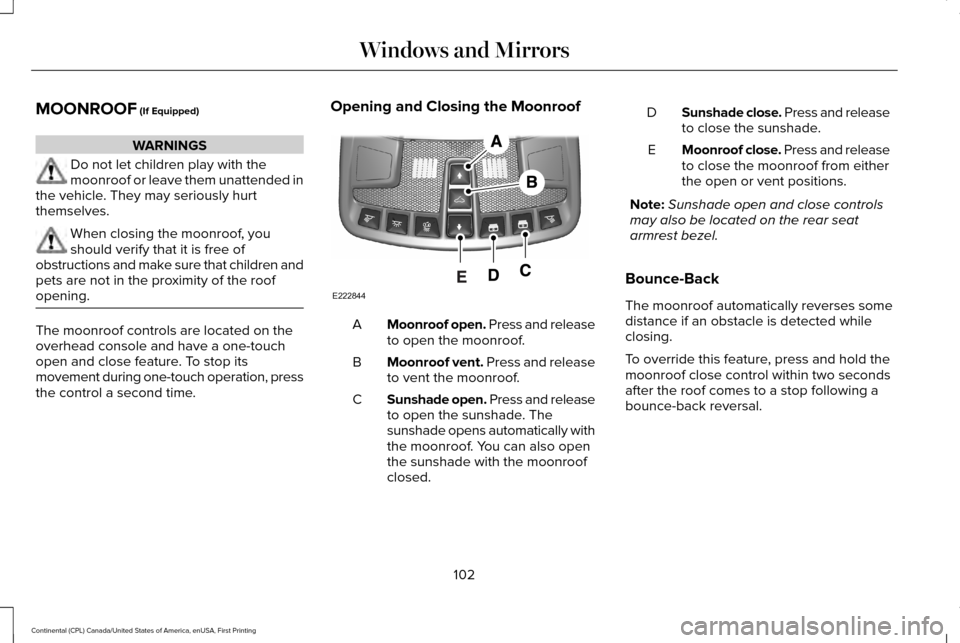
opening. The moonroof controls are located on the
overhead console and have a one-touch
open and close feature. To stop its
movement during one-touch operation, press
the control a second time. Opening and Closing the Moonroof
Moonroof open. Press and release
to open the moonroof.
A
Moonroof vent. Press and release
to vent the moonroof.
B
Sunshade open. Press and release
to open the sunshade. The
sunshade opens automatically with
the moonroof. You can also open
the sunshade with the moonroof
closed.
C Sunshade close. Press and release
to close the sunshade.
D
Moonroof close. Press and release
to close the moonroof from either
the open or vent positions.
E
Note: Sunshade open and close controls
may also be located on the rear seat
armrest bezel.
Bounce-Back
The moonroof automatically reverses some
distance if an obstacle is detected while
closing.
To override this feature, press and hold the
moonroof close control within two seconds
after the roof comes to a stop following a
bounce-back reversal.
102
Continental (CPL) Canada/United States of America, enUSA, First Printing Windows and MirrorsE222844