window control LINCOLN CONTINENTAL 2017 Owners Manual
[x] Cancel search | Manufacturer: LINCOLN, Model Year: 2017, Model line: CONTINENTAL, Model: LINCOLN CONTINENTAL 2017Pages: 584, PDF Size: 6.13 MB
Page 5 of 584
Keyless Entry....................................................75
Interior Luggage Compartment Release..........................................................77
Security
Passive Anti-Theft System............................79
Anti-Theft Alarm
...............................................81
Steering Wheel
Adjusting the Steering Wheel.....................82
Audio Control
...................................................83
Voice Control
...................................................83
Cruise Control..................................................83
Information Display Control.........................84
Heated Steering Wheel.................................84
Wipers and Washers
Windshield Wipers
.........................................85
Autowipers.......................................................85
Windshield Washers.......................................87
Lighting
General Information
.......................................88 Lighting Control...............................................88
Autolamps.........................................................89
Instrument Lighting Dimmer........................90
Headlamp Exit Delay.....................................90
Daytime Running Lamps...............................90
Automatic High Beam Control.....................91
Adaptive Headlamps
.....................................92
Direction Indicators
........................................93
Interior Lamps
..................................................93
Ambient Lighting............................................95
Windows and Mirrors
Power Windows
..............................................96
Global Opening and Closing.......................97
Exterior Mirrors
................................................97
Interior Mirror
.................................................100
Sun Visors
........................................................101
Sun Shades
......................................................101
Moonroof.........................................................102
Instrument Cluster
Gauges.............................................................103
Warning Lamps and Indicators..................105 Audible Warnings and Indicators
..............109
Information Displays
General Information
.......................................110
Information Messages
...................................118
Head Up Display............................................137
Climate Control
Automatic Climate Control...........................141
Hints on Controlling the Interior Climate.........................................................143
Rear Passenger Climate Controls.............145
Heated Windows and Mirrors....................146
Cabin Air Filter................................................147
Remote Start
...................................................147
Seats
Sitting in the Correct Position
....................148
Head Restraints.............................................148
Power Seats....................................................152
Memory Function
..........................................156
Rear Seats
.......................................................158
Heated Seats.................................................160
2
Continental (CPL) Canada/United States of America, enUSA, First Printing Table of Contents
Page 11 of 584
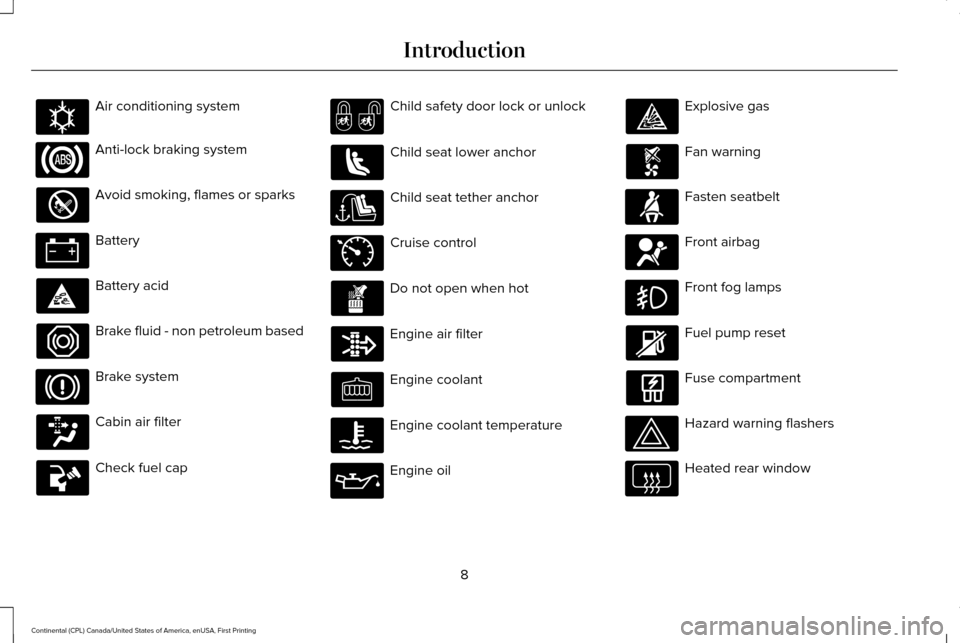
Air conditioning system
Anti-lock braking system
Avoid smoking, flames or sparks
Battery
Battery acid
Brake fluid - non petroleum based
Brake system
Cabin air filter
Check fuel cap Child safety door lock or unlock
Child seat lower anchor
Child seat tether anchor
Cruise control
Do not open when hot
Engine air filter
Engine coolant
Engine coolant temperature
Engine oil Explosive gas
Fan warning
Fasten seatbelt
Front airbag
Front fog lamps
Fuel pump reset
Fuse compartment
Hazard warning flashers
Heated rear window
8
Continental (CPL) Canada/United States of America, enUSA, First Printing IntroductionE162384 E71340
Page 12 of 584
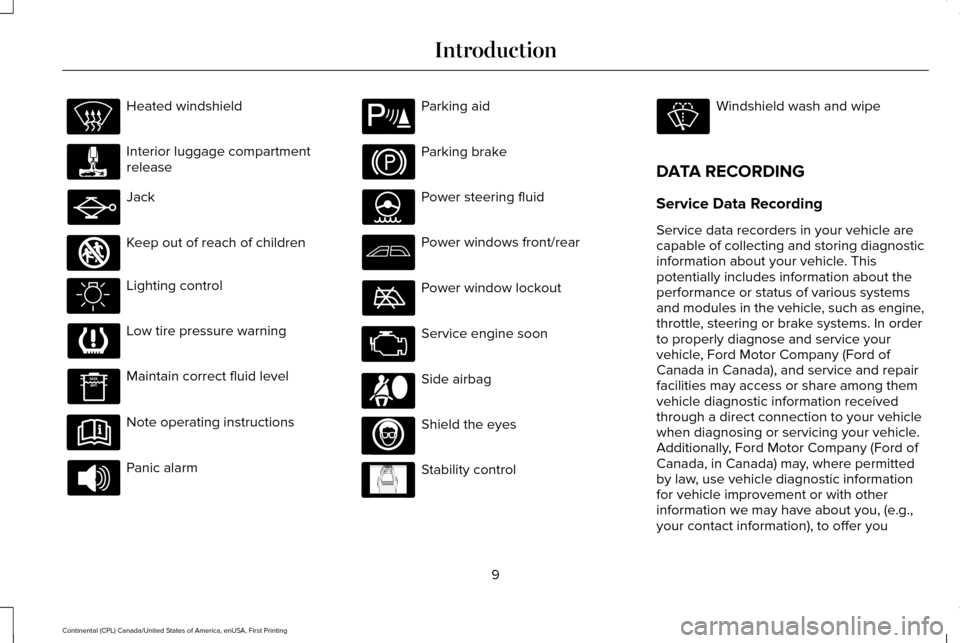
Heated windshield
Interior luggage compartment
release
Jack
Keep out of reach of children
Lighting control
Low tire pressure warning
Maintain correct fluid level
Note operating instructions
Panic alarm Parking aid
Parking brake
Power steering fluid
Power windows front/rear
Power window lockout
Service engine soon
Side airbag
Shield the eyes
Stability control Windshield wash and wipe
DATA RECORDING
Service Data Recording
Service data recorders in your vehicle are
capable of collecting and storing diagnostic
information about your vehicle. This
potentially includes information about the
performance or status of various systems
and modules in the vehicle, such as engine,
throttle, steering or brake systems. In order
to properly diagnose and service your
vehicle, Ford Motor Company (Ford of
Canada in Canada), and service and repair
facilities may access or share among them
vehicle diagnostic information received
through a direct connection to your vehicle
when diagnosing or servicing your vehicle.
Additionally, Ford Motor Company (Ford of
Canada, in Canada) may, where permitted
by law, use vehicle diagnostic information
for vehicle improvement or with other
information we may have about you, (e.g.,
your contact information), to offer you
9
Continental (CPL) Canada/United States of America, enUSA, First Printing Introduction E161353 E139213 E167012 E138639
Page 55 of 584
Children 12 years old and under should
always be properly restrained in the rear
seats. The Safety Canopy will not interfere
with children restrained using a properly
installed child or booster seat because it is
designed to inflate downward from the
headliner above the doors along the side
window opening.
The design and development of the Safety
Canopy included recommended testing
procedures that were developed by a group
of automotive safety experts known as the
Side Airbag Technical Working Group. These
recommended testing procedures help
reduce the risk of injuries related to the
deployment of side airbags (including the
Safety Canopy).
CRASH SENSORS AND AIRBAG
INDICATOR WARNING
Modifying or adding equipment to the
front end of the vehicle (including
frame, bumper, front end body structure and
tow hooks) may affect the performance of
the airbag system, increasing the risk of
injury. Do not modify the front end of the
vehicle. Your vehicle has a collection of crash and
occupant sensors which provide information
to the restraints control module. The
restraints control module deploys (activates)
the front seatbelt system, the adaptive
collapsible steering column, driver airbag,
passenger airbag, knee airbag(s), seat
mounted side airbags, Safety Canopy and
optional rear inflatable seatbelts. Based on
the type of crash, the restraints control
module will deploy the appropriate safety
devices.The restraints control module also monitors
the readiness of the above safety devices
plus the crash and occupant sensors. The
readiness of the safety system is indicated
by a warning indicator light in the instrument
cluster or a backup tone (if equipped).
Routine maintenance of the airbag is not
required.
A difficulty with the system is indicated by
one or more of the following:
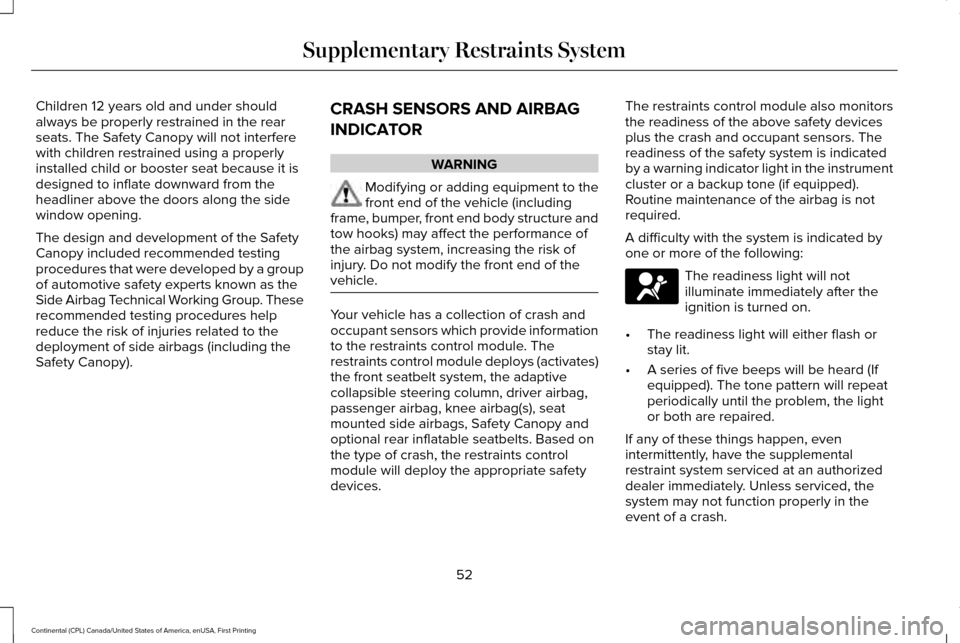
The readiness light will not
illuminate immediately after the
ignition is turned on.
• The readiness light will either flash or
stay lit.
• A series of five beeps will be heard (If
equipped). The tone pattern will repeat
periodically until the problem, the light
or both are repaired.
If any of these things happen, even
intermittently, have the supplemental
restraint system serviced at an authorized
dealer immediately. Unless serviced, the
system may not function properly in the
event of a crash.
52
Continental (CPL) Canada/United States of America, enUSA, First Printing Supplementary Restraints System
Page 61 of 584
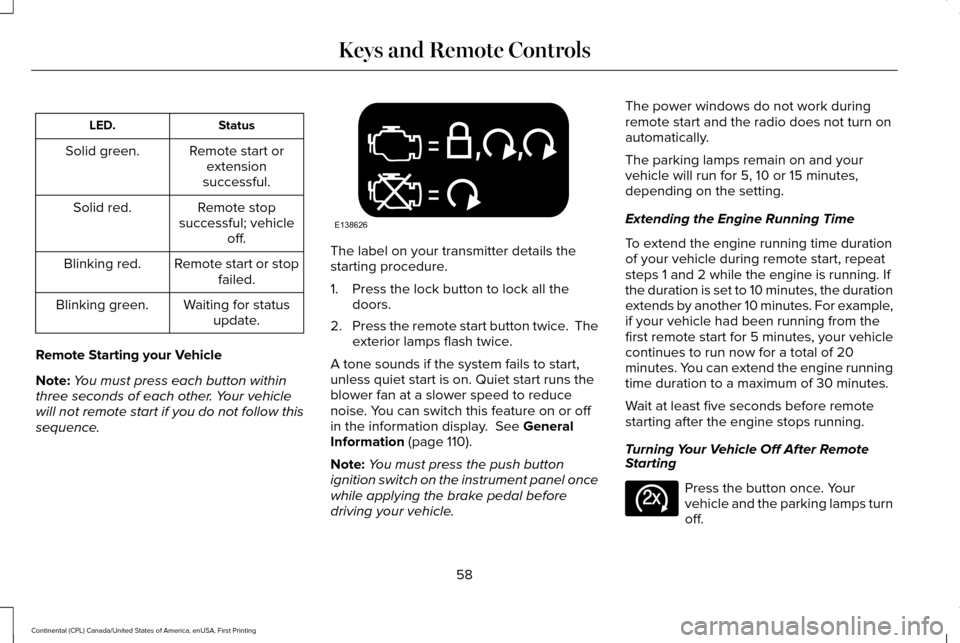
Status
LED.
Remote start orextension
successful.
Solid green.
Remote stop
successful; vehicle off.
Solid red.
Remote start or stopfailed.
Blinking red.
Waiting for statusupdate.
Blinking green.
Remote Starting your Vehicle
Note: You must press each button within
three seconds of each other. Your vehicle
will not remote start if you do not follow this
sequence. The label on your transmitter details the
starting procedure.
1. Press the lock button to lock all the
doors.
2. Press the remote start button twice. The
exterior lamps flash twice.
A tone sounds if the system fails to start,
unless quiet start is on. Quiet start runs the
blower fan at a slower speed to reduce
noise. You can switch this feature on or off
in the information display. See General
Information (page 110).
Note: You must press the push button
ignition switch on the instrument panel once
while applying the brake pedal before
driving your vehicle. The power windows do not work during
remote start and the radio does not turn on
automatically.
The parking lamps remain on and your
vehicle will run for 5, 10 or 15 minutes,
depending on the setting.
Extending the Engine Running Time
To extend the engine running time duration
of your vehicle during remote start, repeat
steps 1 and 2 while the engine is running. If
the duration is set to 10 minutes, the duration
extends by another 10 minutes. For example,
if your vehicle had been running from the
first remote start for 5 minutes, your vehicle
continues to run now for a total of 20
minutes. You can extend the engine running
time duration to a maximum of 30 minutes.
Wait at least five seconds before remote
starting after the engine stops running.
Turning Your Vehicle Off After Remote
Starting
Press the button once. Your
vehicle and the parking lamps turn
off.
58
Continental (CPL) Canada/United States of America, enUSA, First Printing Keys and Remote ControlsE138626 E138625
Page 68 of 584
LOCKING AND UNLOCKING
Your vehicle has an intelligent electronically
controlled door system that is in constant
communication with overall vehicle systems.
When you lock your vehicle using the lock
switch on each door interior trim panel, or
by using the keyless entry keypad or the lock
sensor on each door exterior trim panel, the
exterior door handle switches will not release
the doors. This helps to secure your vehicle
and prevent unauthorized entry. Also, when
your vehicle reaches a speed greater than
12 mph (20 km/h) the exterior door handle
switches will not release the doors. A tone
may sound indicating the exterior door
handle switches will not release your door
and your vehicle is secure.
If the airbags deploy or the fuel pump shutoff
switch activates, all interior and exterior
unlock switches will not unlock your door for
six seconds. This helps to secure the doors
in the event of a crash. After six seconds, all
switches reset and you can open the doors
using the interior and exterior unlock
switches. Door Lock Indicator
An LED on each front door window trim
illuminates when you lock the doors. It
remains on for up to 10 minutes after you
switch the ignition off.
Door Lock Switch Inhibitor
When you electronically lock your vehicle,
the door lock switches and the interior
luggage compartment release switch do not
operate after 20 seconds. You must unlock
your vehicle with the remote control or
keyless entry keypad, or switch the ignition
on, to restore function to these switches. You
can switch this feature on or off in the
information display.
See General
Information (page 110).
Activating Intelligent Access
The intelligent access key must be within 3 ft
(1 m)
of the door or luggage compartment
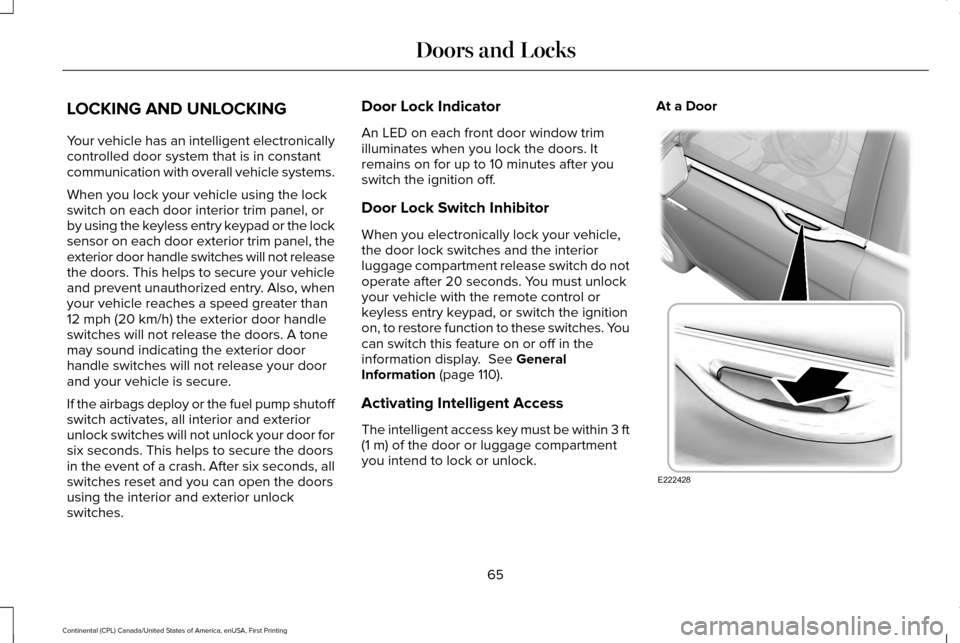
you intend to lock or unlock. At a Door
65
Continental (CPL) Canada/United States of America, enUSA, First Printing Doors and LocksE222428
Page 96 of 584
Note:
There is a delay of two to five seconds
before the system operates when you drive
your vehicle.
Note: The system is only active at speeds
above 3 mph (5 km/h).
The system has a power-up movement check
feature. When your start your vehicle, the
lamps track left to right, then back to center
to alert the driver that the system is working
properly.
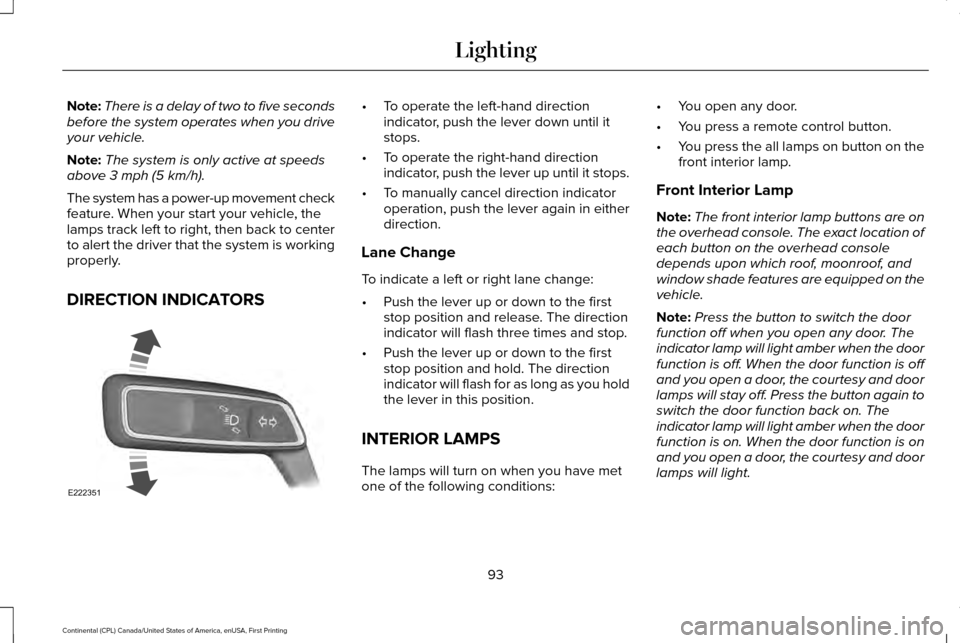
DIRECTION INDICATORS •
To operate the left-hand direction
indicator, push the lever down until it
stops.
• To operate the right-hand direction
indicator, push the lever up until it stops.
• To manually cancel direction indicator
operation, push the lever again in either
direction.
Lane Change
To indicate a left or right lane change:
• Push the lever up or down to the first
stop position and release. The direction
indicator will flash three times and stop.
• Push the lever up or down to the first
stop position and hold. The direction
indicator will flash for as long as you hold
the lever in this position.
INTERIOR LAMPS
The lamps will turn on when you have met
one of the following conditions: •
You open any door.
• You press a remote control button.
• You press the all lamps on button on the
front interior lamp.
Front Interior Lamp
Note: The front interior lamp buttons are on
the overhead console. The exact location of
each button on the overhead console
depends upon which roof, moonroof, and
window shade features are equipped on the
vehicle.
Note: Press the button to switch the door
function off when you open any door. The
indicator lamp will light amber when the door
function is off. When the door function is off
and you open a door, the courtesy and door
lamps will stay off. Press the button again to
switch the door function back on. The
indicator lamp will light amber when the door
function is on. When the door function is on
and you open a door, the courtesy and door
lamps will light.
93
Continental (CPL) Canada/United States of America, enUSA, First Printing LightingE222351
Page 100 of 584
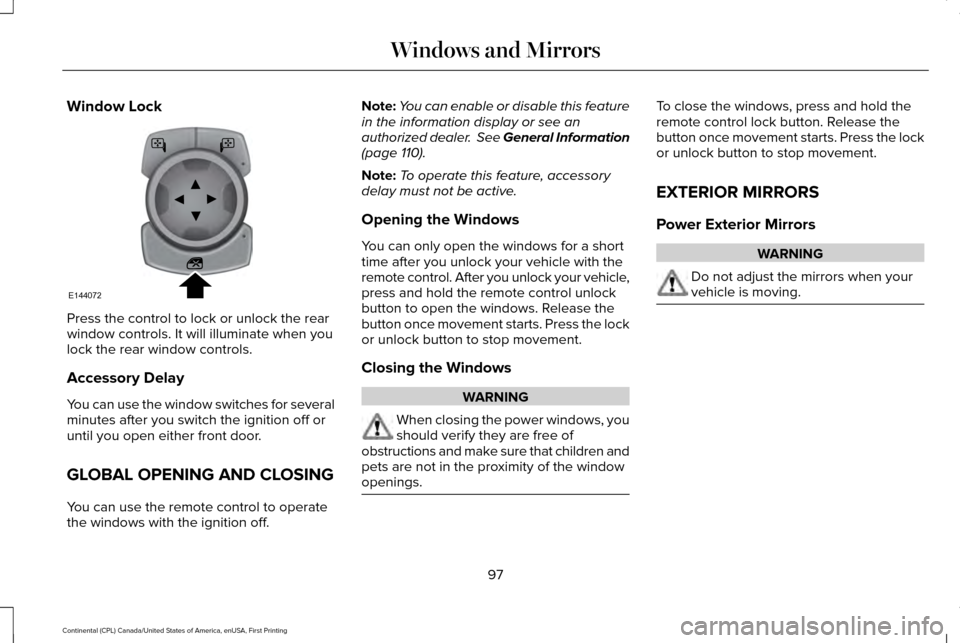
Window Lock
Press the control to lock or unlock the rear
window controls. It will illuminate when you
lock the rear window controls.
Accessory Delay
You can use the window switches for several
minutes after you switch the ignition off or
until you open either front door.
GLOBAL OPENING AND CLOSING
You can use the remote control to operate
the windows with the ignition off. Note:
You can enable or disable this feature
in the information display or see an
authorized dealer. See General Information
(page 110).
Note: To operate this feature, accessory
delay must not be active.
Opening the Windows
You can only open the windows for a short
time after you unlock your vehicle with the
remote control. After you unlock your vehicle,
press and hold the remote control unlock
button to open the windows. Release the
button once movement starts. Press the lock
or unlock button to stop movement.
Closing the Windows WARNING
When closing the power windows, you
should verify they are free of
obstructions and make sure that children and
pets are not in the proximity of the window
openings. To close the windows, press and hold the
remote control lock button. Release the
button once movement starts. Press the lock
or unlock button to stop movement.
EXTERIOR MIRRORS
Power Exterior Mirrors
WARNING
Do not adjust the mirrors when your
vehicle is moving.
97
Continental (CPL) Canada/United States of America, enUSA, First Printing Windows and MirrorsE144072
Page 101 of 584
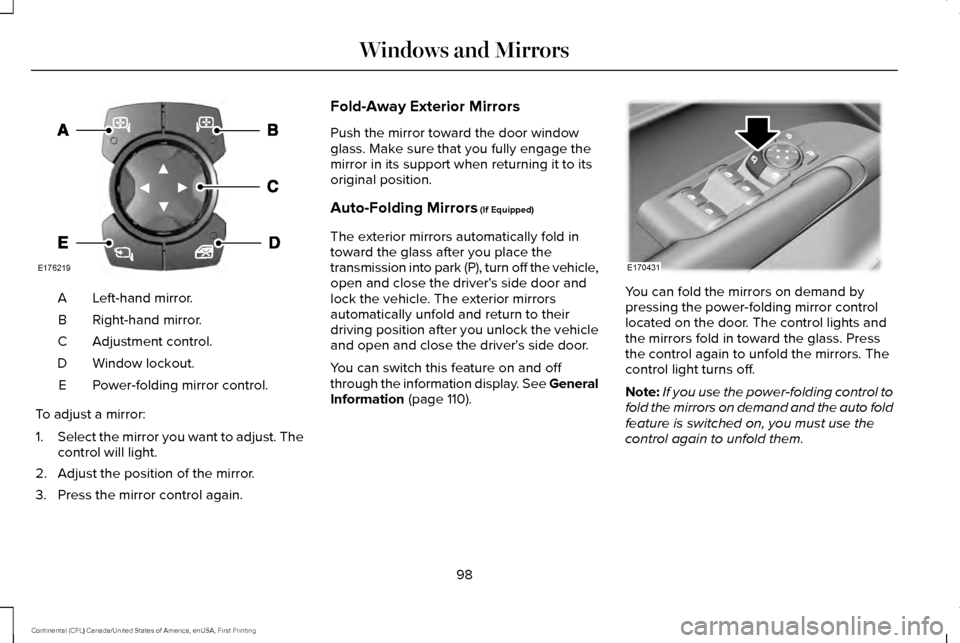
Left-hand mirror.
A
Right-hand mirror.
B
Adjustment control.
C
Window lockout.
D
Power-folding mirror control.
E
To adjust a mirror:
1. Select the mirror you want to adjust. The
control will light.
2. Adjust the position of the mirror.
3. Press the mirror control again. Fold-Away Exterior Mirrors
Push the mirror toward the door window
glass. Make sure that you fully engage the
mirror in its support when returning it to its
original position.
Auto-Folding Mirrors (If Equipped)
The exterior mirrors automatically fold in
toward the glass after you place the
transmission into park (P), turn off the vehicle,
open and close the driver's side door and
lock the vehicle. The exterior mirrors
automatically unfold and return to their
driving position after you unlock the vehicle
and open and close the driver's side door.
You can switch this feature on and off
through the information display. See General
Information
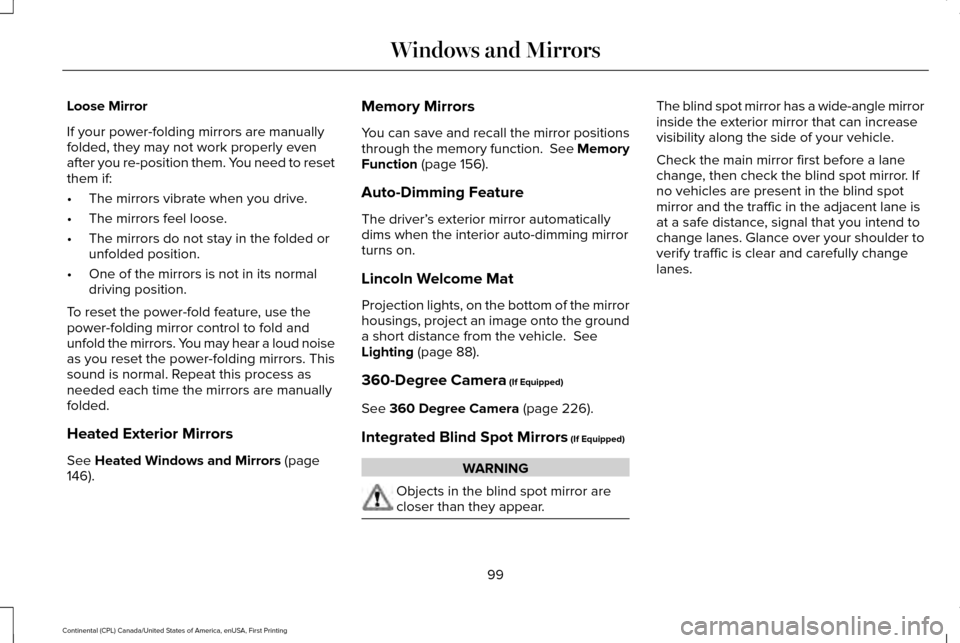
(page 110). You can fold the mirrors on demand by
pressing the power-folding mirror control
located on the door. The control lights and
the mirrors fold in toward the glass. Press
the control again to unfold the mirrors. The
control light turns off.
Note:
If you use the power-folding control to
fold the mirrors on demand and the auto fold
feature is switched on, you must use the
control again to unfold them.
98
Continental (CPL) Canada/United States of America, enUSA, First Printing Windows and MirrorsE176219 E170431
Page 102 of 584
Loose Mirror
If your power-folding mirrors are manually
folded, they may not work properly even
after you re-position them. You need to reset
them if:
•
The mirrors vibrate when you drive.
• The mirrors feel loose.
• The mirrors do not stay in the folded or
unfolded position.
• One of the mirrors is not in its normal
driving position.
To reset the power-fold feature, use the
power-folding mirror control to fold and
unfold the mirrors. You may hear a loud noise
as you reset the power-folding mirrors. This
sound is normal. Repeat this process as
needed each time the mirrors are manually
folded.
Heated Exterior Mirrors
See Heated Windows and Mirrors (page
146). Memory Mirrors
You can save and recall the mirror positions
through the memory function. See Memory
Function
(page 156).
Auto-Dimming Feature
The driver’ s exterior mirror automatically
dims when the interior auto-dimming mirror
turns on.
Lincoln Welcome Mat
Projection lights, on the bottom of the mirror
housings, project an image onto the ground
a short distance from the vehicle.
See
Lighting (page 88).
360-Degree Camera
(If Equipped)
See
360 Degree Camera (page 226).
Integrated Blind Spot Mirrors
(If Equipped) WARNING
Objects in the blind spot mirror are
closer than they appear. The blind spot mirror has a wide-angle mirror
inside the exterior mirror that can increase
visibility along the side of your vehicle.
Check the main mirror first before a lane
change, then check the blind spot mirror. If
no vehicles are present in the blind spot
mirror and the traffic in the adjacent lane is
at a safe distance, signal that you intend to
change lanes. Glance over your shoulder to
verify traffic is clear and carefully change
lanes.
99
Continental (CPL) Canada/United States of America, enUSA, First Printing Windows and Mirrors