service indicator LINCOLN CONTINENTAL 2018 User Guide
[x] Cancel search | Manufacturer: LINCOLN, Model Year: 2018, Model line: CONTINENTAL, Model: LINCOLN CONTINENTAL 2018Pages: 615, PDF Size: 5.31 MB
Page 283 of 615
If you need to arrange roadside assistancefor yourself, Lincoln Motor Companyreimburses a reasonable amount for towingto the nearest Lincoln dealership within100 mi (160 km). To obtain reimbursementinformation, United States clients, call1-800-521-4140. Clients need to submit theiroriginal receipts.
Vehicles Sold in Canada: GettingRoadside Assistance
To fully assist you should you have a vehicleconcern, Lincoln Motor Company offers acomplimentary roadside assistance program. This program is eligible within Canada or thecontinental United States.
This program is separate from the NewVehicle Limited Warranty, beginning fromthe original warranty start date and lasts thelife of the vehicle for the original owner.Subsequent owners receive coverage thatis concurrent with the 6 years or 70,000 mi(110,000 km) (whichever occurs first)powertrain warranty coverage period.
If you purchased your vehicle in Canada andrequire roadside assistance, please call1-800-387-9333.
Vehicles Sold in Canada: UsingRoadside Assistance
Complete the roadside assistanceidentification card and place it in your walletfor quick reference.
In Canada, this card is found in the WarrantyGuide in the glove compartment of yourvehicle.
Vehicles Sold in Canada: RoadsideAssistance Program Coverage
The service is available 24 hours a day,seven days a week.
Canadian roadside coverage and benefitsmay differ from the U.S. coverage.
For complete program coverage detailsreview your warranty guide, contact yourdealer, call us in Canada at 1-800-387-9333,or visit our website atwww.lincolncanada.com.
HAZARD FLASHERS
Note:The hazard flashers operate when theignition is in any position, or if the key is notin the ignition. If used when the vehicle is notrunning, the battery loses charge. As a result,there may be insufficient power to restartyour vehicle.
The flasher control is on theinstrument panel. Use your hazardflashers when your vehicle iscreating a safety hazard for other motorists.
•Press the flasher control and all front andrear direction indicators flash.
•Press the button again to switch them off.
FUEL SHUTOFF
WARNING: If your vehicle has beeninvolved in a crash, have the fuel systemchecked. Failure to follow this instructioncould result in fire, personal injury or death.
280
Continental (CPL) Canada/United States of America, enUSA, Edition date: 201706, Second-Printing
Roadside Emergencies
Page 333 of 615
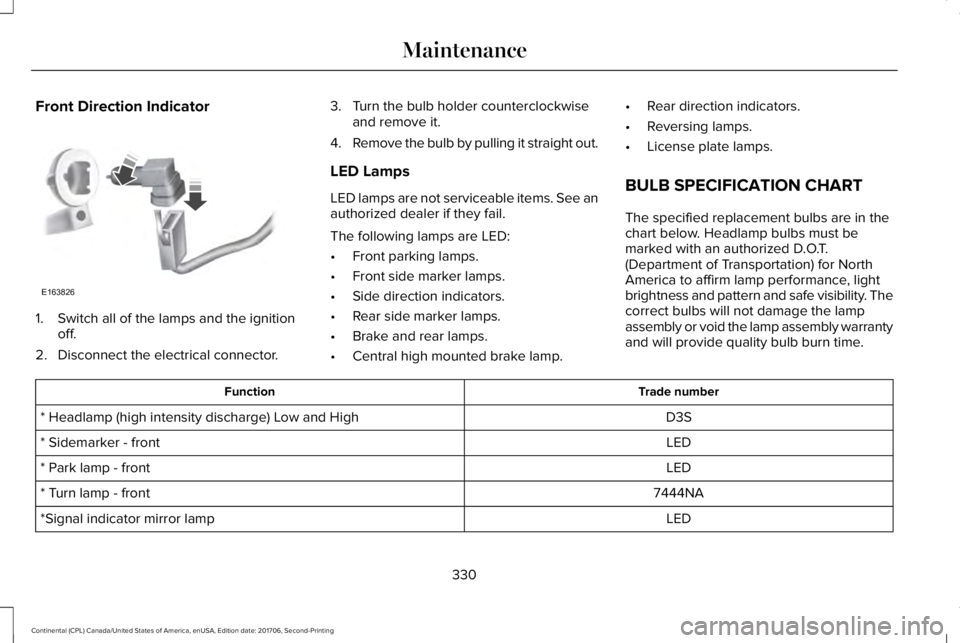
Front Direction Indicator
1. Switch all of the lamps and the ignitionoff.
2. Disconnect the electrical connector.
3. Turn the bulb holder counterclockwiseand remove it.
4.Remove the bulb by pulling it straight out.
LED Lamps
LED lamps are not serviceable items. See anauthorized dealer if they fail.
The following lamps are LED:
•Front parking lamps.
•Front side marker lamps.
•Side direction indicators.
•Rear side marker lamps.
•Brake and rear lamps.
•Central high mounted brake lamp.
•Rear direction indicators.
•Reversing lamps.
•License plate lamps.
BULB SPECIFICATION CHART
The specified replacement bulbs are in thechart below. Headlamp bulbs must bemarked with an authorized D.O.T.(Department of Transportation) for NorthAmerica to affirm lamp performance, lightbrightness and pattern and safe visibility. Thecorrect bulbs will not damage the lampassembly or void the lamp assembly warrantyand will provide quality bulb burn time.
Trade numberFunction
D3S* Headlamp (high intensity discharge) Low and High
LED* Sidemarker - front
LED* Park lamp - front
7444NA* Turn lamp - front
LED*Signal indicator mirror lamp
330
Continental (CPL) Canada/United States of America, enUSA, Edition date: 201706, Second-Printing
MaintenanceE163826
Page 359 of 615
WARNING: 2. Lubricate the tirebead and wheel bead seat area again.
WARNING: 3. Stand at a minimumof 12 ft (3.66 m) away from the wheeland tire assembly.
WARNING: 4. Use both eye andear protection.
WARNING: For a mountingpressure more than 20 psi (1.38 bar)greater than the maximum pressure, aFord dealer or other tire serviceprofessional should do the mounting.
WARNING: Always inflate steelcarcass tires with a remote air fill withthe person inflating standing at aminimum of 12 ft (3.66 m) away from thewheel and tire assembly.
Important: Remember to replace thewheel valve stems when the road tiresare replaced on your vehicle
It is recommended that the two fronttires or two rear tires generally bereplaced as a pair.
The tire pressure sensors mounted inthe wheels (originally installed on yourvehicle) are not designed to be used inaftermarket wheels.
The use of wheels or tires notrecommended by Ford Motor Companymay affect the operation of your tirepressure monitoring system.
If the tire pressure monitoring systemindicator is flashing, your system ismalfunctioning. Your replacement tiremight be incompatible with your tirepressure monitoring system, or somecomponent of the system may bedamaged.
Safety Practices
WARNING: If your vehicle is stuckin snow, mud or sand, do not rapidly spinthe tires; spinning the tires can tear thetire and cause an explosion. A tire canexplode in as little as three to fiveseconds.
WARNING: Do not spin the wheelsat over 34 mph (55 km/h). The tires mayfail and injure a passenger or bystander.
Driving habits have a great deal to dowith your tire mileage and safety.
•Observe posted speed limits
•Avoid fast starts, stops and turns
•Avoid potholes and objects on theroad
•Do not run over curbs or hit the tireagainst a curb when parking
356
Continental (CPL) Canada/United States of America, enUSA, Edition date: 201706, Second-Printing
Wheels and Tires
Page 367 of 615
When Inflating Your Tires
WARNING: Do not use the tirepressure displayed in the information displayas a tire pressure gauge. Failure to followthis instruction could result in personal injuryor death.
When putting air into your tires (such as at agas station or in your garage), the tirepressure monitoring system may not respondimmediately to the air added to your tires.
It may take up to two minutes of driving over20 mph (32 km/h) for the light to turn off afteryou have filled your tires to therecommended inflation pressure.
How Temperature Affects Your TirePressure
The tire pressure monitoring system monitorstire pressure in each pneumatic tire. Whiledriving in a normal manner, a typicalpassenger tire inflation pressure mayincrease about 2–4 psi (14–28 kPa) from acold start situation. If the vehicle is stationaryovernight with the outside temperature
significantly lower than the daytimetemperature, the tire pressure may decreaseabout 3 psi (21 kPa) for a drop of 30°F (17°C)in ambient temperature. This lower pressurevalue may be detected by the tire pressuremonitoring system as being significantlylower than the recommended inflationpressure and activate the system warninglight for low tire pressure. If the low tirepressure warning light is on, visually checkeach tire to verify that no tire is flat. If one ormore tires are flat, repair as necessary.Check the air pressure in the road tires. Ifany tire is under-inflated, carefully drive thevehicle to the nearest location where air canbe added to the tires. Inflate all the tires tothe recommended inflation pressure.
CHANGING A ROAD WHEEL
WARNING: If the tire pressure monitorsensor becomes damaged it may notfunction.
Note:You should only use tire sealants inroadside emergencies as they may causedamage to the tire pressure monitoringsystem sensor.
Note:The tire pressure monitoring systemindicator light illuminates when the sparetire is in use. To restore the full function ofthe monitoring system, all road wheelsequipped with tire pressure monitoringsensors must be mounted on the vehicle.
If you get a flat tire when driving, do notapply the brake heavily. Instead, graduallydecrease your speed. Hold the steeringwheel firmly and slowly move to a safe placeon the side of the road.
Have a flat serviced by an authorized dealerin order to prevent damage to the tirepressure monitoring system sensors. SeeTire Pressure Monitoring System (page 359).Replace the spare tire with a road tire assoon as possible. During repairing orreplacing of the flat tire, have an authorizeddealer inspect the tire pressure monitoringsystem sensor for damage.
364
Continental (CPL) Canada/United States of America, enUSA, Edition date: 201706, Second-Printing
Wheels and Tires
Page 446 of 615
AM/FM Radio
Tuning a Station
You can use the tune or seek controls on theradio bezel to select a station.
To tune a station using the touchscreen,select:
Menu item
Direct Tune
A pop up appears, allowing you to type inthe frequency of a station. You can only entera valid station for the source you arecurrently listening to.
You can press the backspace button todelete the previously entered number.
Once you have entered the station's callnumbers, you can select:
Action and descriptionMenu item
Press to beginplaying the stationyou have entered.
Enter
Press to exit withoutchanging the station.Cancel
Presets
To set a new preset, tune to the station andthen press and hold one of the memorypreset buttons. The audio mutes briefly whilethe system saves the station and thenreturns.
There are two preset banks available for AMand three banks for FM. To access additionalpresets, tap the preset button. The indicatoron the preset button shows which bank ofpresets you are currently viewing.
SiriusXM® Satellite Radio (If Activated)
Note: This feature may not be available inall markets and requires an activesubscription.
SIRIUS satellite radio is a subscription-basedsatellite radio service that broadcasts avariety of music, sports, news, weather, trafficand entertainment programming. Yourfactory-installed SiriusXM satellite radiosystem includes hardware and a limitedsubscription term that begins on the date ofsale or lease of your vehicle. See anauthorized dealer for availability.
443
Continental (CPL) Canada/United States of America, enUSA, Edition date: 201706, Second-Printing
SYNC™ 3E234451
Page 527 of 615
Your vehicle is equipped with the IntelligentOil-Life Monitor system, which displays amessage in the information display at theproper oil change interval. This interval maybe up to one year or 10,000 mi (16,000 km).
When the oil change message appears inthe information display, it is time for an oilchange. Make sure you perform the oilchange within two weeks or 500 mi (800 km)of the message appearing. Make sure youreset the Intelligent Oil-Life Monitor aftereach oil change. See Oil Change IndicatorReset (page 318).
If your information display resets prematurelyor becomes inoperative, you should performthe oil change interval at six months or5,000 mi (8,000 km) from your last oilchange. Never exceed one year or 10,000 mi(16,000 km) between oil change intervals.
Your vehicle is very sophisticated and builtwith multiple, complex, performance systems.Every manufacturer develops these systemsusing different specifications andperformance features. That is why it isimportant to rely upon your dealership toproperly diagnose and repair your vehicle.
Ford Motor Company has recommendedmaintenance intervals for various parts andcomponent systems based upon engineeringtesting. Ford Motor Company relies upon thistesting to determine the most appropriatemileage for replacement of oils and fluids toprotect your vehicle at the lowest overall costto you and recommends againstmaintenance schedules that deviate fromthe scheduled maintenance information.
We strongly recommend the use of onlygenuine Ford, Motorcraft or Ford-authorizedre-manufactured replacement partsengineered for your vehicle.
Additives and Chemicals
This owner's manual and the Ford WorkshopManual list the recommended additives andchemicals for your vehicle. We do notrecommend using chemicals or additives notapproved by us as part of your vehicle’snormal maintenance. Please consult yourwarranty information.
Oils, Fluids and Flushing
In many cases, fluid discoloration is a normaloperating characteristic and, by itself, doesnot necessarily indicate a concern or that thefluid needs to be changed. However, aqualified expert, such as the factory-trainedtechnicians at your dealership, shouldinspect discolored fluids that also show signsof overheating or foreign materialcontamination immediately.
Make sure to change your vehicle’s oils andfluids at the specified intervals or inconjunction with a repair. Flushing is a viableway to change fluid for many vehiclesub-systems during scheduled maintenance.It is critical that systems are flushed only withnew fluid that is the same as that requiredto fill and operate the system or using aFord-approved flushing chemical.
Owner Checks and Services
Make sure you perform the following basicmaintenance checks and inspections everymonth or at six-month intervals.
524
Continental (CPL) Canada/United States of America, enUSA, Edition date: 201706, Second-Printing
Scheduled Maintenance
Page 532 of 615
Normal Maintenance Intervals
At Every Oil Change Interval as Indicated by the Information Display1
Change engine oil and filter.2
Rotate the tires.
Perform a multi-point inspection (recommended).
Inspect the automatic transmission fluid level (if equipped with a dipstick). Consult your dealer for requirements.
Inspect the brake pads, rotors, hoses and parking brake.
Inspect the engine cooling system strength and hoses.
Inspect the exhaust system and heat shields.
Inspect the rear axle (All Wheel Drive vehicles only).
Inspect the half-shaft boots.
Inspect the steering linkage, ball joints, suspension, tie-rod ends, driveshaft and U-joints.
Inspect the tires, tire wear and measure the tread depth.
Inspect the wheels and related components for abnormal noise, wear, looseness or drag.
1 Do not exceed one year or 10,000 mi (16,000 km) between service intervals.2 Reset the Intelligent Oil-Life Monitor after engine oil and filter changes. See Oil Change Indicator Reset (page 318).
529
Continental (CPL) Canada/United States of America, enUSA, Edition date: 201706, Second-Printing
Scheduled Maintenance
Page 537 of 615
Operating in Dusty or Sandy Conditions Such as Unpaved or Dusty Roads
Perform multi-point inspection.
Change automatic transmission fluid.Every 30,000 mi(48,000 km)
1Reset your Intelligent Oil-Life Monitor after engine oil and filter changes. See Oil Change Indicator Reset (page 318).
Exceptions
There are several exceptions to the NormalSchedule:
Axle and PTU Maintenance
The Power Transfer Unit (PTU) and rear axle(AWD only) in your vehicle does not requireany normal scheduled maintenance.Changing or checking the PTU lubricant isnot necessary unless the unit has beensubmerged in water or shows signs ofleakage. Contact your authorized dealer forservice.
California Fuel Filter Replacement
If you register your vehicle in California, theCalifornia Air Resources Board hasdetermined that the failure to perform thismaintenance item does not nullify theemission warranty or limit recall liabilitybefore the completion of your vehicle'suseful life. Ford Motor Company, however,urges you to have all recommendedmaintenance services performed at thespecified intervals and to record all vehicleservice.
Hot Climate Oil Change Intervals
Vehicles operating in the Middle East, NorthAfrica, Sub-Saharan Africa or locations withsimilar climates using an American PetroleumInstitute (API) Certified for Gasoline Engines(Certification mark) oil of SM or SN quality,the normal oil change interval is 5,000 mi(8,000 km).
If the available API SM or SN oils are notavailable, then the oil change interval is3,000 mi (4,800 km).
534
Continental (CPL) Canada/United States of America, enUSA, Edition date: 201706, Second-Printing
Scheduled Maintenance
Page 606 of 615
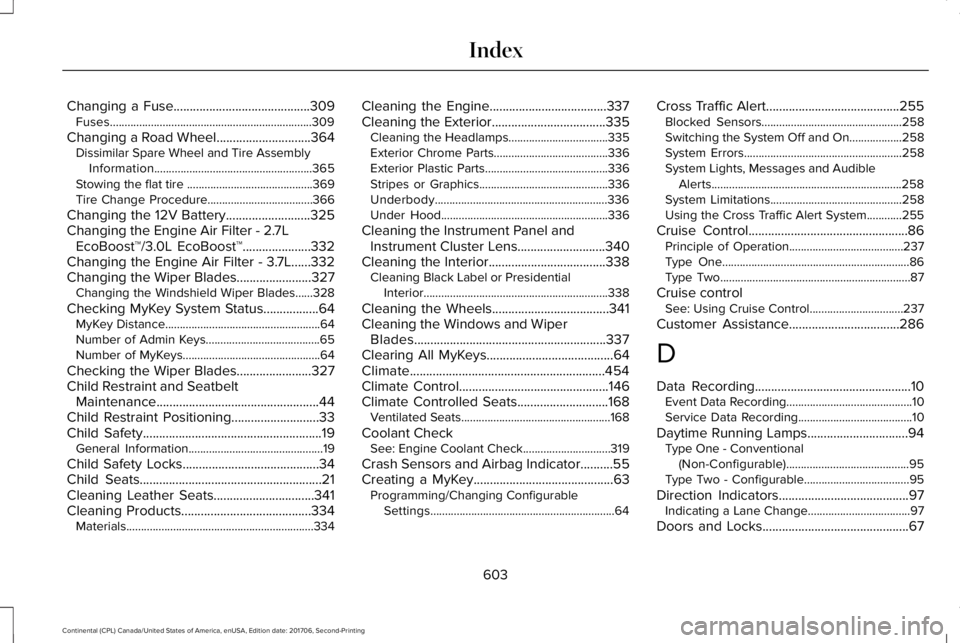
Changing a Fuse..........................................309Fuses.....................................................................309
Changing a Road Wheel.............................364Dissimilar Spare Wheel and Tire AssemblyInformation......................................................365Stowing the flat tire ...........................................369Tire Change Procedure....................................366
Changing the 12V Battery..........................325Changing the Engine Air Filter - 2.7LEcoBoost™/3.0L EcoBoost™.....................332Changing the Engine Air Filter - 3.7L......332Changing the Wiper Blades.......................327Changing the Windshield Wiper Blades......328
Checking MyKey System Status.................64MyKey Distance.....................................................64Number of Admin Keys.......................................65Number of MyKeys...............................................64
Checking the Wiper Blades.......................327Child Restraint and SeatbeltMaintenance..................................................44Child Restraint Positioning...........................33Child Safety.......................................................19General Information..............................................19
Child Safety Locks..........................................34Child Seats........................................................21Cleaning Leather Seats...............................341Cleaning Products........................................334Materials................................................................334
Cleaning the Engine....................................337Cleaning the Exterior...................................335Cleaning the Headlamps..................................335Exterior Chrome Parts.......................................336Exterior Plastic Parts..........................................336Stripes or Graphics............................................336Underbody...........................................................336Under Hood.........................................................336
Cleaning the Instrument Panel andInstrument Cluster Lens...........................340Cleaning the Interior....................................338Cleaning Black Label or PresidentialInterior...............................................................338
Cleaning the Wheels....................................341Cleaning the Windows and WiperBlades...........................................................337Clearing All MyKeys.......................................64Climate............................................................454Climate Control..............................................146Climate Controlled Seats............................168Ventilated Seats...................................................168
Coolant CheckSee: Engine Coolant Check..............................319
Crash Sensors and Airbag Indicator..........55Creating a MyKey...........................................63Programming/Changing ConfigurableSettings...............................................................64
Cross Traffic Alert.........................................255Blocked Sensors................................................258Switching the System Off and On..................258System Errors......................................................258System Lights, Messages and AudibleAlerts.................................................................258System Limitations.............................................258Using the Cross Traffic Alert System............255
Cruise Control.................................................86Principle of Operation.......................................237Type One................................................................86Type Two.................................................................87
Cruise controlSee: Using Cruise Control................................237
Customer Assistance..................................286
D
Data Recording................................................10Event Data Recording...........................................10Service Data Recording.......................................10
Daytime Running Lamps...............................94Type One - Conventional(Non-Configurable)..........................................95Type Two - Configurable....................................95
Direction Indicators........................................97Indicating a Lane Change...................................97
Doors and Locks.............................................67
603
Continental (CPL) Canada/United States of America, enUSA, Edition date: 201706, Second-Printing
Index
Page 608 of 615
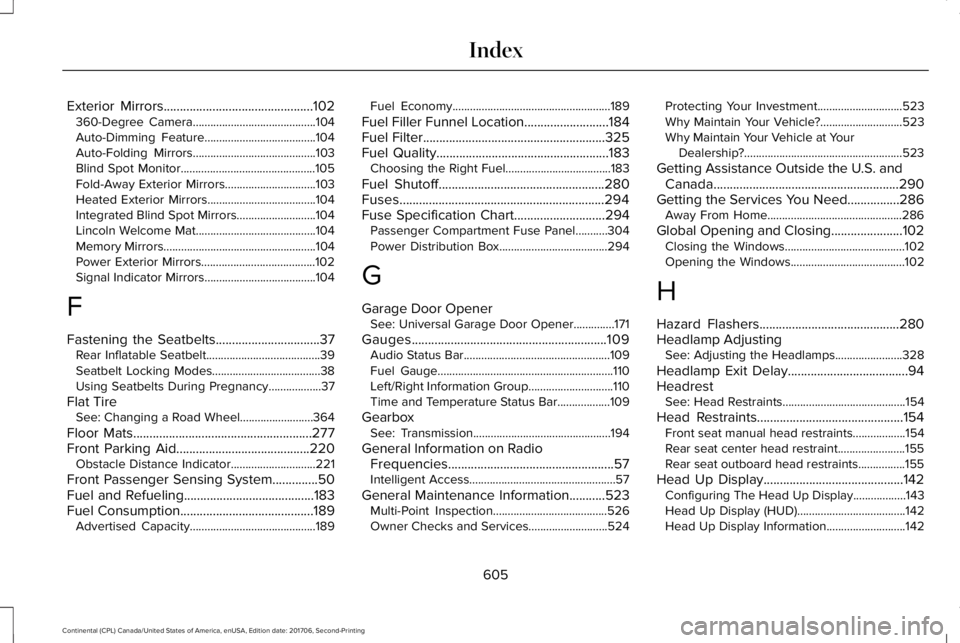
Exterior Mirrors..............................................102360-Degree Camera..........................................104Auto-Dimming Feature......................................104Auto-Folding Mirrors..........................................103Blind Spot Monitor..............................................105Fold-Away Exterior Mirrors...............................103Heated Exterior Mirrors.....................................104Integrated Blind Spot Mirrors...........................104Lincoln Welcome Mat.........................................104Memory Mirrors....................................................104Power Exterior Mirrors.......................................102Signal Indicator Mirrors......................................104
F
Fastening the Seatbelts................................37Rear Inflatable Seatbelt.......................................39Seatbelt Locking Modes.....................................38Using Seatbelts During Pregnancy..................37
Flat TireSee: Changing a Road Wheel.........................364
Floor Mats.......................................................277Front Parking Aid.........................................220Obstacle Distance Indicator.............................221
Front Passenger Sensing System..............50Fuel and Refueling........................................183Fuel Consumption.........................................189Advertised Capacity...........................................189
Fuel Economy......................................................189
Fuel Filler Funnel Location..........................184Fuel Filter........................................................325Fuel Quality.....................................................183Choosing the Right Fuel....................................183
Fuel Shutoff...................................................280Fuses...............................................................294Fuse Specification Chart............................294Passenger Compartment Fuse Panel...........304Power Distribution Box.....................................294
G
Garage Door OpenerSee: Universal Garage Door Opener..............171
Gauges............................................................109Audio Status Bar..................................................109Fuel Gauge............................................................110Left/Right Information Group.............................110Time and Temperature Status Bar..................109
GearboxSee: Transmission...............................................194
General Information on RadioFrequencies...................................................57Intelligent Access..................................................57
General Maintenance Information...........523Multi-Point Inspection.......................................526Owner Checks and Services...........................524
Protecting Your Investment.............................523Why Maintain Your Vehicle?............................523Why Maintain Your Vehicle at YourDealership?......................................................523
Getting Assistance Outside the U.S. andCanada.........................................................290Getting the Services You Need................286Away From Home..............................................286
Global Opening and Closing......................102Closing the Windows.........................................102Opening the Windows.......................................102
H
Hazard Flashers...........................................280Headlamp AdjustingSee: Adjusting the Headlamps.......................328
Headlamp Exit Delay.....................................94HeadrestSee: Head Restraints..........................................154
Head Restraints.............................................154Front seat manual head restraints..................154Rear seat center head restraint.......................155Rear seat outboard head restraints................155
Head Up Display...........................................142Configuring The Head Up Display..................143Head Up Display (HUD).....................................142Head Up Display Information...........................142
605
Continental (CPL) Canada/United States of America, enUSA, Edition date: 201706, Second-Printing
Index