tow LINCOLN CONTINENTAL 2018 Owner's Manual
[x] Cancel search | Manufacturer: LINCOLN, Model Year: 2018, Model line: CONTINENTAL, Model: LINCOLN CONTINENTAL 2018Pages: 615, PDF Size: 5.31 MB
Page 185 of 615
The heater acts as a starting aid by warmingthe engine coolant. This allows the climatecontrol system to respond quickly. Theequipment includes a heater element(installed in the engine block) and a wireharness. You can connect the system to agrounded 120-volt AC electrical source.
We recommend that you do the following fora safe and correct operation:
•Use a 16-gauge outdoor extension cordthat is product certified by Underwriter’sLaboratory (UL) or Canadian StandardsAssociation (CSA). This extension cordmust be suitable for use outdoors, in coldtemperatures, and be clearly markedSuitable for Use with OutdoorAppliances. Do not use an indoorextension cord outdoors. This couldresult in an electric shock or become afire hazard.
•Use as short an extension cord aspossible.
•Do not use multiple extension cords.
•Make sure that when in operation, theextension cord plug and heater cord plugconnections are free and clear of water.This could cause an electric shock or fire.
•Make sure your vehicle is parked in aclean area, clear of combustibles.
•Make sure the heater, heater cord andextension cord are firmly connected.
•Check for heat anywhere in the electricalhookup once the system has beenoperating for approximately 30 minutes.
•Make sure the system is unplugged andproperly stowed before starting anddriving your vehicle. Make sure theprotective cover seals the prongs of theblock heater cord plug when not in use.
•Make sure the heater system is checkedfor proper operation before winter.
Using the Engine Block Heater
Make sure the receptacle terminals are cleanand dry prior to use. Clean them with a drycloth if necessary.
The heater uses 0.4 to 1.0 kilowatt-hours ofenergy per hour of use. The system does nothave a thermostat. It achieves maximumtemperature after approximately three hoursof operation. Using the heater longer thanthree hours does not improve systemperformance and unnecessarily useselectricity.
182
Continental (CPL) Canada/United States of America, enUSA, Edition date: 201706, Second-Printing
Starting and Stopping the Engine
Page 187 of 615
Your vehicle is designed to operate onregular unleaded gasoline with a minimumpump (R+M)/2 octane rating of 87.
Some fuel stations, particularly those in highaltitude areas, offer fuels posted as regularunleaded gasoline with an octane ratingbelow 87. The use of these fuels could resultin engine damage that will not be coveredby the vehicle warranty.
For best overall vehicle and engineperformance, premium fuel with an octanerating of 91 or higher is recommended. Theperformance gained by using premium fuelis most noticeable in hot weather as well asother conditions, for example when towinga trailer. See Towing (page 271).
Do not be concerned if the enginesometimes knocks lightly. However, if theengine knocks heavily while using fuel withthe recommended octane rating, contact anauthorized dealer to prevent any enginedamage.
We recommend Top Tier detergentgasolines, where available to help minimizeengine deposits and maintain optimal vehicleand engine performance. For additionalinformation, refer to www.toptiergas.com.
Note:Use of any fuel for which the vehiclewas not designed can impair the emissioncontrol system, cause loss of vehicleperformance, and cause damage to theengine which may not be covered by thevehicle Warranty.
Do not use:
•Diesel fuel.
•Fuels containing kerosene or paraffin.
•Fuel containing more than 15% ethanolor E85 fuel.
•Fuels containing methanol.
•Fuels containing metallic-based additives,including manganese-based compounds.
•Fuels containing the octane boosteradditive, methylcyclopentadienylmanganese tricarbonyl (MMT).
•Leaded fuel, using leaded fuel isprohibited by law.
The use of fuels with metallic compoundssuch as methylcyclopentadienyl manganesetricarbonyl (commonly known as MMT), whichis a manganese-based fuel additive, willimpair engine performance and affect theemission control system.
FUEL FILLER FUNNEL LOCATION
The fuel filler funnel is under the luggagecompartment floor covering.
RUNNING OUT OF FUEL
Running out of fuel can cause damage notcovered by the vehicle Warranty.
If your vehicle runs out of fuel:
•Add a minimum of 1.3 gal (5 L) of fuel torestart the engine.
•You may need to switch the ignition fromoff to on several times after refueling toallow the fuel system to pump the fuelfrom the tank to the engine. Whenrestarting, cranking time takes a fewseconds longer than normal.
184
Continental (CPL) Canada/United States of America, enUSA, Edition date: 201706, Second-Printing
Fuel and Refueling
Page 194 of 615
•An open or pinched sensor hose.
•Incorrect engine oil level.
•Incorrect fuel for climatic conditions.
•Incorrect engine oil viscosity for climacticconditions.
Note:Some vehicles have a lifetime fuel filterthat is integrated with the fuel tank. Regularmaintenance or replacement is not needed.
Note:If these checks do not help you correctthe concern, have your vehicle checked assoon as possible.
Noise Emissions Warranty, ProhibitedTampering Acts and Maintenance
On January 1, 1978, Federal regulationbecame effective governing the noiseemission on trucks over 10,000 lb (4,536 kg)Gross Vehicle Weight Rating (GVWR). Thepreceding statements concerning prohibitedtampering acts and maintenance, and thenoise warranty found in the Warranty Guide,are applicable to complete chassis cabs over10,000 lb (4,536 kg) GVWR.
CATALYTIC CONVERTER
WARNING: Do not park, idle or driveyour vehicle on dry grass or other dry groundcover. The emission system heats up theengine compartment and exhaust system,creating the risk of fire.
WARNING: The normal operatingtemperature of the exhaust system is veryhigh. Never work around or attempt to repairany part of the exhaust system until it hascooled. Use special care when workingaround the catalytic converter. The catalyticconverter heats up to a very hightemperature after only a short period ofengine operation and stays hot after theengine is switched off.
WARNING: Exhaust leaks may resultin entry of harmful and potentially lethalfumes into the passenger compartment. Ifyou smell exhaust fumes inside your vehicle,have your vehicle inspected immediately. Donot drive if you smell exhaust fumes.
Your vehicle has various emission controlcomponents and a catalytic converter thatenables it to comply with applicable exhaustemission standards.
To make sure that the catalytic converter andother emission control components continueto work properly:
•Do not crank the engine for more than10 seconds at a time.
•Do not run the engine with a spark pluglead disconnected.
•Do not push-start or tow-start yourvehicle. Use booster cables. See JumpStarting the Vehicle (page 281).
•Use only the specified fuel listed.
•Do not switch the ignition off when yourvehicle is moving.
•Avoid running out of fuel.
•Have the items listed in scheduledmaintenance information performedaccording to the specified schedule.
Note:Resulting component damage maynot be covered by the vehicle Warranty.
191
Continental (CPL) Canada/United States of America, enUSA, Edition date: 201706, Second-Printing
Engine Emission Control
Page 198 of 615
Park (P)
With the transmission in park (P), your vehiclelocks the transmission and prevents thewheels from turning. Always come to acomplete stop before putting your vehicleinto and out of park (P). An audible chimesounds once you select park (P).
When the ignition is turned off, the vehiclewill automatically shift into park (P). If theignition is turned off while the vehicle ismoving, it will first shift into neutral (N) untila slow enough speed is reached. The vehiclewill then shift into park (P) automatically.
Automatic Return to Park
Note:This feature will not operate when yourvehicle is in Stay in Neutral mode or neutraltow.
Your vehicle has a safety feature that willautomatically shift your vehicle into park (P)when any of the following conditions occur:
•You turn the ignition off
•You open the driver's door with yoursafety belt unlatched
•Your safety belt is unlatched while thedriver's door is open
If you turn your vehicle off while moving, yourvehicle will first shift into neutral (N) until itslows down enough to shift into park (P)automatically.
Note:If you have waited an extended periodof time (2-15 minutes) before starting yourvehicle, unlatching your safety belt will causethis feature to activate, even with the driver'sdoor closed.
Note:This feature may not work properly ifthe door ajar switch is malfunctioning. If yourdoor ajar indicator does not illuminate whenyou open the driver’s door or the indicatorilluminates with the driver’s door closed, seeyour authorized dealer.
Reverse (R)
With the transmission in reverse (R), yourvehicle will move backward. Always cometo a complete stop before shifting into andout of reverse (R).
Neutral (N)
With the transmission in neutral (N), you canstart your vehicle and it is free to roll. Holdthe brake pedal down while in this position.
Stay in Neutral mode
Stay in Neutral mode allows your vehicle tostay in neutral (N) when you exit the vehicle.Your vehicle must be stationary to enter thismode.
To enter Stay in Neutral mode:
1. Press the neutral (N) button on yourshifter assembly.
2. A message will appear in yourinformation display screen prompting youto press the neutral (N) button again toenter Stay in Neutral mode.
3. Press the neutral (N) button again toenter Stay in Neutral mode.
195
Continental (CPL) Canada/United States of America, enUSA, Edition date: 201706, Second-Printing
Transmission
Page 200 of 615
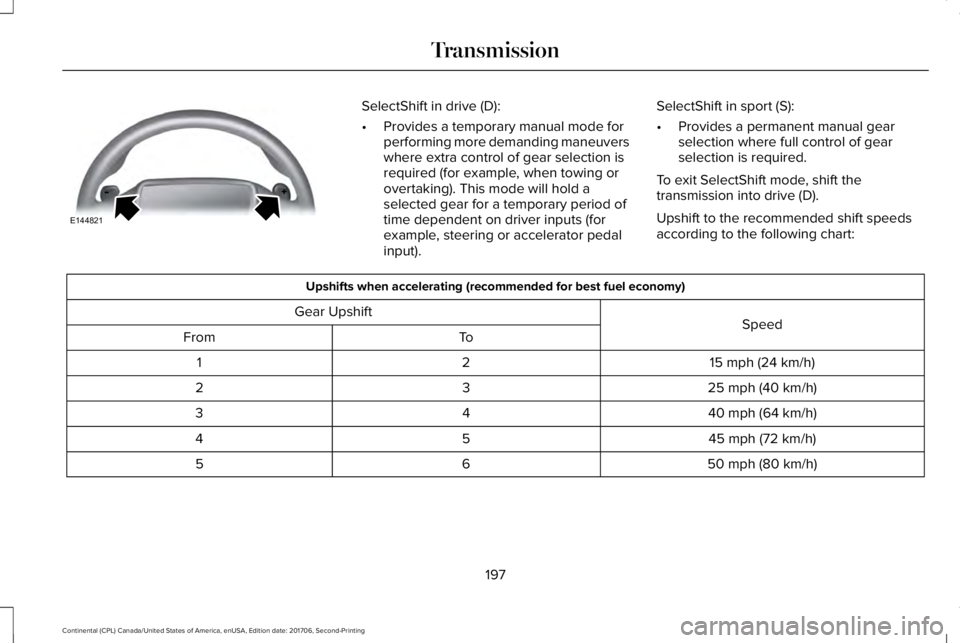
SelectShift in drive (D):
•Provides a temporary manual mode forperforming more demanding maneuverswhere extra control of gear selection isrequired (for example, when towing orovertaking). This mode will hold aselected gear for a temporary period oftime dependent on driver inputs (forexample, steering or accelerator pedalinput).
SelectShift in sport (S):
•Provides a permanent manual gearselection where full control of gearselection is required.
To exit SelectShift mode, shift thetransmission into drive (D).
Upshift to the recommended shift speedsaccording to the following chart:
Upshifts when accelerating (recommended for best fuel economy)
SpeedGear Upshift
ToFrom
15 mph (24 km/h)21
25 mph (40 km/h)32
40 mph (64 km/h)43
45 mph (72 km/h)54
50 mph (80 km/h)65
197
Continental (CPL) Canada/United States of America, enUSA, Edition date: 201706, Second-Printing
TransmissionE144821
Page 202 of 615
3. Using a tool, press and hold the brakeshift interlock switch. The shift buttonson the instrument panel will flash whenyour vehicle is in override mode.
4. With the override switch still held, pressthe neutral (N) button to shift from park.
5. Release the override button.
6. Your vehicle will remain in neutral forwrecker towing purposes or can beshifted to the desired gear and driven (ifpossible).
7. Release the parking brake.
Automatic Transmission AdaptiveLearning
This feature increases durability and providesconsistent shift feel over the life of yourvehicle. A new vehicle or transmission mayhave firm or soft shifts. This operation willnot affect function or durability of yourtransmission and is normal. Over time, theadaptive learning process will fully updatetransmission operation. Additionally, thestrategy must be relearned whenever thebattery is disconnected or a new battery isinstalled.
If Your Vehicle Gets Stuck In Mud orSnow
Note:Do not rock your vehicle if your engineis not at normal operating temperature ordamage to your transmission may occur.
Note:Do not rock your vehicle for more thana minute or damage to your transmissionand tires may occur, or your engine mayoverheat.
If your vehicle gets stuck in mud or snow,you can help rock your vehicle out by shiftingbetween forward and reverse gears,stopping between shifts in a steady pattern.Press lightly on the accelerator in each gear.
199
Continental (CPL) Canada/United States of America, enUSA, Edition date: 201706, Second-Printing
Transmission
Page 212 of 615
GENERAL INFORMATION
Note:Occasional brake noise is normal. If ametal-to-metal, continuous grinding orcontinuous squeal sound is present, thebrake linings may be worn-out. Have thesystem checked by an authorized dealer. Ifyour vehicle has continuous vibration orshudder in the steering wheel while braking,have it checked by an authorized dealer.
Note:Brake dust may accumulate on thewheels, even under normal drivingconditions. Some dust is inevitable as thebrakes wear and does not contribute tobrake noise. See Cleaning the Wheels(page 341).
Note:Depending on applicable laws andregulations in the country for which yourvehicle was originally built, your brake lampsmay flash during heavy braking. Followingthis, your hazard lights may also flash whenyour vehicle comes to a stop.
See Warning Lamps andIndicators (page 110).
Wet brakes result in reduced brakingefficiency. Gently press the brake pedal afew times when driving from a car wash orstanding water to dry the brakes.
Brake Over Accelerator
In the event the accelerator pedal becomesstuck or entrapped, apply steady and firmpressure to the brake pedal to slow thevehicle and reduce engine power. If youexperience this condition, apply the brakesand bring your vehicle to a safe stop. Movethe transmission to park (P), switch theengine off and apply the parking brake.Inspect the accelerator pedal for anyinterference. If none are found and thecondition persists, have your vehicle towedto the nearest authorized dealer.
Brake Assist
Brake assist detects when you brake rapidlyby measuring the rate at which you press thebrake pedal. It provides maximum brakingefficiency as long as you press the pedal,and can reduce stopping distances in criticalsituations.
Anti-lock Brake System
This system helps you maintain steeringcontrol during emergency stops by keepingthe brakes from locking.
If it illuminates when you aredriving, this indicates amalfunction. Your vehiclecontinues to have normal braking withoutthe anti-lock brake system function. Haveyour vehicle checked as soon as possible.
It also momentarily illuminates when youswitch the ignition on to confirm the lamp isfunctional. If it does not illuminate when youswitch the ignition on, or begins to flash atany time, have the system checked by anauthorized dealer.
It illuminates when you engage theparking brake and the ignition ison.
If it illuminates when your vehicle is moving,make sure the parking brake is disengaged.If the parking brake is disengaged, thisindicates low brake fluid level or a brakesystem fault. Have your vehicle immediatelychecked.
209
Continental (CPL) Canada/United States of America, enUSA, Edition date: 201706, Second-Printing
BrakesE144522 E144522
Page 217 of 615
WARNING: You must remain in yourvehicle when the system turns on. At alltimes, you are responsible for controllingyour vehicle, supervising the system andintervening, if required. Failure to take caremay result in the loss of control of yourvehicle, serious personal injury or death.
WARNING: The system will turn off ifa malfunction is apparent or if you rev theengine excessively. Failure to take care mayresult in the loss of control of your vehicle,serious personal injury or death.
Auto Hold uses your vehicle's brake to holdyour vehicle at a stop once your vehicle hasreached a standstill condition. For example,Auto Hold can assist you while stopping attraffic lights or while in traffic jams by holdingthe brake pressure for you once you bringyour vehicle to a stop.
Switch Auto Hold off during vehicle or trailertowing.
Note:In case of a malfunction in the systemwhile Auto Hold actively holds the vehicle(for example, low power supply), a messageappears in the information display askingyou to press the brake pedal. If you see thismessage, press the brake pedalimmediately.
Note: Auto Hold only activates if the systemrecognizes it is applying enough brakepressure. On a steep hill or slope, make sureyou press the brake pedal sufficiently toactivate the Auto Hold system.
Note:In some cases, Auto Hold might handover to the parking brake. When the parkingbrake applies, the red brake lamp appears.This is normal. When you press theaccelerator pedal, the drive away releasefeature releases the parking brake.
Note:Auto Hold works on all road grades.
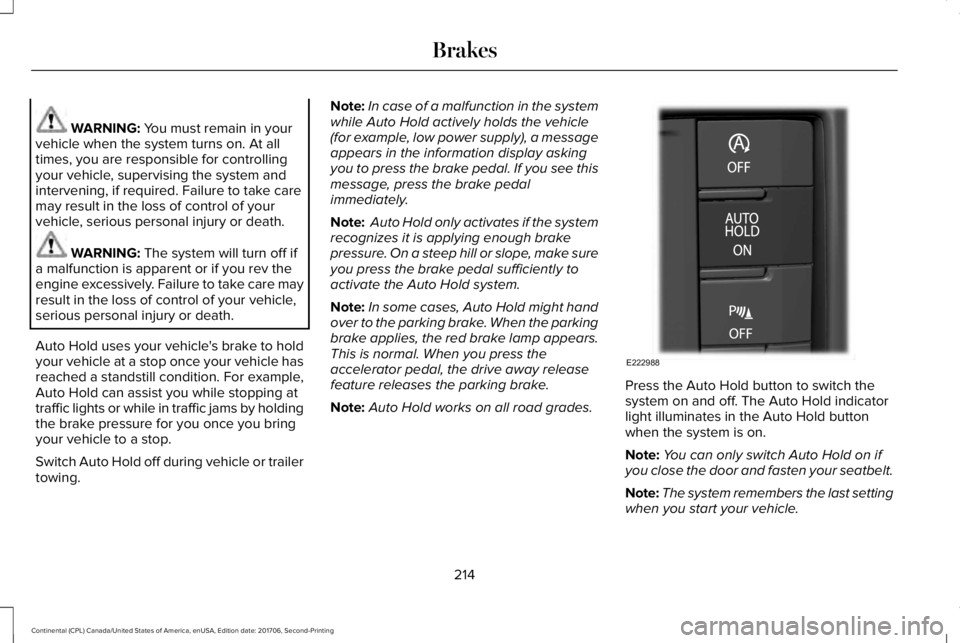
Press the Auto Hold button to switch thesystem on and off. The Auto Hold indicatorlight illuminates in the Auto Hold buttonwhen the system is on.
Note:You can only switch Auto Hold on ifyou close the door and fasten your seatbelt.
Note:The system remembers the last settingwhen you start your vehicle.
214
Continental (CPL) Canada/United States of America, enUSA, Edition date: 201706, Second-Printing
BrakesE222988
Page 223 of 615
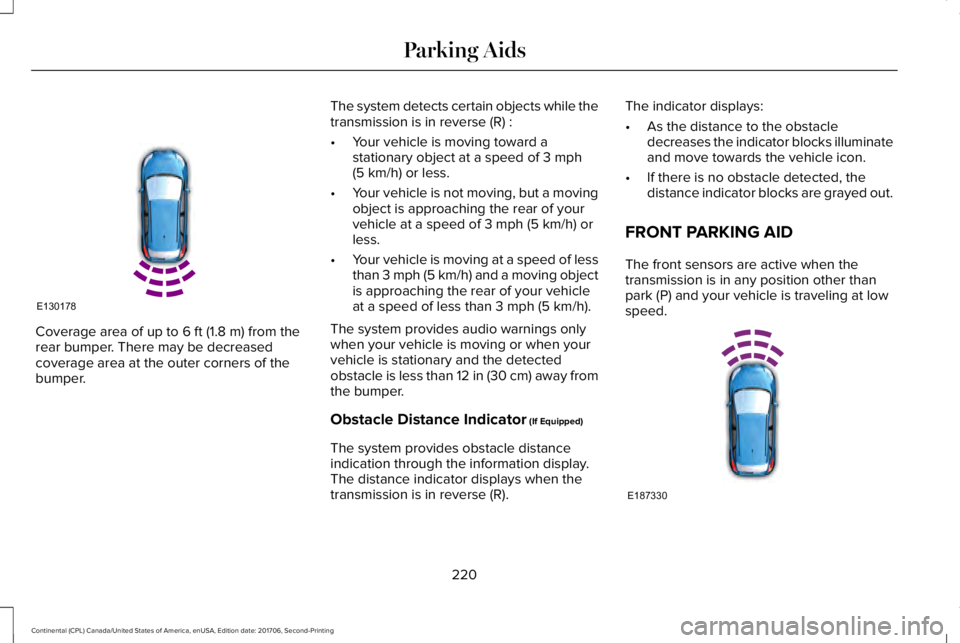
Coverage area of up to 6 ft (1.8 m) from therear bumper. There may be decreasedcoverage area at the outer corners of thebumper.
The system detects certain objects while thetransmission is in reverse (R) :
•Your vehicle is moving toward astationary object at a speed of 3 mph(5 km/h) or less.
•Your vehicle is not moving, but a movingobject is approaching the rear of yourvehicle at a speed of 3 mph (5 km/h) orless.
•Your vehicle is moving at a speed of lessthan 3 mph (5 km/h) and a moving objectis approaching the rear of your vehicleat a speed of less than 3 mph (5 km/h).
The system provides audio warnings onlywhen your vehicle is moving or when yourvehicle is stationary and the detectedobstacle is less than 12 in (30 cm) away fromthe bumper.
Obstacle Distance Indicator (If Equipped)
The system provides obstacle distanceindication through the information display.The distance indicator displays when thetransmission is in reverse (R).
The indicator displays:
•As the distance to the obstacledecreases the indicator blocks illuminateand move towards the vehicle icon.
•If there is no obstacle detected, thedistance indicator blocks are grayed out.
FRONT PARKING AID
The front sensors are active when thetransmission is in any position other thanpark (P) and your vehicle is traveling at lowspeed.
220
Continental (CPL) Canada/United States of America, enUSA, Edition date: 201706, Second-Printing
Parking AidsE130178 E187330
Page 224 of 615
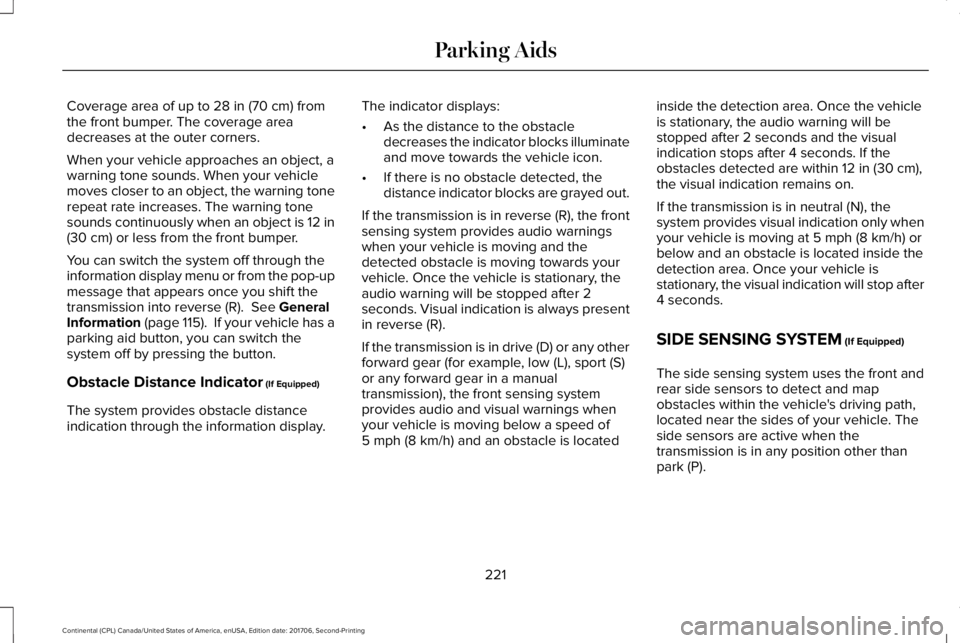
Coverage area of up to 28 in (70 cm) fromthe front bumper. The coverage areadecreases at the outer corners.
When your vehicle approaches an object, awarning tone sounds. When your vehiclemoves closer to an object, the warning tonerepeat rate increases. The warning tonesounds continuously when an object is 12 in(30 cm) or less from the front bumper.
You can switch the system off through theinformation display menu or from the pop-upmessage that appears once you shift thetransmission into reverse (R). See GeneralInformation (page 115). If your vehicle has aparking aid button, you can switch thesystem off by pressing the button.
Obstacle Distance Indicator (If Equipped)
The system provides obstacle distanceindication through the information display.
The indicator displays:
•As the distance to the obstacledecreases the indicator blocks illuminateand move towards the vehicle icon.
•If there is no obstacle detected, thedistance indicator blocks are grayed out.
If the transmission is in reverse (R), the frontsensing system provides audio warningswhen your vehicle is moving and thedetected obstacle is moving towards yourvehicle. Once the vehicle is stationary, theaudio warning will be stopped after 2seconds. Visual indication is always presentin reverse (R).
If the transmission is in drive (D) or any otherforward gear (for example, low (L), sport (S)or any forward gear in a manualtransmission), the front sensing systemprovides audio and visual warnings whenyour vehicle is moving below a speed of5 mph (8 km/h) and an obstacle is located
inside the detection area. Once the vehicleis stationary, the audio warning will bestopped after 2 seconds and the visualindication stops after 4 seconds. If theobstacles detected are within 12 in (30 cm),the visual indication remains on.
If the transmission is in neutral (N), thesystem provides visual indication only whenyour vehicle is moving at 5 mph (8 km/h) orbelow and an obstacle is located inside thedetection area. Once your vehicle isstationary, the visual indication will stop after4 seconds.
SIDE SENSING SYSTEM (If Equipped)
The side sensing system uses the front andrear side sensors to detect and mapobstacles within the vehicle's driving path,located near the sides of your vehicle. Theside sensors are active when thetransmission is in any position other thanpark (P).
221
Continental (CPL) Canada/United States of America, enUSA, Edition date: 201706, Second-Printing
Parking Aids