pairing phone LINCOLN CONTINENTAL 2018 Owners Manual
[x] Cancel search | Manufacturer: LINCOLN, Model Year: 2018, Model line: CONTINENTAL, Model: LINCOLN CONTINENTAL 2018Pages: 615, PDF Size: 5.31 MB
Page 8 of 615
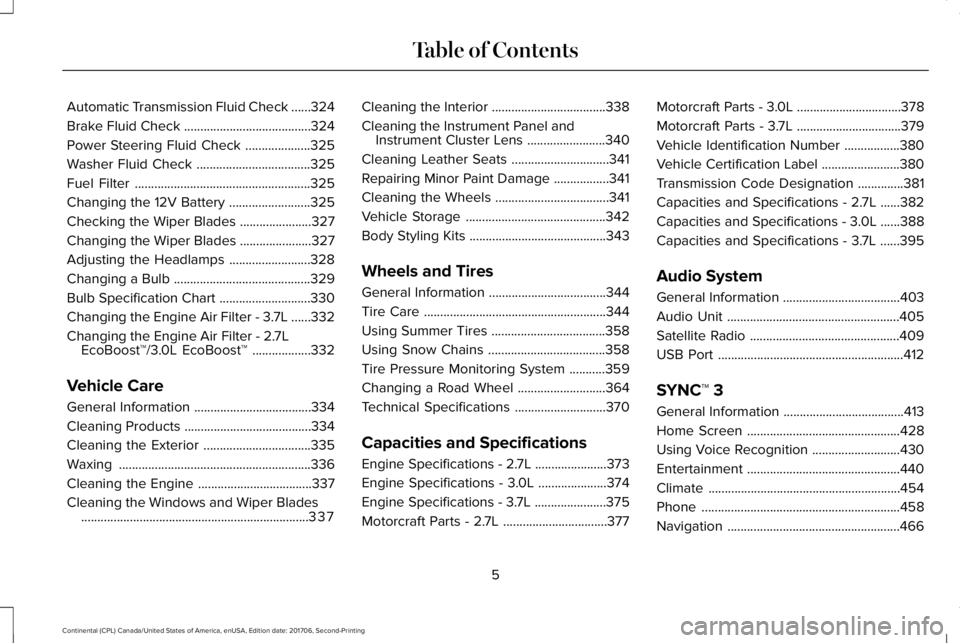
Automatic Transmission Fluid Check......324
Brake Fluid Check.......................................324
Power Steering Fluid Check....................325
Washer Fluid Check...................................325
Fuel Filter......................................................325
Changing the 12V Battery.........................325
Checking the Wiper Blades......................327
Changing the Wiper Blades......................327
Adjusting the Headlamps.........................328
Changing a Bulb..........................................329
Bulb Specification Chart............................330
Changing the Engine Air Filter - 3.7L......332
Changing the Engine Air Filter - 2.7LEcoBoost™/3.0L EcoBoost™..................332
Vehicle Care
General Information....................................334
Cleaning Products.......................................334
Cleaning the Exterior.................................335
Waxing...........................................................336
Cleaning the Engine...................................337
Cleaning the Windows and Wiper Blades......................................................................337
Cleaning the Interior...................................338
Cleaning the Instrument Panel andInstrument Cluster Lens........................340
Cleaning Leather Seats..............................341
Repairing Minor Paint Damage.................341
Cleaning the Wheels...................................341
Vehicle Storage...........................................342
Body Styling Kits..........................................343
Wheels and Tires
General Information....................................344
Tire Care........................................................344
Using Summer Tires...................................358
Using Snow Chains....................................358
Tire Pressure Monitoring System...........359
Changing a Road Wheel...........................364
Technical Specifications............................370
Capacities and Specifications
Engine Specifications - 2.7L......................373
Engine Specifications - 3.0L.....................374
Engine Specifications - 3.7L......................375
Motorcraft Parts - 2.7L................................377
Motorcraft Parts - 3.0L................................378
Motorcraft Parts - 3.7L................................379
Vehicle Identification Number.................380
Vehicle Certification Label........................380
Transmission Code Designation..............381
Capacities and Specifications - 2.7L......382
Capacities and Specifications - 3.0L......388
Capacities and Specifications - 3.7L......395
Audio System
General Information....................................403
Audio Unit.....................................................405
Satellite Radio..............................................409
USB Port.........................................................412
SYNC™ 3
General Information.....................................413
Home Screen...............................................428
Using Voice Recognition...........................430
Entertainment...............................................440
Climate...........................................................454
Phone.............................................................458
Navigation.....................................................466
5
Continental (CPL) Canada/United States of America, enUSA, Edition date: 201706, Second-Printing
Table of Contents
Page 427 of 615
•Do not leave playing devices in yourvehicle during extreme conditions as itcould cause them damage. See yourdevice's user guide for furtherinformation.
•For your safety, some SYNC 3 functionsare speed-dependent. Their use is limitedto when your vehicle is traveling atspeeds under 3 mph (5 km/h). Make surethat you review your device's manualbefore using it with SYNC 3.
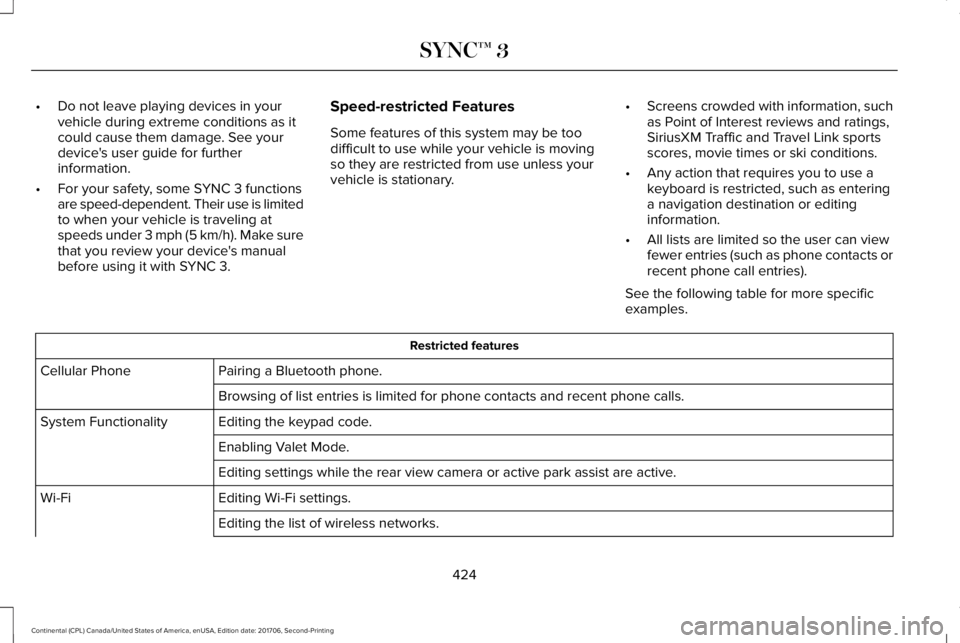
Speed-restricted Features
Some features of this system may be toodifficult to use while your vehicle is movingso they are restricted from use unless yourvehicle is stationary.
•Screens crowded with information, suchas Point of Interest reviews and ratings,SiriusXM Traffic and Travel Link sportsscores, movie times or ski conditions.
•Any action that requires you to use akeyboard is restricted, such as enteringa navigation destination or editinginformation.
•All lists are limited so the user can viewfewer entries (such as phone contacts orrecent phone call entries).
See the following table for more specificexamples.
Restricted features
Pairing a Bluetooth phone.Cellular Phone
Browsing of list entries is limited for phone contacts and recent phone calls.
Editing the keypad code.System Functionality
Enabling Valet Mode.
Editing settings while the rear view camera or active park assist are active.
Editing Wi-Fi settings.Wi-Fi
Editing the list of wireless networks.
424
Continental (CPL) Canada/United States of America, enUSA, Edition date: 201706, Second-Printing
SYNC™ 3
Page 436 of 615
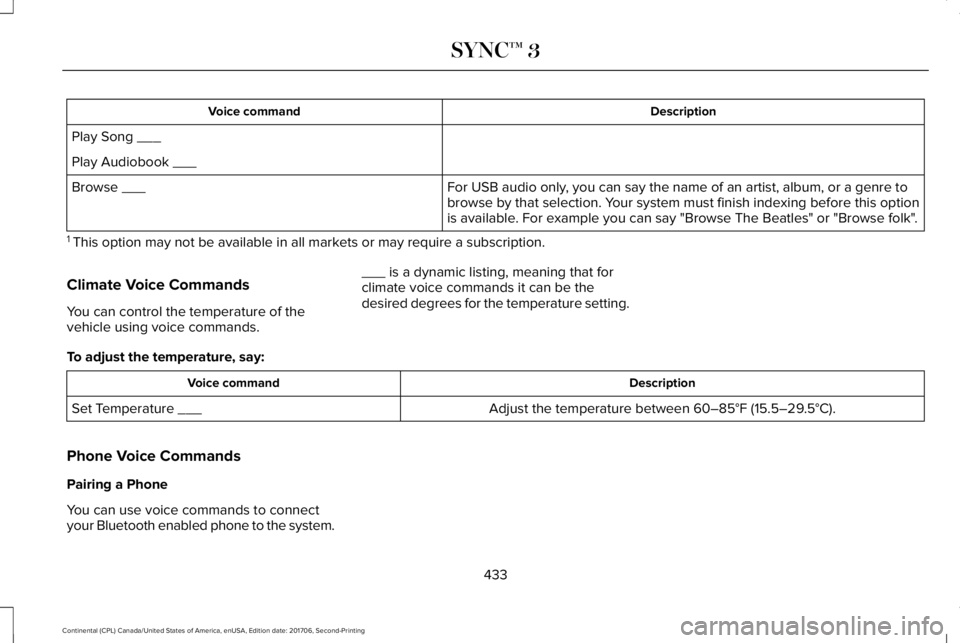
DescriptionVoice command
Play Song ___
Play Audiobook ___
For USB audio only, you can say the name of an artist, album, or a genre tobrowse by that selection. Your system must finish indexing before this optionis available. For example you can say "Browse The Beatles" or "Browse folk".
Browse ___
1 This option may not be available in all markets or may require a subscription.
Climate Voice Commands
You can control the temperature of thevehicle using voice commands.
___ is a dynamic listing, meaning that forclimate voice commands it can be thedesired degrees for the temperature setting.
To adjust the temperature, say:
DescriptionVoice command
Adjust the temperature between 60–85°F (15.5–29.5°C).Set Temperature ___
Phone Voice Commands
Pairing a Phone
You can use voice commands to connectyour Bluetooth enabled phone to the system.
433
Continental (CPL) Canada/United States of America, enUSA, Edition date: 201706, Second-Printing
SYNC™ 3
Page 437 of 615
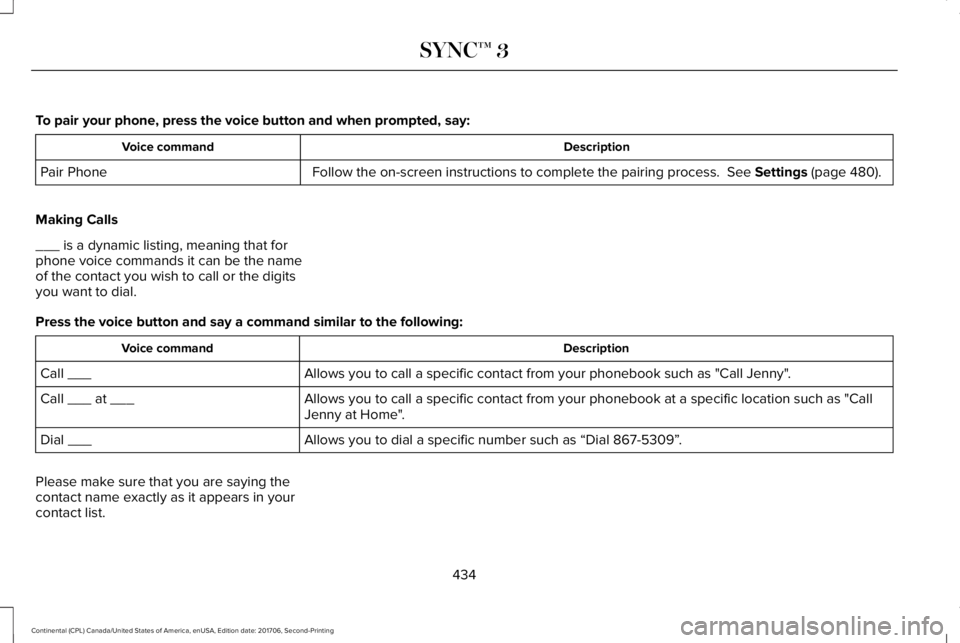
To pair your phone, press the voice button and when prompted, say:
DescriptionVoice command
Follow the on-screen instructions to complete the pairing process. See Settings (page 480).Pair Phone
Making Calls
___ is a dynamic listing, meaning that forphone voice commands it can be the nameof the contact you wish to call or the digitsyou want to dial.
Press the voice button and say a command similar to the following:
DescriptionVoice command
Allows you to call a specific contact from your phonebook such as "Call Jenny".Call ___
Allows you to call a specific contact from your phonebook at a specific location such as "CallJenny at Home".Call ___ at ___
Allows you to dial a specific number such as “Dial 867-5309”.Dial ___
Please make sure that you are saying thecontact name exactly as it appears in yourcontact list.
434
Continental (CPL) Canada/United States of America, enUSA, Edition date: 201706, Second-Printing
SYNC™ 3
Page 461 of 615
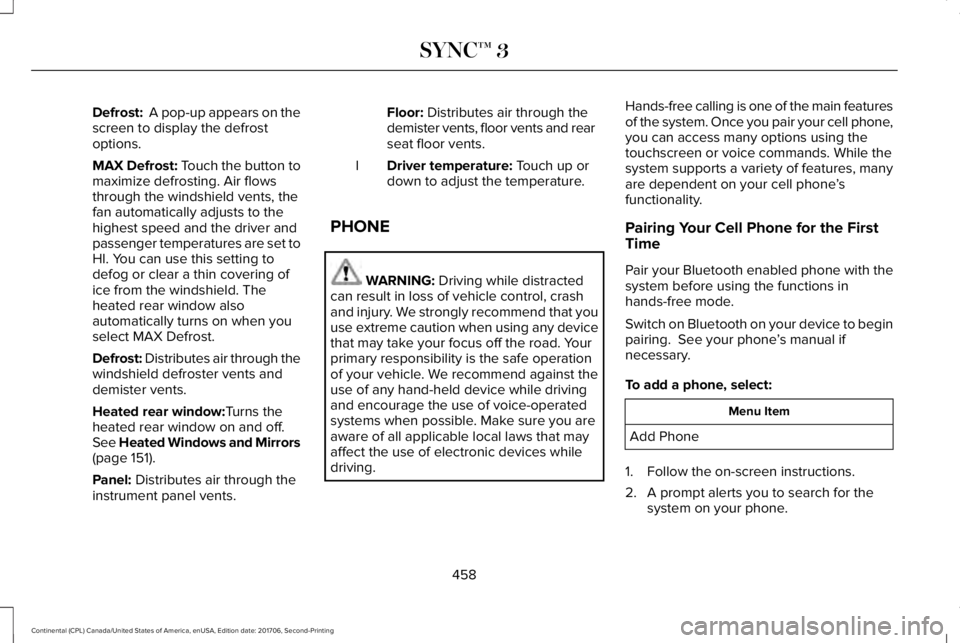
Defrost: A pop-up appears on thescreen to display the defrostoptions.
MAX Defrost: Touch the button tomaximize defrosting. Air flowsthrough the windshield vents, thefan automatically adjusts to thehighest speed and the driver andpassenger temperatures are set toHI. You can use this setting todefog or clear a thin covering ofice from the windshield. Theheated rear window alsoautomatically turns on when youselect MAX Defrost.
Defrost: Distributes air through thewindshield defroster vents anddemister vents.
Heated rear window:Turns theheated rear window on and off.See Heated Windows and Mirrors(page 151).
Panel: Distributes air through theinstrument panel vents.
Floor: Distributes air through thedemister vents, floor vents and rearseat floor vents.
Driver temperature: Touch up ordown to adjust the temperature.I
PHONE
WARNING: Driving while distractedcan result in loss of vehicle control, crashand injury. We strongly recommend that youuse extreme caution when using any devicethat may take your focus off the road. Yourprimary responsibility is the safe operationof your vehicle. We recommend against theuse of any hand-held device while drivingand encourage the use of voice-operatedsystems when possible. Make sure you areaware of all applicable local laws that mayaffect the use of electronic devices whiledriving.
Hands-free calling is one of the main featuresof the system. Once you pair your cell phone,you can access many options using thetouchscreen or voice commands. While thesystem supports a variety of features, manyare dependent on your cell phone’sfunctionality.
Pairing Your Cell Phone for the FirstTime
Pair your Bluetooth enabled phone with thesystem before using the functions inhands-free mode.
Switch on Bluetooth on your device to beginpairing. See your phone’s manual ifnecessary.
To add a phone, select:
Menu Item
Add Phone
1. Follow the on-screen instructions.
2. A prompt alerts you to search for thesystem on your phone.
458
Continental (CPL) Canada/United States of America, enUSA, Edition date: 201706, Second-Printing
SYNC™ 3
Page 462 of 615
3.Select your vehicle's make and model asit displays on your phone.
4. Confirm that the six-digit numberappearing on your phone matches thesix-digit number on the touchscreen.
5. The touchscreen indicates when thepairing is successful.
6. Your phone may prompt you to give thesystem permission to access information.To check your phone’s compatibility, seeyour phone’s manual or visit the website.
Alternatively, to add a phone, select:
Menu Item
Add Phone
Then select:
Discover Other Bluetooth Devices
1. Follow the on-screen instructions.
2. Select your phone's name when itappears on the touchscreen.
3. Confirm that the six-digit numberappearing on your phone matches thesix-digit number on the touchscreen.
4. The touchscreen indicates when thepairing is successful.
5. Your phone may prompt you to give thesystem permission to access information.To check your phone’s compatibility, seeyour phone’s manual or visit the website.
At a minimum, most cell phones withBluetooth wireless technology support thefollowing functions:
•Answering an incoming call.
•Ending a call.
•Dialing a number.
•Call waiting notification.
•Caller identification.
Other features, such as text messaging usingBluetooth and automatic phonebookdownload, are phone-dependent features.
To check your phone’s compatibility, seeyour phone’s manual or visit the website:
Websites
owner.lincoln.comwww.syncmyride.cawww.syncmaroute.ca
Phone Menu
This menu becomes available after pairinga phone.
459
Continental (CPL) Canada/United States of America, enUSA, Edition date: 201706, Second-Printing
SYNC™ 3
Page 486 of 615
Action and DescriptionMenu Item
Select how time displays.Clock Format
When active, the clock adjusts to time zone changes.Auto Time Zone UpdateThis feature is only available in vehicles with navigation.
When selected, the vehicle clock resets to GPS satellite time.Reset Clock to GPS Time
The system automatically saves any updatesyou make to the settings.
Bluetooth
Pressing this button allows you to access thefollowing:
ActionMenu Item
OnBluetooth
Off
You must activate Bluetooth to pair aBluetooth enabled device.
The processes of pairing a Bluetooth deviceis the same as pairing a phone. See Pairinga Device in Phone settings for how to pair adevice and the available options.
Phone
Pair your Bluetooth enabled phone with thesystem before using the functions inhands-free mode.
Switch on Bluetooth on your device to beginpairing. See your phone’s manual ifnecessary.
483
Continental (CPL) Canada/United States of America, enUSA, Edition date: 201706, Second-Printing
SYNC™ 3
Page 487 of 615
To add a phone, select:
Menu Item
Add Phone
1. Follow the on-screen instructions.
2. A prompt alerts you to search for thesystem on your phone.
3.Select your vehicle's make and model asit displays on your phone.
4. Confirm that the six-digit numberappearing on your phone matches thesix-digit number on the touchscreen.
5. The touchscreen indicates when thepairing is successful.
6. Your phone may prompt you to give thesystem permission to access information.To check your phone’s compatibility, seeyour phone’s manual or visit the website.
Alternatively, to add a phone, select:
Menu Item
Add Phone
Then select:
Discover Other Bluetooth Devices
1. Follow the on-screen instructions.
2. Select your phone's name when itappears on the touchscreen.
3. Confirm that the six-digit numberappearing on your phone matches thesix-digit number on the touchscreen.
4. The touchscreen indicates when thepairing is successful.
5. Your phone may prompt you to give thesystem permission to access information.To check your phone’s compatibility, seeyour phone’s manual or visit the website.
Other features, such as text messaging usingBluetooth and automatic phonebookdownload, are phone-dependent features.
Once you have paired a device you canadjust the following options.
To check your phone’s compatibility, seeyour phone’s manual or visit the website:
Website
owner.lincoln.comwww.syncmyride.cawww.syncmaroute.ca
Once you have paired a device you canadjust the following options.
484
Continental (CPL) Canada/United States of America, enUSA, Edition date: 201706, Second-Printing
SYNC™ 3
Page 507 of 615
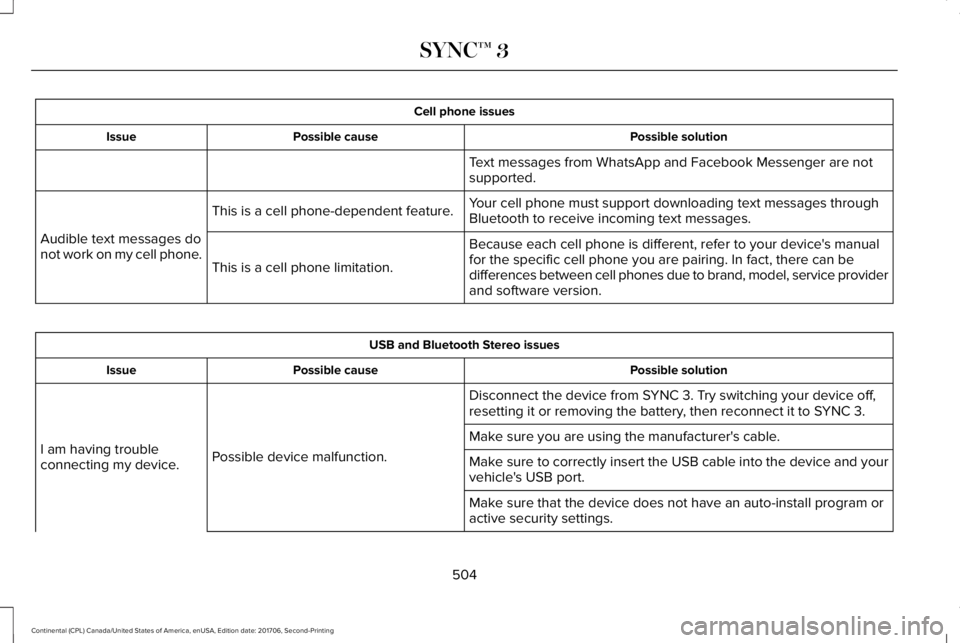
Cell phone issues
Possible solutionPossible causeIssue
Text messages from WhatsApp and Facebook Messenger are notsupported.
Your cell phone must support downloading text messages throughBluetooth to receive incoming text messages.This is a cell phone-dependent feature.
Audible text messages donot work on my cell phone.Because each cell phone is different, refer to your device's manualfor the specific cell phone you are pairing. In fact, there can bedifferences between cell phones due to brand, model, service providerand software version.
This is a cell phone limitation.
USB and Bluetooth Stereo issues
Possible solutionPossible causeIssue
Disconnect the device from SYNC 3. Try switching your device off,resetting it or removing the battery, then reconnect it to SYNC 3.
Possible device malfunction.I am having troubleconnecting my device.
Make sure you are using the manufacturer's cable.
Make sure to correctly insert the USB cable into the device and yourvehicle's USB port.
Make sure that the device does not have an auto-install program oractive security settings.
504
Continental (CPL) Canada/United States of America, enUSA, Edition date: 201706, Second-Printing
SYNC™ 3
Page 611 of 615
N
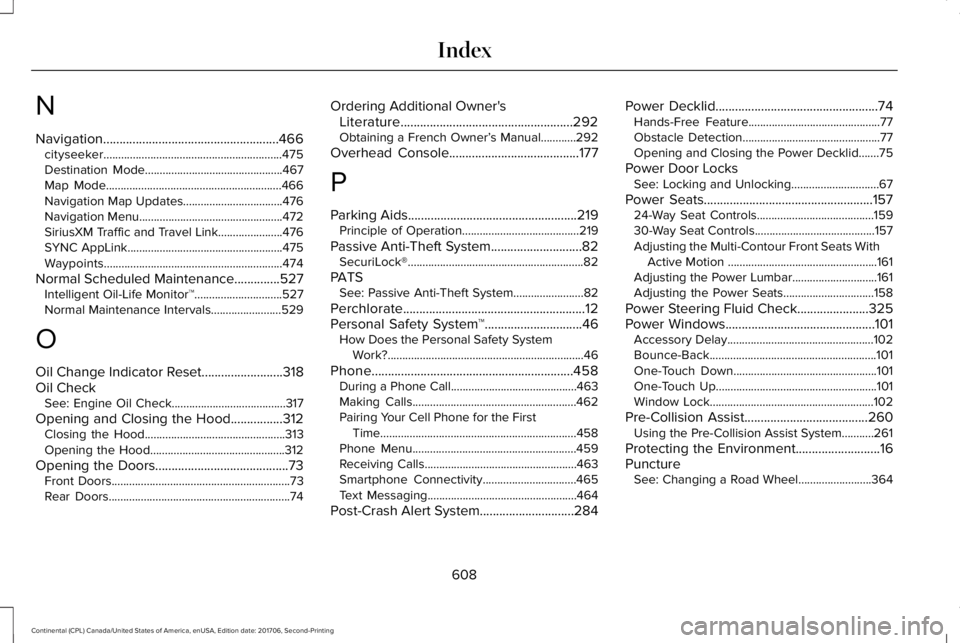
Navigation......................................................466cityseeker.............................................................475Destination Mode...............................................467Map Mode............................................................466Navigation Map Updates..................................476Navigation Menu.................................................472SiriusXM Traffic and Travel Link......................476SYNC AppLink.....................................................475Waypoints.............................................................474
Normal Scheduled Maintenance..............527Intelligent Oil-Life Monitor™..............................527Normal Maintenance Intervals........................529
O
Oil Change Indicator Reset.........................318Oil CheckSee: Engine Oil Check.......................................317
Opening and Closing the Hood................312Closing the Hood................................................313Opening the Hood..............................................312
Opening the Doors.........................................73Front Doors.............................................................73Rear Doors..............................................................74
Ordering Additional Owner'sLiterature.....................................................292Obtaining a French Owner’s Manual............292
Overhead Console........................................177
P
Parking Aids....................................................219Principle of Operation........................................219
Passive Anti-Theft System............................82SecuriLock®............................................................82
PATSSee: Passive Anti-Theft System........................82
Perchlorate........................................................12Personal Safety System™..............................46How Does the Personal Safety SystemWork?...................................................................46
Phone..............................................................458During a Phone Call...........................................463Making Calls........................................................462Pairing Your Cell Phone for the FirstTime...................................................................458Phone Menu........................................................459Receiving Calls....................................................463Smartphone Connectivity................................465Text Messaging...................................................464
Post-Crash Alert System.............................284
Power Decklid..................................................74Hands-Free Feature.............................................77Obstacle Detection...............................................77Opening and Closing the Power Decklid.......75
Power Door LocksSee: Locking and Unlocking..............................67
Power Seats....................................................15724-Way Seat Controls........................................15930-Way Seat Controls.........................................157Adjusting the Multi-Contour Front Seats WithActive Motion ...................................................161Adjusting the Power Lumbar.............................161Adjusting the Power Seats...............................158
Power Steering Fluid Check......................325Power Windows..............................................101Accessory Delay..................................................102Bounce-Back.........................................................101One-Touch Down.................................................101One-Touch Up.......................................................101Window Lock........................................................102
Pre-Collision Assist......................................260Using the Pre-Collision Assist System...........261
Protecting the Environment..........................16PunctureSee: Changing a Road Wheel.........................364
608
Continental (CPL) Canada/United States of America, enUSA, Edition date: 201706, Second-Printing
Index