ECU LINCOLN CONTINENTAL 2019 User Guide
[x] Cancel search | Manufacturer: LINCOLN, Model Year: 2019, Model line: CONTINENTAL, Model: LINCOLN CONTINENTAL 2019Pages: 627, PDF Size: 6.39 MB
Page 41 of 627
•
Height adjuster at the front outboard
seating positions.
• Seatbelt pretensioner at the front
outboard seating positions.
• Belt tension sensor at the front outboard
passenger seating position. •
Seatbelt warning light and chime. •
Crash sensors and monitoring system
with readiness indicator.
The seatbelt pretensioners and rear
inflatable seatbelts are designed to activate
in frontal, near-frontal and side crashes, and
in rollovers. The seatbelt pretensioners at
the front seating positions are designed to
tighten the seatbelts firmly against the
occupant’ s body when activated. This helps
increase the effectiveness of the seatbelts.
In frontal crashes, the seatbelt pretensioners
can be activated alone or, if the crash is of
sufficient severity, together with the front
airbags. FASTENING THE SEATBELTS
Standard belts shown, inflatable belts similar
The front outermost and rear safety restraints
in the vehicle are combination lap and
shoulder belts.
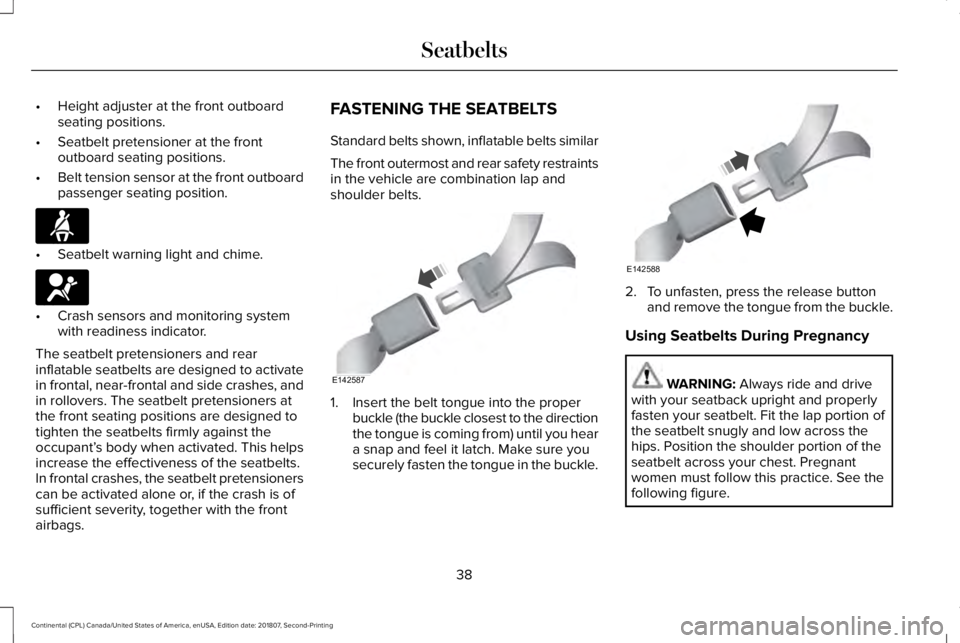
1. Insert the belt tongue into the proper
buckle (the buckle closest to the direction
the tongue is coming from) until you hear
a snap and feel it latch. Make sure you
securely fasten the tongue in the buckle. 2. To unfasten, press the release button
and remove the tongue from the buckle.
Using Seatbelts During Pregnancy WARNING: Always ride and drive
with your seatback upright and properly
fasten your seatbelt. Fit the lap portion of
the seatbelt snugly and low across the
hips. Position the shoulder portion of the
seatbelt across your chest. Pregnant
women must follow this practice. See the
following figure.
38
Continental (CPL) Canada/United States of America, enUSA, Edition date: 201807, Second-Printing SeatbeltsE71880 E67017 E142587 E142588
Page 64 of 627
Number of Admin Keys
Indicates how many admin keys are
programmed to your vehicle. Use this feature
to determine how many admin keys you have
for your vehicle, and detect if an additional
MyKey has been programmed.
USING MYKEY WITH REMOTE
START SYSTEMS
MyKey is not compatible with non
Lincoln-approved, aftermarket remote start
systems. If you choose to install a remote
start system, see an authorized dealer for a
Lincoln-approved remote start system.
MYKEY – TROUBLESHOOTING Potential causes
Condition
· The key or transmitter used to start the vehicle does not have admin
privileges.
I cannot create a MyKey.
· Vehicles with keyless start: Make sure you place the transmitter into
the backup slot. See Passive Anti-Theft System (page 83).
· The key or transmitter used to start the vehicle is the only admin key.
There always has to be at least one admin key.
· SecuriLock passive anti-theft system is disabled or in unlimited mode.
· The key or transmitter used to start the vehicle does not have admin
privileges.
I cannot program the configurable settings.
61
Continental (CPL) Canada/United States of America, enUSA, Edition date: 201807, Second-Printing MyKey™
Page 67 of 627
REMOTE CONTROL
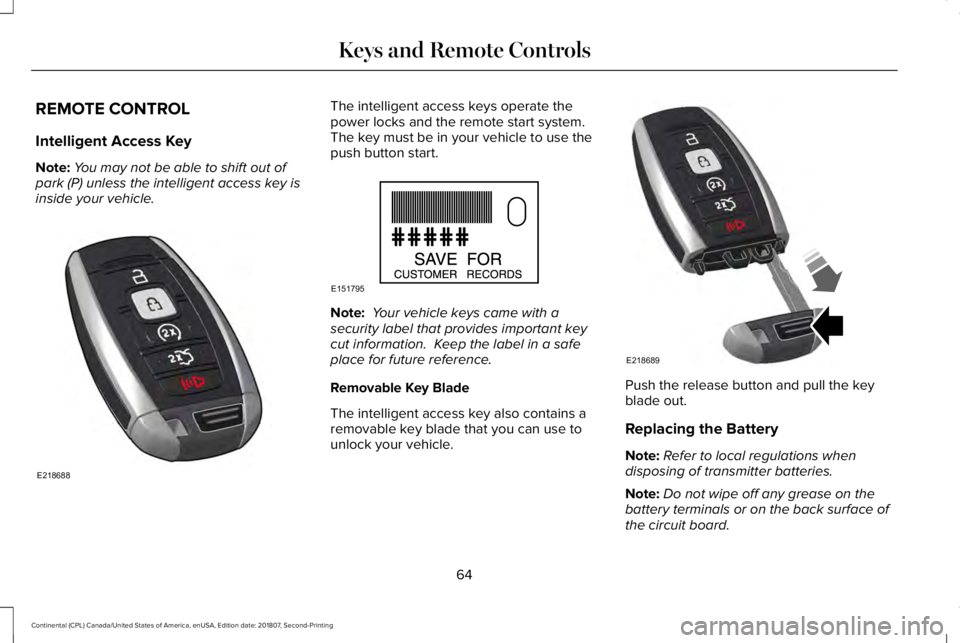
Intelligent Access Key
Note:
You may not be able to shift out of
park (P) unless the intelligent access key is
inside your vehicle. The intelligent access keys operate the
power locks and the remote start system.
The key must be in your vehicle to use the
push button start.
Note:
Your vehicle keys came with a
security label that provides important key
cut information. Keep the label in a safe
place for future reference.
Removable Key Blade
The intelligent access key also contains a
removable key blade that you can use to
unlock your vehicle. Push the release button and pull the key
blade out.
Replacing the Battery
Note:
Refer to local regulations when
disposing of transmitter batteries.
Note: Do not wipe off any grease on the
battery terminals or on the back surface of
the circuit board.
64
Continental (CPL) Canada/United States of America, enUSA, Edition date: 201807, Second-Printing Keys and Remote ControlsE218688 E151795 E218689
Page 71 of 627
LOCKING AND UNLOCKING
Your vehicle has an intelligent electronically
controlled door system that is in constant
communication with overall vehicle systems.
When you lock your vehicle using the lock
switch on each door interior trim panel, or
by using the keyless entry keypad or the lock
sensor on each door exterior trim panel, the
exterior door handle switches do not release
the doors. This helps to secure your vehicle
and prevent unauthorized entry. Also, when
your vehicle reaches a speed greater than
12 mph (20 km/h) the exterior door handle
switches do not release the doors.
If the airbags deploy or the fuel pump shutoff
switch activates, all interior and exterior
unlock switches do not unlock your door for
six seconds. This helps to secure the doors
in the event of a crash. After six seconds, all
switches reset and you can open the doors
using the interior and exterior unlatch
switches. Door Lock Indicator
An LED on each front door window trim
illuminates when you lock the doors. It
remains on for 2 to 5 seconds after you
switch the ignition off.
Door Lock Switch Inhibitor
When you electronically lock your vehicle,
the door lock switches and the interior
luggage compartment release switch do not
operate after 20 seconds. You must unlock
your vehicle with the remote control or
keyless entry keypad, or switch the ignition
on, to restore function to these switches.
You can switch this feature on or off in the
information display.
See General
Information (page 112).
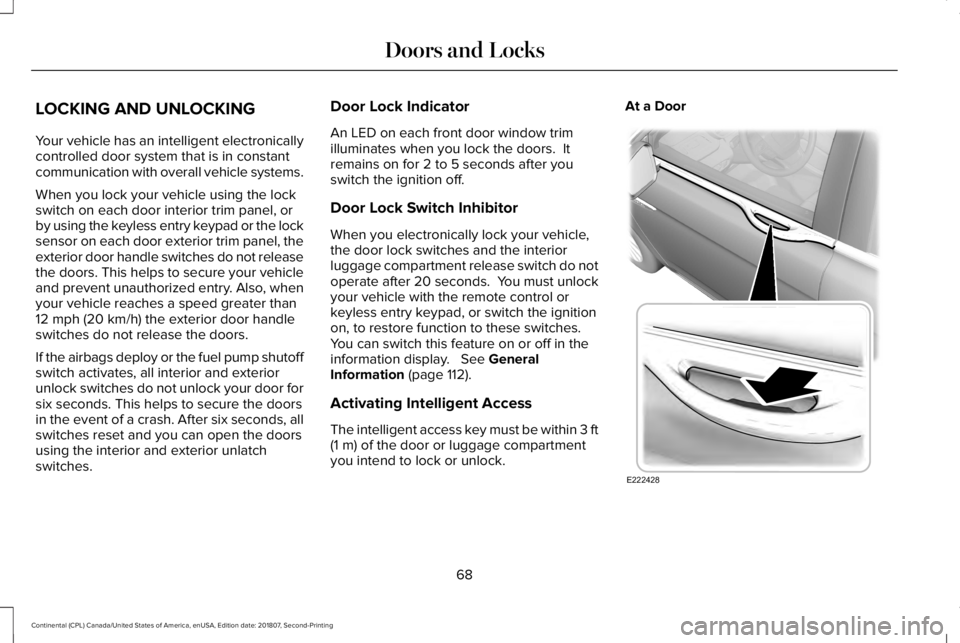
Activating Intelligent Access
The intelligent access key must be within 3 ft
(1 m)
of the door or luggage compartment
you intend to lock or unlock. At a Door
68
Continental (CPL) Canada/United States of America, enUSA, Edition date: 201807, Second-Printing Doors and LocksE222428
Page 74 of 627
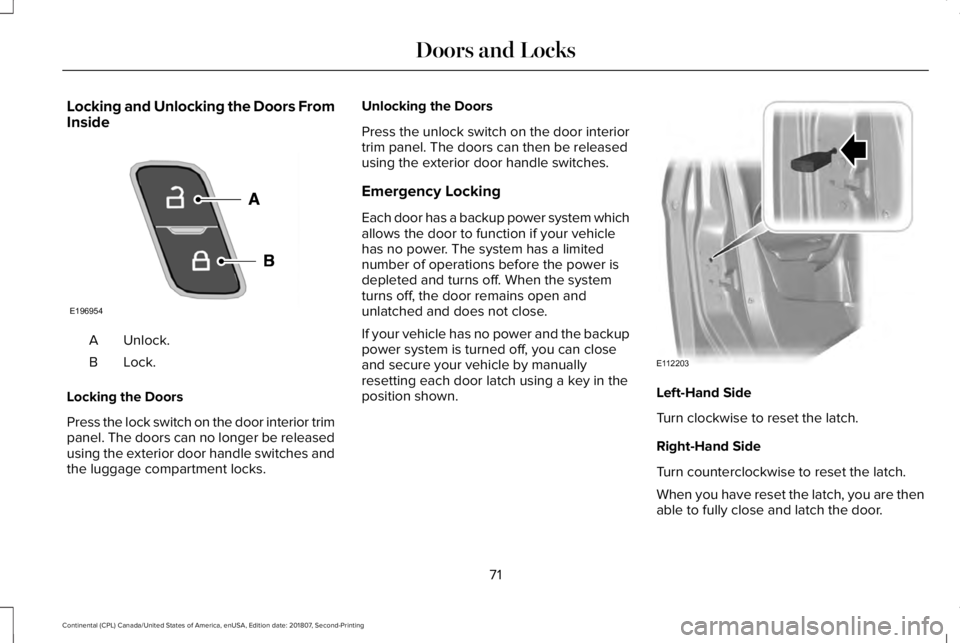
Locking and Unlocking the Doors From
Inside
Unlock.
A
Lock.B
Locking the Doors
Press the lock switch on the door interior trim
panel. The doors can no longer be released
using the exterior door handle switches and
the luggage compartment locks. Unlocking the Doors
Press the unlock switch on the door interior
trim panel. The doors can then be released
using the exterior door handle switches.
Emergency Locking
Each door has a backup power system which
allows the door to function if your vehicle
has no power. The system has a limited
number of operations before the power is
depleted and turns off. When the system
turns off, the door remains open and
unlatched and does not close.
If your vehicle has no power and the backup
power system is turned off, you can close
and secure your vehicle by manually
resetting each door latch using a key in the
position shown.
Left-Hand Side
Turn clockwise to reset the latch.
Right-Hand Side
Turn counterclockwise to reset the latch.
When you have reset the latch, you are then
able to fully close and latch the door.
71
Continental (CPL) Canada/United States of America, enUSA, Edition date: 201807, Second-Printing Doors and LocksE196954 E112203
Page 82 of 627
1.
Move your foot under and away from the
rear bumper detection area in a
single-kick motion. Do not move your
foot sideways or the sensors may not
detect the motion.
2. The decklid opens or closes.
Note: Allow the power system to open the
decklid. Manually pushing or pulling the
decklid may activate the system’ s obstacle
detection feature and stop the power
operation or reverse its direction.
Note: Splashing water may cause the
hands-free decklid to open. Keep the
intelligent access key away from the rear
bumper detection area when washing your
vehicle.
SOFT CLOSING DOOR
Gently close the door until it fully latches.
The system automatically closes the door,
making sure it is fully secure.
Note: The system does not work if the
vehicle battery charge is low. Note:
The system is limited to 25 cycles
between each ignition cycle. This is to
prevent the vehicle battery from losing
charge.
Note: You can override soft close by fully
closing the door manually.
KEYLESS ENTRY
SECURICODE™ Keyless Entry Keypad
The keypad is near the driver window. It
illuminates when touched.
Note: If you enter your entry code too fast
on the keypad, the unlock function may not
work. Enter your entry code again more
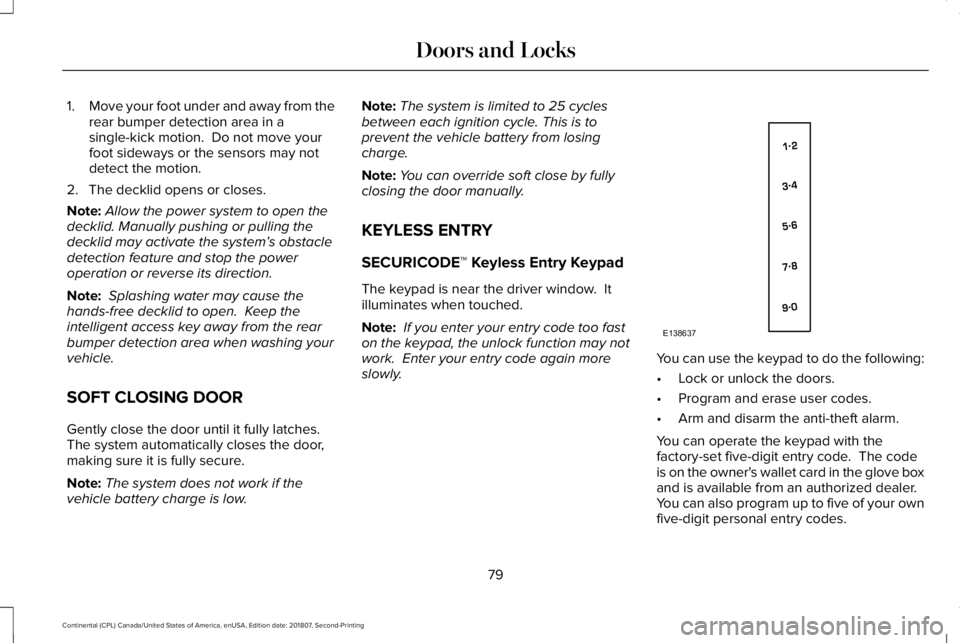
slowly. You can use the keypad to do the following:
•
Lock or unlock the doors.
• Program and erase user codes.
• Arm and disarm the anti-theft alarm.
You can operate the keypad with the
factory-set five-digit entry code. The code
is on the owner's wallet card in the glove box
and is available from an authorized dealer.
You can also program up to five of your own
five-digit personal entry codes.
79
Continental (CPL) Canada/United States of America, enUSA, Edition date: 201807, Second-Printing Doors and LocksE138637
Page 86 of 627
PASSIVE ANTI-THEFT SYSTEM
Note:
The system is not compatible with
non-Lincoln aftermarket remote start
systems. Use of these systems may result in
engine starting problems and a loss of
security protection.
Note: Metallic objects, electronic devices
or a second coded key on the same key
chain may result in vehicle starting problems,
especially if they are too close to the key
when starting your vehicle. Prevent these
objects from touching the coded key when
starting your vehicle. Switch the ignition off,
move all objects on the key chain away from
the coded key and restart your vehicle if a
problem occurs.
Note: Do not leave a duplicate coded key
in your vehicle. Always take your keys and
lock all doors when leaving your vehicle. SecuriLock®
The system helps prevent the engine from
starting unless you use a coded key
programmed to your vehicle. Using the
wrong key may prevent your vehicle from
starting. A message may appear in the
information display.
If you are unable to start your vehicle with a
coded key, it is not operating correctly. A
message may appear in the information
display.
Automatic Arming
The system arms when you switch the
ignition off.
Automatic Disarming
The system disarms when you switch the
ignition on with a coded key.
Replacement Keys
Note:
Your vehicle comes with two keys. The intelligent access key functions as a
programmed key that operates the driver
door lock and turns on the intelligent access
with push button start system, as well as a
remote control.
If your programmed transmitters are lost or
stolen and you do not have an extra coded
key, you will need to have your vehicle
towed to an authorized dealer. You need to
erase the key codes from your vehicle and
program new coded keys.
Store a spare intelligent access key away
from your vehicle in a safe place. You can
purchase replacement keys or remote
controls from an authorized dealer.
Programming a Spare Intelligent Access
Key
Note:
You can program a maximum of four
keys to your vehicle.
You must have two previously programmed
intelligent access keys inside your vehicle
and the new unprogrammed intelligent
access key readily accessible. You can
purchase replacement keys or remote
controls from an authorized dealer.
83
Continental (CPL) Canada/United States of America, enUSA, Edition date: 201807, Second-Printing Security
Page 87 of 627
Make sure that the ignition is switched off
before beginning this procedure. Make sure
that you close all the doors before beginning
and that they remain closed throughout the
procedure. Carry out all steps within 30
seconds of starting the sequence. Stop and
wait for at least one minute before starting
again if you carry out any steps out of
sequence.
Read and understand the entire procedure
before you begin.
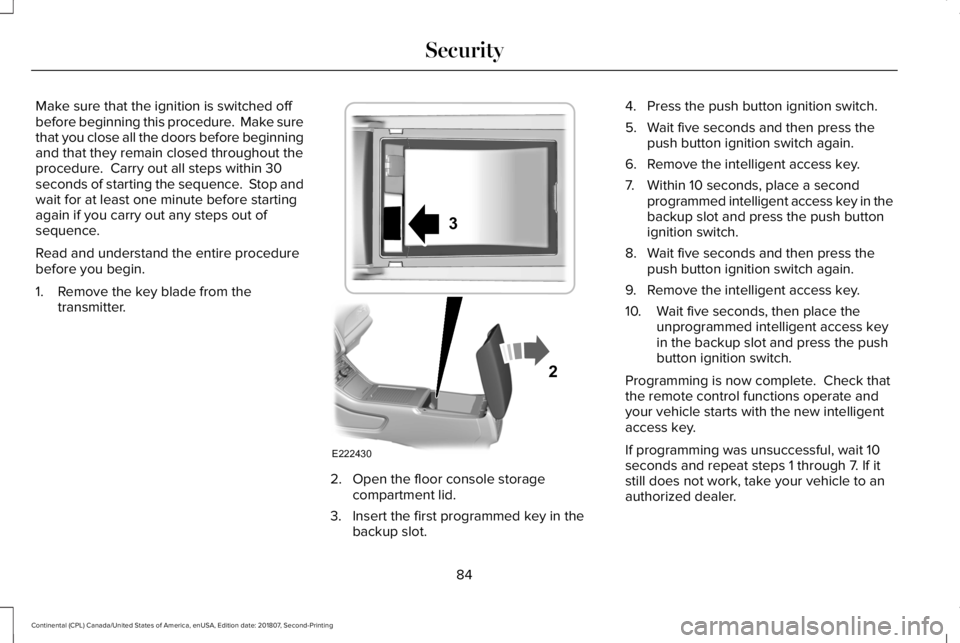
1. Remove the key blade from the
transmitter. 2. Open the floor console storage
compartment lid.
3. Insert the first programmed key in the backup slot. 4. Press the push button ignition switch.
5. Wait five seconds and then press the
push button ignition switch again.
6. Remove the intelligent access key.
7. Within 10 seconds, place a second programmed intelligent access key in the
backup slot and press the push button
ignition switch.
8. Wait five seconds and then press the push button ignition switch again.
9. Remove the intelligent access key.
10. Wait five seconds, then place the unprogrammed intelligent access key
in the backup slot and press the push
button ignition switch.
Programming is now complete. Check that
the remote control functions operate and
your vehicle starts with the new intelligent
access key.
If programming was unsuccessful, wait 10
seconds and repeat steps 1 through 7. If it
still does not work, take your vehicle to an
authorized dealer.
84
Continental (CPL) Canada/United States of America, enUSA, Edition date: 201807, Second-Printing SecurityE222430
2
3
Page 88 of 627
ANTI-THEFT ALARM
The system will warn you of an unauthorized
entry to your vehicle. It will be triggered if
any door, the luggage compartment or the
hood is opened without using the key,
remote control or keyless entry keypad.
The direction indicators will flash and the
horn will sound if unauthorized entry is
attempted while the alarm is armed.
Take all remote controls to an authorized
dealer if there is any potential alarm problem
with your vehicle.
Arming the Alarm
The alarm is ready to arm when there is not
a key in your vehicle. Electronically lock your
vehicle to arm the alarm.
Disarming the Alarm
Disarm the alarm by any of the following
actions:
•
Unlock the doors or luggage
compartment with the remote control or
keyless entry keypad.
• Switch your vehicle on or start your
vehicle.
• Use a key in the driver door to unlock
your vehicle, then switch your vehicle on
within 12 seconds.
Note: Pressing the panic button on the
remote control will stop the horn and signal
indicators, but will not disarm the system.
85
Continental (CPL) Canada/United States of America, enUSA, Edition date: 201807, Second-Printing Security
Page 129 of 627

Blind Spot Information and Cross Traffic Alert System
Action
Message
A fault with the system has occurred. Contact an authorized dealer as so\
on as possible.
Blindspot System Fault
The system sensors are blocked. Contact an authorized dealer as soon as possible. See Blind
Spot Information System (page 250).
Blindspot Not Available Sensor Blocked
See Manual
The system detects a vehicle.
See Blind Spot Information System (page 250).
Vehicle Coming From X
The blind spot information system and cross traffic alert system sensors\
are blocked. See BlindSpot Information System
(page 250).
Cross Traffic Not Available Sensor Blocked
See Manual
A fault with the system has occurred. Contact an authorized dealer as so\
on as possible.
Cross Traffic System Fault
Doors and Locks Action
Message
The door listed is not completely closed.
X Door Ajar
The driver’s door is opened, your vehicle is in park and the engine is on.
Engine ON
Displays when the hood is not completely closed.
Hood Ajar
Displays when the door switches have been disabled.
Switches Inhibited Security Mode
There is a system malfunction with the child locks. Contact an authorize\
d dealer as soon as possible.
Child Lock Malfunction Service Required
126
Continental (CPL) Canada/United States of America, enUSA, Edition date: 201807, Second-Printing Information Displays