light LINCOLN CONTINENTAL 2020 Owners Manual
[x] Cancel search | Manufacturer: LINCOLN, Model Year: 2020, Model line: CONTINENTAL, Model: LINCOLN CONTINENTAL 2020Pages: 609, PDF Size: 6.24 MB
Page 468 of 609
When HD Radio broadcasts are active, you can access the following functions:
Action and Description
Message
Allows you to save an active channel as a memory preset. Touch and hold a memory preset slot
until the sound returns. There is a brief mute while the radio saves the\
station. Sound returns
when the channel saves. When switching to an HD2 or HD3 memory preset, t\
he sound mutes
before the digital audio plays, because the system has to reacquire the \
digital signal.
Presets
Note: As with any station you save, you cannot access the saved station if your vehicle is outside the sta\
tion’ s reception area.
HD Radio Reception and Station Troubleshooting Potential Reception Issues
If you are listening to a multicast station and you are on the fringe of\
the reception area, the station
may mute due to weak signal strength.
Reception area
If you are listening to HD1, the system changes back to the analog broad\
cast until the digital
broadcast is available again. However, if you are listening to any of the possible HD2-HD7 multicast
channels, the station mutes and stays muted unless it is able to connect\
to the digital signal again.
When the system first receives a station (aside from HD2-HD7 multicast \
stations), it first plays the
station in the analog version. Once the receiver verifies the station is\
an HD Radio station, it shifts
to the digital version. Depending on the station quality, you may hear a slight sound change when
the station changes from analog to digital. Blending is the shift from a\
nalog to digital sound or
digital back to analog sound.
Station blending
465
Continental (CPL) Canada/United States of America, enUSA, Edition date: 201907, Second-Printing SYNC™ 3
Page 471 of 609
You can use the forward, reverse, pause or
play buttons to control the audio playback.
Bluetooth Stereo or USB
Bluetooth Stereo and USB allow you to
access media that you store on your
Bluetooth device or USB device such as
music, audio books or podcasts.
The following buttons are available for Bluetooth and USB: Function
Button
Pressing the repeat button toggles the repeat setting through three mode\
s: repeat off (button not
highlighted), repeat all (button highlighted) and repeat track (butt\
on highlighted with a small number
one).
Repeat
Play the tracks in random order.
Shuffle
You can use the forward, reverse, pause or
play buttons to control the audio playback.
To get more information about the currently
playing track, press the cover art or Info
button. For some devices, SYNC 3 is able to provide
30-second skip buttons when you listen to
audio books or podcasts. These buttons
allow you to skip forward or backward within
a track.
While playing audio from a USB device you
can look for certain music by selecting the
following:
468
Continental (CPL) Canada/United States of America, enUSA, Edition date: 201907, Second-Printing SYNC™ 3
Page 485 of 609
For restaurants, cityseeker can provide
information such as star rating, average cost,
review, handicap access, hours of operation,
and website address.
For hotels, cityseeker can provide
information such as star rating, price
category, review, check-in and checkout
times, hotel service icons and website
address. Hotel service icons include:
•
Restaurant
• Business center
• Handicap facilities
• Laundry
• Refrigerator
• 24 hour room service
• Fitness center
• Internet access
• Pool
• Wi-Fi
Attractions include nearby landmarks,
amusement parks, historic buildings and
more. cityseeker can provide information
such as star rating, reviews, hour of operation
and admission price. SiriusXM Traffic and Travel Link (If
Equipped)
SiriusXM Traffic and Travel Link is available
on vehicles equipped with navigation and
only in select markets. You must activate and
subscribe to receive SiriusXM Traffic and
Travel Link information. It helps you locate
the best gas prices, find movie listings, get
current traffic alerts, view the weather map,
get accurate ski conditions and see current
sports scores.
The system calculates a reasonable efficient
route based on available speed limits, traffic,
and road conditions. You may know a local
short cut that is more efficient at a given time
than the route provided by SYNC 3, but you
should expect a slight difference in minutes
or miles with the SYNC 3 route. Michelin Travel Guide (If Equipped)
The Michelin travel guide is a service which
provides additional information about certain
places of interest, for example restaurants,
hotels and tourist sites. Points of interest that
have Michelin travel guide information
display a button to show you more
information. Push the button to see the
additional information. If you have paired
your phone with the system, you can press
the phone button to directly establish a call
with the selected point of interest.
Navigation Map Accuracy and Updates
HERE is the digital map provider for the
navigation application. If you find map data
errors, you may report them directly to HERE
by going to www.here.com. HERE evaluates
all reported map errors and responds with
the result of their investigation by e-mail.
482
Continental (CPL) Canada/United States of America, enUSA, Edition date: 201907, Second-Printing SYNC™ 3
Page 489 of 609
SETTINGS
Press the button to enter the
settings menu.
Once you select a tile, press the
button next to a menu item to view
an explanation of the feature or
setting.
Sound
Select this tile to adjust the sound settings.
Clock
Select this tile to adjust the clock settings.
Bluetooth
Select this tile to switch Bluetooth on and off
and adjust settings.
Phone
Select this tile to connect, disconnect, and
manage the connected device settings. Audio
Select this tile to adjust the audio settings.
Driver Assist (If Equipped)
Select this tile to adjust Driver Assist features
like Parking Aids, Lane Keeping system,
Pedestrian Detection, and Auto-Start-Stop.
Vehicle
Select this tile to adjust vehicle settings like
windows, alarm, lighting, backup starting
passcode, and MyKey settings.
Lincoln Way
Select this tile to adjust the Lincoln Way
settings.
General
Select this tile to adjust settings like
language, measurement units, or to reset the
system.
911 Assist
(If Equipped)
Select this tile to switch 911 Assist on and off. Automatic Updates
Select this tile to adjust automatic update
settings.
Mobile Apps
Select this tile to adjust permissions, enable,
disable, and update mobile apps.
Display
Select this tile to adjust display settings like
brightness and auto dim.
Charge Settings
(If Equipped)
Select this tile to adjust the electric vehicle
charge setting.
Voice Control
Select this tile to adjust voice control settings
like command confirmations and displayed
lists.
Navigation
(If Equipped)
Select this tile to adjust navigation settings
like map preferences and route guidance.
486
Continental (CPL) Canada/United States of America, enUSA, Edition date: 201907, Second-Printing SYNC™ 3E280315 E268570
Page 490 of 609
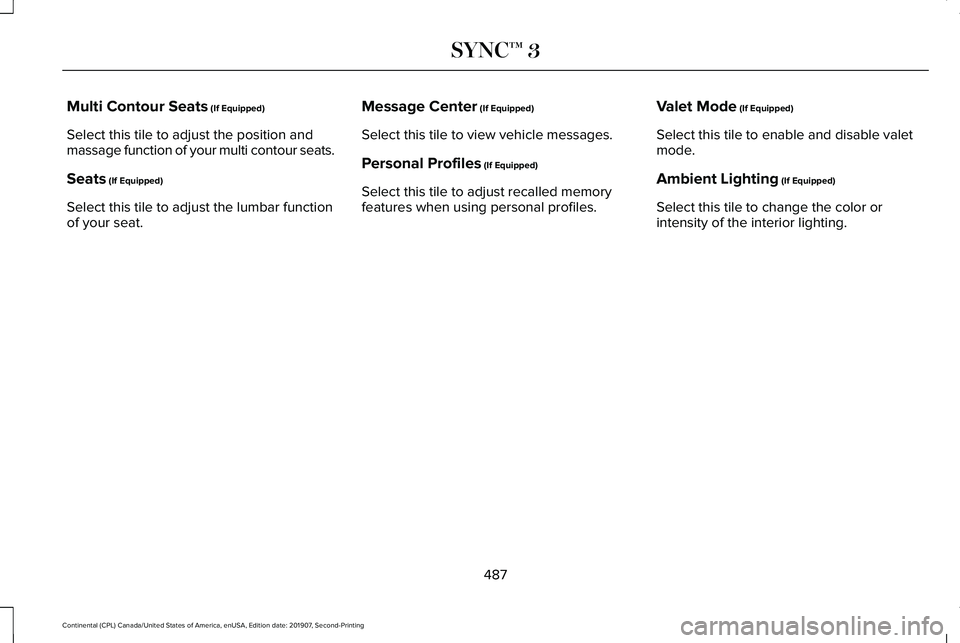
Multi Contour Seats (If Equipped)
Select this tile to adjust the position and
massage function of your multi contour seats.
Seats
(If Equipped)
Select this tile to adjust the lumbar function
of your seat. Message Center
(If Equipped)
Select this tile to view vehicle messages.
Personal Profiles
(If Equipped)
Select this tile to adjust recalled memory
features when using personal profiles. Valet Mode
(If Equipped)
Select this tile to enable and disable valet
mode.
Ambient Lighting
(If Equipped)
Select this tile to change the color or
intensity of the interior lighting.
487
Continental (CPL) Canada/United States of America, enUSA, Edition date: 201907, Second-Printing SYNC™ 3
Page 515 of 609
Make sure to change your vehicle
’s oils and
fluids at the specified intervals or in
conjunction with a repair. Flushing is a viable
way to change fluid for many vehicle
sub-systems during scheduled maintenance. It is critical that systems are flushed only with
new fluid that is the same as that required
to fill and operate the system or using a
Ford-approved flushing chemical.
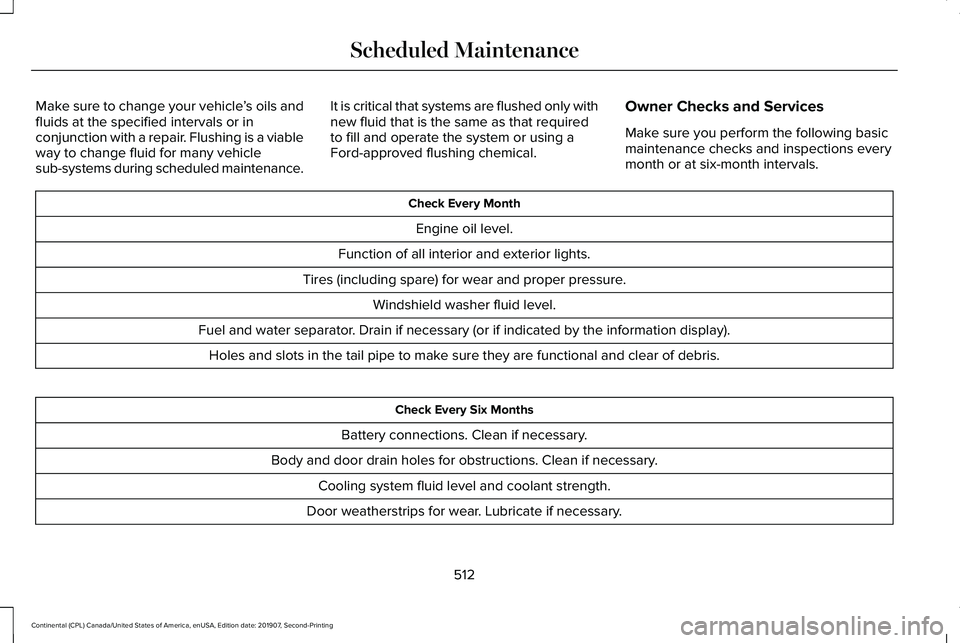
Owner Checks and Services
Make sure you perform the following basic
maintenance checks and inspections every
month or at six-month intervals. Check Every Month
Engine oil level.
Function of all interior and exterior lights.
Tires (including spare) for wear and proper pressure. Windshield washer fluid level.
Fuel and water separator. Drain if necessary (or if indicated by the information display). Holes and slots in the tail pipe to make sure they are functional and clear of debris. Check Every Six Months
Battery connections. Clean if necessary.
Body and door drain holes for obstructions. Clean if necessary. Cooling system fluid level and coolant strength.
Door weatherstrips for wear. Lubricate if necessary.
512
Continental (CPL) Canada/United States of America, enUSA, Edition date: 201907, Second-Printing Scheduled Maintenance
Page 580 of 609
SUNA Products and/or Services are intended
as an aid to personal motoring and travel
planning, and do not provide comprehensive
or accurate information on all occasions. On
occasions, you may experience additional
delay as a result of using SUNA Products
and/or Services. You acknowledge that it is
not intended, or suitable, for use in
applications where time of arrival or driving
directions may impact the safety of the public
or yourself.
4. Use of SUNA Products and Services
while driving
You, and other authorised drivers of the
vehicle in which SUNA Products and/or
Services are available or installed and active,
remain at all times responsible for observing
all relevant laws and codes of safe driving.
In particular, you agree to only actively
operate SUNA Products and/or Services
when the Vehicle is at a complete stop and
it is safe to do so.
5. Service Continuity and Reception of the
SUNA Traffic Channel
We will use reasonable endeavours to
provide the SUNA Traffic Channel 24 hours
a day, 365 days a year. The SUNA Traffic
Channel may occasionally be unavailable for
technical reasons or for planned
maintenance. We will try to perform
maintenance at times when congestion is
light. We reserve the right to withdraw SUNA
Products and/or Services at any time.
Also, we cannot assure the uninterrupted
reception of the SUNA Traffic Channel
RDS-TMC signal at any particular location.
6. Limitation of Liability
Neither Intelematics (nor its suppliers or the
manufacturer of your device (the
“Suppliers”)) shall be liable to you or to any
third party for any damages either direct,
indirect, incidental, consequential or
otherwise arising out of the use of or inability to use SUNA Products and/or Services even
if Intelematics or a Supplier has been advised
of the possibility of such damages. You also
acknowledge that the neither Intelematics
nor any Supplier guarantees nor make any
warranties that relate to the availability,
accuracy or completeness of SUNA Products
and/or Services, and to the extent which it
is lawful to do so, both Intelematics and each
Supplier excludes any warranties which
might otherwise be implied by any State or
Federal legislation in relation to SUNA
Products and/or Services.
7. Please Note
Great care has been taken in preparing this
manual. Constant product development may
mean that some information is not entirely
up-to-date. The information in this document
is subject to change without notice.
577
Continental (CPL) Canada/United States of America, enUSA, Edition date: 201907, Second-Printing Appendices
Page 596 of 609
3
360 Degree Camera...................................238
Front Camera......................................................239
Side Camera........................................................240
Using the System...............................................239
9
911 Assist...........................................................59
A
A/C See: Climate Control..........................................148
About This Manual
............................................7
ABS See: Brakes...........................................................212
ABS driving hints See: Hints on Driving With Anti-Lock
Brakes................................................................213
Accessories...................................................505
Accessories See: Replacement Parts Recommendation.....15
ACC See: Using Adaptive Cruise Control...............241
Active Park Assist
.........................................227
Using Active Park Assist...................................228 Adaptive Headlamps...................................100
System Check......................................................100
Adjusting the Headlamps...........................337 Horizontal Aim Adjustment..............................
338
Vertical Aim Adjustment....................................337
Adjusting the Steering Wheel.....................90 End of Travel Position..........................................90
Memory Feature...................................................90
AFS See: Adaptive Headlamps................................100
Airbag Disposal
...............................................58
Air Conditioning See: Climate Control..........................................148
Air Filter See: Changing the Engine Air Filter - 2.7L/
3.0L....................................................................327
See: Changing the Engine Air Filter - 3.7L....326
Alarm See: Anti-Theft Alarm...........................................89
All-Wheel Drive
.............................................203
Ambient Lighting...........................................102
Adjusting the Brightness...................................102
Changing the Color............................................102
Switching Ambient Lighting Off.......................102
Switching Ambient Lighting On.......................102
Anti-Theft Alarm
..............................................89
Arming the Alarm..................................................89
Disarming the Alarm............................................89 Appendices....................................................542
Apps
.................................................................483
SiriusXM Traffic and Travel Link......................484
Using Apps on an Android Device................484
Using Apps on an iOS Device.........................483
Using Mobile Navigation on an Android
Device...............................................................484
At a Glance
........................................................19
Audible Warnings and Indicators...............116 Headlamps On Warning Chime
........................116
Keyless Warning Alert.........................................116
Parking Brake On Warning Chime
...................116
Audio Control....................................................91 You can operate the following functions with
the control:..........................................................91
Audio System
................................................434
General Information...........................................434
Audio Unit
......................................................435
Adjusting the Volume........................................435
Changing Radio Stations..................................435
Ejecting the CD...................................................435
Inserting a CD......................................................436
Rear Passenger Audio Controls.....................436
Selecting the Audio Modes.............................436
Setting a Memory Preset..................................436
Switching the Audio Unit On and Off............
436
Using Seek, Fast Forward and Reverse.......436
593
Continental (CPL) Canada/United States of America, enUSA, Edition date: 201907, Second-Printing Index
Page 603 of 609
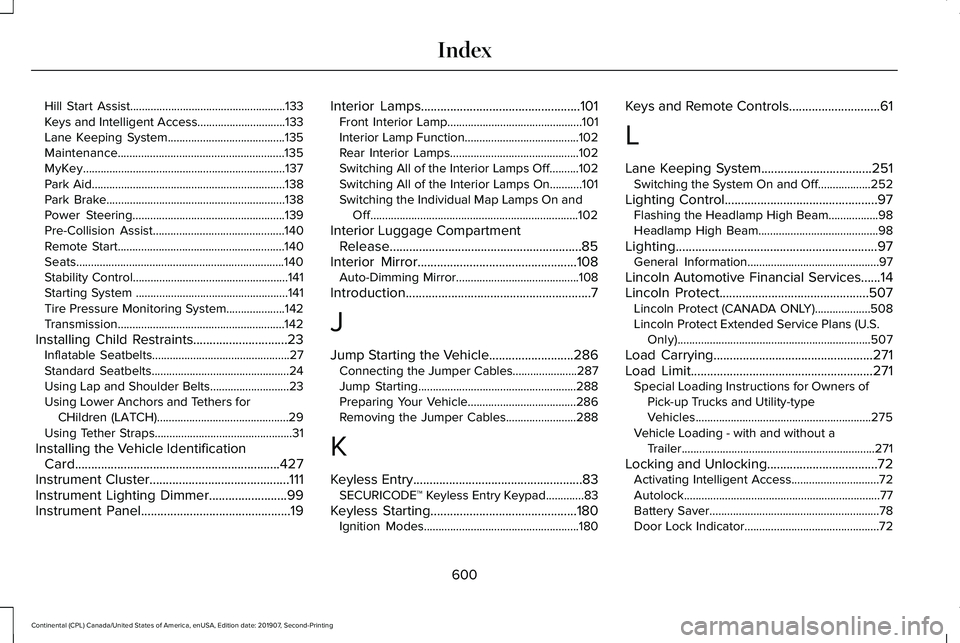
Hill Start Assist.....................................................133
Keys and Intelligent Access..............................133
Lane Keeping System........................................135
Maintenance.........................................................135
MyKey.....................................................................137
Park Aid..................................................................138
Park Brake.............................................................138
Power Steering....................................................139
Pre-Collision Assist.............................................140
Remote Start.........................................................140
Seats.......................................................................140
Stability Control.....................................................141
Starting System ....................................................141
Tire Pressure Monitoring System....................142
Transmission.........................................................142
Installing Child Restraints.............................23 Inflatable Seatbelts...............................................27
Standard Seatbelts...............................................24
Using Lap and Shoulder Belts...........................23
Using Lower Anchors and Tethers for
CHildren (LATCH).............................................29
Using Tether Straps...............................................31
Installing the Vehicle Identification Card...............................................................427
Instrument Cluster...........................................111
Instrument Lighting Dimmer........................99
Instrument Panel..............................................19 Interior Lamps.................................................101
Front Interior Lamp..............................................101
Interior Lamp Function.......................................102
Rear Interior Lamps............................................102
Switching All of the Interior Lamps Off..........102
Switching All of the Interior Lamps On...........101
Switching the Individual Map Lamps On and
Off.......................................................................102
Interior Luggage Compartment Release...........................................................85
Interior Mirror
.................................................108
Auto-Dimming Mirror..........................................108
Introduction
.........................................................7
J
Jump Starting the Vehicle..........................286 Connecting the Jumper Cables......................287
Jump Starting......................................................288
Preparing Your Vehicle.....................................286
Removing the Jumper Cables........................288
K
Keyless Entry
....................................................83
SECURICODE™ Keyless Entry Keypad.............83
Keyless Starting
.............................................180
Ignition Modes.....................................................180 Keys and Remote Controls............................61
L
Lane Keeping System..................................251
Switching the System On and Off..................252
Lighting Control
...............................................97
Flashing the Headlamp High Beam.................98
Headlamp High Beam.........................................98
Lighting..............................................................97 General Information.............................................97
Lincoln Automotive Financial Services......14
Lincoln Protect..............................................507 Lincoln Protect (CANADA ONLY)...................508
Lincoln Protect Extended Service Plans (U.S.
Only)..................................................................507
Load Carrying.................................................271
Load Limit
........................................................271
Special Loading Instructions for Owners of
Pick-up Trucks and Utility-type
Vehicles............................................................275
Vehicle Loading - with and without a Trailer..................................................................271
Locking and Unlocking..................................72 Activating Intelligent Access..............................
72
Autolock...................................................................77
Battery Saver..........................................................78
Door Lock Indicator..............................................72
600
Continental (CPL) Canada/United States of America, enUSA, Edition date: 201907, Second-Printing Index
Page 606 of 609

Replacement Parts Recommendation........15
Collision Repairs....................................................15
Scheduled Maintenance and Mechanical
Repairs.................................................................15
Warranty on Replacement Parts........................15
Replacing a Lost Key or Remote Control............................................................66
Reporting Safety Defects (Canada Only)..............................................................298
Reporting Safety Defects (U.S. Only)......298
Roadside Assistance...................................284 Vehicles Sold in Canada: Getting Roadside
Assistance.......................................................285
Vehicles sold in the United States: Getting Roadside Assistance.....................................284
Vehicles Sold in the United States: Using Roadside Assistance.....................................
284
Roadside Emergencies
...............................284
Running-In See: Breaking-In..................................................281
Running Out of Fuel.....................................188 Adding Fuel From a Portable Fuel
Container..........................................................188
Filling a Portable Fuel Container.....................
188
S
Safety Canopy™
...............................................56 Safety Precautions
........................................186
Satellite Radio...............................................440
Satellite Radio Electronic Serial Number
(ESN)...................................................................441
Satellite Radio Reception Factors..................
440
SiriusXM Satellite Radio Service.....................441
Troubleshooting..................................................442
Scheduled Maintenance Record
.............522
Scheduled Maintenance.............................510
Seatbelt Extensions........................................47
Seatbelt Height Adjustment.........................43
Seatbelt Reminder
..........................................44
Belt-Minder™...........................................................44
Seatbelts...........................................................38 Principle of Operation..........................................38
Seatbelt Warning Lamp and Indicator Chime..............................................................43
Conditions of operation......................................
44
Seats.................................................................155
Security..............................................................87
Settings
...........................................................486
911 Assist...............................................................486
Ambient Lighting.................................................487
Audio.....................................................................486
Automatic Updates............................................486
Bluetooth..............................................................486
Charge Settings..................................................486
Clock......................................................................486 Display...................................................................486
Driver Assist.........................................................486
General.................................................................486
Lincoln Way..........................................................486
Message Center..................................................487
Mobile Apps.........................................................486
Multi Contour Seats...........................................487
Navigation............................................................486
Personal Profiles.................................................487
Phone....................................................................486
Seats......................................................................487
Sound....................................................................486
Valet Mode...........................................................487
Vehicle..................................................................\
.486
Voice Control.......................................................486
Side Airbags
.....................................................54
Side Sensing System..................................225 Object Distance Indicator................................
226
Sitting in the Correct Position....................155
Snow Chains See: Using Snow Chains..................................
366
Soft Closing Door...........................................83
Spare Wheel See: Changing a Road Wheel.........................372
Special Notices
................................................15
New Vehicle Limited Warranty...........................15
On Board Diagnostics Data Link
Connector...........................................................16
603
Continental (CPL) Canada/United States of America, enUSA, Edition date: 201907, Second-Printing Index