airbag off LINCOLN CONTINENTAL 2020 User Guide
[x] Cancel search | Manufacturer: LINCOLN, Model Year: 2020, Model line: CONTINENTAL, Model: LINCOLN CONTINENTAL 2020Pages: 609, PDF Size: 6.24 MB
Page 130 of 609

Adaptive Headlamps
Action
Message
Displays when a fault with the system has occurred. Contact an authorize\
d dealer as soon as possible.
Check Headlamp System See Manual
Adaptive Steering Action
Message
The adaptive steering system detects a difference between steering wheel\
angle and the desired
road wheel angle. The steering wheel adjusts itself to correct this difference. This adjustment is part of normal system operation.
Adaptive Steering Initialization
The adaptive steering system is off. It is possible that the steering wheel may not be straight
when you drive the vehicle straight ahead. If this message persists, see\
an authorized dealer.
Adaptive Steering Fault Service Required
The adaptive steering system integrity cannot be verified. Do not drive \
the vehicle and contactan authorized dealer immediately.
Adaptive Steering Loss Do Not Drive
Airbag Action
Message
Objects are by the passenger seat. After the objects are moved away from\
the seat, if the warningstays on or continues to come on contact an authorized dealer as soon as\
possible.
Occupant Sensor BLOCKED Remove
Objects Near Passenger Seat
127
Continental (CPL) Canada/United States of America, enUSA, Edition date: 201907, Second-Printing Information Displays
Page 158 of 609
SITTING IN THE CORRECT
POSITION
WARNING: Sitting improperly, out of
position or with the seatback reclined too
far can take weight off the seat cushion
and affect the decision of the passenger
sensing system, resulting in serious injury
or death in the event of a crash. Always sit
upright against your seat back, with your
feet on the floor. WARNING: Do not recline the
seatback too far as this can cause the
occupant to slide under the seatbelt,
resulting in serious injury in the event of a
collision. WARNING:
Do not place objects
higher than the top of the seat backrest.
Failure to follow this instruction could result
in personal injury or death in the event of
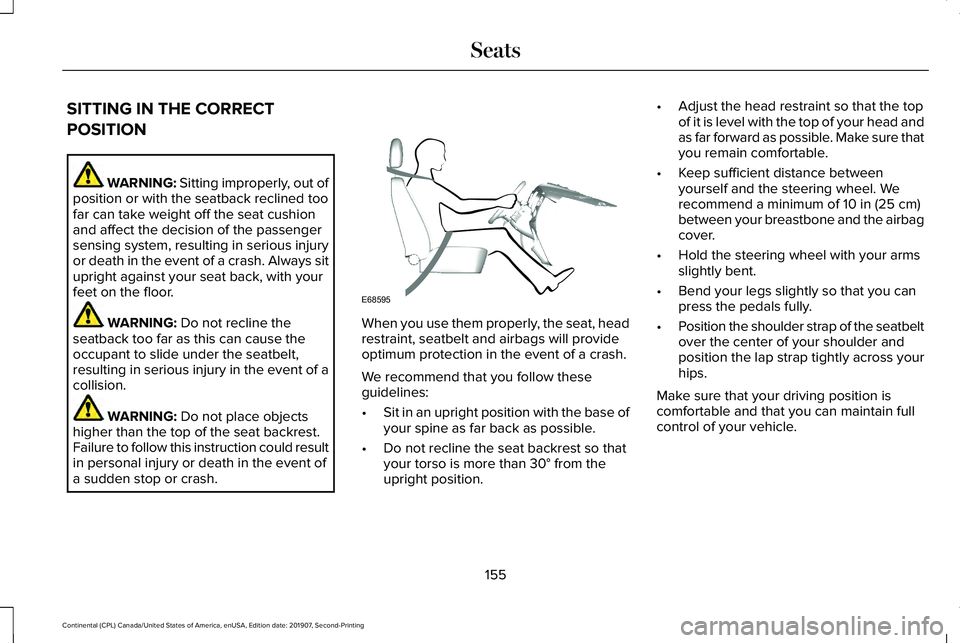
a sudden stop or crash. When you use them properly, the seat, head
restraint, seatbelt and airbags will provide
optimum protection in the event of a crash.
We recommend that you follow these
guidelines:
•
Sit in an upright position with the base of
your spine as far back as possible.
• Do not recline the seat backrest so that
your torso is more than
30° from the
upright position. •
Adjust the head restraint so that the top
of it is level with the top of your head and
as far forward as possible. Make sure that
you remain comfortable.
• Keep sufficient distance between
yourself and the steering wheel. We
recommend a minimum of
10 in (25 cm)
between your breastbone and the airbag
cover.
• Hold the steering wheel with your arms
slightly bent.
• Bend your legs slightly so that you can
press the pedals fully.
• Position the shoulder strap of the seatbelt
over the center of your shoulder and
position the lap strap tightly across your
hips.
Make sure that your driving position is
comfortable and that you can maintain full
control of your vehicle.
155
Continental (CPL) Canada/United States of America, enUSA, Edition date: 201907, Second-Printing SeatsE68595
Page 186 of 609
Automatic Engine Shutdown Override
Note:
You cannot permanently switch off
the automatic shutdown. The system
defaults to normal mode when you start your
vehicle.
You can stop the shutdown, or reset the
timer, at any point before the 30-second
countdown has expired by doing any of the
following:
• Interacting with your vehicle, for example
pressing the brake or accelerator pedal.
• Disabling the shutdown using the
information display. See Information
Displays (page 117).
• Pressing the OK or RESET button during
the 30-second countdown.
Stopping the Engine When Your
Vehicle is Stationary
Note: The ignition, all electrical circuits and
all warning lamps and indicators will be
turned off.
Note: If the engine is idling for 30 minutes,
the ignition and engine automatically shuts
down. 1. Apply the parking brake.
2. Shift into park (P).
3. Briefly press the push button ignition
switch.
Stopping the Engine When Your
Vehicle is Moving WARNING:
Switching off the engine
when your vehicle is still moving results in
a significant decrease in braking
assistance. Higher effort is required to
apply the brakes and to stop your vehicle.
A significant decrease in steering
assistance could also occur. The steering
does not lock, but higher effort could be
required to steer your vehicle. When you
switch the ignition off, some electrical
circuits, for example airbags, also turn off.
If you unintentionally switch the ignition
off, shift into neutral (N) and restart the
engine.
1. Shift into neutral and use the brakes to bring your vehicle to a safe stop. 2.
When your vehicle has stopped, shift into
park (P).
3. Apply the parking brake.
4. Press and hold the push button ignition switch until the engine stops, or press it
three times within two seconds.
Guarding Against Exhaust Fumes WARNING: Exhaust leaks may result
in entry of harmful and potentially lethal
fumes into the passenger compartment. If
you smell exhaust fumes inside your
vehicle, have your vehicle inspected
immediately. Do not drive if you smell
exhaust fumes.
Important Ventilating Information
If you stop your vehicle and then leave the
engine idling for long periods, we
recommend that you do one of the following:
• Open the windows at least
1 in (3 cm).
• Set your climate control to outside air.
183
Continental (CPL) Canada/United States of America, enUSA, Edition date: 201907, Second-Printing Starting and Stopping the Engine
Page 292 of 609
2. Remove the jumper cable on the
negative (-) terminal of the booster
vehicle battery.
3. Remove the jumper cable from the positive (+) terminal of the booster vehicle
battery.
4. Remove the jumper cable from the positive (+) terminal of the disabled
vehicle battery.
5. Allow the engine to idle for at least one minute.
POST-CRASH ALERT SYSTEM
The system flashes the direction indicators
and sounds the horn (intermittently) in the
event of a serious impact that deploys an
airbag (front, side, side curtain or Safety
Canopy) or the seatbelt pretensioners.
The horn and indicators turn off when:
• You press the hazard control button.
• You press the panic button on the remote
entry transmitter (if equipped). •
Your vehicle runs out of power.
• Sounding of the horn is only enabled in
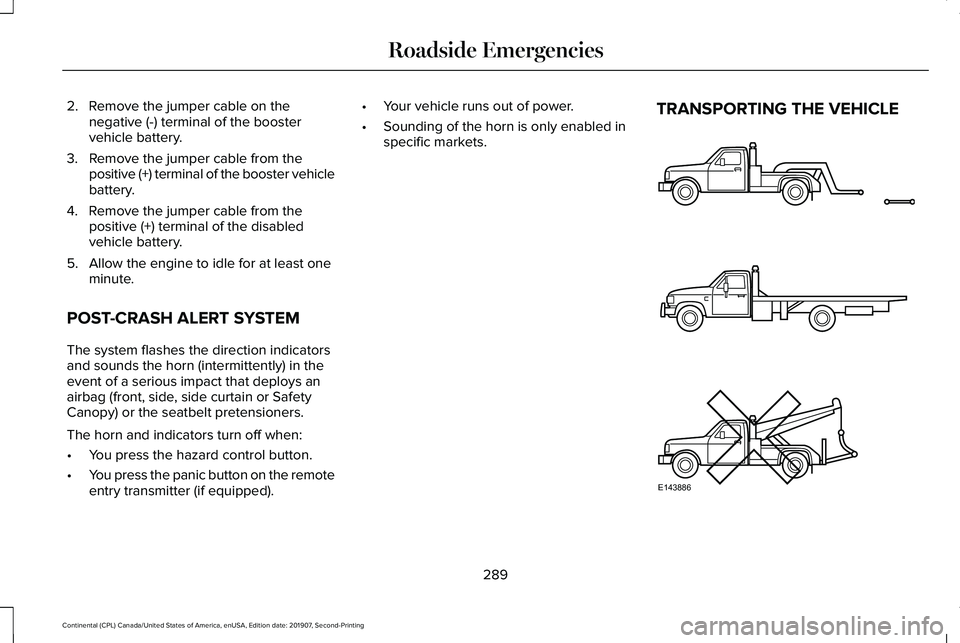
specific markets. TRANSPORTING THE VEHICLE
289
Continental (CPL) Canada/United States of America, enUSA, Edition date: 201907, Second-Printing Roadside EmergenciesE143886
Page 350 of 609
CLEANING THE INSTRUMENT
PANEL AND INSTRUMENT
CLUSTER LENS
WARNING: Do not use chemical
solvents or strong detergents when
cleaning the steering wheel or instrument
panel to avoid contamination of the airbag
system.
Note: Follow the same procedure as
cleaning leather seats for cleaning leather
instrument panels and leather interior trim
surfaces. See Cleaning Leather Seats
(page
347).
Clean the instrument panel and cluster lens
with a clean, damp and soft cloth, then use
a clean, dry and soft cloth to dry these areas. •
Avoid cleaners or polishes that increase
the gloss of the upper portion of the
instrument panel. The dull finish in this
area helps protect you from undesirable
windshield reflection.
• Do not use any household cleaning
products or glass cleaners as these may
damage the finish of the instrument
panel, interior trim and cluster lens.
• Wash or wipe your hands clean if you
have been in contact with certain
products such as insect repellent and
suntan lotion to avoid possible damage
to the interior painted surfaces.
• Do not allow air fresheners and hand
sanitizers to spill onto interior surfaces.
If a spill occurs, wipe off immediately.
Your warranty may not cover these
damages.
If a staining liquid like coffee or juice has
been spilled on the instrument panel or on
interior trim surfaces:
1. Wipe up spilled liquid using a clean, soft
cloth as quickly as possible. 2. Use Motorcraft Premium Leather and
Vinyl Cleaner or a commercially available
leather cleaning product for automotive
interiors. Test any cleaner or stain
remover on an inconspicuous area.
3. Alternatively, wipe the surface with a clean, soft cloth and a mild soap and
water solution. Dry the area with a clean,
soft cloth.
4. If necessary, apply more soap and water
solution or cleaning product to a clean,
soft cloth and press it onto the soiled
area. Allow this to set at room
temperature for 30 minutes.
5. Remove the soaked cloth, then with a clean, damp cloth, use a rubbing motion
for 60 seconds on the soiled area.
6. Dry the area with a clean, soft cloth.
CLEANING LEATHER SEATS
Note: Follow the same procedure as
cleaning leather seats for cleaning leather
instrument panels and leather interior trim
surfaces.
347
Continental (CPL) Canada/United States of America, enUSA, Edition date: 201907, Second-Printing Vehicle Care
Page 596 of 609
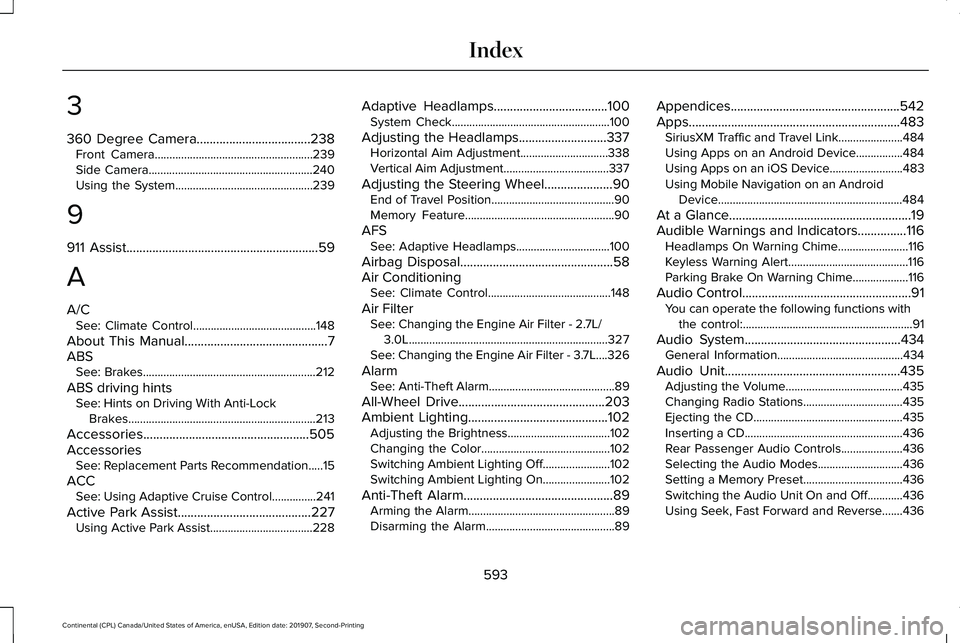
3
360 Degree Camera...................................238
Front Camera......................................................239
Side Camera........................................................240
Using the System...............................................239
9
911 Assist...........................................................59
A
A/C See: Climate Control..........................................148
About This Manual
............................................7
ABS See: Brakes...........................................................212
ABS driving hints See: Hints on Driving With Anti-Lock
Brakes................................................................213
Accessories...................................................505
Accessories See: Replacement Parts Recommendation.....15
ACC See: Using Adaptive Cruise Control...............241
Active Park Assist
.........................................227
Using Active Park Assist...................................228 Adaptive Headlamps...................................100
System Check......................................................100
Adjusting the Headlamps...........................337 Horizontal Aim Adjustment..............................
338
Vertical Aim Adjustment....................................337
Adjusting the Steering Wheel.....................90 End of Travel Position..........................................90
Memory Feature...................................................90
AFS See: Adaptive Headlamps................................100
Airbag Disposal
...............................................58
Air Conditioning See: Climate Control..........................................148
Air Filter See: Changing the Engine Air Filter - 2.7L/
3.0L....................................................................327
See: Changing the Engine Air Filter - 3.7L....326
Alarm See: Anti-Theft Alarm...........................................89
All-Wheel Drive
.............................................203
Ambient Lighting...........................................102
Adjusting the Brightness...................................102
Changing the Color............................................102
Switching Ambient Lighting Off.......................102
Switching Ambient Lighting On.......................102
Anti-Theft Alarm
..............................................89
Arming the Alarm..................................................89
Disarming the Alarm............................................89 Appendices....................................................542
Apps
.................................................................483
SiriusXM Traffic and Travel Link......................484
Using Apps on an Android Device................484
Using Apps on an iOS Device.........................483
Using Mobile Navigation on an Android
Device...............................................................484
At a Glance
........................................................19
Audible Warnings and Indicators...............116 Headlamps On Warning Chime
........................116
Keyless Warning Alert.........................................116
Parking Brake On Warning Chime
...................116
Audio Control....................................................91 You can operate the following functions with
the control:..........................................................91
Audio System
................................................434
General Information...........................................434
Audio Unit
......................................................435
Adjusting the Volume........................................435
Changing Radio Stations..................................435
Ejecting the CD...................................................435
Inserting a CD......................................................436
Rear Passenger Audio Controls.....................436
Selecting the Audio Modes.............................436
Setting a Memory Preset..................................436
Switching the Audio Unit On and Off............
436
Using Seek, Fast Forward and Reverse.......436
593
Continental (CPL) Canada/United States of America, enUSA, Edition date: 201907, Second-Printing Index
Page 599 of 609
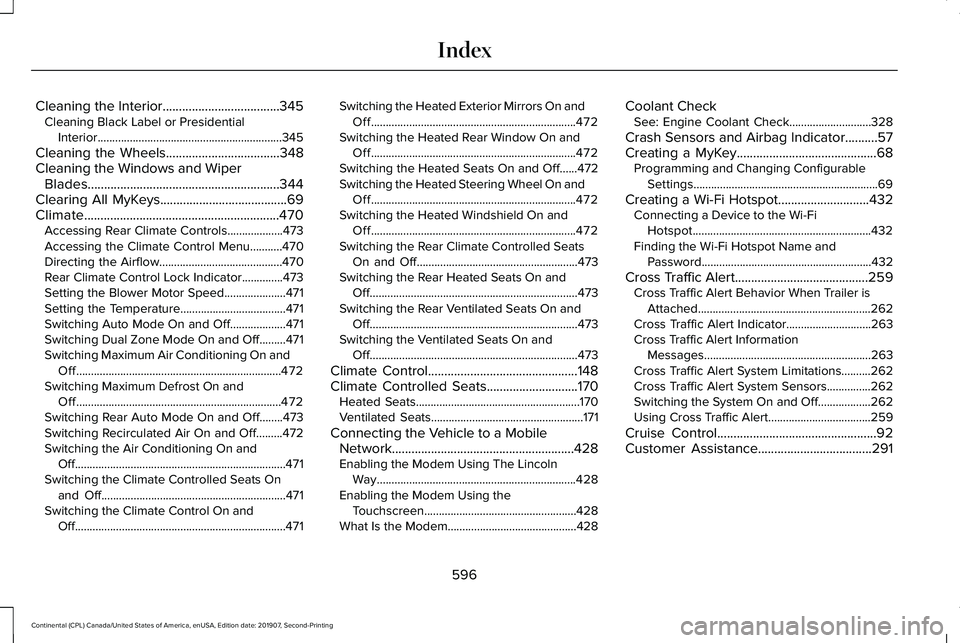
Cleaning the Interior....................................345
Cleaning Black Label or Presidential
Interior...............................................................345
Cleaning the Wheels
...................................348
Cleaning the Windows and Wiper Blades...........................................................344
Clearing All MyKeys.......................................69
Climate............................................................470 Accessing Rear Climate Controls...................473
Accessing the Climate Control Menu...........470
Directing the Airflow..........................................470
Rear Climate Control Lock Indicator..............473
Setting the Blower Motor Speed.....................471
Setting the Temperature....................................471
Switching Auto Mode On and Off...................471
Switching Dual Zone Mode On and Off.........471
Switching Maximum Air Conditioning On and
Off......................................................................472
Switching Maximum Defrost On and Off......................................................................472
Switching Rear Auto Mode On and Off........473
Switching Recirculated Air On and Off.........472
Switching the Air Conditioning On and Off........................................................................\
471
Switching the Climate Controlled Seats On and Off...............................................................471
Switching the Climate Control On and Off........................................................................\
471 Switching the Heated Exterior Mirrors On and
Off......................................................................472
Switching the Heated Rear Window On and Off......................................................................472
Switching the Heated Seats On and Off......472
Switching the Heated Steering Wheel On and Off......................................................................472
Switching the Heated Windshield On and Off......................................................................472
Switching the Rear Climate Controlled Seats On and Off.......................................................473
Switching the Rear Heated Seats On and Off.......................................................................473
Switching the Rear Ventilated Seats On and Off.......................................................................473
Switching the Ventilated Seats On and Off.......................................................................473
Climate Control
..............................................148
Climate Controlled Seats............................170
Heated Seats........................................................170
Ventilated Seats....................................................171
Connecting the Vehicle to a Mobile Network........................................................428
Enabling the Modem Using The Lincoln Way....................................................................428
Enabling the Modem Using the Touchscreen....................................................428
What Is the Modem............................................428 Coolant Check
See: Engine Coolant Check............................328
Crash Sensors and Airbag Indicator
..........57
Creating a MyKey...........................................68 Programming and Changing Configurable
Settings...............................................................69
Creating a Wi-Fi Hotspot............................432 Connecting a Device to the Wi-Fi
Hotspot.............................................................432
Finding the Wi-Fi Hotspot Name and Password..........................................................432
Cross Traffic Alert.........................................259 Cross Traffic Alert Behavior When Trailer is
Attached...........................................................262
Cross Traffic Alert Indicator.............................
263
Cross Traffic Alert Information Messages.........................................................263
Cross Traffic Alert System Limitations..........262
Cross Traffic Alert System Sensors...............
262
Switching the System On and Off..................262
Using Cross Traffic Alert...................................259
Cruise Control
.................................................92
Customer Assistance...................................291
596
Continental (CPL) Canada/United States of America, enUSA, Edition date: 201907, Second-Printing Index
Page 602 of 609
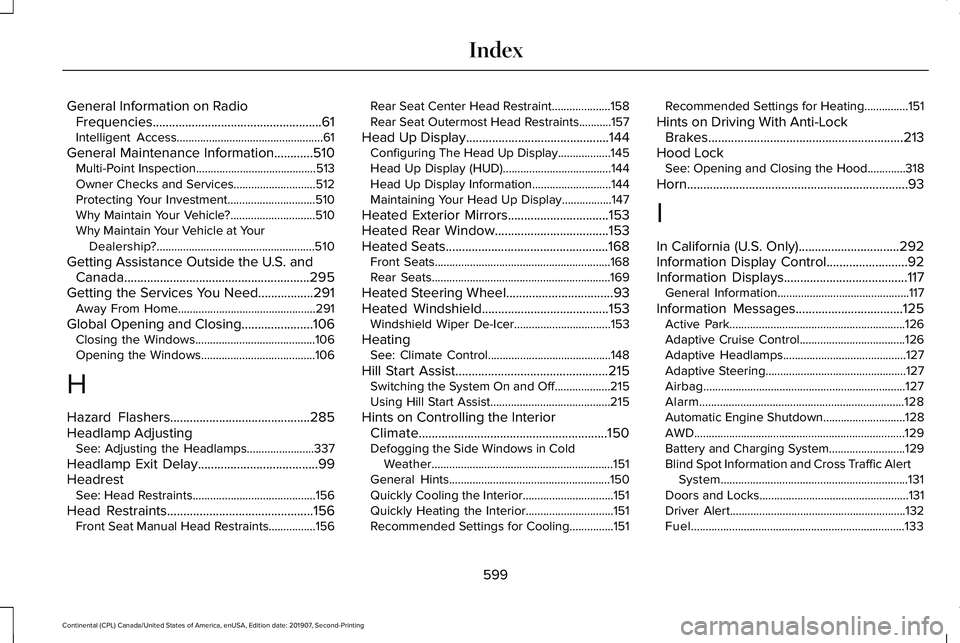
General Information on Radio
Frequencies....................................................61
Intelligent Access..................................................61
General Maintenance Information............510 Multi-Point Inspection.........................................513
Owner Checks and Services............................512
Protecting Your Investment..............................510
Why Maintain Your Vehicle?.............................510
Why Maintain Your Vehicle at Your Dealership?......................................................510
Getting Assistance Outside the U.S. and Canada.........................................................295
Getting the Services You Need.................291 Away From Home...............................................291
Global Opening and Closing......................106 Closing the Windows.........................................106
Opening the Windows.......................................106
H
Hazard Flashers...........................................285
Headlamp Adjusting See: Adjusting the Headlamps.......................337
Headlamp Exit Delay.....................................99
Headrest See: Head Restraints..........................................156
Head Restraints
.............................................156
Front Seat Manual Head Restraints................156 Rear Seat Center Head Restraint....................158
Rear Seat Outermost Head Restraints...........157
Head Up Display............................................144 Configuring The Head Up Display..................145
Head Up Display (HUD).....................................144
Head Up Display Information...........................144
Maintaining Your Head Up Display.................147
Heated Exterior Mirrors...............................153
Heated Rear Window...................................153
Heated Seats..................................................168 Front Seats............................................................168
Rear Seats.............................................................169
Heated Steering Wheel.................................93
Heated Windshield
.......................................153
Windshield Wiper De-Icer.................................153
Heating See: Climate Control..........................................148
Hill Start Assist
...............................................215
Switching the System On and Off...................215
Using Hill Start Assist.........................................215
Hints on Controlling the Interior Climate..........................................................150
Defogging the Side Windows in Cold Weather..............................................................151
General Hints.......................................................150
Quickly Cooling the Interior...............................151
Quickly Heating the Interior..............................151
Recommended Settings for Cooling...............151 Recommended Settings for Heating...............151
Hints on Driving With Anti-Lock Brakes............................................................213
Hood Lock See: Opening and Closing the Hood.............318
Horn....................................................................93
I
In California (U.S. Only)...............................292
Information Display Control.........................92
Information Displays......................................117 General Information.............................................117
Information Messages
.................................125
Active Park............................................................126
Adaptive Cruise Control....................................126
Adaptive Headlamps..........................................127
Adaptive Steering................................................127
Airbag.....................................................................127
Alarm......................................................................128
Automatic Engine Shutdown............................128
AWD........................................................................\
129
Battery and Charging System..........................
129
Blind Spot Information and Cross Traffic Alert System................................................................131
Doors and Locks...................................................131
Driver Alert............................................................132
Fuel........................................................................\
.133
599
Continental (CPL) Canada/United States of America, enUSA, Edition date: 201907, Second-Printing Index
Page 609 of 609
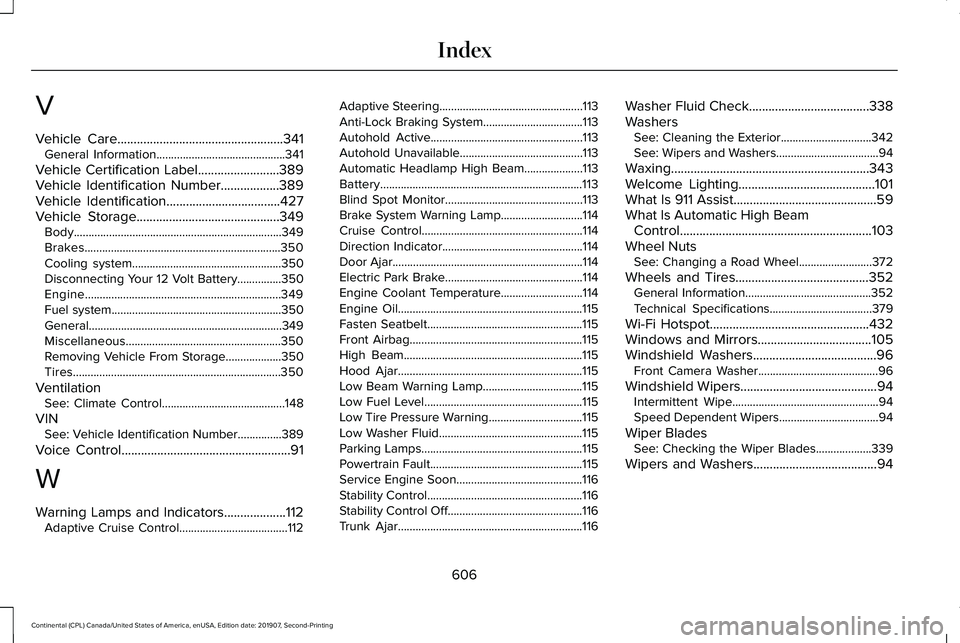
V
Vehicle Care...................................................341
General Information............................................341
Vehicle Certification Label
.........................389
Vehicle Identification Number..................389
Vehicle Identification...................................427
Vehicle Storage............................................349
Body.......................................................................349
Brakes...................................................................350
Cooling system...................................................350
Disconnecting Your 12 Volt Battery...............350
Engine...................................................................349
Fuel system..........................................................350
General..................................................................349
Miscellaneous.....................................................350
Removing Vehicle From Storage...................
350
Tires.......................................................................350
Ventilation See: Climate Control..........................................148
VIN See: Vehicle Identification Number...............
389
Voice Control
....................................................91
W
Warning Lamps and Indicators...................112 Adaptive Cruise Control.....................................112 Adaptive Steering.................................................113
Anti-Lock Braking System..................................113
Autohold Active....................................................113
Autohold Unavailable..........................................113
Automatic Headlamp High Beam....................113
Battery.....................................................................113
Blind Spot Monitor...............................................113
Brake System Warning Lamp............................114
Cruise Control.......................................................114
Direction Indicator................................................114
Door Ajar.................................................................114
Electric Park Brake...............................................114
Engine Coolant Temperature............................114
Engine Oil...............................................................115
Fasten Seatbelt.....................................................115
Front Airbag...........................................................115
High Beam.............................................................115
Hood Ajar...............................................................115
Low Beam Warning Lamp..................................115
Low Fuel Level......................................................115
Low Tire Pressure Warning................................115
Low Washer Fluid.................................................115
Parking Lamps.......................................................115
Powertrain Fault....................................................115
Service Engine Soon...........................................116
Stability Control.....................................................116
Stability Control Off..............................................116
Trunk Ajar...............................................................116
Washer Fluid Check
.....................................338
Washers See: Cleaning the Exterior...............................342
See: Wipers and Washers...................................94
Waxing.............................................................343
Welcome Lighting
..........................................101
What Is 911 Assist............................................59
What Is Automatic High Beam Control...........................................................103
Wheel Nuts See: Changing a Road Wheel.........................372
Wheels and Tires.........................................352 General Information...........................................352
Technical Specifications...................................379
Wi-Fi Hotspot
.................................................432
Windows and Mirrors...................................105
Windshield Washers......................................96
Front Camera Washer.........................................96
Windshield Wipers..........................................94 Intermittent Wipe..................................................94
Speed Dependent Wipers..................................94
Wiper Blades See: Checking the Wiper Blades...................339
Wipers and Washers......................................94
606
Continental (CPL) Canada/United States of America, enUSA, Edition date: 201907, Second-Printing Index