stop start LINCOLN CONTINENTAL 2020 Owner's Guide
[x] Cancel search | Manufacturer: LINCOLN, Model Year: 2020, Model line: CONTINENTAL, Model: LINCOLN CONTINENTAL 2020Pages: 609, PDF Size: 6.24 MB
Page 335 of 609
Your vehicle has limited engine power when
in the fail-safe mode, drive your vehicle with
caution. Your vehicle does not maintain
high-speed operation and the engine may
operate poorly.
Remember that the engine is capable of
automatically shutting down to prevent
engine damage. In this situation:
1. Pull off the road as soon as safely
possible and switch the engine off.
2. If you are a member of a roadside assistance program, we recommend that
you contact your roadside assistance
service provider.
3. If this is not possible, wait for a short period of time for the engine to cool.
4. Check the coolant level. If the coolant level is at or below the minimum mark,
add prediluted coolant immediately.
5. When the engine temperature cools, you
can re-start the engine. Have your vehicle
checked as soon as possible to minimize
engine damage.
Note: Driving your vehicle without repair
increases the chance of engine damage. Engine Coolant Temperature
Management (If Equipped) WARNING:
To reduce the risk of
crash and injury, be prepared that the
vehicle speed may reduce and the vehicle
may not be able to accelerate with full
power until the coolant temperature
reduces.
If you tow a trailer with your vehicle, the
engine may temporarily reach a higher
temperature during severe operating
conditions, for example ascending a long or
steep grade in high ambient temperatures.
At this time, you may notice the coolant
temperature gauge moves toward the red
zone and a message may appear in the
information display. You may notice a reduction in vehicle speed
caused by reduced engine power in order
to manage the engine coolant temperature.
Your vehicle may enter this mode if certain
high-temperature and high-load conditions
take place. The amount of speed reduction
depends on vehicle loading, grade and
ambient temperature. If this occurs, there is
no need to stop your vehicle. You can
continue to drive.
The air conditioning may automatically turn
on and off during severe operating
conditions to protect the engine from
overheating. When the coolant temperature
decreases to the normal operating
temperature, the air conditioning turns on.
If the coolant temperature gauge moves fully
into the red zone, or if the coolant
temperature warning or service engine soon
messages appear in your information display,
do the following:
1.
Stop your vehicle as soon as it is safe to
do so. Fully apply the parking brake, shift
into park (P) or neutral (N).
332
Continental (CPL) Canada/United States of America, enUSA, Edition date: 201907, Second-Printing Maintenance
Page 338 of 609
WARNING: Keep batteries out of
reach of children. Batteries contain sulfuric
acid. Avoid contact with skin, eyes or
clothing. Shield your eyes when working
near the battery to protect against possible
splashing of acid solution. In case of acid
contact with skin or eyes, flush immediately
with water for a minimum of 15 minutes and
get prompt medical attention. If acid is
swallowed, call a physician immediately. WARNING:
Battery posts, terminals
and related accessories contain lead and
lead compounds, chemicals known to the
State of California to cause cancer and
reproductive harm. Wash your hands after
handling
. WARNING:
This vehicle may have
more than one battery. Removing the
battery cables from only one battery does
not disconnect your vehicle electrical
system. Make sure you disconnect the
battery cables from all batteries when
disconnecting power. Failure to do so may
cause serious personal injury or property
damage. WARNING:
For vehicles with
Auto-Start-Stop the battery requirement is
different. You must replace the battery with
one of exactly the same specification.
The battery is in the engine compartment.
See
Under Hood Overview (page 320).
Your vehicle has a maintenance-free battery.
It does not require additional water during
service.
If the vehicle battery has a cover and vent
hose, make sure you correctly install it after
cleaning or replacing the battery. For longer, trouble-free operation, keep the
top of the battery clean and dry and the
battery cables tightly fastened to the battery
terminals. If any corrosion is present on the
battery or terminals, remove the cables from
the terminals and clean with a wire brush.
You can neutralize the acid with a solution
of baking soda and water.
We recommend that you disconnect the
negative battery cable terminal from the
battery if you plan to store your vehicle for
an extended period.
Note:
If you only disconnect the negative
battery cable terminal, make sure it is
isolated or placed away from the battery
terminal to avoid unintended connection or
arcing.
If you replace the battery make sure it
matches the electrical requirements of your
vehicle.
335
Continental (CPL) Canada/United States of America, enUSA, Edition date: 201907, Second-Printing Maintenance
Page 367 of 609
WARNING: 1. Make sure that you
have the correct tire and wheel size. WARNING:
2. Lubricate the tire
bead and wheel bead seat area again. WARNING:
3. Stand at a
minimum of 12 ft (3.66 m) away from
the wheel and tire assembly. WARNING: 4. Use both eye and
ear protection. WARNING:
For a mounting
pressure more than 20 psi (1.38 bar)
greater than the maximum pressure,
a Ford dealer or other tire service
professional should do the mounting. WARNING:
Always inflate steel
carcass tires with a remote air fill with
the person inflating standing at a
minimum of
12 ft (3.66 m) away from
the wheel and tire assembly. Important:
Remember to replace the
wheel valve stems when the road tires
are replaced on your vehicle
It is recommended that the two front
tires or two rear tires generally be
replaced as a pair.
The tire pressure sensors mounted in
the wheels (originally installed on your
vehicle) are not designed to be used in
aftermarket wheels.
The use of wheels or tires not
recommended by Ford Motor Company
may affect the operation of your tire
pressure monitoring system.
If the tire pressure monitoring system
indicator is flashing, your system is
malfunctioning. Your replacement tire
might be incompatible with your tire
pressure monitoring system, or some
component of the system may be
damaged. Safety Practices WARNING:
If your vehicle is
stuck in snow, mud or sand, do not
rapidly spin the tires; spinning the tires
can tear the tire and cause an
explosion. A tire can explode in as little
as three to five seconds. WARNING:
Do not spin the
wheels at over 34 mph (55 km/h). The
tires may fail and injure a passenger
or bystander.
Driving habits have a great deal to do
with your tire mileage and safety.
• Observe posted speed limits
• Avoid fast starts, stops and turns
• Avoid potholes and objects on the
road
• Do not run over curbs or hit the tire
against a curb when parking
364
Continental (CPL) Canada/United States of America, enUSA, Edition date: 201907, Second-Printing Wheels and Tires
Page 371 of 609
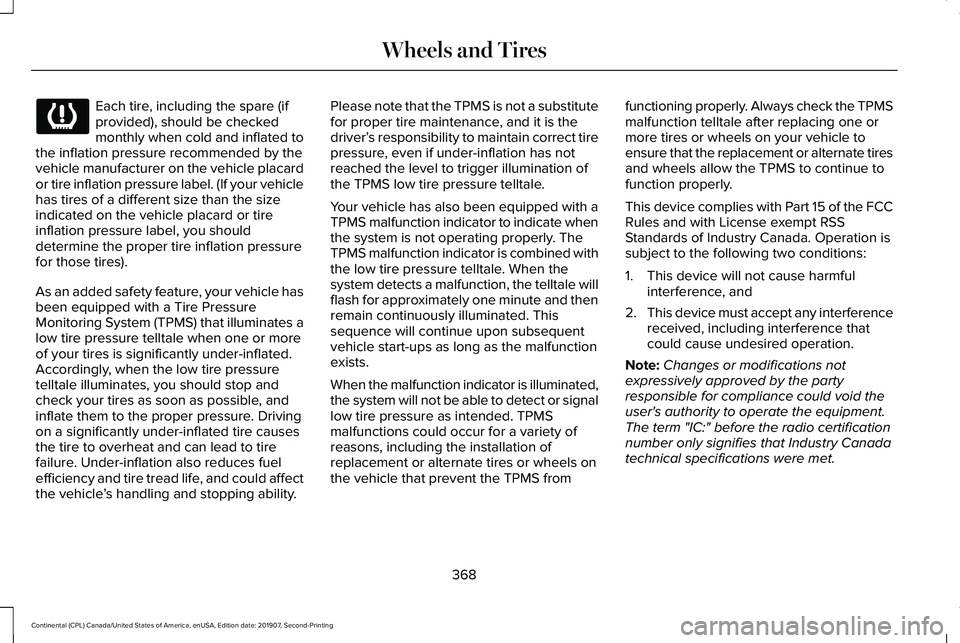
Each tire, including the spare (if
provided), should be checked
monthly when cold and inflated to
the inflation pressure recommended by the
vehicle manufacturer on the vehicle placard
or tire inflation pressure label. (If your vehicle
has tires of a different size than the size
indicated on the vehicle placard or tire
inflation pressure label, you should
determine the proper tire inflation pressure
for those tires).
As an added safety feature, your vehicle has
been equipped with a Tire Pressure
Monitoring System (TPMS) that illuminates a
low tire pressure telltale when one or more
of your tires is significantly under-inflated.
Accordingly, when the low tire pressure
telltale illuminates, you should stop and
check your tires as soon as possible, and
inflate them to the proper pressure. Driving
on a significantly under-inflated tire causes
the tire to overheat and can lead to tire
failure. Under-inflation also reduces fuel
efficiency and tire tread life, and could affect
the vehicle ’s handling and stopping ability. Please note that the TPMS is not a substitute
for proper tire maintenance, and it is the
driver’
s responsibility to maintain correct tire
pressure, even if under-inflation has not
reached the level to trigger illumination of
the TPMS low tire pressure telltale.
Your vehicle has also been equipped with a
TPMS malfunction indicator to indicate when
the system is not operating properly. The
TPMS malfunction indicator is combined with
the low tire pressure telltale. When the
system detects a malfunction, the telltale will
flash for approximately one minute and then
remain continuously illuminated. This
sequence will continue upon subsequent
vehicle start-ups as long as the malfunction
exists.
When the malfunction indicator is illuminated,
the system will not be able to detect or signal
low tire pressure as intended. TPMS
malfunctions could occur for a variety of
reasons, including the installation of
replacement or alternate tires or wheels on
the vehicle that prevent the TPMS from functioning properly. Always check the TPMS
malfunction telltale after replacing one or
more tires or wheels on your vehicle to
ensure that the replacement or alternate tires
and wheels allow the TPMS to continue to
function properly.
This device complies with Part 15 of the FCC
Rules and with License exempt RSS
Standards of Industry Canada. Operation is
subject to the following two conditions:
1. This device will not cause harmful
interference, and
2. This device must accept any interference
received, including interference that
could cause undesired operation.
Note: Changes or modifications not
expressively approved by the party
responsible for compliance could void the
user's authority to operate the equipment.
The term "IC:" before the radio certification
number only signifies that Industry Canada
technical specifications were met.
368
Continental (CPL) Canada/United States of America, enUSA, Edition date: 201907, Second-Printing Wheels and Tires
Page 489 of 609
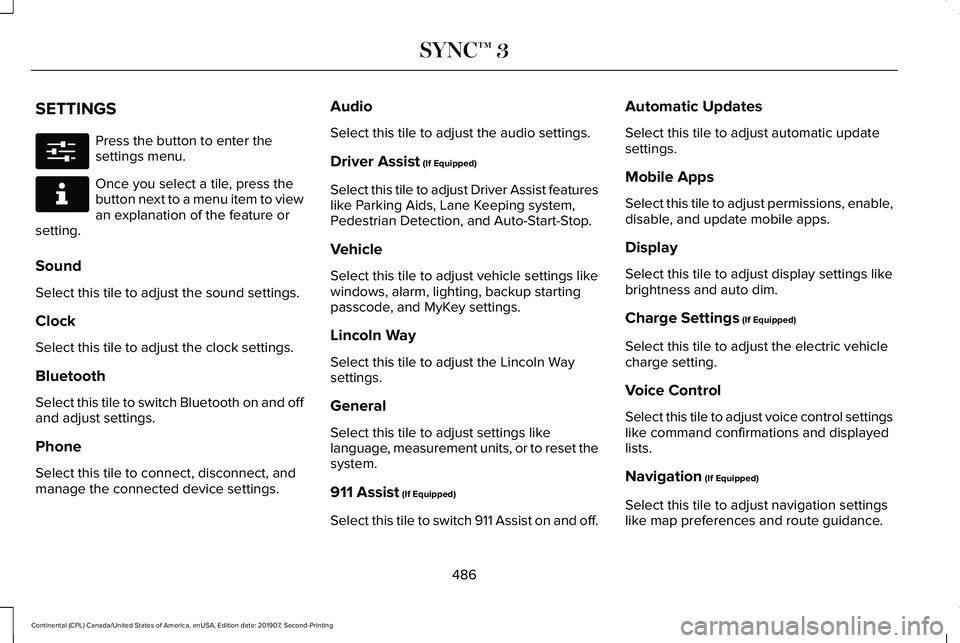
SETTINGS
Press the button to enter the
settings menu.
Once you select a tile, press the
button next to a menu item to view
an explanation of the feature or
setting.
Sound
Select this tile to adjust the sound settings.
Clock
Select this tile to adjust the clock settings.
Bluetooth
Select this tile to switch Bluetooth on and off
and adjust settings.
Phone
Select this tile to connect, disconnect, and
manage the connected device settings. Audio
Select this tile to adjust the audio settings.
Driver Assist (If Equipped)
Select this tile to adjust Driver Assist features
like Parking Aids, Lane Keeping system,
Pedestrian Detection, and Auto-Start-Stop.
Vehicle
Select this tile to adjust vehicle settings like
windows, alarm, lighting, backup starting
passcode, and MyKey settings.
Lincoln Way
Select this tile to adjust the Lincoln Way
settings.
General
Select this tile to adjust settings like
language, measurement units, or to reset the
system.
911 Assist
(If Equipped)
Select this tile to switch 911 Assist on and off. Automatic Updates
Select this tile to adjust automatic update
settings.
Mobile Apps
Select this tile to adjust permissions, enable,
disable, and update mobile apps.
Display
Select this tile to adjust display settings like
brightness and auto dim.
Charge Settings
(If Equipped)
Select this tile to adjust the electric vehicle
charge setting.
Voice Control
Select this tile to adjust voice control settings
like command confirmations and displayed
lists.
Navigation
(If Equipped)
Select this tile to adjust navigation settings
like map preferences and route guidance.
486
Continental (CPL) Canada/United States of America, enUSA, Edition date: 201907, Second-Printing SYNC™ 3E280315 E268570
Page 501 of 609

Apps
Possible Cause and Resolution
Symptom
The system cannot find any apps. –Incompatible device.
•You will need an Android device with OS 4.3 or higher or an iOS device wi\
th iOS 8.0
or higher. Pair and connect your Android device to find AppLink compatible apps.
Connect your iOS device to a USB port or pair and connect using Bluetoot\
h.
I have a compatible device and it is correctly
connected but the system still cannot find any
apps. –
AppLink compatible apps not installed on your device.
•Download and install the latest version of the app.
– AppLink compatible apps not running on your device.
•Start the apps to allow the system to find them and make sure you sign in to any apps
if required.
– Incorrect app settings.
•Check and adjust the app settings on your device and allow SYNC to access the app
if required.
I have a compatible device, it is correctly
connected and my apps are running but the
system still cannot find any apps. –
Apps failed to fully close.
•Restart the apps and try again.
• If you have an Android device with apps that have an exit or quit option\
, use this and
then restart the apps. Alternatively, use the force stop option in the settings menu on
your device.
• If you have an iOS device with iOS 7.0 or higher, tap the home button on your device
twice and then swipe the app upward to close it.
498
Continental (CPL) Canada/United States of America, enUSA, Edition date: 201907, Second-Printing SYNC™ 3
Page 607 of 609
Special Instructions...............................................15
Special Operating Conditions Scheduled Maintenance................................................519
Exceptions.............................................................521
Speed Control See: Cruise Control.............................................241
Stability Control.............................................219
Principle of Operation........................................219
Starting a Gasoline Engine..........................181 Automatic Engine Shutdown............................182
Failure to Start.......................................................181
Guarding Against Exhaust Fumes...................183
Important Ventilating Information ....................183
Starting Your Vehicle...........................................181
Stopping the Engine When Your Vehicle is Moving...............................................................183
Stopping the Engine When Your Vehicle is Stationary..........................................................183
Starting and Stopping the Engine
.............180
General Information............................................180
Steering..........................................................264 Adaptive Steering..............................................264
Electric Power Steering....................................264
Steering Wheel
...............................................90
Storage Compartments................................178
Sunroof See: Moonroof......................................................110
Sun Shades
.....................................................109 Sun Visors.......................................................109
Illuminated Vanity Mirror...................................109
Supplementary Restraints System
.............49
Principle of Operation..........................................49
Switching Automatic High Beam Control On and Off....................................................103
Activating the Automatic High Beam Control
...............................................................103
Symbols Glossary
..............................................7
SYNC™ 3..........................................................444 General Information...........................................444
SYNC™ 3 Troubleshooting..........................488 Additional Information and Assistance.........
504
Apps.......................................................................498
Navigation............................................................497
Personal Profiles................................................502
Phone....................................................................494
Resetting the System........................................504
USB and Bluetooth Audio................................490
Voice Recognition..............................................488
Wi-Fi Connectivity..............................................500
T
Technical Specifications See: Capacities and Specifications................381
The Better Business Bureau (BBB) Auto Line Program (U.S. Only)..........................293 Tire Care.........................................................352
Glossary of Tire Terminology..........................354
Important Information About Low-Profile
Tires...................................................................352
Information About Uniform Tire Quality Grading.............................................................352
Information Contained on the Tire Sidewall............................................................355
Temperature A B C.............................................353
Traction AA A B C...............................................353
Treadwear............................................................353
Tire Pressure Monitoring System.............367
Changing Tires With a Tire Pressure
Monitoring System........................................369
Understanding Your Tire Pressure Monitoring System .............................................................369
Tires See: Wheels and Tires......................................352
Towing a Trailer.............................................276 Load Placement..................................................276
Towing the Vehicle on Four Wheels.......280 Emergency Towing............................................280
Recreational Towing..........................................280
Towing.............................................................276
Traction Control
.............................................218
Principle of Operation........................................218
Transmission Code Designation..............390
Transmission...................................................197
604
Continental (CPL) Canada/United States of America, enUSA, Edition date: 201907, Second-Printing Index
Page 608 of 609
Transporting the Vehicle............................289
Type Approvals.............................................578
China.....................................................................590
Radio Frequency Certification for Keys and
Remote Controls.............................................591
Radio Frequency Certifications for Blind Spot Information System.......................................588
Radio Frequency Certifications for Body Control Module..............................................590
Radio Frequency Certifications for Cruise Control Module..............................................590
Radio Frequency Certifications for Mid Range Radar.................................................................582
Radio Frequency Certifications for Passive Anti-Theft System..........................................583
Radio Frequency Certifications for Radio Transceiver Module.......................................
586
Radio Frequency Certifications for SYNC 3........................................................................\
.590
Radio Frequency Certifications for Tire Pressure Monitoring Sensor(s)...................578
Radio Frequency Certifications for Wireless Charging..........................................................589
Radio Frequency Statement for Audio Unit.....................................................................591 U
Under Hood Overview - 2.7L/3.0L...........320
Under Hood Overview - 3.7L.....................322
Universal Garage Door Opener.................172
HomeLink Wireless Control System...............
172
USB Port
.........................................................443
Using Adaptive Cruise Control..................241 Automatic Cancellation.....................................244
Blocked Sensor...................................................247
Canceling the Set Speed.................................244
Changing the Set Speed..................................244
Detection Issues.................................................245
Following a Vehicle............................................242
Following a Vehicle to a Complete
Stop...................................................................243
Hilly Condition Usage.......................................245
Overriding the Set Speed................................244
Park Brake Application.....................................245
Resuming the Set Speed..................................244
Setting the Adaptive Cruise Speed...............242
Setting the Adaptive Cruise Speed When Your Vehicle is Stationary......................................242
Setting the Gap Distance.................................243
Switching Adaptive Cruise Control Off.........245
Switching Adaptive Cruise Control On.........242
Switching to Normal Cruise Control..............249
System Not Available........................................246 Using All-Wheel Drive
.................................203
Driving In Special Conditions With All-Wheel
Drive (AWD).....................................................205
Operating AWD Vehicles With Spare or Mismatched Tires..........................................205
Using MyKey With Remote Start Systems..........................................................70
Using Snow Chains
......................................366
Using Stability Control................................220
Using Summer Tires....................................366
Using Traction Control
.................................218
Switching the System Off..................................218
System Indicator Lights and Messages.........218
Using a Switch.....................................................218
Using the Information Display Controls........218
Using Voice Recognition............................446 Apps.......................................................................455
Automatic Blower Motor Speed
Reduction.........................................................457
Climate..................................................................450
Entertainment......................................................448
General..................................................................447
Navigation............................................................453
Phone.....................................................................451
SiriusXM Traffic and Travel Link.....................456
Voice Settings.....................................................456
Utilizing the Mediation/Arbitration Program (Canada Only)
.............................................294
605
Continental (CPL) Canada/United States of America, enUSA, Edition date: 201907, Second-Printing Index