keyless LINCOLN CONTINENTAL 2020 Owners Manual
[x] Cancel search | Manufacturer: LINCOLN, Model Year: 2020, Model line: CONTINENTAL, Model: LINCOLN CONTINENTAL 2020Pages: 609, PDF Size: 6.24 MB
Page 5 of 609

Using MyKey With Remote Start Systems
........................................................................\
.70
MyKey – Troubleshooting ...........................
70
Doors and Locks
Locking and Unlocking .................................
72
Opening the Doors ........................................
78
Emergency Door Release ............................
79
Power Decklid ................................................
79
Soft Closing Door ..........................................
83
Keyless Entry ..................................................
83
Interior Luggage Compartment Release ........................................................................\
85
Security
Passive Anti-Theft System ...........................
87
Anti-Theft Alarm .............................................
89
Steering Wheel
Adjusting the Steering Wheel ....................
90
Audio Control ..................................................
91
Voice Control ...................................................
91
Cruise Control ................................................
92Information Display Control
........................
92
Heated Steering Wheel ...............................
93
Horn ..................................................................
93
Wipers and Washers
Windshield Wipers ........................................
94
Autowipers ......................................................
95
Windshield Washers .....................................
96
Lighting
General Information ......................................
97
Lighting Control ..............................................
97
Autolamps .......................................................
98
Instrument Lighting Dimmer .......................
99
Headlamp Exit Delay ....................................
99
Daytime Running Lamps - Vehicles With: Configurable Daytime Running Lamps
........................................................................\
99
Daytime Running Lamps - Vehicles With: Daytime Running Lamps (DRL) ..............
99
Adaptive Headlamps ..................................
100
Direction Indicators .....................................
100
Welcome Lighting .........................................
101
Interior Lamps ................................................
101Ambient Lighting
..........................................
102
Automatic High Beam Control
What Is Automatic High Beam Control .......................................................................
103
Switching Automatic High Beam Control On and Off .................................................
103
Automatic High Beam Control Indicators .......................................................................
104
Overriding Automatic High Beam Control .......................................................................
104
Windows and Mirrors
Power Windows ............................................
105
Global Opening and Closing ....................
106
Exterior Mirrors .............................................
106
Interior Mirror ................................................
108
Sun Visors ......................................................
109
Sun Shades ...................................................
109
Moonroof .........................................................
110
Instrument Cluster
Gauges ..............................................................
111
Warning Lamps and Indicators ..................
112
2
Continental (CPL) Canada/United States of America, enUSA, Edition date: 201907, Second-Printing Table of Contents
Page 6 of 609
Audible Warnings and Indicators
..............116
Information Displays
General Information ......................................
117
Information Messages ................................
125
Head Up Display ..........................................
144
Climate Control
Automatic Climate Control ........................
148
Hints on Controlling the Interior Climate .......................................................................
150
Rear Passenger Climate Controls .............
151
Heated Windshield ......................................
153
Heated Rear Window ..................................
153
Heated Exterior Mirrors ..............................
153
Cabin Air Filter ..............................................
154
Remote Start ..................................................
154
Seats
Sitting in the Correct Position ...................
155
Head Restraints ............................................
156
Power Seats ..................................................
159
Memory Function .........................................
165Rear Seats
......................................................
167
Heated Seats ................................................
168
Climate Controlled Seats ...........................
170
Garage Door Opener
Universal Garage Door Opener ...............
172
Auxiliary Power Points
Auxiliary Power Points ................................
176
Storage Compartments
Center Console .............................................
178
Overhead Console .......................................
178
Rear Seat Armrest ........................................
178
Starting and Stopping the Engine
General Information ....................................
180
Keyless Starting ............................................
180
Starting a Gasoline Engine .........................
181
Engine Block Heater ...................................
184Fuel and Refueling
Safety Precautions
.......................................
186
Fuel Quality ....................................................
187
Fuel Filler Funnel Location .........................
187
Running Out of Fuel ....................................
188
Refueling ........................................................
189
Fuel Consumption .......................................
192
Engine Emission Control
Emission Law .................................................
193
Catalytic Converter ......................................
194
Transmission
Automatic Transmission ..............................
197
All-Wheel Drive
Using All-Wheel Drive ................................
203
Brakes
General Information ....................................
212
Hints on Driving With Anti-Lock Brakes .......................................................................
213
Electric Parking Brake .................................
213
3
Continental (CPL) Canada/United States of America, enUSA, Edition date: 201907, Second-Printing Table of Contents
Page 23 of 609
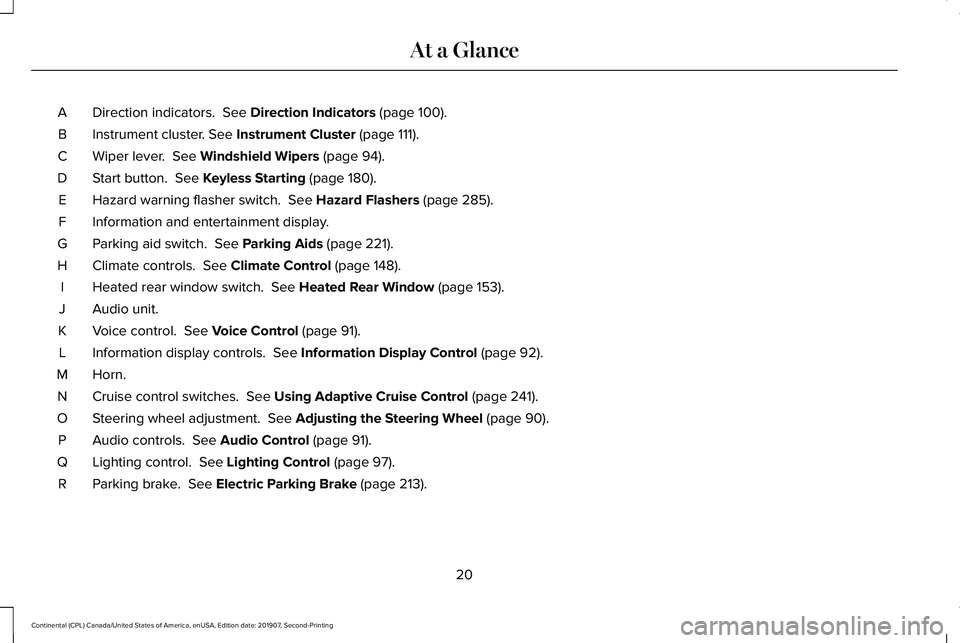
Direction indicators. See Direction Indicators (page 100).
A
Instrument cluster.
See Instrument Cluster (page 111).
B
Wiper lever.
See Windshield Wipers (page 94).
C
Start button.
See Keyless Starting (page 180).
D
Hazard warning flasher switch.
See Hazard Flashers (page 285).
E
Information and entertainment display.
F
Parking aid switch.
See Parking Aids (page 221).
G
Climate controls.
See Climate Control (page 148).
H
Heated rear window switch.
See Heated Rear Window (page 153).
I
Audio unit.
J
Voice control.
See Voice Control (page 91).
K
Information display controls.
See Information Display Control (page 92).
L
Horn.M
Cruise control switches.
See Using Adaptive Cruise Control (page 241).
N
Steering wheel adjustment.
See Adjusting the Steering Wheel (page 90).
O
Audio controls.
See Audio Control (page 91).
P
Lighting control.
See Lighting Control (page 97).
Q
Parking brake.
See Electric Parking Brake (page 213).
R
20
Continental (CPL) Canada/United States of America, enUSA, Edition date: 201907, Second-Printing At a Glance
Page 73 of 609
Number of MyKeys
Indicates the number of MyKeys
programmed to your vehicle. Use this feature
to detect how many MyKeys you have for
your vehicle and determine when all MyKeys
have been deleted.
Number of Admin Keys
Indicates how many admin keys are
programmed to your vehicle. Use this feature
to determine how many admin keys you have
for your vehicle, and detect if an additional
MyKey has been programmed.
USING MYKEY WITH REMOTE
START SYSTEMS
MyKey is not compatible with non
Lincoln-approved, aftermarket remote start
systems. If you choose to install a remote
start system, see an authorized dealer for a
Lincoln-approved remote start system.
MYKEY – TROUBLESHOOTING Potential causes
Condition
· The key or transmitter used to start the vehicle does not have admin
privileges.
I cannot create a MyKey.
· Vehicles with keyless start: Make sure you place the transmitter into
the backup slot. See Passive Anti-Theft System (page 87).
· The key or transmitter used to start the vehicle is the only admin key.
There always has to be at least one admin key.
· SecuriLock passive anti-theft system is disabled or in unlimited mode.
· The key or transmitter used to start the vehicle does not have admin
privileges.
I cannot program the configurable settings.
70
Continental (CPL) Canada/United States of America, enUSA, Edition date: 201907, Second-Printing MyKey™
Page 75 of 609
LOCKING AND UNLOCKING
Your vehicle has an intelligent electronically
controlled door system that is in constant
communication with overall vehicle systems.
When you lock your vehicle using the lock
switch on each door interior trim panel, or
by using the keyless entry keypad or the lock
sensor on each door exterior trim panel, the
exterior door handle switches do not release
the doors. This helps to secure your vehicle
and prevent unauthorized entry. Also, when
your vehicle reaches a speed greater than
12 mph (20 km/h), the exterior door handle
switches do not release the doors.
If the airbags deploy or the fuel pump shutoff
switch activates, all interior and exterior
unlock switches do not unlock your door for
six seconds. This helps to secure the doors
in the event of a crash. After six seconds all
switches reset, and you can open the doors
using the interior and exterior unlatch
switches. Door Lock Indicator
An LED on each front door window trim
illuminates when you lock the doors. It
remains on for two to five seconds after you
switch the ignition off.
Door Lock Switch Inhibitor
When you electronically lock your vehicle,
the door lock switches and the interior
luggage compartment release switch do not
operate after 20 seconds. You must unlock
your vehicle with the remote control or
keyless entry keypad, or switch the ignition
on, to restore function to these switches.
You can switch this feature on or off using
the information display controls.
See
General Information (page 117).
Activating Intelligent Access
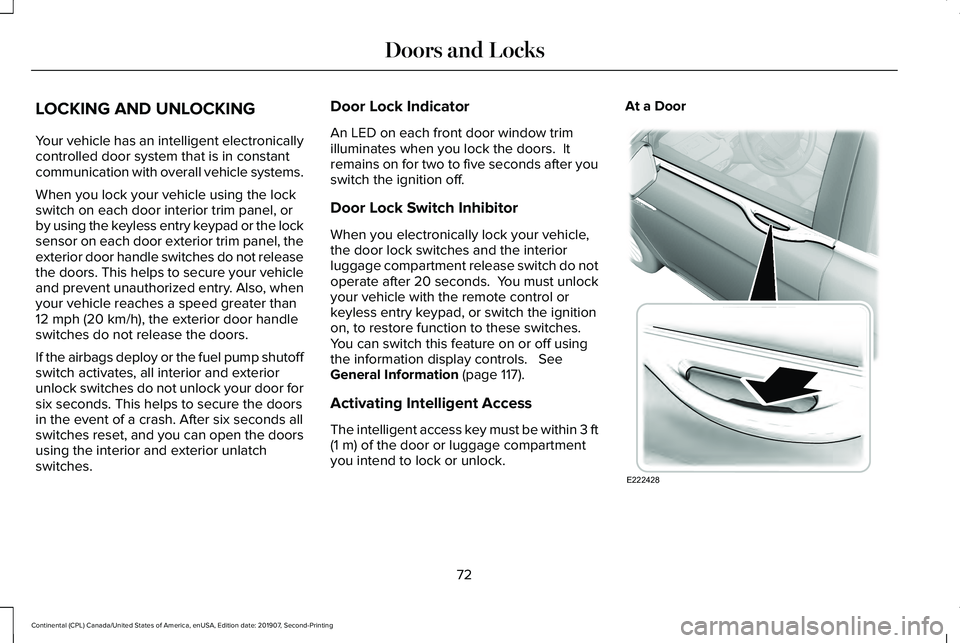
The intelligent access key must be within 3 ft
(1 m)
of the door or luggage compartment
you intend to lock or unlock. At a Door
72
Continental (CPL) Canada/United States of America, enUSA, Edition date: 201907, Second-Printing Doors and LocksE222428
Page 76 of 609
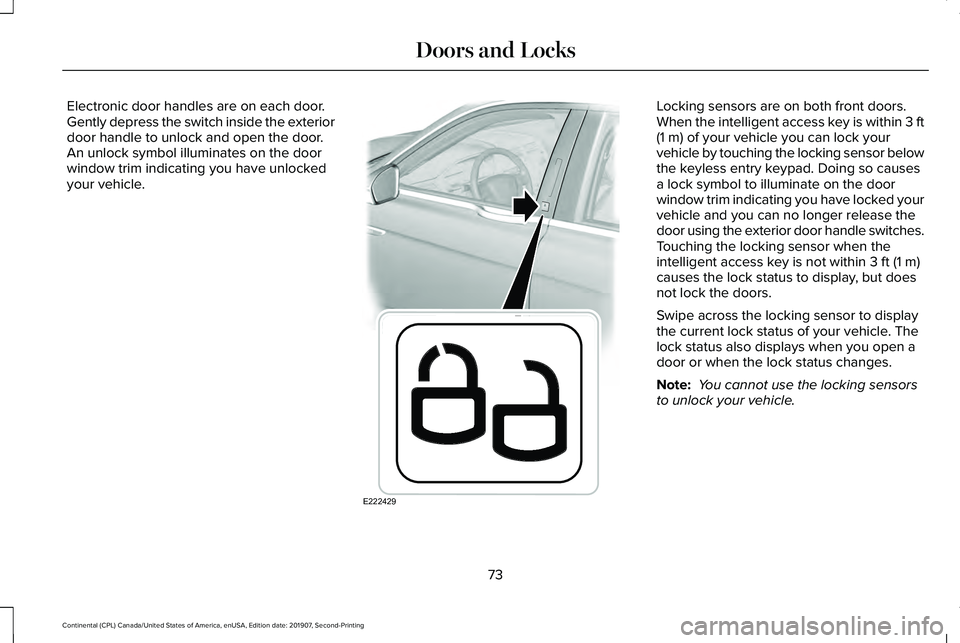
Electronic door handles are on each door.
Gently depress the switch inside the exterior
door handle to unlock and open the door.
An unlock symbol illuminates on the door
window trim indicating you have unlocked
your vehicle. Locking sensors are on both front doors.
When the intelligent access key is within 3 ft
(1 m) of your vehicle you can lock your
vehicle by touching the locking sensor below
the keyless entry keypad. Doing so causes
a lock symbol to illuminate on the door
window trim indicating you have locked your
vehicle and you can no longer release the
door using the exterior door handle switches.
Touching the locking sensor when the
intelligent access key is not within
3 ft (1 m)
causes the lock status to display, but does
not lock the doors.
Swipe across the locking sensor to display
the current lock status of your vehicle. The
lock status also displays when you open a
door or when the lock status changes.
Note: You cannot use the locking sensors
to unlock your vehicle.
73
Continental (CPL) Canada/United States of America, enUSA, Edition date: 201907, Second-Printing Doors and LocksE222429
Page 77 of 609
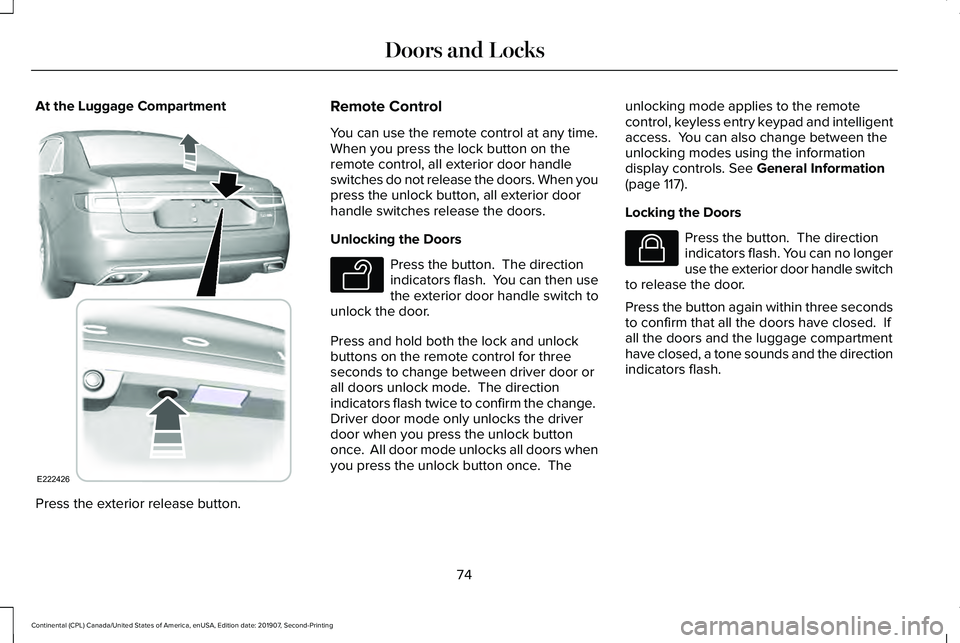
At the Luggage Compartment
Press the exterior release button. Remote Control
You can use the remote control at any time.
When you press the lock button on the
remote control, all exterior door handle
switches do not release the doors. When you
press the unlock button, all exterior door
handle switches release the doors.
Unlocking the Doors
Press the button. The direction
indicators flash. You can then use
the exterior door handle switch to
unlock the door.
Press and hold both the lock and unlock
buttons on the remote control for three
seconds to change between driver door or
all doors unlock mode. The direction
indicators flash twice to confirm the change.
Driver door mode only unlocks the driver
door when you press the unlock button
once. All door mode unlocks all doors when
you press the unlock button once. The unlocking mode applies to the remote
control, keyless entry keypad and intelligent
access. You can also change between the
unlocking modes using the information
display controls. See General Information
(page 117).
Locking the Doors Press the button. The direction
indicators flash. You can no longer
use the exterior door handle switch
to release the door.
Press the button again within three seconds
to confirm that all the doors have closed. If
all the doors and the luggage compartment
have closed, a tone sounds and the direction
indicators flash.
74
Continental (CPL) Canada/United States of America, enUSA, Edition date: 201907, Second-Printing Doors and LocksE222426 E138629 E138623
Page 79 of 609
Note:
You cannot open the door again
without a fully charged and operational
vehicle battery.
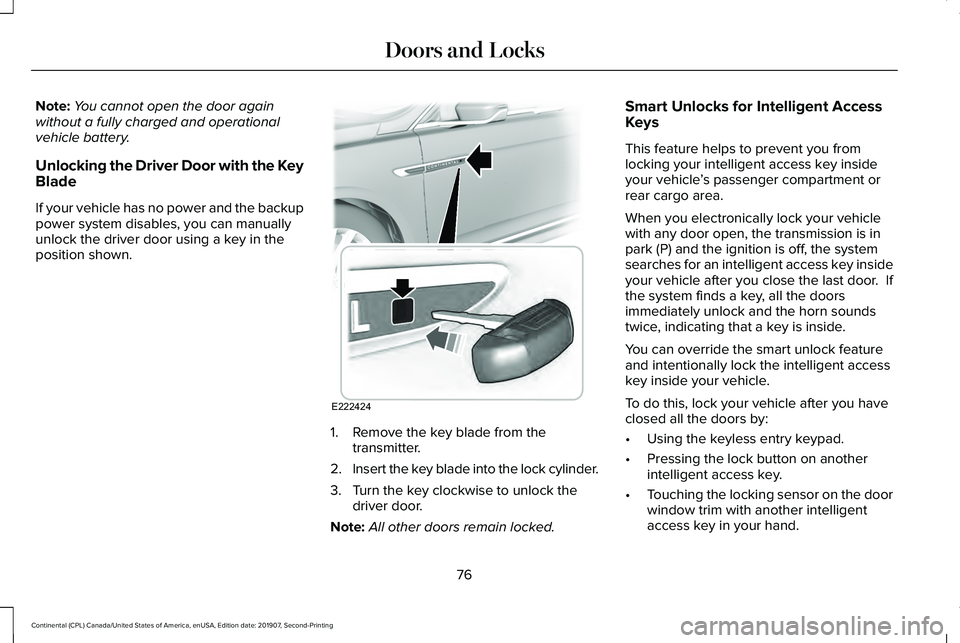
Unlocking the Driver Door with the Key
Blade
If your vehicle has no power and the backup
power system disables, you can manually
unlock the driver door using a key in the
position shown. 1. Remove the key blade from the
transmitter.
2. Insert the key blade into the lock cylinder.
3. Turn the key clockwise to unlock the driver door.
Note: All other doors remain locked. Smart Unlocks for Intelligent Access
Keys
This feature helps to prevent you from
locking your intelligent access key inside
your vehicle
’s passenger compartment or
rear cargo area.
When you electronically lock your vehicle
with any door open, the transmission is in
park (P) and the ignition is off, the system
searches for an intelligent access key inside
your vehicle after you close the last door. If
the system finds a key, all the doors
immediately unlock and the horn sounds
twice, indicating that a key is inside.
You can override the smart unlock feature
and intentionally lock the intelligent access
key inside your vehicle.
To do this, lock your vehicle after you have
closed all the doors by:
• Using the keyless entry keypad.
• Pressing the lock button on another
intelligent access key.
• Touching the locking sensor on the door
window trim with another intelligent
access key in your hand.
76
Continental (CPL) Canada/United States of America, enUSA, Edition date: 201907, Second-Printing Doors and LocksE222424
Page 86 of 609
1.
Move your foot under and away from the
rear bumper detection area in a
single-kick motion. Do not move your
foot sideways or the sensors may not
detect the motion.
2. The decklid opens or closes.
Note: Allow the power system to open the
decklid. Manually pushing or pulling the
decklid may activate the system’ s obstacle
detection feature and stop the power
operation or reverse its direction.
Note: Splashing water may cause the
hands-free decklid to open. Keep the
intelligent access key away from the rear
bumper detection area when washing your
vehicle.
SOFT CLOSING DOOR
Gently close the door until it fully latches.
The system automatically closes the door,
making sure it is fully secure.
Note: The system does not work if the
vehicle battery charge is low. Note:
The system is limited to 25 cycles
between each ignition cycle. This is to
prevent the vehicle battery from losing
charge.
Note: You can override soft close by fully
closing the door manually.
KEYLESS ENTRY
SECURICODE™ Keyless Entry Keypad
The keypad is near the driver window. It
illuminates when touched.
Note: If you enter your entry code too fast
on the keypad, the unlock function may not
work. Enter your entry code again more
slowly. You can use the keypad to do the following:
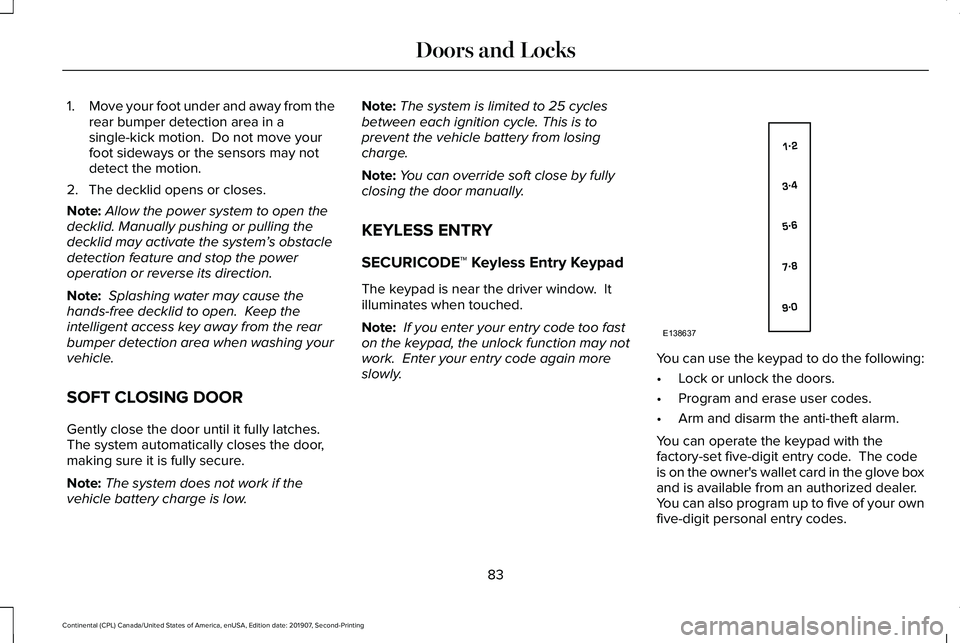
•
Lock or unlock the doors.
• Program and erase user codes.
• Arm and disarm the anti-theft alarm.
You can operate the keypad with the
factory-set five-digit entry code. The code
is on the owner's wallet card in the glove box
and is available from an authorized dealer.
You can also program up to five of your own
five-digit personal entry codes.
83
Continental (CPL) Canada/United States of America, enUSA, Edition date: 201907, Second-Printing Doors and LocksE138637
Page 92 of 609
ANTI-THEFT ALARM
The system will warn you of an unauthorized
entry to your vehicle. It will be triggered if
any door, the luggage compartment or the
hood is opened without using the key,
remote control or keyless entry keypad.
The direction indicators will flash and the
horn will sound if unauthorized entry is
attempted while the alarm is armed.
Take all remote controls to an authorized
dealer if there is any potential alarm problem
with your vehicle.
Arming the Alarm
The alarm is ready to arm when there is not
a key in your vehicle. Electronically lock your
vehicle to arm the alarm.
Disarming the Alarm
Disarm the alarm by any of the following
actions:
•
Unlock the doors or luggage
compartment with the remote control or
keyless entry keypad.
• Switch your vehicle on or start your
vehicle.
• Use a key in the driver door to unlock
your vehicle, then switch your vehicle on
within 12 seconds.
Note: Pressing the panic button on the
remote control will stop the horn and signal
indicators, but will not disarm the system.
89
Continental (CPL) Canada/United States of America, enUSA, Edition date: 201907, Second-Printing Security