warning LINCOLN CORSAIR 2020 Owners Manual
[x] Cancel search | Manufacturer: LINCOLN, Model Year: 2020, Model line: CORSAIR, Model: LINCOLN CORSAIR 2020Pages: 591, PDF Size: 6 MB
Page 269 of 591
BLIND SPOT INFORMATION
SYSTEM
WARNING: Do not use the blind spot
information system as a replacement for
using the interior and exterior mirrors or
looking over your shoulder before
changing lanes. The blind spot information
system is not a replacement for careful
driving. WARNING:
The system may not
operate properly during severe weather
conditions, for example snow, ice, heavy
rain and spray. Always drive with due care
and attention. Failure to take care may
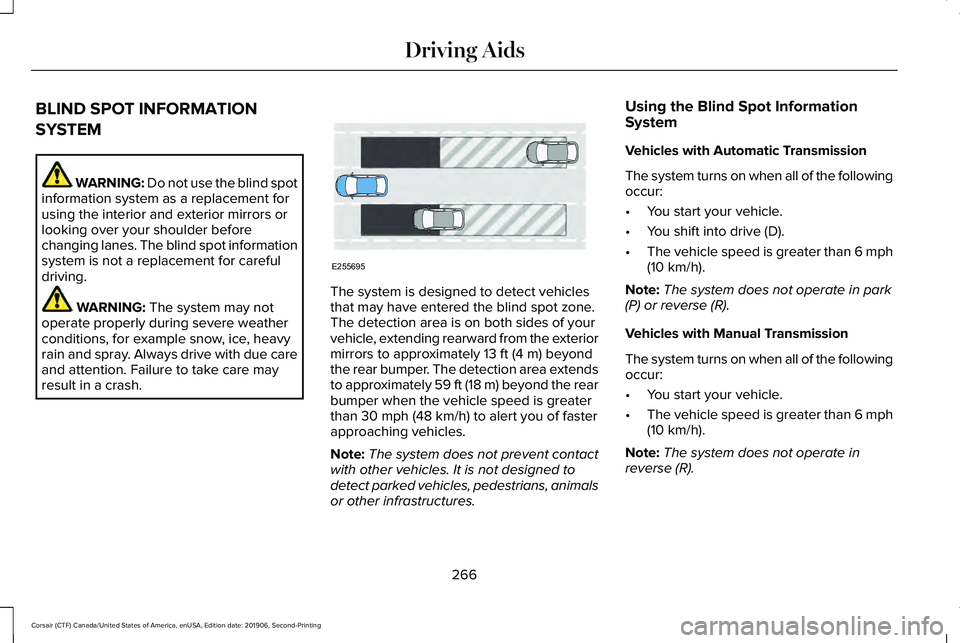
result in a crash. The system is designed to detect vehicles
that may have entered the blind spot zone.
The detection area is on both sides of your
vehicle, extending rearward from the exterior
mirrors to approximately
13 ft (4 m) beyond
the rear bumper. The detection area extends
to approximately 59 ft (18 m) beyond the rear
bumper when the vehicle speed is greater
than
30 mph (48 km/h) to alert you of faster
approaching vehicles.
Note: The system does not prevent contact
with other vehicles. It is not designed to
detect parked vehicles, pedestrians, animals
or other infrastructures. Using the Blind Spot Information
System
Vehicles with Automatic Transmission
The system turns on when all of the following
occur:
•
You start your vehicle.
• You shift into drive (D).
• The vehicle speed is greater than
6 mph
(10 km/h).
Note: The system does not operate in park
(P) or reverse (R).
Vehicles with Manual Transmission
The system turns on when all of the following
occur:
• You start your vehicle.
• The vehicle speed is greater than
6 mph
(10 km/h).
Note: The system does not operate in
reverse (R).
266
Corsair (CTF) Canada/United States of America, enUSA, Edition date: 201906, Second-Printing Driving AidsE255695
Page 270 of 591
System Lights and Messages
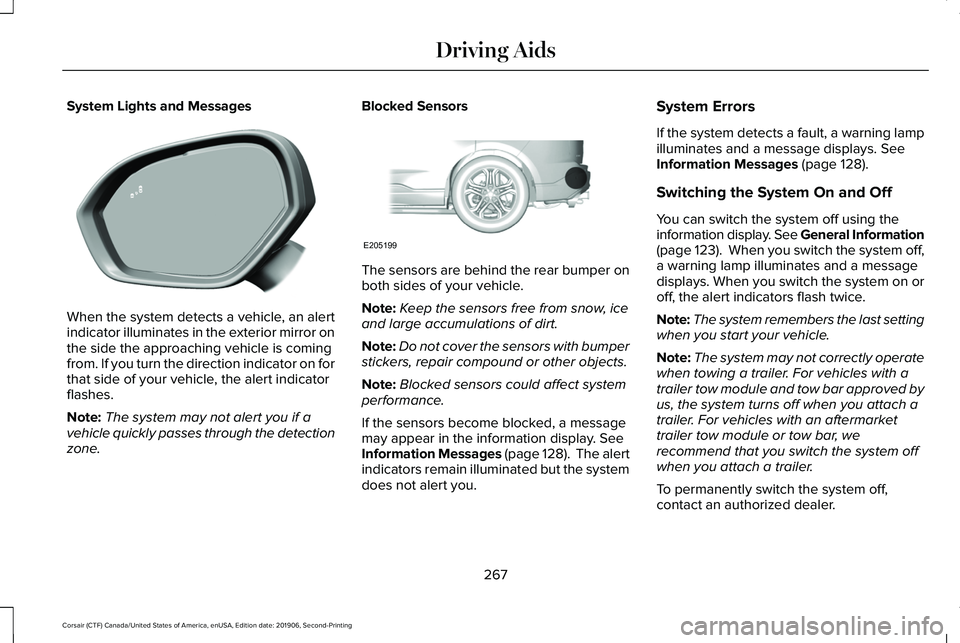
When the system detects a vehicle, an alert
indicator illuminates in the exterior mirror on
the side the approaching vehicle is coming
from. If you turn the direction indicator on for
that side of your vehicle, the alert indicator
flashes.
Note:
The system may not alert you if a
vehicle quickly passes through the detection
zone. Blocked Sensors
The sensors are behind the rear bumper on
both sides of your vehicle.
Note:
Keep the sensors free from snow, ice
and large accumulations of dirt.
Note: Do not cover the sensors with bumper
stickers, repair compound or other objects.
Note: Blocked sensors could affect system
performance.
If the sensors become blocked, a message
may appear in the information display. See
Information Messages (page 128). The alert
indicators remain illuminated but the system
does not alert you. System Errors
If the system detects a fault, a warning lamp
illuminates and a message displays.
See
Information Messages (page 128).
Switching the System On and Off
You can switch the system off using the
information display. See General Information
(page
123). When you switch the system off,
a warning lamp illuminates and a message
displays. When you switch the system on or
off, the alert indicators flash twice.
Note: The system remembers the last setting
when you start your vehicle.
Note: The system may not correctly operate
when towing a trailer. For vehicles with a
trailer tow module and tow bar approved by
us, the system turns off when you attach a
trailer. For vehicles with an aftermarket
trailer tow module or tow bar, we
recommend that you switch the system off
when you attach a trailer.
To permanently switch the system off,
contact an authorized dealer.
267
Corsair (CTF) Canada/United States of America, enUSA, Edition date: 201906, Second-Printing Driving AidsE309221 E205199
Page 271 of 591
CROSS TRAFFIC ALERT
WARNING: Do not use the cross
traffic alert system as a replacement for
using the interior and exterior mirrors or
looking over your shoulder before
reversing out of a parking space. The cross
traffic alert system is not a replacement for
careful driving. WARNING:
The system may not
operate properly during severe weather
conditions, for example snow, ice, heavy
rain and spray. Always drive with due care
and attention. Failure to take care may
result in a crash.
The system alerts you of vehicles
approaching from the sides behind your
vehicle when you shift into reverse (R). Using Cross Traffic Alert
The system detects vehicles that approach
at a speed between
4 mph (6 km/h) and
37 mph (60 km/h). Coverage decreases when
the sensors are partially, mostly or fully
obstructed. Slowly reversing helps increase
the coverage area and effectiveness.
The system turns on when you start the
engine and you shift into reverse (R). The
system turns off when you shift out of reverse
(R).
268
Corsair (CTF) Canada/United States of America, enUSA, Edition date: 201906, Second-Printing Driving Aids
Page 275 of 591
Cross Traffic Alert Indicator
When the system detects an
approaching vehicle, a tone
sounds, a warning lamp illuminates
in the relevant exterior mirror and arrows
appear in the information display to show
which side the approaching vehicle is coming
from. Note:
If arrows do not display, a message
appears in the information display.
If the system malfunctions, a warning lamp
illuminates in the instrument cluster and a
message appears in the information display.
Have your vehicle checked as soon as
possible. Note:
In exceptional conditions, the system
could alert you, even when there is nothing
in the detection zone, for example a vehicle
passing further away from your vehicle.
Cross Traffic Alert Information Messages Action
Message
Displays instead of indication arrows when the system detects a vehicle. Check for approaching
traffic.
Cross Traffic Alert
Indicates blocked cross traffic alert system sensors. Clean the sensors. If the message\
continues
to appear, have your vehicle checked as soon as possible.
Cross Traffic Not Available Sensor
Blocked See Manual
The system has malfunctioned. Have your vehicle checked as soon as possible.
Cross Traffic System Fault
Displays if you attach a trailer to your vehicle.
Cross Traffic Alert Deactivated Trailer
Attached
272
Corsair (CTF) Canada/United States of America, enUSA, Edition date: 201906, Second-Printing Driving AidsE268294
Page 276 of 591
STEERING
Electric Power Steering
WARNING: The electric power
steering system has diagnostic checks that
continuously monitor the system. If a fault
is detected, a message displays in the
information display. Stop your vehicle as
soon as it is safe to do so. Switch the
ignition off. After at least 10 seconds,
switch the ignition on and watch the
information display for a steering system
warning message. If a steering system
warning message returns, have the system
checked as soon as possible. WARNING:
If the system detects an
error, you may not feel a difference in the
steering, however a serious condition may
exist. Have your vehicle checked as soon
as possible. Failure to do so may result in
loss of steering control.
Your vehicle is equipped with an electric
power-assisted steering system. There is no
fluid reservoir to check or fill. If your vehicle loses electrical power while
you are driving (or if the ignition is turned
off ), you can steer the vehicle manually, but
it takes more effort. Extreme continuous
steering may increase the effort it takes for
you to steer. This occurs to prevent internal
overheating and permanent damage to your
steering system. If this should occur, you will
neither lose the ability to steer the vehicle
manually nor will it cause permanent
damage. Typical steering and driving
maneuvers will allow the system to cool
down and steering assist will return to
normal.
Steering Tips
If the steering wanders or pulls, check for:
•
An improperly inflated tire.
• Uneven tire wear.
• Loose or worn suspension components.
• Loose or worn steering components.
• Improper vehicle alignment.
A high crown in the road or high crosswinds
may also make the steering seem to wander
or pull. PRE-COLLISION ASSIST WARNING:
You are responsible for
controlling your vehicle at all times. The
system is designed to be an aid and does
not relieve you of your responsibility to
drive with due care and attention. Failure
to follow this instruction could result in the
loss of control of your vehicle, personal
injury or death. WARNING:
The system does not
detect vehicles that are driving in a
different direction, pedestrians at night,
cyclists or animals. Apply the brakes when
necessary. Failure to follow this instruction
could result in the loss of control of your
vehicle, personal injury or death. WARNING:
The system does not
operate during hard acceleration or
steering. Failure to take care may lead to
a crash or personal injury.
273
Corsair (CTF) Canada/United States of America, enUSA, Edition date: 201906, Second-Printing Driving Aids
Page 277 of 591
WARNING: The system may fail or
operate with reduced function during cold
and severe weather conditions. Snow, ice,
rain, spray and fog can adversely affect the
system. Keep the front camera and radar
free of snow and ice. Failure to take care
may result in the loss of control of your
vehicle, serious personal injury or death. WARNING:
Some situations and
objects prevent hazard detection. For
example low or direct sunlight, inclement
weather, unconventional vehicle types, and
pedestrians. Apply the brakes when
necessary. Failure to follow this instruction
could result in the loss of control of your
vehicle, personal injury or death. WARNING:
The system cannot help
prevent all crashes. Do not rely on this
system to replace driver judgment and the
need to maintain a safe distance and
speed. Using the Pre-Collision Assist System
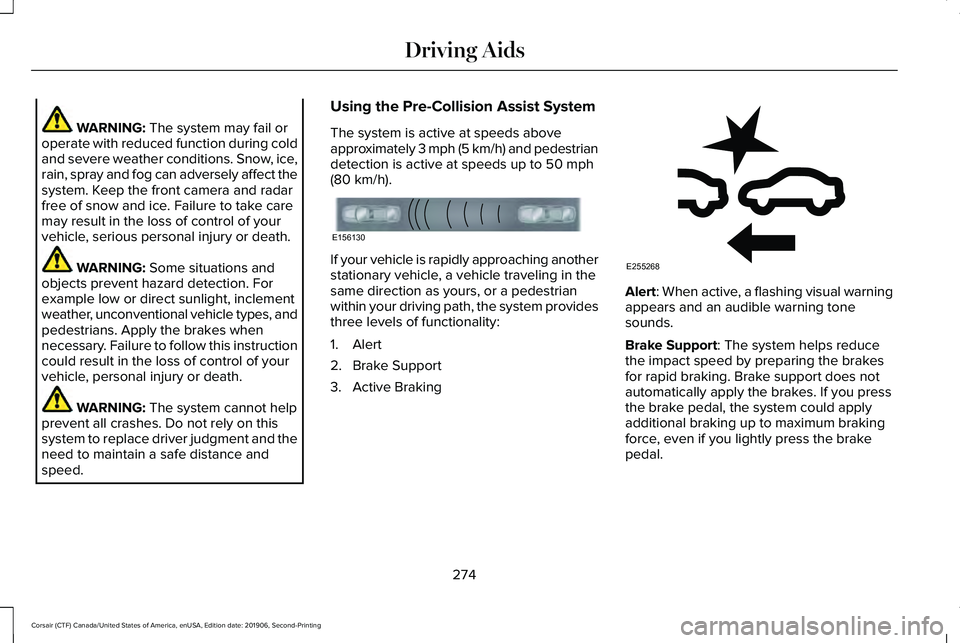
The system is active at speeds above
approximately 3 mph (5 km/h) and pedestrian
detection is active at speeds up to
50 mph
(80 km/h). If your vehicle is rapidly approaching another
stationary vehicle, a vehicle traveling in the
same direction as yours, or a pedestrian
within your driving path, the system provides
three levels of functionality:
1. Alert
2. Brake Support
3. Active Braking
Alert
: When active, a flashing visual warning
appears and an audible warning tone
sounds.
Brake Support
: The system helps reduce
the impact speed by preparing the brakes
for rapid braking. Brake support does not
automatically apply the brakes. If you press
the brake pedal, the system could apply
additional braking up to maximum braking
force, even if you lightly press the brake
pedal.
274
Corsair (CTF) Canada/United States of America, enUSA, Edition date: 201906, Second-Printing Driving AidsE156130 E255268
Page 278 of 591
Active Braking: Active braking may activate
if the system determines that a collision is
imminent. The system may help the driver
reduce impact damage or avoid the crash
completely.
Note: If you perceive Pre-Collision Assist
alerts as being too frequent or disturbing,
then you can reduce the alert sensitivity,
though we recommend using the highest
sensitivity setting where possible. Setting
lower sensitivity would lead to fewer and
later system warnings.
Note: Brake Support and Active Braking are
active at speeds up to 75 mph (120 km/h). If
your vehicle has a radar sensor, included
with Adaptive Cruise Control, then Brake
Support and Active Braking are active up to
the maximum speed of the vehicle.
Note: The system turns off when you select
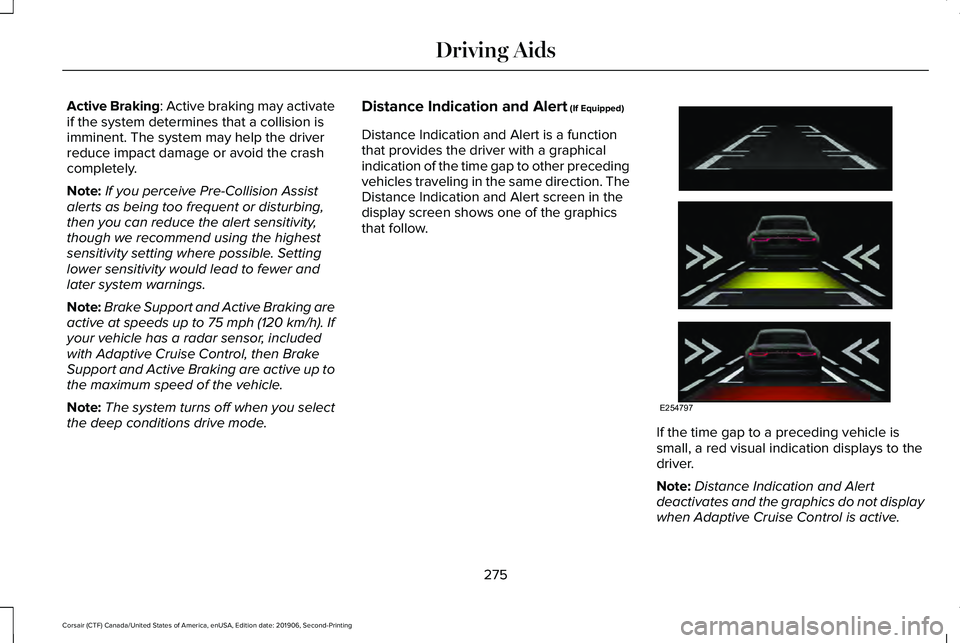
the deep conditions drive mode. Distance Indication and Alert (If Equipped)
Distance Indication and Alert is a function
that provides the driver with a graphical
indication of the time gap to other preceding
vehicles traveling in the same direction. The
Distance Indication and Alert screen in the
display screen shows one of the graphics
that follow. If the time gap to a preceding vehicle is
small, a red visual indication displays to the
driver.
Note:
Distance Indication and Alert
deactivates and the graphics do not display
when Adaptive Cruise Control is active.
275
Corsair (CTF) Canada/United States of America, enUSA, Edition date: 201906, Second-Printing Driving AidsE254797
Page 284 of 591
REAR UNDER FLOOR STORAGE
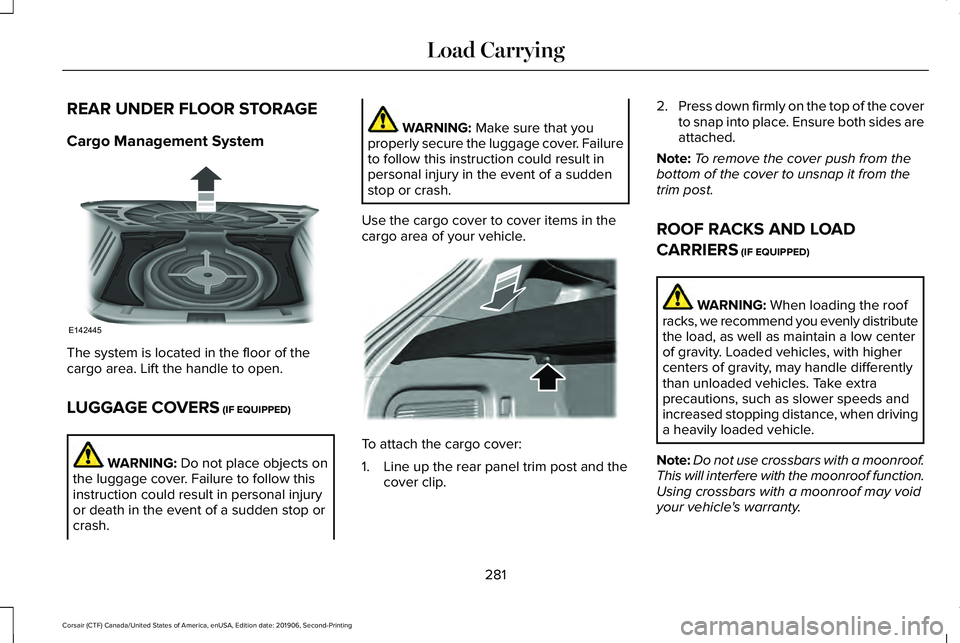
Cargo Management System
The system is located in the floor of the
cargo area. Lift the handle to open.
LUGGAGE COVERS (IF EQUIPPED)
WARNING:
Do not place objects on
the luggage cover. Failure to follow this
instruction could result in personal injury
or death in the event of a sudden stop or
crash. WARNING:
Make sure that you
properly secure the luggage cover. Failure
to follow this instruction could result in
personal injury in the event of a sudden
stop or crash.
Use the cargo cover to cover items in the
cargo area of your vehicle. To attach the cargo cover:
1. Line up the rear panel trim post and the
cover clip. 2.
Press down firmly on the top of the cover
to snap into place. Ensure both sides are
attached.
Note: To remove the cover push from the
bottom of the cover to unsnap it from the
trim post.
ROOF RACKS AND LOAD
CARRIERS
(IF EQUIPPED) WARNING:
When loading the roof
racks, we recommend you evenly distribute
the load, as well as maintain a low center
of gravity. Loaded vehicles, with higher
centers of gravity, may handle differently
than unloaded vehicles. Take extra
precautions, such as slower speeds and
increased stopping distance, when driving
a heavily loaded vehicle.
Note: Do not use crossbars with a moonroof.
This will interfere with the moonroof function.
Using crossbars with a moonroof may void
your vehicle's warranty.
281
Corsair (CTF) Canada/United States of America, enUSA, Edition date: 201906, Second-Printing Load CarryingE142445 E299325
Page 287 of 591
WARNING: The appropriate
loading capacity of your vehicle can
be limited either by volume capacity
(how much space is available) or by
payload capacity (how much weight
the vehicle should carry). Once you
have reached the maximum payload
of your vehicle, do not add more
cargo, even if there is space available.
Overloading or improperly loading
your vehicle can contribute to loss of
vehicle control and vehicle rollover.
GAWR (Gross Axle Weight Rating)
GAWR is the maximum allowable weight
that a single axle (front or rear) can carry.
These numbers are on the Safety
Compliance Certification label. The label
is located on the door hinge pillar,
door-latch post, or the door edge that
meets the door-latch post, next to the
driver seating position.
The total load on each axle must never
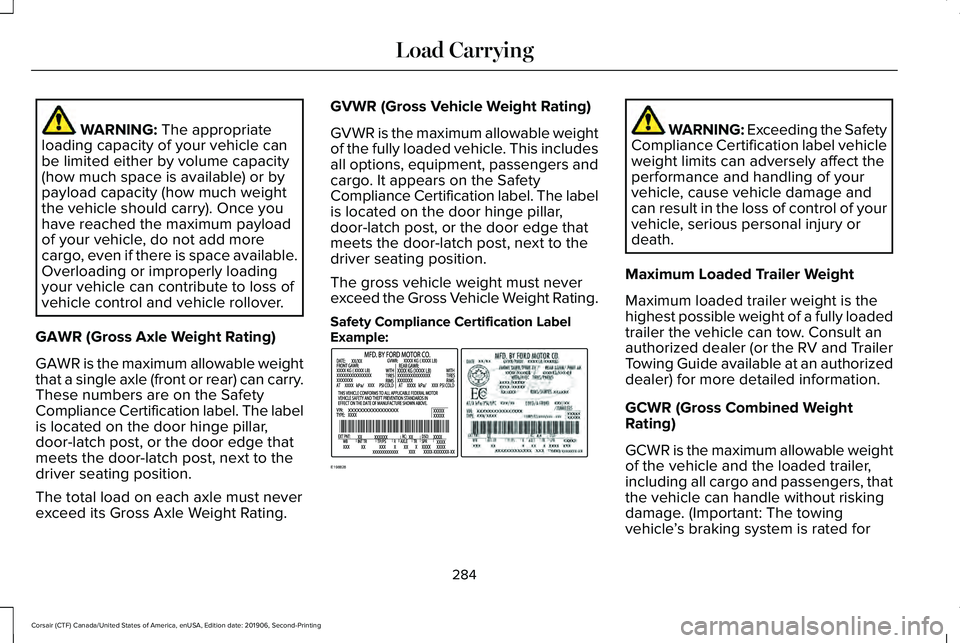
exceed its Gross Axle Weight Rating. GVWR (Gross Vehicle Weight Rating)
GVWR is the maximum allowable weight
of the fully loaded vehicle. This includes
all options, equipment, passengers and
cargo. It appears on the Safety
Compliance Certification label. The label
is located on the door hinge pillar,
door-latch post, or the door edge that
meets the door-latch post, next to the
driver seating position.
The gross vehicle weight must never
exceed the Gross Vehicle Weight Rating.
Safety Compliance Certification Label
Example: WARNING: Exceeding the Safety
Compliance Certification label vehicle
weight limits can adversely affect the
performance and handling of your
vehicle, cause vehicle damage and
can result in the loss of control of your
vehicle, serious personal injury or
death.
Maximum Loaded Trailer Weight
Maximum loaded trailer weight is the
highest possible weight of a fully loaded
trailer the vehicle can tow. Consult an
authorized dealer (or the RV and Trailer
Towing Guide available at an authorized
dealer) for more detailed information.
GCWR (Gross Combined Weight
Rating)
GCWR is the maximum allowable weight
of the vehicle and the loaded trailer,
including all cargo and passengers, that
the vehicle can handle without risking
damage. (Important: The towing
vehicle ’s braking system is rated for
284
Corsair (CTF) Canada/United States of America, enUSA, Edition date: 201906, Second-Printing Load CarryingE198828
Page 288 of 591
operation at Gross Vehicle Weight
Rating, not at Gross Combined Weight
Rating.) Separate functional brakes
should be used for safe control of towed
vehicles and for trailers where the Gross
Combined Weight of the towing vehicle
plus the trailer exceed the Gross Vehicle
Weight Rating of the towing vehicle.
The gross combined weight must never
exceed the Gross Combined Weight
Rating.
Note:
For trailer towing information
refer to the RV and Trailer Towing Guide
available at an authorized dealer. WARNING: Do not exceed the
GVWR or the GAWR specified on the
certification label. WARNING:
Do not use
replacement tires with lower load
carrying capacities than the original
tires because they may lower your
vehicle's GVWR and GAWR limitations.
Replacement tires with a higher limit
than the original tires do not increase
the GVWR and GAWR limitations. WARNING:
Exceeding any
vehicle weight rating can adversely
affect the performance and handling
of your vehicle, cause vehicle damage
and can result in the loss of control of
your vehicle, serious personal injury
or death.
Steps for determining the correct load
limit:
1. Locate the statement "The combined
weight of occupants and cargo
should never exceed XXX kg or XXX
lb." on your vehicle ’s placard. 2.
Determine the combined weight of
the driver and passengers that will
be riding in your vehicle.
3. Subtract the combined weight of the
driver and passengers from XXX kg
or XXX lb.
4. The resulting figure equals the available amount of cargo and
luggage load capacity. For example,
if the “XXX” amount equals 1,400 lb.
and there will be five 150 lb.
passengers in your vehicle, the
amount of available cargo and
luggage load capacity is 650 lb.
(1400-750 (5 x 150) = 650 lb.)
5. Determine the combined weight of
luggage and cargo being loaded on
the vehicle. That weight may not
safely exceed the available cargo
and luggage load capacity calculated
in Step 4.
285
Corsair (CTF) Canada/United States of America, enUSA, Edition date: 201906, Second-Printing Load Carrying