center console LINCOLN CORSAIR 2020 User Guide
[x] Cancel search | Manufacturer: LINCOLN, Model Year: 2020, Model line: CORSAIR, Model: LINCOLN CORSAIR 2020Pages: 591, PDF Size: 6 MB
Page 282 of 591
WHAT IS DRIVE MODE CONTROL
The system delivers a driving experience
through a suite of sophisticated electronic
vehicle systems. These systems optimize
steering, handling and powertrain response.
This provides a single location to control
multiple systems performance settings.
Changing the drive mode automatically
changes the functionality of the following
systems:
•
Electronically power-assisted steering
system adjusts steering effort and feel
based on the mode you select. See
Steering (page 273).
• Electronic stability control and traction
control maintains your vehicle control in
adverse conditions or high performance
driving. See Stability Control (page 225).
• Electronic throttle control enhances the
powertrain response to your driving
inputs.
• Transmission controls optimize with shift
schedules tuned to each mode.
• AWD settings become optimized and
tuned to each mode. The system automatically tailors your vehicle
configuration for each mode you select.
Note:
Not all settings, or modes, may be
available.
Note: The system has diagnostic checks that
continuously monitor the system for proper
operation. If a mode is unavailable due to a
system fault, the mode defaults to Normal.
SELECTING A DRIVE MODE
Note: Drive mode changes may not be
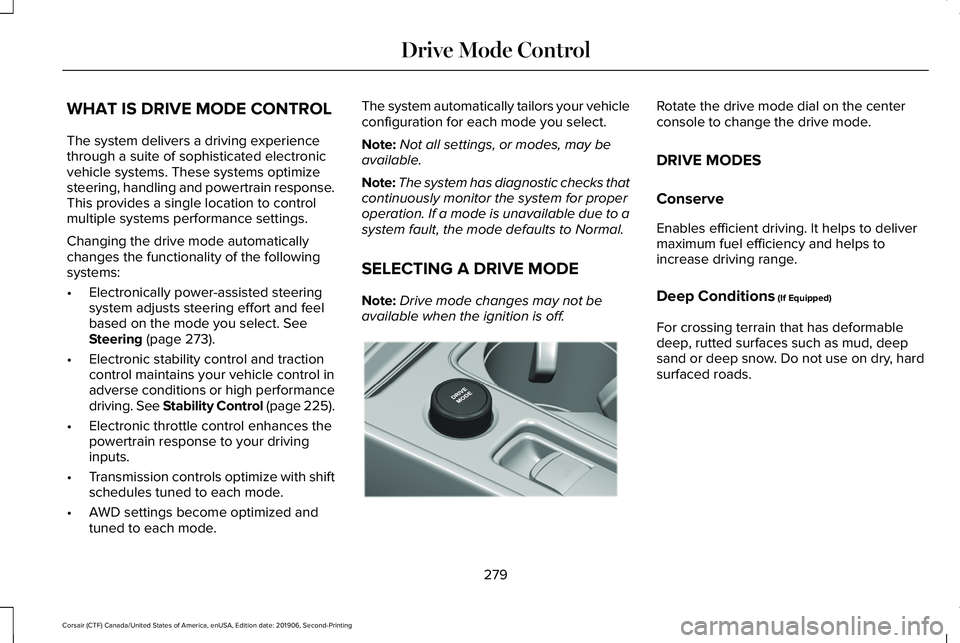
available when the ignition is off. Rotate the drive mode dial on the center
console to change the drive mode.
DRIVE MODES
Conserve
Enables efficient driving. It helps to deliver
maximum fuel efficiency and helps to
increase driving range.
Deep Conditions
(If Equipped)
For crossing terrain that has deformable
deep, rutted surfaces such as mud, deep
sand or deep snow. Do not use on dry, hard
surfaced roads.
279
Corsair (CTF) Canada/United States of America, enUSA, Edition date: 201906, Second-Printing Drive Mode ControlE307643
Page 432 of 591
Locating the USB Ports
The USB ports may be in the following
locations:
•
Inside the media bin.
• Inside the center console.
• On the lower instrument panel.
Note: The number and type of USB ports
may vary depending on your vehicle.
Note: Not all USB ports in your vehicle have
data transfer capabilities. See Auxiliary
Power Points (page 178).
429
Corsair (CTF) Canada/United States of America, enUSA, Edition date: 201906, Second-Printing Audio System
Page 459 of 591
USB Ports
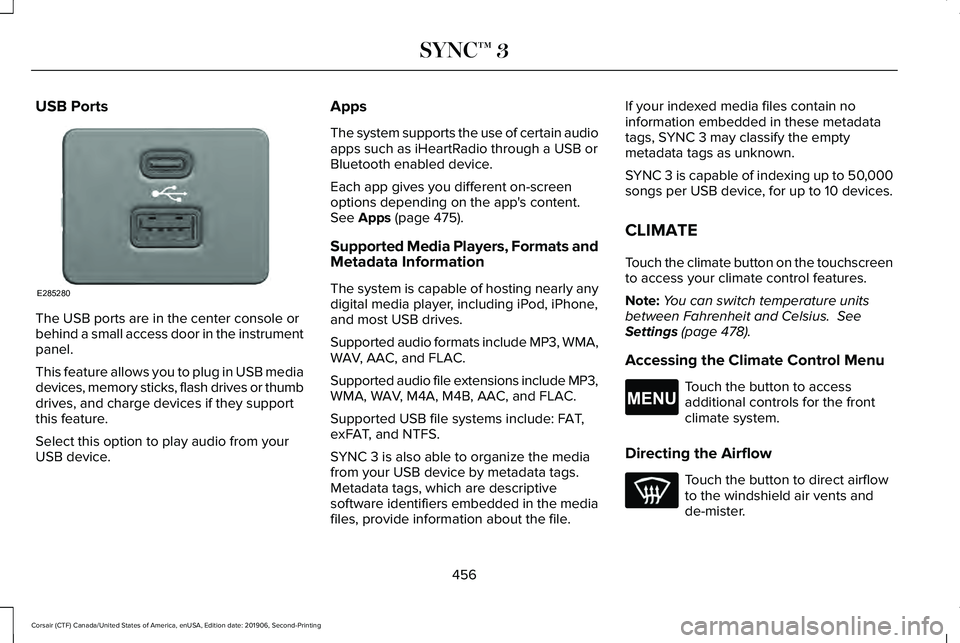
The USB ports are in the center console or
behind a small access door in the instrument
panel.
This feature allows you to plug in USB media
devices, memory sticks, flash drives or thumb
drives, and charge devices if they support
this feature.
Select this option to play audio from your
USB device. Apps
The system supports the use of certain audio
apps such as iHeartRadio through a USB or
Bluetooth enabled device.
Each app gives you different on-screen
options depending on the app's content.
See Apps (page 475).
Supported Media Players, Formats and
Metadata Information
The system is capable of hosting nearly any
digital media player, including iPod, iPhone,
and most USB drives.
Supported audio formats include MP3, WMA,
WAV, AAC, and FLAC.
Supported audio file extensions include MP3,
WMA, WAV, M4A, M4B, AAC, and FLAC.
Supported USB file systems include: FAT,
exFAT, and NTFS.
SYNC 3 is also able to organize the media
from your USB device by metadata tags.
Metadata tags, which are descriptive
software identifiers embedded in the media
files, provide information about the file. If your indexed media files contain no
information embedded in these metadata
tags, SYNC 3 may classify the empty
metadata tags as unknown.
SYNC 3 is capable of indexing up to 50,000
songs per USB device, for up to 10 devices.
CLIMATE
Touch the climate button on the touchscreen
to access your climate control features.
Note:
You can switch temperature units
between Fahrenheit and Celsius.
See
Settings (page 478).
Accessing the Climate Control Menu Touch the button to access
additional controls for the front
climate system.
Directing the Airflow Touch the button to direct airflow
to the windshield air vents and
de-mister.
456
Corsair (CTF) Canada/United States of America, enUSA, Edition date: 201906, Second-Printing SYNC™ 3E285280 E265038
Page 585 of 591
Message Center
See: Information Displays.................................123
Mirrors See: Windows and Mirrors................................108
Mobile Communications Equipment..........18
Moonroof..........................................................112 Bounce-Back.........................................................113
Motorcraft Parts - 2.0L.................................387
Motorcraft Parts - 2.3L................................389
MyKey – Troubleshooting.............................73
MyKey™..............................................................70 Principle of Operation..........................................70
N
Navigation.......................................................461 Changing the Format of the Map...................465
cityseeker.............................................................467
Michelin Travel Guide........................................
468
Navigation Map Accuracy and Updates......468
Route Guidance..................................................465
Setting a Destination.........................................463
SiriusXM Traffic and Travel Link.....................468
Zoom.....................................................................465
Network Connectivity...................................414 Connecting the Vehicle to a Mobile
Network.............................................................414 Network Connectivity –
Troubleshooting..........................................415
Normal Scheduled Maintenance
.............507
Intelligent Oil-Life Monitor™..............................507
Maintenance Intervals.......................................508
O
Oil Change Indicator Reset.........................331
Oil Check See: Engine Oil Check......................................
330
Opening and Closing the Hood................327 Closing the Hood...............................................328
Opening the Hood.............................................327
Ordering Additional Owner's Literature........................................................311
Obtaining a French Owner’ s Manual..............311
Overhead Console........................................182
Overriding Automatic High Beam Control...........................................................107
Overriding Reverse Braking Assist...........221
Overriding the Set Speed
..........................252
P
Parking Aids
...................................................227
Principle of Operation.......................................227 Passive Anti-Theft System............................87
SecuriLock®............................................................87
PATS See: Passive Anti-Theft System
.........................87
Perchlorate........................................................16
Personalized Settings...................................127 Information On Demand....................................127
Personal Safety System ™
..............................48
How Does the Personal Safety System
Work?...................................................................48
Phone as a Key Limitations..........................67
Phone as a Key................................................67 Phone as a Key – Troubleshooting..................68
Phone as a Key – Troubleshooting............68 Phone as a Key – Frequently Asked
Questions...........................................................68
Phone..............................................................459 Android Auto........................................................461
Apple CarPlay.......................................................461
Pairing Your Cell Phone for the First
Time..................................................................459
Text Messaging...................................................460
Using Your Cell Phone......................................
460
Post-Crash Alert System
.............................303
Power Door Locks See: Locking and Unlocking..............................75
Power Liftgate
.................................................82
Hands-Free Feature.............................................85
582
Corsair (CTF) Canada/United States of America, enUSA, Edition date: 201906, Second-Printing Index