camera LINCOLN CORSAIR 2021 User Guide
[x] Cancel search | Manufacturer: LINCOLN, Model Year: 2021, Model line: CORSAIR, Model: LINCOLN CORSAIR 2021Pages: 638, PDF Size: 5.7 MB
Page 268 of 638
WHAT IS THE REAR VIEW CAMERA
The rear view camera provides a video
image of the area behind your vehicle when
the transmission is in reverse (R).
REAR VIEW CAMERA
PRECAUTIONS
WARNING: The rear view camera
system is a reverse aid supplement device
that still requires the driver to use it in
conjunction with the interior and exterior
mirrors for maximum coverage. WARNING:
Objects that are close to
either corner of the bumper or under the
bumper, might not be seen on the screen
due to the limited coverage of the camera
system. WARNING:
Reverse your vehicle
slowly. Failure to follow this instruction
could result in the loss of control of your
vehicle, personal injury or death. WARNING:
Use caution when the
rear cargo door is ajar. If the rear cargo
door is ajar, the camera will be out of
position and the video image could be
incorrect. All guide lines disappear when
the rear cargo door is ajar. Failure to follow
this instruction could result in personal
injury. WARNING:
Use caution when turning
camera features on or off when the
transmission is not in park (P). Make sure
your vehicle is not moving.
Note: When towing, the camera only sees
what you are towing. This might not provide
adequate coverage and you might not see
some objects. In some vehicles, the guide
lines may disappear when you connect the
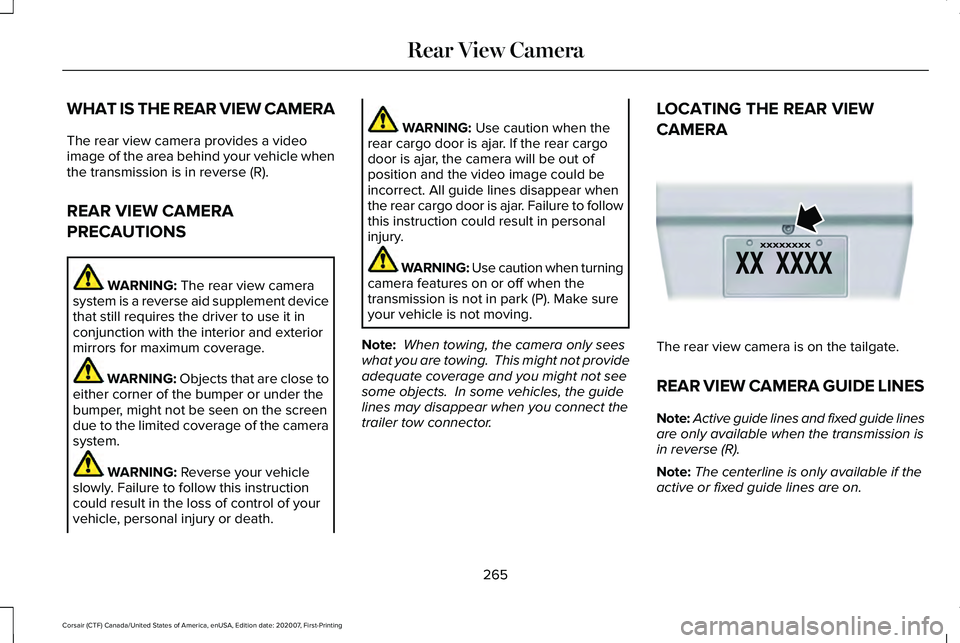
trailer tow connector. LOCATING THE REAR VIEW
CAMERA
The rear view camera is on the tailgate.
REAR VIEW CAMERA GUIDE LINES
Note:
Active guide lines and fixed guide lines
are only available when the transmission is
in reverse (R).
Note: The centerline is only available if the
active or fixed guide lines are on.
265
Corsair (CTF) Canada/United States of America, enUSA, Edition date: 202007, First-Printing Rear View CameraE142435
Page 269 of 638
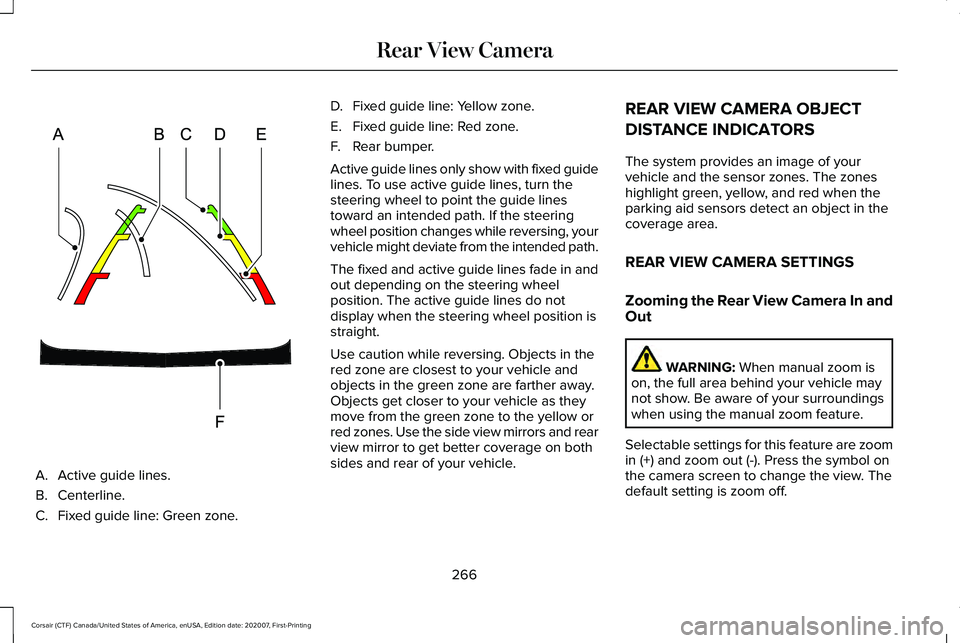
A. Active guide lines.
B. Centerline.
C.
Fixed guide line: Green zone. D.
Fixed guide line: Yellow zone.
E. Fixed guide line: Red zone.
F. Rear bumper.
Active guide lines only show with fixed guide
lines. To use active guide lines, turn the
steering wheel to point the guide lines
toward an intended path. If the steering
wheel position changes while reversing, your
vehicle might deviate from the intended path.
The fixed and active guide lines fade in and
out depending on the steering wheel
position. The active guide lines do not
display when the steering wheel position is
straight.
Use caution while reversing. Objects in the
red zone are closest to your vehicle and
objects in the green zone are farther away.
Objects get closer to your vehicle as they
move from the green zone to the yellow or
red zones. Use the side view mirrors and rear
view mirror to get better coverage on both
sides and rear of your vehicle. REAR VIEW CAMERA OBJECT
DISTANCE INDICATORS
The system provides an image of your
vehicle and the sensor zones. The zones
highlight green, yellow, and red when the
parking aid sensors detect an object in the
coverage area.
REAR VIEW CAMERA SETTINGS
Zooming the Rear View Camera In and
Out
WARNING: When manual zoom is
on, the full area behind your vehicle may
not show. Be aware of your surroundings
when using the manual zoom feature.
Selectable settings for this feature are zoom
in (+) and zoom out (-). Press the symbol on
the camera screen to change the view. The
default setting is zoom off.
266
Corsair (CTF) Canada/United States of America, enUSA, Edition date: 202007, First-Printing Rear View CameraE306774
Page 270 of 638
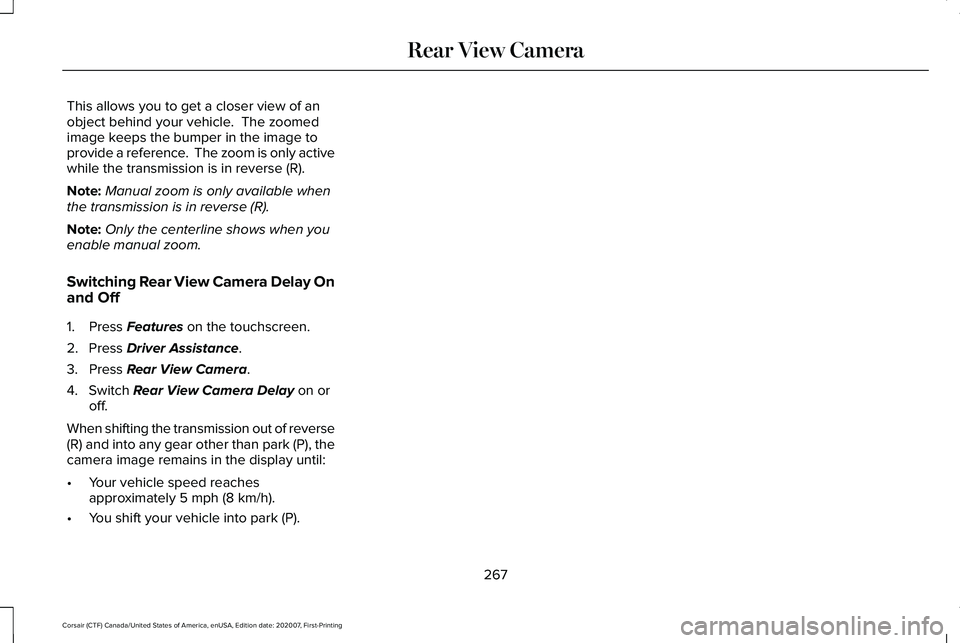
This allows you to get a closer view of an
object behind your vehicle. The zoomed
image keeps the bumper in the image to
provide a reference. The zoom is only active
while the transmission is in reverse (R).
Note:
Manual zoom is only available when
the transmission is in reverse (R).
Note: Only the centerline shows when you
enable manual zoom.
Switching Rear View Camera Delay On
and Off
1. Press Features on the touchscreen.
2. Press
Driver Assistance.
3. Press
Rear View Camera.
4. Switch
Rear View Camera Delay on or
off.
When shifting the transmission out of reverse
(R) and into any gear other than park (P), the
camera image remains in the display until:
• Your vehicle speed reaches
approximately
5 mph (8 km/h).
• You shift your vehicle into park (P).
267
Corsair (CTF) Canada/United States of America, enUSA, Edition date: 202007, First-Printing Rear View Camera
Page 271 of 638
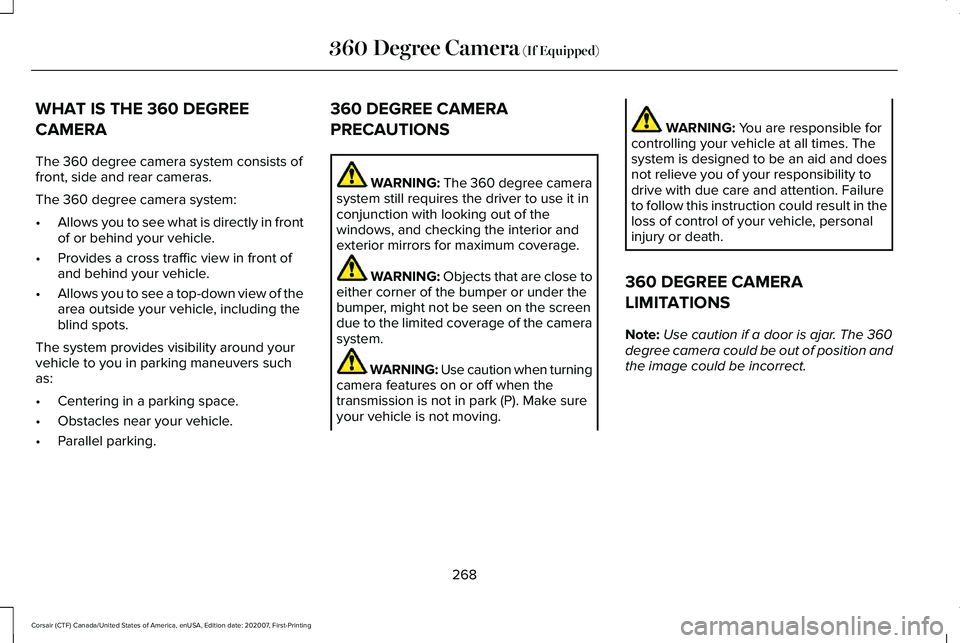
WHAT IS THE 360 DEGREE
CAMERA
The 360 degree camera system consists of
front, side and rear cameras.
The 360 degree camera system:
•
Allows you to see what is directly in front
of or behind your vehicle.
• Provides a cross traffic view in front of
and behind your vehicle.
• Allows you to see a top-down view of the
area outside your vehicle, including the
blind spots.
The system provides visibility around your
vehicle to you in parking maneuvers such
as:
• Centering in a parking space.
• Obstacles near your vehicle.
• Parallel parking. 360 DEGREE CAMERA
PRECAUTIONS WARNING: The 360 degree camera
system still requires the driver to use it in
conjunction with looking out of the
windows, and checking the interior and
exterior mirrors for maximum coverage. WARNING: Objects that are close to
either corner of the bumper or under the
bumper, might not be seen on the screen
due to the limited coverage of the camera
system. WARNING:
Use caution when turning
camera features on or off when the
transmission is not in park (P). Make sure
your vehicle is not moving. WARNING:
You are responsible for
controlling your vehicle at all times. The
system is designed to be an aid and does
not relieve you of your responsibility to
drive with due care and attention. Failure
to follow this instruction could result in the
loss of control of your vehicle, personal
injury or death.
360 DEGREE CAMERA
LIMITATIONS
Note: Use caution if a door is ajar. The 360
degree camera could be out of position and
the image could be incorrect.
268
Corsair (CTF) Canada/United States of America, enUSA, Edition date: 202007, First-Printing 360 Degree Camera
(If Equipped)
Page 272 of 638
360 DEGREE CAMERA CAMERAS
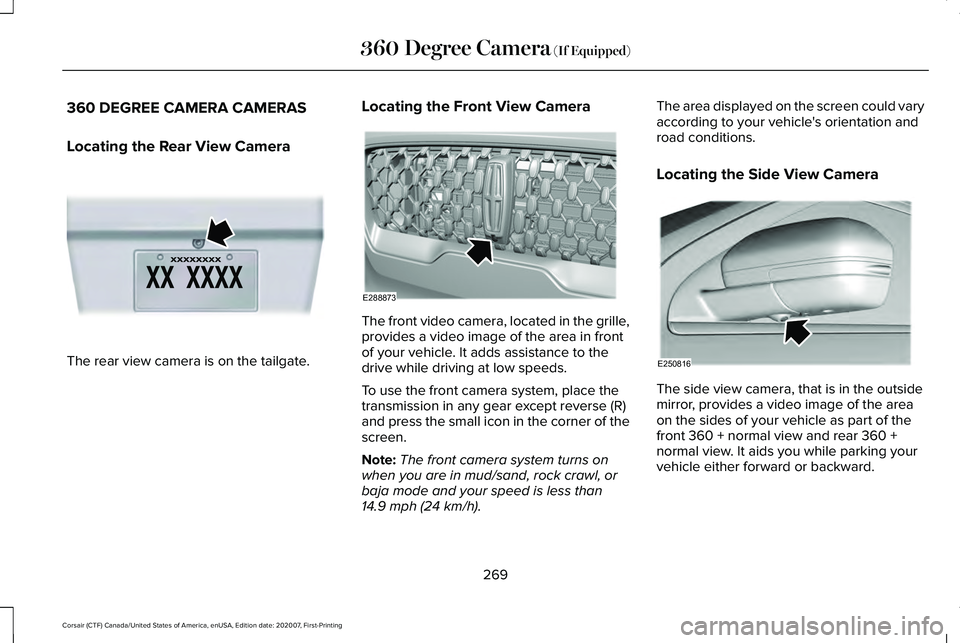
Locating the Rear View Camera
The rear view camera is on the tailgate. Locating the Front View Camera The front video camera, located in the grille,
provides a video image of the area in front
of your vehicle. It adds assistance to the
drive while driving at low speeds.
To use the front camera system, place the
transmission in any gear except reverse (R)
and press the small icon in the corner of the
screen.
Note:
The front camera system turns on
when you are in mud/sand, rock crawl, or
baja mode and your speed is less than
14.9 mph (24 km/h). The area displayed on the screen could vary
according to your vehicle's orientation and
road conditions.
Locating the Side View Camera
The side view camera, that is in the outside
mirror, provides a video image of the area
on the sides of your vehicle as part of the
front 360 + normal view and rear 360 +
normal view. It aids you while parking your
vehicle either forward or backward.
269
Corsair (CTF) Canada/United States of America, enUSA, Edition date: 202007, First-Printing 360 Degree Camera
(If Equipped)E142435 E288873 E250816
Page 273 of 638
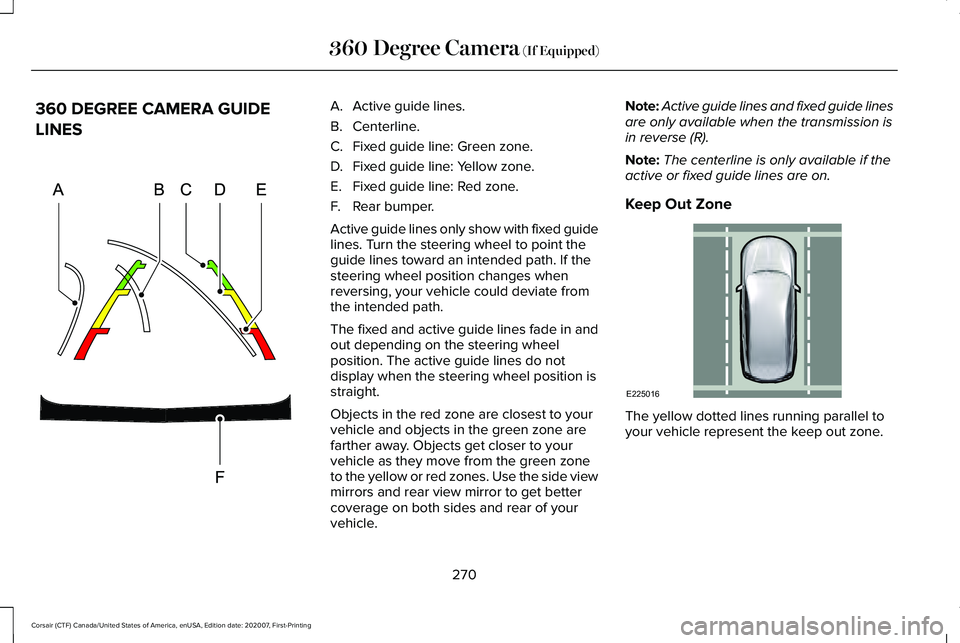
360 DEGREE CAMERA GUIDE
LINES A. Active guide lines.
B. Centerline.
C.
Fixed guide line: Green zone.
D. Fixed guide line: Yellow zone.
E. Fixed guide line: Red zone.
F. Rear bumper.
Active guide lines only show with fixed guide
lines. Turn the steering wheel to point the
guide lines toward an intended path. If the
steering wheel position changes when
reversing, your vehicle could deviate from
the intended path.
The fixed and active guide lines fade in and
out depending on the steering wheel
position. The active guide lines do not
display when the steering wheel position is
straight.
Objects in the red zone are closest to your
vehicle and objects in the green zone are
farther away. Objects get closer to your
vehicle as they move from the green zone
to the yellow or red zones. Use the side view
mirrors and rear view mirror to get better
coverage on both sides and rear of your
vehicle. Note:
Active guide lines and fixed guide lines
are only available when the transmission is
in reverse (R).
Note: The centerline is only available if the
active or fixed guide lines are on.
Keep Out Zone The yellow dotted lines running parallel to
your vehicle represent the keep out zone.
270
Corsair (CTF) Canada/United States of America, enUSA, Edition date: 202007, First-Printing 360 Degree Camera (If Equipped)E306774 E225016
Page 274 of 638
360 DEGREE CAMERA SETTINGS
Switching the 360 Degree Camera On
and Off
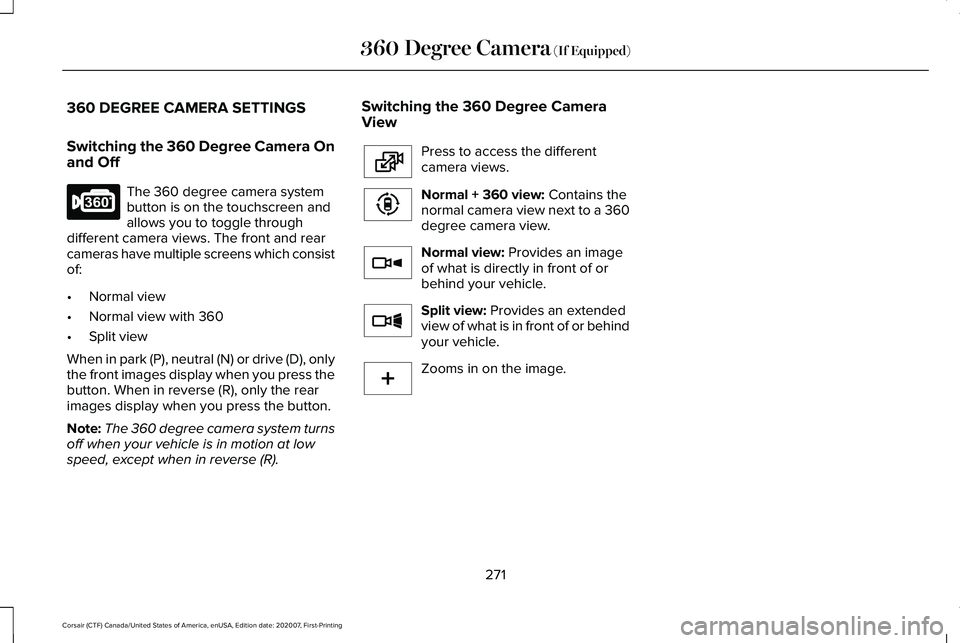
The 360 degree camera system
button is on the touchscreen and
allows you to toggle through
different camera views. The front and rear
cameras have multiple screens which consist
of:
• Normal view
• Normal view with 360
• Split view
When in park (P), neutral (N) or drive (D), only
the front images display when you press the
button. When in reverse (R), only the rear
images display when you press the button.
Note: The 360 degree camera system turns
off when your vehicle is in motion at low
speed, except when in reverse (R). Switching the 360 Degree Camera
View Press to access the different
camera views.
Normal + 360 view: Contains the
normal camera view next to a 360
degree camera view. Normal view:
Provides an image
of what is directly in front of or
behind your vehicle. Split view:
Provides an extended
view of what is in front of or behind
your vehicle. Zooms in on the image.
271
Corsair (CTF) Canada/United States of America, enUSA, Edition date: 202007, First-Printing 360 Degree Camera
(If Equipped)E183663 E224483 E224783 E224784 E224785 E224485
Page 281 of 638
HOW DOES ADAPTIVE CRUISE
CONTROL WITH STOP AND GO
WORK
Adaptive cruise control with stop and go
uses radar and camera sensors to adjust the
speed of your vehicle to maintain a set gap
from the vehicle in front of you in the same
lane while following it to a complete stop.
You can also engage the system to follow a
vehicle in front of you and adjust set speed
while stopped.
WHAT IS ADAPTIVE CRUISE
CONTROL WITH LANE CENTERING
Adaptive cruise control with lane centering
uses radar and camera sensors to help keep
your vehicle in the lane by applying
continuous assistance steering torque input
toward the lane center on highways.
Note:
The adaptive cruise control gap setting
operates normally. WHAT IS INTELLIGENT ADAPTIVE
CRUISE CONTROL
Intelligent adaptive cruise control combines
speed sign recognition with adaptive cruise
control to adjust the cruise set speed to the
speed limit detected by the speed sign
recognition system. For example, if the speed
sign recognition system detects a 50 mph
(80 km/h) speed limit, the cruise set speed
is updated to 50 mph (80 km/h).
Note: The adaptive cruise control gap setting
operates normally.
ADAPTIVE CRUISE CONTROL
PRECAUTIONS - VEHICLES WITH:
ADAPTIVE CRUISE CONTROL
WITH LANE CENTERING
Adaptive cruise control precautions apply to
lane centering unless stated otherwise or
contradicted by a lane centering precaution.
See
Adaptive Cruise Control Precautions
(page 279). WARNING:
Do not use the system
when towing a trailer. Failure to follow this
instruction could result in the loss of
control of your vehicle, personal injury or
death. WARNING: Do not use the system if
any changes or modifications to the
steering wheel have been made. Any
changes or modifications to the steering
wheel could affect the functionality or
performance of the system. Failure to
follow this instruction could result in the
loss of control of your vehicle, personal
injury or death.
278
Corsair (CTF) Canada/United States of America, enUSA, Edition date: 202007, First-Printing Adaptive Cruise Control
(If Equipped)
Page 284 of 638
WARNING: The system only warns
of vehicles detected by the radar sensor.
In some cases there may be no warning
or a delayed warning. Apply the brakes
when necessary. Failure to follow this
instruction could result in personal injury
or death. WARNING:
The system may not
detect stationary or slow moving vehicles
below
6 mph (10 km/h). WARNING:
The system does not
detect pedestrians or objects in the road. WARNING:
The system does not
detect oncoming vehicles in the same lane. WARNING:
The system may not
operate properly if the sensor is blocked.
Keep the windshield free from obstruction. WARNING:
The sensor may
incorrectly track lane markings as other
structures or objects. This can result in a
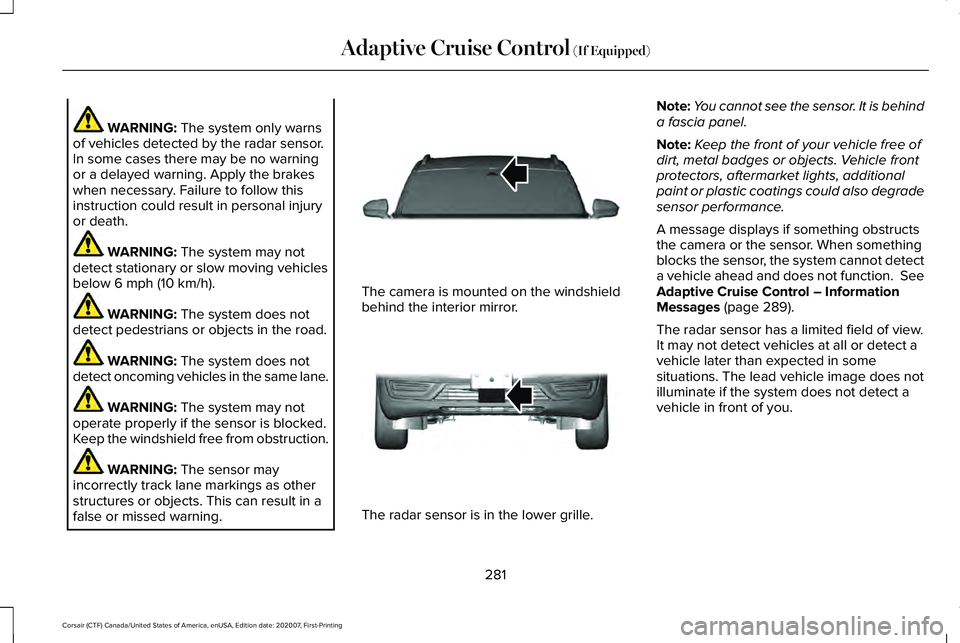
false or missed warning. The camera is mounted on the windshield
behind the interior mirror.
The radar sensor is in the lower grille.Note:
You cannot see the sensor. It is behind
a fascia panel.
Note: Keep the front of your vehicle free of
dirt, metal badges or objects. Vehicle front
protectors, aftermarket lights, additional
paint or plastic coatings could also degrade
sensor performance.
A message displays if something obstructs
the camera or the sensor. When something
blocks the sensor, the system cannot detect
a vehicle ahead and does not function. See
Adaptive Cruise Control – Information
Messages
(page 289).
The radar sensor has a limited field of view.
It may not detect vehicles at all or detect a
vehicle later than expected in some
situations. The lead vehicle image does not
illuminate if the system does not detect a
vehicle in front of you.
281
Corsair (CTF) Canada/United States of America, enUSA, Edition date: 202007, First-Printing Adaptive Cruise Control
(If Equipped)E307893 E307892
Page 285 of 638
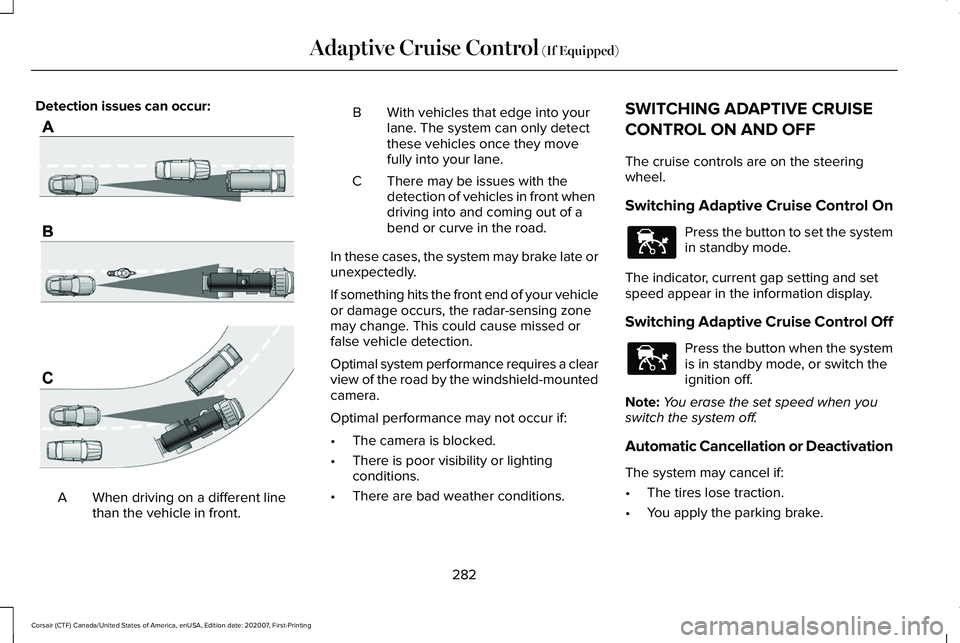
Detection issues can occur:
When driving on a different line
than the vehicle in front.
A B With vehicles that edge into your
lane. The system can only detect
these vehicles once they move
fully into your lane.
There may be issues with the
detection of vehicles in front when
driving into and coming out of a
bend or curve in the road.
C
In these cases, the system may brake late or
unexpectedly.
If something hits the front end of your vehicle
or damage occurs, the radar-sensing zone
may change. This could cause missed or
false vehicle detection.
Optimal system performance requires a clear
view of the road by the windshield-mounted
camera.
Optimal performance may not occur if:
• The camera is blocked.
• There is poor visibility or lighting
conditions.
• There are bad weather conditions. SWITCHING ADAPTIVE CRUISE
CONTROL ON AND OFF
The cruise controls are on the steering
wheel.
Switching Adaptive Cruise Control On
Press the button to set the system
in standby mode.
The indicator, current gap setting and set
speed appear in the information display.
Switching Adaptive Cruise Control Off Press the button when the system
is in standby mode, or switch the
ignition off.
Note: You erase the set speed when you
switch the system off.
Automatic Cancellation or Deactivation
The system may cancel if:
• The tires lose traction.
• You apply the parking brake.
282
Corsair (CTF) Canada/United States of America, enUSA, Edition date: 202007, First-Printing Adaptive Cruise Control (If Equipped)E71621 E144529 E144529