ecu LINCOLN CORSAIR 2021 Owner's Manual
[x] Cancel search | Manufacturer: LINCOLN, Model Year: 2021, Model line: CORSAIR, Model: LINCOLN CORSAIR 2021Pages: 638, PDF Size: 5.7 MB
Page 164 of 638
WHAT IS REMOTE START
The system allows you to remotely start your
vehicle and to adjust the interior temperature
according to the settings that you chose.
REMOTE START LIMITATIONS
Remote start does not work if:
•
The alarm horn is sounding.
• The hood is open.
• The transmission is not in park (P).
• Remote start is not enabled.
• The ignition is on.
Note: Do not use remote start if your fuel
level is low.
ENABLING REMOTE START
1. Press Settings on the touchscreen.
2. Press
Vehicle Settings.
3. Press
Remote Start Setup.
4. Switch
System on or off. Note:
To use remote start, make sure that
the modem is enabled.
See Network
Connectivity (page 462).
REMOTELY STARTING THE ENGINE WARNING:
To avoid exhaust fumes,
do not use remote start if your vehicle is
parked indoors or in areas that are not well
ventilated.
To start the engine, do the following: Press the button on the remote
control.
Within three seconds, press the
button on the remote control.
Within three seconds, press the
button again.
Note: You can also use the Lincoln Way App
to start the engine.
Note: The direction indicators flash twice.
Note: The parking lamps turn on when the
engine is running. Note:
The horn sounds if the system fails to
start.
Note: All other vehicle systems remain off
when you remotely started the engine.
Note: The vehicle remains secure when you
remotely start the engine. Make sure a valid
key is inside your vehicle to switch the
ignition on and drive your vehicle.
EXTENDING THE REMOTE START
DURATION
To extend the engine running duration
during remote start, do the following: Press the button on the remote
control.
Within three seconds, press the
button on the remote control.
Within three seconds, press the
button again.
Note: You can extend the engine running
duration to a maximum of 30 minutes.
161
Corsair (CTF) Canada/United States of America, enUSA, Edition date: 202007, First-Printing Remote StartE138623 E138625 E138623 E138625
Page 190 of 638
WHAT IS THE GARAGE DOOR
OPENER
Universal Garage Door Opener: HomeLink
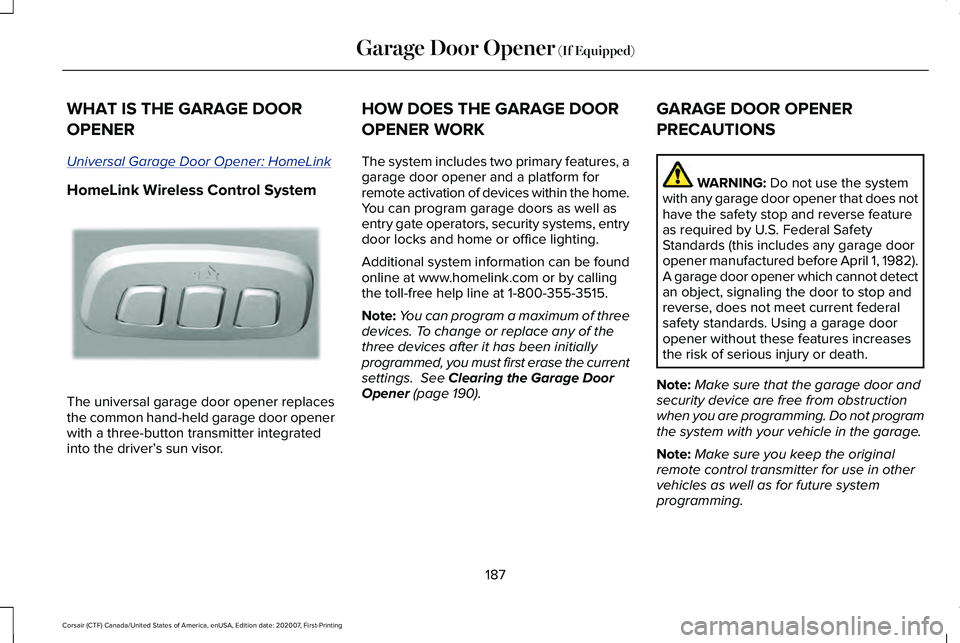
HomeLink Wireless Control System
The universal garage door opener replaces
the common hand-held garage door opener
with a three-button transmitter integrated
into the driver’
s sun visor. HOW DOES THE GARAGE DOOR
OPENER WORK
The system includes two primary features, a
garage door opener and a platform for
remote activation of devices within the home.
You can program garage doors as well as
entry gate operators, security systems, entry
door locks and home or office lighting.
Additional system information can be found
online at www.homelink.com or by calling
the toll-free help line at 1-800-355-3515.
Note:
You can program a maximum of three
devices. To change or replace any of the
three devices after it has been initially
programmed, you must first erase the current
settings. See Clearing the Garage Door
Opener (page 190). GARAGE DOOR OPENER
PRECAUTIONS WARNING:
Do not use the system
with any garage door opener that does not
have the safety stop and reverse feature
as required by U.S. Federal Safety
Standards (this includes any garage door
opener manufactured before April 1, 1982).
A garage door opener which cannot detect
an object, signaling the door to stop and
reverse, does not meet current federal
safety standards. Using a garage door
opener without these features increases
the risk of serious injury or death.
Note: Make sure that the garage door and
security device are free from obstruction
when you are programming. Do not program
the system with your vehicle in the garage.
Note: Make sure you keep the original
remote control transmitter for use in other
vehicles as well as for future system
programming.
187
Corsair (CTF) Canada/United States of America, enUSA, Edition date: 202007, First-Printing Garage Door Opener
(If Equipped)E188211
Page 191 of 638
Note:
We recommend that upon the sale or
lease termination of your vehicle, you erase
the programmed function buttons for security
reasons. See Clearing the Garage Door
Opener (page 190).
GARAGE DOOR OPENER
LIMITATIONS
Canadian radio-frequency laws require
transmitter signals to time-out (or quit) after
several seconds – which may not be long
enough for HomeLink to pick up the signal.
U.S. gate operators time-out in the same
manner.
Note: If programming a garage door opener
or gate operator, it is advised to unplug the
device during the “cycling” process to
prevent possible overheating. PROGRAMMING THE GARAGE
DOOR OPENER TO YOUR HAND-
HELD TRANSMITTER
This process is to program your in-vehicle
HomeLink function button with your
hand-held transmitter.
Note:
The programming steps below assume
you will be programming HomeLink that was
not previously programmed. If your
HomeLink was previously programmed, you
may need to erase your HomeLink buttons.
See
Clearing the Garage Door Opener
(page 190). 1. With your vehicle parked outside of the
garage, switch your ignition to the on
position, but do not start your vehicle.
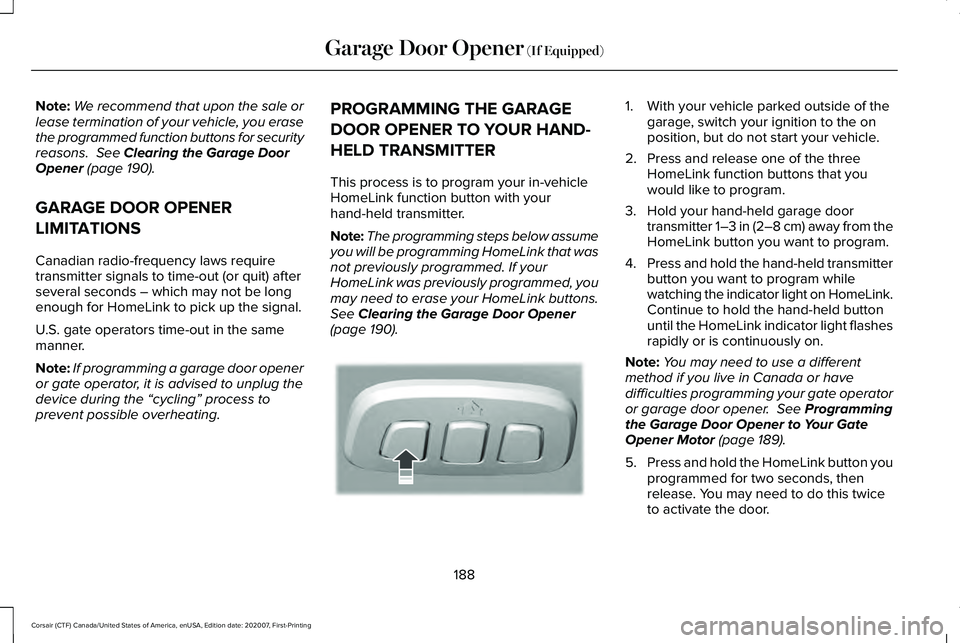
2. Press and release one of the three HomeLink function buttons that you
would like to program.
3. Hold your hand-held garage door transmitter 1–3 in (2–8 cm) away from the
HomeLink button you want to program.
4. Press and hold the hand-held transmitter
button you want to program while
watching the indicator light on HomeLink.
Continue to hold the hand-held button
until the HomeLink indicator light flashes
rapidly or is continuously on.
Note: You may need to use a different
method if you live in Canada or have
difficulties programming your gate operator
or garage door opener.
See Programming
the Garage Door Opener to Your Gate
Opener Motor
(page 189).
5. Press and hold the HomeLink button you
programmed for two seconds, then
release. You may need to do this twice
to activate the door.
188
Corsair (CTF) Canada/United States of America, enUSA, Edition date: 202007, First-Printing Garage Door Opener
(If Equipped)E188212
Page 321 of 638
REAR UNDER FLOOR STORAGE
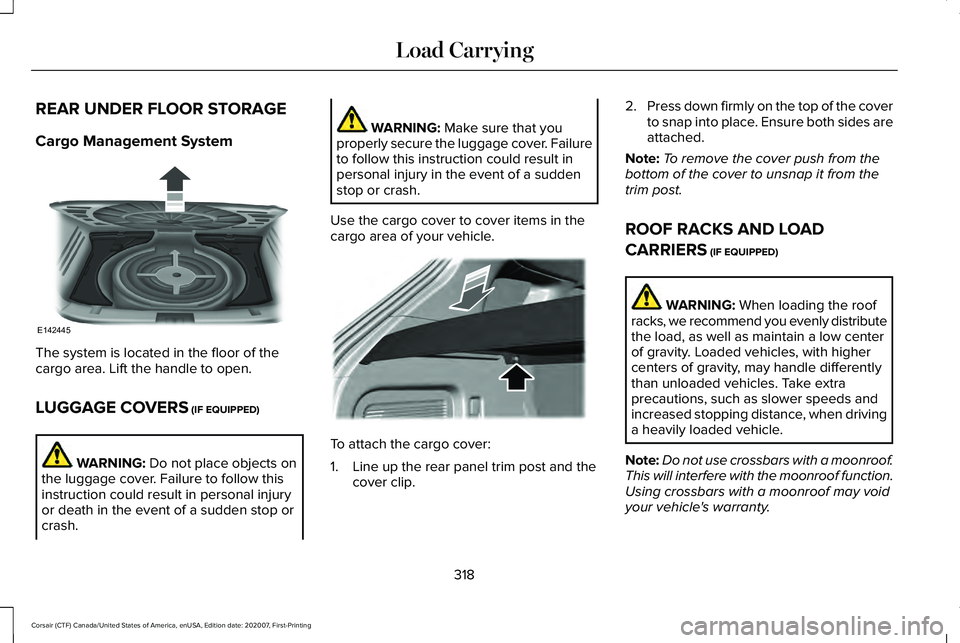
Cargo Management System
The system is located in the floor of the
cargo area. Lift the handle to open.
LUGGAGE COVERS (IF EQUIPPED)
WARNING:
Do not place objects on
the luggage cover. Failure to follow this
instruction could result in personal injury
or death in the event of a sudden stop or
crash. WARNING:
Make sure that you
properly secure the luggage cover. Failure
to follow this instruction could result in
personal injury in the event of a sudden
stop or crash.
Use the cargo cover to cover items in the
cargo area of your vehicle. To attach the cargo cover:
1. Line up the rear panel trim post and the
cover clip. 2.
Press down firmly on the top of the cover
to snap into place. Ensure both sides are
attached.
Note: To remove the cover push from the
bottom of the cover to unsnap it from the
trim post.
ROOF RACKS AND LOAD
CARRIERS
(IF EQUIPPED) WARNING:
When loading the roof
racks, we recommend you evenly distribute
the load, as well as maintain a low center
of gravity. Loaded vehicles, with higher
centers of gravity, may handle differently
than unloaded vehicles. Take extra
precautions, such as slower speeds and
increased stopping distance, when driving
a heavily loaded vehicle.
Note: Do not use crossbars with a moonroof.
This will interfere with the moonroof function.
Using crossbars with a moonroof may void
your vehicle's warranty.
318
Corsair (CTF) Canada/United States of America, enUSA, Edition date: 202007, First-Printing Load CarryingE142445 E299325
Page 322 of 638
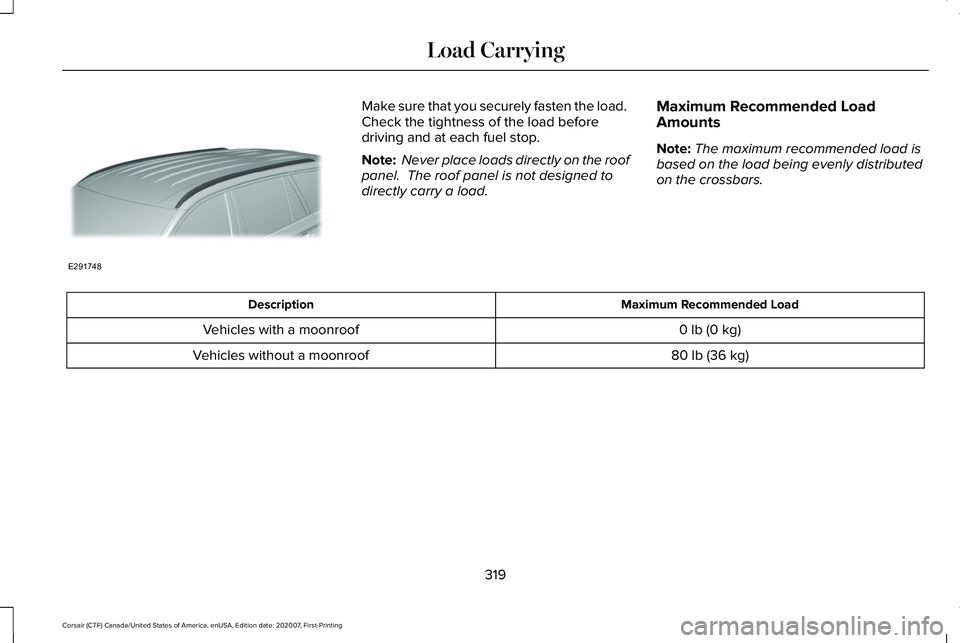
Make sure that you securely fasten the load.
Check the tightness of the load before
driving and at each fuel stop.
Note:
Never place loads directly on the roof
panel. The roof panel is not designed to
directly carry a load. Maximum Recommended Load
Amounts
Note:
The maximum recommended load is
based on the load being evenly distributed
on the crossbars. Maximum Recommended Load
Description
0 lb (0 kg)
Vehicles with a moonroof
80 lb (36 kg)
Vehicles without a moonroof
319
Corsair (CTF) Canada/United States of America, enUSA, Edition date: 202007, First-Printing Load CarryingE291748
Page 337 of 638
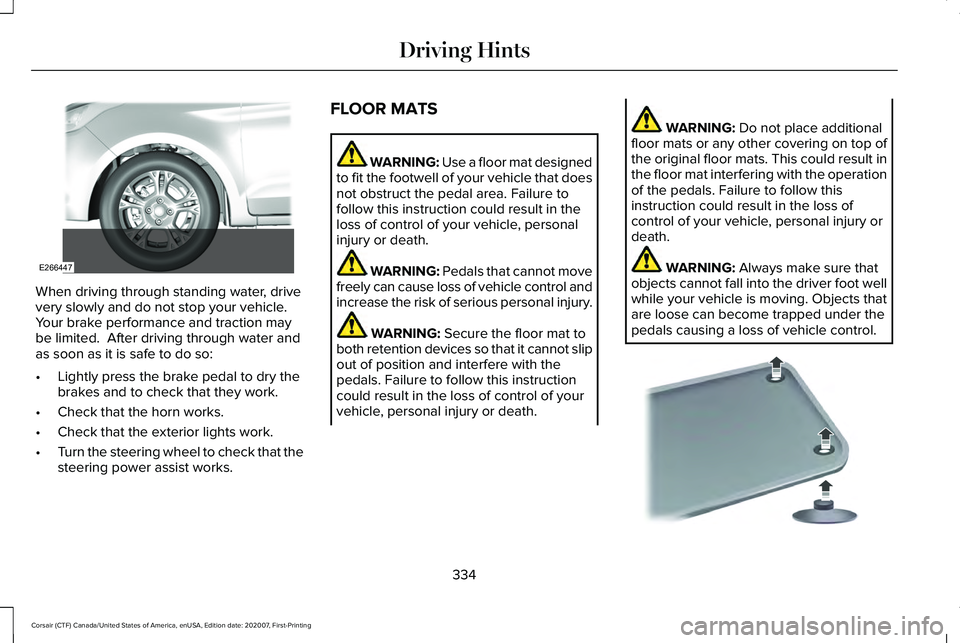
When driving through standing water, drive
very slowly and do not stop your vehicle.
Your brake performance and traction may
be limited. After driving through water and
as soon as it is safe to do so:
•
Lightly press the brake pedal to dry the
brakes and to check that they work.
• Check that the horn works.
• Check that the exterior lights work.
• Turn the steering wheel to check that the
steering power assist works. FLOOR MATS WARNING: Use a floor mat designed
to fit the footwell of your vehicle that does
not obstruct the pedal area. Failure to
follow this instruction could result in the
loss of control of your vehicle, personal
injury or death. WARNING:
Pedals that cannot move
freely can cause loss of vehicle control and
increase the risk of serious personal injury. WARNING:
Secure the floor mat to
both retention devices so that it cannot slip
out of position and interfere with the
pedals. Failure to follow this instruction
could result in the loss of control of your
vehicle, personal injury or death. WARNING:
Do not place additional
floor mats or any other covering on top of
the original floor mats. This could result in
the floor mat interfering with the operation
of the pedals. Failure to follow this
instruction could result in the loss of
control of your vehicle, personal injury or
death. WARNING:
Always make sure that
objects cannot fall into the driver foot well
while your vehicle is moving. Objects that
are loose can become trapped under the
pedals causing a loss of vehicle control. 334
Corsair (CTF) Canada/United States of America, enUSA, Edition date: 202007, First-Printing Driving HintsE266447 E142666
Page 338 of 638
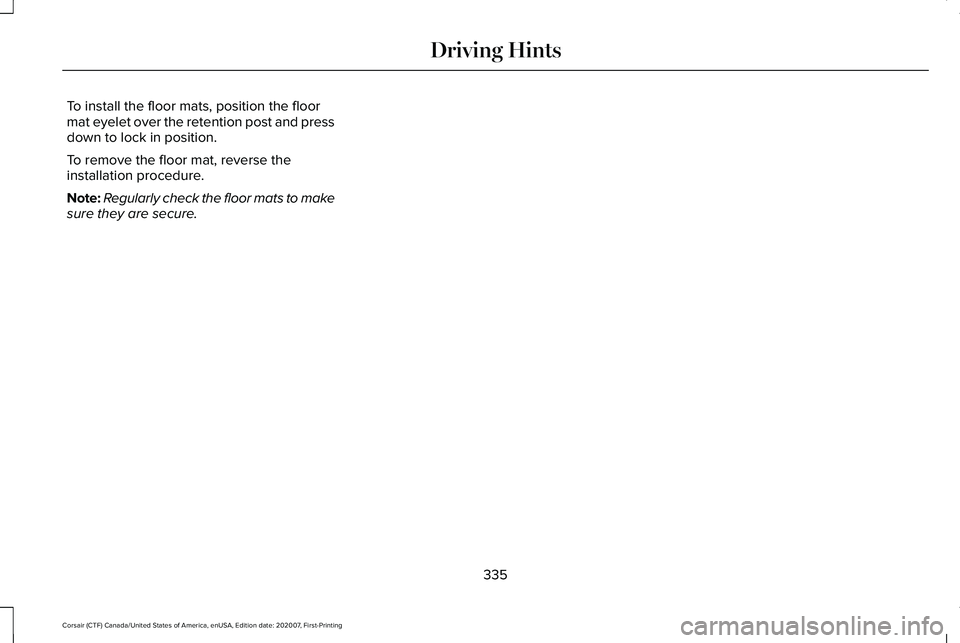
To install the floor mats, position the floor
mat eyelet over the retention post and press
down to lock in position.
To remove the floor mat, reverse the
installation procedure.
Note:
Regularly check the floor mats to make
sure they are secure.
335
Corsair (CTF) Canada/United States of America, enUSA, Edition date: 202007, First-Printing Driving Hints
Page 348 of 638
vehicle and reimburse the buyer in an
amount equal to the actual price paid or
payable by the consumer (less a reasonable
allowance for consumer use). The consumer
has the right to choose whether to receive
a refund or replacement vehicle.
California Civil Code Section 1793.22(b)
presumes that the manufacturer has had a
reasonable number of attempts to conform
the vehicle to its applicable express
warranties if, within the first 18 months of
ownership of a new vehicle or the first
18,000 mi (29,000 km), whichever occurs
first:
1. Two or more repair attempts are made on the same non-conformity likely to
cause death or serious bodily injury OR
2. Four or more repair attempts are made on the same nonconformity (a defect or
condition that substantially impairs the
use, value or safety of the vehicle) OR
3. The vehicle is out of service for repair of
nonconformities for a total of more than
30 calendar days (not necessarily all at
one time). In the case of 1 or 2 above, the consumer
must also notify the manufacturer of the need
for the repair of the nonconformity at the
following address:
Ford Motor Company
16800 Executive Plaza Drive
Mail Drop 3NE-B
Dearborn, MI 48126
You are required to submit your warranty
dispute to BBB AUTO LINE before asserting
in court any rights or remedies conferred by
California Civil Code Section 1793.22(b). You
are also required to use BBB AUTO LINE
before exercising rights or seeking remedies
created by the Federal Magnuson-Moss
Warranty Act, 15 U.S.C. sec. 2301 et seq. If
you choose to seek redress by pursuing
rights and remedies not created by California
Civil Code Section 1793.22(b) or the
Magnuson-Moss Warranty Act, resort to BBB
AUTO LINE is not required by those statutes.
THE BETTER BUSINESS BUREAU
(BBB) AUTO LINE PROGRAM (U.S.
ONLY)
Your satisfaction is important to Ford Motor
Company and to your dealer. If a warranty
concern has not been resolved using the
three-step procedure outlined earlier in this
chapter in the Getting the Services you need
section, you may be eligible to participate in
the BBB AUTO LINE program.
The BBB AUTO LINE program consists of
two parts – mediation and arbitration. During
mediation, a representative of the BBB will
contact both you and Ford Motor Company
to explore options for settlement of the claim.
If an agreement is not reached during
mediation or you do not want to participate
in mediation, and if your claim is eligible, you
may participate in the arbitration process. An
arbitration hearing will be scheduled so that
you can present your case in an informal
setting before an impartial person. The
arbitrator will consider the testimony
provided and make a decision after the
hearing.
345
Corsair (CTF) Canada/United States of America, enUSA, Edition date: 202007, First-Printing Customer Assistance
Page 353 of 638
REPORTING SAFETY DEFECTS
(U.S. ONLY)
If you believe that your vehicle has a
defect which could cause a crash or
could cause injury or death, you should
immediately inform the National
Highway Traffic Safety Administration
(NHTSA) in addition to notifying Ford
Motor Company.
If NHTSA receives similar complaints, it
may open an investigation, and if it finds
that a safety defect exists in a group of
vehicles, it may order a recall and
remedy campaign. However, NHTSA
cannot become involved in individual
problems between you, your dealer, or
Ford Motor Company.
To contact NHTSA, you may call the
Vehicle Safety Hotline toll-free at
1-888-327-4236 (TTY: 1-800-424-9153);
go to www .safercar . gov ; or write to:
Administrator
1200 New Jersey Avenue, Southeast Washington, D.C. 20590
You can also obtain other information
about motor vehicle safety from
www .safercar . gov .
REPORTING SAFETY DEFECTS
(CANADA ONLY)
If you believe that your vehicle has a defect
which could cause a crash or could cause
injury or death, you should immediately
inform Transport Canada and Ford of
Canada. Transport Canada Contact Information
http://www.tc.gc.ca/eng/motorvehiclesafety/reporting-defects-motor-vehicles.html (Englis\
h)
Website
http://www.tc.gc.ca/fra/securiteautomobile/signaler-defauts-vehicules-automobiles.html (\
French)
Website
1-800-333-0510
Phone
350
Corsair (CTF) Canada/United States of America, enUSA, Edition date: 202007, First-Printing Customer Assistance
Page 376 of 638
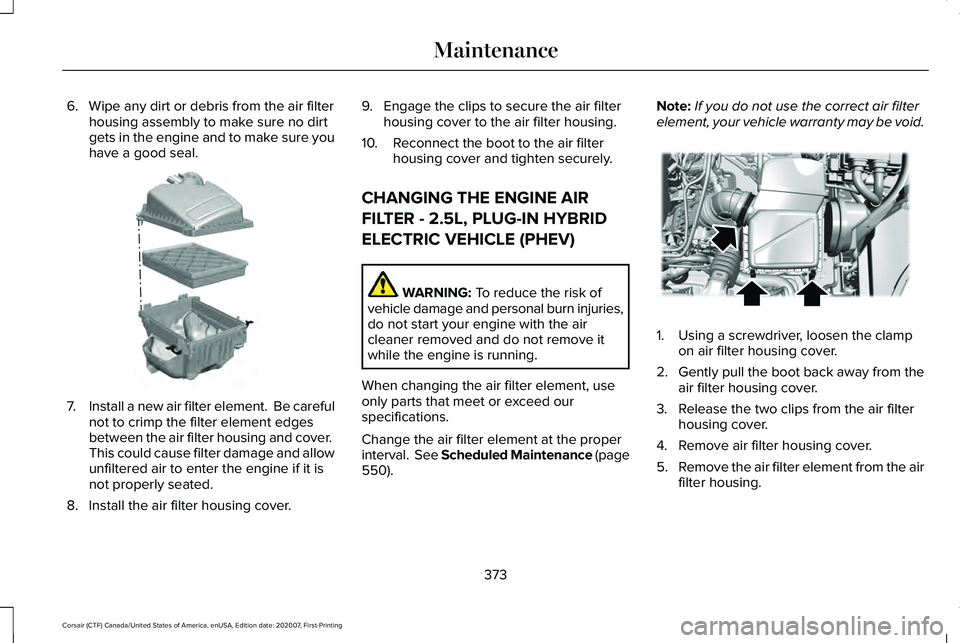
6. Wipe any dirt or debris from the air filter
housing assembly to make sure no dirt
gets in the engine and to make sure you
have a good seal. 7.
Install a new air filter element. Be careful
not to crimp the filter element edges
between the air filter housing and cover.
This could cause filter damage and allow
unfiltered air to enter the engine if it is
not properly seated.
8. Install the air filter housing cover. 9. Engage the clips to secure the air filter
housing cover to the air filter housing.
10. Reconnect the boot to the air filter housing cover and tighten securely.
CHANGING THE ENGINE AIR
FILTER - 2.5L, PLUG-IN HYBRID
ELECTRIC VEHICLE (PHEV) WARNING: To reduce the risk of
vehicle damage and personal burn injuries,
do not start your engine with the air
cleaner removed and do not remove it
while the engine is running.
When changing the air filter element, use
only parts that meet or exceed our
specifications.
Change the air filter element at the proper
interval. See Scheduled Maintenance (page
550
). Note:
If you do not use the correct air filter
element, your vehicle warranty may be void. 1. Using a screwdriver, loosen the clamp
on air filter housing cover.
2. Gently pull the boot back away from the
air filter housing cover.
3. Release the two clips from the air filter housing cover.
4. Remove air filter housing cover.
5. Remove the air filter element from the air
filter housing.
373
Corsair (CTF) Canada/United States of America, enUSA, Edition date: 202007, First-Printing MaintenanceE299073 E299071