lock LINCOLN CORSAIR 2021 Repair Manual
[x] Cancel search | Manufacturer: LINCOLN, Model Year: 2021, Model line: CORSAIR, Model: LINCOLN CORSAIR 2021Pages: 638, PDF Size: 5.7 MB
Page 234 of 638
Note:
When your vehicle is waiting to
charge, the charge status indicator turns off
30 seconds after displaying the present state
of charge. When your vehicle begins
charging, the charge status indicator turns
on and displays the status of the charge, as
described above.
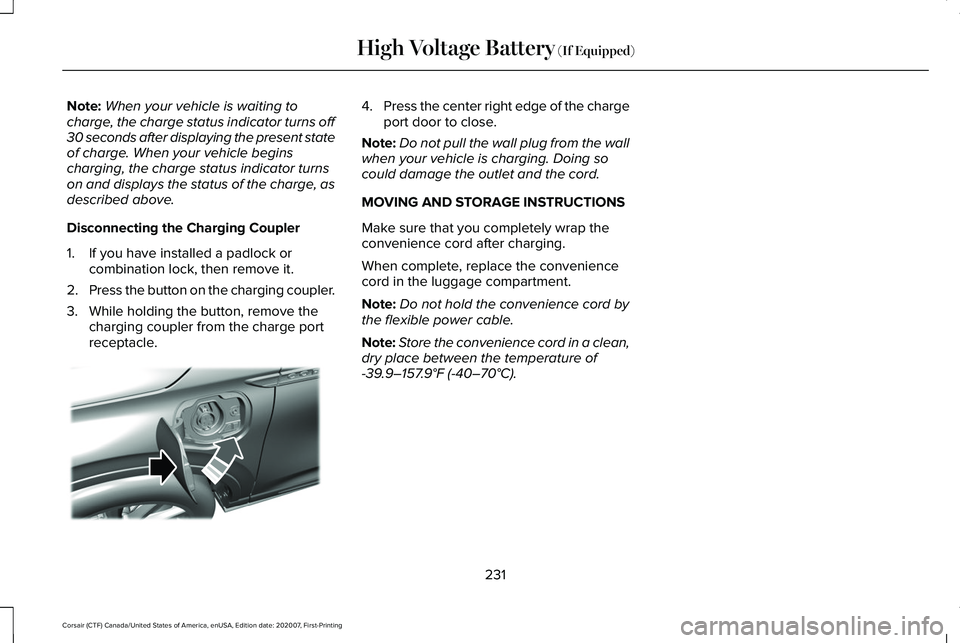
Disconnecting the Charging Coupler
1. If you have installed a padlock or combination lock, then remove it.
2. Press the button on the charging coupler.
3. While holding the button, remove the charging coupler from the charge port
receptacle. 4.
Press the center right edge of the charge
port door to close.
Note: Do not pull the wall plug from the wall
when your vehicle is charging. Doing so
could damage the outlet and the cord.
MOVING AND STORAGE INSTRUCTIONS
Make sure that you completely wrap the
convenience cord after charging.
When complete, replace the convenience
cord in the luggage compartment.
Note: Do not hold the convenience cord by
the flexible power cable.
Note: Store the convenience cord in a clean,
dry place between the temperature of
-39.9–157.9°F (-40–70°C).
231
Corsair (CTF) Canada/United States of America, enUSA, Edition date: 202007, First-Printing High Voltage Battery
(If Equipped)E295444
Page 235 of 638
AUTOMATIC TRANSMISSION -
EXCLUDING: PLUG-IN HYBRID
ELECTRIC VEHICLE (PHEV)
WARNING: Always fully apply the
parking brake and make sure you shift into
park (P). Failure to follow this instruction
could result in personal injury or death. WARNING:
When your vehicle is
stationary, keep the brake pedal fully
pressed when shifting gears. Failure to
follow this instruction could result in
personal injury, death or property damage. WARNING:
Do not apply the brake
pedal and accelerator pedal
simultaneously. Applying both pedals
simultaneously for more than a few
seconds will limit engine performance,
which may result in difficulty maintaining
speed in traffic and could lead to serious
injury. Note:
You may not be able to shift out of
park (P) unless the intelligent access key is
inside your vehicle.
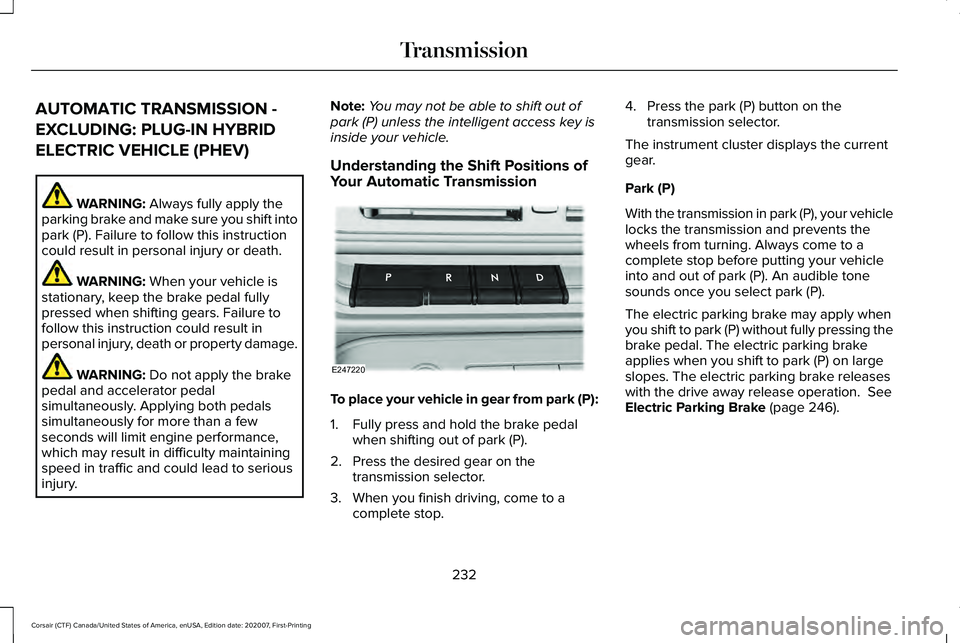
Understanding the Shift Positions of
Your Automatic Transmission To place your vehicle in gear from park (P):
1. Fully press and hold the brake pedal
when shifting out of park (P).
2. Press the desired gear on the transmission selector.
3. When you finish driving, come to a complete stop. 4. Press the park (P) button on the
transmission selector.
The instrument cluster displays the current
gear.
Park (P)
With the transmission in park (P), your vehicle
locks the transmission and prevents the
wheels from turning. Always come to a
complete stop before putting your vehicle
into and out of park (P). An audible tone
sounds once you select park (P).
The electric parking brake may apply when
you shift to park (P) without fully pressing the
brake pedal. The electric parking brake
applies when you shift to park (P) on large
slopes. The electric parking brake releases
with the drive away release operation.
See
Electric Parking Brake (page 246).
232
Corsair (CTF) Canada/United States of America, enUSA, Edition date: 202007, First-Printing TransmissionE247220
Page 236 of 638
Automatic Return to Park
The transmission returns to park (P) if any of
the following occur:
•
You switch the ignition off.
• Your seatbelt is not fastened, and you
open the driver door.
• The driver door is open, and you
unfasten your seatbelt.
Note: This feature does not operate if your
vehicle is in Stay in Neutral mode.
Note: If you switch the ignition off when your
vehicle is moving, your vehicle shifts into
neutral (N) until it slows down enough to shift
in park (P).
Note: If you have waited for more than two
minutes before switching the ignition on,
unfastening your seatbelt causes this feature
to activate, even with the driver door closed.
Note: This feature may not work properly if
the door ajar switch is malfunctioning. If your
door ajar indicator does not illuminate when
you open the driver door, or the indicator
illuminates with the driver door closed, see
your authorized dealer. Reverse (R)
With the selector in reverse (R), your vehicle
moves backward. Always come to a
complete stop before shifting into and out
of reverse (R).
Neutral (N)
WARNING: In neutral (N) your vehicle
has the ability to roll freely. If you intend to
leave your vehicle, make sure you apply
the parking brake.
In neutral (N), power does not transmit to the
driven wheels, but the transmission is not
locked. You can start the engine with the
transmission in this position.
Stay in Neutral Mode
Use this feature to keep your vehicle in
neutral (N) when you exit the vehicle. To enter stay in neutral mode:
•
Bring your vehicle to a complete
standstill.
• Press the neutral (N) button on the
transmission selector.
• Press the neutral (N) button again to
enter stay in neutral mode.
Note: Stay in neutral mode is a temporary
vehicle state with the ignition off. Once in
this mode, sufficient battery voltage must be
maintained, or your vehicle returns to park.
Extended usage of stay in neutral mode may
result in a battery voltage reduction to a
level where the vehicle may no longer start,
and the vehicle returns to park (P). Do not
tow your vehicle in this mode.
Note: When entering an automatic car wash,
always shift into neutral (N). If you are exiting
the vehicle by the car wash, stay in neutral
mode is available. Failure to do this could
result in vehicle damage not covered by the
vehicle warranty.
Note: A confirmation message appears in
the information display when your vehicle
enters stay in neutral mode.
233
Corsair (CTF) Canada/United States of America, enUSA, Edition date: 202007, First-Printing Transmission
Page 238 of 638
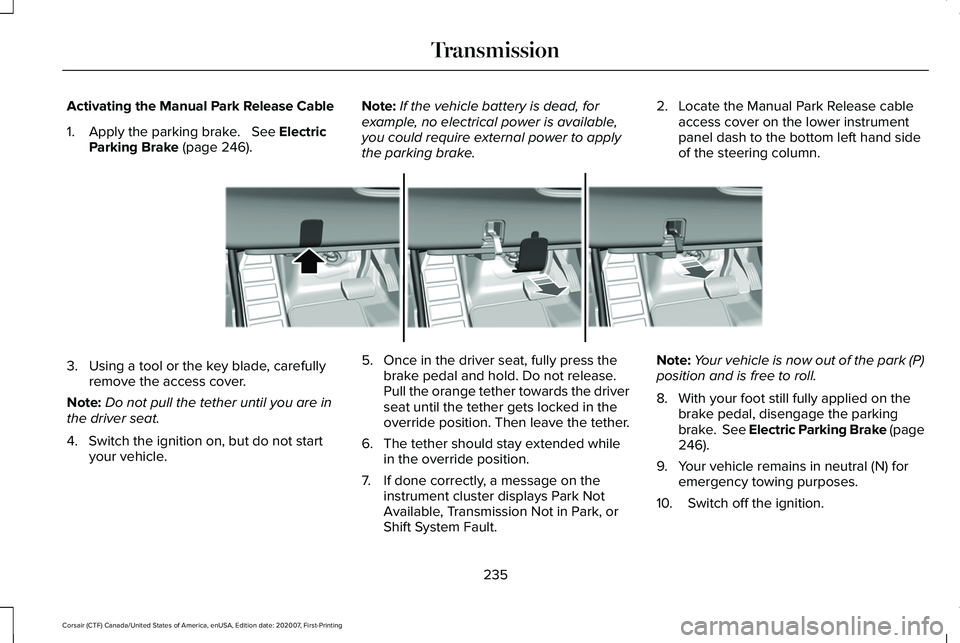
Activating the Manual Park Release Cable
1. Apply the parking brake. See Electric
Parking Brake (page 246). Note:
If the vehicle battery is dead, for
example, no electrical power is available,
you could require external power to apply
the parking brake. 2. Locate the Manual Park Release cable
access cover on the lower instrument
panel dash to the bottom left hand side
of the steering column. 3. Using a tool or the key blade, carefully
remove the access cover.
Note: Do not pull the tether until you are in
the driver seat.
4. Switch the ignition on, but do not start your vehicle. 5. Once in the driver seat, fully press the
brake pedal and hold. Do not release.
Pull the orange tether towards the driver
seat until the tether gets locked in the
override position. Then leave the tether.
6. The tether should stay extended while in the override position.
7. If done correctly, a message on the instrument cluster displays Park Not
Available, Transmission Not in Park, or
Shift System Fault. Note:
Your vehicle is now out of the park (P)
position and is free to roll.
8. With your foot still fully applied on the brake pedal, disengage the parking
brake. See Electric Parking Brake (page
246
).
9. Your vehicle remains in neutral (N) for emergency towing purposes.
10. Switch off the ignition.
235
Corsair (CTF) Canada/United States of America, enUSA, Edition date: 202007, First-Printing TransmissionE307867
Page 240 of 638
Note:
If your vehicle has SelectShift™, you
can pull away in second gear.
1. Shift into drive (D).
2. Pull the (+) paddle until 2 shows on the instrument cluster.
AUTOMATIC TRANSMISSION -
PLUG-IN HYBRID ELECTRIC
VEHICLE (PHEV) WARNING: Always fully apply the
parking brake and make sure you shift into
park (P). Failure to follow this instruction
could result in personal injury or death. WARNING:
Do not apply the brake
pedal and accelerator pedal
simultaneously. Applying both pedals
simultaneously for more than a few
seconds will limit engine performance,
which may result in difficulty maintaining
speed in traffic and could lead to serious
injury. WARNING:
When your vehicle is
stationary, keep the brake pedal fully
pressed when shifting gears. Failure to
follow this instruction could result in
personal injury, death or property damage.
Note: The ready to drive indicator may be
off and you may not be able to shift out of
park (P) unless the remote control is inside
your vehicle.
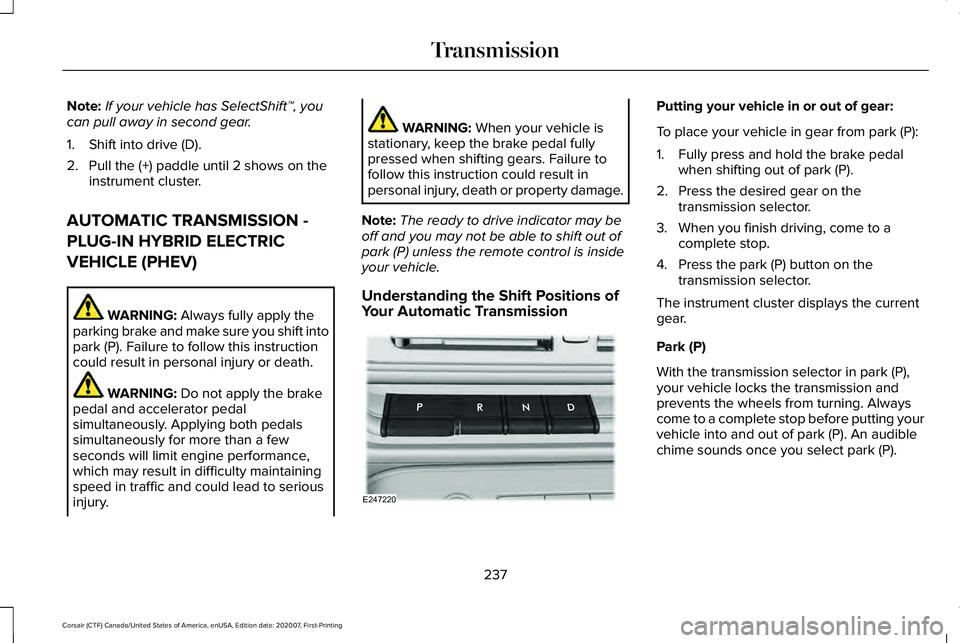
Understanding the Shift Positions of
Your Automatic Transmission Putting your vehicle in or out of gear:
To place your vehicle in gear from park (P):
1. Fully press and hold the brake pedal
when shifting out of park (P).
2. Press the desired gear on the transmission selector.
3. When you finish driving, come to a complete stop.
4. Press the park (P) button on the transmission selector.
The instrument cluster displays the current
gear.
Park (P)
With the transmission selector in park (P),
your vehicle locks the transmission and
prevents the wheels from turning. Always
come to a complete stop before putting your
vehicle into and out of park (P). An audible
chime sounds once you select park (P).
237
Corsair (CTF) Canada/United States of America, enUSA, Edition date: 202007, First-Printing TransmissionE247220
Page 241 of 638
The electric parking brake may apply when
you shift to park (P) without fully pressing the
brake pedal. The electric parking brake
applies when you shift to park (P) on large
slopes. The electric parking brake releases
with the drive away release operation. See
Electric Parking Brake (page 246).
Automatic Return to Park
Your vehicle has a feature that automatically
shifts your vehicle into park (P) when any of
the following conditions occur:
• You switch the vehicle off.
• You open the driver door with your
seatbelt unlatched, with the vehicle
stopped.
• You unlatch your seatbelt when the driver
door is open, with the vehicle stopped.
If you switch your vehicle off when moving,
your vehicle first shifts into neutral (N) until
it slows down enough to automatically shift
into park (P).
Note: This feature does not operate when
your vehicle is in stay in neutral mode or
neutral tow. Note:
If you have waited an extended period
of time, 2-15 minutes before starting your
vehicle, unlatching your seatbelt causes this
feature to activate, even with the driver door
closed.
Note: This feature may not work properly if
the door ajar switch is malfunctioning. If your
door ajar indicator does not illuminate when
you open the driver door or the indicator
illuminates with the driver door closed, see
your authorized dealer.
Reverse (R)
With the transmission selector in reverse (R),
your vehicle moves backward. Always come
to a complete stop before shifting into and
out of reverse (R).
Neutral (N) WARNING: In neutral (N) your vehicle
has the ability to roll freely. If you intend to
leave your vehicle, make sure you apply
the parking brake. In neutral (N), power does not transmit to the
driven wheels, but the transmission is not
locked. You can start the engine with the
transmission in this position.
Stay in Neutral Mode
Stay in neutral mode allows your vehicle to
stay in neutral when you exit your vehicle.
Your vehicle must be stationary to enter this
mode.
To enter stay in neutral mode:
•
Bring your vehicle to a complete
standstill.
• Press the neutral (N) button on the
transmission selector.
• Press the neutral (N) button again to
enter stay in neutral mode.
A message appears in the information
display screen when your vehicle enters stay
in neutral mode.
To exit stay in neutral mode, apply the brake
and select a different gear.
238
Corsair (CTF) Canada/United States of America, enUSA, Edition date: 202007, First-Printing Transmission
Page 246 of 638
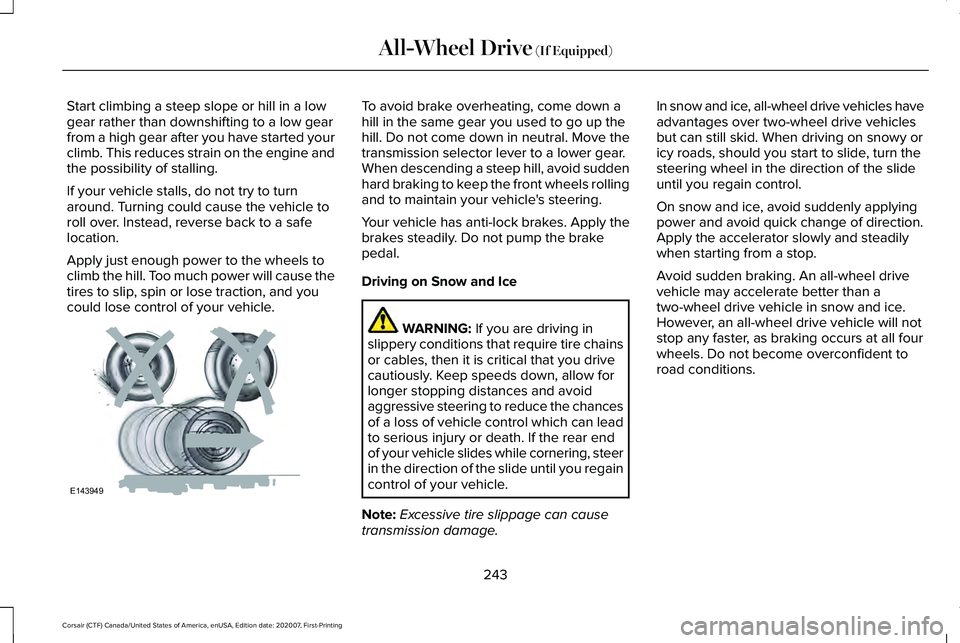
Start climbing a steep slope or hill in a low
gear rather than downshifting to a low gear
from a high gear after you have started your
climb. This reduces strain on the engine and
the possibility of stalling.
If your vehicle stalls, do not try to turn
around. Turning could cause the vehicle to
roll over. Instead, reverse back to a safe
location.
Apply just enough power to the wheels to
climb the hill. Too much power will cause the
tires to slip, spin or lose traction, and you
could lose control of your vehicle. To avoid brake overheating, come down a
hill in the same gear you used to go up the
hill. Do not come down in neutral. Move the
transmission selector lever to a lower gear.
When descending a steep hill, avoid sudden
hard braking to keep the front wheels rolling
and to maintain your vehicle's steering.
Your vehicle has anti-lock brakes. Apply the
brakes steadily. Do not pump the brake
pedal.
Driving on Snow and Ice
WARNING: If you are driving in
slippery conditions that require tire chains
or cables, then it is critical that you drive
cautiously. Keep speeds down, allow for
longer stopping distances and avoid
aggressive steering to reduce the chances
of a loss of vehicle control which can lead
to serious injury or death. If the rear end
of your vehicle slides while cornering, steer
in the direction of the slide until you regain
control of your vehicle.
Note: Excessive tire slippage can cause
transmission damage. In snow and ice, all-wheel drive vehicles have
advantages over two-wheel drive vehicles
but can still skid. When driving on snowy or
icy roads, should you start to slide, turn the
steering wheel in the direction of the slide
until you regain control.
On snow and ice, avoid suddenly applying
power and avoid quick change of direction.
Apply the accelerator slowly and steadily
when starting from a stop.
Avoid sudden braking. An all-wheel drive
vehicle may accelerate better than a
two-wheel drive vehicle in snow and ice.
However, an all-wheel drive vehicle will not
stop any faster, as braking occurs at all four
wheels. Do not become overconfident to
road conditions.
243
Corsair (CTF) Canada/United States of America, enUSA, Edition date: 202007, First-Printing All-Wheel Drive
(If Equipped)E143949
Page 247 of 638
Make sure that you allow sufficient distance
between your vehicle and other vehicles for
stopping. On ice and snow, you should drive
more slowly than usual, and consider using
one of the lower gears. In emergency
stopping situations, steadily apply the brake.
Your vehicle has a four wheel anti-lock brake
system, do not pump the brake pedal. See
Hints on Driving With Anti-Lock Brakes
(page
246).
If Your Vehicle Gets Stuck In Mud or Snow
If your vehicle becomes stuck in mud or
snow, shift between forward and reverse
gears, and, in a steady pattern, stop between
shifts. Press lightly on the accelerator with
each shift. Rocking your vehicle this way may
dislodge your vehicle.
Note: Do not rock your vehicle if the engine
is not at normal operating temperature,
damage to the transmission may occur.
Note: Do not rock your vehicle for more than
a minute, damage to the transmission and
tires may occur or the engine may overheat. Maintenance and Modifications
The suspension and steering systems on
your vehicle provides predictable
performance whether your vehicle is loaded
or empty. For this reason, we recommend
that you do not make modifications to your
vehicle (lift kits or stabilizer bars) or use
replacement parts not equivalent to the
original factory equipment.
We recommend that you use caution when
your vehicle has either a high load or device
(ladder or luggage racks). Modifications to
your vehicle that raise the center of gravity
may cause your vehicle to tip if you should
lose vehicle control.
Failure to maintain your vehicle correctly may
void the warranty, increase your repair cost,
reduce vehicle performance and operational
capabilities, and adversely affect you and
your passenger's safety. We recommend that
you frequently inspect your vehicle's chassis
components if your vehicle is subject to
off-road use.
244
Corsair (CTF) Canada/United States of America, enUSA, Edition date: 202007, First-Printing All-Wheel Drive
(If Equipped)
Page 248 of 638
GENERAL INFORMATION
Note:
Occasional brake noise is normal. If
a metal-to-metal, continuous grinding or
continuous squeal sound is present, the
brake linings may be worn-out and an
authorized dealer should check them. If the
vehicle has continuous vibration or shudder
in the steering wheel while braking, an
authorized dealer should check your vehicle.
Note: Brake dust may accumulate on the
wheels, even under normal driving
conditions. Some dust is inevitable as the
brakes wear and does not contribute to
brake noise. Wet brakes result in reduced
braking efficiency. Gently press the brake
pedal a few times when driving from a car
wash or standing water to dry the brakes.
See Cleaning the Wheels (page 392). Brake Over Accelerator
In the event the accelerator pedal becomes
stuck or entrapped, apply steady and firm
pressure to the brake pedal to slow the
vehicle and reduce engine power. If you
experience this condition, apply the brakes
and bring your vehicle to a safe stop. Switch
the engine off, move the transmission to park
(P) and apply the parking brake. Inspect the
accelerator pedal and the area around it for
any items or debris that may be obstructing
its movement. If none are found and the
condition persists, have your vehicle towed
to the nearest authorized dealer.
Emergency Brake Assist
Emergency brake assist detects when you
brake heavily by measuring the rate at which
you press the brake pedal. It provides
maximum braking efficiency as long as you
press the pedal. Emergency brake assist
can reduce stopping distances in critical
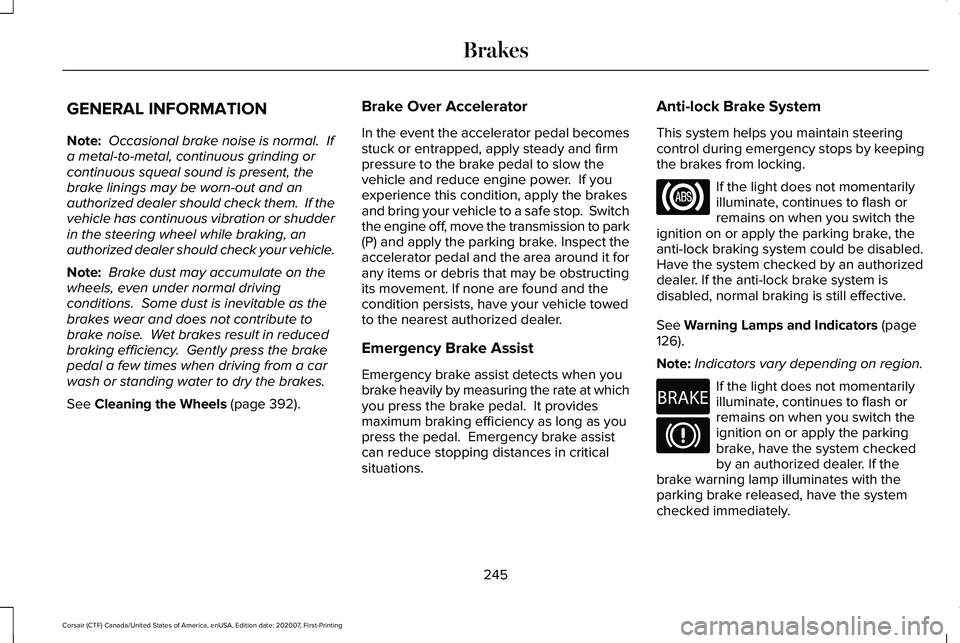
situations. Anti-lock Brake System
This system helps you maintain steering
control during emergency stops by keeping
the brakes from locking. If the light does not momentarily
illuminate, continues to flash or
remains on when you switch the
ignition on or apply the parking brake, the
anti-lock braking system could be disabled.
Have the system checked by an authorized
dealer. If the anti-lock brake system is
disabled, normal braking is still effective.
See
Warning Lamps and Indicators (page
126).
Note: Indicators vary depending on region. If the light does not momentarily
illuminate, continues to flash or
remains on when you switch the
ignition on or apply the parking
brake, have the system checked
by an authorized dealer. If the
brake warning lamp illuminates with the
parking brake released, have the system
checked immediately.
245
Corsair (CTF) Canada/United States of America, enUSA, Edition date: 202007, First-Printing Brakes E270480
Page 249 of 638
HINTS ON DRIVING WITH ANTI-
LOCK BRAKES
The anti-lock braking system does not
eliminate the risks when:
•
You drive too closely to the vehicle in
front of you.
• Your vehicle is hydroplaning.
• You take corners too fast.
• The road surface is poor.
Note: If the system activates, the brake
pedal may pulse and may travel further.
Maintain pressure on the brake pedal. You
may also hear a noise from the system. This
is normal.
ELECTRIC PARKING BRAKE WARNING: Always fully apply the
parking brake and make sure you shift into
park (P). Failure to follow this instruction
could result in personal injury or death. WARNING:
If you drive extended
distances with the parking brake applied,
you could cause damage to the brake
system. WARNING:
The electric parking
brake does not operate if the vehicle
battery is running out of charge.
Note: The electric parking brake makes
noises during operation. This is normal.
Your vehicle has an electric parking brake.
You operate it with a switch instead of a
lever. The switch is on the center console or
to the left-hand side of the steering wheel,
on the lower part of the instrument panel.
Applying the Electric Parking Brake Pull the switch upward.
The red warning lamp flashes
during operation and illuminates
when you apply the parking brake. Note:
It remains illuminated for a short
period of time after you switch the ignition
off.
If it continues to flash or does not illuminate,
the system has malfunctioned. Have your
vehicle checked as soon as possible.
Note: You can apply the electric parking
brake when the ignition is off.
Note: The electric parking brake could
automatically apply when you shift into park
(P).
See Transmission (page 232).
Applying the Electric Parking Brake in an
Emergency
Note: Do not apply the electric parking brake
when your vehicle is moving, except in an
emergency. If you repeatedly use the electric
parking brake to slow or stop your vehicle,
you could cause damage to the brake
system.
You can use the electric parking brake to
slow or stop your vehicle in an emergency.
246
Corsair (CTF) Canada/United States of America, enUSA, Edition date: 202007, First-Printing BrakesE267156 E270480