park assist LINCOLN CORSAIR 2021 Owners Manual
[x] Cancel search | Manufacturer: LINCOLN, Model Year: 2021, Model line: CORSAIR, Model: LINCOLN CORSAIR 2021Pages: 638, PDF Size: 5.7 MB
Page 8 of 638
Refueling - Gasoline
....................................216
Fuel Consumption .......................................
219
Engine Emission Control
Emission Law .................................................
221
Catalytic Converter .....................................
222
High Voltage Battery
General Information ...................................
225
Charging the High Voltage Battery ........
225
Transmission
Automatic Transmission - Excluding: Plug-In Hybrid Electric Vehicle (PHEV)
......................................................................
232
Automatic Transmission - Plug-In Hybrid Electric Vehicle (PHEV) ..........................
237
All-Wheel Drive
Using All-Wheel Drive ................................
240
Brakes
General Information ...................................
245Hints on Driving With Anti-Lock Brakes
......................................................................
246
Electric Parking Brake ................................
246
Hill Start Assist .............................................
248
Auto Hold ......................................................
249
Reverse Braking Assist
What Is Reverse Braking Assist ................
251
Reverse Braking Assist Precautions .......
251
Switching Reverse Braking Assist On and Off ...............................................................
252
Overriding Reverse Braking Assist ........
252
Reverse Braking Assist Indicators ..........
252
Reverse Braking Assist – Troubleshooting ......................................................................
253
Traction Control
Principle of Operation ................................
255
Using Traction Control ...............................
255
Stability Control
Principle of Operation ................................
256
Using Stability Control ...............................
257Parking Aids
Principle of Operation
................................
258
Rear Parking Aid ..........................................
258
Front Parking Aid ........................................
260
Side Sensing System .................................
262
Rear View Camera
What Is the Rear View Camera ...............
265
Rear View Camera Precautions ..............
265
Locating the Rear View Camera .............
265
Rear View Camera Guide Lines ..............
265
Rear View Camera Object Distance Indicators ..................................................
266
Rear View Camera Settings .....................
266
360 Degree Camera
What Is the 360 Degree Camera ............
268
360 Degree Camera Precautions ..........
268
360 Degree Camera Limitations ............
268
360 Degree Camera Cameras ................
269
360 Degree Camera Guide Lines ..........
270
360 Degree Camera Settings ...................
271
5
Corsair (CTF) Canada/United States of America, enUSA, Edition date: 202007, First-Printing Table of Contents
Page 9 of 638
Active Park Assist
What Is Active Park Assist
.........................272
Switching Active Park Assist On and Off ......................................................................
272
Entering a Parallel Parking Space ...........
272
Entering a Perpendicular Parking Space ......................................................................
272
Exiting a Parking Space .............................
273
Active Park Assist – Troubleshooting ......................................................................
274
Cruise Control
What Is Cruise Control ...............................
276
Switching Cruise Control On and Off ......
276
Setting the Cruise Control Speed ...........
276
Canceling the Set Speed ..........................
277
Resuming the Set Speed ...........................
277
Cruise Control Indicators ...........................
277
Adaptive Cruise Control
How Does Adaptive Cruise Control With Stop and Go Work ..................................
278
What Is Adaptive Cruise Control With Lane Centering ..................................................
278What Is Intelligent Adaptive Cruise Control
......................................................................
278
Adaptive Cruise Control Precautions - Vehicles With: Adaptive Cruise Control
With Lane Centering ..............................
278
Adaptive Cruise Control Precautions - Vehicles With: Adaptive Cruise Control
With Stop and Go ....................................
279
Adaptive Cruise Control Limitations - Vehicles With: Adaptive Cruise Control
With Lane Centering ..............................
280
Adaptive Cruise Control Limitations - Vehicles With: Adaptive Cruise Control
With Stop and Go ...................................
280
Switching Adaptive Cruise Control On and Off ...............................................................
282
Setting the Adaptive Cruise Control Speed ......................................................................
283
Setting the Adaptive Cruise Control Gap ......................................................................
284
Canceling the Set Speed ..........................
285
Resuming the Set Speed ..........................
285
Overriding the Set Speed .........................
285
Adaptive Cruise Control Indicators - Vehicles With: Adaptive Cruise Control
With Lane Centering ..............................
285Adaptive Cruise Control Indicators -
Vehicles With: Adaptive Cruise Control
With Stop and Go ...................................
286
Adaptive Cruise Control Indicators - Vehicles With: Intelligent Adaptive
Cruise Control .........................................
286
Switching From Adaptive Cruise Control to Cruise Control .....................................
286
Switching Lane Centering On and Off ......................................................................
287
Switching Intelligent Mode On and Off ......................................................................
288
Adjusting the Set Speed Tolerance - Vehicles With: Intelligent Adaptive
Cruise Control .........................................
288
Adaptive Cruise Control – Troubleshooting ......................................................................
289
Driving Aids
Driver Alert ....................................................
292
Lane Keeping System ................................
293
Blind Spot Information System ................
299
Cross Traffic Alert .........................................
301
Steering .........................................................
306
Pre-Collision Assist .....................................
306
6
Corsair (CTF) Canada/United States of America, enUSA, Edition date: 202007, First-Printing Table of Contents
Page 27 of 638
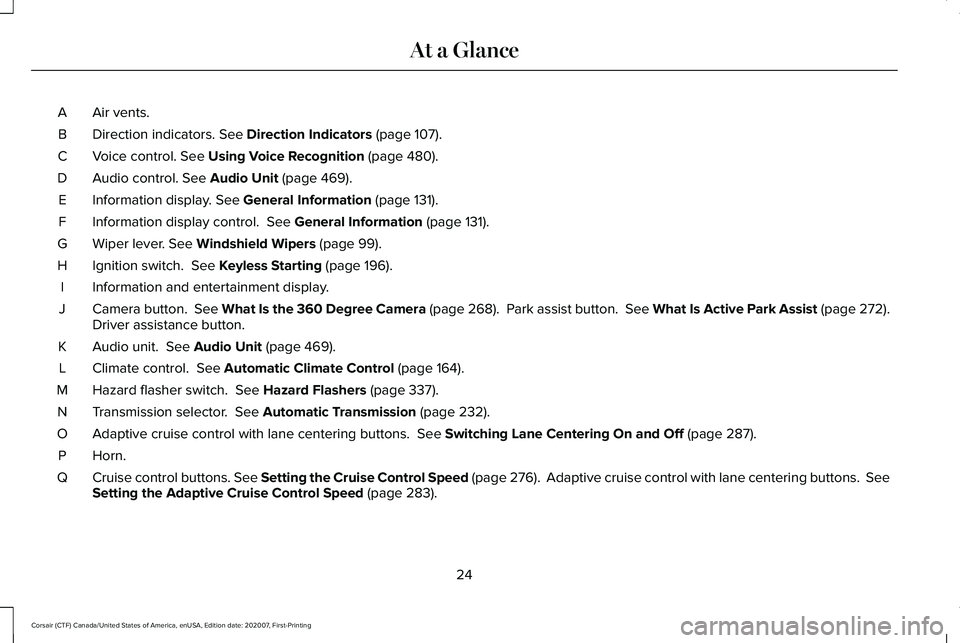
Air vents.
A
Direction indicators. See Direction Indicators (page 107).
B
Voice control.
See Using Voice Recognition (page 480).
C
Audio control.
See Audio Unit (page 469).
D
Information display.
See General Information (page 131).
E
Information display control.
See General Information (page 131).
F
Wiper lever.
See Windshield Wipers (page 99).
G
Ignition switch.
See Keyless Starting (page 196).
H
Information and entertainment display.
I
Camera button.
See What Is the 360 Degree Camera (page 268). Park assist button. See What Is Active Park Assist (page 272).
Driver assistance button.
J
Audio unit.
See Audio Unit (page 469).
K
Climate control.
See Automatic Climate Control (page 164).
L
Hazard flasher switch.
See Hazard Flashers (page 337).
M
Transmission selector.
See Automatic Transmission (page 232).
N
Adaptive cruise control with lane centering buttons.
See Switching Lane Centering On and Off (page 287).
O
Horn.P
Cruise control buttons.
See Setting the Cruise Control Speed (page 276). Adaptive cruise control with lane centering buttons. Se\
e
Setting the Adaptive Cruise Control Speed (page 283).
Q
24
Corsair (CTF) Canada/United States of America, enUSA, Edition date: 202007, First-Printing At a Glance
Page 75 of 638
WHAT IS MYKEY
MyK
ey
MyKey allows you to program keys with
restricted driving modes to promote good
driving habits.
MYKEY SETTINGS
Non-Configurable MyKey Settings
Seatbelt Reminder or Belt-Minder™
MyKey mutes the audio system until the
drivers, and in some instances, passengers,
fasten their seatbelts.
Note:
If your vehicle includes an AM/FM
radio or a very basic audio system, then the
radio may not mute.
Satellite Radio (If Equipped)
Satellite radio adult content restrictions. Early Low Fuel
The low fuel level warning lamp turns on
earlier.
Driving and Parking Aids
Parking aids, blind spot information system
and cross traffic alert turn on when you start
the engine and cannot be switched off with
a MyKey.
Pre-collision assist and lane keeping alert
turn on when you start the engine, but can
be switched off with a MyKey.
A new destination in the navigation system
can only be set using voice commands when
using a MyKey, and with your vehicle moving.
Note:
MyKey drivers may be able to turn the
lane departure warning feature off, but this
feature turns back on automatically with
every new key cycle.
Configurable MyKey Settings
You can configure the following settings after
creating a MyKey.
See Creating a MyKey
(page 73). Speed Limit WARNING:
Do not set MyKey
maximum speed limit to a limit that will
prevent the driver from maintaining a safe
speed considering posted speed limits and
prevailing road conditions. The driver is
always responsible to drive in accordance
with local laws and prevailing conditions.
Failure to do so could result in accident or
injury.
You can set a speed limit for your vehicle.
Warning messages appear in the information
display and a tone sounds if your vehicle
reaches the set speed. You cannot override
the set speed when using a MyKey.
Speed Reminder
You can set a speed reminder for your
vehicle. Warning messages appear in the
information display and a tone sounds if your
vehicle exceeds the set speed.
72
Corsair (CTF) Canada/United States of America, enUSA, Edition date: 202007, First-Printing MyKey™
Page 130 of 638
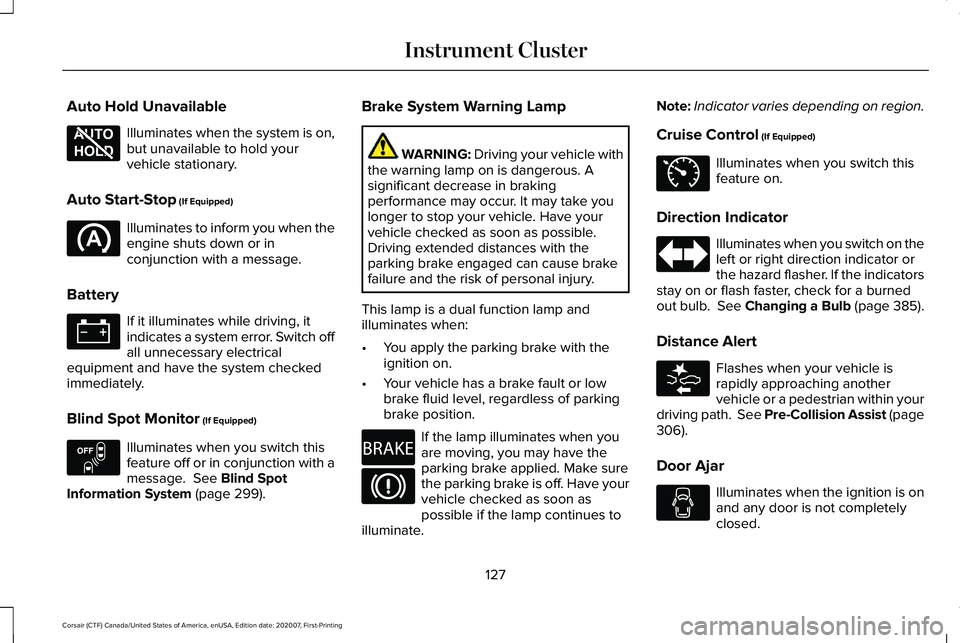
Auto Hold Unavailable
Illuminates when the system is on,
but unavailable to hold your
vehicle stationary.
Auto Start-Stop (If Equipped) Illuminates to inform you when the
engine shuts down or in
conjunction with a message.
Battery If it illuminates while driving, it
indicates a system error. Switch off
all unnecessary electrical
equipment and have the system checked
immediately.
Blind Spot Monitor
(If Equipped) Illuminates when you switch this
feature off or in conjunction with a
message.
See Blind Spot
Information System (page 299). Brake System Warning Lamp WARNING:
Driving your vehicle with
the warning lamp on is dangerous. A
significant decrease in braking
performance may occur. It may take you
longer to stop your vehicle. Have your
vehicle checked as soon as possible.
Driving extended distances with the
parking brake engaged can cause brake
failure and the risk of personal injury.
This lamp is a dual function lamp and
illuminates when:
• You apply the parking brake with the
ignition on.
• Your vehicle has a brake fault or low
brake fluid level, regardless of parking
brake position. If the lamp illuminates when you
are moving, you may have the
parking brake applied. Make sure
the parking brake is off. Have your
vehicle checked as soon as
possible if the lamp continues to
illuminate. Note:
Indicator varies depending on region.
Cruise Control
(If Equipped) Illuminates when you switch this
feature on.
Direction Indicator Illuminates when you switch on the
left or right direction indicator or
the hazard flasher. If the indicators
stay on or flash faster, check for a burned
out bulb. See Changing a Bulb (page 385).
Distance Alert Flashes when your vehicle is
rapidly approaching another
vehicle or a pedestrian within your
driving path. See Pre-Collision Assist (page
306
).
Door Ajar Illuminates when the ignition is on
and any door is not completely
closed.
127
Corsair (CTF) Canada/United States of America, enUSA, Edition date: 202007, First-Printing Instrument ClusterE197934 E151262 E270480 E71340 E281485
Page 156 of 638
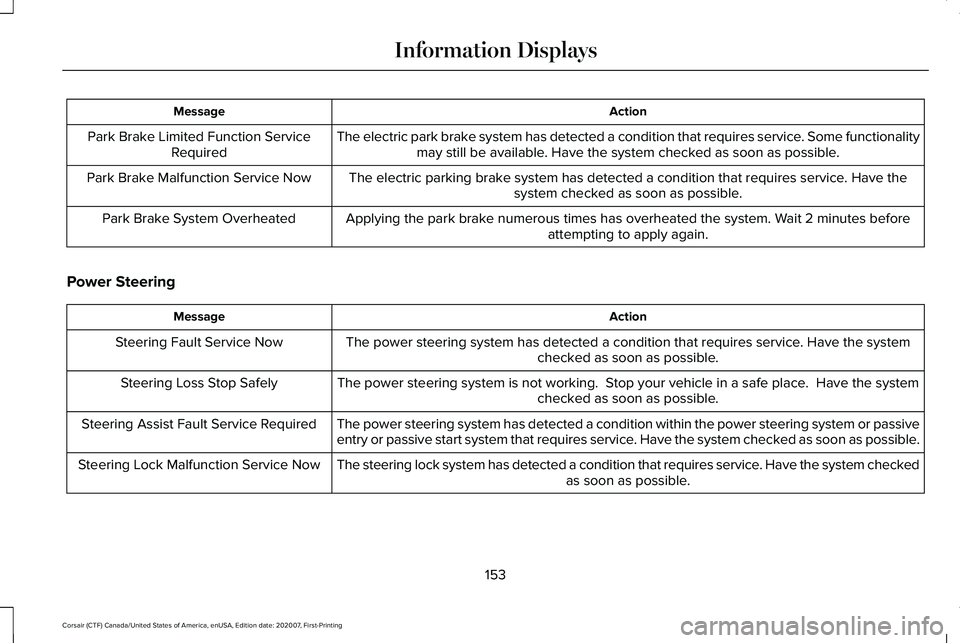
Action
Message
The electric park brake system has detected a condition that requires service. Some functionalitymay still be available. Have the system checked as soon as possible.
Park Brake Limited Function Service
Required
The electric parking brake system has detected a condition that requires service. Have thesystem checked as soon as possible.
Park Brake Malfunction Service Now
Applying the park brake numerous times has overheated the system. Wait 2 minutes beforeattempting to apply again.
Park Brake System Overheated
Power Steering Action
Message
The power steering system has detected a condition that requires service\
. Have the system checked as soon as possible.
Steering Fault Service Now
The power steering system is not working. Stop your vehicle in a safe place. Have the systemchecked as soon as possible.
Steering Loss Stop Safely
The power steering system has detected a condition within the power stee\
ring system or passive
entry or passive start system that requires service. Have the system checked as soon as possible.
Steering Assist Fault Service Required
The steering lock system has detected a condition that requires service. Have the system checkedas soon as possible.
Steering Lock Malfunction Service Now
153
Corsair (CTF) Canada/United States of America, enUSA, Edition date: 202007, First-Printing Information Displays
Page 160 of 638

Action
Message
Displays when there is a system fault while the vehicle is shifting to r\
everse. Have the system checked as soon as possible.
SHIFT SYS FAULT Reverse Unavailable
Service Required
Have the system checked as soon as possible.
SHIFT SYS FAULT Drive Unavailable Select
S for Drive Service Required
Have the system checked as soon as possible.
SHIFT SYS FAULT Neutral Unavailable
Service Required
Have the system checked as soon as possible.
SHIFT SYS FAULT Sport Unavailable
Service Required
Displays when an invalid gear has been selected.
Invalid Gear Selection
Displays when the brake pedal needs to be depressed to enable the transmission to shift from park.
Depress Brake to Shift from Park
HEAD UP DISPLAY (IF EQUIPPED)
The head up display (HUD) is a visual system
that shows information in your field of view
as you drive. The information comes from
various vehicle systems and includes vehicle
speed, speed limit, navigation, and advanced
driver assistance systems such as adaptive
cruise control and the lane keeping system. This system projects the information off the
windshield, and focuses the image near the
end of the hood approximately 7 ft (2 m) in
front of the driver. Viewing this information
does not require you to significantly move
your head, allowing you to keep your eyes
on the road while having quick and easy
access to information.
157
Corsair (CTF) Canada/United States of America, enUSA, Edition date: 202007, First-Printing Information Displays
Page 182 of 638
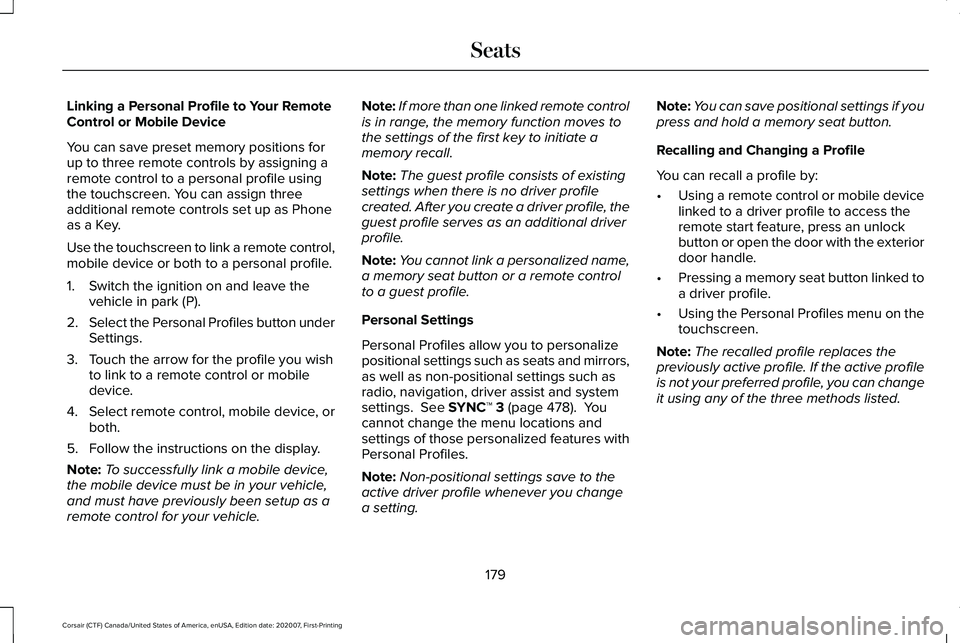
Linking a Personal Profile to Your Remote
Control or Mobile Device
You can save preset memory positions for
up to three remote controls by assigning a
remote control to a personal profile using
the touchscreen. You can assign three
additional remote controls set up as Phone
as a Key.
Use the touchscreen to link a remote control,
mobile device or both to a personal profile.
1. Switch the ignition on and leave the
vehicle in park (P).
2. Select the Personal Profiles button under
Settings.
3. Touch the arrow for the profile you wish to link to a remote control or mobile
device.
4. Select remote control, mobile device, or
both.
5. Follow the instructions on the display.
Note: To successfully link a mobile device,
the mobile device must be in your vehicle,
and must have previously been setup as a
remote control for your vehicle. Note:
If more than one linked remote control
is in range, the memory function moves to
the settings of the first key to initiate a
memory recall.
Note: The guest profile consists of existing
settings when there is no driver profile
created. After you create a driver profile, the
guest profile serves as an additional driver
profile.
Note: You cannot link a personalized name,
a memory seat button or a remote control
to a guest profile.
Personal Settings
Personal Profiles allow you to personalize
positional settings such as seats and mirrors,
as well as non-positional settings such as
radio, navigation, driver assist and system
settings. See SYNC™ 3 (page 478). You
cannot change the menu locations and
settings of those personalized features with
Personal Profiles.
Note: Non-positional settings save to the
active driver profile whenever you change
a setting. Note:
You can save positional settings if you
press and hold a memory seat button.
Recalling and Changing a Profile
You can recall a profile by:
• Using a remote control or mobile device
linked to a driver profile to access the
remote start feature, press an unlock
button or open the door with the exterior
door handle.
• Pressing a memory seat button linked to
a driver profile.
• Using the Personal Profiles menu on the
touchscreen.
Note: The recalled profile replaces the
previously active profile. If the active profile
is not your preferred profile, you can change
it using any of the three methods listed.
179
Corsair (CTF) Canada/United States of America, enUSA, Edition date: 202007, First-Printing Seats
Page 202 of 638
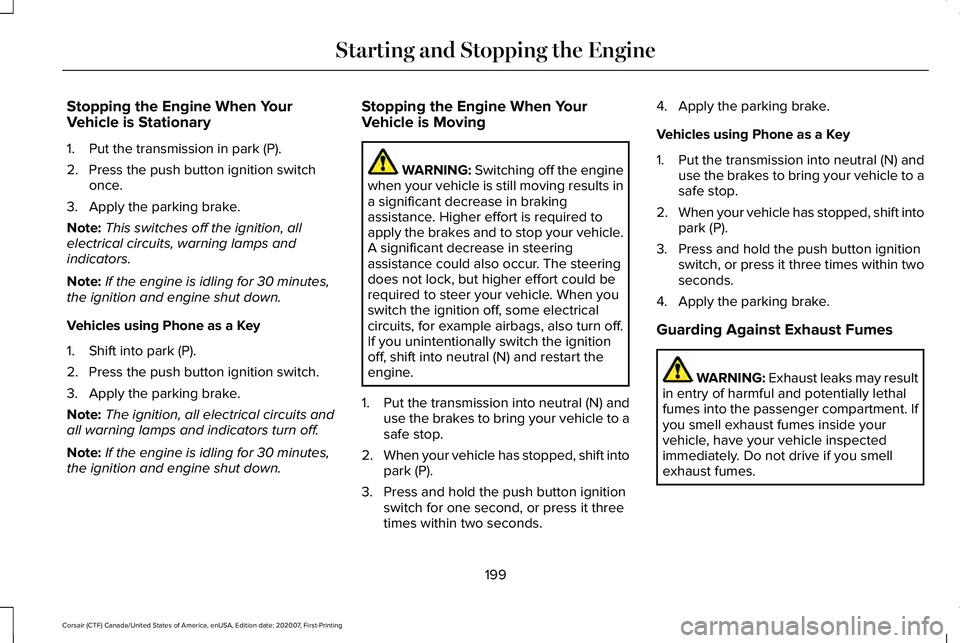
Stopping the Engine When Your
Vehicle is Stationary
1. Put the transmission in park (P).
2. Press the push button ignition switch
once.
3. Apply the parking brake.
Note: This switches off the ignition, all
electrical circuits, warning lamps and
indicators.
Note: If the engine is idling for 30 minutes,
the ignition and engine shut down.
Vehicles using Phone as a Key
1. Shift into park (P).
2. Press the push button ignition switch.
3. Apply the parking brake.
Note: The ignition, all electrical circuits and
all warning lamps and indicators turn off.
Note: If the engine is idling for 30 minutes,
the ignition and engine shut down. Stopping the Engine When Your
Vehicle is Moving WARNING: Switching off the engine
when your vehicle is still moving results in
a significant decrease in braking
assistance. Higher effort is required to
apply the brakes and to stop your vehicle.
A significant decrease in steering
assistance could also occur. The steering
does not lock, but higher effort could be
required to steer your vehicle. When you
switch the ignition off, some electrical
circuits, for example airbags, also turn off.
If you unintentionally switch the ignition
off, shift into neutral (N) and restart the
engine.
1. Put the transmission into neutral (N) and
use the brakes to bring your vehicle to a
safe stop.
2. When your vehicle has stopped, shift into
park (P).
3. Press and hold the push button ignition switch for one second, or press it three
times within two seconds. 4. Apply the parking brake.
Vehicles using Phone as a Key
1.
Put the transmission into neutral (N) and
use the brakes to bring your vehicle to a
safe stop.
2. When your vehicle has stopped, shift into
park (P).
3. Press and hold the push button ignition switch, or press it three times within two
seconds.
4. Apply the parking brake.
Guarding Against Exhaust Fumes WARNING: Exhaust leaks may result
in entry of harmful and potentially lethal
fumes into the passenger compartment. If
you smell exhaust fumes inside your
vehicle, have your vehicle inspected
immediately. Do not drive if you smell
exhaust fumes.
199
Corsair (CTF) Canada/United States of America, enUSA, Edition date: 202007, First-Printing Starting and Stopping the Engine
Page 205 of 638
Vehicles using Phone as a Key
1. Shift into park (P).
2. Press the push button ignition switch.
3. Apply the parking brake.
Note:
This switches off the ignition, all
electrical circuits, warning lamps and
indicators.
Note: If the engine is idling for 30 minutes,
the ignition and engine shut down.
Switching Off Your Vehicle When It Is
Moving WARNING: Switching off the engine
when your vehicle is still moving results in
a significant decrease in braking
assistance. Higher effort is required to
apply the brakes and to stop your vehicle.
A significant decrease in steering
assistance could also occur. The steering
does not lock, but higher effort could be required to steer your vehicle. When you
switch the ignition off, some electrical
circuits, for example airbags, also turn off.
If you unintentionally switch the ignition
off, shift into neutral (N) and restart the
engine.
1. Shift into neutral (N) and use the brakes to bring your vehicle to a safe stop.
2. When your vehicle has stopped, shift into
park (P).
3. Press and hold the push button ignition switch until the engine stops, or press it
three times within two seconds.
4. Apply the parking brake.
Vehicles using Phone as a Key
1. Shift into neutral (N) and use the brakes to bring your vehicle to a safe stop.
2. When your vehicle has stopped, shift into
park (P).
3. Press and hold the push button ignition switch, or press it three times within two
seconds.
4. Apply the parking brake. Guarding Against Exhaust Fumes WARNING: Exhaust leaks may result
in entry of harmful and potentially lethal
fumes into the passenger compartment. If
you smell exhaust fumes inside your
vehicle, have your vehicle inspected
immediately. Do not drive if you smell
exhaust fumes.
Important Ventilating Information
If you stop your vehicle and then leave the
engine idling for long periods of time, we
recommend that you do one of the following:
• Open the windows at least 1 in (3 cm).
• Set your climate control to outside air.
ENGINE BLOCK HEATER
(IF EQUIPPED) WARNING:
Failure to follow engine
block heater instructions could result in
property damage or serious personal
injury.
202
Corsair (CTF) Canada/United States of America, enUSA, Edition date: 202007, First-Printing Starting and Stopping the Engine