garage door opener LINCOLN CORSAIR 2022 Owners Manual
[x] Cancel search | Manufacturer: LINCOLN, Model Year: 2022, Model line: CORSAIR, Model: LINCOLN CORSAIR 2022Pages: 676, PDF Size: 7.67 MB
Page 7 of 676
Heated Rear Window
..................................172
Heated Exterior Mirrors ..............................
173
Interior Air Quality
What Is the Cabin Air Filter ........................
174
Locating the Cabin Air Filter ......................
174
Replacing the Cabin Air Filter ...................
174
Seats
Sitting in the Correct Position ...................
175
Head Restraints ............................................
176
Power Seats ...................................................
178
Memory Function .........................................
183
Rear Seats ......................................................
186
Heated Seats ................................................
188
Ventilated Seats ...........................................
189
Rear Occupant Alert System
What is the Rear Occupant Alert System ........................................................................\
191
How Does the Rear Occupant Alert System Work .............................................................
191
Rear Occupant Alert System Precautions ........................................................................\
191 Rear Occupant Alert System Limitations
........................................................................\
191
Switching Rear Occupant Alert System On and Off ........................................................
192
Rear Occupant Alert System Indicators .......................................................................
192
Rear Occupant Alert System Audible Warnings ....................................................
192
Garage Door Opener
What Is the Garage Door Opener ............
193
How Does the Garage Door Opener Work .......................................................................
193
Garage Door Opener Precautions ..........
193
Garage Door Opener Limitations ............
194
Programming the Garage Door Opener to Your Hand-Held Transmitter .................
194
Programming the Garage Door Opener to Your Garage Door Opener Motor ........
195
Programming the Garage Door Opener to Your Gate Opener Motor .......................
195
Clearing the Garage Door Opener ..........
196
Reprogramming the Garage Door Opener .......................................................................
196 Garage Door Opener Radio Frequencies
.......................................................................
196
Auxiliary Power Points
Auxiliary Power Points ................................
198
Wireless Accessory Charger .....................
198
Storage Compartments
Overhead Console ......................................
201
Starting and Stopping the Engine
General Information ...................................
202
Keyless Starting ...........................................
202
Starting a Gasoline Engine .......................
203
Starting a Hybrid Electric Vehicle System ......................................................................
206
Engine Block Heater ..................................
209
Unique Driving Characteristics
Auto-Start-Stop ..............................................
211
Hybrid Vehicle Operation - Hybrid Electric Vehicle (HEV) ............................................
213
4
2022 Corsair (CTF) Canada/United States of America, enUSA, Edition date: 202106, First-Printing Table of Contents
Page 196 of 676
WHAT IS THE GARAGE DOOR
OPENER
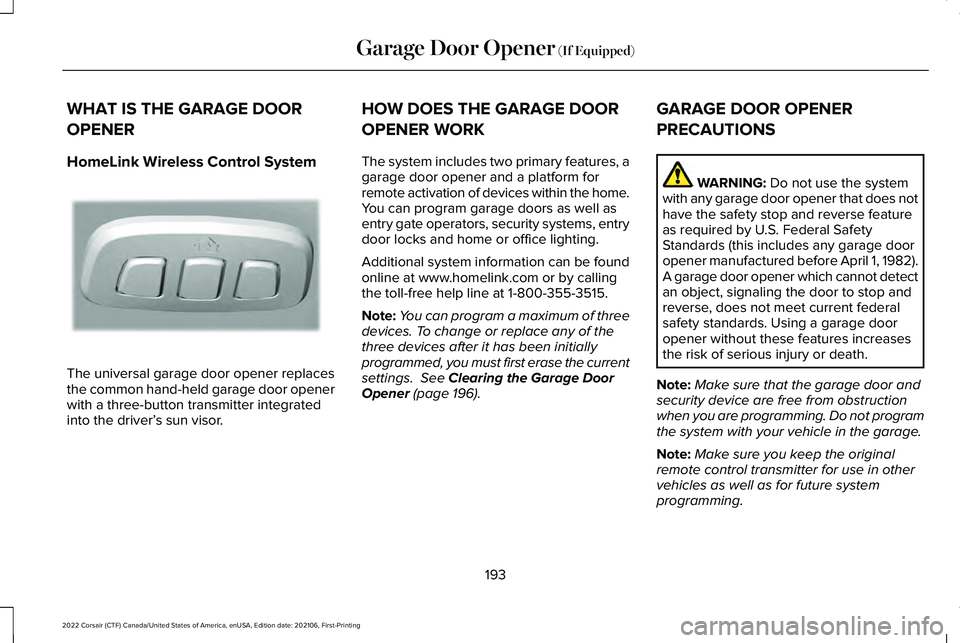
HomeLink Wireless Control System
The universal garage door opener replaces
the common hand-held garage door opener
with a three-button transmitter integrated
into the driver’
s sun visor. HOW DOES THE GARAGE DOOR
OPENER WORK
The system includes two primary features, a
garage door opener and a platform for
remote activation of devices within the home.
You can program garage doors as well as
entry gate operators, security systems, entry
door locks and home or office lighting.
Additional system information can be found
online at www.homelink.com or by calling
the toll-free help line at 1-800-355-3515.
Note:
You can program a maximum of three
devices. To change or replace any of the
three devices after it has been initially
programmed, you must first erase the current
settings. See Clearing the Garage Door
Opener (page 196). GARAGE DOOR OPENER
PRECAUTIONS WARNING:
Do not use the system
with any garage door opener that does not
have the safety stop and reverse feature
as required by U.S. Federal Safety
Standards (this includes any garage door
opener manufactured before April 1, 1982).
A garage door opener which cannot detect
an object, signaling the door to stop and
reverse, does not meet current federal
safety standards. Using a garage door
opener without these features increases
the risk of serious injury or death.
Note: Make sure that the garage door and
security device are free from obstruction
when you are programming. Do not program
the system with your vehicle in the garage.
Note: Make sure you keep the original
remote control transmitter for use in other
vehicles as well as for future system
programming.
193
2022 Corsair (CTF) Canada/United States of America, enUSA, Edition date: 202106, First-Printing Garage Door Opener
(If Equipped)E188211
Page 197 of 676
Note:
We recommend that upon the sale or
lease termination of your vehicle, you erase
the programmed function buttons for security
reasons. See Clearing the Garage Door
Opener (page 196).
GARAGE DOOR OPENER
LIMITATIONS
Canadian radio-frequency laws require
transmitter signals to time-out (or quit) after
several seconds – which may not be long
enough for HomeLink to pick up the signal.
U.S. gate operators time-out in the same
manner.
Note: If programming a garage door opener
or gate operator, it is advised to unplug the
device during the “cycling” process to
prevent possible overheating. PROGRAMMING THE GARAGE
DOOR OPENER TO YOUR HAND-
HELD TRANSMITTER
This process is to program your in-vehicle
HomeLink function button with your
hand-held transmitter.
Note:
The programming steps below assume
you will be programming HomeLink that was
not previously programmed. If your
HomeLink was previously programmed, you
may need to erase your HomeLink buttons.
See
Clearing the Garage Door Opener
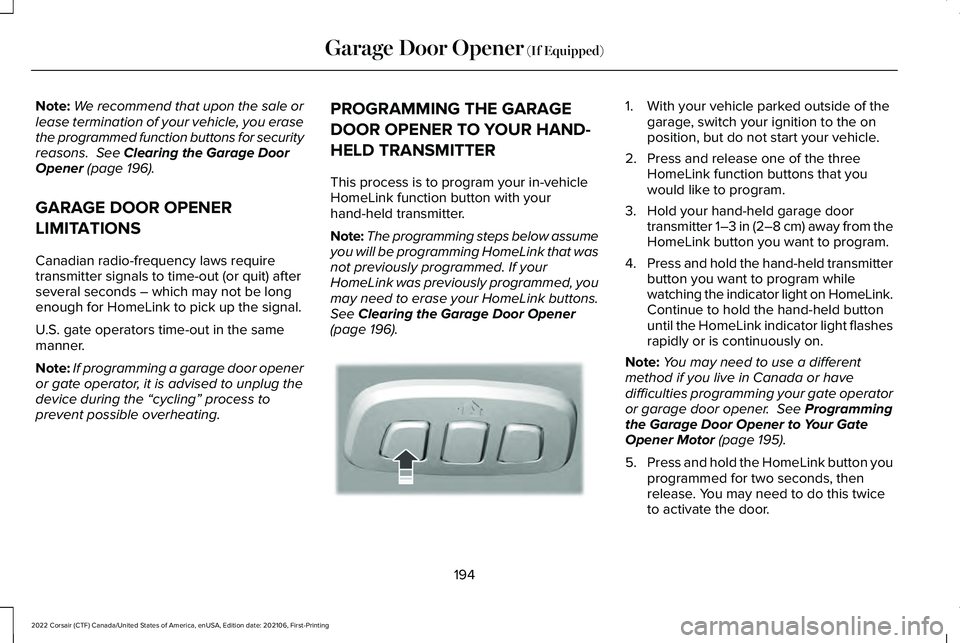
(page 196). 1. With your vehicle parked outside of the
garage, switch your ignition to the on
position, but do not start your vehicle.
2. Press and release one of the three HomeLink function buttons that you
would like to program.
3. Hold your hand-held garage door transmitter 1–3 in (2–8 cm) away from the
HomeLink button you want to program.
4. Press and hold the hand-held transmitter
button you want to program while
watching the indicator light on HomeLink.
Continue to hold the hand-held button
until the HomeLink indicator light flashes
rapidly or is continuously on.
Note: You may need to use a different
method if you live in Canada or have
difficulties programming your gate operator
or garage door opener.
See Programming
the Garage Door Opener to Your Gate
Opener Motor
(page 195).
5. Press and hold the HomeLink button you
programmed for two seconds, then
release. You may need to do this twice
to activate the door.
194
2022 Corsair (CTF) Canada/United States of America, enUSA, Edition date: 202106, First-Printing Garage Door Opener
(If Equipped)E188212
Page 198 of 676
Note:
If the indicator light stays on, the
programming is complete.
Note: If the HomeLink indicator flashes
rapidly, repeat step 5.
Note: If your device still does not operate,
you must program your garage door. See
Programming the Garage Door Opener to
Your Garage Door Opener Motor
(page 195).
6. To program additional buttons, repeat Steps 1 – 4.
PROGRAMMING THE GARAGE
DOOR OPENER TO YOUR GARAGE
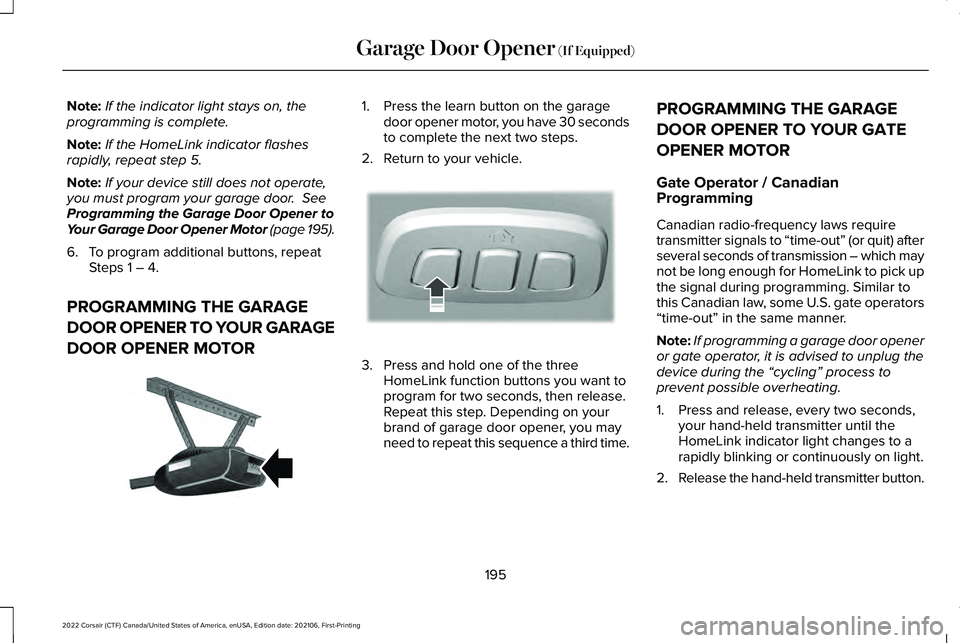
DOOR OPENER MOTOR 1. Press the learn button on the garage
door opener motor, you have 30 seconds
to complete the next two steps.
2. Return to your vehicle. 3. Press and hold one of the three
HomeLink function buttons you want to
program for two seconds, then release.
Repeat this step. Depending on your
brand of garage door opener, you may
need to repeat this sequence a third time. PROGRAMMING THE GARAGE
DOOR OPENER TO YOUR GATE
OPENER MOTOR
Gate Operator / Canadian
Programming
Canadian radio-frequency laws require
transmitter signals to “time-out” (or quit) after
several seconds of transmission – which may
not be long enough for HomeLink to pick up
the signal during programming. Similar to
this Canadian law, some U.S. gate operators
“time-out” in the same manner.
Note:
If programming a garage door opener
or gate operator, it is advised to unplug the
device during the “cycling” process to
prevent possible overheating.
1. Press and release, every two seconds, your hand-held transmitter until the
HomeLink indicator light changes to a
rapidly blinking or continuously on light.
2. Release the hand-held transmitter button.
195
2022 Corsair (CTF) Canada/United States of America, enUSA, Edition date: 202106, First-Printing Garage Door Opener
(If Equipped)E142659 E188212
Page 199 of 676
3. Press and hold the HomeLink function
button you want to program for two
seconds, then release. You may need to
do this twice to activate the door.
Note: If the indicator light stays on, the
programming is complete.
Note: If the HomeLink indicator flashes
rapidly, repeat Step 3.
Note: If your device still does not operate,
you must program your garage door. See
Programming the Garage Door Opener to
Your Garage Door Opener Motor
(page 195).
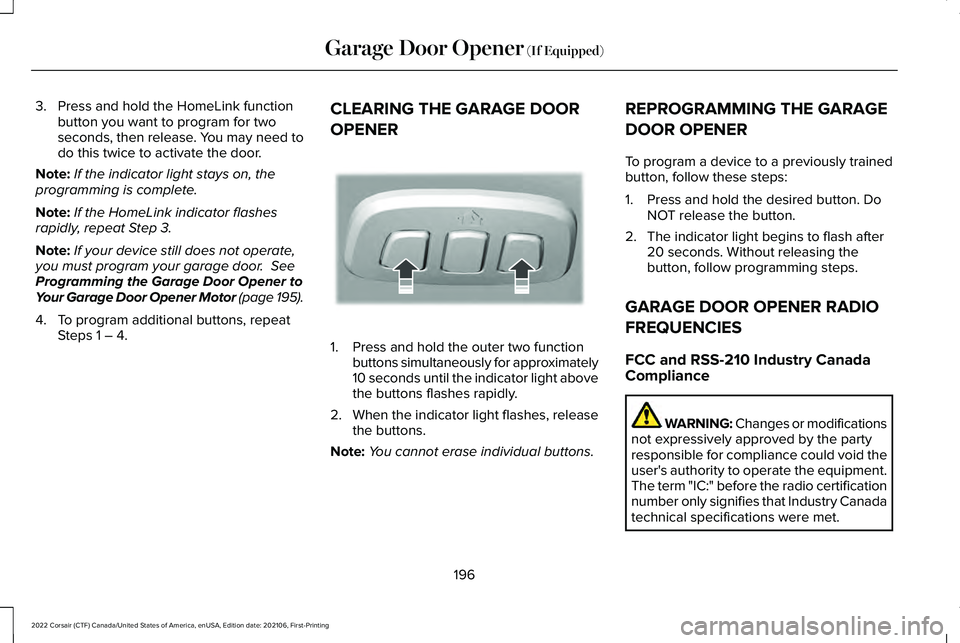
4. To program additional buttons, repeat Steps 1 – 4. CLEARING THE GARAGE DOOR
OPENER 1. Press and hold the outer two function
buttons simultaneously for approximately
10 seconds until the indicator light above
the buttons flashes rapidly.
2. When the indicator light flashes, release
the buttons.
Note: You cannot erase individual buttons. REPROGRAMMING THE GARAGE
DOOR OPENER
To program a device to a previously trained
button, follow these steps:
1. Press and hold the desired button. Do
NOT release the button.
2. The indicator light begins to flash after 20 seconds. Without releasing the
button, follow programming steps.
GARAGE DOOR OPENER RADIO
FREQUENCIES
FCC and RSS-210 Industry Canada
Compliance WARNING: Changes or modifications
not expressively approved by the party
responsible for compliance could void the
user's authority to operate the equipment.
The term "IC:" before the radio certification
number only signifies that Industry Canada
technical specifications were met.
196
2022 Corsair (CTF) Canada/United States of America, enUSA, Edition date: 202106, First-Printing Garage Door Opener
(If Equipped)E188213
Page 200 of 676
This device complies with Part 15 of the FCC
Rules and with RSS-210 of Industry Canada.
Operation is subject to the following two
conditions: (1) this device may not cause
harmful interference, and (2) this device must
accept any interference received, including
interference that could cause undesired
operation.
This equipment complies with FCC radiation
exposure limits set forth for an uncontrolled
environment. End Users must follow the
specific operating instructions for satisfying
RF exposure compliance. This transmitter
must be at least 8 in (20 cm) from the user
and must not be co-located or operating in
conjunction with any other antenna or
transmitter.
197
2022 Corsair (CTF) Canada/United States of America, enUSA, Edition date: 202106, First-Printing Garage Door Opener
(If Equipped)
Page 608 of 676
This device complies with Part 15 of the FCC
Rules and with Innovation, Science and
Economic Development Canada
’s
licence-exempt RSS(s). Operation is subject
to the following two conditions:
1. This device may not cause harmful interference, and
2. This device must accept any interference
received, including interference that may
cause undesired operation.
Zambia GARAGE DOOR OPENER
United States and Canada
WARNING: Changes or modifications
not expressively approved by the party
responsible for compliance could void the
user's authority to operate the equipment.
The term "IC:" before the radio certification
number only signifies that Industry Canada
technical specifications were met.
FCC ID: NZLSAHL5E
IC: 4112A-SAHL5E
This device complies with Part 15 of the FCC
Rules and with Innovation, Science and
Economic Development Canada ’s
licence-exempt RSS(s). Operation is subject
to the following two conditions:
1. This device may not cause harmful interference, and
2. This device must accept any interference
received, including interference that may
cause undesired operation. KEYS AND REMOTE CONTROLS
Argentina
605
2022 Corsair (CTF) Canada/United States of America, enUSA, Edition date: 202106, First-Printing Customer InformationE340196 E339844 E340316
Page 668 of 676
Catalytic Converter......................................232
Changing a Bulb............................................412
Changing a Fuse..........................................389
Changing a Road Wheel.............................451
Changing the 12V Battery..........................406
Changing the Engine Air Filter - 2.0L/ 2.3L................................................................397
Changing the Engine Air Filter - 2.5L, Plug-In Hybrid Electric Vehicle
(PHEV)..........................................................399
Changing the Vehicle Wi-Fi Hotspot Name or Password................................................495
Changing the Wiper Blades........................411
Charging the High Voltage Battery.........235
Checking MyKey System Status.................75
Checking the Wiper Blades........................410
Child Restraint and Seatbelt Maintenance..................................................49
Child Restraint Positioning...........................38
Child Safety
......................................................27
General Information.............................................27
Child Safety Locks..........................................40
Cleaning Leather Seats...............................418
Cleaning Products.........................................413
Cleaning the Engine
.....................................416
Cleaning the Exterior....................................414
Cleaning the Instrument Panel and Instrument Cluster Lens
............................417 Cleaning the Interior.....................................417
Cleaning the Wheels....................................419
Cleaning the Windows and Wiper
Blades............................................................416
Clearing All MyKeys
........................................74
Clearing the Garage Door Opener...........196
Climate............................................................533
Climate Control..............................................169
Closing the Liftgate.........................................91 Closing the Hands-Free Liftgate.......................92
Closing the Liftgate From Inside Your
Vehicle.................................................................91
Closing the Liftgate From Outside Your Vehicle.................................................................91
Closing the Liftgate Using the Remote Control................................................................92
Connected Vehicle
.......................................491
Connected Vehicle – Troubleshooting.........492
Connecting the Vehicle to a Mobile
Network.............................................................491
Connected Vehicle Limitations..................491
Connected Vehicle Requirements............491
Connected Vehicle – Troubleshooting.........................................492
Connected Vehicle – Frequently Asked Questions.........................................................492 Connecting the Vehicle to a Mobile
Network.........................................................491
Connecting Lincoln Way to the Modem........491
Enabling and Disabling the Modem...............491
What Is the Modem.............................................491
Connecting the Vehicle to a Wi-Fi Network.........................................................491
Coolant Check See: Engine Coolant Check............................400
Crash Sensors and Airbag Indicator.........60
Creating a MyKey............................................74
Creating a Vehicle Wi-Fi Hotspot
.............495
Cross Traffic Alert.........................................326
Cruise Control................................................301
Cruise Control Indicators...........................302
Customer Assistance..................................369
Customer Information
.................................592
Radio Frequency Certification Labels...........592
D
Data Recording
.................................................14
Daytime Running Lamps - Vehicles With: Configurable Daytime Running
Lamps............................................................107
Daytime Running Lamps - Vehicles With: Daytime Running Lamps (DRL)................107
Digital Radio..................................................499
665
2022 Corsair (CTF) Canada/United States of America, enUSA, Edition date: 202106, First-Printing Index
Page 670 of 676
G
Garage Door Opener...................................193
Garage Door Opener Limitations..............194
Garage Door Opener Precautions............193
Garage Door Opener Radio Frequencies.................................................196
Gauges - Plug-In Hybrid Electric Vehicle (PHEV), Vehicles With: 12.3 Inch
Instrument Cluster Display Screen.........121
Gauges - Vehicles With: 12.3 Inch Instrument Cluster Display Screen........129
Gauges - Vehicles With: 6.5 Inch Instrument Cluster Display Screen........127
Gearbox See: Transmission..............................................256
General Information on Radio Frequencies..................................................65
General Maintenance Information...........579
Getting Assistance Outside the U.S. and Canada.........................................................373
Getting the Services You Need................369
Global Opening and Closing.......................116
H
Hazard Flashers............................................363 Headlamp Adjusting
See: Adjusting the Headlamps.......................409
Headlamp Exit Delay
....................................107
Headlamp Removal See: Removing a Headlamp.............................412
Headrest See: Head Restraints..........................................176
Head Restraints
..............................................176
Head Up Display...........................................162
Heated Exterior Mirrors................................173
Heated Rear Window
...................................172
Heated Seats..................................................188
Heated Windshield.......................................172
Heating See: Climate Control..........................................169
High Voltage Battery...................................235 General Information...........................................235
Hill Start Assist..............................................273
Hints on Controlling the Interior Climate
............................................................171
Hints on Driving With Anti-Lock Brakes............................................................271
Hood Lock See: Opening and Closing the Hood.............391
Horn...................................................................101
How Does Adaptive Cruise Control With Stop and Go Work
.....................................303 How Does Speed Sign Recognition
Work..............................................................340
How Does the Garage Door Opener Work...............................................................193
How Does the Rear Occupant Alert System Work
................................................................191
Hybrid Vehicle Frequently Asked Questions.....................................................216
Hybrid Vehicle Operation - Hybrid Electric Vehicle (HEV)...............................................213
I
In California (U.S. Only)...............................370
Information Displays
.....................................136
General Information............................................136
Information Messages
..................................142
Installing Child Restraints.............................29
Instrument Cluster
..........................................121
Instrument Lighting Dimmer.......................106
Instrument Panel
.............................................24
Interior Air Quality.........................................174
Interior Lamps
..................................................111
Interior Mirror...................................................118
Introduction........................................................11
667
2022 Corsair (CTF) Canada/United States of America, enUSA, Edition date: 202106, First-Printing Index
Page 672 of 676
Normal Scheduled Maintenance.............584
O
Oil Change Indicator Reset........................397
Oil Check See: Engine Oil Check......................................396
Opening and Closing the Hood................391
Opening the Liftgate......................................88 Opening the Hands-Free Liftgate....................
89
Opening the Liftgate From Inside Your Vehicle................................................................88
Opening the Liftgate From Outside Your Vehicle................................................................88
Opening the Liftgate Using the Remote Control................................................................89
Ordering Additional Owner's Literature......................................................375
Overhead Console.......................................201
Overriding Automatic High Beam Control............................................................114
Overriding Reverse Braking Assist..........277
Overriding the Set Speed
...........................310
P
Parking Aids...................................................283 Principle of Operation.......................................283 Passive Anti-Theft System
............................96
Arming the Passive Anti-Theft System............96
Disarming the Passive Anti-Theft System......96
What Is the Passive Anti-Theft System...........96
Pedestrian Alert System...............................62
Pedestrian Protection
....................................62
Perchlorate........................................................18
Personalized Settings
..................................140
Personal Safety System ™...............................51
Phone as a Key Limitations..........................69
Phone as a Key...............................................69 Phone as a Key – Troubleshooting...................71
Phone as a Key – Troubleshooting.............71 Phone as a Key – Frequently Asked
Questions............................................................71
Phone..............................................................536
Plug-In Hybrid Vehicle Operation - Plug-In Hybrid Electric Vehicle (PHEV)................215
Post-Crash Alert System.............................367
Power Door Locks See: Locking and Unlocking...............................77
Power Seats
....................................................178
Power Steering Fluid Check.....................406
Power Windows
..............................................115
Pre-Collision Assist.......................................331
Programming a MyKey..................................74
Programming the Garage Door Opener to Your Garage Door Opener Motor..........195 Programming the Garage Door Opener to
Your Gate Opener Motor..........................195
Programming the Garage Door Opener to Your Hand-Held Transmitter....................194
Programming Your Phone
............................69
Protecting the Environment.........................23
Puncture See: Changing a Road Wheel..........................451
R
Radio Frequency Certification Labels...........................................................592
Blind Spot Information System Sensors.......
592
Body Control Module........................................600
Cruise Control Module.......................................601
Garage Door Opener........................................605
Keys and Remote Controls..............................605
Radio Transceiver Module...............................
609
Remote Function Actuator...............................600
SYNC......................................................................613
Telematics Control Unit.....................................618
Tire Pressure Monitoring System Sensors..............................................................618
Wireless Accessory Charging Module.........
625
Rear Occupant Alert System Audible Warnings.......................................................192
669
2022 Corsair (CTF) Canada/United States of America, enUSA, Edition date: 202106, First-Printing Index