program keyless entry LINCOLN CORSAIR 2022 Owners Manual
[x] Cancel search | Manufacturer: LINCOLN, Model Year: 2022, Model line: CORSAIR, Model: LINCOLN CORSAIR 2022Pages: 676, PDF Size: 7.67 MB
Page 5 of 676
Programming Your Phone
...........................69
Using the Valet Mode ...................................
70
Using the Backup Start Passcode .............
70
Phone as a Key – Troubleshooting ............
71
MyKey™
What Is MyKey ................................................
73
MyKey Settings ...............................................
73
Creating a MyKey ...........................................
74
Programming a MyKey .................................
74
Clearing All MyKeys ......................................
74
Checking MyKey System Status ................
75
Using MyKey With Remote Start Systems ........................................................................\
.
75
MyKey – Troubleshooting ............................
75
Doors and Locks
Locking and Unlocking .................................
77
Keyless Entry
Keyless Entry Limitations .............................
82
Keyless Entry Settings ..................................
82
Using Keyless Entry ......................................
82Keyless Entry – Troubleshooting
...............
83
Keyless Entry Keypad
What Is the Keyless Entry Keypad .............
84
Keyless Entry Keypad Limitations ..............
84
Locating the Keyless Entry Keypad ..........
84
Keyless Entry Keypad Master Access Code ........................................................................\
.
84
Keyless Entry Keypad Personal Access Codes ...........................................................
85
Using the Keyless Entry Keypad ................
86
Keyless Entry Keypad – Troubleshooting ........................................................................\
.
87
Liftgate
Liftgate Precautions ......................................
88
Opening the Liftgate .....................................
88
Setting the Liftgate Opening Height ........
90
Closing the Liftgate ........................................
91
Stopping the Liftgate Movement ...............
93
Liftgate Obstacle Detection ........................
93
Liftgate – Troubleshooting ..........................
94Security
Passive Anti-Theft System
..........................
96
Anti-Theft Alarm System ..............................
96
Anti-Theft Alarm System Settings ..............
97
Security – Troubleshooting .........................
98
Steering Wheel
Adjusting the Steering Wheel - Vehicles With: Power Adjustable Steering Column
.......................................................................
100
Adjusting the Steering Wheel - Vehicles With: Manual Adjustable Steering
Column .......................................................
100
Resetting the Stopping Position - Vehicles With: Power Adjustable Steering Column
........................................................................\
101
Horn ..................................................................
101
Switching the Heated Steering Wheel On and Off .........................................................
101
Wipers and Washers
Windshield Wipers .......................................
102
Autowipers .....................................................
103
Windshield Washers ....................................
104
2
2022 Corsair (CTF) Canada/United States of America, enUSA, Edition date: 202106, First-Printing Table of Contents
Page 85 of 676
KEYLESS ENTRY LIMITATIONS
Make sure your remote control is within 3 ft
(1 m) from the front door handles and the
tailgate.
The system could not function if:
• The remote control remains stationary
for about a minute.
• The vehicle battery has no charge.
• The remote control battery has no
charge.
• There is interference causing issues with
the remote control frequencies.
• The remote control is too close to metal
objects or electronic devices, for example
keys or a cell phone.
KEYLESS ENTRY SETTINGS
Switching Keyless Entry On and Off
1. Switch the ignition on using an original key that has not been created as a
MyKey.
2. Press
Settings on the touchscreen. 3. Press
Vehicle Settings.
4. Press
Locks.
Reprogramming the Unlocking
Function
You can enable two-stage unlocking function
allowing you to unlock only the driver door
when you touch the unlock sensor.
Press and hold both the lock and unlock
buttons on the remote control for four
seconds to disable or enable two-stage
unlocking.
If you program the unlocking function so that
only the driver door unlocks, you can unlock
all of the other doors from inside your vehicle
using the power door lock control. You can
unlock individual doors by pulling the interior
door handles on those doors. USING KEYLESS ENTRY
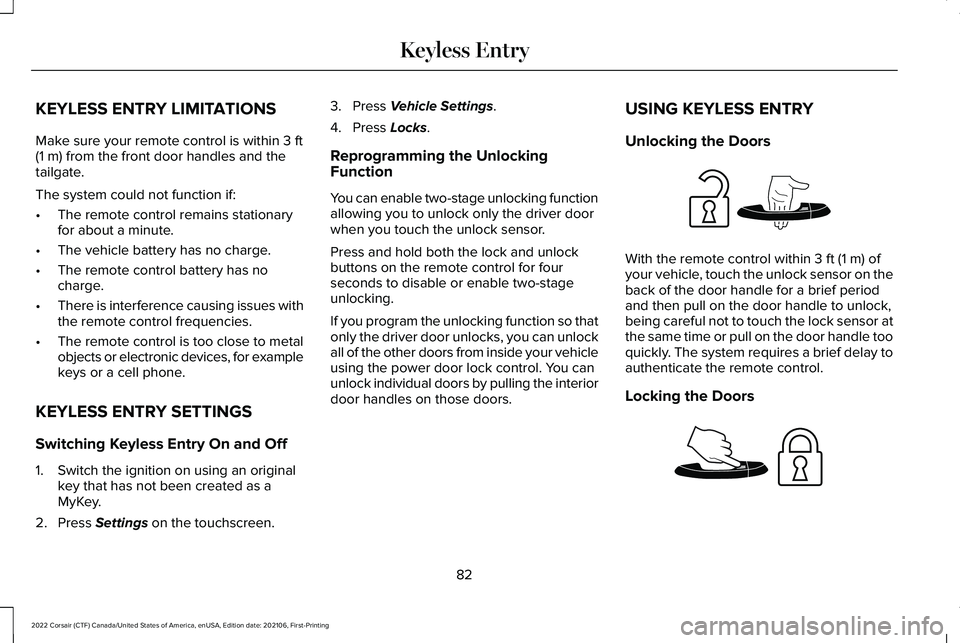
Unlocking the Doors With the remote control within
3 ft (1 m) of
your vehicle, touch the unlock sensor on the
back of the door handle for a brief period
and then pull on the door handle to unlock,
being careful not to touch the lock sensor at
the same time or pull on the door handle too
quickly. The system requires a brief delay to
authenticate the remote control.
Locking the Doors 82
2022 Corsair (CTF) Canada/United States of America, enUSA, Edition date: 202106, First-Printing Keyless EntryE248553 E248554
Page 88 of 676
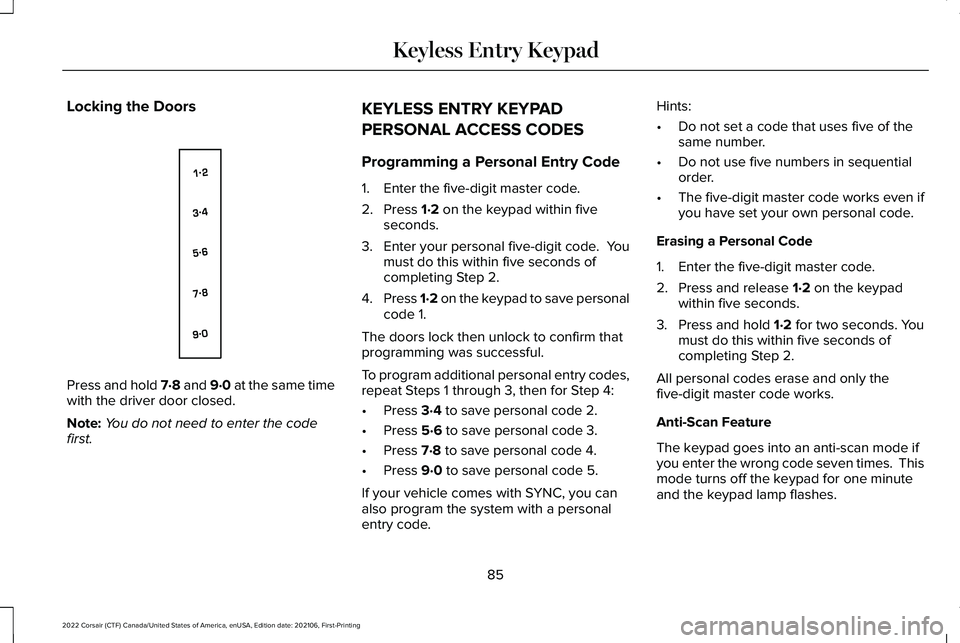
Locking the Doors
Press and hold 7·8 and 9·0 at the same time
with the driver door closed.
Note:
You do not need to enter the code
first. KEYLESS ENTRY KEYPAD
PERSONAL ACCESS CODES
Programming a Personal Entry Code
1. Enter the five-digit master code.
2. Press 1·2 on the keypad within five
seconds.
3. Enter your personal five-digit code. You
must do this within five seconds of
completing Step 2.
4. Press 1·2 on the keypad to save personal
code 1.
The doors lock then unlock to confirm that
programming was successful.
To program additional personal entry codes,
repeat Steps 1 through 3, then for Step 4:
• Press
3·4 to save personal code 2.
• Press
5·6 to save personal code 3.
• Press
7·8 to save personal code 4.
• Press
9·0 to save personal code 5.
If your vehicle comes with SYNC, you can
also program the system with a personal
entry code. Hints:
•
Do not set a code that uses five of the
same number.
• Do not use five numbers in sequential
order.
• The five-digit master code works even if
you have set your own personal code.
Erasing a Personal Code
1. Enter the five-digit master code.
2. Press and release
1·2 on the keypad
within five seconds.
3. Press and hold
1·2 for two seconds. You
must do this within five seconds of
completing Step 2.
All personal codes erase and only the
five-digit master code works.
Anti-Scan Feature
The keypad goes into an anti-scan mode if
you enter the wrong code seven times. This
mode turns off the keypad for one minute
and the keypad lamp flashes.
85
2022 Corsair (CTF) Canada/United States of America, enUSA, Edition date: 202106, First-Printing Keyless Entry KeypadE138637
Page 675 of 676
Switching Reverse Braking Assist On and
Off..................................................................277
Switching the Heated Steering Wheel On and Off...........................................................101
Symbols Glossary.............................................11
SYNC™ 3..........................................................507
General Information...........................................507
SYNC™ 3 Troubleshooting
..........................557
T
Technical Specifications See: Capacities and Specifications................461
The Better Business Bureau (BBB) Auto Line Program (U.S. Only)...........................371
Tire Care..........................................................431
Tire Inflation When Punctured See: Tire Sealant and Inflator Kit....................424
Tire Pressure Monitoring System.............446
Tire Repair Kit See: Tire Sealant and Inflator Kit....................424
Tire Sealant and Inflator Kit.......................424
Tires See: Wheels and Tires......................................422
Towing a Trailer.............................................350
Towing the Vehicle on Four Wheels - Gasoline, 8-Speed Automatic
Transmission – 8F35/8F40
.....................355 Towing the Vehicle on Four Wheels -
Plug-In Hybrid Electric Vehicle (PHEV),
Automatic Transmission – HF45...........356
Towing.............................................................350
Traction Control............................................280 Principle of Operation.......................................
280
Trailer Sway Control.....................................351
Transmission ..................................................
256
Transporting the Vehicle.............................367
U
Under Hood Overview - 2.0L/2.3L..........393
Under Hood Overview - Plug-In Hybrid Electric Vehicle (PHEV)............................395
Unique Driving Characteristics
...................211
USB Port.........................................................505
Using All-Wheel Drive.................................265
Using Keyless Entry.......................................82
Using MyKey With Remote Start Systems..........................................................75
Using Snow Chains
......................................445
Using Stability Control................................282
Using the Backup Start Passcode..............70
Using the Keyless Entry Keypad.................86
Using the Valet Mode....................................70
Using Traction Control
................................280
Using Voice Recognition............................509 Utilizing the Mediation/Arbitration Program
(Canada Only)
.............................................372
V
Vehicle Care
...................................................413
General Information............................................413
Vehicle Identification Number
..................490
Locating the Vehicle Identification
Number............................................................490
Vehicle Identification Number Overview..........................................................490
Vehicle Identification...................................490 Vehicle Identification Number........................490
Vehicle Storage
.............................................419
Vehicle Wi-Fi Hotspot.................................495
Ventilated Seats............................................189
Ventilation See: Climate Control..........................................169
W
Warning Lamps and Indicators...................131
Washer Fluid Check.....................................410
Washers See: Cleaning the Exterior................................414
See: Wipers and Washers.................................102
Waxing..............................................................415
672
2022 Corsair (CTF) Canada/United States of America, enUSA, Edition date: 202106, First-Printing Index