Interior LINCOLN CORSAIR 2023 User Guide
[x] Cancel search | Manufacturer: LINCOLN, Model Year: 2023, Model line: CORSAIR, Model: LINCOLN CORSAIR 2023Pages: 690, PDF Size: 15.04 MB
Page 112 of 690
WHAT IS THE PERIMETER ALARM
The perimeter alarm is designed to detectunauthorized access to your vehicle.
WHAT ARE THE INTERIOR SENSORS
(If Equipped)
The interior sensors are designed to detectany movement inside your vehicle.
The interior sensors are in the overheadconsole.
Note:Do not cover the interior sensors.
WHAT ARE THE INCLINATIONSENSORS (If Equipped)
The inclination sensor is designed to detectan attempt to raise your vehicle, for exampleto remove a wheel or to tow it away.
WHAT IS THE BATTERY BACKUPALARM (If Equipped)
The battery backup alarm is an additionalalarm sounder that has its own battery. It candetect if the vehicle battery is disconnectedto overcome the alarm system.
ARMING THE ANTI-THEFT ALARMSYSTEM
The alarm is ready to arm when your vehicleis switched off.
Lock your vehicle with your remote controlto arm the alarm.
DISARMING THE ANTI-THEFT ALARMSYSTEM
Disarm the alarm by performing any of thefollowing actions:
•Unlock the doors or luggagecompartment with the remote control.
•Switch your vehicle on or start yourvehicle.
ANTI-THEFT ALARM SYSTEM
SETTINGS
WHAT ARE THE ALARM SECURITYLEVELS
You can select two levels of alarm security,all sensors and perimeter sensing.
All Sensors
All sensors is the standard setting.
In all sensors, all equipped sensors are onwhen you arm the alarm.
Note:Do not arm the alarm with all sensorsif passengers, animals or other movingobjects are inside your vehicle.
Perimeter Sensing
In perimeter sensing, the interior sensors areoff when you arm the alarm.
All the other equipped sensors activate whenyou arm the alarm in this mode.
108
2023 Corsair (CTF) Canada/United States of America, enUSA, Edition date: 202208, DOMSecurity
Page 123 of 690
HEADLAMPS – TROUBLESHOOTING
HEADLAMPS – FREQUENTLY ASKEDQUESTIONS
Why is there condensation in the
headlamps?
•Headlamps have vents to accommodatenormal changes in air pressure.Condensation can be a naturalby-product of this design. When moist airenters the lamp assembly through thevents, there is a possibility thatcondensation can occur when thetemperature is cold. When normalcondensation occurs, a fine mist can formon the interior of the lens. The fine misteventually clears and exits through thevents during normal operation.
How much condensation is acceptable?
•The presence of a fine mist, for exampleno streaks, drip marks or large droplets.A fine mist covers less than 50% of thelens.
How long may it take for theacceptable condensation to becleared?
•Clearing time may take as long as 48hours under dry weather conditions.
How much condensation isunacceptable?
•A water puddle inside the lamp. Streaks,drip marks or large droplets present onthe interior of the lens.
What should I do if unacceptablecondensation is present?
•Have your vehicle checked as soon aspossible.
Why do my headlamps turn off when Ihave them switched on when I switchmy vehicle off?
•The battery saver turns the headlampsoff after a short period of time after youswitch your vehicle off.
AUTOLAMPS
WHAT ARE AUTOLAMPS
WARNING: The system does notrelieve you of your responsibility to drivewith due care and attention. You may needto override the system if it does not turnthe headlamps on in low visibilityconditions, for example daytime fog.
Autolamps turn the headlamps on in low lightsituations or when the windshield wipersoperate.
AUTOLAMP SETTINGS
1.Using the instrument cluster controls onthe steering wheel, select Settings.
2.Select Vehicle.
3.Select Lighting.
4.Select Autolamp Delay.
5.Select a setting and press the OK button.
119
2023 Corsair (CTF) Canada/United States of America, enUSA, Edition date: 202208, DOMExterior Lighting
Page 132 of 690
SWITCHING ALL OF THE INTERIOR
LAMPS ON AND OFF
The lamps turn on under the followingconditions:
•You open any door.
•You press a button on the remote control.
•You press the all lamps on button on theoverhead console.
Press to switch all interior lampson or off.
SWITCHING THE FRONT INTERIOR
LAMPS ON AND OFF
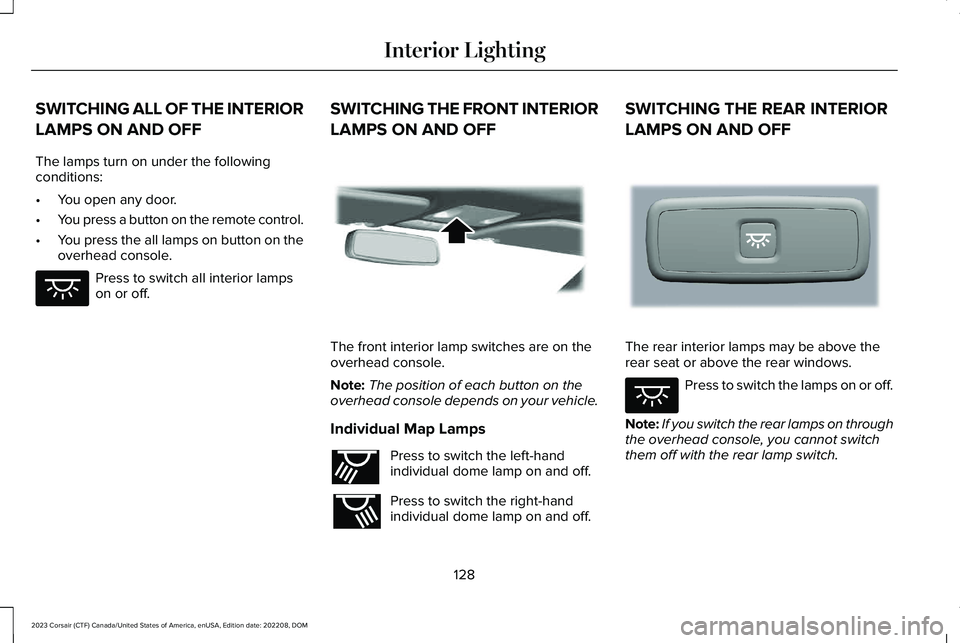
The front interior lamp switches are on theoverhead console.
Note:The position of each button on theoverhead console depends on your vehicle.
Individual Map Lamps
Press to switch the left-handindividual dome lamp on and off.
Press to switch the right-handindividual dome lamp on and off.
SWITCHING THE REAR INTERIOR
LAMPS ON AND OFF
The rear interior lamps may be above therear seat or above the rear windows.
Press to switch the lamps on or off.
Note:If you switch the rear lamps on throughthe overhead console, you cannot switchthem off with the rear lamp switch.
128
2023 Corsair (CTF) Canada/United States of America, enUSA, Edition date: 202208, DOMInterior LightingE259649 E262162 E262193 E281231 E259649
Page 133 of 690
INTERIOR LAMP FUNCTION
WHAT IS THE INTERIOR LAMPFUNCTION
The interior lamp function switches thecourtesy and door lamps on or off.
SWITCHING THE INTERIOR LAMPFUNCTION ON AND OFF
Press to switch the interior lampfunction on and off.
Note:The indicator lamp illuminates amberwhen the door function is off.
ADJUSTING THE INSTRUMENT
PANEL LIGHTING BRIGHTNESS
The instrument lighting dimmer buttons areon the lighting control.
Repeatedly press one of thebuttons to adjust the brightness.
AMBIENT LIGHTING
SWITCHING AMBIENT LIGHTING ONAND OFF
1.Press Settings on the touchscreen.
2.Press Vehicle Settings.
3.Press Ambient Light.
4.Press a color.
ADJUSTING AMBIENT LIGHTING
Drag the selected color up or down.
INTERIOR LIGHTING –
TROUBLESHOOTING
INTERIOR LIGHTING – FREQUENTLYASKED QUESTIONS
Why do my courtesy lamps or interior lampsturn off when I have them switched onwhen I switch my vehicle off?
The battery saver turns the courtesylamps and interior lamps off after a shortperiod of time after you switch yourvehicle off.
129
2023 Corsair (CTF) Canada/United States of America, enUSA, Edition date: 202208, DOMInterior Lighting E291299 E296433
Page 137 of 690
INTERIOR MIRROR PRECAUTIONS
WARNING: Do not adjust the mirrorswhen your vehicle is moving. This couldresult in the loss of control of your vehicle,serious personal injury or death.
Note:Do not clean the mirror housing orglass with harsh abrasives, fuel or otherpetroleum-based cleaning products.
AUTO-DIMMING INTERIOR MIRROR
WHAT IS THE AUTO-DIMMINGINTERIOR MIRROR
The mirror dims to reduce the effect of brightlight from behind. It returns to normal whenthe bright light from behind is no longerpresent or if you shift into reverse (R).
AUTO-DIMMING INTERIOR MIRRORLIMITATIONS
Do not block the sensors on the front andback of the mirror.
Note:A rear center passenger or raised rearcenter head restraint could prevent light fromreaching the sensor.
133
2023 Corsair (CTF) Canada/United States of America, enUSA, Edition date: 202208, DOMInterior Mirror
Page 139 of 690
Loose Mirror
If you manually fold the power-foldingmirrors, they may not work properly evenafter you re-position them. You need to resetthem if:
•The mirrors vibrate when you drive.
•The mirrors feel loose.
•The mirrors do not stay in the folded orunfolded position.
•One of the mirrors is not in its normaldriving position.
To reset the power-fold feature, use thepower-folding mirror control to fold andunfold the mirrors. You may hear a loud noiseas you reset the power-folding mirrors. Thissound is normal. Repeat this process asneeded each time you manually fold themirrors.
AUTO-DIMMING EXTERIOR MIRROR
(IF EQUIPPED)
WHAT IS THE AUTO-DIMMINGEXTERIOR MIRROR
The driver exterior mirror dims when theinterior auto-dimming mirror turns on.
Memory Mirrors (If Equipped)
You can save and recall the mirror positionsthrough the memory function. See MemoryFunction (page 192).
Heated Exterior Mirrors
See Switching the Heated Mirrors On andOff (page 170).
Signal Indicator Mirrors (If Equipped)
The forward-facing portion of the appropriatemirror housing blinks when you switch onthe direction indicator.
Lincoln Welcome Mat (If Equipped)
Projection lights, on the bottom of the mirrorhousings, project an image onto the grounda short distance from the vehicle.
Blind Spot Monitor
See What Is Blind Spot Information System(page 353).
360 Degree Camera (If Equipped)
See What Is the 360 Degree Camera (page302).
135
2023 Corsair (CTF) Canada/United States of America, enUSA, Edition date: 202208, DOMExterior Mirrors
Page 169 of 690
WHAT IS REMOTE START
The system allows you to remotely start yourvehicle and therefore to heat or cool theinterior to a predetermined temperature.
REMOTE START PRECAUTIONS
WARNING: Do not start the enginein a closed garage or in other enclosedareas. Exhaust fumes are toxic. Alwaysopen the garage door before you start theengine. Failure to follow this instructioncould result in personal injury or death.
REMOTE START LIMITATIONS
Remote start does not work if:
•The alarm horn is sounding.
•The hood is open.
•The transmission is not in park (P).
•Remote start is not enabled.
•The ignition is on.
Note:Do not use remote start if your fuellevel is low.
ENABLING REMOTE START
1.Press Settings on the touchscreen.
2.Press Vehicle Settings.
3.Press Remote Start Setup.
4.Switch System on or off.
Note:To use remote start, make sure thatthe modem is enabled. See Enabling andDisabling the Modem (page 514).
REMOTELY STARTING AND
STOPPING THE VEHICLE
Remotely Starting the Vehicle
Press the button on the remotecontrol.
Within three seconds, press thebutton on the remote control.
Within three seconds, press thebutton again.
Note:You can also use the Lincoln Way appto start the vehicle.
Note:The turn signals flash twice.
Note:The parking lamps turn on when thevehicle is running.
Note:The horn sounds if the system fails tostart.
Note:All other vehicle systems remain offwhen you have remotely started the vehicle.
Note:The vehicle remains secured whenyou have remotely started the vehicle. Avalid key must be inside your vehicle toswitch your vehicle on and drive yourvehicle.
Remotely Stopping the Vehicle
Within three seconds, press thebutton on the remote control.
Within three seconds, press thebutton again.
165
2023 Corsair (CTF) Canada/United States of America, enUSA, Edition date: 202208, DOMRemote StartE138623 E138625 E138625
Page 170 of 690
EXTENDING THE REMOTE START
DURATION
To extend the engine running durationduring remote start, do the following:
Press the button on the remotecontrol.
Within three seconds, press thebutton on the remote control.
Within three seconds, press thebutton again.
Note:You can extend the engine runningduration to a maximum of 30 minutes.
REMOTE START REMOTE
CONTROL INDICATORS
Remote Control Feedback
An LED on the remote control provides statusfeedback of remote start or stop commands.
StatusLED
Remote startsuccessful.Solid green.
Remote stopsuccessful.Solid red.
Request failed orstatus not received.Blinking red.
Status incomplete.Blinking green.
REMOTE START SETTINGS
Climate Control Settings
1.Press Settings on the touchscreen.
2.Press Vehicle Settings.
3.Press Remote Start Setup.
4.Press Climate Control.
5.Press Auto or Last settings.
Note:If you switch the auto mode on, thesystem attempts to heat or cool the interiorto 72°F (22°C). When you switch the vehicleon, the climate control system returns to thelast used settings.
Note:If you switch the last settings on, thesystem remembers the last used settings.
Heated Seat Settings (If Equipped)
1.Press Settings on the touchscreen.
2.Press Vehicle Settings.
3.Press Remote Start Setup.
4.Press Seats.
5.Press Auto or Off.
Note:If you switch the heated seat settingson, the heated seats turn on during coldweather.
Note:You cannot adjust the heated seatsettings when you remotely start yourvehicle.
Heated Steering Wheel Settings (If
Equipped)
1.Press Settings on the touchscreen.
166
2023 Corsair (CTF) Canada/United States of America, enUSA, Edition date: 202208, DOMRemote StartE138623 E138625
Page 175 of 690
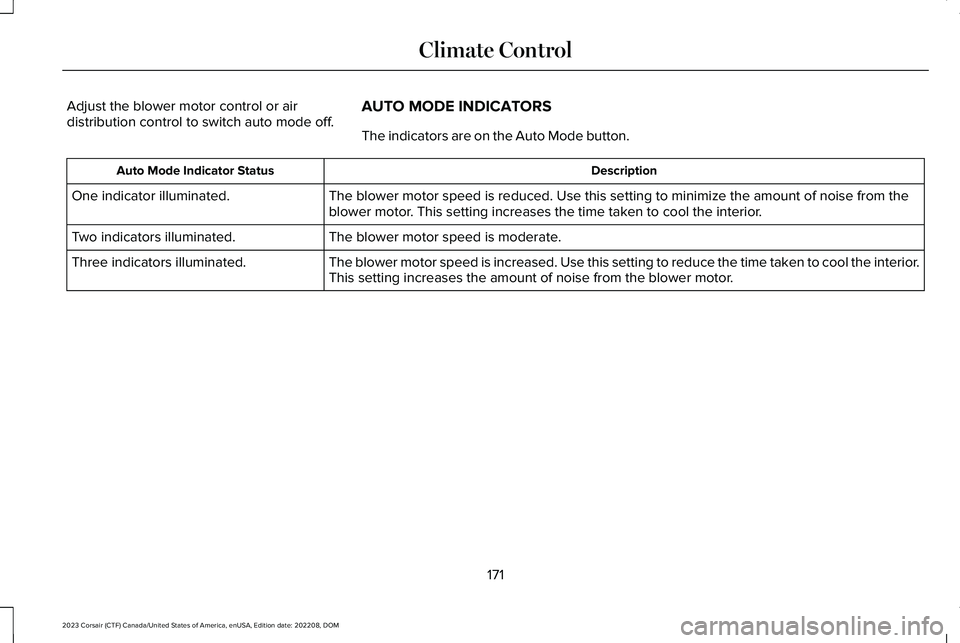
Adjust the blower motor control or airdistribution control to switch auto mode off.AUTO MODE INDICATORS
The indicators are on the Auto Mode button.
DescriptionAuto Mode Indicator Status
The blower motor speed is reduced. Use this setting to minimize the amount of noise from theblower motor. This setting increases the time taken to cool the interior.One indicator illuminated.
The blower motor speed is moderate.Two indicators illuminated.
The blower motor speed is increased. Use this setting to reduce the time taken to cool the interior.This setting increases the amount of noise from the blower motor.Three indicators illuminated.
171
2023 Corsair (CTF) Canada/United States of America, enUSA, Edition date: 202208, DOMClimate Control
Page 176 of 690
SWITCHING DUAL MODE ON AND OFF
Press the button to activate theselection screen.
Press the button.
Note:When dual mode is off, setting thetemperature using the driver side controls,sets the temperature for both sides.
Note:Setting the temperature using thepassenger side controls, sets the passengertemperature and switches dual mode on.
CLIMATE CONTROL HINTS
General Hints
•Prolonged use of recirculated air maycause the windows to fog up.
•You may feel a small amount of air fromthe footwell air vents regardless of theair distribution setting.
•To reduce humidity build-up inside yourvehicle, do not drive with the systemswitched off or with recirculated airalways switched on.
•Do not place objects under the frontseats as this may interfere with theairflow to the rear seats.
•Remove any snow, ice or leaves from theair intake area at the base of thewindshield.
•To improve the time to reach acomfortable temperature in hot weather,drive with the windows open until youfeel cold air through the air vents.
Automatic Climate Control
•Adjusting the settings when your vehicleinterior is extremely hot or cold is notnecessary. Automatic mode is bestrecommended to maintain settemperature.
•The system adjusts to heat or cool theinterior to the temperature you select asquickly as possible.
•For the system to function efficiently, theinstrument panel and side air ventsshould be fully open.
•If you press AUTO during cold outsidetemperatures, the system directs air flowto the windshield and side window airvents.In addition, the blower motor mayrun at a slower speed until the enginewarms up.
•If you press AUTO during hottemperatures and the inside of thevehicle is hot, the system usesrecirculated air to maximize interiorcooling. Blower motor speed may alsoreduce until the air cools.
Quickly Heating the Interior
1.Press AUTO.
2.Adjust the temperature function to thesetting you prefer.
Recommended Settings for Heating
1.Press AUTO.
172
2023 Corsair (CTF) Canada/United States of America, enUSA, Edition date: 202208, DOMClimate ControlE265283 E265280