warning LINCOLN CORSAIR 2023 Manual PDF
[x] Cancel search | Manufacturer: LINCOLN, Model Year: 2023, Model line: CORSAIR, Model: LINCOLN CORSAIR 2023Pages: 690, PDF Size: 15.04 MB
Page 192 of 690
HEATED SEATS (IF EQUIPPED)
HEATED SEAT PRECAUTIONS
WARNING: Use caution when usingthe heated seat if you are unable to feelpain to your skin because of advancedage, chronic illness, diabetes, spinal cordinjury, medication, alcohol use, exhaustionor other physical conditions. The heatedseat could cause burns even at lowtemperatures, especially if used for longperiods of time. Failure to follow thisinstruction could result in personal injury.
WARNING: Do not poke sharpobjects into the seat cushion or seatbackrest. This could damage the heatedseat element and cause it to overheat.Failure to follow this instruction could resultin personal injury.
WARNING: Do not place anything onthe seat that blocks the heat, for examplea seat cover or a cushion. This could causethe seat to overheat. Failure to follow thisinstruction could result in personal injury.
Do not:
•Place heavy objects on the seat.
•Operate the heated seat if water or anyother liquid spills on the seat. Allow theseat to dry.
SWITCHING THE HEATED SEATS ONAND OFF
The vehicle must be running to use thisfeature.
The rear seat heat controls are on the rearof the center console.
Press the heated seat symbol to cyclethrough the various heat settings and off.More indicator lights indicate warmersettings.
The heated seats turn off when you switchoff the vehicle.
188
2023 Corsair (CTF) Canada/United States of America, enUSA, Edition date: 202208, DOMRear SeatsE146322
Page 193 of 690
WHAT IS THE REAR OCCUPANT
ALERT SYSTEM
The rear occupant alert system monitors thevehicle conditions and notifies you to checkfor rear seat occupants when you switch theignition off. The notifications can be in theform of warnings inside the vehicle orsounding of the horn for a short period oftime. There are also notifications from theLincoln Way app if your vehicle is equippedto send rear occupant alerts to the app.
HOW DOES THE REAR OCCUPANT
ALERT SYSTEM WORK
The system monitors the activity of thebuckle on the rear seatbelt and the openingand closing of the rear doors to indicate thepotential presence of an occupant in the rearseat.
When a child seat is installed, the systemmonitors only the opening and closing of therear doors to indicate the potential presenceof an occupant in the rear seat.
When a child seat is not installed, the systemmonitors the rear seatbelt buckle activity andthe opening and closing of the rear doors toindicate the potential presence of anoccupant in the rear seat.
A message displays in the touchscreen andan audible warning sounds when you switchthe ignition off after any of the followingconditions have been met:
•A rear door is opened or closed whilethe ignition is on.
•You switch the ignition on within 15minutes of a rear door opening andclosing.
•You switch the ignition on within 15minutes of the alert having displayed orsounded.
If you do not open a rear door within a shortperiod of time of closing the driver door afteryou switch the ignition off, the horn soundsfor a short period of time.
Note:Horn sounds only when the RearOccupant Alert is set to Alert & Horn. If youchange the setting, then there will be nohorn.
Lincoln Way App Notifications (If Equipped)
If you do not open a rear door within fiveminutes of closing the driver door after youswitch the ignition off, an alert is sent to yourLincoln Way App. Additional alerts are sentevery five minutes or until a rear door isopened. You have the option to snooze ordismiss these alerts within the app.
Note:The Lincoln Way alert repeats up tofour times.
Note:You must be logged into the LincolnWay app to be able to receive thenotifications.
189
2023 Corsair (CTF) Canada/United States of America, enUSA, Edition date: 202208, DOMRear Occupant Alert System
Page 194 of 690
REAR OCCUPANT ALERT SYSTEM
PRECAUTIONS
WARNING: On hot days, thetemperature inside the vehicle can risevery quickly. Exposure of people or animalsto these high temperatures for even a shorttime can cause death or serious heatrelated injuries, including brain damage.Small children are particularly at risk.
WARNING: Do not leave children orpets unattended in your vehicle. Failure tofollow this instruction could result inpersonal injury or death.
REAR OCCUPANT ALERT SYSTEM
LIMITATIONS
The system does not detect the presence ofobjects or passengers in the rear seat. Itmonitors the activity of the buckle on the rearseatbelt and the opening and closing of therear doors.
Note:It is possible to receive an alert whenthere is no rear seat occupant, but alertconditions are met.
Note:It is possible to receive no alert whenthere is an occupant in the rear seat, if alertconditions are not met. For example, if a rearseat occupant does not enter the vehiclethrough a rear door.
REAR OCCUPANT ALERT SYSTEM
SETTINGS
Selecting Alerts and Switching RearOccupant Alert System On and Off
1.Press Settings on the touchscreen.
2.Press Vehicle.
3.Press Rear Occupant Alert.
4.Select Alert & Horn or Alert Only or Off.
Note:The default setting is Alert & Horn.Selecting Alert & Horn or Alert Only enablesthe warnings inside the vehicle and theLincoln Way alert.
Note:If you choose Alert Only, the horn doesnot sound even when the alert conditionsare met.
Note:If the driver data or vehicle data isturned off, the vehicle still sends rearoccupant alert Lincoln Way notifications. Ifthe entire connectivity setting is turned off,the vehicle does not send any Lincoln Waymessages including the rear occupant alertLincoln Way notification.
Note:Performing a master reset causes thesystem to switch on again.
Switching Child Seat Installed On andOff
Make sure to switch the Child Seat Installedon when a child restraint is installed in yourvehicle. When the Child Seat Installed isswitched on, the system monitors theopening and closing of the rear doors toindicate the potential presence of anoccupant in the rear seat.
You can switch the Child Seat Installed onor off from the touchscreen.
1.Press Settings on the touchscreen.
190
2023 Corsair (CTF) Canada/United States of America, enUSA, Edition date: 202208, DOMRear Occupant Alert System
Page 195 of 690
2.Press Vehicle.
3.Press Rear Occupant Alert.
4.Switch Child Seat Installed on or off.
Note:The default setting is ON.
Child Seat Installed should be switched onwhen the child is using any of the following:
•Forward facing child restraints.
•Rear facing child restraints.
•Child restraints using the LATCH system.
Child Seat Installed should be switched offwhen the child is using any of the following:
•Seatbelt.
•Booster seat.
Semiannual Reminder
When you switch the system off, a messageappears every six months as a reminder thatthe system is off. You can switch the systemback on or leave it off.
REAR OCCUPANT ALERT SYSTEM
INDICATORS
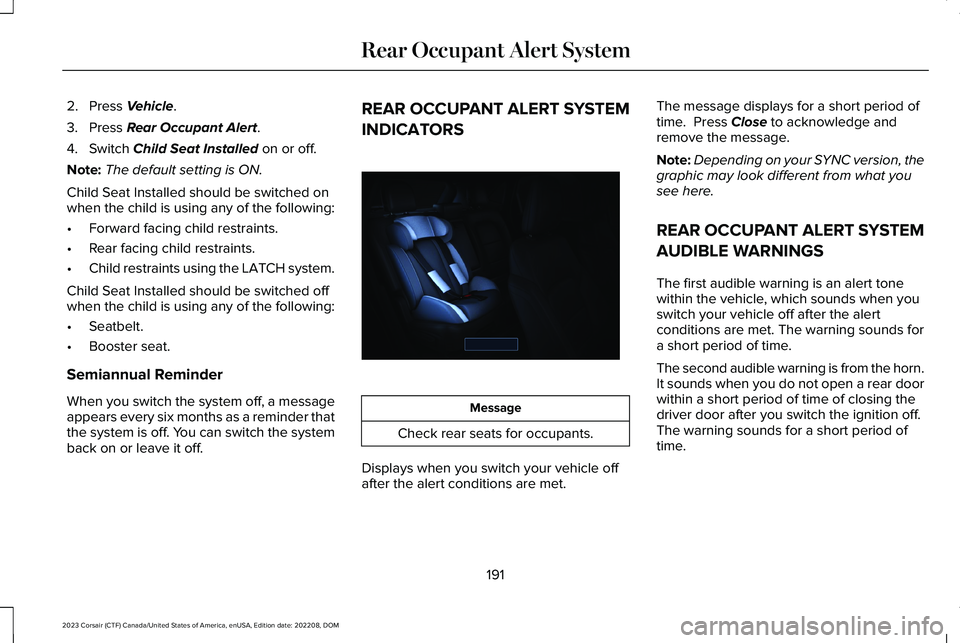
Message
Check rear seats for occupants.
Displays when you switch your vehicle offafter the alert conditions are met.
The message displays for a short period oftime. Press Close to acknowledge andremove the message.
Note:Depending on your SYNC version, thegraphic may look different from what yousee here.
REAR OCCUPANT ALERT SYSTEM
AUDIBLE WARNINGS
The first audible warning is an alert tonewithin the vehicle, which sounds when youswitch your vehicle off after the alertconditions are met. The warning sounds fora short period of time.
The second audible warning is from the horn.It sounds when you do not open a rear doorwithin a short period of time of closing thedriver door after you switch the ignition off.The warning sounds for a short period oftime.
191
2023 Corsair (CTF) Canada/United States of America, enUSA, Edition date: 202208, DOMRear Occupant Alert SystemE350472
Page 196 of 690
HOW DOES THE MEMORY
FUNCTION WORK
The memory function recalls the position ofthese features:
•Driver seat.
•Power mirrors.
•Optional power steering column.
MEMORY FUNCTION
PRECAUTIONS
WARNING: Before activating thememory seat, make sure that the areaimmediately surrounding the seat is clearof obstructions and that all occupants areclear of moving parts.
WARNING: Do not use the memoryfunction when your vehicle is moving.
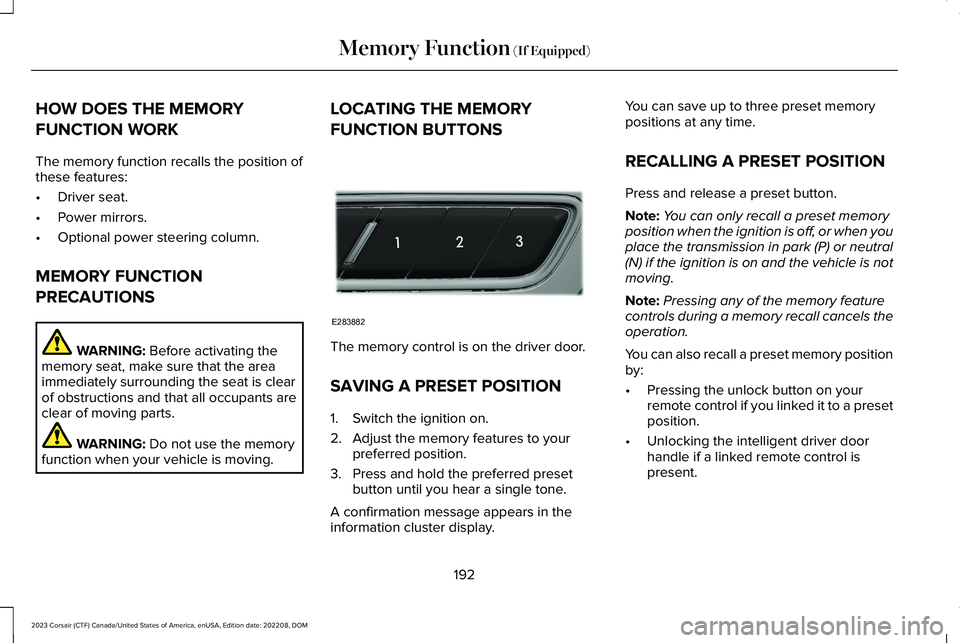
LOCATING THE MEMORY
FUNCTION BUTTONS
The memory control is on the driver door.
SAVING A PRESET POSITION
1.Switch the ignition on.
2.Adjust the memory features to yourpreferred position.
3.Press and hold the preferred presetbutton until you hear a single tone.
A confirmation message appears in theinformation cluster display.
You can save up to three preset memorypositions at any time.
RECALLING A PRESET POSITION
Press and release a preset button.
Note:You can only recall a preset memoryposition when the ignition is off, or when youplace the transmission in park (P) or neutral(N) if the ignition is on and the vehicle is notmoving.
Note:Pressing any of the memory featurecontrols during a memory recall cancels theoperation.
You can also recall a preset memory positionby:
•Pressing the unlock button on yourremote control if you linked it to a presetposition.
•Unlocking the intelligent driver doorhandle if a linked remote control ispresent.
192
2023 Corsair (CTF) Canada/United States of America, enUSA, Edition date: 202208, DOMMemory Function (If Equipped)E283882
Page 198 of 690
GARAGE DOOR OPENER
INTRODUCTION
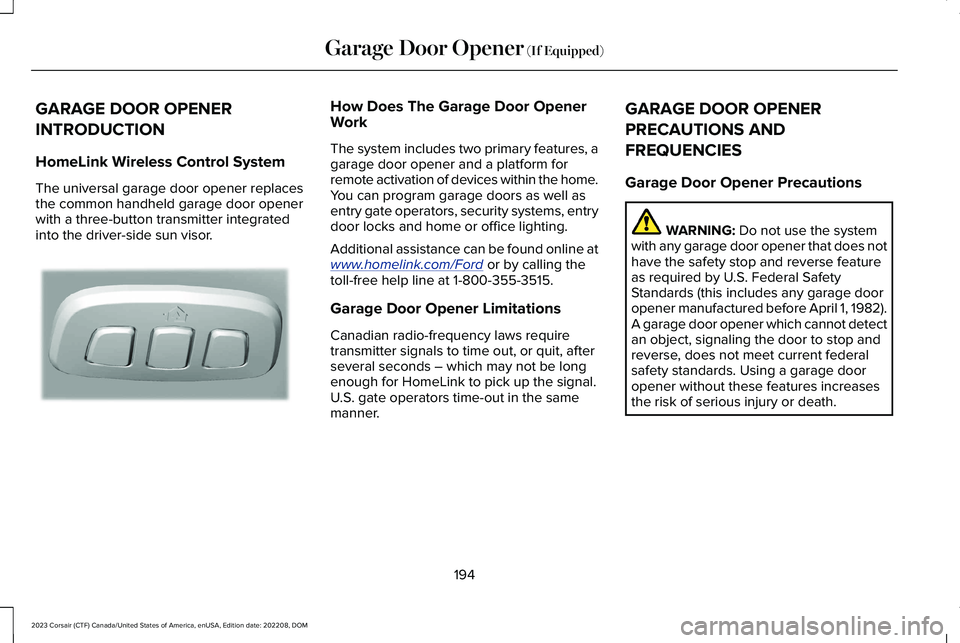
HomeLink Wireless Control System
The universal garage door opener replacesthe common handheld garage door openerwith a three-button transmitter integratedinto the driver-side sun visor.
How Does The Garage Door OpenerWork
The system includes two primary features, agarage door opener and a platform forremote activation of devices within the home.You can program garage doors as well asentry gate operators, security systems, entrydoor locks and home or office lighting.
Additional assistance can be found online atwww.homelink.com/Ford or by calling thetoll-free help line at 1-800-355-3515.
Garage Door Opener Limitations
Canadian radio-frequency laws requiretransmitter signals to time out, or quit, afterseveral seconds – which may not be longenough for HomeLink to pick up the signal.U.S. gate operators time-out in the samemanner.
GARAGE DOOR OPENER
PRECAUTIONS AND
FREQUENCIES
Garage Door Opener Precautions
WARNING: Do not use the systemwith any garage door opener that does nothave the safety stop and reverse featureas required by U.S. Federal SafetyStandards (this includes any garage dooropener manufactured before April 1, 1982).A garage door opener which cannot detectan object, signaling the door to stop andreverse, does not meet current federalsafety standards. Using a garage dooropener without these features increasesthe risk of serious injury or death.
194
2023 Corsair (CTF) Canada/United States of America, enUSA, Edition date: 202208, DOMGarage Door Opener (If Equipped)E188211
Page 199 of 690
FCC and RSS-210 Industry CanadaCompliance
WARNING: Changes or modificationsnot expressively approved by the partyresponsible for compliance could void theuser's authority to operate the equipment.The term "IC:" before the radio certificationnumber only signifies that Industry Canadatechnical specifications were met.
This device complies with Part 15 of the FCCRules and with RSS-210 of Industry Canada.Operation is subject to the following twoconditions: (1) this device may not causeharmful interference, and (2) this device mustaccept any interference received, includinginterference that may cause undesiredoperation.
This equipment complies with FCC radiationexposure limits set forth for an uncontrolledenvironment. End Users must follow thespecific operating instructions for satisfyingRF exposure compliance. This transmittermust be at least 8 in (20 cm) from the userand must not be co-located or operating inconjunction with any other antenna ortransmitter.
PROGRAMMING THE GARAGE
DOOR OPENER
To clear all stored codes in the garage dooropener in your vehicle, use the clearfunction. To override one button, use thereprogram function.
Note:Make sure that the garage door andsecurity device are free from obstructionwhen you are programming. Do not programthe system with the vehicle in the garage.
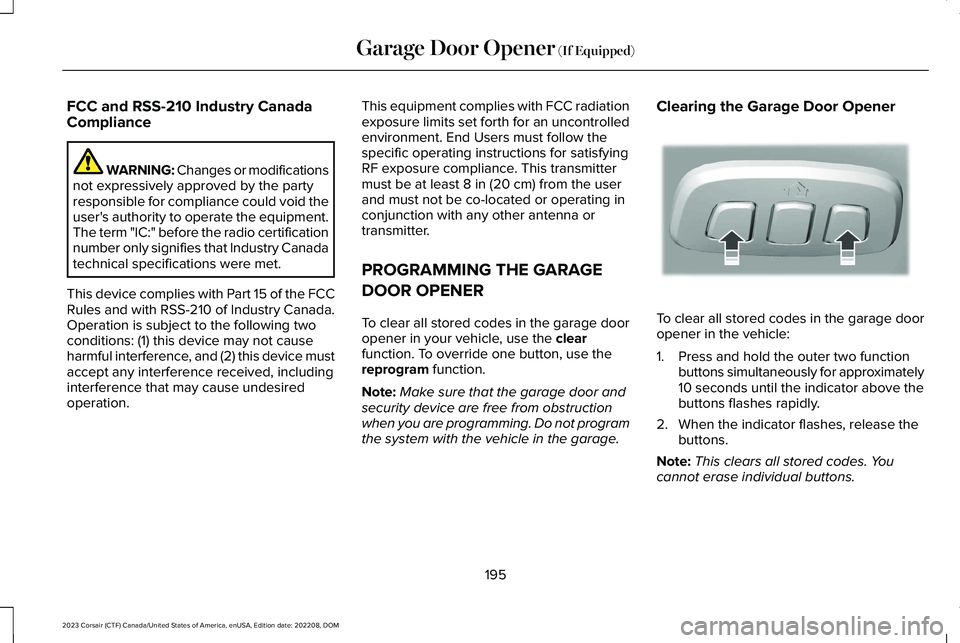
Clearing the Garage Door Opener
To clear all stored codes in the garage dooropener in the vehicle:
1.Press and hold the outer two functionbuttons simultaneously for approximately10 seconds until the indicator above thebuttons flashes rapidly.
2.When the indicator flashes, release thebuttons.
Note:This clears all stored codes. Youcannot erase individual buttons.
195
2023 Corsair (CTF) Canada/United States of America, enUSA, Edition date: 202208, DOMGarage Door Opener (If Equipped)E188213
Page 203 of 690
LOCATING THE USB PORTS
Data Transfer USB Ports
The USB ports could be in the followinglocations:
•On the lower instrument panel.
•Inside the center console.
Note: These USB ports can also chargedevices.
Note: Not all USB ports in your vehicle havedata transfer capabilities.
Note: We recommend using only USB-IFcertified cables and adapters. Non-certifiedcables and adapters may not work.
Charge Only USB Ports
The USB ports could be in the followinglocations:
•On the lower instrument panel.
•On the upper instrument panel.
•Inside the media bin.
•Inside the center console.
•On the rear of the center console.
•In the cargo area.
PLAYING MEDIA USING THE USB
PORT
WARNING: Driving while distractedcan result in loss of vehicle control, crashand injury. We strongly recommend thatyou use extreme caution when using anydevice that may take your focus off theroad. Your primary responsibility is the safeoperation of your vehicle. We recommendagainst the use of any hand-held devicewhile driving and encourage the use ofvoice-operated systems when possible.Make sure you are aware of all applicablelocal laws that may affect the use ofelectronic devices while driving.
Connect your device to a data transfer USBport.
Press the audio button on thefeature bar.
Select Sources.
Select the USB option.
Press to play a track. Press againto pause the track.
Press to skip to the next track.
Press and hold to fast forwardthrough the track.
Press once to return to thebeginning of a track. Repeatedlypress to return to previous tracks.
Press and hold to fast rewind.
CHARGING A DEVICE
Connect your device to the USB port.
199
2023 Corsair (CTF) Canada/United States of America, enUSA, Edition date: 202208, DOMUSB PortsE250655 E263583 E100027
Page 205 of 690
WHAT IS THE POWER OUTLET
The power outlet can power devices usinga 12 V outlet adapter.
POWER OUTLET PRECAUTIONS
WARNING: Do not plug optionalelectrical accessories into the cigar lightersocket. Incorrect use of the cigar lightercan cause damage not covered by thevehicle warranty, and can result in fire orserious injury.
When you switch the vehicle on, you can usethe socket to power 12 V appliances with amaximum current rating of 20 A. Do not usethe power point over the vehicle capacity of12 V DC 240 W or a fuse could blow. Do notplug in any device that supplies power to thevehicle through the power points. This couldresult in damage to vehicle systems. Do nothang any accessory from the accessory plug.Always keep the power point caps closedwhen not in use. Do not insert objects otherthan an accessory plug into the power point.
To prevent the battery from running out ofcharge:
•Do not use the power point longer thannecessary when the vehicle is off.
•Do not leave devices plugged inovernight or when you park your vehiclefor extended periods.
LOCATING THE POWER OUTLETS
Power outlets may be in the followinglocations:
•On the lower instrument panel.
•Inside the center console.
•On the front of the center console.
•On the rear of the center console.
•In the cargo area.
•On the passenger side floor panel.
•3rd row on the quarter trim panels.
201
2023 Corsair (CTF) Canada/United States of America, enUSA, Edition date: 202208, DOMPower Outlet
Page 206 of 690
WHAT IS THE WIRELESS
ACCESSORY CHARGER
The wireless accessory charger allows youto charge one compatible Qi wirelesscharging device on the charging area.
WIRELESS ACCESSORY CHARGER
PRECAUTIONS
WARNING: Wireless chargingdevices can affect the operation ofimplanted medical devices, includingcardiac pacemakers. If you have anyimplanted medical devices, we recommendthat you consult with your physician.
Keep the charging area clean and removeforeign objects prior to charging a device.
Do not place items with a magnetic strip orradio-frequency identification chip, forexample passports, parking tickets,transportation passes or credit cards, nearthe charging area when charging a device.Damage could occur to the magnetic stripor radio-frequency identification chip.
Do not place metal objects, for exampleremote controls, coins and candy wrappers,on or near the charging area when charginga device. Metal objects may heat up anddegrade the charging performance, inaddition to causing interruptions in charging.
Charging could be interrupted, degraded, orcould stop if any of the following occur:
•The system detects a foreign object.
•The device is misaligned on the chargingarea.
•The device moves on the active chargingarea when the vehicle is in motion.
•The vehicle ambient temperature is toohigh.
•You attempt to charge a non-Qicompatible device on the wirelesscharger.
Note:During charging, the device and thecharger could heat up, this is normal. If thebattery gets hotter than usual, the devicemay stop charging.
LOCATING THE WIRELESS
ACCESSORY CHARGER
The charging area is on the centerconsole or in the media bin belowthe instrument panel.
CHARGING A WIRELESS DEVICE
Place the device on the center of thecharging surface with the charging sidedown. The charging stops after your devicereaches a full charge.
You can use the charger when the vehicleis in accessory mode, when the vehicle isrunning, or when SYNC is on.
Displays on the status bar whenwireless charging is in progress.
202
2023 Corsair (CTF) Canada/United States of America, enUSA, Edition date: 202208, DOMWireless Accessory Charger (If Equipped)E297549 E263583