change time LINCOLN LS 2000 Owners Manual
[x] Cancel search | Manufacturer: LINCOLN, Model Year: 2000, Model line: LS, Model: LINCOLN LS 2000Pages: 272, PDF Size: 2.36 MB
Page 3 of 272

WARNINGS
Warnings provide information which may reduce the risk of personal
injury and prevent possible damage to others, your vehicle and its
equipment.
BREAKING-IN YOUR VEHICLE
There are no particular breaking-in rules for your vehicle. During the
first 1 600 km (1 000 miles) of driving, vary speeds frequently. This is
necessary to give the moving parts a chance to break in.
INFORMATION ABOUT THIS GUIDE
The information found in this guide was in effect at the time of printing.
Ford may change the contents without notice and without incurring
obligation.
Introduction
3
Page 25 of 272
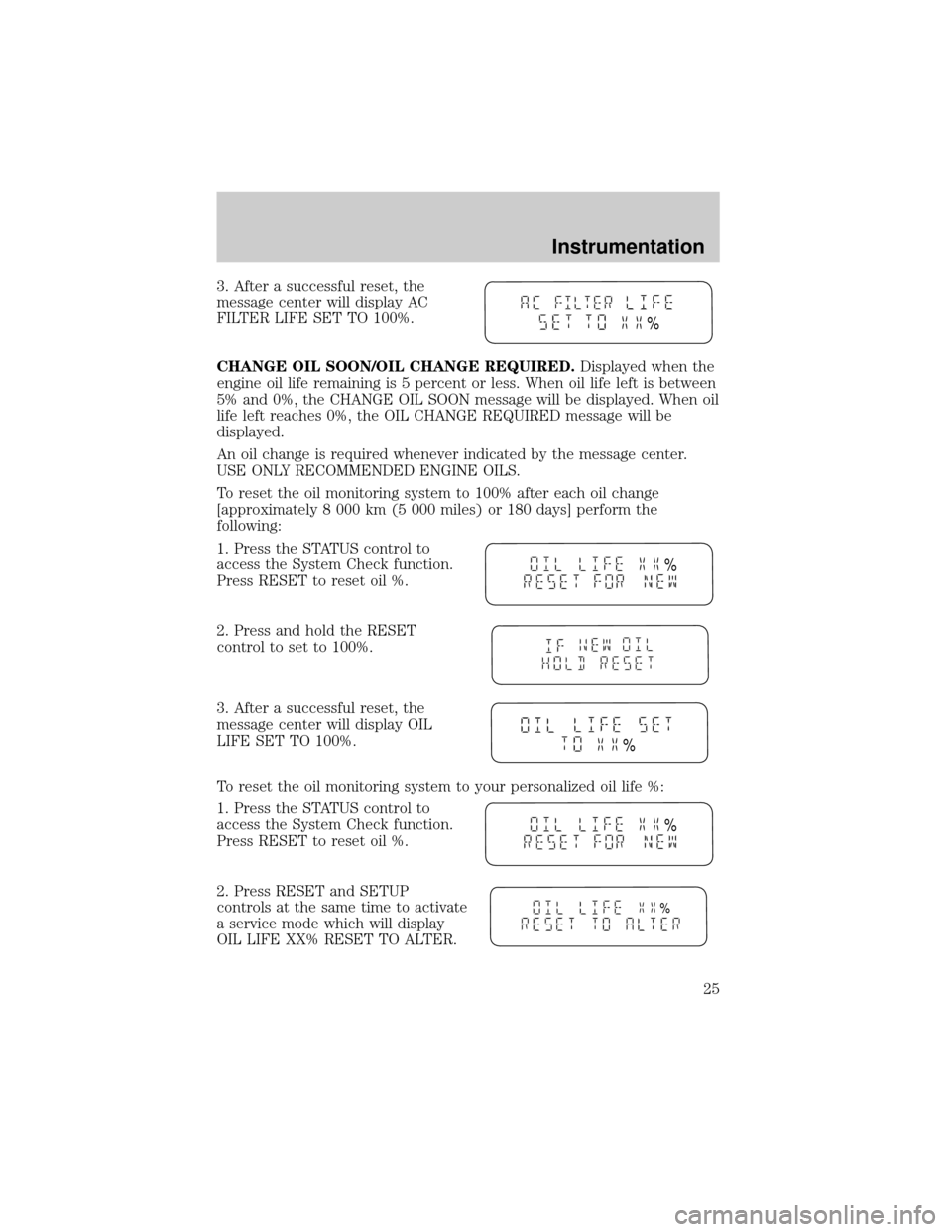
3. After a successful reset, the
message center will display AC
FILTER LIFE SET TO 100%.
CHANGE OIL SOON/OIL CHANGE REQUIRED.Displayed when the
engine oil life remaining is 5 percent or less. When oil life left is between
5% and 0%, the CHANGE OIL SOON message will be displayed. When oil
life left reaches 0%, the OIL CHANGE REQUIRED message will be
displayed.
An oil change is required whenever indicated by the message center.
USE ONLY RECOMMENDED ENGINE OILS.
To reset the oil monitoring system to 100% after each oil change
[approximately 8 000 km (5 000 miles) or 180 days] perform the
following:
1. Press the STATUS control to
access the System Check function.
Press RESET to reset oil %.
2. Press and hold the RESET
control to set to 100%.
3. After a successful reset, the
message center will display OIL
LIFE SET TO 100%.
To reset the oil monitoring system to your personalized oil life %:
1. Press the STATUS control to
access the System Check function.
Press RESET to reset oil %.
2. Press RESET and SETUP
controls at the same time to activate
a service mode which will display
OIL LIFE XX% RESET TO ALTER.
%
%
%
%
%
Instrumentation
25
Page 35 of 272
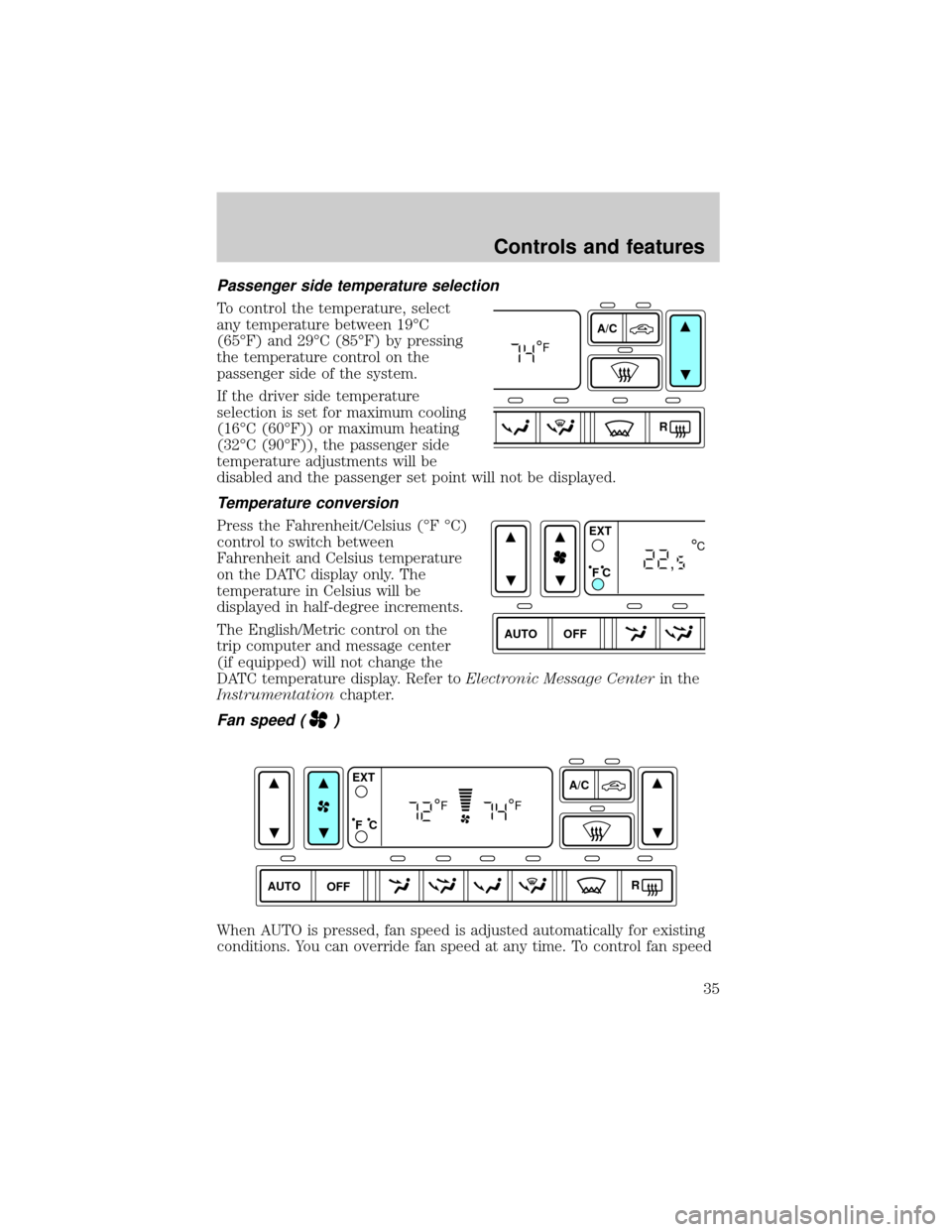
Passenger side temperature selection
To control the temperature, select
any temperature between 19ÉC
(65ÉF) and 29ÉC (85ÉF) by pressing
the temperature control on the
passenger side of the system.
If the driver side temperature
selection is set for maximum cooling
(16ÉC (60ÉF)) or maximum heating
(32ÉC (90ÉF)), the passenger side
temperature adjustments will be
disabled and the passenger set point will not be displayed.
Temperature conversion
Press the Fahrenheit/Celsius (ÉF ÉC)
control to switch between
Fahrenheit and Celsius temperature
on the DATC display only. The
temperature in Celsius will be
displayed in half-degree increments.
The English/Metric control on the
trip computer and message center
(if equipped) will not change the
DATC temperature display. Refer toElectronic Message Centerin the
Instrumentationchapter.
Fan speed ()
When AUTO is pressed, fan speed is adjusted automatically for existing
conditions. You can override fan speed at any time. To control fan speed
A/C
R
F
AUTO OFFEXT
F C
C
,
AUTO OFFA/C
R EXT
F C
FF
Controls and features
35
Page 40 of 272
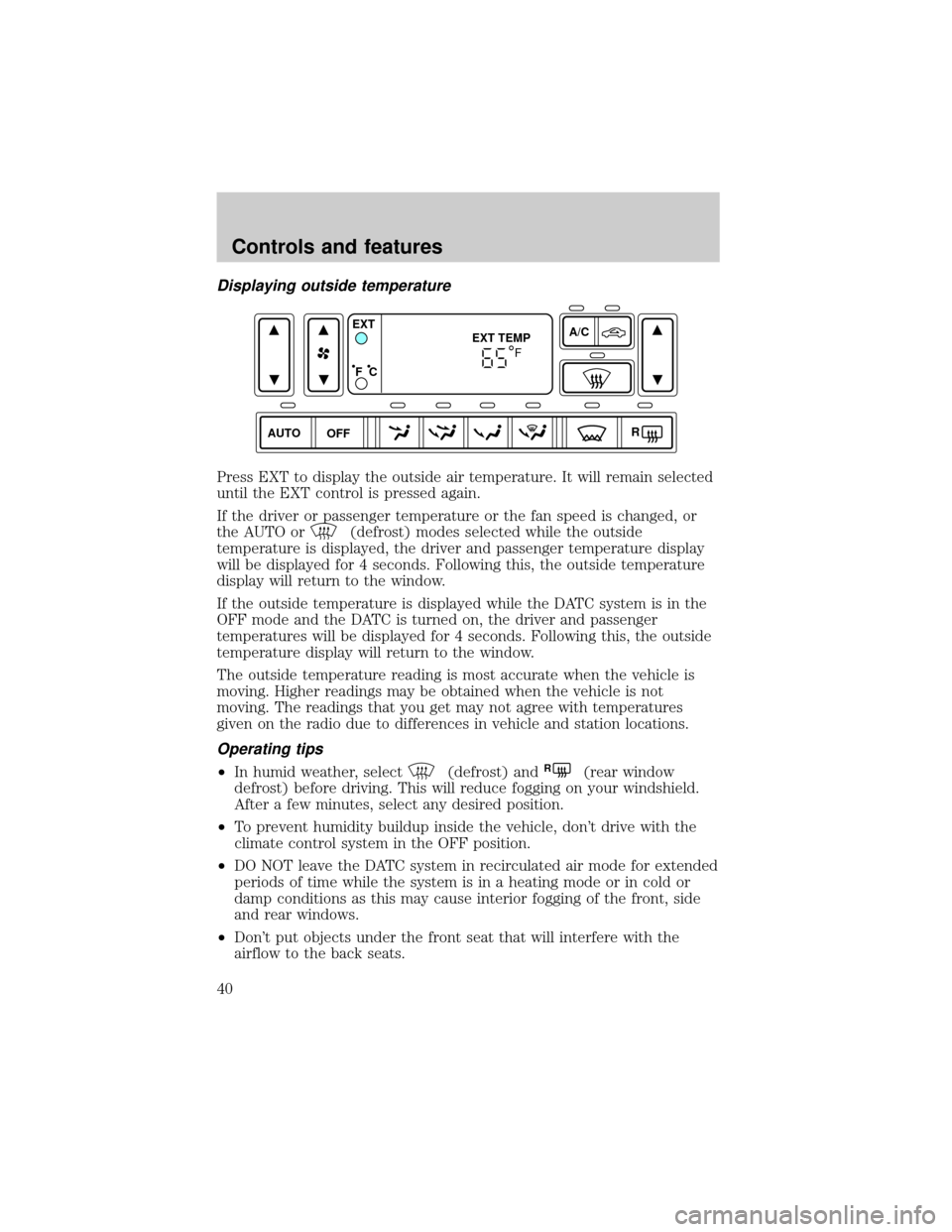
Displaying outside temperature
Press EXT to display the outside air temperature. It will remain selected
until the EXT control is pressed again.
If the driver or passenger temperature or the fan speed is changed, or
the AUTO or
(defrost) modes selected while the outside
temperature is displayed, the driver and passenger temperature display
will be displayed for 4 seconds. Following this, the outside temperature
display will return to the window.
If the outside temperature is displayed while the DATC system is in the
OFF mode and the DATC is turned on, the driver and passenger
temperatures will be displayed for 4 seconds. Following this, the outside
temperature display will return to the window.
The outside temperature reading is most accurate when the vehicle is
moving. Higher readings may be obtained when the vehicle is not
moving. The readings that you get may not agree with temperatures
given on the radio due to differences in vehicle and station locations.
Operating tips
²In humid weather, select(defrost) andR(rear window
defrost) before driving. This will reduce fogging on your windshield.
After a few minutes, select any desired position.
²To prevent humidity buildup inside the vehicle, don't drive with the
climate control system in the OFF position.
²DO NOT leave the DATC system in recirculated air mode for extended
periods of time while the system is in a heating mode or in cold or
damp conditions as this may cause interior fogging of the front, side
and rear windows.
²Don't put objects under the front seat that will interfere with the
airflow to the back seats.
AUTO OFFA/C
R EXT
EXT TEMP
F C
F
Controls and features
40
Page 66 of 272
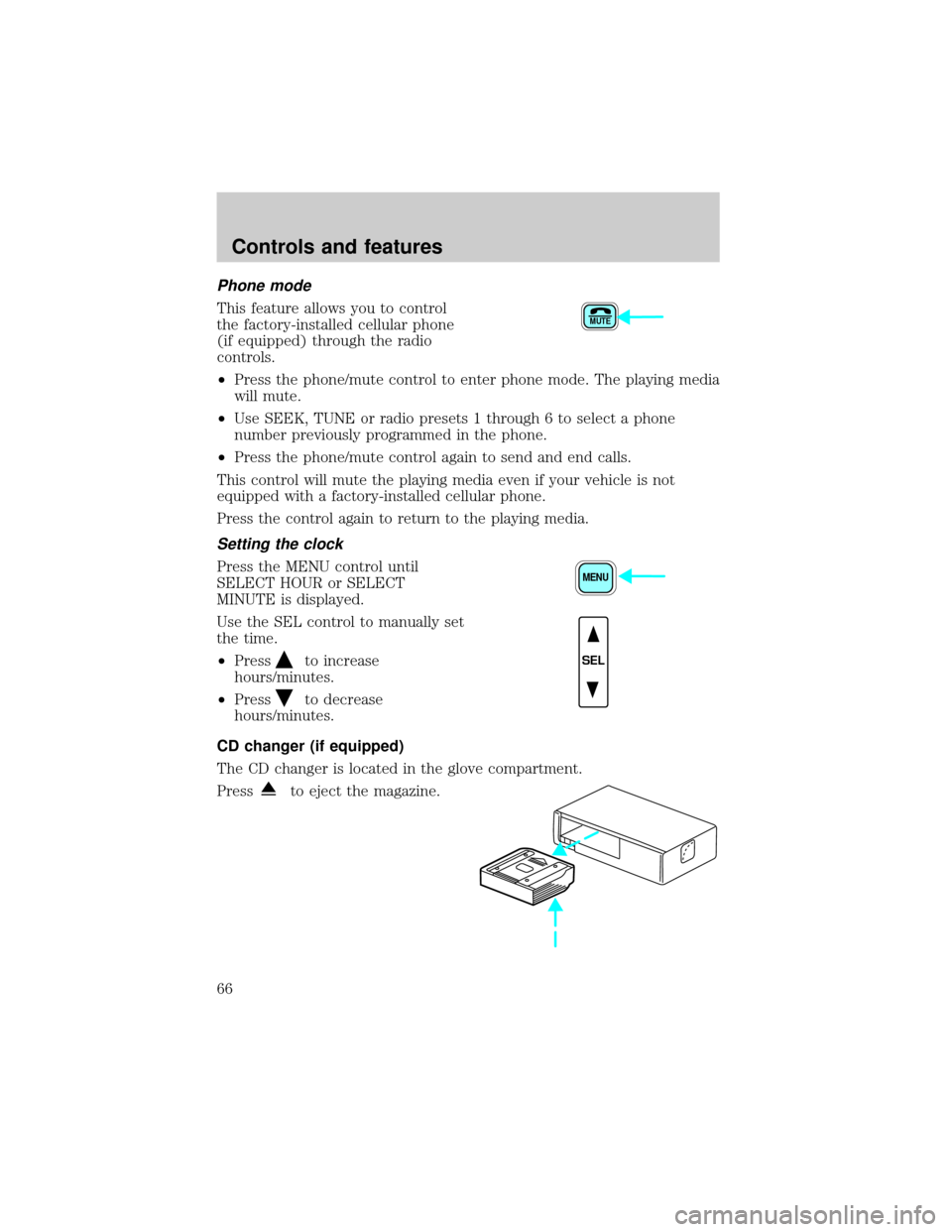
Phone mode
This feature allows you to control
the factory-installed cellular phone
(if equipped) through the radio
controls.
²Press the phone/mute control to enter phone mode. The playing media
will mute.
²Use SEEK, TUNE or radio presets 1 through 6 to select a phone
number previously programmed in the phone.
²Press the phone/mute control again to send and end calls.
This control will mute the playing media even if your vehicle is not
equipped with a factory-installed cellular phone.
Press the control again to return to the playing media.
Setting the clock
Press the MENU control until
SELECT HOUR or SELECT
MINUTE is displayed.
Use the SEL control to manually set
the time.
²Press
to increase
hours/minutes.
²Press
to decrease
hours/minutes.
CD changer (if equipped)
The CD changer is located in the glove compartment.
Press
to eject the magazine.
MUTE
MENU
SEL
Controls and features
66
Page 69 of 272

CD and CD changer care
²Handle discs by their edges only. Never touch the playing surface.
²Do not expose discs to direct sunlight or heat sources for extended
periods of time.
²Do not insert more than one disc into each slot of the CD changer
magazine.
Cleaning cassette player (if equipped)
Clean the tape player head with a cassette cleaning cartridge after 10 to
12 hours of play in order to maintain the best sound and operation.
Cassette and cassette player care
²Use only cassettes that are 90 minutes long or less.
²Do not expose tapes to direct sunlight, high humidity, extreme heat or
extreme cold. Allow tapes that may have been exposed to extreme
temperatures to reach a moderate temperature before playing.
²Tighten very loose tapes by inserting a finger or pencil into the hole
and turning the hub.
²Remove loose labels before inserting tapes.
²Do not leave tapes in the cassette player for a long time when not
being played.
Radio frequency information
The Federal Communications Commission (FCC) and the Canadian Radio
and Telecommunications Commission(CRTC) establish the frequencies AM
and FM stations may use for their broadcasts. Allowable frequencies are:
AM 530, 540±1600, 1610 kHz
FM 87.7, 87.9±107.7, 107.9 MHz
Not all frequencies are used in a given area.
Radio reception factors
Three factors can affect radio reception:
²Distance/strength.The further an FM signal travels, the weaker it is.
The listenable range of the average FM station is approximately 40 km
(24 miles). This range can be affected by ªsignal modulationº. Signal
modulation is a process radio stations use to increase their
strength/volume relative to other stations.
Controls and features
69
Page 103 of 272
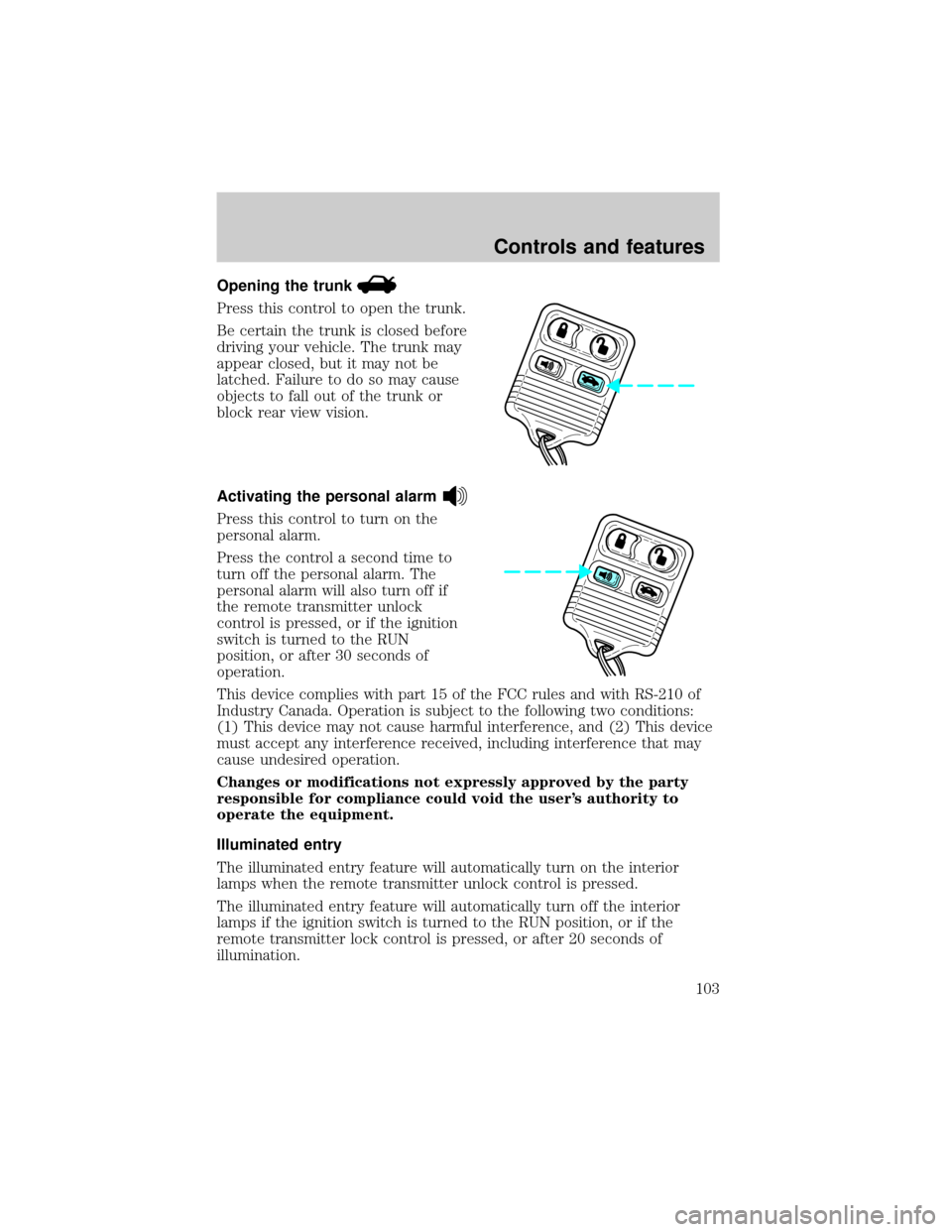
Opening the trunk
Press this control to open the trunk.
Be certain the trunk is closed before
driving your vehicle. The trunk may
appear closed, but it may not be
latched. Failure to do so may cause
objects to fall out of the trunk or
block rear view vision.
Activating the personal alarm
Press this control to turn on the
personal alarm.
Press the control a second time to
turn off the personal alarm. The
personal alarm will also turn off if
the remote transmitter unlock
control is pressed, or if the ignition
switch is turned to the RUN
position, or after 30 seconds of
operation.
This device complies with part 15 of the FCC rules and with RS-210 of
Industry Canada. Operation is subject to the following two conditions:
(1) This device may not cause harmful interference, and (2) This device
must accept any interference received, including interference that may
cause undesired operation.
Changes or modifications not expressly approved by the party
responsible for compliance could void the user's authority to
operate the equipment.
Illuminated entry
The illuminated entry feature will automatically turn on the interior
lamps when the remote transmitter unlock control is pressed.
The illuminated entry feature will automatically turn off the interior
lamps if the ignition switch is turned to the RUN position, or if the
remote transmitter lock control is pressed, or after 20 seconds of
illumination.
Controls and features
103
Page 127 of 272

4. Turn on the parklamps/headlamps, turn off the parklamps/headlamps.
5. Buckle then unbuckle the safety belt three times, ending with the
safety belt unbuckled.
²After step 5 the safety belt warning light will be turned on for three
seconds.
6. Within seven seconds of the safety belt warning light turning off,
buckle then unbuckle the safety belt.
²This will disable Belt Minder if it is currently enabled, or enable Belt
Minder if it is currently disabled.
7. Confirmation of disabling Belt Minder is provided by flashing the
safety belt warning light four times per second for three seconds.
8. Confirmation of enabling Belt Minder is provided by flashing the safety
belt warning light four times per second for three seconds, followed by
three seconds with the safety belt warning light off, then followed by
flashing the safety belt warning light four times per second for three
seconds again.
9. After receiving confirmation, the deactivation/activation procedure is
complete.
Safety belt extension assembly
If the safety belt assembly is too short, even when fully extended, 20 cm
(8 inches) can be added to the safety belt assembly by adding a safety
belt extension assembly (part number 611C22). Safety belt extension
assemblies can be obtained from your dealer at no cost.
Use only extensions manufactured by the same supplier as the safety
belt. Manufacturer identification is located at the end of the webbing on
the label. Also, use the safety belt extension only if the safety belt is too
short for you when fully extended. Do not use extensions to change the
fit of the shoulder belt across the torso.
Safety belt maintenance
Inspect the safety belt systems periodically to make sure they work
properly and are not damaged. Inspect the safety belts to make sure
there are no nicks, wears or cuts, replacing if necessary. All safety belt
assemblies, including retractors, buckles, front seat belt buckle
assemblies, buckle support assemblies (slide bar-if equipped), shoulder
belt height adjusters (if equipped), shoulder belt guide on seatback (if
equipped), child safety seat tether bracket assemblies (if equipped), and
Seating and safety restraints
127
Page 147 of 272
Using the engine block heater (if equipped)
An engine block heater warms the engine coolant, which improves
starting, warms up the engine faster and allows the heater-defroster
system to respond quickly. Use of an engine block heater is strongly
recommended if you live in a region where temperatures reach -23ÉC
(-10ÉF) or below.
For best results, plug the heater in at least three hours before starting
the vehicle. Using the heater for longer than three hours will not harm
the engine, so the heater can be plugged in the night before starting the
vehicle.
To prevent electrical shock, do not use your heater with
ungrounded electrical systems or two-pronged (cheater)
adapters.
Guarding against exhaust fumes
Although odorless and colorless, carbon monoxide is present in exhaust
fumes. Take precautions to avoid its dangerous effects.
If you ever smell exhaust fumes of any kind inside your vehicle,
have your dealer inspect and fix your vehicle immediately. Do
not drive if you smell exhaust fumes. These fumes are harmful and
could kill you.
Have the exhaust and body ventilation systems checked whenever:
²the vehicle is raised for service.
²the sound of the exhaust system changes.
²the vehicle has been damaged in a collision.
Engine exhaust, some of its constituents, and certain vehicle
components contain or emit chemicals known to the State of
California to cause cancer, and birth defects or other reproductive
harm.
Important ventilating information
If the engine is idling while the vehicle is stopped in an open area for
long periods of time, open the windows at least 2.5 cm (one inch).
Starting
147
Page 152 of 272

Speed sensitive steering
The steering in your vehicle is speed sensitive. At high speeds, steering
assist will decrease to improve steering feel. At lower speeds,
maneuverability will be increased.
If the amount of effort required to steer your vehicle changes at a
constant vehicle speed, have the power steering system checked by your
dealer or a qualified service technician.
TRACTION CONTROLY(IF EQUIPPED)
The Traction Controlysystem helps maintain the stability and
steerability of your vehicle. It is especially useful on slippery and/or hilly
road surfaces. The system operates at all speeds by detecting and
controlling wheel spin. The system borrows many of the electronic and
mechanical elements already present in the anti-lock braking system
(ABS).
Wheel-speed sensors allow excess rear wheel spin to be detected by the
Traction Controlyportion of the ABS computer. Any excessive wheel
spin is controlled by automatically applying and releasing the rear brakes
in conjunction with engine torque reductions. Engine torque reduction is
realized via the fully electronic spark and fuel injection systems. This
process is very sensitive to driving conditions and very fast acting. The
rear wheels ªsearchº for optimum traction several times a second and
adjustments are made accordingly.
The Traction Controlysystem will allow your vehicle to make better use
of available traction on slippery surfaces. The system is a driver aid
which makes your vehicle easier to handle primarily on snow and ice
covered roads. This is especially evident if wheel spin-up should occur
while turning.
During Traction Controlyoperation you may hear an electric motor type
of sound coming from the engine compartment and the engine will not
ªrev-upº when you push further on the accelerator. This is normal
system behavior.
Driving
152