door lock LINCOLN LS 2000 Owners Manual
[x] Cancel search | Manufacturer: LINCOLN, Model Year: 2000, Model line: LS, Model: LINCOLN LS 2000Pages: 272, PDF Size: 2.36 MB
Page 5 of 272
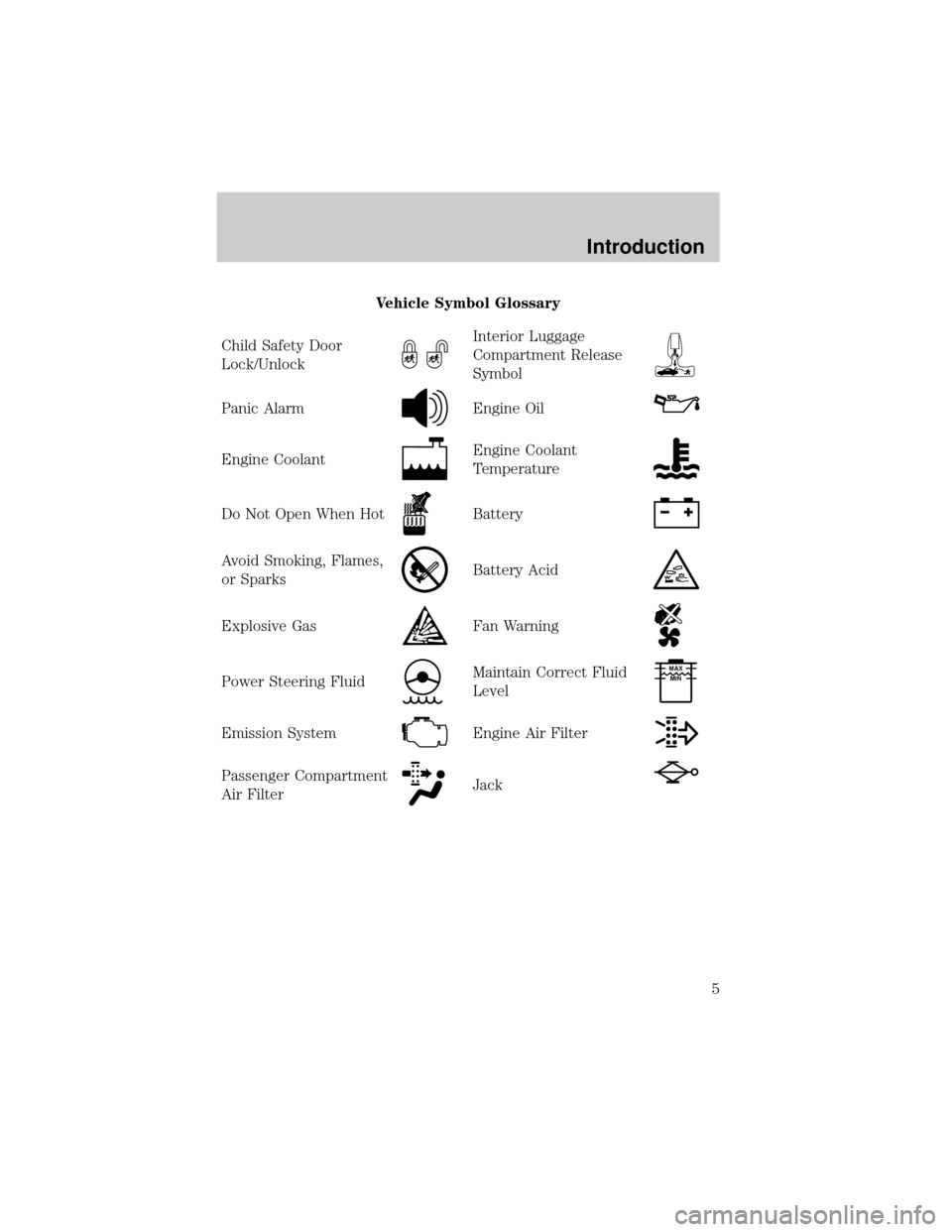
Vehicle Symbol Glossary
Child Safety Door
Lock/Unlock
Interior Luggage
Compartment Release
Symbol
Panic AlarmEngine Oil
Engine CoolantEngine Coolant
Temperature
Do Not Open When HotBattery
Avoid Smoking, Flames,
or SparksBattery Acid
Explosive GasFan Warning
Power Steering FluidMaintain Correct Fluid
LevelMAX
MIN
Emission SystemEngine Air Filter
Passenger Compartment
Air FilterJack
Introduction
5
Page 13 of 272
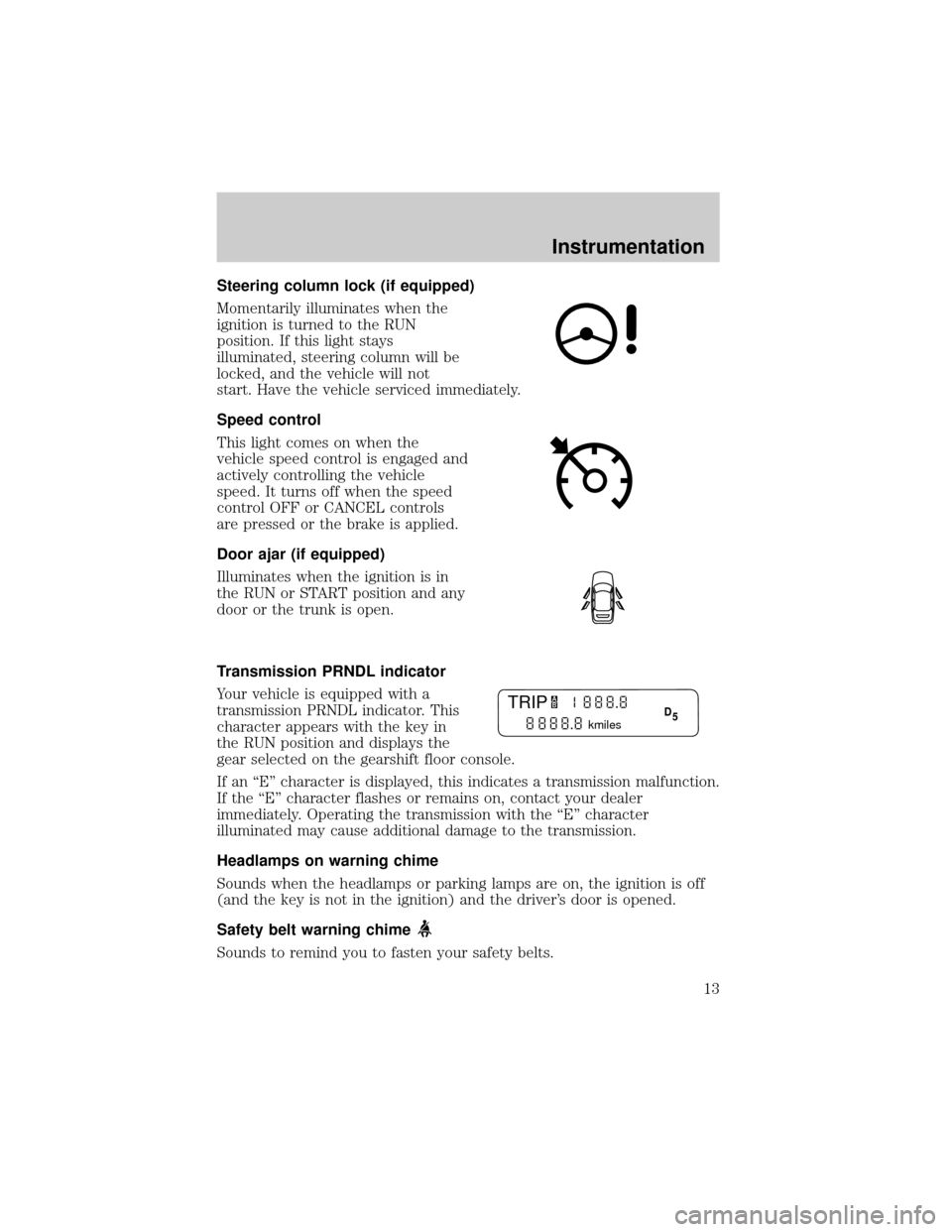
Steering column lock (if equipped)
Momentarily illuminates when the
ignition is turned to the RUN
position. If this light stays
illuminated, steering column will be
locked, and the vehicle will not
start. Have the vehicle serviced immediately.
Speed control
This light comes on when the
vehicle speed control is engaged and
actively controlling the vehicle
speed. It turns off when the speed
control OFF or CANCEL controls
are pressed or the brake is applied.
Door ajar (if equipped)
Illuminates when the ignition is in
the RUN or START position and any
door or the trunk is open.
Transmission PRNDL indicator
Your vehicle is equipped with a
transmission PRNDL indicator. This
character appears with the key in
the RUN position and displays the
gear selected on the gearshift floor console.
If an ªEº character is displayed, this indicates a transmission malfunction.
If the ªEº character flashes or remains on, contact your dealer
immediately. Operating the transmission with the ªEº character
illuminated may cause additional damage to the transmission.
Headlamps on warning chime
Sounds when the headlamps or parking lamps are on, the ignition is off
(and the key is not in the ignition) and the driver's door is opened.
Safety belt warning chime
Sounds to remind you to fasten your safety belts.
TRIP
kmiles
A
BD
5
Instrumentation
13
Page 14 of 272
For information on the safety belt warning chime, refer to theSeating
and safety restraintschapter.
Supplemental restraint system (SRS) warning chime
For information on the SRS warning chime, refer to theSeating and
safety restraintschapter.
Key-in-ignition warning chime
Sounds when the key is left in the ignition in the OFF/LOCK or ACC
position and the driver's door is opened.
Turn signal chime
Sounds when the turn signal lever has been activated to signal a turn
and not turned off after the vehicle is driven more than 0.8 km (1/2
mile).
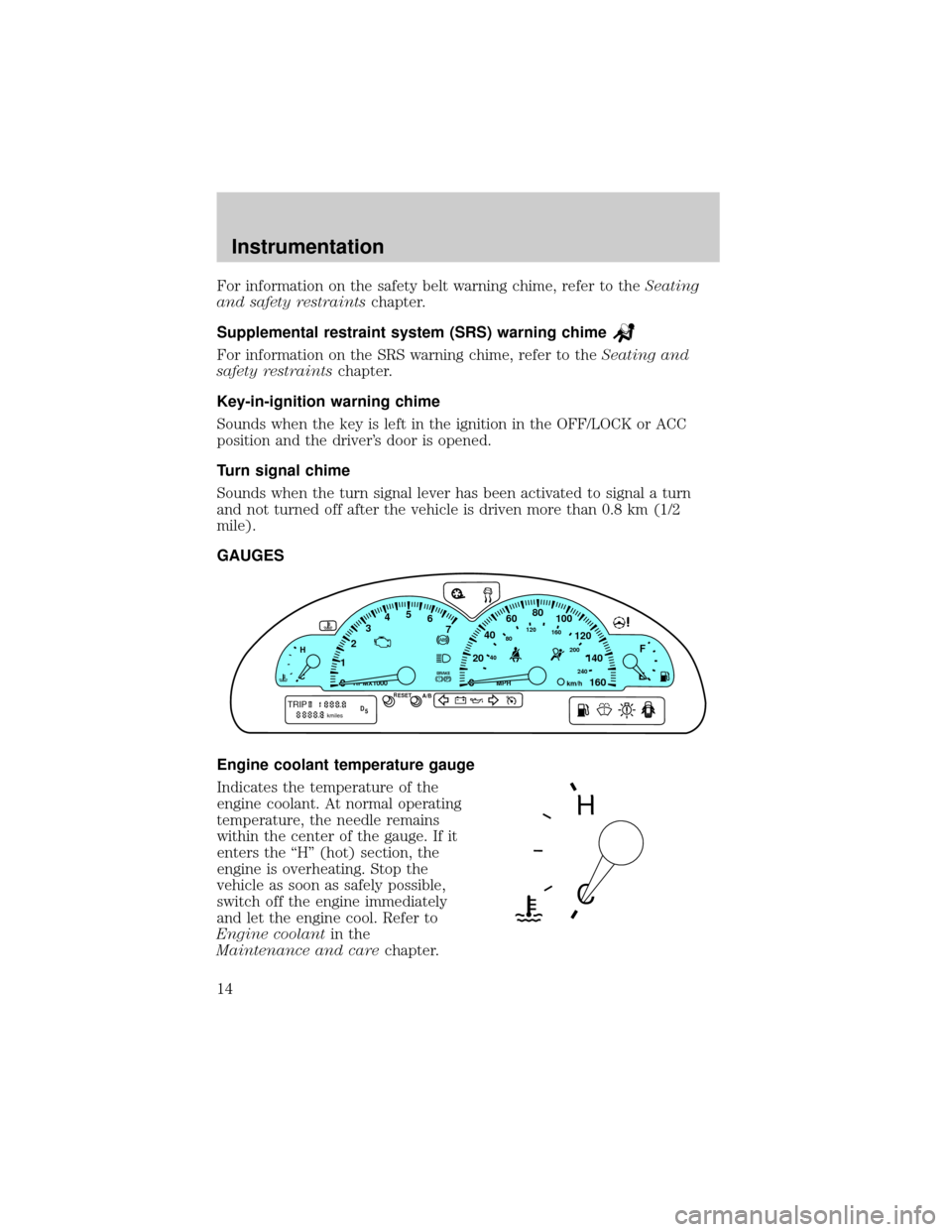
GAUGES
Engine coolant temperature gauge
Indicates the temperature of the
engine coolant. At normal operating
temperature, the needle remains
within the center of the gauge. If it
enters the ªHº (hot) section, the
engine is overheating. Stop the
vehicle as soon as safely possible,
switch off the engine immediately
and let the engine cool. Refer to
Engine coolantin the
Maintenance and carechapter.
P! BRAKE
H
C
40
80120160
200
240km/hRPMX1000RESETMPHA/B
F
E0020406080
100
120
140
160 12345
6
7
TRIPkmilesABD
5
H
C
Instrumentation
14
Page 65 of 272
²Use the SEL control to select TYPE (displays the RDS program type:
rock, jazz, etc), NAME(displays the name of the radio station) or
NONE (deactivates the RDS display).
RDS clock feature
Refer toSetting the clockfor information.
Digital signal processing (if equipped)
The digital signal processing (DSP) feature allows you to change the
signal mode to suit your listening tastes.
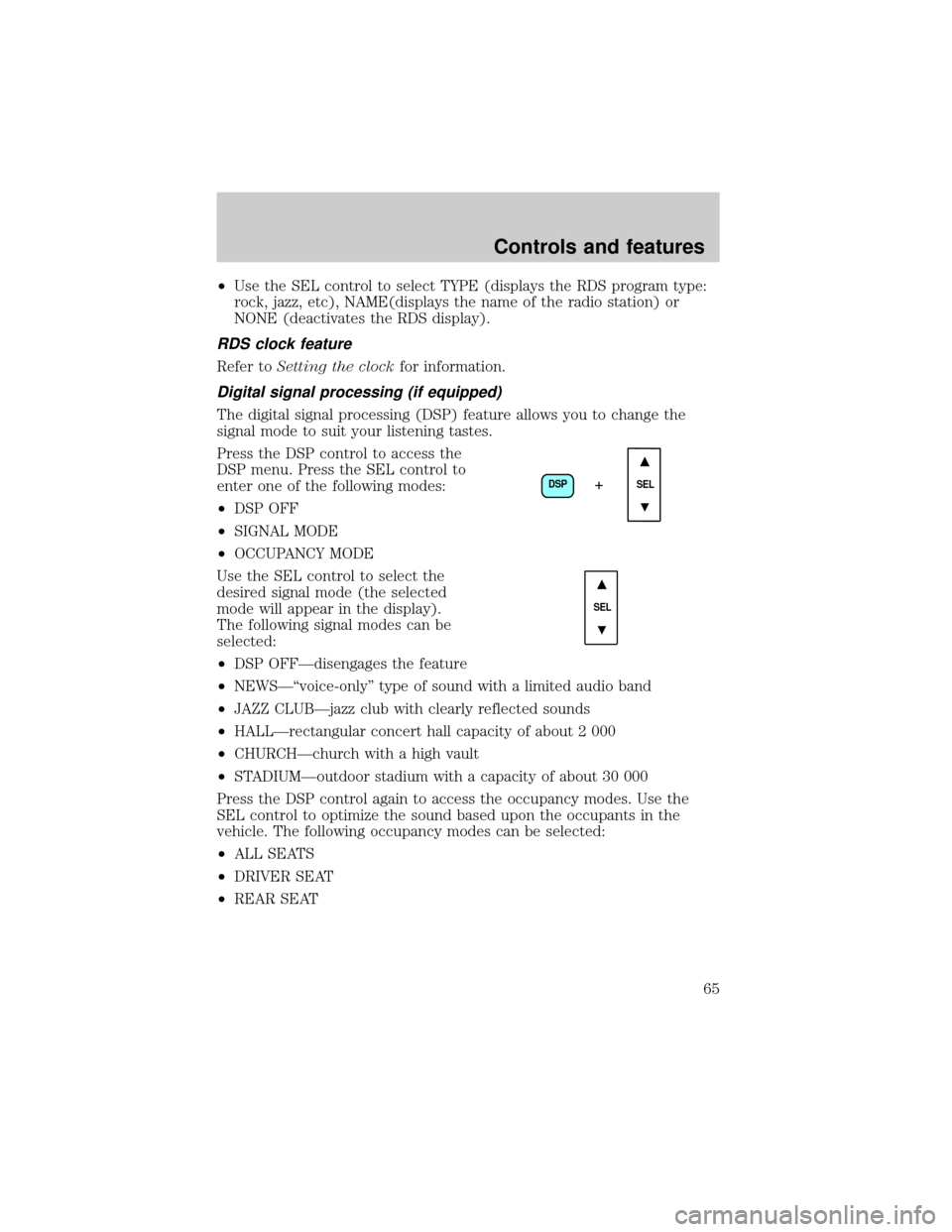
Press the DSP control to access the
DSP menu. Press the SEL control to
enter one of the following modes:
²DSP OFF
²SIGNAL MODE
²OCCUPANCY MODE
Use the SEL control to select the
desired signal mode (the selected
mode will appear in the display).
The following signal modes can be
selected:
²DSP OFFÐdisengages the feature
²NEWSЪvoice-onlyº type of sound with a limited audio band
²JAZZ CLUBÐjazz club with clearly reflected sounds
²HALLÐrectangular concert hall capacity of about 2 000
²CHURCHÐchurch with a high vault
²STADIUMÐoutdoor stadium with a capacity of about 30 000
Press the DSP control again to access the occupancy modes. Use the
SEL control to optimize the sound based upon the occupants in the
vehicle. The following occupancy modes can be selected:
²ALL SEATS
²DRIVER SEAT
²REAR SEAT
DSP
SEL+
SEL
Controls and features
65
Page 71 of 272
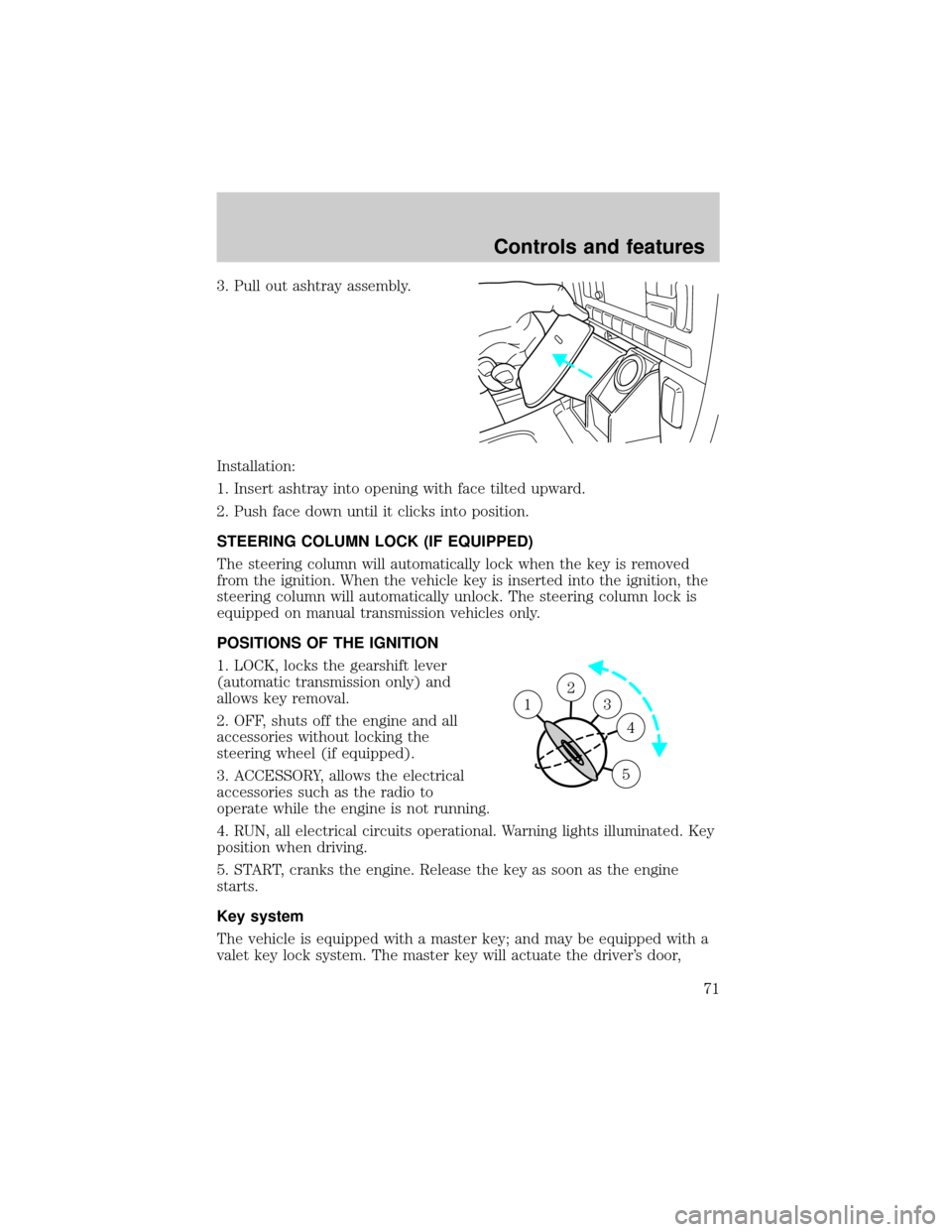
3. Pull out ashtray assembly.
Installation:
1. Insert ashtray into opening with face tilted upward.
2. Push face down until it clicks into position.
STEERING COLUMN LOCK (IF EQUIPPED)
The steering column will automatically lock when the key is removed
from the ignition. When the vehicle key is inserted into the ignition, the
steering column will automatically unlock. The steering column lock is
equipped on manual transmission vehicles only.
POSITIONS OF THE IGNITION
1. LOCK, locks the gearshift lever
(automatic transmission only) and
allows key removal.
2. OFF, shuts off the engine and all
accessories without locking the
steering wheel (if equipped).
3. ACCESSORY, allows the electrical
accessories such as the radio to
operate while the engine is not running.
4. RUN, all electrical circuits operational. Warning lights illuminated. Key
position when driving.
5. START, cranks the engine. Release the key as soon as the engine
starts.
Key system
The vehicle is equipped with a master key; and may be equipped with a
valet key lock system. The master key will actuate the driver's door,
2
3
4
5
1
Controls and features
71
Page 72 of 272
trunk, glove box and ignition. If equipped, the valet key (the key without
the Lincoln logo) will actuate door and ignition only.
Refer to theSecurilock Passive Anti-Theft Systemsection for more
information on Securilock keys.
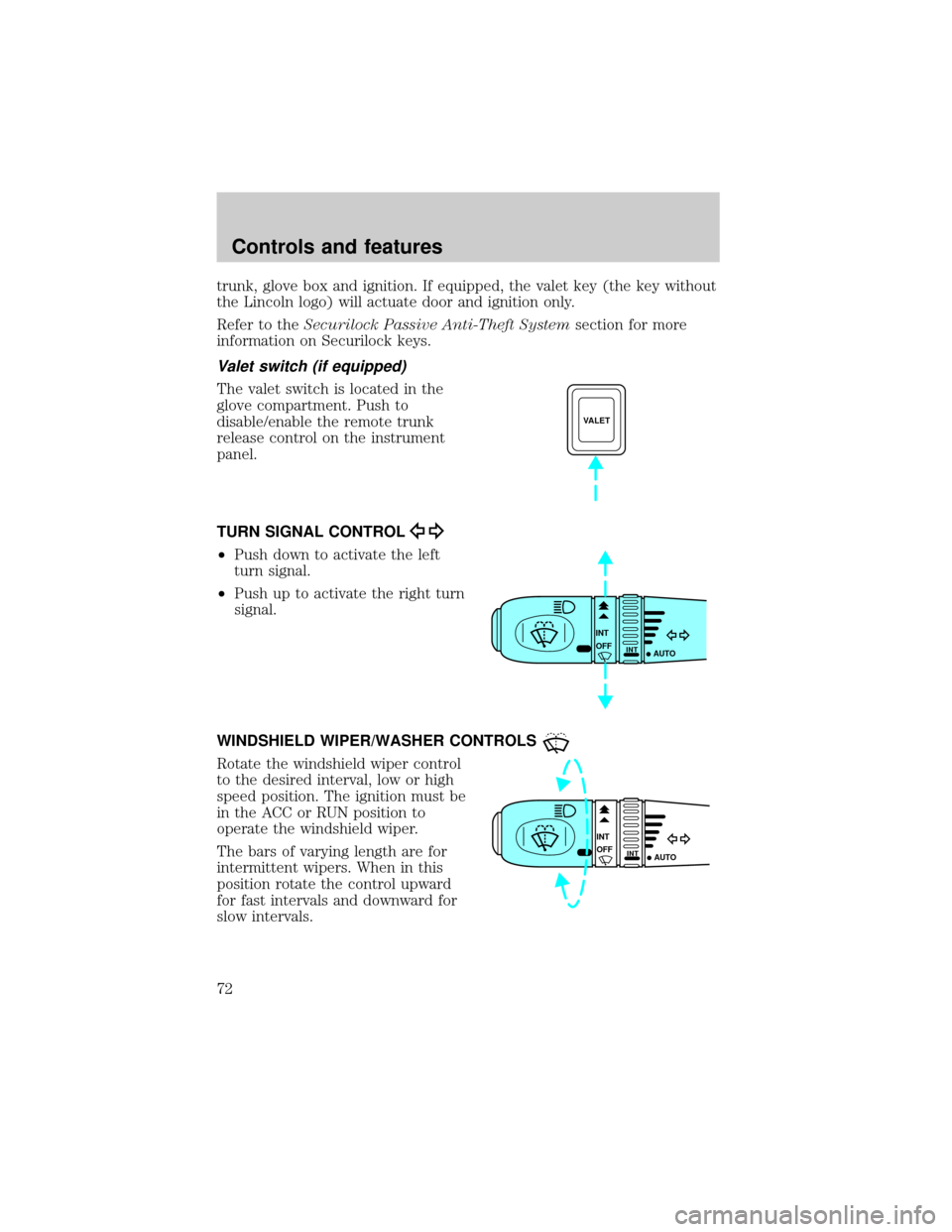
Valet switch (if equipped)
The valet switch is located in the
glove compartment. Push to
disable/enable the remote trunk
release control on the instrument
panel.
TURN SIGNAL CONTROL
²Push down to activate the left
turn signal.
²Push up to activate the right turn
signal.
WINDSHIELD WIPER/WASHER CONTROLS
Rotate the windshield wiper control
to the desired interval, low or high
speed position. The ignition must be
in the ACC or RUN position to
operate the windshield wiper.
The bars of varying length are for
intermittent wipers. When in this
position rotate the control upward
for fast intervals and downward for
slow intervals.
VALET
INT
INTOFF
AUTO
INT
INTOFF
AUTO
Controls and features
72
Page 83 of 272
To close the moon roof:
²To close from the vent, intermediate and full open positions, push the
rear portion of the control forward.
INTERIOR LAMPS
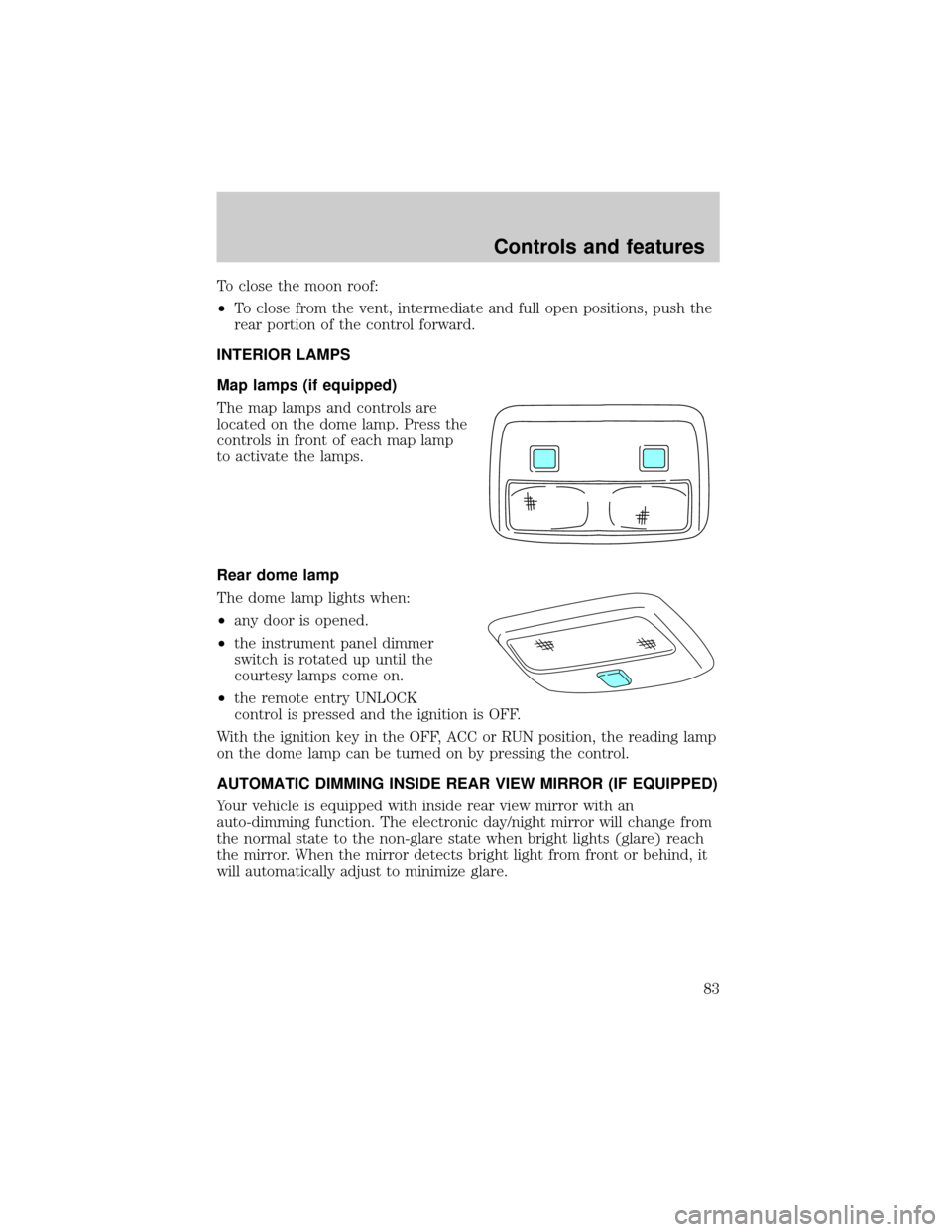
Map lamps (if equipped)
The map lamps and controls are
located on the dome lamp. Press the
controls in front of each map lamp
to activate the lamps.
Rear dome lamp
The dome lamp lights when:
²any door is opened.
²the instrument panel dimmer
switch is rotated up until the
courtesy lamps come on.
²the remote entry UNLOCK
control is pressed and the ignition is OFF.
With the ignition key in the OFF, ACC or RUN position, the reading lamp
on the dome lamp can be turned on by pressing the control.
AUTOMATIC DIMMING INSIDE REAR VIEW MIRROR (IF EQUIPPED)
Your vehicle is equipped with inside rear view mirror with an
auto-dimming function. The electronic day/night mirror will change from
the normal state to the non-glare state when bright lights (glare) reach
the mirror. When the mirror detects bright light from front or behind, it
will automatically adjust to minimize glare.
Controls and features
83
Page 84 of 272
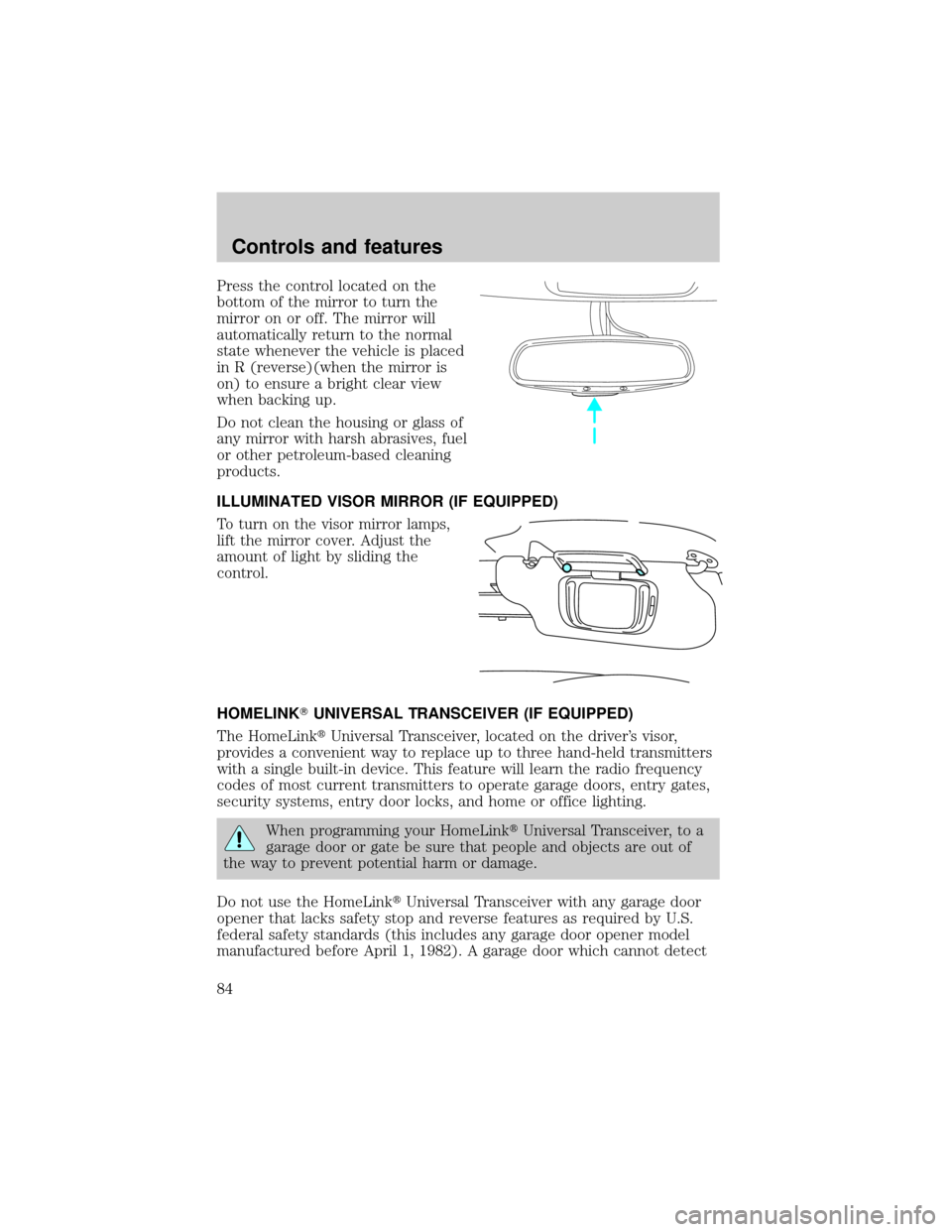
Press the control located on the
bottom of the mirror to turn the
mirror on or off. The mirror will
automatically return to the normal
state whenever the vehicle is placed
in R (reverse)(when the mirror is
on) to ensure a bright clear view
when backing up.
Do not clean the housing or glass of
any mirror with harsh abrasives, fuel
or other petroleum-based cleaning
products.
ILLUMINATED VISOR MIRROR (IF EQUIPPED)
To turn on the visor mirror lamps,
lift the mirror cover. Adjust the
amount of light by sliding the
control.
HOMELINKTUNIVERSAL TRANSCEIVER (IF EQUIPPED)
The HomeLinktUniversal Transceiver, located on the driver's visor,
provides a convenient way to replace up to three hand-held transmitters
with a single built-in device. This feature will learn the radio frequency
codes of most current transmitters to operate garage doors, entry gates,
security systems, entry door locks, and home or office lighting.
When programming your HomeLinktUniversal Transceiver, to a
garage door or gate be sure that people and objects are out of
the way to prevent potential harm or damage.
Do not use the HomeLinktUniversal Transceiver with any garage door
opener that lacks safety stop and reverse features as required by U.S.
federal safety standards (this includes any garage door opener model
manufactured before April 1, 1982). A garage door which cannot detect
Controls and features
84
Page 99 of 272
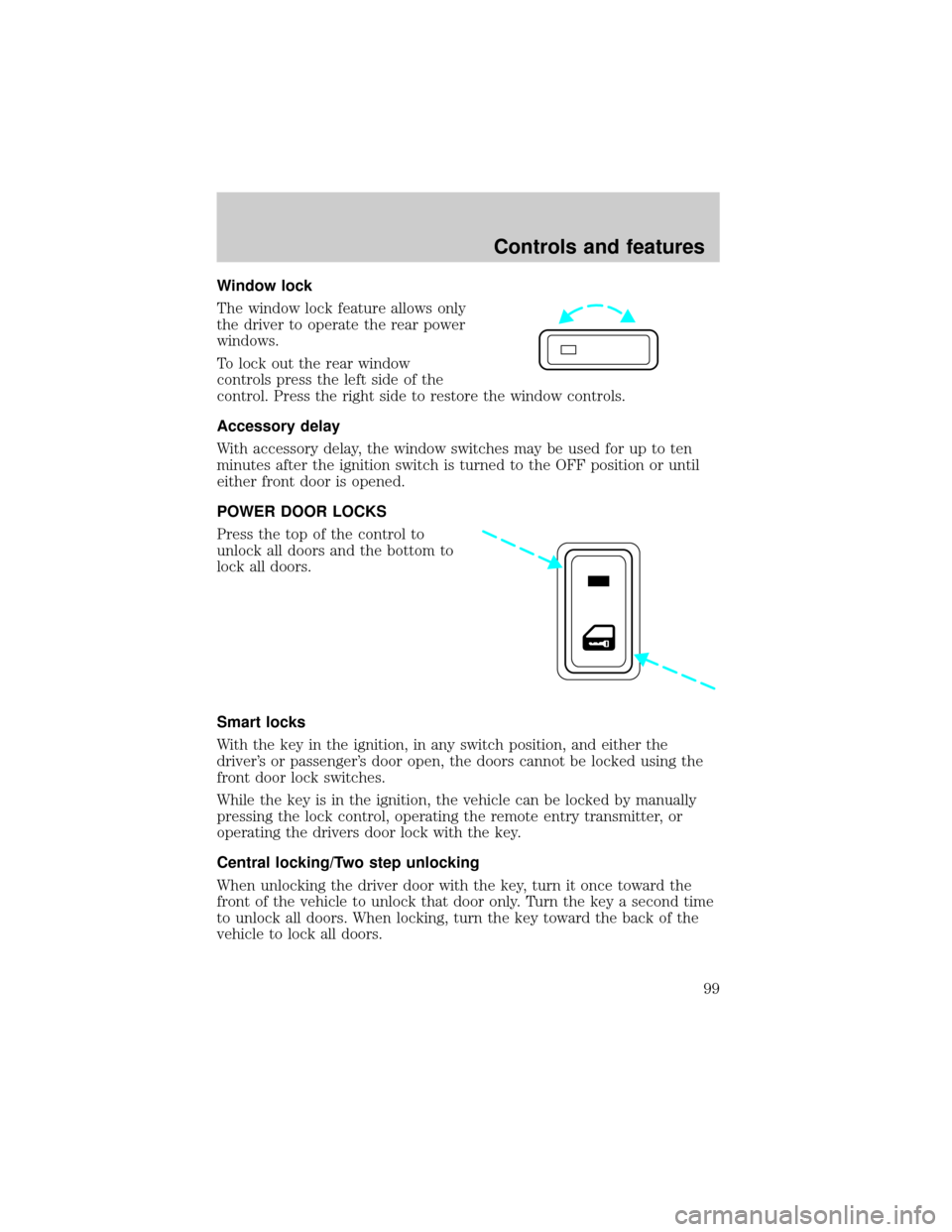
Window lock
The window lock feature allows only
the driver to operate the rear power
windows.
To lock out the rear window
controls press the left side of the
control. Press the right side to restore the window controls.
Accessory delay
With accessory delay, the window switches may be used for up to ten
minutes after the ignition switch is turned to the OFF position or until
either front door is opened.
POWER DOOR LOCKS
Press the top of the control to
unlock all doors and the bottom to
lock all doors.
Smart locks
With the key in the ignition, in any switch position, and either the
driver's or passenger's door open, the doors cannot be locked using the
front door lock switches.
While the key is in the ignition, the vehicle can be locked by manually
pressing the lock control, operating the remote entry transmitter, or
operating the drivers door lock with the key.
Central locking/Two step unlocking
When unlocking the driver door with the key, turn it once toward the
front of the vehicle to unlock that door only. Turn the key a second time
to unlock all doors. When locking, turn the key toward the back of the
vehicle to lock all doors.
Controls and features
99
Page 100 of 272
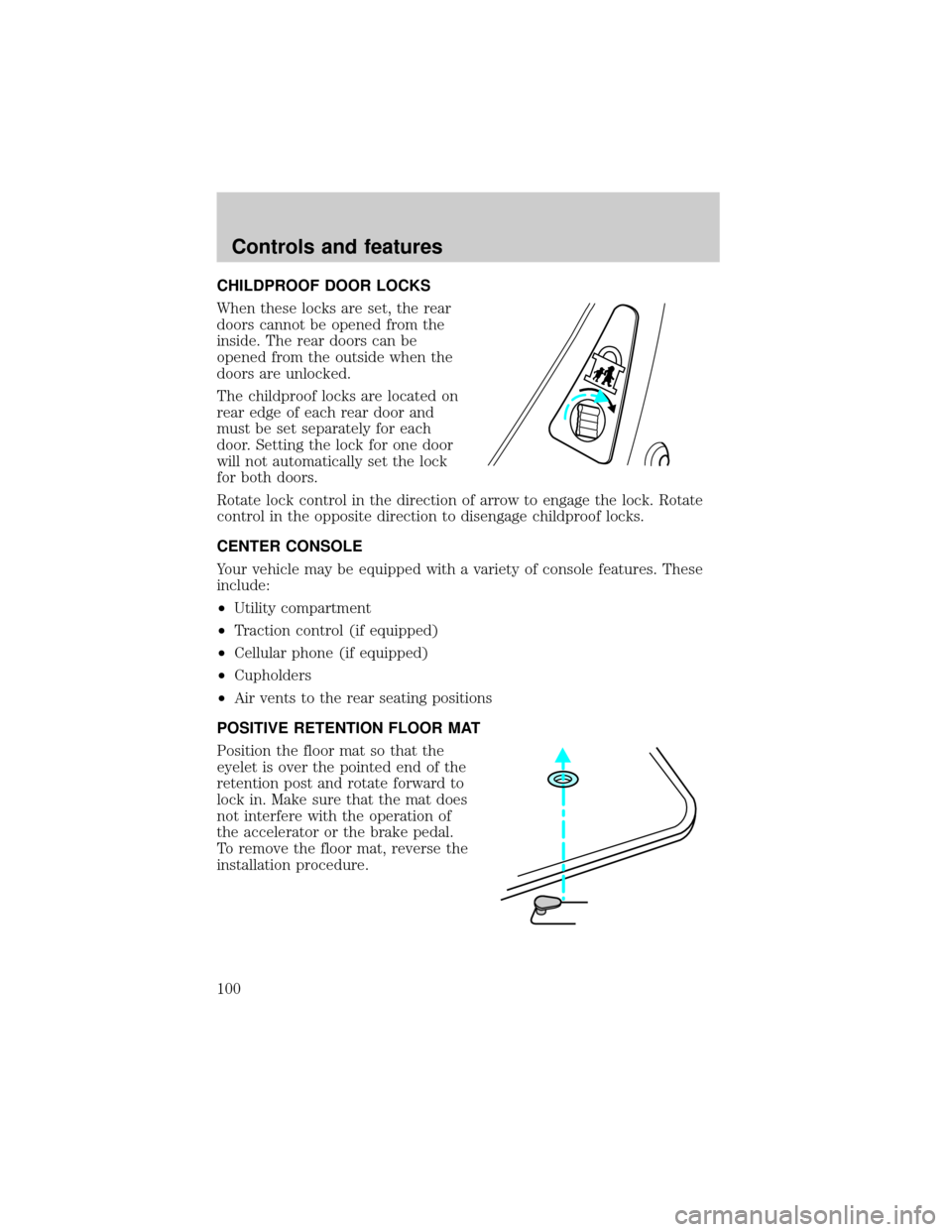
CHILDPROOF DOOR LOCKS
When these locks are set, the rear
doors cannot be opened from the
inside. The rear doors can be
opened from the outside when the
doors are unlocked.
The childproof locks are located on
rear edge of each rear door and
must be set separately for each
door. Setting the lock for one door
will not automatically set the lock
for both doors.
Rotate lock control in the direction of arrow to engage the lock. Rotate
control in the opposite direction to disengage childproof locks.
CENTER CONSOLE
Your vehicle may be equipped with a variety of console features. These
include:
²Utility compartment
²Traction control (if equipped)
²Cellular phone (if equipped)
²Cupholders
²Air vents to the rear seating positions
POSITIVE RETENTION FLOOR MAT
Position the floor mat so that the
eyelet is over the pointed end of the
retention post and rotate forward to
lock in. Make sure that the mat does
not interfere with the operation of
the accelerator or the brake pedal.
To remove the floor mat, reverse the
installation procedure.
Controls and features
100