window LINCOLN LS 2000 Owners Manual
[x] Cancel search | Manufacturer: LINCOLN, Model Year: 2000, Model line: LS, Model: LINCOLN LS 2000Pages: 272, PDF Size: 2.36 MB
Page 4 of 272
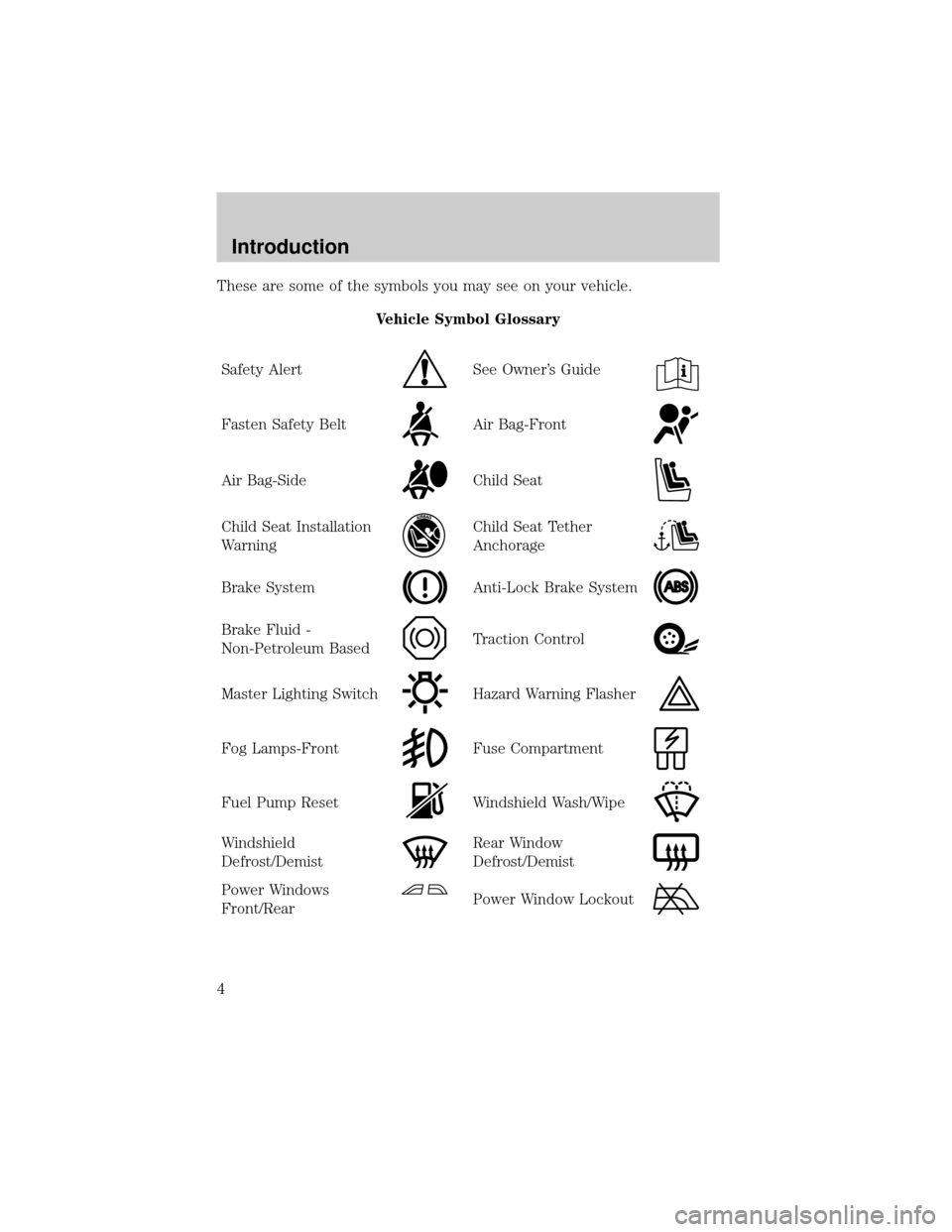
These are some of the symbols you may see on your vehicle.
Vehicle Symbol Glossary
Safety Alert
See Owner's Guide
Fasten Safety BeltAir Bag-Front
Air Bag-SideChild Seat
Child Seat Installation
WarningChild Seat Tether
Anchorage
Brake SystemAnti-Lock Brake System
Brake Fluid -
Non-Petroleum BasedTraction Control
Master Lighting SwitchHazard Warning Flasher
Fog Lamps-FrontFuse Compartment
Fuel Pump ResetWindshield Wash/Wipe
Windshield
Defrost/DemistRear Window
Defrost/Demist
Power Windows
Front/RearPower Window Lockout
Introduction
4
Page 30 of 272
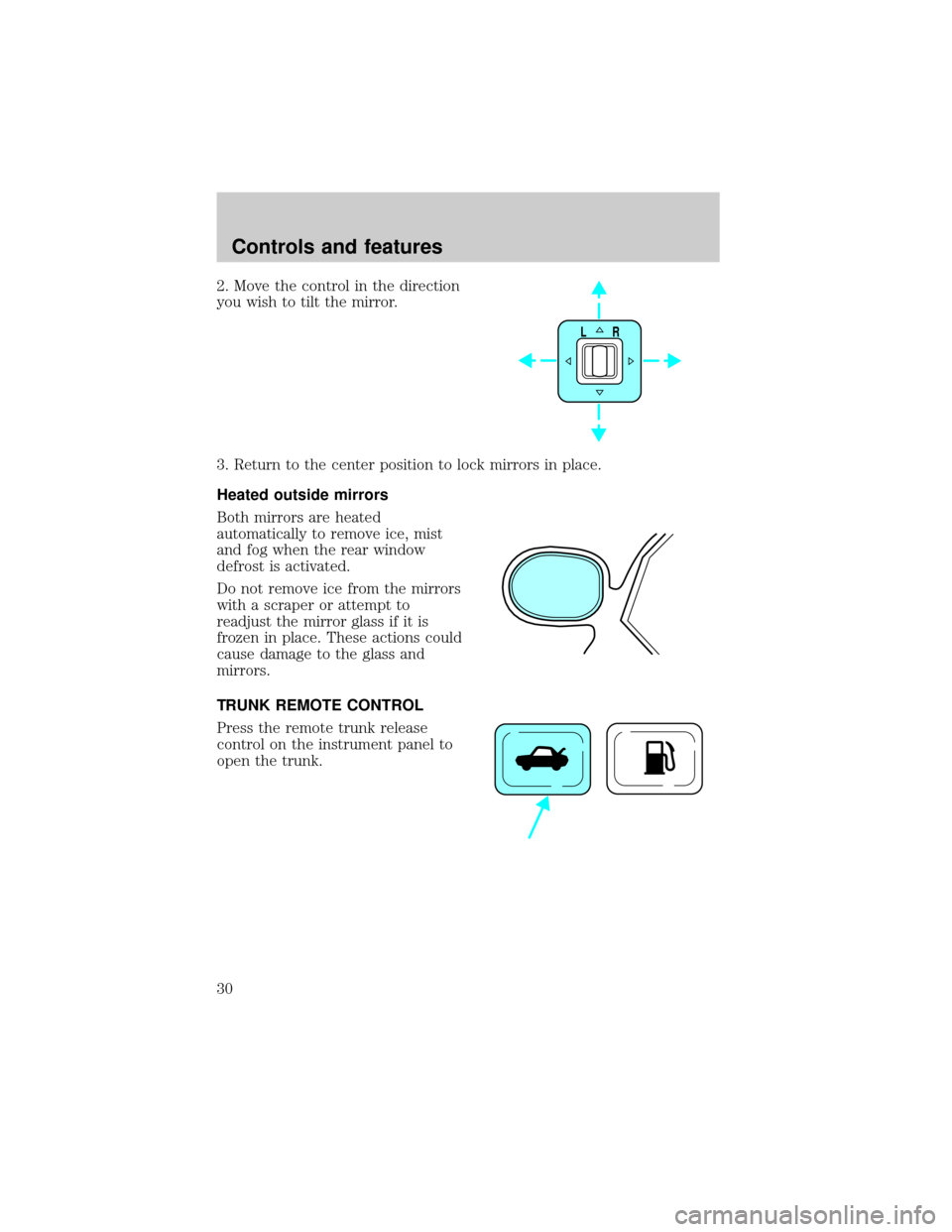
2. Move the control in the direction
you wish to tilt the mirror.
3. Return to the center position to lock mirrors in place.
Heated outside mirrors
Both mirrors are heated
automatically to remove ice, mist
and fog when the rear window
defrost is activated.
Do not remove ice from the mirrors
with a scraper or attempt to
readjust the mirror glass if it is
frozen in place. These actions could
cause damage to the glass and
mirrors.
TRUNK REMOTE CONTROL
Press the remote trunk release
control on the instrument panel to
open the trunk.
LR
Controls and features
30
Page 32 of 272
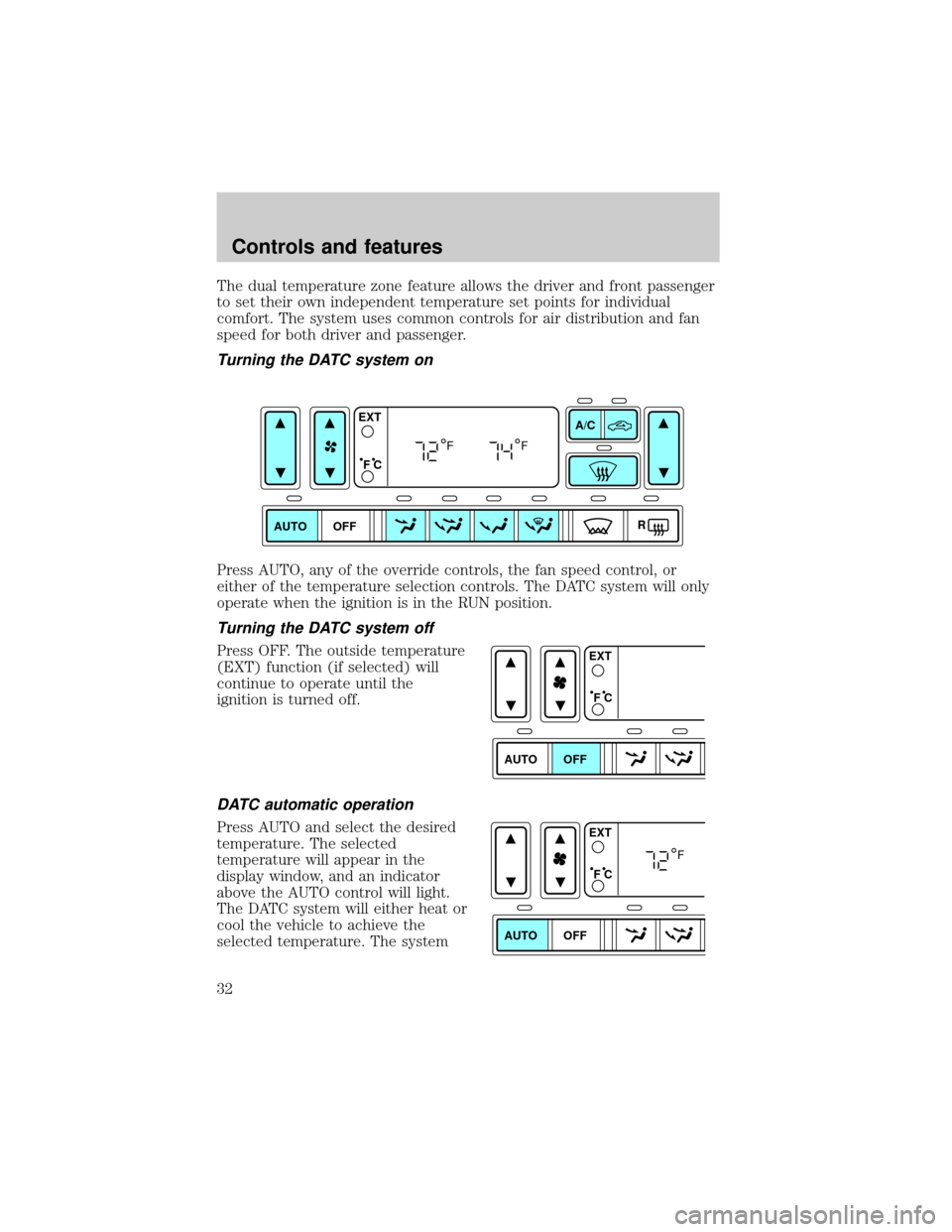
The dual temperature zone feature allows the driver and front passenger
to set their own independent temperature set points for individual
comfort. The system uses common controls for air distribution and fan
speed for both driver and passenger.
Turning the DATC system on
Press AUTO, any of the override controls, the fan speed control, or
either of the temperature selection controls. The DATC system will only
operate when the ignition is in the RUN position.
Turning the DATC system off
Press OFF. The outside temperature
(EXT) function (if selected) will
continue to operate until the
ignition is turned off.
DATC automatic operation
Press AUTO and select the desired
temperature. The selected
temperature will appear in the
display window, and an indicator
above the AUTO control will light.
The DATC system will either heat or
cool the vehicle to achieve the
selected temperature. The system
AUTO OFFA/C
R EXT
F C
FF
AUTO OFFEXT
F C
AUTO OFFEXT
F C
F
Controls and features
32
Page 33 of 272
will automatically determine the fan speed, airflow location and whether
outside or recirculated air is required.
When in AUTO and weather conditions require heat, the DATC directs
the majority of the airflow to the floor area. The system will allow some
airflow out the defroster and demister outlets and outer instrument
panel registers in order to reduce window fogging. Additionally, if the
engine is not warm enough to provide heat, the fan will operate at a low
speed and the airflow will be directed to the windshield or to the floor.
In 3
1¤2minutes or less, the fan speed will start to increase and the airflow
location will change to the floor area.
When in AUTO mode, the DATC system automatically controls the air
conditioning operation, the fan speed, the airflow direction and
determines whether outside or recirculated air is required. Manual
control of the A/C, air recirculation and fan speed are available in auto
mode.
If unusual conditions exist (i.e.-window fogging, etc.), the manual
override controls allow you to select airflow locations as necessary. To
return to full automatic control, press the AUTO control.
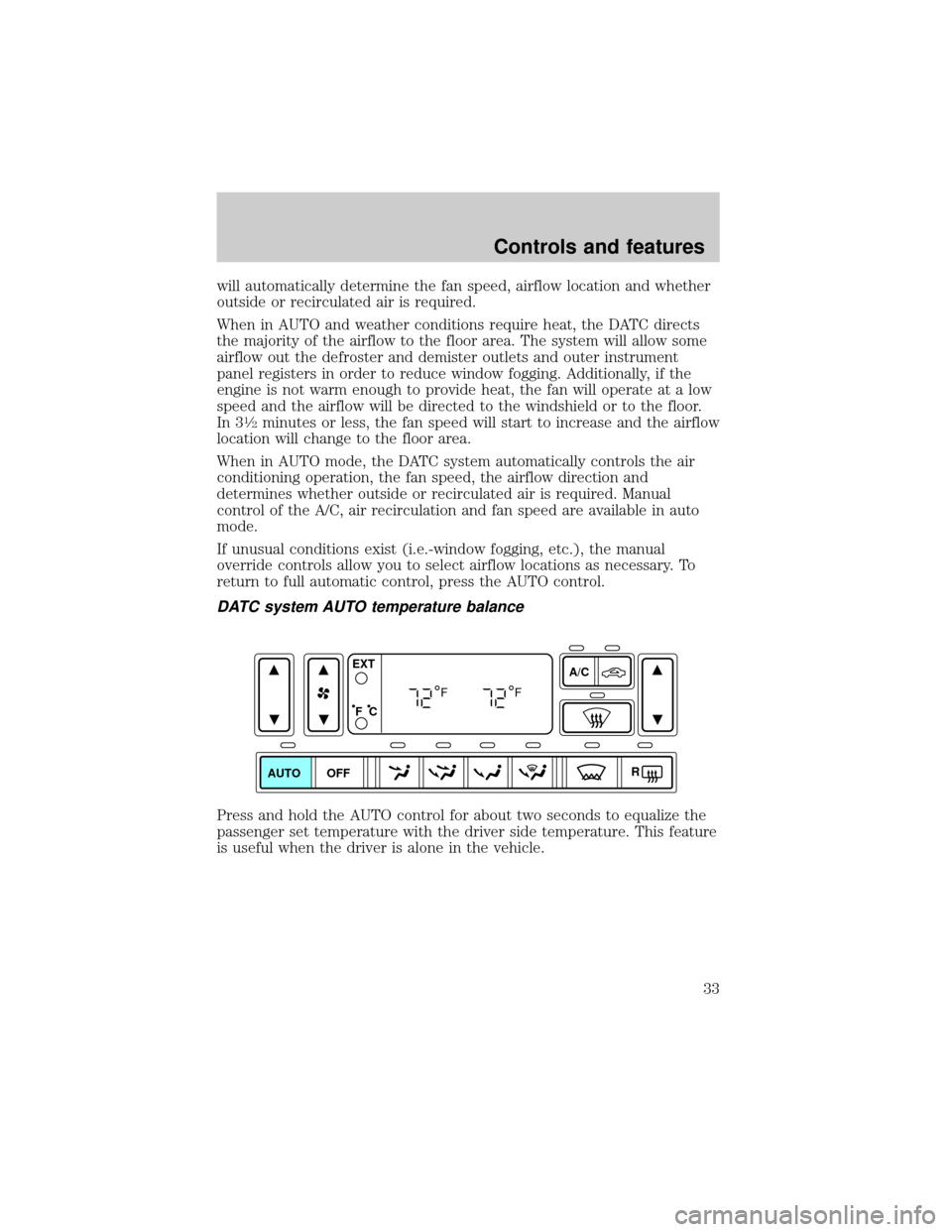
DATC system AUTO temperature balance
Press and hold the AUTO control for about two seconds to equalize the
passenger set temperature with the driver side temperature. This feature
is useful when the driver is alone in the vehicle.
AUTO OFFA/C
R EXT
F C
FF
Controls and features
33
Page 34 of 272
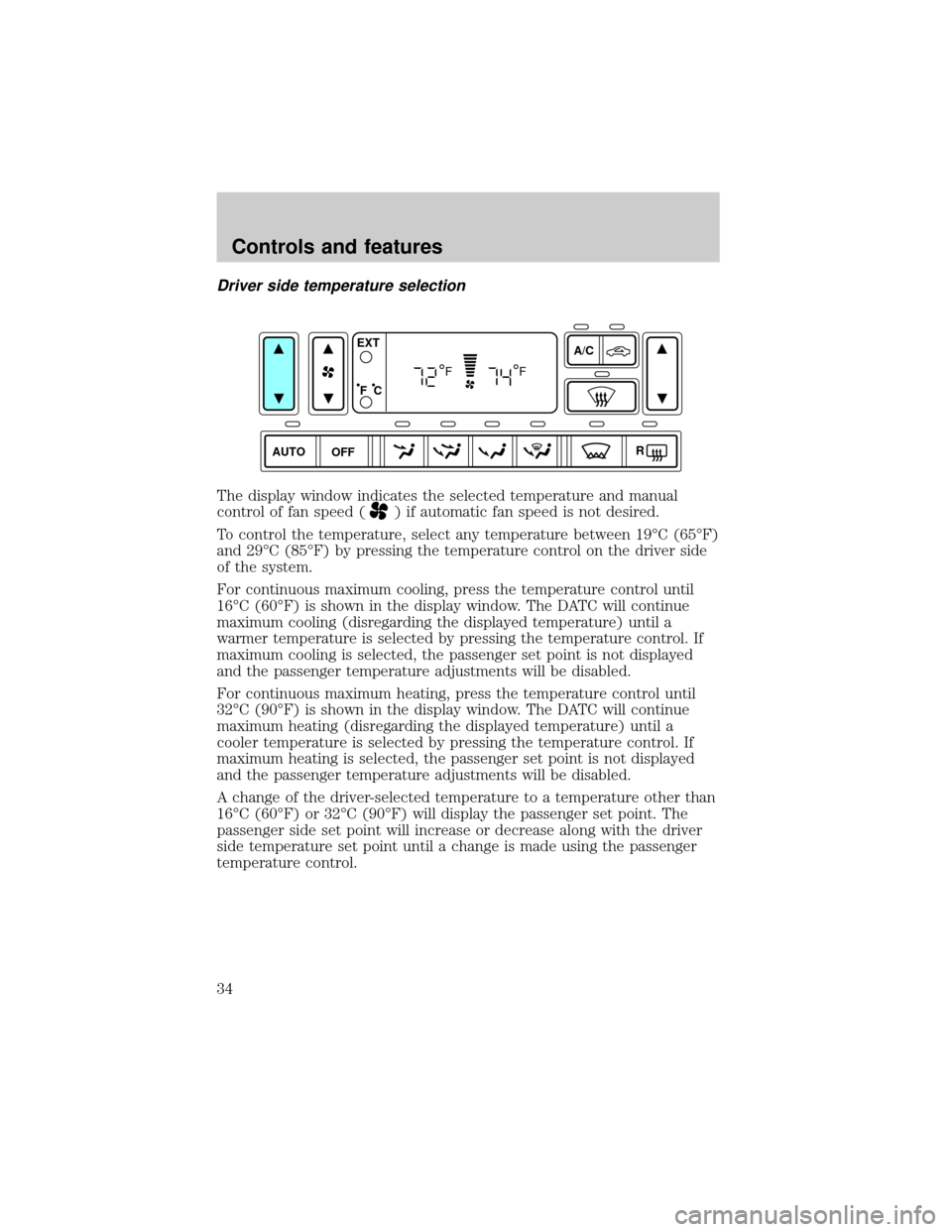
Driver side temperature selection
The display window indicates the selected temperature and manual
control of fan speed (
) if automatic fan speed is not desired.
To control the temperature, select any temperature between 19ÉC (65ÉF)
and 29ÉC (85ÉF) by pressing the temperature control on the driver side
of the system.
For continuous maximum cooling, press the temperature control until
16ÉC (60ÉF) is shown in the display window. The DATC will continue
maximum cooling (disregarding the displayed temperature) until a
warmer temperature is selected by pressing the temperature control. If
maximum cooling is selected, the passenger set point is not displayed
and the passenger temperature adjustments will be disabled.
For continuous maximum heating, press the temperature control until
32ÉC (90ÉF) is shown in the display window. The DATC will continue
maximum heating (disregarding the displayed temperature) until a
cooler temperature is selected by pressing the temperature control. If
maximum heating is selected, the passenger set point is not displayed
and the passenger temperature adjustments will be disabled.
A change of the driver-selected temperature to a temperature other than
16ÉC (60ÉF) or 32ÉC (90ÉF) will display the passenger set point. The
passenger side set point will increase or decrease along with the driver
side temperature set point until a change is made using the passenger
temperature control.
AUTO OFFA/C
R EXT
F C
FF
Controls and features
34
Page 37 of 272
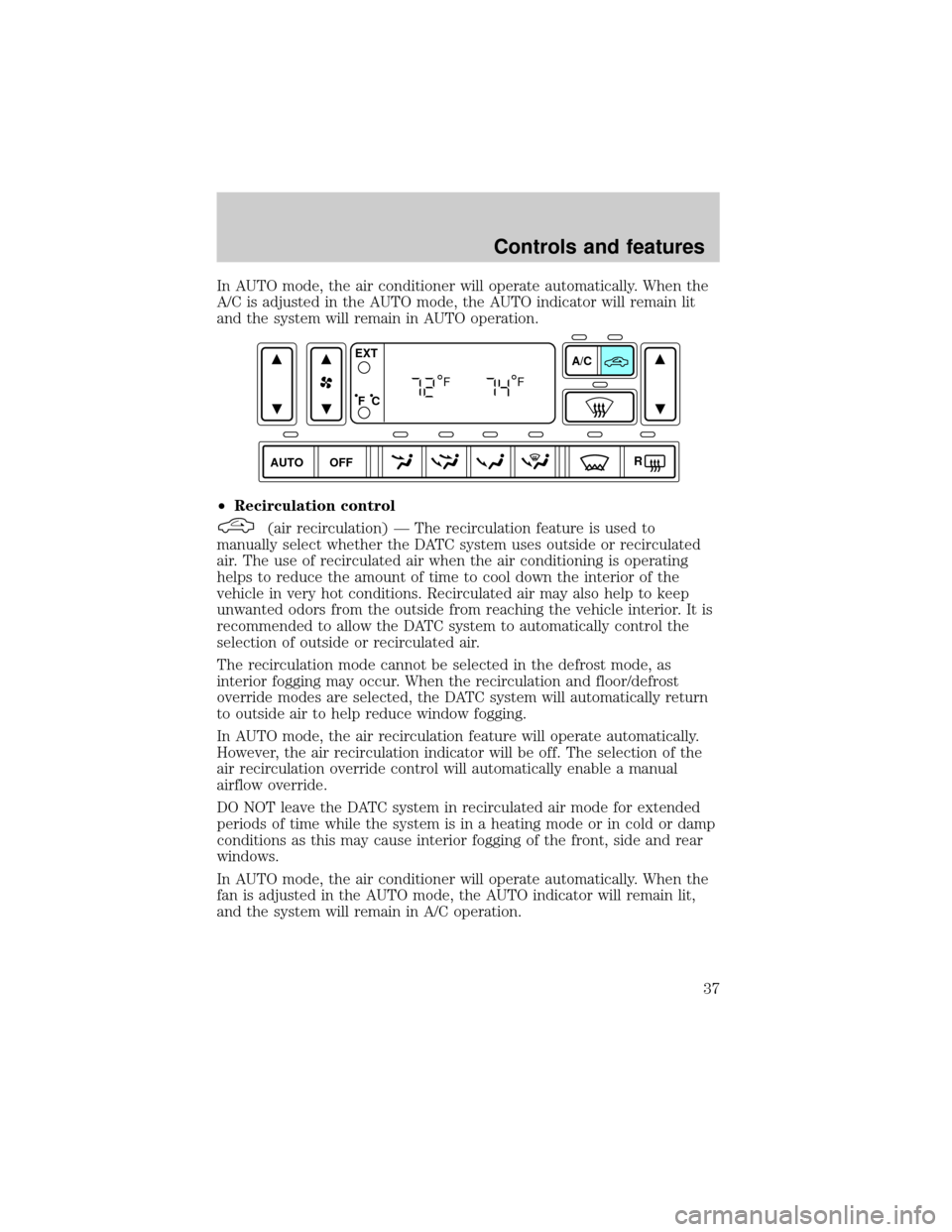
In AUTO mode, the air conditioner will operate automatically. When the
A/C is adjusted in the AUTO mode, the AUTO indicator will remain lit
and the system will remain in AUTO operation.
²Recirculation control
(air recirculation) Ð The recirculation feature is used to
manually select whether the DATC system uses outside or recirculated
air. The use of recirculated air when the air conditioning is operating
helps to reduce the amount of time to cool down the interior of the
vehicle in very hot conditions. Recirculated air may also help to keep
unwanted odors from the outside from reaching the vehicle interior. It is
recommended to allow the DATC system to automatically control the
selection of outside or recirculated air.
The recirculation mode cannot be selected in the defrost mode, as
interior fogging may occur. When the recirculation and floor/defrost
override modes are selected, the DATC system will automatically return
to outside air to help reduce window fogging.
In AUTO mode, the air recirculation feature will operate automatically.
However, the air recirculation indicator will be off. The selection of the
air recirculation override control will automatically enable a manual
airflow override.
DO NOT leave the DATC system in recirculated air mode for extended
periods of time while the system is in a heating mode or in cold or damp
conditions as this may cause interior fogging of the front, side and rear
windows.
In AUTO mode, the air conditioner will operate automatically. When the
fan is adjusted in the AUTO mode, the AUTO indicator will remain lit,
and the system will remain in A/C operation.
AUTO OFFA/C
R EXT
F C
FF
Controls and features
37
Page 39 of 272

(floor/defrost) Ð Distributes air through the windshield defroster
ducts, the demister outlets and the front and rear seat floor ducts. The
system will allow some airflow out the outer instrument panel registers.
If the temperature is about 2ÉC (35ÉF) or higher, the air conditioner will
automatically dehumidify the air to reduce fogging when manually
selected. For added customer comfort, the air distributed through the
floor ducts may be slightly warmer than the air sent to the windshield
defroster ducts.
(defrost) Ð Distributes outside air through the windshield
defroster ducts and the demister outlets. It can be used to clear ice or
fog from the windshield. The system will allow some airflow out the
outer instrument panel registers. If the outside air temperature is about
2ÉC (35ÉF) or higher, the air conditioner will automatically dehumidify
the air to reduce fogging. (Note that the A/C indicator does not
illuminate when this mode is selected.) Recirculation and A/C override
controls cannot be selected.
²Turn DATC off
OFF-Outside air is shut out. The fan, heating and air conditioning will
not operate. The outside temperature will still display when selected
with the ignition in the RUN position.
Electric window heaters
(heated wiper rest) Ð Located at the base of the windshield, this
feature heats the front glass area below the area heated by the front
defroster where the windshield wipers sit in their parked position. When
activated, the feature keeps the wiper blades warm and reduces the
chance of ice build up on the blades. The indicator will light when the
feature is in operation.
With the ignition in RUN and the engine running, the feature will be
automatically enabled if the temperature is below 5ÉC (40ÉF). The
feature can be manually selected or deselected at any time.
In cold, dry conditions where wet snow or ice is not present it is
acceptable to manually deselect the operation of this feature.
The feature will run continuously unless a low battery condition is
detected, or unless the feature is manually deselected, and will only
activate when the vehicle engine is running (to prevent excessive drain
of the vehicle battery).
R(rear window defroster) Ð Refer toRear Window Defroster.
Controls and features
39
Page 40 of 272
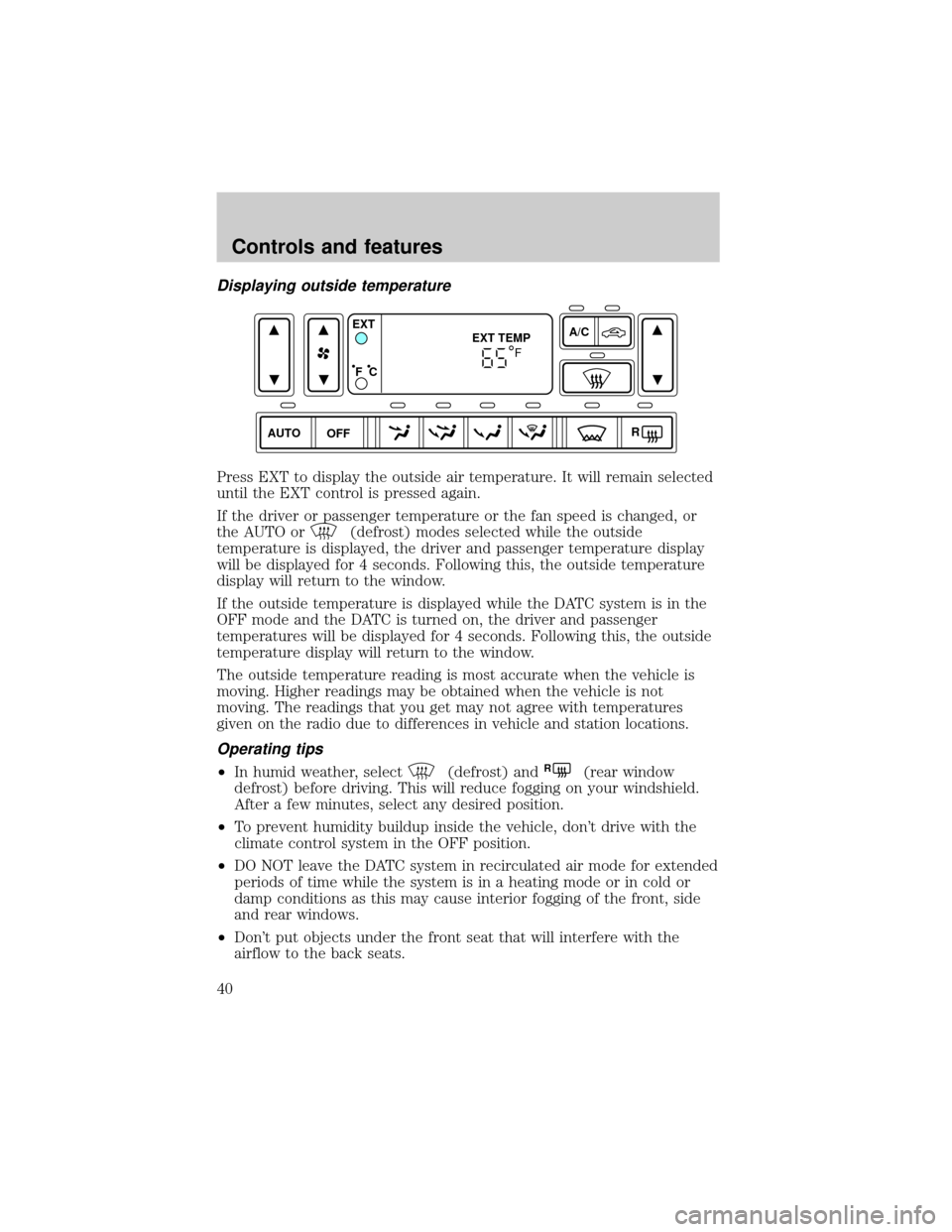
Displaying outside temperature
Press EXT to display the outside air temperature. It will remain selected
until the EXT control is pressed again.
If the driver or passenger temperature or the fan speed is changed, or
the AUTO or
(defrost) modes selected while the outside
temperature is displayed, the driver and passenger temperature display
will be displayed for 4 seconds. Following this, the outside temperature
display will return to the window.
If the outside temperature is displayed while the DATC system is in the
OFF mode and the DATC is turned on, the driver and passenger
temperatures will be displayed for 4 seconds. Following this, the outside
temperature display will return to the window.
The outside temperature reading is most accurate when the vehicle is
moving. Higher readings may be obtained when the vehicle is not
moving. The readings that you get may not agree with temperatures
given on the radio due to differences in vehicle and station locations.
Operating tips
²In humid weather, select(defrost) andR(rear window
defrost) before driving. This will reduce fogging on your windshield.
After a few minutes, select any desired position.
²To prevent humidity buildup inside the vehicle, don't drive with the
climate control system in the OFF position.
²DO NOT leave the DATC system in recirculated air mode for extended
periods of time while the system is in a heating mode or in cold or
damp conditions as this may cause interior fogging of the front, side
and rear windows.
²Don't put objects under the front seat that will interfere with the
airflow to the back seats.
AUTO OFFA/C
R EXT
EXT TEMP
F C
F
Controls and features
40
Page 41 of 272
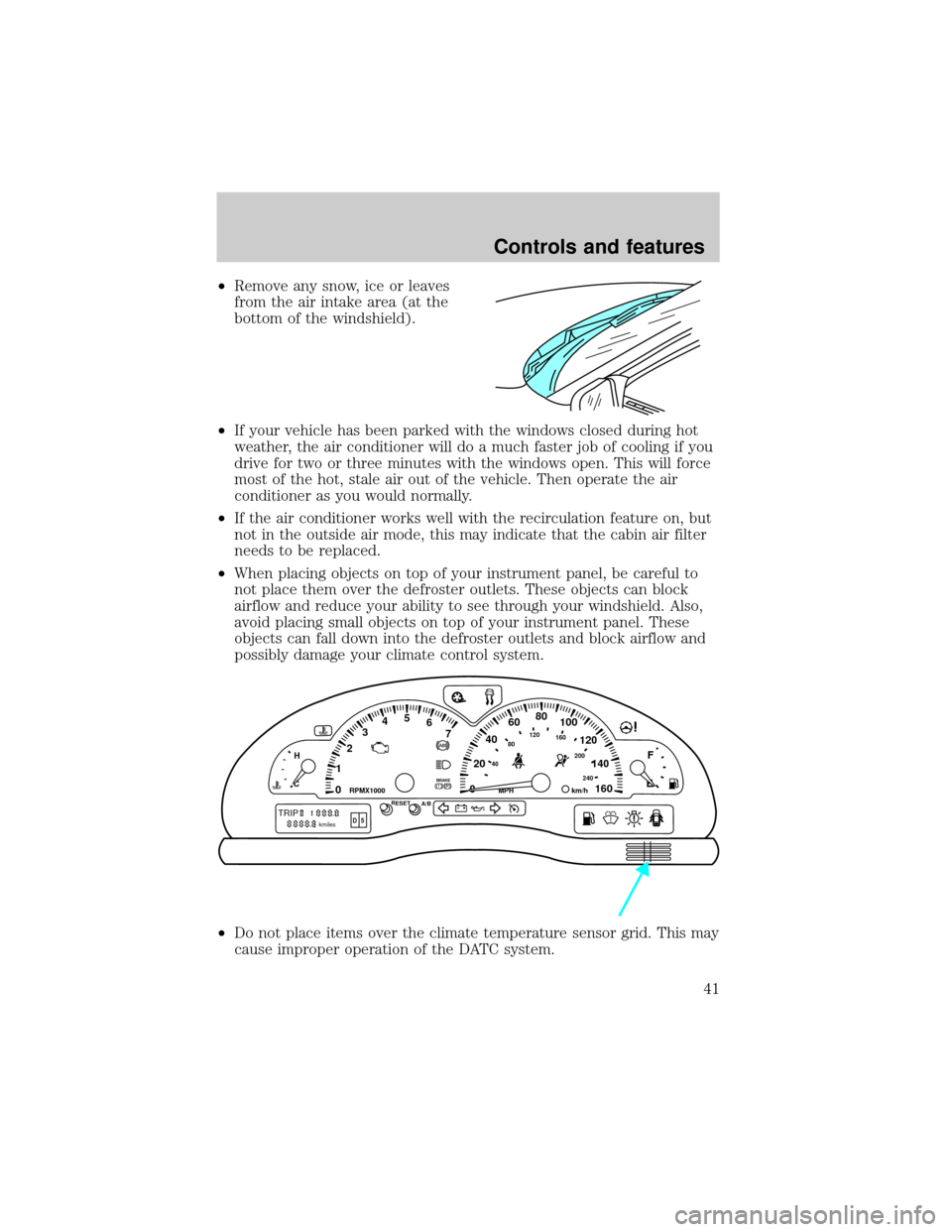
²Remove any snow, ice or leaves
from the air intake area (at the
bottom of the windshield).
²If your vehicle has been parked with the windows closed during hot
weather, the air conditioner will do a much faster job of cooling if you
drive for two or three minutes with the windows open. This will force
most of the hot, stale air out of the vehicle. Then operate the air
conditioner as you would normally.
²If the air conditioner works well with the recirculation feature on, but
not in the outside air mode, this may indicate that the cabin air filter
needs to be replaced.
²When placing objects on top of your instrument panel, be careful to
not place them over the defroster outlets. These objects can block
airflow and reduce your ability to see through your windshield. Also,
avoid placing small objects on top of your instrument panel. These
objects can fall down into the defroster outlets and block airflow and
possibly damage your climate control system.
²Do not place items over the climate temperature sensor grid. This may
cause improper operation of the DATC system.
0020406080
100
120
140
160 12345
6
7P! BRAKE
H
C
40
80120160
200
240km/hRPMX1000RESETMPHA/B
F
E
TRIPkmilesABD 5
Controls and features
41
Page 42 of 272
²With the ignition in the OFF position after operating the vehicle, some
vehicle sounds related to the climate control system may be heard.
²Approximately two minutes after key off, the air distribution doors
may adjust their positions as part of the normal operating process.
To aide in side window defogging:
1. Select
(Panel and Floor)
2. Set the temperature control to full heat
3. Select A/C
4. Set the fan speed to High
5. Direct the outer panel vents towards the side windows
6. In order to increase the airflow to the outer panel vents, close the
central panel vents.
Do not place objects on top of the instrument panel, as these
objects may become projectiles in a collision or sudden stop.
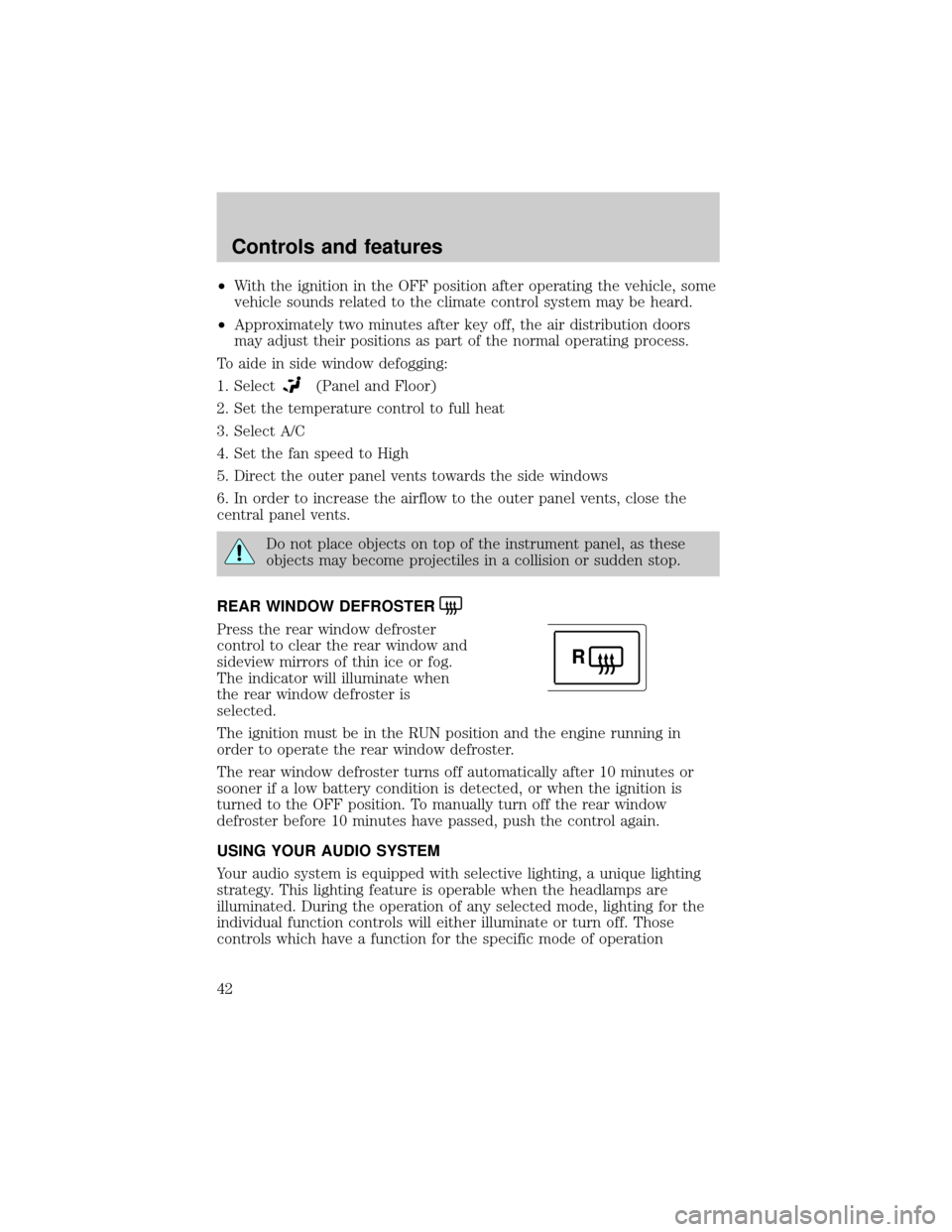
REAR WINDOW DEFROSTER
Press the rear window defroster
control to clear the rear window and
sideview mirrors of thin ice or fog.
The indicator will illuminate when
the rear window defroster is
selected.
The ignition must be in the RUN position and the engine running in
order to operate the rear window defroster.
The rear window defroster turns off automatically after 10 minutes or
sooner if a low battery condition is detected, or when the ignition is
turned to the OFF position. To manually turn off the rear window
defroster before 10 minutes have passed, push the control again.
USING YOUR AUDIO SYSTEM
Your audio system is equipped with selective lighting, a unique lighting
strategy. This lighting feature is operable when the headlamps are
illuminated. During the operation of any selected mode, lighting for the
individual function controls will either illuminate or turn off. Those
controls which have a function for the specific mode of operation
R
Controls and features
42