Transmission LINCOLN LS 2002 Owner's Manual
[x] Cancel search | Manufacturer: LINCOLN, Model Year: 2002, Model line: LS, Model: LINCOLN LS 2002Pages: 288, PDF Size: 2.44 MB
Page 173 of 288
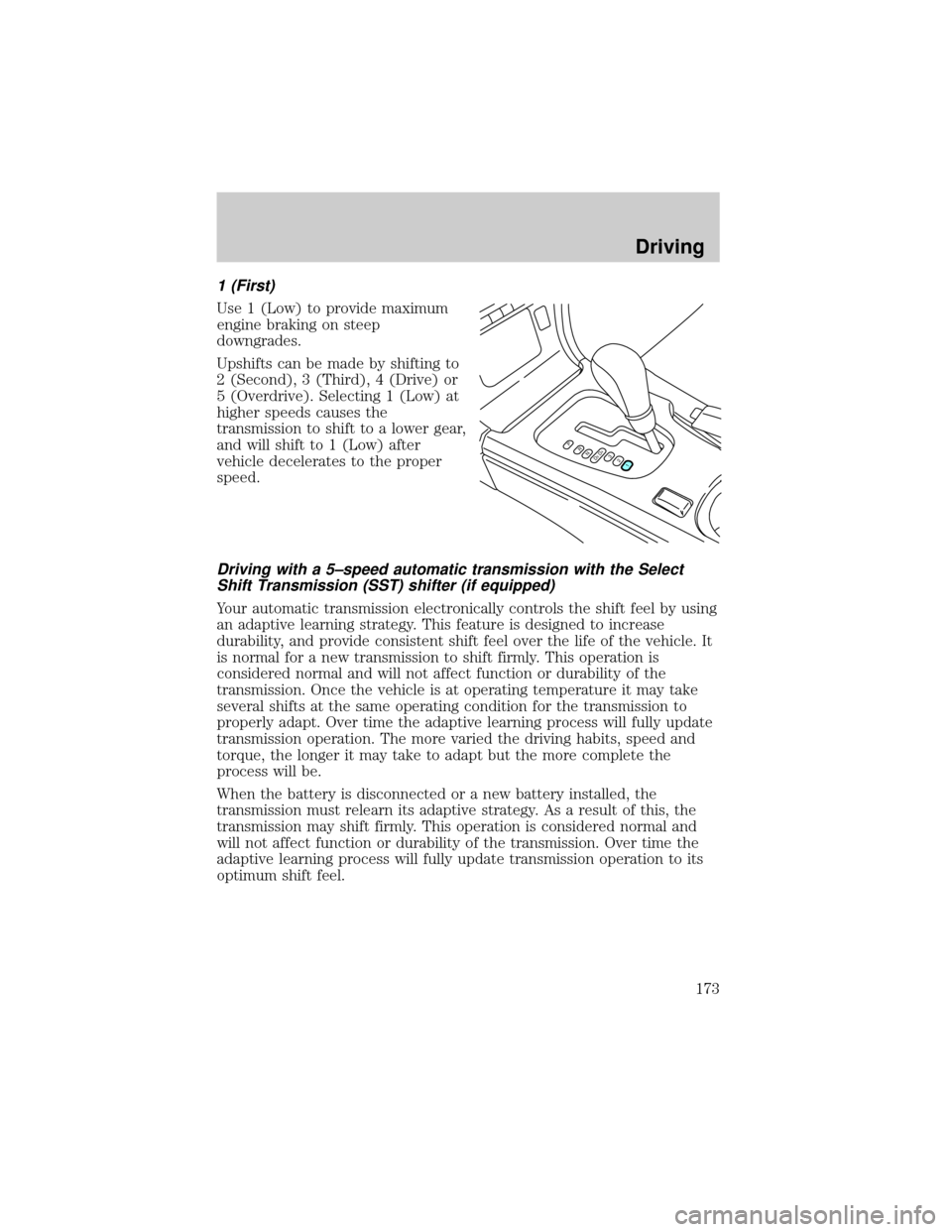
1 (First)
Use 1 (Low) to provide maximum
engine braking on steep
downgrades.
Upshifts can be made by shifting to
2 (Second), 3 (Third), 4 (Drive) or
5 (Overdrive). Selecting 1 (Low) at
higher speeds causes the
transmission to shift to a lower gear,
and will shift to 1 (Low) after
vehicle decelerates to the proper
speed.
Driving with a 5±speed automatic transmission with the Select
Shift Transmission (SST) shifter (if equipped)
Your automatic transmission electronically controls the shift feel by using
an adaptive learning strategy. This feature is designed to increase
durability, and provide consistent shift feel over the life of the vehicle. It
is normal for a new transmission to shift firmly. This operation is
considered normal and will not affect function or durability of the
transmission. Once the vehicle is at operating temperature it may take
several shifts at the same operating condition for the transmission to
properly adapt. Over time the adaptive learning process will fully update
transmission operation. The more varied the driving habits, speed and
torque, the longer it may take to adapt but the more complete the
process will be.
When the battery is disconnected or a new battery installed, the
transmission must relearn its adaptive strategy. As a result of this, the
transmission may shift firmly. This operation is considered normal and
will not affect function or durability of the transmission. Over time the
adaptive learning process will fully update transmission operation to its
optimum shift feel.
PRND5D4321
Driving
173
Page 174 of 288
Understanding gearshift positions
The Select Shift Transmission (SST) shifter allows the driver to select
between the transmission's automatic shift mode or the manually
selected shift mode.
Automatic shift mode
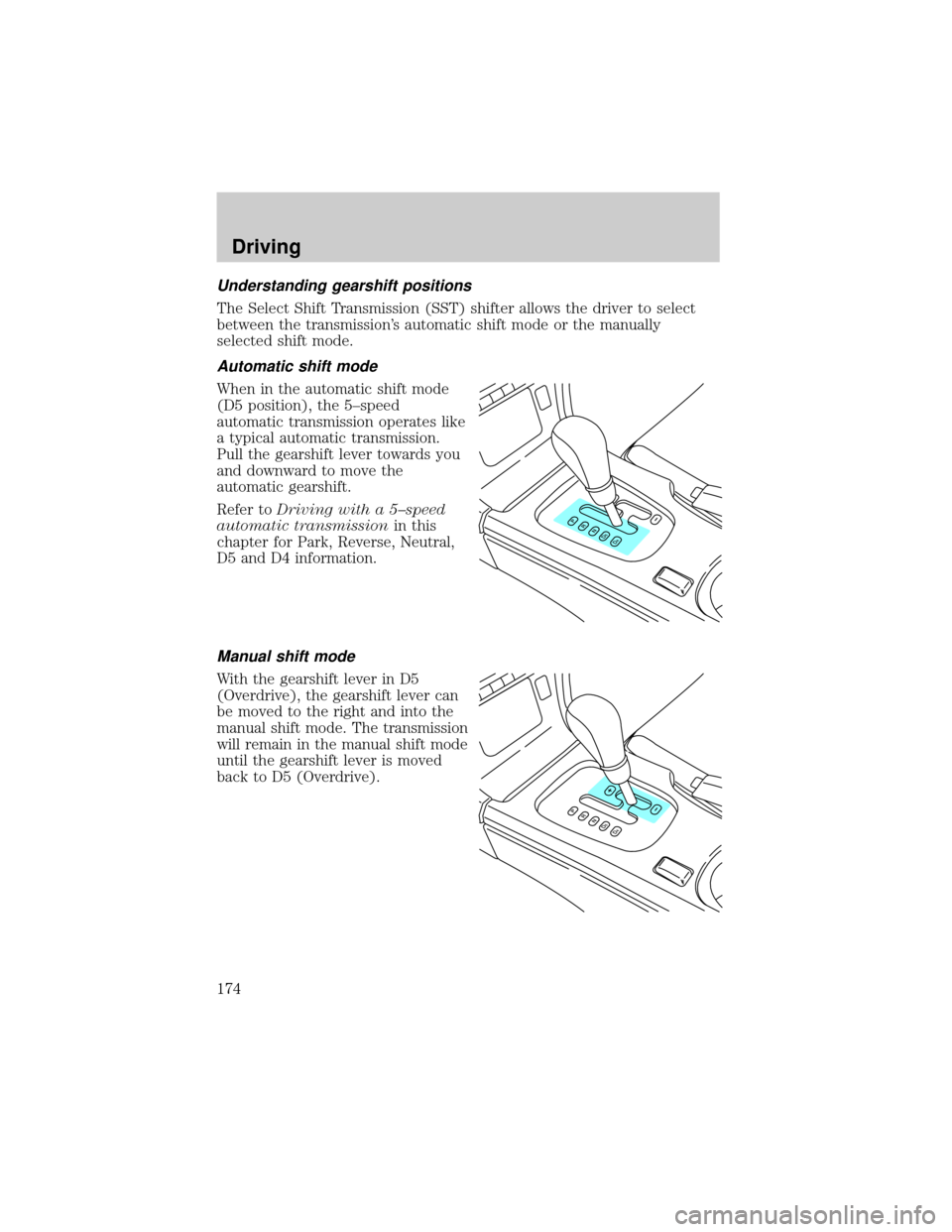
When in the automatic shift mode
(D5 position), the 5±speed
automatic transmission operates like
a typical automatic transmission.
Pull the gearshift lever towards you
and downward to move the
automatic gearshift.
Refer toDriving with a 5±speed
automatic transmissionin this
chapter for Park, Reverse, Neutral,
D5 and D4 information.
Manual shift mode
With the gearshift lever in D5
(Overdrive), the gearshift lever can
be moved to the right and into the
manual shift mode. The transmission
will remain in the manual shift mode
until the gearshift lever is moved
back to D5 (Overdrive).
Driving
174
Page 175 of 288
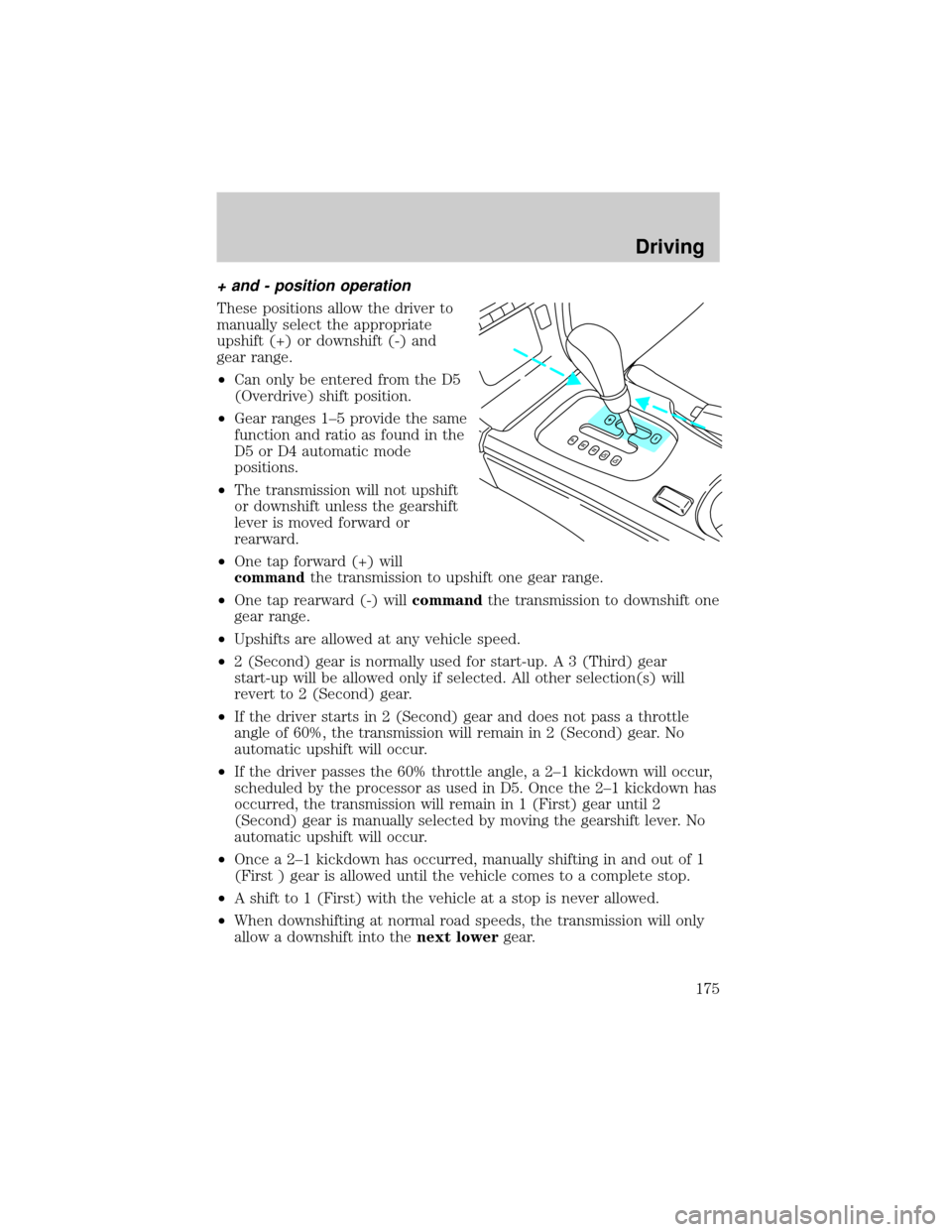
+ and - position operation
These positions allow the driver to
manually select the appropriate
upshift (+) or downshift (-) and
gear range.
²Can only be entered from the D5
(Overdrive) shift position.
²Gear ranges 1±5 provide the same
function and ratio as found in the
D5 or D4 automatic mode
positions.
²The transmission will not upshift
or downshift unless the gearshift
lever is moved forward or
rearward.
²One tap forward (+) will
commandthe transmission to upshift one gear range.
²One tap rearward (-) willcommandthe transmission to downshift one
gear range.
²Upshifts are allowed at any vehicle speed.
²2 (Second) gear is normally used for start-up. A 3 (Third) gear
start-up will be allowed only if selected. All other selection(s) will
revert to 2 (Second) gear.
²If the driver starts in 2 (Second) gear and does not pass a throttle
angle of 60%, the transmission will remain in 2 (Second) gear. No
automatic upshift will occur.
²If the driver passes the 60% throttle angle, a 2±1 kickdown will occur,
scheduled by the processor as used in D5. Once the 2±1 kickdown has
occurred, the transmission will remain in 1 (First) gear until 2
(Second) gear is manually selected by moving the gearshift lever. No
automatic upshift will occur.
²Once a 2±1 kickdown has occurred, manually shifting in and out of 1
(First ) gear is allowed until the vehicle comes to a complete stop.
²A shift to 1 (First) with the vehicle at a stop is never allowed.
²When downshifting at normal road speeds, the transmission will only
allow a downshift into thenext lowergear.
Driving
175
Page 176 of 288
²If the gearshift lever is moved into the downshift (-) position more
than once in rapid succession, the transmission will only allow a
downshift into thenext lowergear to prevent possible engine and/or
transmission damage. Once the vehicle reaches below a specified entry
speed for the next lower gear, the transmission will allow another
downshift to occur if selected by the driver.
Recommended Shift Speeds
Upshift according to the following charts:
Recommended upshifts when accelerating
Select Shift V6 3.0L
Shift from:
1-2 n/a
2 - 3 39 km/h (24 mph)
3 - 4 56 km/h (35 mph)
4 - 5 69 km/h (43 mph)
Recommended upshifts when cruising
Select Shift V6 3.0L
Shift from:
1-2 n/a
2 - 3 29 km/h (18 mph)
3 - 4 50 km/h (31 mph)
4 - 5 64 km/h (40 mph)
Recommended upshifts when accelerating
Select Shift V8 3.9L
Shift from:
1-2 n/a
2 - 3 34 km/h (21 mph)
3 - 4 51 km/h (32 mph)
4 - 5 66 km/h (41 mph)
Driving
176
Page 177 of 288
Recommended upshifts when cruising
Select Shift V8 3.9L
Shift from:
1-2 n/a
2 - 3 26 km/h (16 mph)
3 - 4 47 km/h (29 mph)
4 - 5 61 km/h (38 mph)
MANUAL TRANSMISSION OPERATION (IF EQUIPPED)
Using the clutch
Vehicles equipped with a manual transmission have a starter interlock
that prevents cranking the engine unless the clutch pedal is fully
depressed.
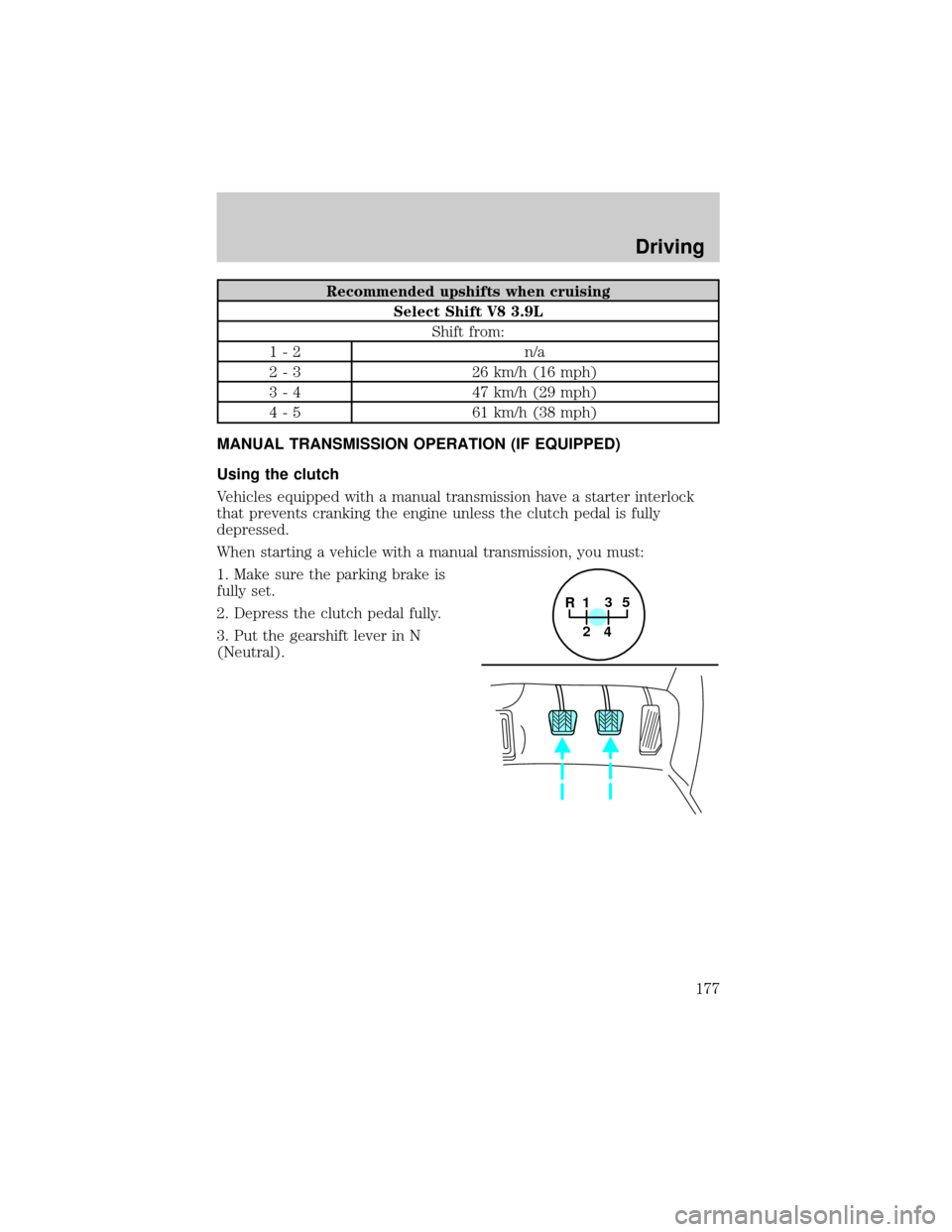
When starting a vehicle with a manual transmission, you must:
1. Make sure the parking brake is
fully set.
2. Depress the clutch pedal fully.
3. Put the gearshift lever in N
(Neutral).
1
2
45
R3
Driving
177
Page 178 of 288
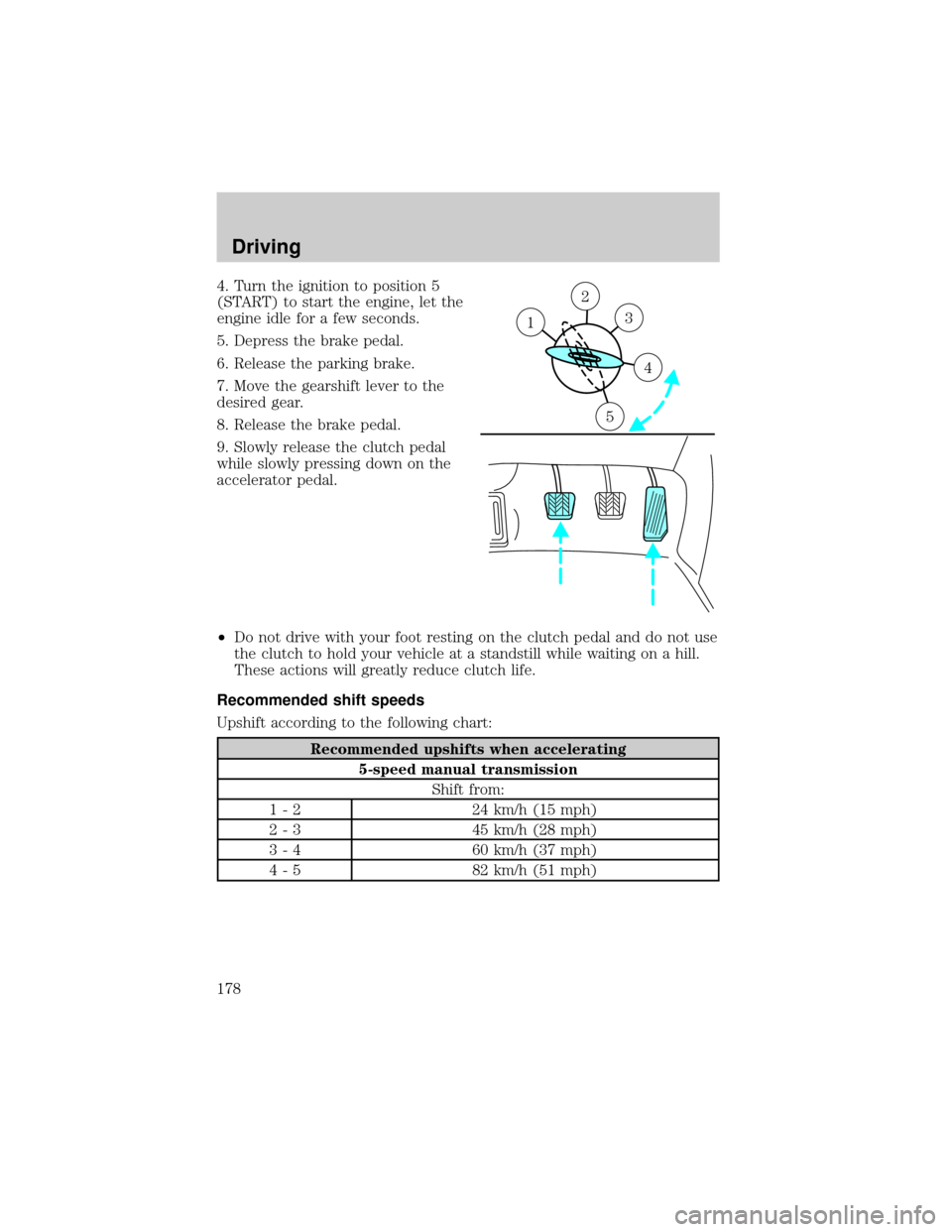
4. Turn the ignition to position 5
(START) to start the engine, let the
engine idle for a few seconds.
5. Depress the brake pedal.
6. Release the parking brake.
7. Move the gearshift lever to the
desired gear.
8. Release the brake pedal.
9. Slowly release the clutch pedal
while slowly pressing down on the
accelerator pedal.
²Do not drive with your foot resting on the clutch pedal and do not use
the clutch to hold your vehicle at a standstill while waiting on a hill.
These actions will greatly reduce clutch life.
Recommended shift speeds
Upshift according to the following chart:
Recommended upshifts when accelerating
5-speed manual transmission
Shift from:
1 - 2 24 km/h (15 mph)
2 - 3 45 km/h (28 mph)
3 - 4 60 km/h (37 mph)
4 - 5 82 km/h (51 mph)
2
3
4
5
1
Driving
178
Page 179 of 288
Recommended upshifts when cruising
5-speed manual transmission
Shift from:
1 - 2 18 km/h (11 mph)
2 - 3 32 km/h (20 mph)
3 - 4 51 km/h (32 mph)
4 - 5 68 km/h (42 mph)
Parking your vehicle
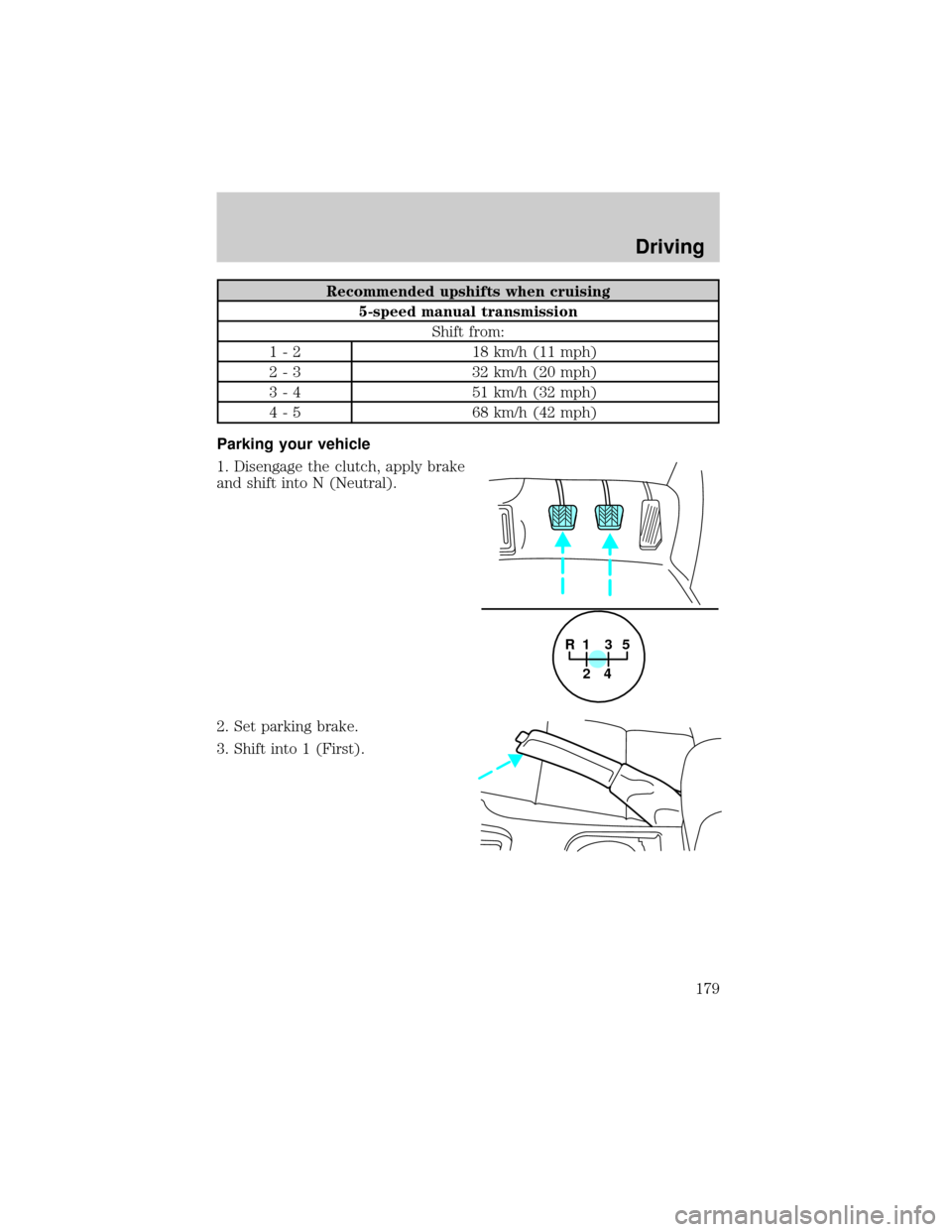
1. Disengage the clutch, apply brake
and shift into N (Neutral).
2. Set parking brake.
3. Shift into 1 (First).
1
2
45
R3
Driving
179
Page 180 of 288
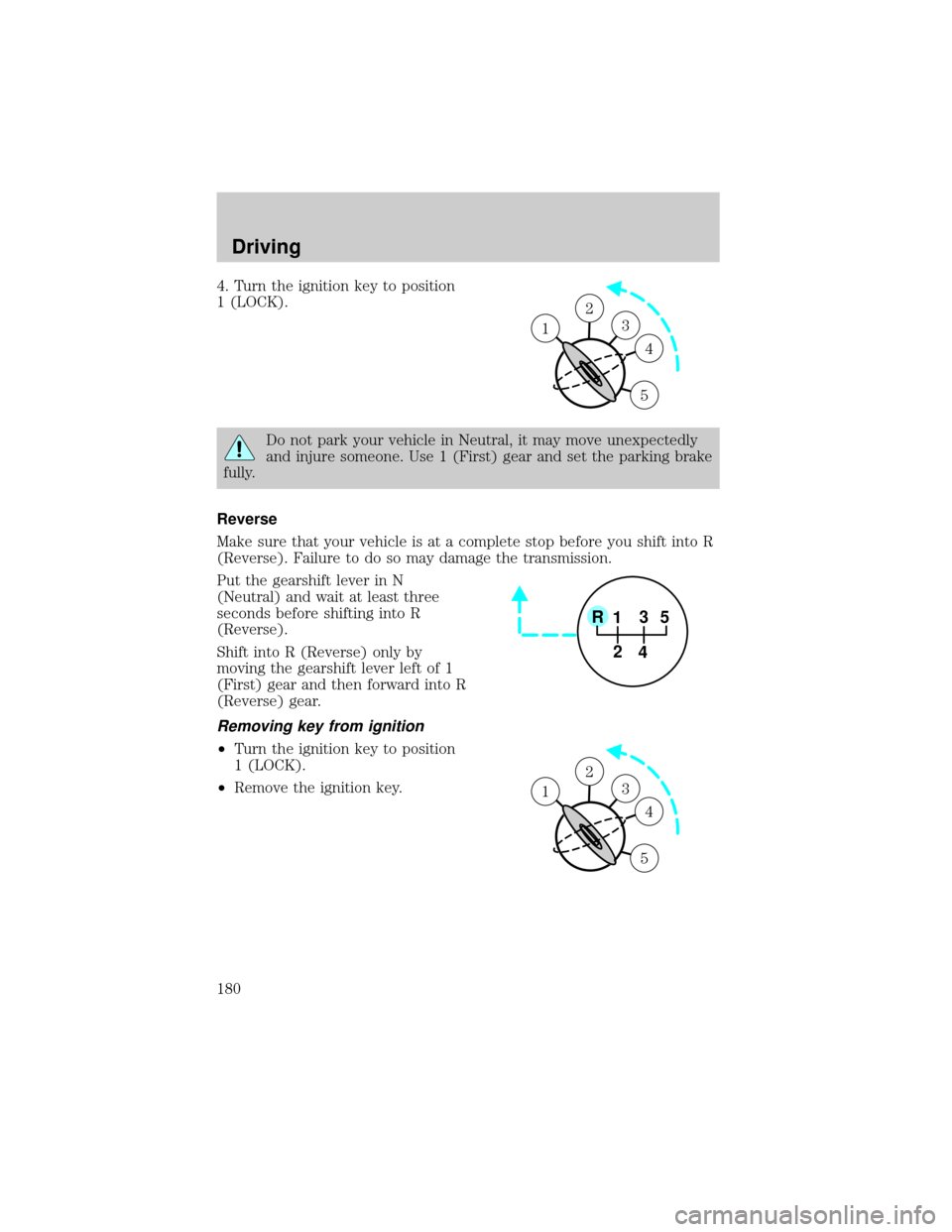
4. Turn the ignition key to position
1 (LOCK).
Do not park your vehicle in Neutral, it may move unexpectedly
and injure someone. Use 1 (First) gear and set the parking brake
fully.
Reverse
Make sure that your vehicle is at a complete stop before you shift into R
(Reverse). Failure to do so may damage the transmission.
Put the gearshift lever in N
(Neutral) and wait at least three
seconds before shifting into R
(Reverse).
Shift into R (Reverse) only by
moving the gearshift lever left of 1
(First) gear and then forward into R
(Reverse) gear.
Removing key from ignition
²Turn the ignition key to position
1 (LOCK).
²Remove the ignition key.
1
2
3
4
5
1
1
2
45
R3
1
2
3
4
5
1
Driving
180
Page 181 of 288

DRIVING THROUGH WATER
Do not drive quickly through standing water, especially if the depth is
unknown. Traction or brake capability may be limited and if the ignition
system gets wet, your engine may stall. Water may also enter your
engine's air intake and severely damage your engine.
If driving through deep or standing water is unavoidable, proceed very
slowly. Never drive through water that is higher than the bottom of the
hubs (for trucks) or the bottom of the wheel rims (for cars).
Once through the water, always try the brakes. Wet brakes do not stop the
vehicle as effectively as dry brakes. Drying can be improved by moving your
vehicle slowly while applying light pressure on the brake pedal.
Driving through deep water where the transmission vent tube is
submerged may allow water into the transmission and cause
internal transmission damage.
VEHICLE LOADING
Before loading a vehicle, familiarize yourself with the following terms:
²Base Curb Weight:Weight of the vehicle including any standard
equipment, fluids, lubricants, etc. It does not include occupants or
aftermarket equipment.
²Payload:Combined maximum allowable weight of cargo, occupants
and optional equipment. The payload equals the gross vehicle weight
rating minus base curb weight.
²GVW (Gross Vehicle Weight):Base curb weight plus payload
weight. The GVW is not a limit or a specification.
²GVWR (Gross Vehicle Weight Rating):Maximum permissable total
weight of the base vehicle, occupants, optional equipment and cargo.
The GVWR is specific to each vehicle and is listed on the Safety
Certification Label on the driver's door pillar.
²GAWR (Gross Axle Weight Rating):Carrying capacity for each axle
system. The GAWR is specific to each vehicle and is listed on the
Safety Certification Label on the driver's door pillar.
²GCW (Gross Combined Weight):The combined weight of the
towing vehicle (including occupants and cargo) and the loaded trailer.
²GCWR (Gross Combined Weight Rating):Maximum permissable
combined weight of towing vehicle (including occupants and cargo)
and the loaded trailer
Driving
181
Page 182 of 288
²Maximum Trailer Weight Rating:Maximum weight of a trailer the
vehicle is permitted to tow. The maximum trailer weight rating is
determined by subtracting the vehicle curb weight for each
engine/transmission combination, any required option weight for trailer
towing and the weight of the driver from the GCWR for the towing
vehicle.
²Maximum Trailer Weight:Maximum weight of a trailer the loaded
vehicle (including occupants and cargo) is permitted to tow. It is
determined by subtracting the weight of the loaded trailer towing
vehicle from the GCWR for the towing vehicle.
²Trailer Weight Range:Specified weight range that the trailer must
fall within that ranges from zero to the maximum trailer weight rating.
Remember to figure in the tongue load of your loaded trailer when
figuring the total weight.
Do not exceed the GVWR or the GAWR specified on the
certification label.
Do not use replacement tires with lower load carrying capacities than the
originals because they may lower the vehicle's GVWR and GAWR
limitations. Replacement tires with a higher limit than the originals do
not increase the GVWR and GAWR limitations.
The Safety Certification Label, found on the driver's door pillar, lists
several important vehicle weight rating limitations. Before adding any
additional equipment, refer to these limitations. If you are adding weight
to the front of your vehicle, (potentially including weight added to the
cab), the weight added should not exceed the front axle reserve capacity
(FARC). Additional frontal weight may be added to the front axle reserve
capacity provided you limit your payload in other ways (i.e. restrict the
number of occupants or amount of cargo carried).
Always ensure that the weight of occupants, cargo and equipment being
carried is within the weight limitations that have been established for
your vehicle including both gross vehicle weight and front and rear gross
axle weight rating limits. Under no circumstance should these limitations
be exceeded.
Exceeding any vehicle weight rating limitation could result in
serious damage to the vehicle and/or personal injury.
Driving
182