power steering LINCOLN LS 2006 Owners Manual
[x] Cancel search | Manufacturer: LINCOLN, Model Year: 2006, Model line: LS, Model: LINCOLN LS 2006Pages: 320, PDF Size: 4.38 MB
Page 1 of 320
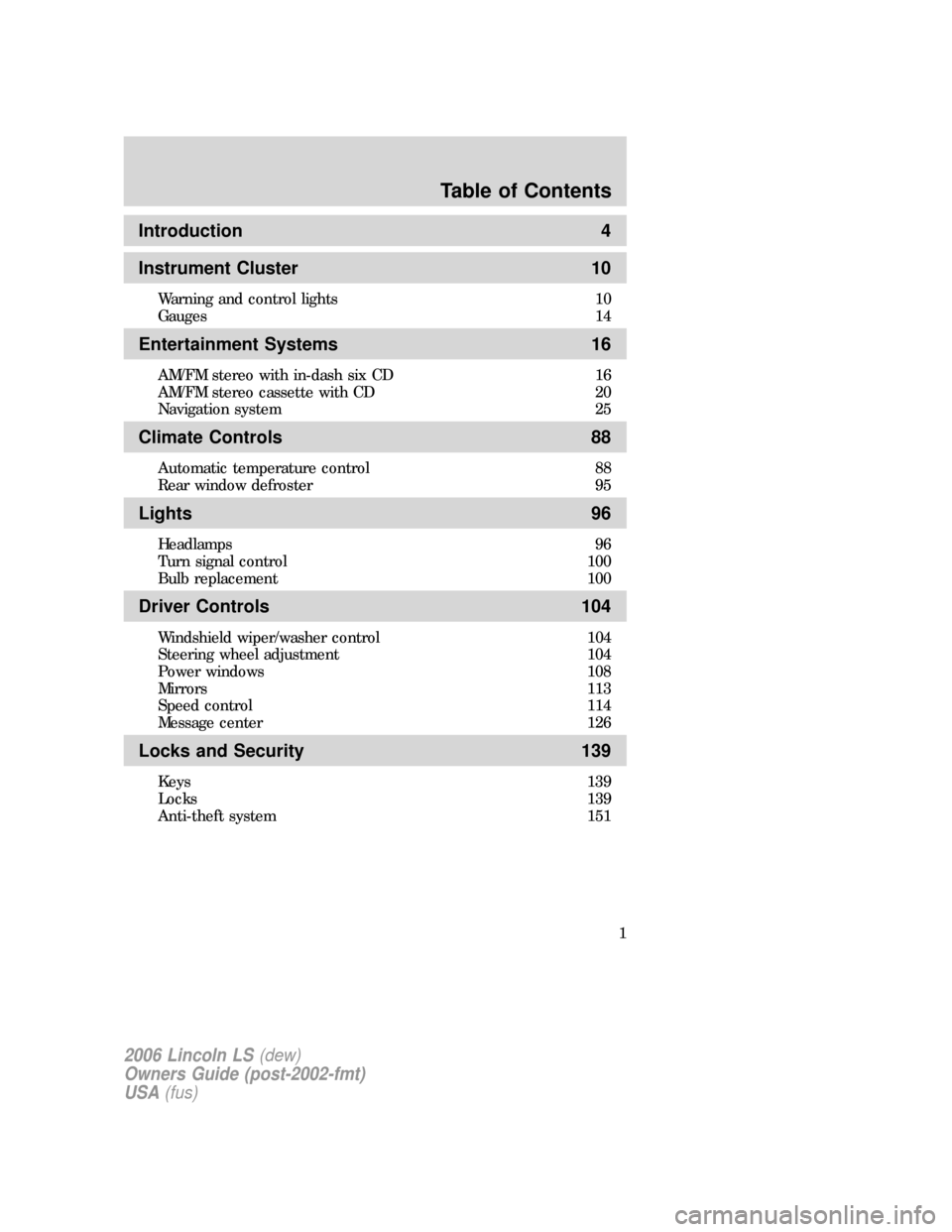
Introduction 4
Instrument Cluster 10
Warning and control lights 10
Gauges 14
Entertainment Systems 16
AM/FM stereo with in-dash six CD 16
AM/FM stereo cassette with CD 20
Navigation system 25
Climate Controls 88
Automatic temperature control 88
Rear window defroster 95
Lights 96
Headlamps 96
Turn signal control 100
Bulb replacement 100
Driver Controls 104
Windshield wiper/washer control 104
Steering wheel adjustment 104
Power windows 108
Mirrors 113
Speed control 114
Message center 126
Locks and Security 139
Keys 139
Locks 139
Anti-theft system 151
Table of Contents
1
2006 Lincoln LS(dew)
Owners Guide (post-2002-fmt)
USA(fus)
Page 9 of 320
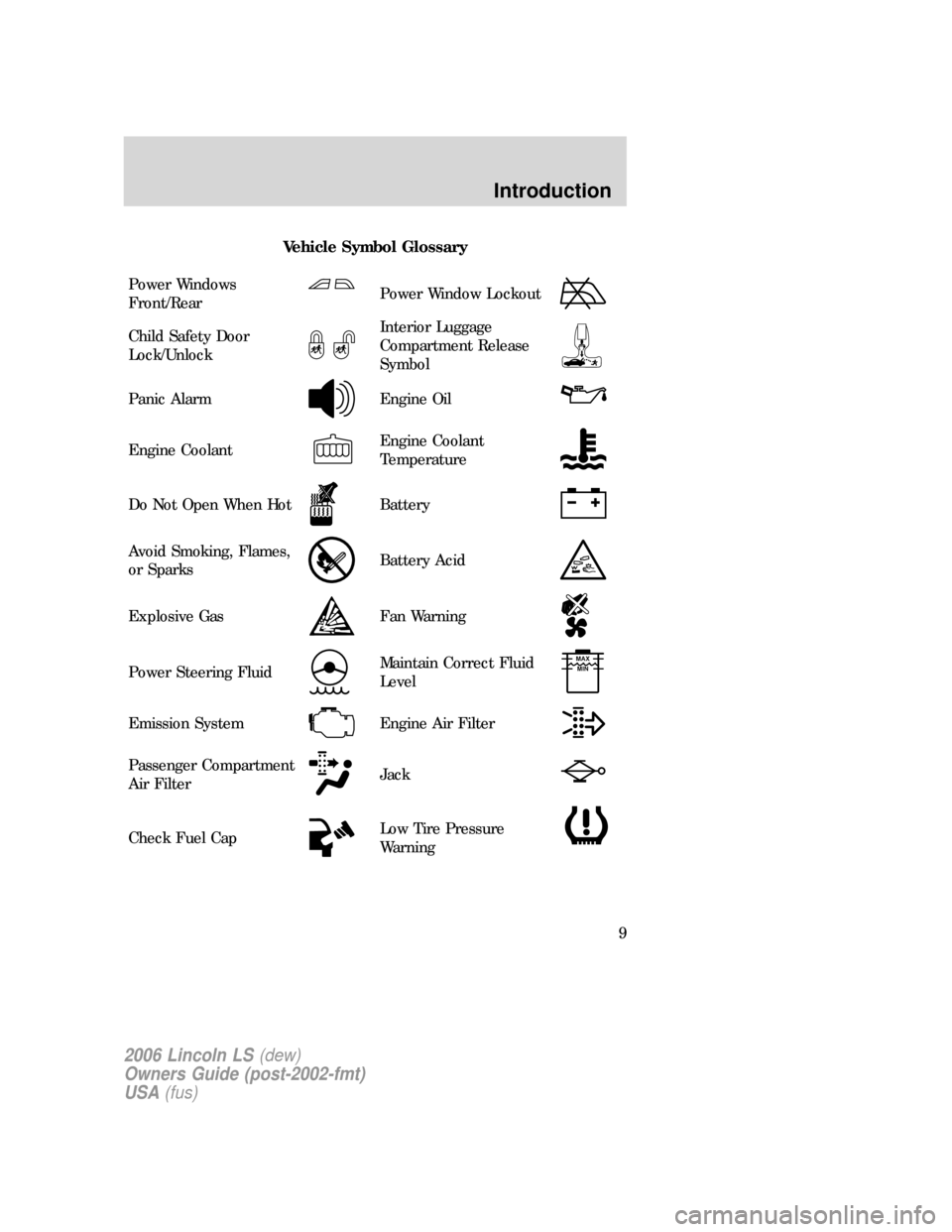
Vehicle Symbol Glossary
Power Windows
Front/Rear
Power Window Lockout
Child Safety Door
Lock/UnlockInterior Luggage
Compartment Release
Symbol
Panic AlarmEngine Oil
Engine CoolantEngine Coolant
Temperature
Do Not Open When HotBattery
Avoid Smoking, Flames,
or SparksBattery Acid
Explosive GasFan Warning
Power Steering FluidMaintain Correct Fluid
LevelMAX
MIN
Emission SystemEngine Air Filter
Passenger Compartment
Air FilterJack
Check Fuel CapLow Tire Pressure
Warning
2006 Lincoln LS(dew)
Owners Guide (post-2002-fmt)
USA(fus)
Introduction
9
Page 32 of 320
Press VOICE briefly (on your steering wheel controls) and the voice
icon
appears on the Navigation display. Press REPEAT to hear the
previous command repeated from the navigation system.
The voice activated command feature will not operate if a map DVD is
not inserted into the navigation DVD unit.
At any time, you may say these commands to change modes:
•Radio•Audio on
•AM•Audio off
•FM1•Power off
•FM2•CD Changer (if equipped)
•CD•DVD (if equipped)
•Power on
During normal radio operation, you may say:
•Seek up•Seek down
Disc operation commands you may say when using a rear seat DVD (if
equipped):
•Track up•Track down
•Previous track•Disc up
•Disc down•Next disc
•Previous disc
During CDDJ or in-dash CD play, you may say:
•Track up•Track down
•Previous track•Disc up
•Next disc•Disc down
•Previous disc
To change the screen display, you may say the following commands:
•Screen off•Screen day mode
•Day mode on•Screen night mode
•Night mode on•Screen auto mode
•Auto mode on
Note:If you say “Screen off”, you must touch the screen in order to
activate the screen again. The screen will not turn on again with a voice
command.
2006 Lincoln LS(dew)
Owners Guide (post-2002-fmt)
USA(fus)
Entertainment Systems
32
Page 104 of 320
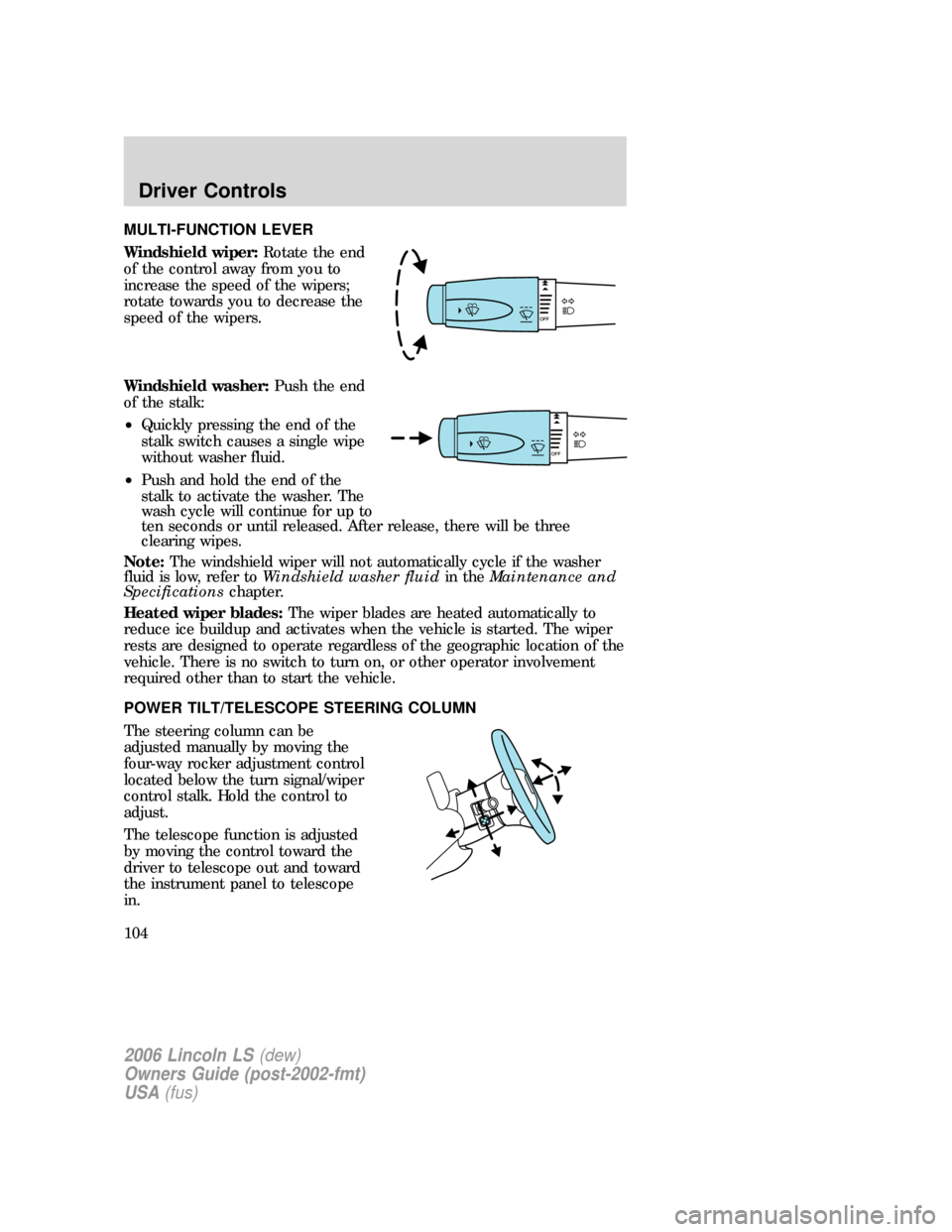
MULTI-FUNCTION LEVER
Windshield wiper:Rotate the end
of the control away from you to
increase the speed of the wipers;
rotate towards you to decrease the
speed of the wipers.
Windshield washer:Push the end
of the stalk:
•Quickly pressing the end of the
stalk switch causes a single wipe
without washer fluid.
•Push and hold the end of the
stalk to activate the washer. The
wash cycle will continue for up to
ten seconds or until released. After release, there will be three
clearing wipes.
Note:The windshield wiper will not automatically cycle if the washer
fluid is low, refer toWindshield washer fluidin theMaintenance and
Specificationschapter.
Heated wiper blades:The wiper blades are heated automatically to
reduce ice buildup and activates when the vehicle is started. The wiper
rests are designed to operate regardless of the geographic location of the
vehicle. There is no switch to turn on, or other operator involvement
required other than to start the vehicle.
POWER TILT/TELESCOPE STEERING COLUMN
The steering column can be
adjusted manually by moving the
four-way rocker adjustment control
located below the turn signal/wiper
control stalk. Hold the control to
adjust.
The telescope function is adjusted
by moving the control toward the
driver to telescope out and toward
the instrument panel to telescope
in.
2006 Lincoln LS(dew)
Owners Guide (post-2002-fmt)
USA(fus)
Driver Controls
104
Page 113 of 320
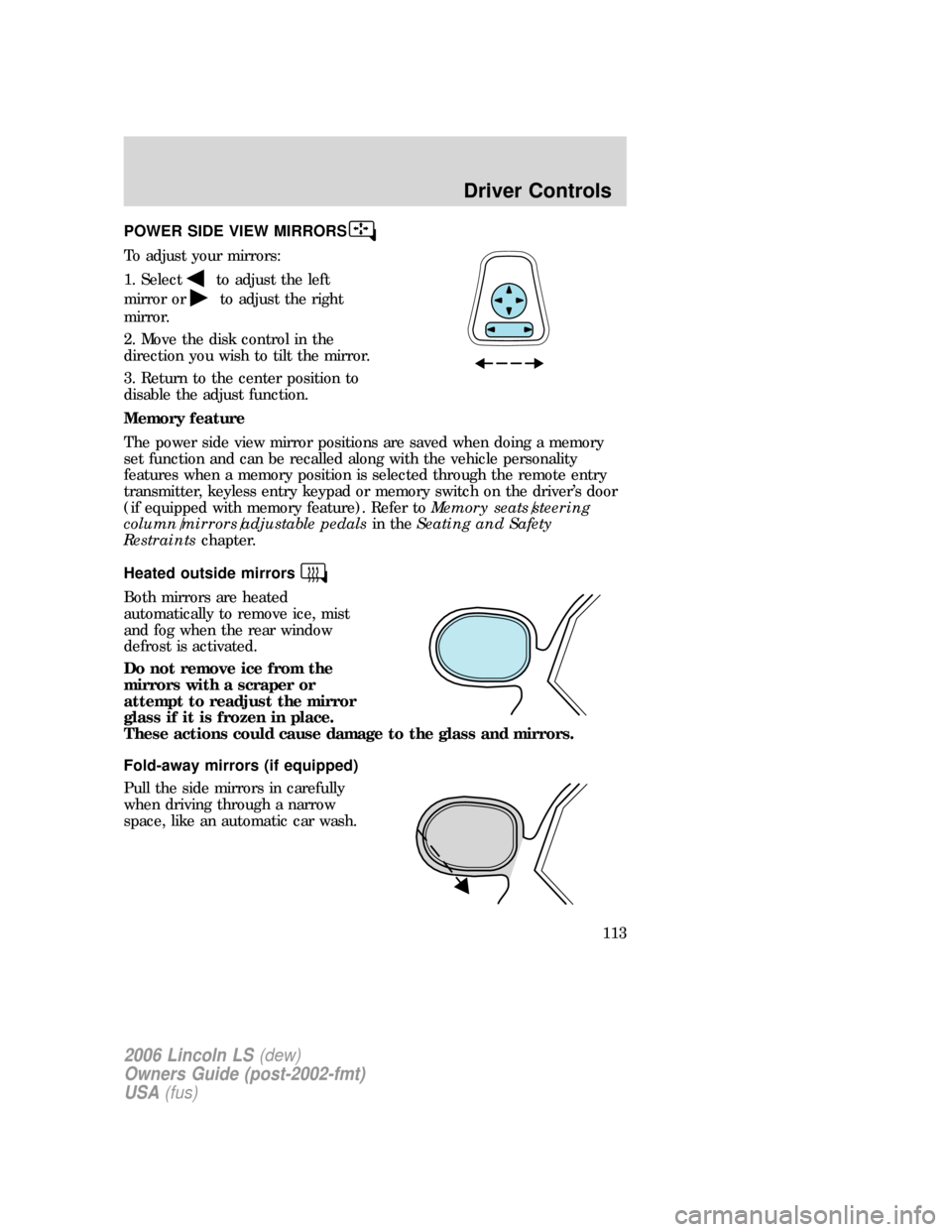
POWER SIDE VIEW MIRRORS
To adjust your mirrors:
1. Select
to adjust the left
mirror or
to adjust the right
mirror.
2. Move the disk control in the
direction you wish to tilt the mirror.
3. Return to the center position to
disable the adjust function.
Memory feature
The power side view mirror positions are saved when doing a memory
set function and can be recalled along with the vehicle personality
features when a memory position is selected through the remote entry
transmitter, keyless entry keypad or memory switch on the driver’s door
(if equipped with memory feature). Refer toMemory seats/steering
column/mirrors/adjustable pedalsin theSeating and Safety
Restraintschapter.
Heated outside mirrors
Both mirrors are heated
automatically to remove ice, mist
and fog when the rear window
defrost is activated.
Do not remove ice from the
mirrors with a scraper or
attempt to readjust the mirror
glass if it is frozen in place.
These actions could cause damage to the glass and mirrors.
Fold-away mirrors (if equipped)
Pull the side mirrors in carefully
when driving through a narrow
space, like an automatic car wash.
2006 Lincoln LS(dew)
Owners Guide (post-2002-fmt)
USA(fus)
Driver Controls
113
Page 114 of 320
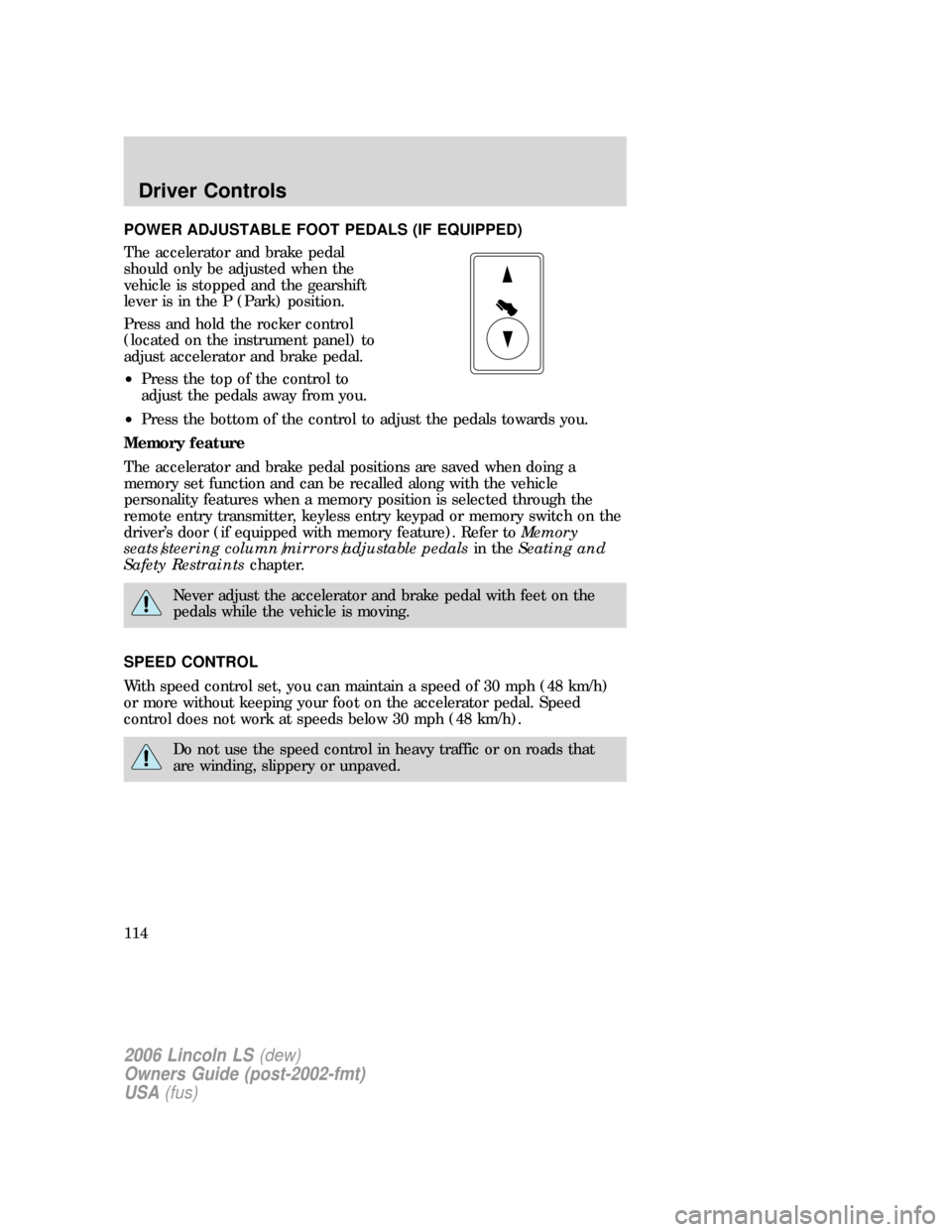
POWER ADJUSTABLE FOOT PEDALS (IF EQUIPPED)
The accelerator and brake pedal
should only be adjusted when the
vehicle is stopped and the gearshift
lever is in the P (Park) position.
Press and hold the rocker control
(located on the instrument panel) to
adjust accelerator and brake pedal.
•Press the top of the control to
adjust the pedals away from you.
•Press the bottom of the control to adjust the pedals towards you.
Memory feature
The accelerator and brake pedal positions are saved when doing a
memory set function and can be recalled along with the vehicle
personality features when a memory position is selected through the
remote entry transmitter, keyless entry keypad or memory switch on the
driver’s door (if equipped with memory feature). Refer toMemory
seats/steering column/mirrors/adjustable pedalsin theSeating and
Safety Restraintschapter.
Never adjust the accelerator and brake pedal with feet on the
pedals while the vehicle is moving.
SPEED CONTROL
With speed control set, you can maintain a speed of 30 mph (48 km/h)
or more without keeping your foot on the accelerator pedal. Speed
control does not work at speeds below 30 mph (48 km/h).
Do not use the speed control in heavy traffic or on roads that
are winding, slippery or unpaved.
2006 Lincoln LS(dew)
Owners Guide (post-2002-fmt)
USA(fus)
Driver Controls
114
Page 143 of 320
REMOTE ENTRY SYSTEM
This device complies with part 15 of the FCC rules and with RS-210 of
Industry Canada. Operation is subject to the following two conditions:
(1) This device may not cause harmful interference, and (2) This device
must accept any interference received, including interference that may
cause undesired operation.
Changes or modifications not expressly approved by the party
responsible for compliance could void the user’s authority to
operate the equipment.
The typical operating range for your remote entry transmitter is
approximately 33 feet (10 meters). A decrease in operating range could
be caused by:
•weather conditions,
•nearby radio towers,
•structures around the vehicle, or
•other vehicles parked next to your vehicle.
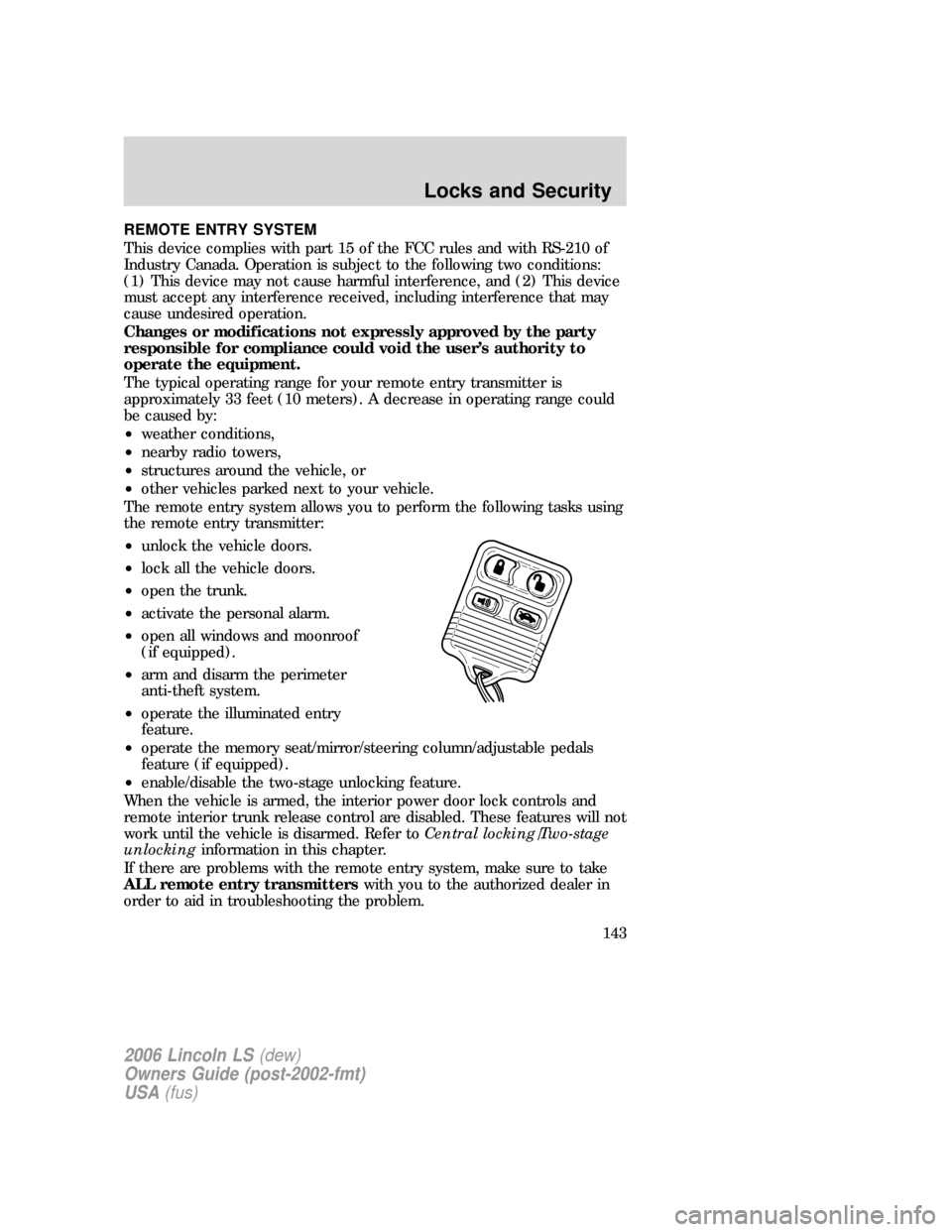
The remote entry system allows you to perform the following tasks using
the remote entry transmitter:
•unlock the vehicle doors.
•lock all the vehicle doors.
•open the trunk.
•activate the personal alarm.
•open all windows and moonroof
(if equipped).
•arm and disarm the perimeter
anti-theft system.
•operate the illuminated entry
feature.
•operate the memory seat/mirror/steering column/adjustable pedals
feature (if equipped).
•enable/disable the two-stage unlocking feature.
When the vehicle is armed, the interior power door lock controls and
remote interior trunk release control are disabled. These features will not
work until the vehicle is disarmed. Refer toCentral locking/Two-stage
unlockinginformation in this chapter.
If there are problems with the remote entry system, make sure to take
ALL remote entry transmitterswith you to the authorized dealer in
order to aid in troubleshooting the problem.
2006 Lincoln LS(dew)
Owners Guide (post-2002-fmt)
USA(fus)
Locks and Security
143
Page 158 of 320
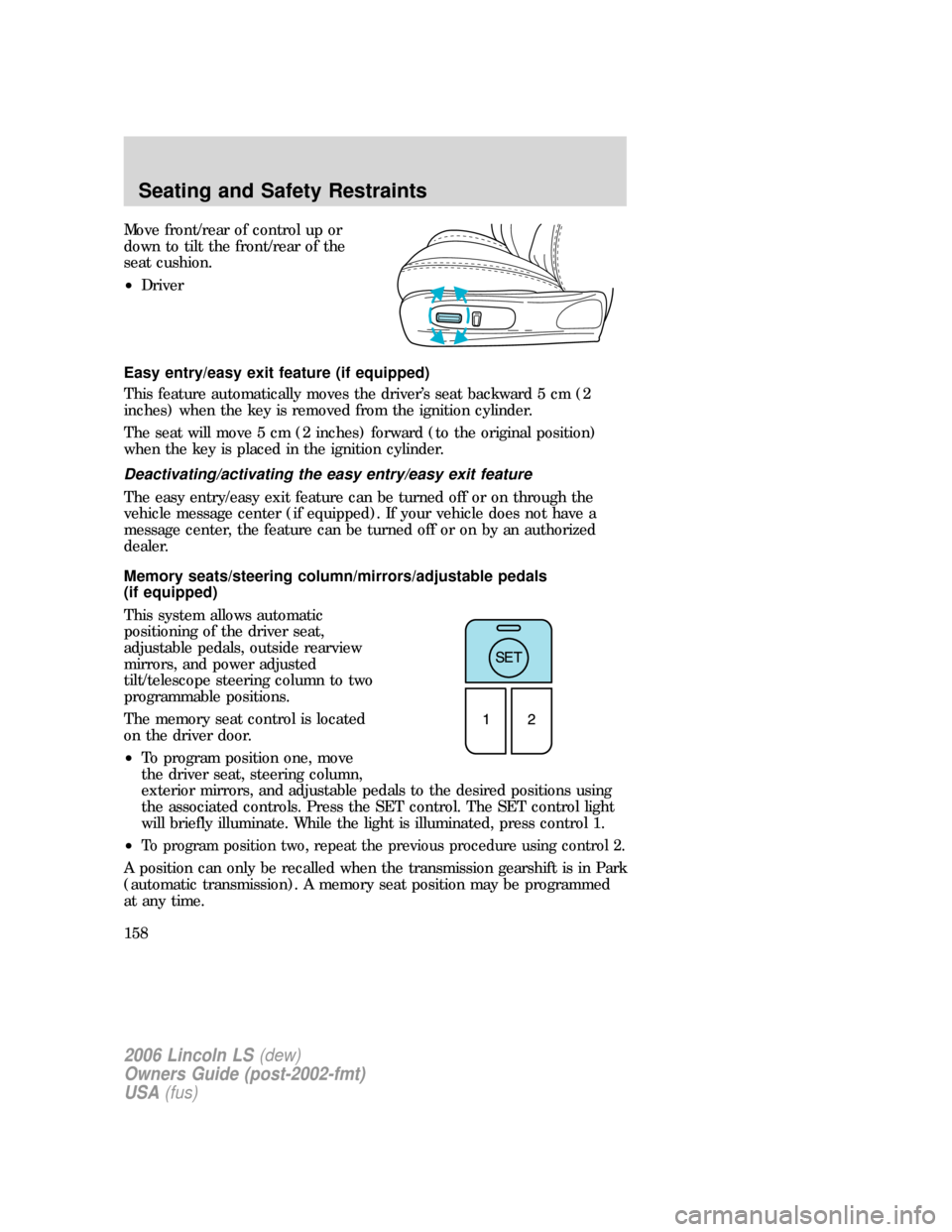
Move front/rear of control up or
down to tilt the front/rear of the
seat cushion.
•Driver
Easy entry/easy exit feature (if equipped)
This feature automatically moves the driver’s seat backward 5 cm (2
inches) when the key is removed from the ignition cylinder.
The seat will move 5 cm (2 inches) forward (to the original position)
when the key is placed in the ignition cylinder.
Deactivating/activating the easy entry/easy exit feature
The easy entry/easy exit feature can be turned off or on through the
vehicle message center (if equipped). If your vehicle does not have a
message center, the feature can be turned off or on by an authorized
dealer.
Memory seats/steering column/mirrors/adjustable pedals
(if equipped)
This system allows automatic
positioning of the driver seat,
adjustable pedals, outside rearview
mirrors, and power adjusted
tilt/telescope steering column to two
programmable positions.
The memory seat control is located
on the driver door.
•To program position one, move
the driver seat, steering column,
exterior mirrors, and adjustable pedals to the desired positions using
the associated controls. Press the SET control. The SET control light
will briefly illuminate. While the light is illuminated, press control 1.
•
To program position two, repeat the previous procedure using control 2.
A position can only be recalled when the transmission gearshift is in Park
(automatic transmission). A memory seat position may be programmed
at any time.
2006 Lincoln LS(dew)
Owners Guide (post-2002-fmt)
USA(fus)
Seating and Safety Restraints
158
Page 204 of 320
This begins with the letters “DOT” and indicates that the tire meets all
federal standards. The next two numbers or letters are the plant code
designating where it was manufactured, the next two are the tire size
code and the last four numbers represent the week and year the tire was
built. For example, the numbers 317 mean the 31st week of 1997. After
2000 the numbers go to four digits. For example, 2501 means the 25th
week of 2001. The numbers in between are identification codes used for
traceability. This information is used to contact customers if a tire defect
requires a recall.
Tire Replacement Requirements
Your vehicle is equipped with tires designed to provide a safe ride and
handling capability.
Only use replacement tires and wheels that are the same size
and type (such as P-metric versus LT-metric or all-season versus
all-terrain) as those originally provided by Ford. Use of any tire or
wheel not recommended by Ford can affect the safety and
performance of your vehicle, which could result in an increased risk of
loss of vehicle control, vehicle rollover, personal injury and death.
Additionally the use of non-recommended tires and wheels could cause
steering, suspension, axle or transfer case/power transfer unit failure. If
you have questions regarding tire replacement, see an authorized
dealer.
Important:Remember to replace the wheel valve stems when the road
tires are replaced on your vehicle.
It is recommended that the two front tires or two rear tires generally be
replaced as a pair.
Safety practices
Driving habits have a great deal to do with your tire mileage and safety.
•Observe posted speed limits
•Avoid fast starts, stops and turns
•Avoid potholes and objects on the road
•Do not run over curbs or hit the tire against a curb when parking
If your vehicle is stuck in snow, mud, sand, etc.,do notrapidly
spin the tires; spinning the tires can tear the tire and cause an
explosion. A tire can explode in as little as three to five seconds.
2006 Lincoln LS(dew)
Owners Guide (post-2002-fmt)
USA(fus)
Tires, Wheels and Loading
204
Page 219 of 320
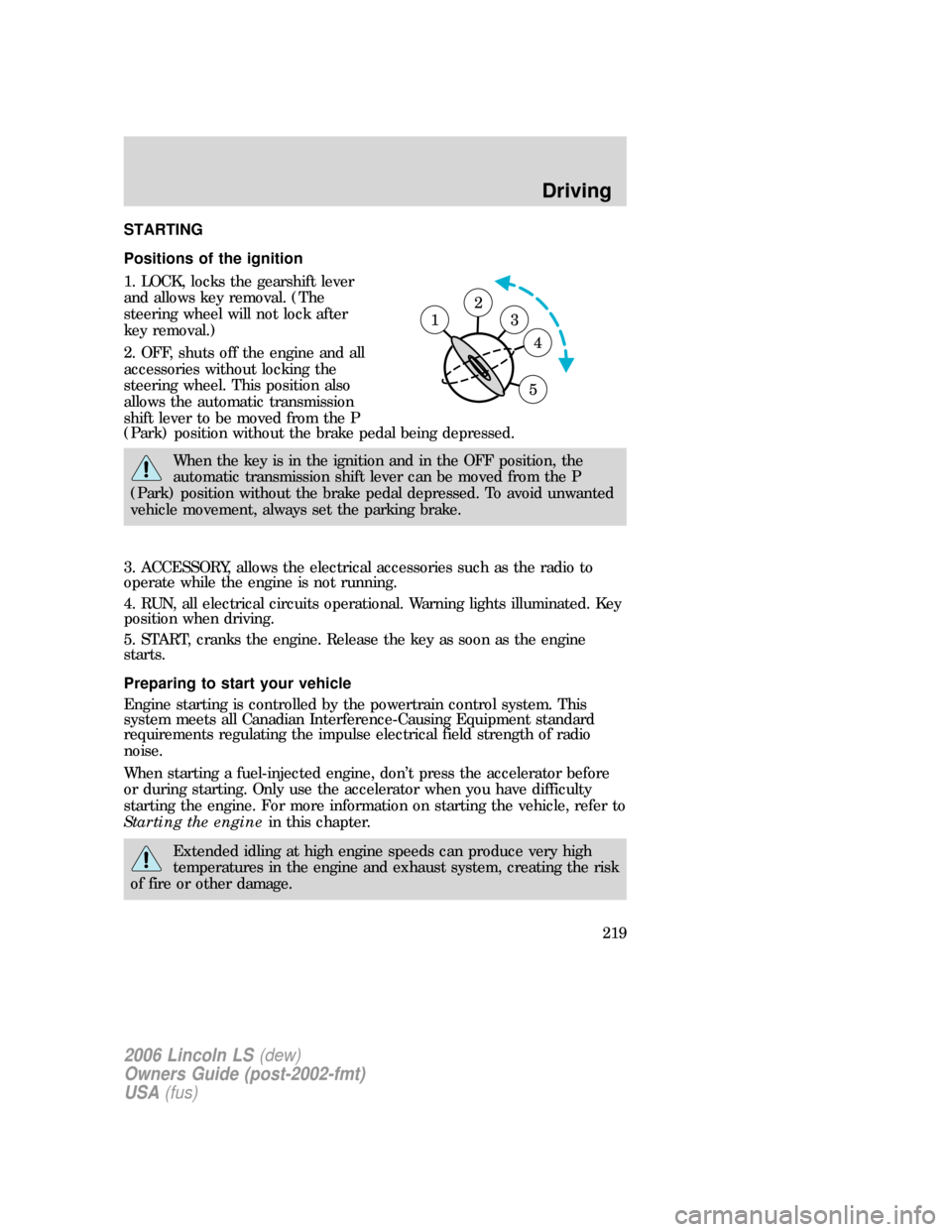
STARTING
Positions of the ignition
1. LOCK, locks the gearshift lever
and allows key removal. (The
steering wheel will not lock after
key removal.)
2. OFF, shuts off the engine and all
accessories without locking the
steering wheel. This position also
allows the automatic transmission
shift lever to be moved from the P
(Park) position without the brake pedal being depressed.
When the key is in the ignition and in the OFF position, the
automatic transmission shift lever can be moved from the P
(Park) position without the brake pedal depressed. To avoid unwanted
vehicle movement, always set the parking brake.
3. ACCESSORY, allows the electrical accessories such as the radio to
operate while the engine is not running.
4. RUN, all electrical circuits operational. Warning lights illuminated. Key
position when driving.
5. START, cranks the engine. Release the key as soon as the engine
starts.
Preparing to start your vehicle
Engine starting is controlled by the powertrain control system. This
system meets all Canadian Interference-Causing Equipment standard
requirements regulating the impulse electrical field strength of radio
noise.
When starting a fuel-injected engine, don’t press the accelerator before
or during starting. Only use the accelerator when you have difficulty
starting the engine. For more information on starting the vehicle, refer to
Starting the enginein this chapter.
Extended idling at high engine speeds can produce very high
temperatures in the engine and exhaust system, creating the risk
of fire or other damage.
2
3
4
5
1
2006 Lincoln LS(dew)
Owners Guide (post-2002-fmt)
USA(fus)
Driving
219