fuel LINCOLN MARK LT 2008 User Guide
[x] Cancel search | Manufacturer: LINCOLN, Model Year: 2008, Model line: MARK LT, Model: LINCOLN MARK LT 2008Pages: 328, PDF Size: 3.17 MB
Page 105 of 328
•Variations in top-off procedure from one fill-up to another
•Rounding of the displayed values to the nearest 0.1 gallon (liter)
1. Drive the vehicle at least 5 miles (8 km) with the speed control
system engaged to display a stabilized average.
2. Record the highway fuel economy for future reference.
It is important to press the RESET control after setting the speed
control to get accurate highway fuel economy readings.
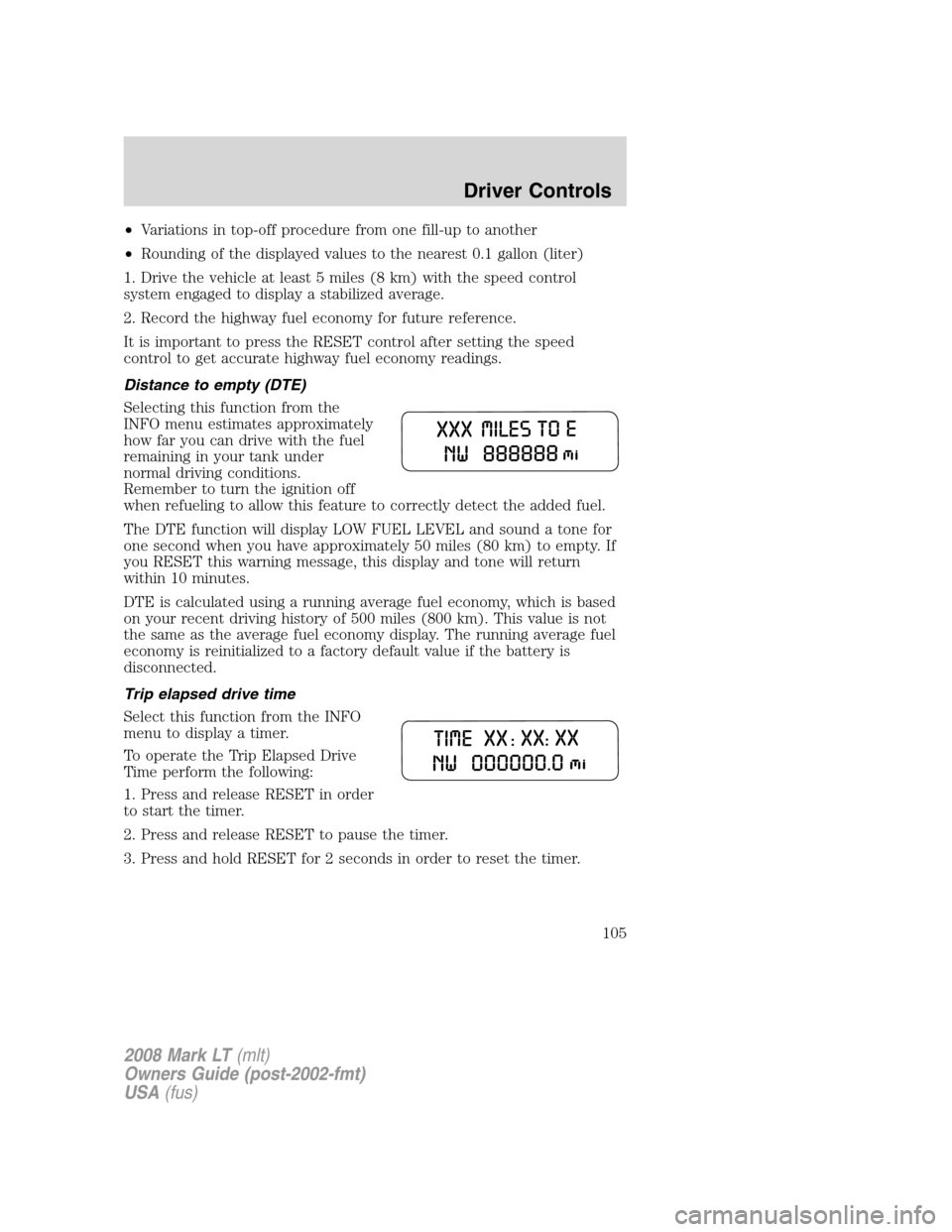
Distance to empty (DTE)
Selecting this function from the
INFO menu estimates approximately
how far you can drive with the fuel
remaining in your tank under
normal driving conditions.
Remember to turn the ignition off
when refueling to allow this feature to correctly detect the added fuel.
The DTE function will display LOW FUEL LEVEL and sound a tone for
one second when you have approximately 50 miles (80 km) to empty. If
you RESET this warning message, this display and tone will return
within 10 minutes.
DTE is calculated using a running average fuel economy, which is based
on your recent driving history of 500 miles (800 km). This value is not
the same as the average fuel economy display. The running average fuel
economy is reinitialized to a factory default value if the battery is
disconnected.
Trip elapsed drive time
Select this function from the INFO
menu to display a timer.
To operate the Trip Elapsed Drive
Time perform the following:
1. Press and release RESET in order
to start the timer.
2. Press and release RESET to pause the timer.
3. Press and hold RESET for 2 seconds in order to reset the timer.
2008 Mark LT(mlt)
Owners Guide (post-2002-fmt)
USA(fus)
Driver Controls
105
Page 106 of 328
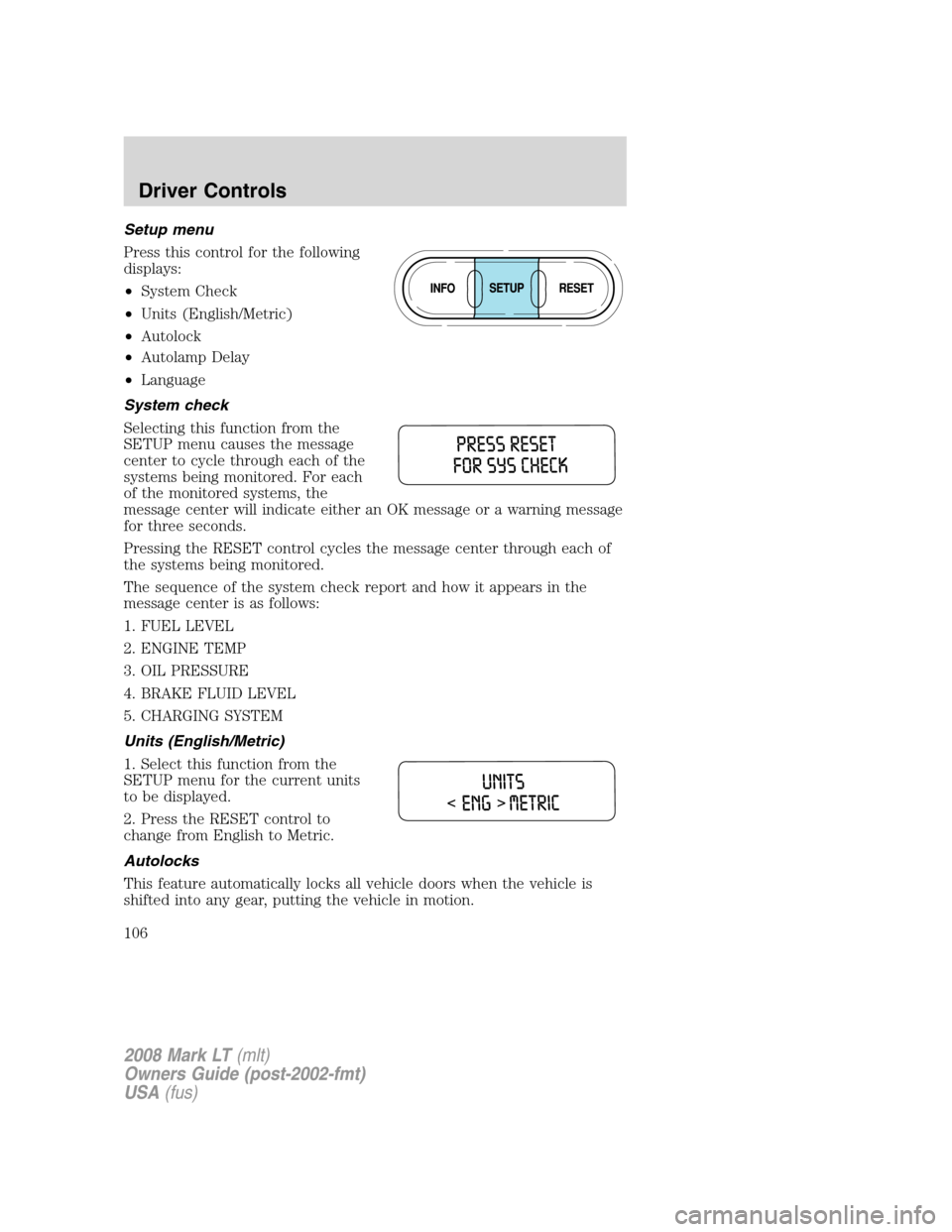
Setup menu
Press this control for the following
displays:
•System Check
•Units (English/Metric)
•Autolock
•Autolamp Delay
•Language
System check
Selecting this function from the
SETUP menu causes the message
center to cycle through each of the
systems being monitored. For each
of the monitored systems, the
message center will indicate either an OK message or a warning message
for three seconds.
Pressing the RESET control cycles the message center through each of
the systems being monitored.
The sequence of the system check report and how it appears in the
message center is as follows:
1. FUEL LEVEL
2. ENGINE TEMP
3. OIL PRESSURE
4. BRAKE FLUID LEVEL
5. CHARGING SYSTEM
Units (English/Metric)
1. Select this function from the
SETUP menu for the current units
to be displayed.
2. Press the RESET control to
change from English to Metric.
Autolocks
This feature automatically locks all vehicle doors when the vehicle is
shifted into any gear, putting the vehicle in motion.
2008 Mark LT(mlt)
Owners Guide (post-2002-fmt)
USA(fus)
Driver Controls
106
Page 108 of 328
The message center will display the last selected feature if there are no
more warning messages. This allows you to use the full functionality of
the message center after you acknowledge the warning by pressing the
RESET control and clearing the warning message.
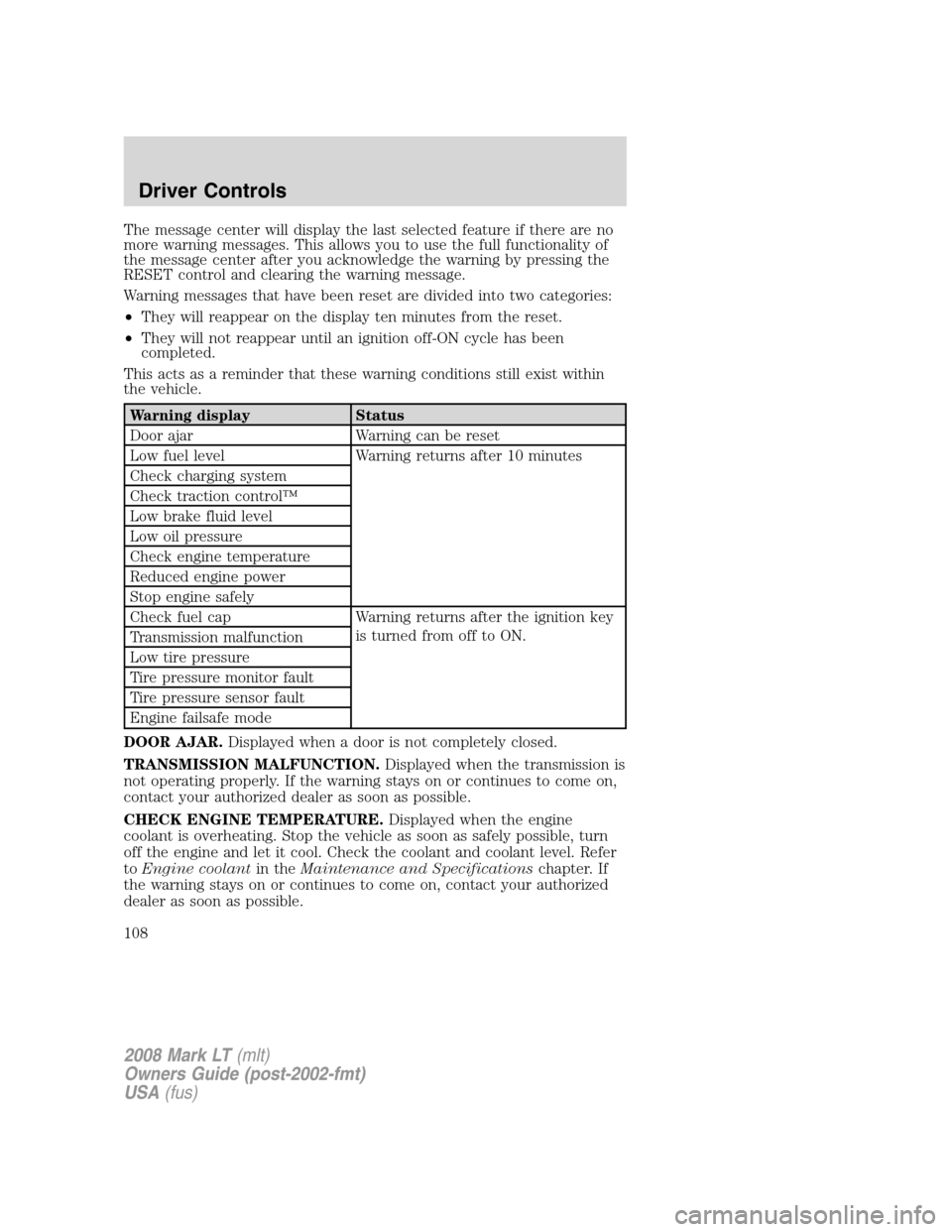
Warning messages that have been reset are divided into two categories:
•They will reappear on the display ten minutes from the reset.
•They will not reappear until an ignition off-ON cycle has been
completed.
This acts as a reminder that these warning conditions still exist within
the vehicle.
Warning display Status
Door ajar Warning can be reset
Low fuel level Warning returns after 10 minutes
Check charging system
Check traction control™
Low brake fluid level
Low oil pressure
Check engine temperature
Reduced engine power
Stop engine safely
Check fuel cap Warning returns after the ignition key
is turned from off to ON.
Transmission malfunction
Low tire pressure
Tire pressure monitor fault
Tire pressure sensor fault
Engine failsafe mode
DOOR AJAR.Displayed when a door is not completely closed.
TRANSMISSION MALFUNCTION.Displayed when the transmission is
not operating properly. If the warning stays on or continues to come on,
contact your authorized dealer as soon as possible.
CHECK ENGINE TEMPERATURE.Displayed when the engine
coolant is overheating. Stop the vehicle as soon as safely possible, turn
off the engine and let it cool. Check the coolant and coolant level. Refer
toEngine coolantin theMaintenance and Specificationschapter. If
the warning stays on or continues to come on, contact your authorized
dealer as soon as possible.
2008 Mark LT(mlt)
Owners Guide (post-2002-fmt)
USA(fus)
Driver Controls
108
Page 109 of 328
Never remove the coolant reservoir cap while the engine is
running or hot.
REDUCED ENGINE POWER.Displayed when the engine is
overheating. Stop the vehicle as soon as safely possible, turn off the
engine. If the warning stays on or continues to come on, contact your
authorized dealer as soon as possible.
STOP ENGINE SAFELY.Displayed when the engine is overheating.
Stop the vehicle as soon as safely possible, turn off the engine. If the
warning stays on or continues to come on, contact your authorized
dealer as soon as possible.
LOW FUEL LEVEL.Displays “DISTANCE TO EMPTY XXX Miles” as an
early reminder of a low fuel condition.
CHECK CHARGING SYSTEM.Displayed when the electrical system is
not maintaining proper voltage. If you are operating electrical accessories
when the engine is idling at a low speed, turn off as many of the
electrical loads as soon as possible. If the warning stays on or comes on
when the engine is operating at normal speeds, have the electrical
system checked as soon as possible.
CHECK TRACTION CONTROL™.Displayed when the Traction
Control™ system is not operating properly. If this message is displayed
on the message center the Traction Control™ system will be partially
operable. If this warning stays on, contact your authorized dealer for
service as soon as possible. For further information, refer toTraction
control™in theDrivingchapter.
LOW BRAKE FLUID LEVEL.Indicates the brake fluid level is low and
the brake system should be inspected immediately. Refer toBrake fluid
in theMaintenance and Specificationschapter.
LOW OIL PRESSURE.Displayed when the engine oil pressure is low. If
this warning message is displayed, check the level of the engine oil.
Refer toEngine oilin theMaintenance and Specificationschapter for
information about adding engine oil. If the oil level is OK and this
warning persists, shut down the engine immediately and contact your
authorized dealer for service.
CHECK FUEL CAP.Displayed when the fuel filler cap is not properly
installed. Check the fuel filler cap for proper installation. Refer toFuel
filler capin theMaintenance and Specificationschapter.
LOW TIRE PRESSURE.Displayed when one or more tires on your
vehicle have low tire pressure. Refer toInflating Your Tiresin the
Tires, Wheels and Loadingchapter.
2008 Mark LT(mlt)
Owners Guide (post-2002-fmt)
USA(fus)
Driver Controls
109
Page 110 of 328
TIRE PRESSURE MONITOR FAULT.Displayed when the Tire
Pressure Monitoring System is malfunctioning. If the warning stays on or
continues to come on, have the system inspected by your authorized
dealer.
TIRE PRESSURE SENSOR FAULT.Displayed when a tire pressure
sensor is malfunctioning, or your spare tire is in use. For more
information on how the system operates under these conditions, refer to
Understanding Your Tire Pressure Monitoring System (TPMS)in the
Tires, Wheels and Loadingchapter. If the warning stays on or
continues to come on, have the system inspected by your authorized
dealer.
ENGINE FAILSAFE MODE.Displayed when the engine has defaulted
to a ’limp-home’ operation. If the warning stays on or continues to come
on, contact your authorized dealer as soon as possible.
DATA ERR.These messages indicate improper operation of the vehicle
network communication between electronic modules.
•Fuel computer
•Charging system
•Autolamp delay
•Auto locks
•Brake fluid
•Compass
•Outside temperature
•Engine sensor
Contact your authorized dealer as soon as possible if these messages
occur on a regular basis.
POSITIVE RETENTION FLOOR MAT
Do not install additional floor mats on top of the factory installed
floor mats as they may interfere with the accelerator or the
brake pedals.
2008 Mark LT(mlt)
Owners Guide (post-2002-fmt)
USA(fus)
Driver Controls
110
Page 193 of 328
TIRE PRESSURE MONITORING SYSTEM (TPMS)
Each tire, including the spare (if
provided), should be checked
monthly when cold and inflated to
the inflation pressure recommended
by the vehicle manufacturer on the
vehicle placard or tire inflation pressure label. (If your vehicle has tires
of a different size than the size indicated on the vehicle placard or tire
inflation pressure label, you should determine the proper tire inflation
pressure for those tires.)
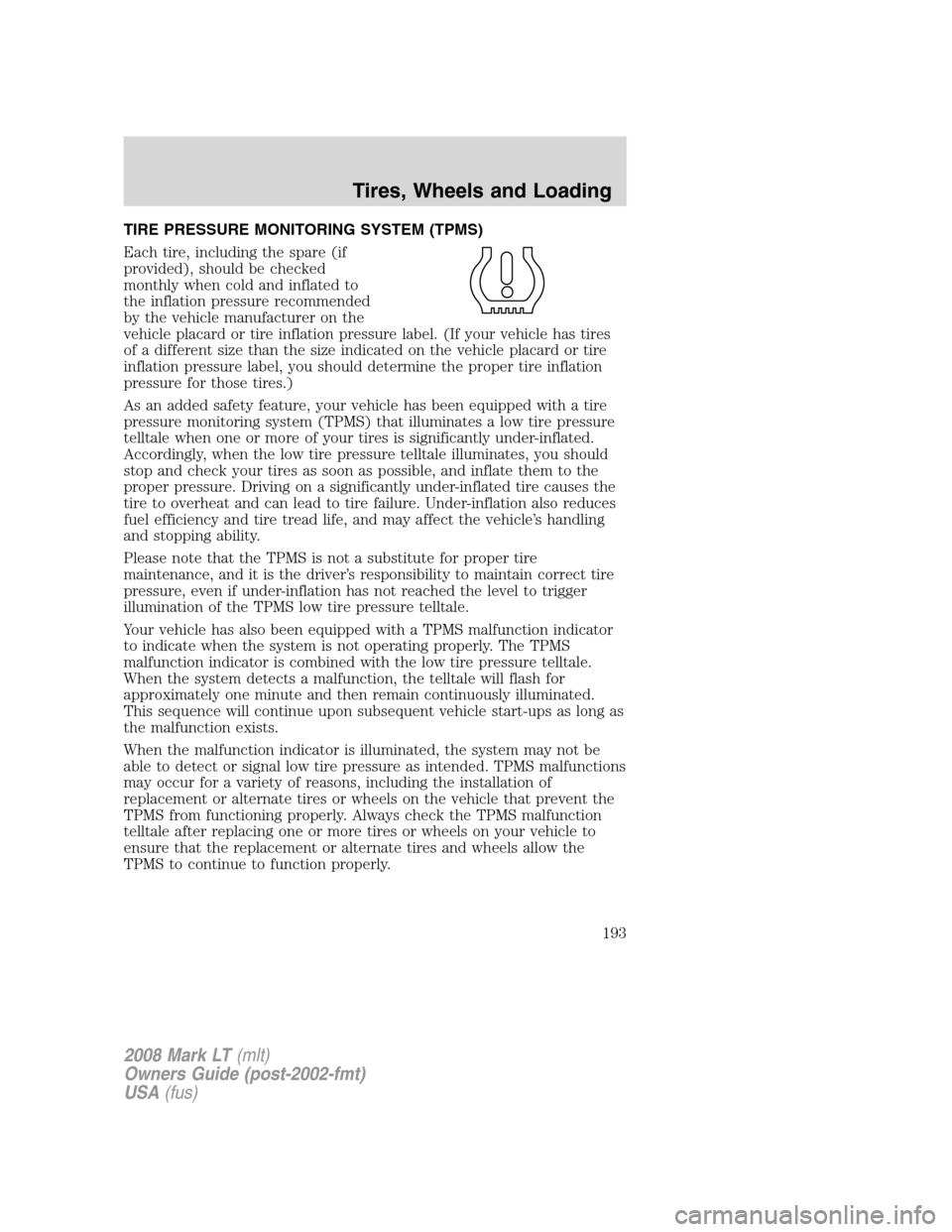
As an added safety feature, your vehicle has been equipped with a tire
pressure monitoring system (TPMS) that illuminates a low tire pressure
telltale when one or more of your tires is significantly under-inflated.
Accordingly, when the low tire pressure telltale illuminates, you should
stop and check your tires as soon as possible, and inflate them to the
proper pressure. Driving on a significantly under-inflated tire causes the
tire to overheat and can lead to tire failure. Under-inflation also reduces
fuel efficiency and tire tread life, and may affect the vehicle’s handling
and stopping ability.
Please note that the TPMS is not a substitute for proper tire
maintenance, and it is the driver’s responsibility to maintain correct tire
pressure, even if under-inflation has not reached the level to trigger
illumination of the TPMS low tire pressure telltale.
Your vehicle has also been equipped with a TPMS malfunction indicator
to indicate when the system is not operating properly. The TPMS
malfunction indicator is combined with the low tire pressure telltale.
When the system detects a malfunction, the telltale will flash for
approximately one minute and then remain continuously illuminated.
This sequence will continue upon subsequent vehicle start-ups as long as
the malfunction exists.
When the malfunction indicator is illuminated, the system may not be
able to detect or signal low tire pressure as intended. TPMS malfunctions
may occur for a variety of reasons, including the installation of
replacement or alternate tires or wheels on the vehicle that prevent the
TPMS from functioning properly. Always check the TPMS malfunction
telltale after replacing one or more tires or wheels on your vehicle to
ensure that the replacement or alternate tires and wheels allow the
TPMS to continue to function properly.
2008 Mark LT(mlt)
Owners Guide (post-2002-fmt)
USA(fus)
Tires, Wheels and Loading
193
Page 198 of 328
SNOW TIRES AND CHAINS
Snow tires must be the same size, load index, speed rating as
those originally provided by Ford. Use of any tire or wheel not
recommended by Ford can affect the safety and performance of your
vehicle, which could result in an increased risk of loss of vehicle
control, vehicle rollover, personal injury and death. Additionally, the
use of non-recommended tires and wheels could cause steering,
suspension, axle or transfer case/power transfer unit failure.
The original equipment tires on your vehicle have an all-weather tread
design to provide traction, handling and braking performance in
year-round driving. You may install snow tires for improved traction
when driving in areas with sustained periods of snow or icy driving
conditions.
If you choose to install snow tires on your vehicle, they must be the
same size, construction, and load range as the original tires listed on the
tire placard, and they must be installed on all four wheels. Mixing tires of
different size or construction on your vehicle can adversely affect your
vehicle’s handling and braking, and may lead to loss of vehicle control.
Do not use snow chains or cables on this vehicle as they may
cause damage to your vehicle which may lead to loss of vehicle
control.
VEHICLE LOADING – WITH AND WITHOUT A TRAILER
This section will guide you in the proper loading of your vehicle and/or
trailer, to keep your loaded vehicle weight within its design rating
capability, with or without a trailer. Properly loading your vehicle will
provide maximum return of vehicle design performance. Before loading
your vehicle, familiarize yourself with the following terms for determining
your vehicle’s weight ratings, with or without a trailer, from the vehicle’s
Tire Label or Safety Compliance Certification Label:
Base Curb Weight– is the weight of the vehicle including a full tank of
fuel and all standard equipment. It does not include passengers, cargo, or
optional equipment.
Vehicle Curb Weight– is the weight of your new vehicle when you
picked it up from your authorized dealer plus any aftermarket
equipment.
2008 Mark LT(mlt)
Owners Guide (post-2002-fmt)
USA(fus)
Tires, Wheels and Loading
198
Page 210 of 328
STARTING
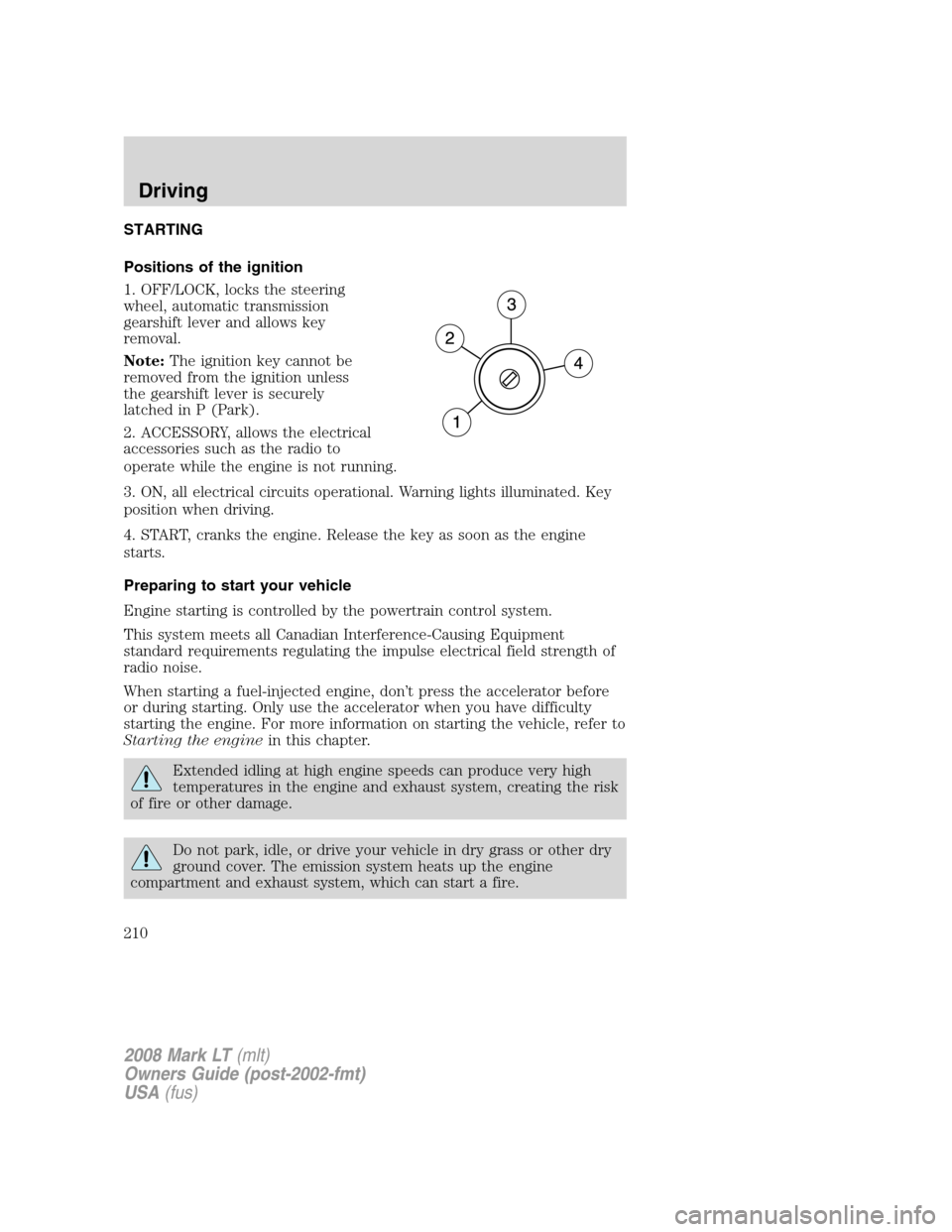
Positions of the ignition
1. OFF/LOCK, locks the steering
wheel, automatic transmission
gearshift lever and allows key
removal.
Note:The ignition key cannot be
removed from the ignition unless
the gearshift lever is securely
latched in P (Park).
2. ACCESSORY, allows the electrical
accessories such as the radio to
operate while the engine is not running.
3. ON, all electrical circuits operational. Warning lights illuminated. Key
position when driving.
4. START, cranks the engine. Release the key as soon as the engine
starts.
Preparing to start your vehicle
Engine starting is controlled by the powertrain control system.
This system meets all Canadian Interference-Causing Equipment
standard requirements regulating the impulse electrical field strength of
radio noise.
When starting a fuel-injected engine, don’t press the accelerator before
or during starting. Only use the accelerator when you have difficulty
starting the engine. For more information on starting the vehicle, refer to
Starting the enginein this chapter.
Extended idling at high engine speeds can produce very high
temperatures in the engine and exhaust system, creating the risk
of fire or other damage.
Do not park, idle, or drive your vehicle in dry grass or other dry
ground cover. The emission system heats up the engine
compartment and exhaust system, which can start a fire.
2008 Mark LT(mlt)
Owners Guide (post-2002-fmt)
USA(fus)
Driving
210
Page 212 of 328
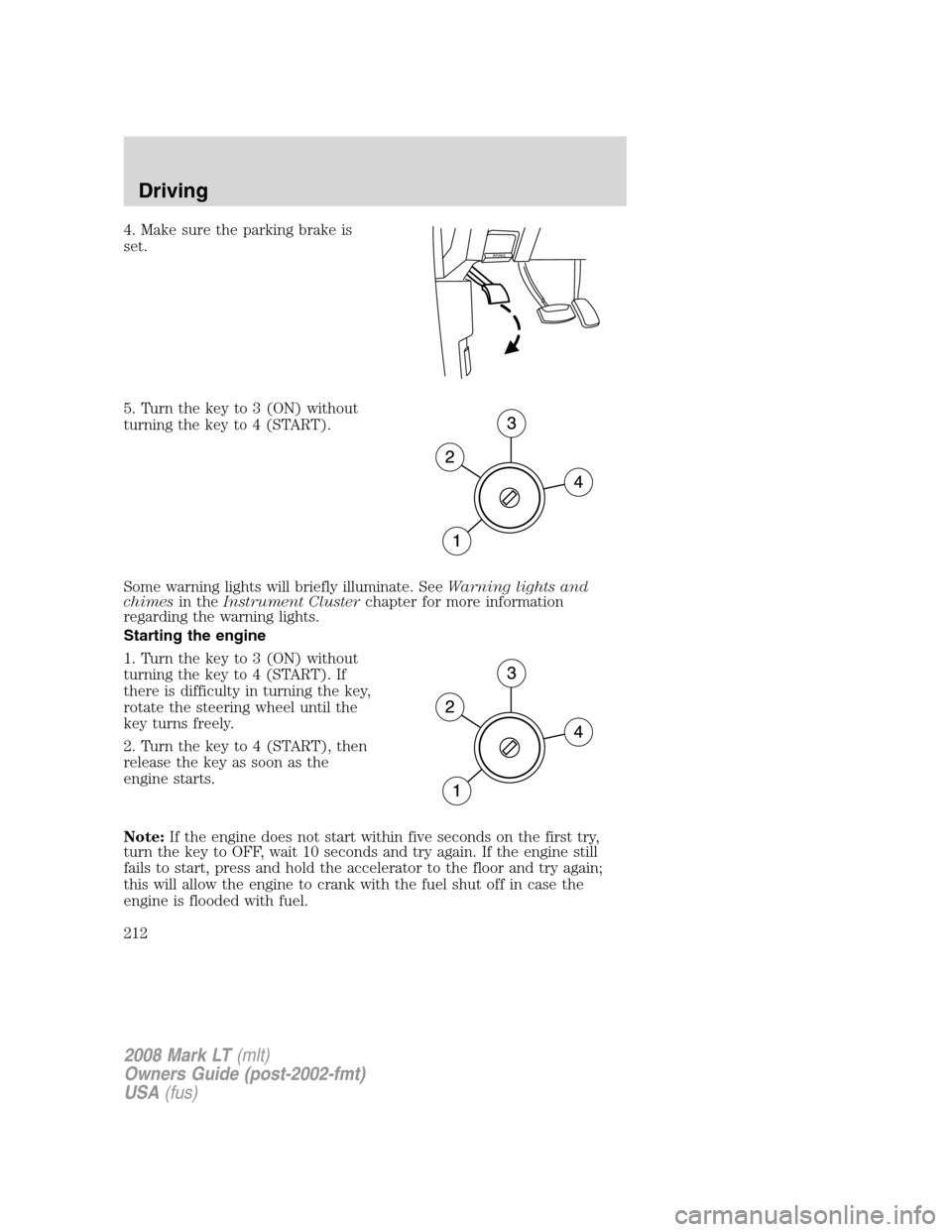
4. Make sure the parking brake is
set.
5. Turn the key to 3 (ON) without
turning the key to 4 (START).
Some warning lights will briefly illuminate. SeeWarning lights and
chimesin theInstrument Clusterchapter for more information
regarding the warning lights.
Starting the engine
1. Turn the key to 3 (ON) without
turning the key to 4 (START). If
there is difficulty in turning the key,
rotate the steering wheel until the
key turns freely.
2. Turn the key to 4 (START), then
release the key as soon as the
engine starts.
Note:If the engine does not start within five seconds on the first try,
turn the key to OFF, wait 10 seconds and try again. If the engine still
fails to start, press and hold the accelerator to the floor and try again;
this will allow the engine to crank with the fuel shut off in case the
engine is flooded with fuel.
BRAKE
2008 Mark LT(mlt)
Owners Guide (post-2002-fmt)
USA(fus)
Driving
212
Page 222 of 328
Always set the parking brake fully and make sure the gearshift is
latched in P (Park). Turn the ignition to the LOCK position and
remove the key whenever you leave your vehicle.
R (Reverse)
With the gearshift lever in R (Reverse), the vehicle will move backward.
Always come to a complete stop before shifting into and out of R
(Reverse).
N (Neutral)
With the gearshift lever in N (Neutral), the vehicle can be started and is
free to roll. Hold the brake pedal down while in this position.
D (Overdrive)
The normal driving position for the best fuel economy. Transmission
operates in gears one through four.
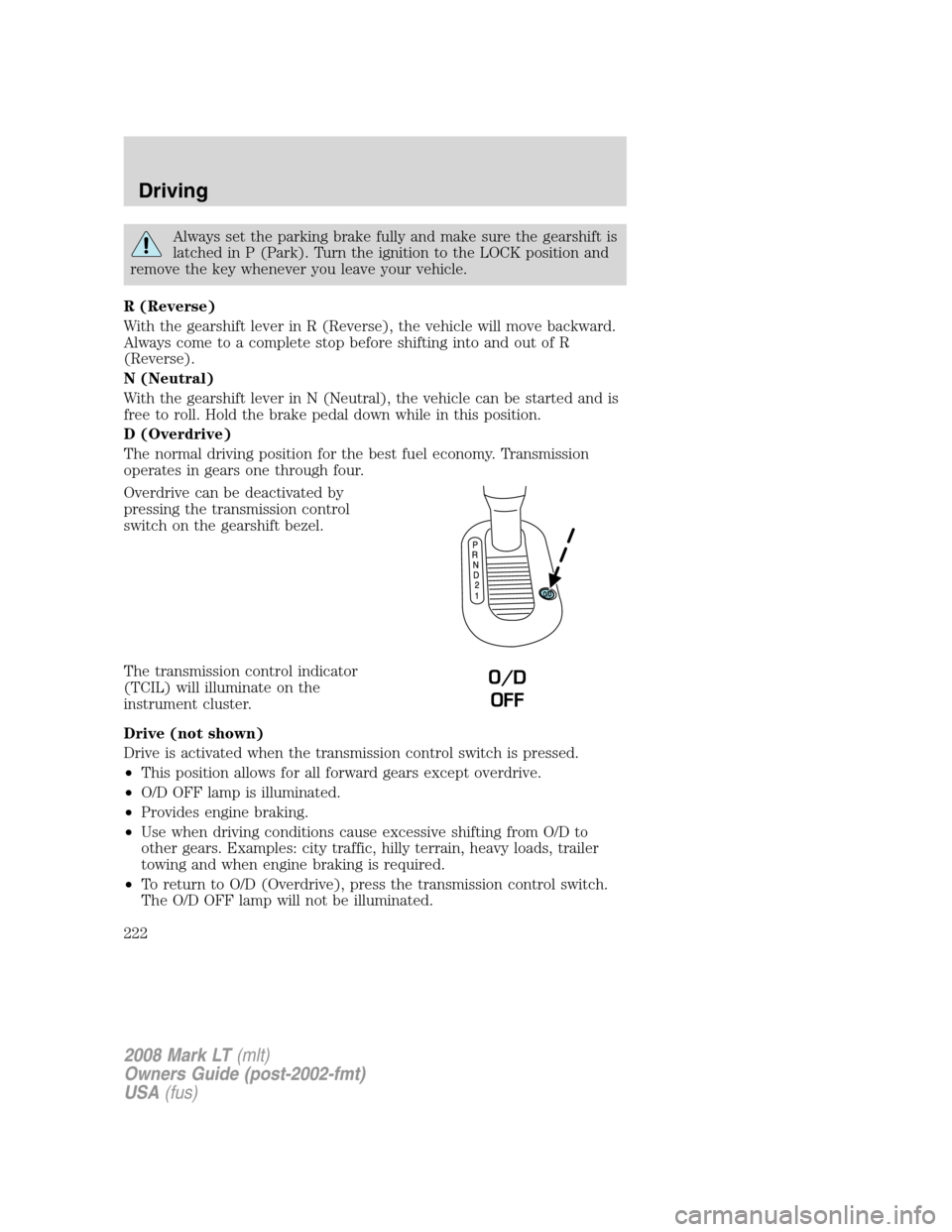
Overdrive can be deactivated by
pressing the transmission control
switch on the gearshift bezel.
The transmission control indicator
(TCIL) will illuminate on the
instrument cluster.
Drive (not shown)
Drive is activated when the transmission control switch is pressed.
•This position allows for all forward gears except overdrive.
•O/D OFF lamp is illuminated.
•Provides engine braking.
•Use when driving conditions cause excessive shifting from O/D to
other gears. Examples: city traffic, hilly terrain, heavy loads, trailer
towing and when engine braking is required.
•To return to O/D (Overdrive), press the transmission control switch.
The O/D OFF lamp will not be illuminated.
O/D
OFF
2008 Mark LT(mlt)
Owners Guide (post-2002-fmt)
USA(fus)
Driving
222