brakes LINCOLN MKC 2015 User Guide
[x] Cancel search | Manufacturer: LINCOLN, Model Year: 2015, Model line: MKC, Model: LINCOLN MKC 2015Pages: 490, PDF Size: 4.74 MB
Page 188 of 490
1.
Pull the switch and hold it in this position.
2. Drive your vehicle, then release the switch when you notice that the engine
has developed sufficient driving force.
Automatic release - drive away release
Note: The driver's door must be closed and
the driver's safety belt must be fastened
before this feature will operate.
Note: If the electric parking brake warning
lamp stays illuminated, the electric parking
brake will not automatically release. You
must release the electric parking brake using
the electric parking brake switch.
Note: The engine must be running and the
accelerator pedal must be pressed before
the drive away release feature will operate.
The brake system warning lamp will go off
to confirm that the electric parking brake has
been released. Note:
The electric parking brake drive away
release makes starting on a hill easier. This
feature will release the parking brake
automatically when the vehicle has sufficient
drive force to move up the hill. To assure
drive away release when starting uphill,
press the accelerator pedal quickly.
Battery With No Charge WARNING
You will not be able to apply or release
the electric parking brake if the battery
is low or has no charge. If the battery is low or has no charge, use
jumper cables and a booster battery.
HILL START ASSIST
WARNINGS
The system does not replace the
parking brake. When you leave your
vehicle, always apply the parking brake and
put the transmission in park (P). WARNINGS
You must remain in your vehicle once
you have activated the system.
During all times, you are responsible
for controlling your vehicle, supervising
the system and intervening, if required. If the engine is revved excessively, or
if a malfunction is detected, the system
will be deactivated. The system makes it easier to pull away
when your vehicle is on a slope without the
need to use the parking brake.
When the system is active, your vehicle will
remain stationary on the slope for two to
three seconds after you release the brake
pedal. This allows you time to move your foot
from the brake to the accelerator pedal. The
brakes are released automatically once the
engine has developed sufficient drive to
prevent your vehicle from rolling down the
slope. This is an advantage when pulling
away on a slope, (for example from a car park
ramp, traffic lights or when reversing uphill
into a parking space).
185
MKC (TME), enUSA Brakes
Page 189 of 490
The system will activate automatically on any
slope that will cause significant vehicle
rollback.
Using Hill Start Assist
1. Press the brake pedal to bring your
vehicle to a complete standstill. Keep the
brake pedal pressed.
2. If the sensors detect that your vehicle is on a slope, the system will activate
automatically.
3. When you remove your foot from the brake pedal, your vehicle will remain on
the slope without rolling away for about
two or three seconds. This hold time will
automatically be extended if you are in
the process of driving off.
4. Drive off in the normal manner. The brakes will release automatically.
186
MKC (TME), enUSA Brakes
Page 190 of 490
PRINCIPLE OF OPERATION
The traction control system helps avoid drive
wheel spin and loss of traction.
If your vehicle begins to slide, the system
applies the brakes to individual wheels and,
when needed, reduces engine power at the
same time. If the wheels spin when
accelerating on slippery or loose surfaces,
the system reduces engine power in order
to increase traction.
USING TRACTION CONTROL
In certain situations for example, stuck in
snow or mud, turning the traction control off
may be beneficial as this allows the wheels
to spin with full engine power. Depending
on the type of system you have on your
vehicle, you can either turn the system off
using the information display or by pressing
the button.
Switching the System Off Using the
Information Display Controls (If Equipped)
Your vehicle comes with this feature already
enabled. If required, you can switch this
feature off using the information display
controls. See
General Information (page
112).
Switching the System Off Using a
Switch
(If Equipped)
The button is located in the instrument panel.
Press the button. You will see a message in
conjunction with an illuminated icon in the
display. Press the button again to return the
system to normal mode.
When you switch the traction control system
off, stability control remains fully active. System Indicator Lights and Messages WARNING
If a failure has been detected within
the AdvanceTrac system, the stability
control light will illuminate steadily. Verify
that the AdvanceTrac system was not
manually disabled through the information
display. If the stability control light still
illuminates steadily, have the system serviced
by an authorized dealer immediately.
Operating your vehicle with AdvanceTrac
disabled could lead to an increased risk of
loss of vehicle control, vehicle rollover,
personal injury and death. The stability control light
temporarily illuminates on engine
start-up and flashes when a driving
condition activates the stability system. The stability control off light
temporarily illuminates on engine
start-up and stays on when you
turn the traction control system off.
187
MKC (TME), enUSA Traction ControlE138639
Page 194 of 490
PARKING AID (If Equipped)
WARNINGS
To help avoid personal injury, please
read and understand the limitations of
the system as contained in this section.
Sensing is only an aid for some (generally
large and fixed) objects when moving in
reverse on a flat surface at parking speeds.
Traffic control systems, inclement weather,
air brakes, and external motors and fans may
also affect the function of the sensing
system; this may include reduced
performance or a false activation. To help avoid personal injury, always
use caution when in R (Reverse) and
when using the sensing system. This system is not designed to prevent
contact with small or moving objects.
The system is designed to provide a warning
to assist the driver in detecting large
stationary objects to avoid damaging the
vehicle. The system may not detect smaller
objects, particularly those close to the
ground. WARNINGS
Certain add-on devices such as large
trailer hitches, bike or surfboard racks
and any device that may block the normal
detection zone of the system, may create
false beeps. Note:
Keep the sensors, located on the
bumper or fascia, free from snow, ice and
large accumulations of dirt. If the sensors
are covered, the system’ s accuracy can be
affected. Do not clean the sensors with sharp
objects.
Note: If your vehicle sustains damage to the
bumper or fascia, leaving it misaligned or
bent, the sensing zone may be altered
causing inaccurate measurement of
obstacles or false alarms.
Note: If your vehicle is equipped with
MyKey®, it is possible to prevent turning the
sensing system off.
See MyKey™ (page 62).
The sensing system warns the driver of
obstacles within a certain range of the
bumper area. The system turns on
automatically whenever the ignition is
switched on. When receiving a detection warning, the
radio volume is reduced to a predetermined
level. After the warning goes away, the radio
volume returns to the previous level.
The system can be switched off through the
information display menu or from the pop-up
message that appears once the transmission
is shifted into
R. See General Information
(page 112).
If a fault is present in the system, a warning
message appears in the information display
and does not allow the driver to switch the
faulted system on.
See Information
Messages (page 118).
Rear Sensing System
The rear sensors are only active when the
transmission is in
R. As the vehicle moves
closer to the obstacle, the rate of the audible
warning increases. When the obstacle is
fewer than 10 inches (25 centimeters) away,
the warning sounds continuously. If a
191
MKC (TME), enUSA Parking Aids
Page 196 of 490
The system sounds an audible warning when
obstacles are near either bumper in the
following manner:
•
Objects detected by the front sensors
are indicated by a high-pitched tone from
the front radio speakers.
• Objects detected by the rear sensors are
indicated by a lower pitched tone from
the rear radio speakers.
• The sensing system reports the obstacle
which is closest to the front or rear of the
vehicle. For example, if an obstacle is 24
inches (60 centimeters) from the front of
the vehicle and, at the same time, an
obstacle is only 16 inches (40
centimeters) from the rear of the vehicle,
the lower pitched tone sounds.
• An alternating warning sounds from the
front and rear if there are objects at both
bumpers that are closer than 10 inches
(25 centimeters).
For specific information on the reverse
sensing portion of the system, refer to that
section. ACTIVE PARK ASSIST (If Equipped) WARNING
Designed to be a supplementary park
aid, this system may not work in all
conditions. This system cannot replace the
driver’ s attention and judgment. The driver
is responsible for avoiding hazards and
maintaining a safe distance and speed, even
when the system is in use. Note:
The driver is always responsible for
controlling the vehicle, supervising the
system and intervening if required.
Note: The sensors may not detect objects
in heavy rain or other conditions that cause
disruptive reflections.
Note: The sensors may not detect objects
with surfaces that absorb ultrasonic waves.
Note: Whenever the battery is disconnected
or a new battery installed, you need to drive
your vehicle a short distance and your speed
must exceed 12.4 mph (20 km/h) so the
system can recalibrate the steering angle
data. The system detects an available parallel
parking space and automatically steers your
vehicle into the space (hands-free) while you
control the accelerator, gearshift and brakes.
The system visually and audibly instructs you
to park the vehicle.
The system may not function correctly if
something passes between the front bumper
and the parking space (a pedestrian or
cyclist) or if the edge of the neighboring
parked vehicle is high off the ground (for
example, a bus, tow truck or flatbed truck).
Do not use the system if:
•
You have attached a foreign object (bike
rack or trailer) to the front or rear of your
vehicle or attached close to the sensors
• You have attached an overhanging
object (surfboard) to the roof
• The front bumper or side sensors are
damaged or obstructed by a foreign
object (front bumper cover)
• A mini-spare tire is in use
193
MKC (TME), enUSA Parking Aids
Page 199 of 490
•
Driving above 6 mph (10 km/h) during
automatic steering.
• Turning off the traction control system.
Certain vehicle conditions can also
deactivate the system, such as:
• Traction control has activated on a
slippery or loose surface.
• There is an anti-lock brake system
activation or failure.
• Something touches the steering wheel.
If a problem occurs with the system, a
warning message is displayed, followed by
a tone. Occasional system messages may
occur in normal operation. For recurring or
frequent system faults, contact an authorized
dealer to have your vehicle serviced. Park Out Assist (If Equipped) WARNING
Designed to be a supplementary park
aid, this system may not work in all
conditions. This system cannot replace the
driver’ s attention and judgment. The driver
is responsible for avoiding hazards and
maintaining a safe distance and speed, even
when the system is in use. Note:
The driver is always responsible for
controlling the vehicle, supervising the
system and intervening if required.
Note: The sensors may not detect objects
in heavy rain or other conditions that cause
disruptive reflections.
Note: The sensors may not detect objects
with surfaces that absorb ultrasonic waves.
The system determines the clearance to the
front and rear of your vehicle and
automatically steers your vehicle out of a
parallel parking space (hands-free) while you
control the accelerator, gearshift and brakes.
The system visually and audibly instructs you
to enter traffic. The system may not function correctly if
something passes between the front bumper
and the parking space (a pedestrian or
cyclist) or if the edge of the neighboring
parked vehicle is high off the ground (for
example, a bus, tow truck or flatbed truck).
Do not use the system if:
•
You have attached a foreign object (bike
rack or trailer) to the front or rear of your
vehicle or attached close to the sensors.
• You have attached an overhanging
object (surfboard) to the roof.
• The front bumper or side sensors are
damaged or obstructed by a foreign
object (front bumper cover).
• A mini-spare tire is in use.
Using Park Out Assist While your vehicle is at rest in a
parallel parking space, press the
button located on the right side of
the center stack.
196
MKC (TME), enUSA Parking AidsE146186
Page 206 of 490
PRINCIPLE OF OPERATION
Cruise control lets you maintain a set speed
without keeping your foot on the accelerator
pedal. You can use cruise control when your
vehicle speed is greater than 20 mph
(30 km/h).
USING CRUISE CONTROL WARNINGS
Do not use cruise control in heavy
traffic, on winding roads or when the
road surface is slippery. This could result in
loss of vehicle control, serious injury or
death. When you are going downhill, your
vehicle speed may increase above the
set speed. The system will not apply the
brakes. Change down a gear to assist the
system in maintaining the set speed. Failure
to do so could result in loss of vehicle
control, serious injury or death. Note:
Cruise control will disengage if the
vehicle speed decreases more than 10 mph
(16 km/h) below your set speed while driving
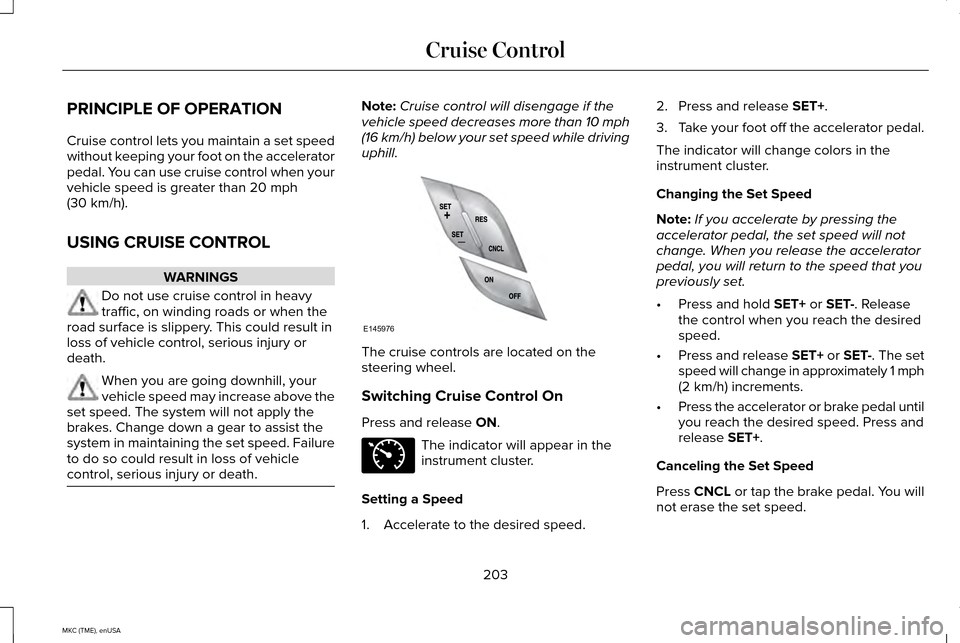
uphill. The cruise controls are located on the
steering wheel.
Switching Cruise Control On
Press and release
ON.
The indicator will appear in the
instrument cluster.
Setting a Speed
1. Accelerate to the desired speed. 2. Press and release
SET+.
3. Take your foot off the accelerator pedal.
The indicator will change colors in the
instrument cluster.
Changing the Set Speed
Note: If you accelerate by pressing the
accelerator pedal, the set speed will not
change. When you release the accelerator
pedal, you will return to the speed that you
previously set.
• Press and hold
SET+ or SET-. Release
the control when you reach the desired
speed.
• Press and release SET+ or SET-. The set
speed will change in approximately 1 mph
(2 km/h) increments.
• Press the accelerator or brake pedal until
you reach the desired speed. Press and
release
SET+.
Canceling the Set Speed
Press CNCL or tap the brake pedal. You will
not erase the set speed.
203
MKC (TME), enUSA Cruise ControlE145976 E71340
Page 208 of 490
The current gap setting and SET also shows.
Setting a Speed
1. Accelerate to the desired speed.
2. Press and release SET+. Memory stores
the vehicle speed.
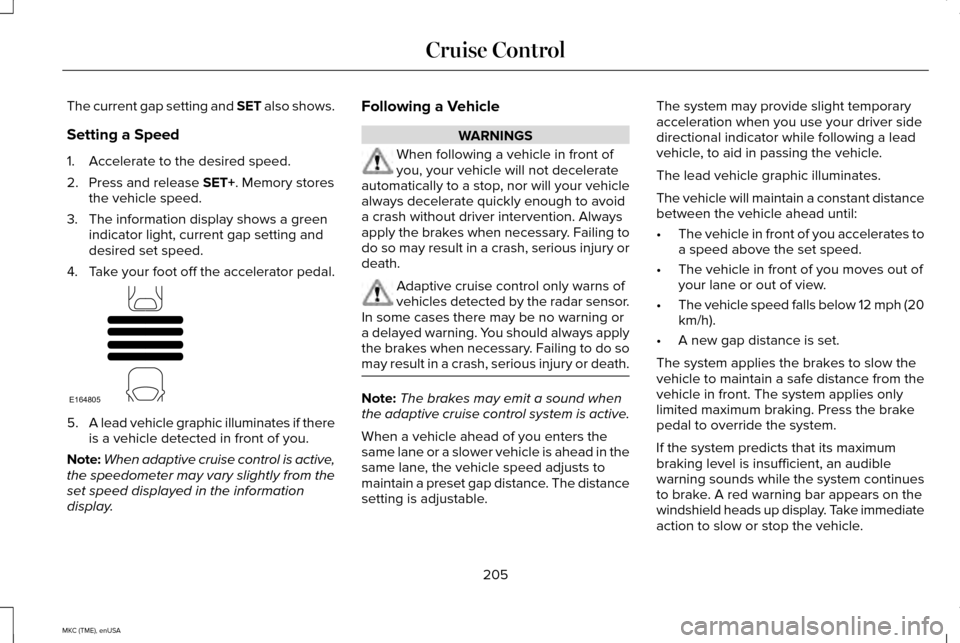
3. The information display shows a green indicator light, current gap setting and
desired set speed.
4. Take your foot off the accelerator pedal. 5.
A lead vehicle graphic illuminates if there
is a vehicle detected in front of you.
Note: When adaptive cruise control is active,
the speedometer may vary slightly from the
set speed displayed in the information
display. Following a Vehicle WARNINGS
When following a vehicle in front of
you, your vehicle will not decelerate
automatically to a stop, nor will your vehicle
always decelerate quickly enough to avoid
a crash without driver intervention. Always
apply the brakes when necessary. Failing to
do so may result in a crash, serious injury or
death. Adaptive cruise control only warns of
vehicles detected by the radar sensor.
In some cases there may be no warning or
a delayed warning. You should always apply
the brakes when necessary. Failing to do so
may result in a crash, serious injury or death. Note:
The brakes may emit a sound when
the adaptive cruise control system is active.
When a vehicle ahead of you enters the
same lane or a slower vehicle is ahead in the
same lane, the vehicle speed adjusts to
maintain a preset gap distance. The distance
setting is adjustable. The system may provide slight temporary
acceleration when you use your driver side
directional indicator while following a lead
vehicle, to aid in passing the vehicle.
The lead vehicle graphic illuminates.
The vehicle will maintain a constant distance
between the vehicle ahead until:
•
The vehicle in front of you accelerates to
a speed above the set speed.
• The vehicle in front of you moves out of
your lane or out of view.
• The vehicle speed falls below 12 mph (20
km/h).
• A new gap distance is set.
The system applies the brakes to slow the
vehicle to maintain a safe distance from the
vehicle in front. The system applies only
limited maximum braking. Press the brake
pedal to override the system.
If the system predicts that its maximum
braking level is insufficient, an audible
warning sounds while the system continues
to brake. A red warning bar appears on the
windshield heads up display. Take immediate
action to slow or stop the vehicle.
205
MKC (TME), enUSA Cruise ControlE164805
Page 210 of 490
Each time you start the vehicle, the system
selects the last chosen gap for the current
driver.
Disengaging the System
Press the brake pedal or press CNCL. The
last set speed will display in grey but will not
erase.
Overriding the System WARNING
Whenever you press the accelerator
pedal and override the system, the
system will not automatically apply the
brakes to maintain separation from any
vehicle ahead. While you press the accelerator pedal, you
override the set speed and gap distance.
When you override the system,
the green indicator light
illuminates and the lead vehicle
graphic does not show in the information
display. The system resumes operation when you
release the accelerator pedal. The vehicle
speed decreases to the set speed, or a lower
speed if following a slower vehicle.
Changing the Set Speed
•
Accelerate or brake to the desired speed,
then press and release
SET+.
• Press and hold
SET+ or SET- until the
desired set speed shows on the
information display. The vehicle speed
gradually changes to the selected speed.
• Press and release SET+ or SET-. The set
speed will change in approximately 1 mph
(2 km/h) increments.
The system may apply the brakes to slow
the vehicle to the new set speed. The set
speed will display continuously in the
information display while the system is active.
Resuming the Set Speed
Note: Only use resume if you are aware of
the set speed and intend to return to it. Press and release
RES. The vehicle returns
to the previously set speed. The set speed
shows continuously in the information display
while the system is active.
Low Speed Automatic Cancellation
The system is not functional at vehicle
speeds below 12 mph (20 km/h). An audible
alarm will sound and the automatic braking
releases if the vehicle drops below this
speed.
Hilly Condition Usage
Note: An audible alarm will sound and the
system will shut down if it applies brakes for
an extended period of time. This allows the
brakes to cool. The system functions
normally again when the brakes have
cooled.
207
MKC (TME), enUSA Cruise ControlE144529
Page 212 of 490
System Not Available
Conditions that can cause the system to
deactivate or prevent the system from
activating when requested include:
•
A blocked sensor.
• High brake temperature.
• A failure in the system or a related
system. Blocked Sensor WARNINGS
Do not use the system when towing a
trailer with aftermarked trailer brake
controls. Aftermarket trailer brakes will not
function properly when you switch the
system on because the brakes are
electronically controlled. Failing to do so may
result in loss of vehicle control, which could
result in serious injury. Do not use tire sizes other than those
recommended because this can affect
the normal operation of the system. Failing
to do so may result in a loss of vehicle
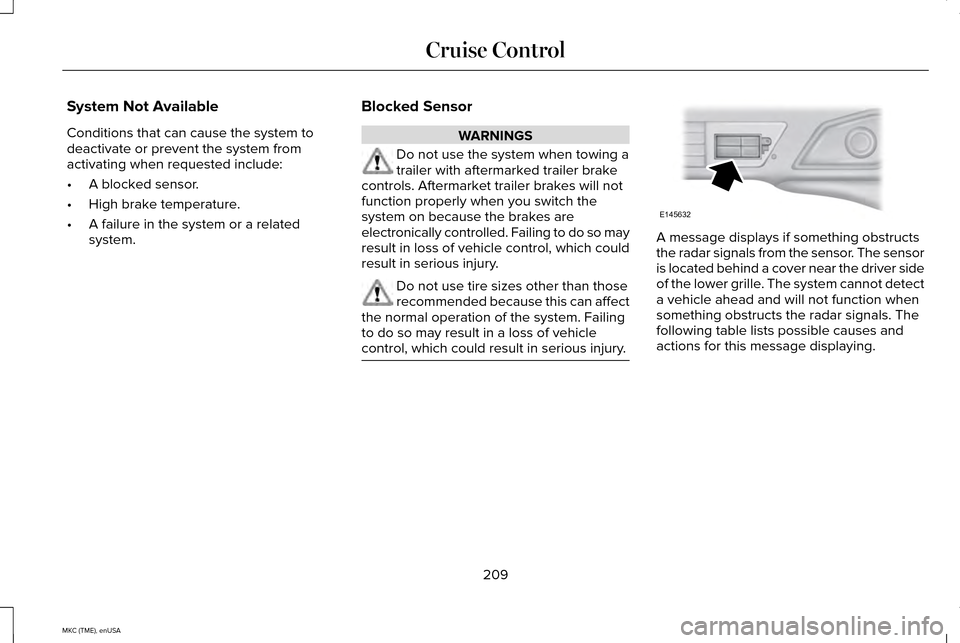
control, which could result in serious injury. A message displays if something obstructs
the radar signals from the sensor. The sensor
is located behind a cover near the driver side
of the lower grille. The system cannot detect
a vehicle ahead and will not function when
something obstructs the radar signals. The
following table lists possible causes and
actions for this message displaying.
209
MKC (TME), enUSA Cruise ControlE145632