fuel cap LINCOLN MKC 2015 User Guide
[x] Cancel search | Manufacturer: LINCOLN, Model Year: 2015, Model line: MKC, Model: LINCOLN MKC 2015Pages: 490, PDF Size: 4.74 MB
Page 250 of 490
•
Driving on flat terrain offers improved fuel
economy as compared to driving on hilly
terrain.
• Transmissions give their best fuel
economy when operated in the top cruise
gear and with steady pressure on the gas
pedal.
• Four-wheel-drive operation (if equipped)
is less fuel efficient than two-wheel-drive
operation.
• Close the windows for high-speed
driving.
DRIVING THROUGH WATER
Note: Driving through deep water above the
recommended levels can cause vehicle
damage.
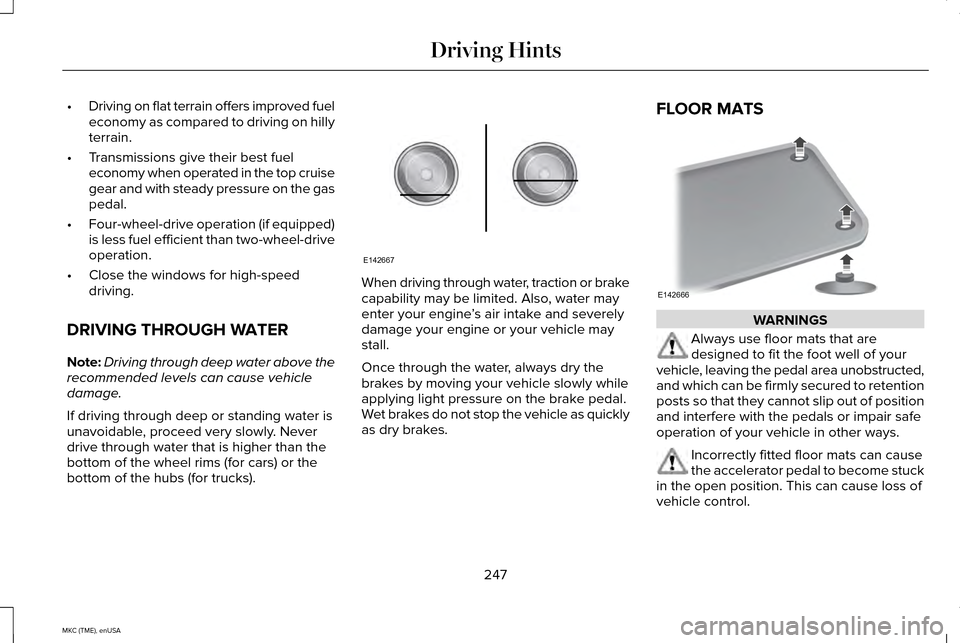
If driving through deep or standing water is
unavoidable, proceed very slowly. Never
drive through water that is higher than the
bottom of the wheel rims (for cars) or the
bottom of the hubs (for trucks). When driving through water, traction or brake
capability may be limited. Also, water may
enter your engine
’s air intake and severely
damage your engine or your vehicle may
stall.
Once through the water, always dry the
brakes by moving your vehicle slowly while
applying light pressure on the brake pedal.
Wet brakes do not stop the vehicle as quickly
as dry brakes. FLOOR MATS
WARNINGS
Always use floor mats that are
designed to fit the foot well of your
vehicle, leaving the pedal area unobstructed,
and which can be firmly secured to retention
posts so that they cannot slip out of position
and interfere with the pedals or impair safe
operation of your vehicle in other ways. Incorrectly fitted floor mats can cause
the accelerator pedal to become stuck
in the open position. This can cause loss of
vehicle control.
247
MKC (TME), enUSA Driving HintsE142667 E142666
Page 254 of 490
Note:
When you try to restart your vehicle
after a fuel shutoff, the vehicle makes sure
that various systems are safe to restart.
Once your vehicle determines that the
systems are safe, then the vehicle will allow
you to restart.
Note: In the event that your vehicle does not
restart after your third attempt, contact an
authorized dealer.
JUMP STARTING THE VEHICLE WARNINGS
The gases around the battery can
explode if exposed to flames, sparks,
or lit cigarettes. An explosion could result in
personal injury or vehicle damage. Batteries contain sulfuric acid which
can burn skin, eyes and clothing, if
contacted. Use only an adequate-sized cable with
insulated clamps. Preparing Your Vehicle
Note:
Do not attempt to push-start your
automatic transmission vehicle. Automatic
transmissions do not have push-start
capability. Attempting to push-start a vehicle
with an automatic transmission may cause
transmission damage.
Note: Use only a 12-volt supply to start your
vehicle.
Note: Do not disconnect the battery of the
disabled vehicle as this could damage the
vehicle's electrical system.
Park the booster vehicle close to the hood
of the disabled vehicle, making sure the two
vehicles do not touch. Turn all accessories
off. Connecting the Jumper Cables WARNING
Do not attach the cables to fuel lines,
engine rocker covers, the intake
manifold or electrical components as
grounding points. Stay clear of moving parts.
To avoid reverse polarity connections, make
sure that you correctly identify the positive
(+) and negative (-) terminals on both the
disabled and booster vehicles before
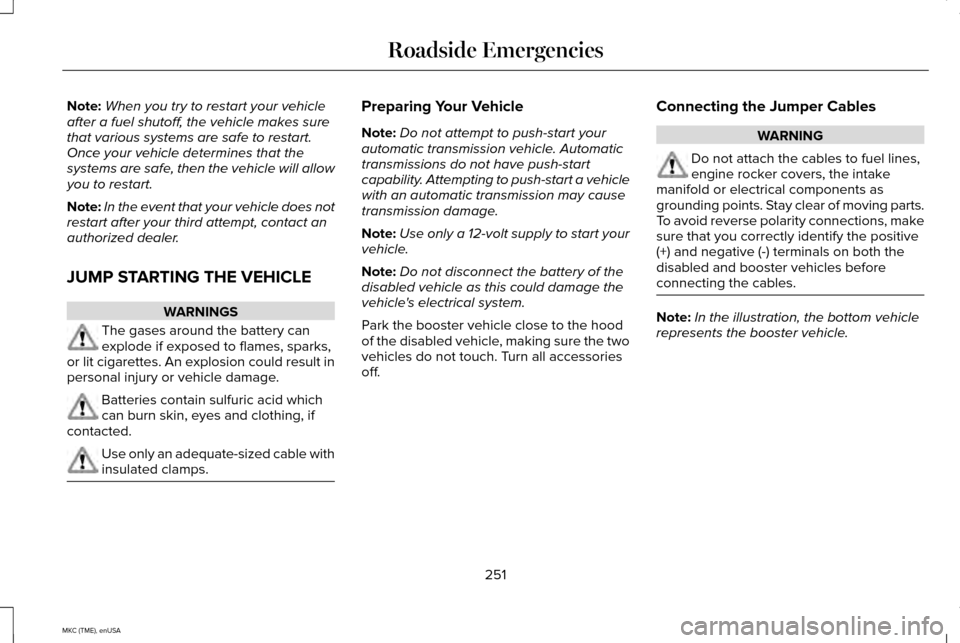
connecting the cables. Note:
In the illustration, the bottom vehicle
represents the booster vehicle.
251
MKC (TME), enUSA Roadside Emergencies
Page 287 of 490
Adding Engine Oil
Only use oils certified for gasoline engines
by the American Petroleum Institute (API).
An oil with this trademark symbol conforms
to the current engine and emission system
protection standards and fuel economy
requirements of the International Lubricants
Specification Advisory Council (ILSAC),
comprised of U.S. and Japanese automobile
manufacturers.
WARNINGS
Only add oil when the engine is cold.
If the engine is hot, wait 10 minutes for
the engine to cool down. WARNINGS
Do not remove the filler cap when the
engine is running.
1. Remove the engine oil filler cap.
2. Add engine oil that meets Ford
specifications. See Technical
Specifications (page 341).
3. Replace the engine oil filler cap. Turn it until you feel a strong resistance.
Note: Do not add oil further than the
maximum mark. Oil levels above the
maximum mark may cause engine damage.
Note: Soak up any spillage with an
absorbent cloth immediately.
OIL CHANGE INDICATOR RESET
To reset the oil monitoring system after an
oil change, See General Information (page
112
). ENGINE COOLANT CHECK
Checking the Engine Coolant
When the engine is cold, check the
concentration and level of the engine coolant
at the intervals listed in the scheduled
maintenance information.
See Scheduled
Maintenance (page 451).
Note: Make sure that the level is between
the MIN and MAX marks on the coolant
reservoir.
Note: Coolant expands when it is hot. The
level may extend beyond the MAX mark
Note: If the level is at the MIN mark, below
the MIN mark, or empty, add coolant
immediately. See
Adding Engine Coolant
in this chapter.
The coolant concentration should be
maintained within 48% to 50%, which
equates to a freeze point between -30°F
(-34ºC) and -34ºF (-37ºC).
284
MKC (TME), enUSA MaintenanceE142732
Page 291 of 490
Have an authorized dealer check and change
the transmission fluid and filter at the correct
service interval. See Scheduled
Maintenance (page 451). Your transmission
does not consume fluid. However, the fluid
level should be checked if the transmission
is not working properly, (i.e., if the
transmission slips or shifts slowly) or if you
notice some sign of fluid leakage.
Do not use supplemental transmission fluid
additives, treatments or cleaning agents. The
use of these materials may affect
transmission operation and result in damage
to internal transmission components.
BRAKE FLUID CHECK
Fluid levels between the MIN and MAX lines
are within the normal operating range; there
is no need to add fluid. If the fluid levels are
outside of the normal operating range, the
performance of the system could be
compromised; seek service from your
authorized dealer immediately. POWER STEERING FLUID CHECK
Your vehicle is equipped with an electric
power steering (EPS) system. There is no
fluid reservoir to check or fill.
WASHER FLUID CHECK
WARNING
If you operate your vehicle in
temperatures below 40°F (5°C), use
washer fluid with antifreeze protection.
Failure to use washer fluid with antifreeze
protection in cold weather could result in
impaired windshield vision and increase the
risk of injury or accident. Note:
The front and rear washer systems
are supplied from the same reservoir.
Add fluid to fill the reservoir if the level is low.
Only use a washer fluid that meets Ford
specifications.
See Capacities and
Specifications (page 336). State or local regulations on volatile organic
compounds may restrict the use of methanol,
a common windshield washer antifreeze
additive. Washer fluids containing
non-methanol antifreeze agents should be
used only if they provide cold weather
protection without damaging the vehicle
’s
paint finish, wiper blades or washer system.
FUEL FILTER
Your vehicle is equipped with a lifetime fuel
filter that is integrated with the fuel tank.
Regular maintenance or replacement is not
needed.
CHANGING THE 12V BATTERY WARNINGS
Batteries normally produce explosive
gases which can cause personal injury.
Therefore, do not allow flames, sparks or
lighted substances to come near the battery.
When working near the battery, always shield
your face and protect your eyes. Always
provide proper ventilation.
288
MKC (TME), enUSA Maintenance
Page 292 of 490
WARNINGS
When lifting a plastic-cased battery,
excessive pressure on the end walls
could cause acid to flow through the vent
caps, resulting in personal injury and damage
to the vehicle or battery. Lift the battery with
a battery carrier or with your hands on
opposite corners. Keep batteries out of reach of children.
Batteries contain sulfuric acid. Avoid
contact with skin, eyes or clothing. Shield
your eyes when working near the battery to
protect against possible splashing of acid
solution. In case of acid contact with skin or
eyes, flush immediately with water for a
minimum of 15 minutes and get prompt
medical attention. If acid is swallowed, call a
physician immediately. Your vehicle is equipped with a Motorcraft®
maintenance-free battery which normally
does not require additional water during its
life of service.
Note:
If your battery has a cover or shield,
make sure it is reinstalled after the battery
has been cleaned or replaced. Note:
See an authorized dealer for low
voltage battery access, testing, or
replacement.
When a low voltage battery replacement is
necessary, see an authorized dealer to
replace the low voltage battery with a Ford
recommended replacement low voltage
battery that matches the electrical
requirements of the vehicle
To ensure proper operation of the battery
management system (BMS), do not allow a
technician to connect any electrical device
ground connection directly to the low voltage
battery negative post. A connection at the
low voltage battery negative post can cause
inaccurate measurements of the battery
condition and potential incorrect system
operation.
Note: If a person adds electrical or electronic
accessories or components to the vehicle,
the accessories or components may
adversely affect the low voltage battery
performance and durability and may also
affect the performance of other electrical
systems in the vehicle. For longer, trouble-free operation, keep the
top of the battery clean and dry. Also, make
certain the battery cables are always tightly
fastened to the battery terminals.
If you see any corrosion on the battery or
terminals, remove the cables from the
terminals and clean with a wire brush. You
can neutralize the acid with a solution of
baking soda and water.
When a battery replacement is required, the
battery should only be replaced with a Ford
recommended replacement battery that
matches the electrical requirements of the
vehicle.
Because your vehicle
’s engine is
electronically-controlled by a computer,
some engine control settings are maintained
by power from the low voltage battery. Some
engine computer settings, like the idle trim
and fuel trim strategy, optimize the
driveability and performance of the engine.
289
MKC (TME), enUSA Maintenance
Page 339 of 490
ENGINE SPECIFICATIONS
2.3L EcoBoost engine
2.0L EcoBoost engine
Engine
138
122
Cubic inches
Minimum 87 octane
Minimum 87 octane
Required fuel
9.5:1
9.3:1
Compression ratio
0.027-0.031 in. (0.70-0.80 mm)
0.027-0.031 in. (0.70-0.80 mm)
Spark plug gap
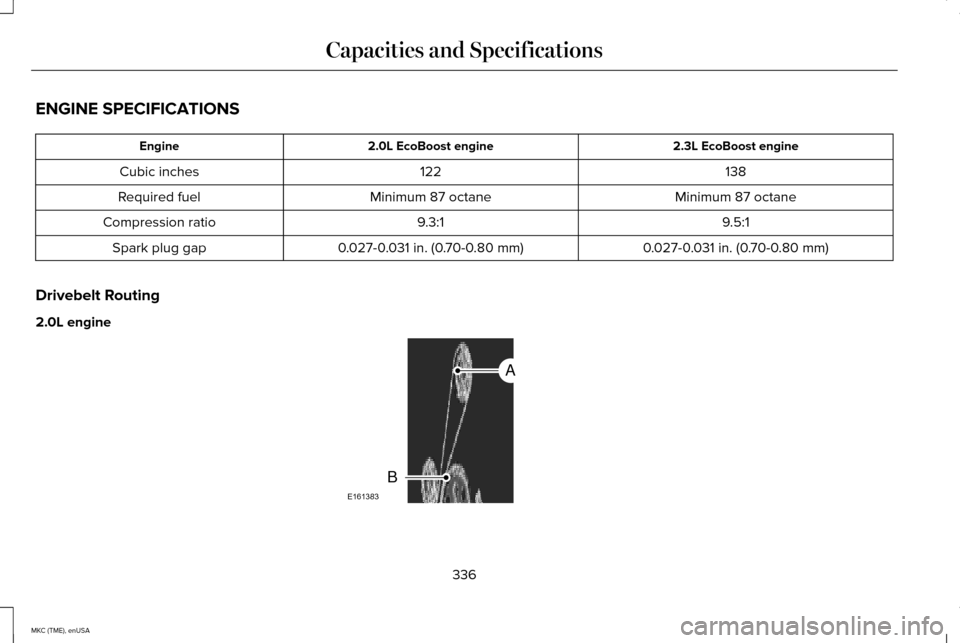
Drivebelt Routing
2.0L engine 336
MKC (TME), enUSA Capacities and SpecificationsE161383
A
B
Page 345 of 490
Ford part number / Ford specification
Ford part name or equivalent
Capacity
Item
Engine oil 5,6,7
2.3L EcoBoost VC-3DIL-B (U.S.); CVC-3DIL-B (Canada) /WSS-M97B44-D2
Motorcraft Orange Antifreeze /
Coolant Prediluted
9.7 qt (9.2 L)
Engine coolant 8
2.0L EcoBoost 9.2 qt (8.7 L)
Engine coolant 8
2.3L EcoBoost ZC-32-B2 (U.S.) / WSS-M14P19-A
Motorcraft Premium Windshield
Wash Concentrate with Bitterant (U.S.)
Fill as required
Windshield washer fluid
CXC-37-(A, B, D, and F) (Canada) / WSS-M14P19-A
Premium Quality Windshield
Washer Fluid (Canada)
–
–
15.5 gal (58.5 L)
Fuel tank
YN-19 (U.S.) / WSH-M17B19-A
Motorcraft R-134a Refrigerant
1.5 lb (0.68 kg)
A/C refrigerant 9
342
MKC (TME), enUSA Capacities and Specifications
Page 415 of 490
To make sure that 911 Assist works properly:
•
SYNC must be powered and working
properly at the time of the incident and
throughout feature activation and use.
• The 911 Assist feature must be set on
prior to the incident.
• You must pair and connect a
Bluetooth-enabled and compatible phone
to SYNC.
• A connected Bluetooth-enabled phone
must have the ability to make and
maintain an outgoing call at the time of
the incident.
• A connected Bluetooth-enabled phone
must have adequate network coverage,
battery power and signal strength.
• The vehicle must have battery power and
be located in the United States, Canada
or in a territory in which 911 is the
emergency number. In the Event of a Crash
Not all crashes deploy an airbag or activate
the fuel pump shut-off (which would trigger
911 Assist); however, SYNC tries to contact
emergency services if 911 Assist triggers. If
a connected phone sustains damage or loses
connection to SYNC, SYNC searches for, and
tries to connect to, any available previously
paired phone and tries to make the call to
911.
Before making the call:
•
SYNC provides a short window of time
(about 10 seconds) to cancel the call. If
you fail to cancel the call, SYNC attempts
to dial 911.
• SYNC says the following, or a similar
message: "SYNC will attempt to call 911,
to cancel the call, press Cancel on your
screen or press and hold the phone
button on your steering wheel." If you do not cancel the call, and SYNC
makes a successful call, a pre-recorded
message plays for the 911 operator, and then
the occupant(s) in your vehicle is able to talk
with the operator. Be prepared to provide
your name, phone number and location
immediately, because not all 911 systems are
capable of receiving this information
electronically.
911 Assist May Not Work If
•
Your cellular phone or 911 Assist
hardware sustains damage in a crash.
• The vehicle's battery or the SYNC system
has no power.
• The phone(s) thrown from your vehicle
are the ones paired and connected to
the system.
911 Assist Privacy Notice
When you turn on 911 Assist, it may disclose
to emergency services that your vehicle has
been in a crash involving the deployment of
an airbag or activation of the fuel pump
shut-off. Certain versions or updates to 911
Assist may also be capable of electronically
412
MKC (TME), enUSA MyLincoln Touch™
Page 431 of 490
For a complete listing of the accessories that
are available for your vehicle, please contact
an authorized dealer or visit our online store
at www.Accessories.Lincoln.com (United
States only).
Lincoln Motor Company will repair or replace
any properly authorized dealer-installed
Lincoln Genuine Accessory found to be
defective in factory-supplied materials or
workmanship during the warranty period, as
well as any component damaged by the
defective accessories.
Lincoln Motor Company will warrant your
accessory through the warranty that provides
the greatest benefit:
•
24 months, unlimited mileage.
• The remainder of your new vehicle
limited warranty.
Contact an authorized dealer for details and
a copy of the warranty.
Exterior style
• Side-window deflectors.
• Splash guards. Interior style
•
All-weather floor mats.
• Rear seat entertainment*.
• Premium carpeted floor mats.
Lifestyle
• Ash cup (smoker's packages).
• Cargo area protector.
• Cargo net.
• Cargo organizer.
• Luggage cover.
• Recovery hook (towing eye).
• Roof racks and carriers*.
• Trailer hitch.
• Trailer hitch accessories.
Peace of mind
• Car cover*.
• Wheel locks.
• Locking fuel plug for capless fuel system. *The accessory manufacturer designs,
develops and therefore warrants Lincoln
Licensed Accessories, and does not design
or test these accessories to Lincoln Motor
Company engineering requirements. Contact
an authorized Lincoln dealer for the
manufacturer's limited warranty details and
request a copy of the Lincoln Licensed
Accessories product limited warranty from
the accessory manufacturer.
428
MKC (TME), enUSA Accessories
Page 485 of 490
P
Parking Aid.......................................................191
Front Sensing System........................................192
Rear Sensing System..........................................191
Parking Aids
.....................................................191
Passive Anti-Theft System............................80 SecuriLock™............................................................80
PATS See: Passive Anti-Theft System........................80
Perchlorate........................................................12
Personal Safety System ™
..............................46
How Does the Personal Safety System
Work?...................................................................46
Phone..............................................................396 Making Calls........................................................398
Pairing Subsequent Phones............................398
Pairing Your Phone for the First Time...........
397
Phone Menu Options........................................398
Phone Settings...................................................400
Phone Voice Commands...................................
401
Receiving Calls....................................................398
Text Messaging...................................................399
Post-Crash Alert System.............................253
Power Door Locks See: Locking and Unlocking..............................68 Power Liftgate..................................................74
Obstacle Detection...............................................77
Opening and Closing the Liftgate....................75
Setting the Liftgate Open Height......................76
Power Seats....................................................143 Power Lumbar......................................................145
Power Steering Fluid Check ......................
288
Power Windows...............................................97
Accessory Delay...................................................98
Bounce-Back..........................................................97
One-Touch Down..................................................97
One-Touch Up........................................................97
Window Lock.........................................................98
R
Rear Seat Armrest
.........................................149
Rear Seats.......................................................146 Folding the Seatback..........................................147
Recline Adjustment.............................................147
Unfolding the Seatback.....................................147
Rear Under Floor Storage..........................229 Cargo Management System...........................
229
Rear View Camera........................................199 Using the Rear View Camera System..........
200
Rear View Camera See: Rear View Camera.....................................199 Rear Window Wiper and Washers..............88
Rear Window Washer..........................................89
Rear Window Wiper.............................................88
Recommended Towing Weights..............240
Refueling.........................................................166 Easy Fuel™ Capless Fuel System.....................166
Remote Control
...............................................58
Car Finder...............................................................59
Intelligent Access Key.........................................58
Remote Start..........................................................59
Replacing the Battery..........................................58
Sounding a Panic Alarm......................................59
Remote Start
...................................................140
Automatic Settings..............................................140
Removing a Headlamp
...............................293
Repairing Minor Paint Damage.................305
Replacement Parts Recommendation........12 Collision Repairs....................................................12
Scheduled Maintenance and Mechanical
Repairs.................................................................12
Warranty on Replacement Parts.........................
13
Replacing a Lost Key or Remote Control.............................................................61
Reporting Safety Defects (Canada Only).............................................................260
Reporting Safety Defects (U.S. Only)......259
482
MKC (TME), enUSA Index