instrument cluster LINCOLN MKC 2015 Owner's Manual
[x] Cancel search | Manufacturer: LINCOLN, Model Year: 2015, Model line: MKC, Model: LINCOLN MKC 2015Pages: 490, PDF Size: 4.74 MB
Page 206 of 490
PRINCIPLE OF OPERATION
Cruise control lets you maintain a set speed
without keeping your foot on the accelerator
pedal. You can use cruise control when your
vehicle speed is greater than 20 mph
(30 km/h).
USING CRUISE CONTROL WARNINGS
Do not use cruise control in heavy
traffic, on winding roads or when the
road surface is slippery. This could result in
loss of vehicle control, serious injury or
death. When you are going downhill, your
vehicle speed may increase above the
set speed. The system will not apply the
brakes. Change down a gear to assist the
system in maintaining the set speed. Failure
to do so could result in loss of vehicle
control, serious injury or death. Note:
Cruise control will disengage if the
vehicle speed decreases more than 10 mph
(16 km/h) below your set speed while driving
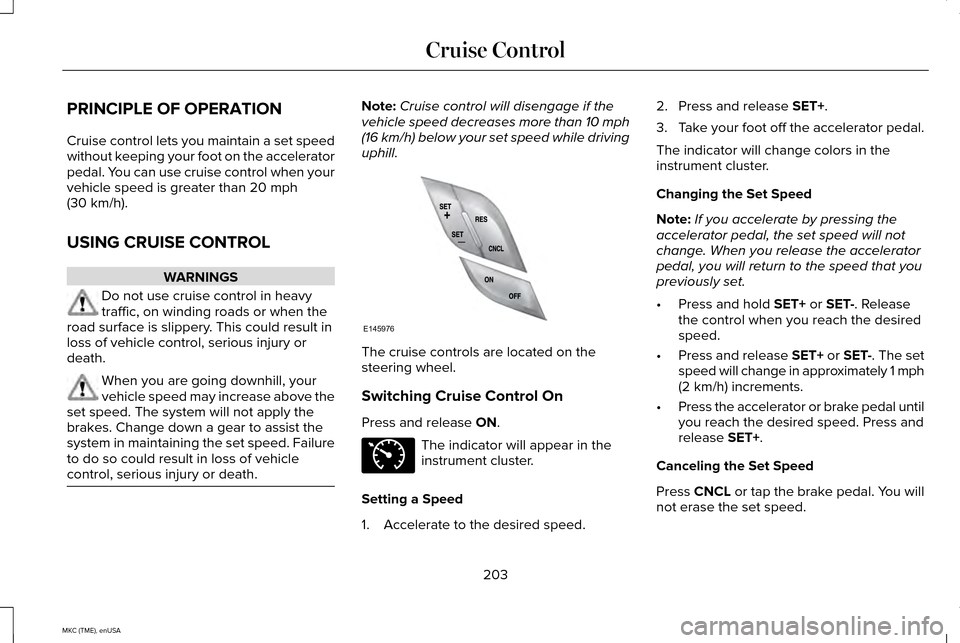
uphill. The cruise controls are located on the
steering wheel.
Switching Cruise Control On
Press and release
ON.
The indicator will appear in the
instrument cluster.
Setting a Speed
1. Accelerate to the desired speed. 2. Press and release
SET+.
3. Take your foot off the accelerator pedal.
The indicator will change colors in the
instrument cluster.
Changing the Set Speed
Note: If you accelerate by pressing the
accelerator pedal, the set speed will not
change. When you release the accelerator
pedal, you will return to the speed that you
previously set.
• Press and hold
SET+ or SET-. Release
the control when you reach the desired
speed.
• Press and release SET+ or SET-. The set
speed will change in approximately 1 mph
(2 km/h) increments.
• Press the accelerator or brake pedal until
you reach the desired speed. Press and
release
SET+.
Canceling the Set Speed
Press CNCL or tap the brake pedal. You will
not erase the set speed.
203
MKC (TME), enUSA Cruise ControlE145976 E71340
Page 216 of 490
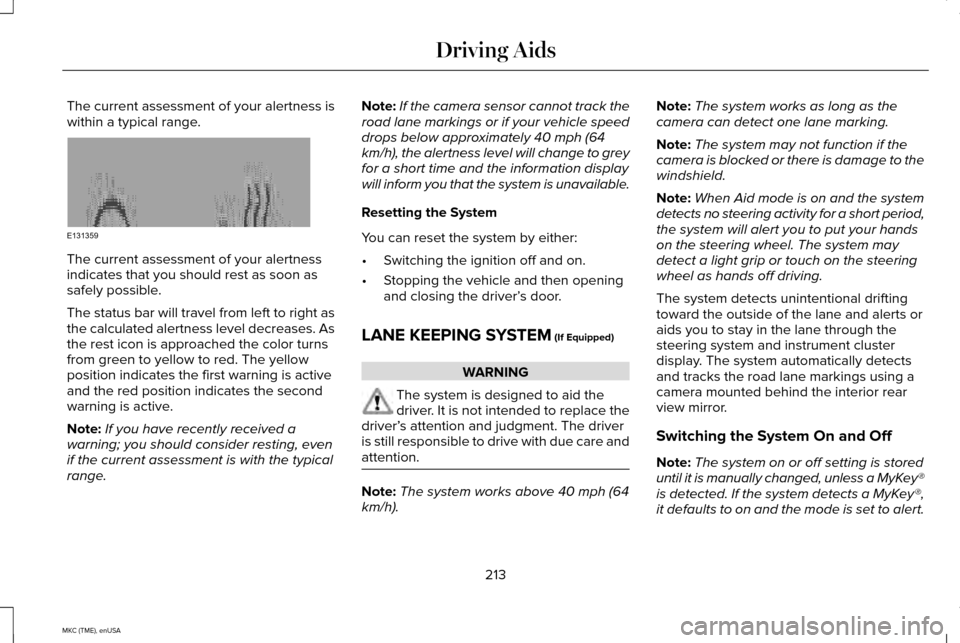
The current assessment of your alertness is
within a typical range.
The current assessment of your alertness
indicates that you should rest as soon as
safely possible.
The status bar will travel from left to right as
the calculated alertness level decreases. As
the rest icon is approached the color turns
from green to yellow to red. The yellow
position indicates the first warning is active
and the red position indicates the second
warning is active.
Note:
If you have recently received a
warning; you should consider resting, even
if the current assessment is with the typical
range. Note:
If the camera sensor cannot track the
road lane markings or if your vehicle speed
drops below approximately 40 mph (64
km/h), the alertness level will change to grey
for a short time and the information display
will inform you that the system is unavailable.
Resetting the System
You can reset the system by either:
• Switching the ignition off and on.
• Stopping the vehicle and then opening
and closing the driver’ s door.
LANE KEEPING SYSTEM (If Equipped) WARNING
The system is designed to aid the
driver. It is not intended to replace the
driver’ s attention and judgment. The driver
is still responsible to drive with due care and
attention. Note:
The system works above 40 mph (64
km/h). Note:
The system works as long as the
camera can detect one lane marking.
Note: The system may not function if the
camera is blocked or there is damage to the
windshield.
Note: When Aid mode is on and the system
detects no steering activity for a short period,
the system will alert you to put your hands
on the steering wheel. The system may
detect a light grip or touch on the steering
wheel as hands off driving.
The system detects unintentional drifting
toward the outside of the lane and alerts or
aids you to stay in the lane through the
steering system and instrument cluster
display. The system automatically detects
and tracks the road lane markings using a
camera mounted behind the interior rear
view mirror.
Switching the System On and Off
Note: The system on or off setting is stored
until it is manually changed, unless a MyKey®
is detected. If the system detects a MyKey®,
it defaults to on and the mode is set to alert.
213
MKC (TME), enUSA Driving AidsE131359
Page 306 of 490
Cleaning Procedure
Type of Stain
Use lukewarm water and rinse by dabbing with clean water.
Fruit juice, jam, jelly, syrup or ketchup.
Use cold water and rinse by dabbing with clean water. Avoid warm
water because it makes these substances coagulate.
Blood, egg, excrement or urine.
Use lukewarm water. If the color remains, treat with lemon juice and
then rinse.
Liquor, alcoholic beverages, wine, beer, cola and tea.
Use lukewarm water and rinse by dabbing with clean water.
Indelible pencil, cocoa, chocolate, pastry with cream or chocolate,
ice-cream or mustard.
Use lemon juice, wipe with lukewarm water and rinse by dabbing with
clean water.
Vinegar, hair gel, tomato sauce or coffee with sugar.
CLEANING THE INSTRUMENT
PANEL AND INSTRUMENT
CLUSTER LENS WARNING
Do not use chemical solvents or strong
detergents when cleaning the steering
wheel or instrument panel to avoid
contamination of the airbag system. Note:
Follow the same procedure as
cleaning leather seats for cleaning leather
instrument panels and leather interior trim
surfaces. See Cleaning Leather Seats (page
304).
Clean the instrument panel and cluster lens
with a clean, damp and soft cloth, then use
a clean, dry and soft cloth to dry these areas. •
Avoid cleaners or polishes that increase
the gloss of the upper portion of the
instrument panel. The dull finish in this
area helps protect you from undesirable
windshield reflection.
• Do not use any household cleaning
products or glass cleaners as these may
damage the finish of the instrument
panel, interior trim and cluster lens.
303
MKC (TME), enUSA Vehicle Care
Page 362 of 490
The display is located on the center of your
instrument cluster. It allows you to view and
make minor adjustments to active modes
without taking your hands off the wheel. For
example:
•
In entertainment mode, you can view
what is now playing, change the audio
source, select presets and make some
adjustments.
• In navigation mode (if equipped), you can
view the current route or activate a route.
• In phone mode, you can accept or reject
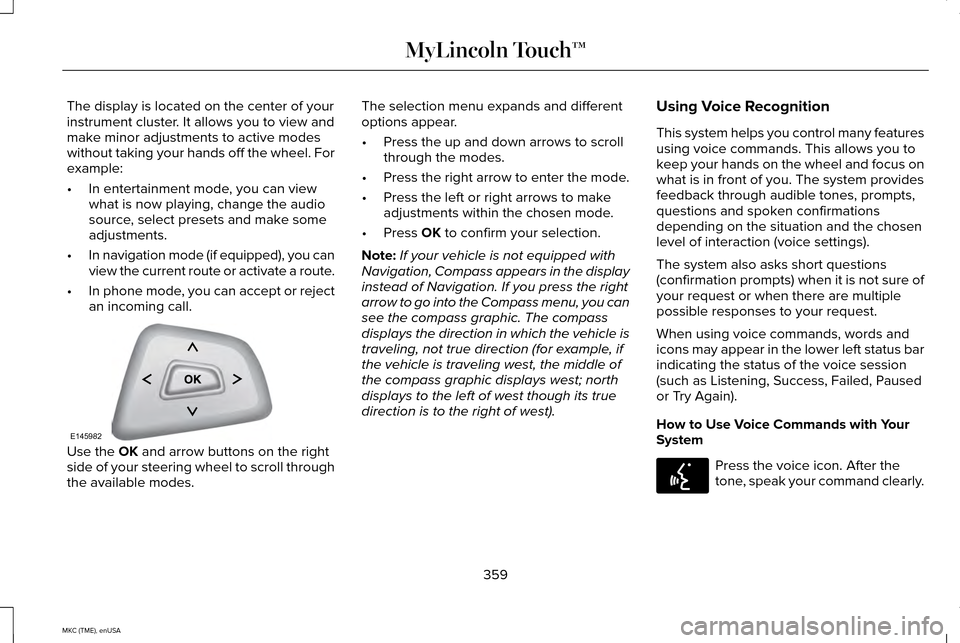
an incoming call. Use the OK and arrow buttons on the right
side of your steering wheel to scroll through
the available modes. The selection menu expands and different
options appear.
•
Press the up and down arrows to scroll
through the modes.
• Press the right arrow to enter the mode.
• Press the left or right arrows to make
adjustments within the chosen mode.
• Press
OK to confirm your selection.
Note: If your vehicle is not equipped with
Navigation, Compass appears in the display
instead of Navigation. If you press the right
arrow to go into the Compass menu, you can
see the compass graphic. The compass
displays the direction in which the vehicle is
traveling, not true direction (for example, if
the vehicle is traveling west, the middle of
the compass graphic displays west; north
displays to the left of west though its true
direction is to the right of west). Using Voice Recognition
This system helps you control many features
using voice commands. This allows you to
keep your hands on the wheel and focus on
what is in front of you. The system provides
feedback through audible tones, prompts,
questions and spoken confirmations
depending on the situation and the chosen
level of interaction (voice settings).
The system also asks short questions
(confirmation prompts) when it is not sure of
your request or when there are multiple
possible responses to your request.
When using voice commands, words and
icons may appear in the lower left status bar
indicating the status of the voice session
(such as Listening, Success, Failed, Paused
or Try Again).
How to Use Voice Commands with Your
System
Press the voice icon. After the
tone, speak your command clearly.
359
MKC (TME), enUSA MyLincoln Touch™E145982 E142599
Page 480 of 490
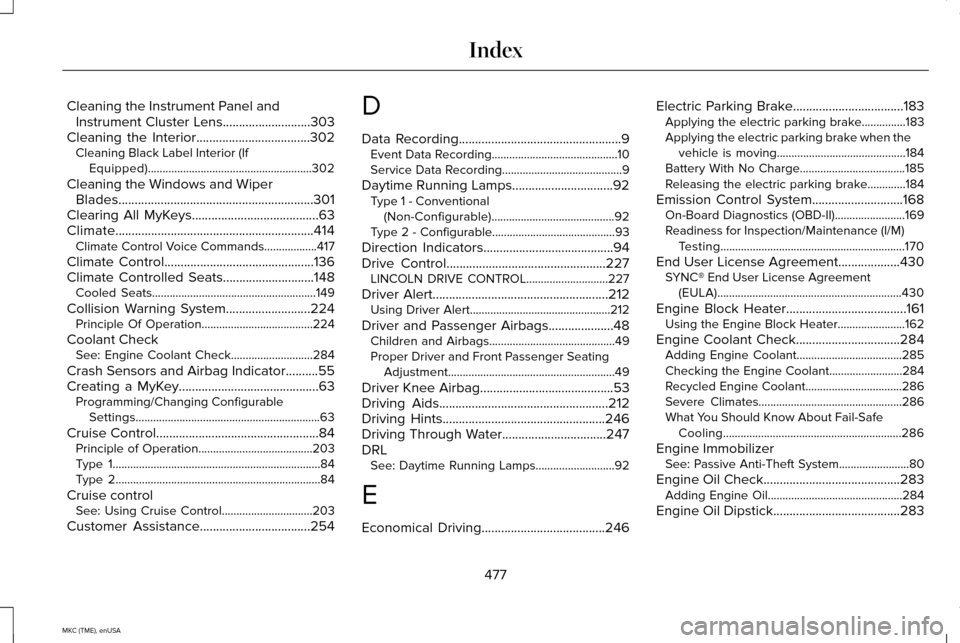
Cleaning the Instrument Panel and
Instrument Cluster Lens...........................303
Cleaning the Interior...................................302 Cleaning Black Label Interior (If
Equipped)........................................................302
Cleaning the Windows and Wiper Blades............................................................301
Clearing All MyKeys.......................................63
Climate.............................................................414 Climate Control Voice Commands..................417
Climate Control..............................................136
Climate Controlled Seats............................148
Cooled Seats........................................................149
Collision Warning System
..........................224
Principle Of Operation......................................224
Coolant Check See: Engine Coolant Check............................284
Crash Sensors and Airbag Indicator..........55
Creating a MyKey...........................................63 Programming/Changing Configurable
Settings...............................................................63
Cruise Control
..................................................84
Principle of Operation.......................................203
Type 1.......................................................................84
Type 2......................................................................84
Cruise control See: Using Cruise Control...............................203
Customer Assistance
..................................254 D
Data Recording
..................................................9
Event Data Recording...........................................10
Service Data Recording.........................................9
Daytime Running Lamps...............................92 Type 1 - Conventional
(Non-Configurable)
..........................................92
Type 2 - Configurable..........................................93
Direction Indicators........................................94
Drive Control
.................................................227
LINCOLN DRIVE CONTROL............................227
Driver Alert
......................................................212
Using Driver Alert................................................212
Driver and Passenger Airbags....................48 Children and Airbags...........................................49
Proper Driver and Front Passenger Seating
Adjustment.........................................................49
Driver Knee Airbag.........................................53
Driving Aids
....................................................212
Driving Hints..................................................246
Driving Through Water................................247
DRL See: Daytime Running Lamps...........................92
E
Economical Driving......................................246 Electric Parking Brake
..................................183
Applying the electric parking brake...............183
Applying the electric parking brake when the
vehicle is moving............................................184
Battery With No Charge....................................185
Releasing the electric parking brake.............184
Emission Control System
............................168
On-Board Diagnostics (OBD-II)........................169
Readiness for Inspection/Maintenance (I/M)
Testing...............................................................170
End User License Agreement
...................430
SYNC® End User License Agreement
(EULA)...............................................................430
Engine Block Heater.....................................161 Using the Engine Block Heater.......................
162
Engine Coolant Check................................284 Adding Engine Coolant....................................285
Checking the Engine Coolant.........................284
Recycled Engine Coolant.................................
286
Severe Climates.................................................286
What You Should Know About Fail-Safe Cooling.............................................................286
Engine Immobilizer See: Passive Anti-Theft System........................80
Engine Oil Check
..........................................283
Adding Engine Oil..............................................284
Engine Oil Dipstick
.......................................283
477
MKC (TME), enUSA Index
Page 483 of 490
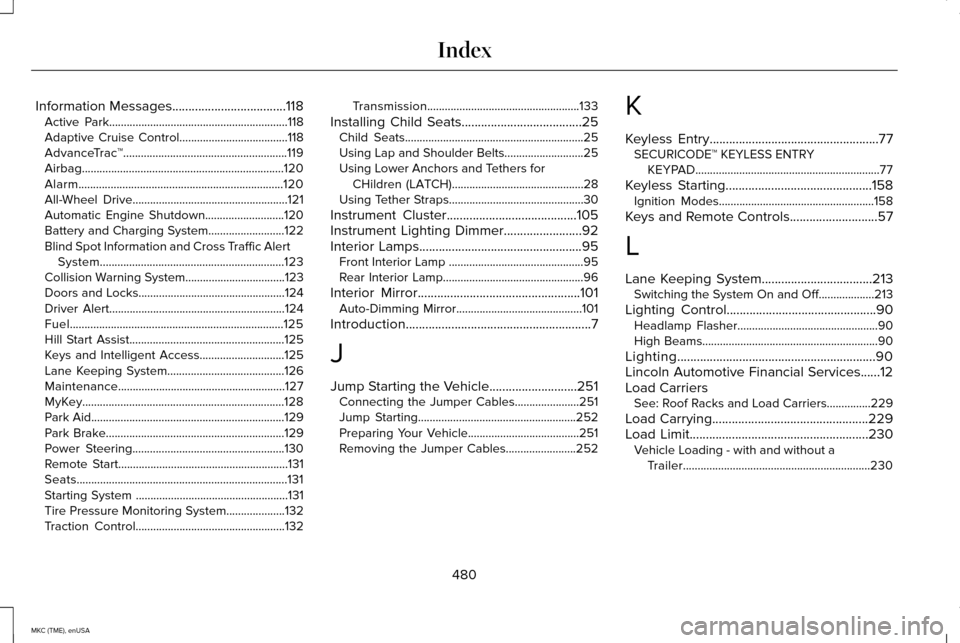
Information Messages...................................118
Active Park.............................................................118
Adaptive Cruise Control.....................................118
AdvanceTrac ™........................................................119
Airbag.....................................................................120
Alarm......................................................................120
All-Wheel Drive.....................................................121
Automatic Engine Shutdown...........................120
Battery and Charging System..........................122
Blind Spot Information and Cross Traffic Alert System...............................................................123
Collision Warning System..................................123
Doors and Locks..................................................124
Driver Alert............................................................124
Fuel........................................................................\
.125
Hill Start Assist.....................................................125
Keys and Intelligent Access.............................125
Lane Keeping System........................................126
Maintenance.........................................................127
MyKey.....................................................................128
Park Aid..................................................................129
Park Brake.............................................................129
Power Steering....................................................130
Remote Start..........................................................131
Seats........................................................................\
131
Starting System ....................................................131
Tire Pressure Monitoring System
....................132
Traction Control...................................................132 Transmission....................................................133
Installing Child Seats
.....................................25
Child Seats.............................................................25
Using Lap and Shoulder Belts...........................25
Using Lower Anchors and Tethers for
CHildren (LATCH).............................................28
Using Tether Straps..............................................30
Instrument Cluster........................................105
Instrument Lighting Dimmer........................92
Interior Lamps
..................................................95
Front Interior Lamp ..............................................95
Rear Interior Lamp................................................96
Interior Mirror
..................................................101
Auto-Dimming Mirror...........................................101
Introduction
.........................................................7
J
Jump Starting the Vehicle...........................251 Connecting the Jumper Cables......................
251
Jump Starting......................................................252
Preparing Your Vehicle......................................251
Removing the Jumper Cables........................252 K
Keyless Entry
....................................................77
SECURICODE™ KEYLESS ENTRY
KEYPAD...............................................................77
Keyless Starting
.............................................158
Ignition Modes.....................................................158
Keys and Remote Controls
...........................57
L
Lane Keeping System..................................213 Switching the System On and Off...................213
Lighting Control..............................................90 Headlamp Flasher................................................90
High Beams............................................................90
Lighting.............................................................90
Lincoln Automotive Financial Services......12
Load Carriers See: Roof Racks and Load Carriers...............229
Load Carrying................................................229
Load Limit
.......................................................230
Vehicle Loading - with and without a
Trailer................................................................230
480
MKC (TME), enUSA Index