warning LINCOLN MKC 2015 Owner's Guide
[x] Cancel search | Manufacturer: LINCOLN, Model Year: 2015, Model line: MKC, Model: LINCOLN MKC 2015Pages: 490, PDF Size: 4.74 MB
Page 56 of 490
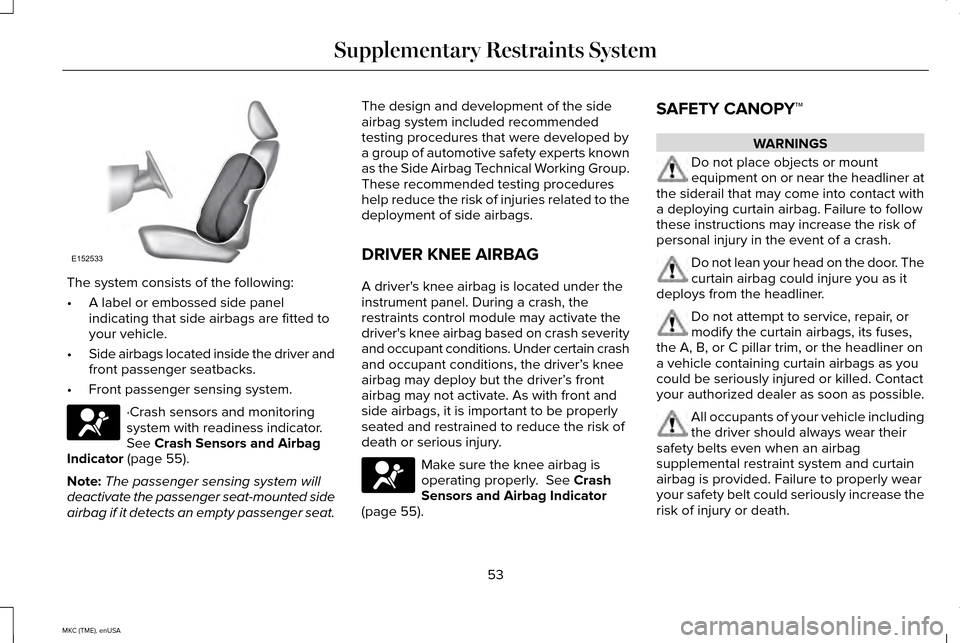
The system consists of the following:
•
A label or embossed side panel
indicating that side airbags are fitted to
your vehicle.
• Side airbags located inside the driver and
front passenger seatbacks.
• Front passenger sensing system. ·Crash sensors and monitoring
system with readiness indicator.
See Crash Sensors and Airbag
Indicator (page 55).
Note: The passenger sensing system will
deactivate the passenger seat-mounted side
airbag if it detects an empty passenger seat. The design and development of the side
airbag system included recommended
testing procedures that were developed by
a group of automotive safety experts known
as the Side Airbag Technical Working Group.
These recommended testing procedures
help reduce the risk of injuries related to the
deployment of side airbags.
DRIVER KNEE AIRBAG
A driver's knee airbag is located under the
instrument panel. During a crash, the
restraints control module may activate the
driver's knee airbag based on crash severity
and occupant conditions. Under certain crash
and occupant conditions, the driver’
s knee
airbag may deploy but the driver’ s front
airbag may not activate. As with front and
side airbags, it is important to be properly
seated and restrained to reduce the risk of
death or serious injury. Make sure the knee airbag is
operating properly.
See Crash
Sensors and Airbag Indicator
(page
55). SAFETY CANOPY™ WARNINGS
Do not place objects or mount
equipment on or near the headliner at
the siderail that may come into contact with
a deploying curtain airbag. Failure to follow
these instructions may increase the risk of
personal injury in the event of a crash. Do not lean your head on the door. The
curtain airbag could injure you as it
deploys from the headliner. Do not attempt to service, repair, or
modify the curtain airbags, its fuses,
the A, B, or C pillar trim, or the headliner on
a vehicle containing curtain airbags as you
could be seriously injured or killed. Contact
your authorized dealer as soon as possible. All occupants of your vehicle including
the driver should always wear their
safety belts even when an airbag
supplemental restraint system and curtain
airbag is provided. Failure to properly wear
your safety belt could seriously increase the
risk of injury or death.
53
MKC (TME), enUSA Supplementary Restraints SystemE152533
Page 57 of 490
WARNINGS
To reduce risk of injury, do not obstruct
or place objects in the deployment
path of the curtain airbag. If the curtain airbags have deployed,
the curtain airbags will not function
again. The curtain airbags (including the A,
B and C pillar trim and headliner) must be
inspected and serviced by an authorized
dealer. If the curtain airbag is not replaced,
the unrepaired area will increase the risk of
injury in a crash. The Safety Canopy will deploy during
significant side crashes or when a certain
likelihood of a rollover event is detected by
the rollover sensor. The Safety Canopy is
mounted to the roof side-rail sheet metal,
behind the headliner, above each row of
seats. In certain sideways crashes or rollover
events, the Safety Canopy will be activated,
regardless of which seats are occupied. The
Safety Canopy is designed to inflate between
the side window area and occupants to
further enhance protection provided in side
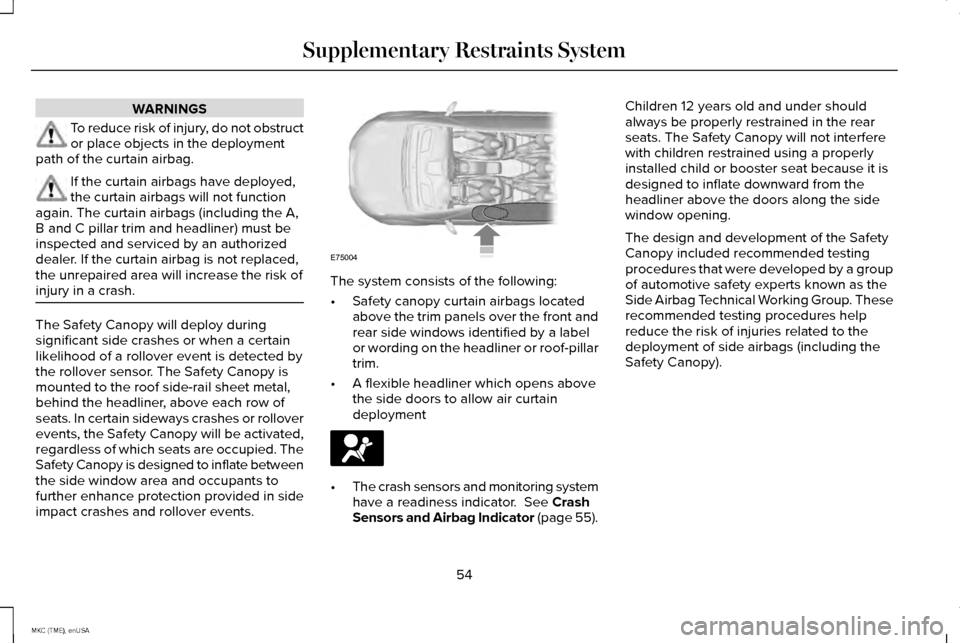
impact crashes and rollover events. The system consists of the following:
•
Safety canopy curtain airbags located
above the trim panels over the front and
rear side windows identified by a label
or wording on the headliner or roof-pillar
trim.
• A flexible headliner which opens above
the side doors to allow air curtain
deployment •
The crash sensors and monitoring system
have a readiness indicator. See Crash
Sensors and Airbag Indicator (page 55). Children 12 years old and under should
always be properly restrained in the rear
seats. The Safety Canopy will not interfere
with children restrained using a properly
installed child or booster seat because it is
designed to inflate downward from the
headliner above the doors along the side
window opening.
The design and development of the Safety
Canopy included recommended testing
procedures that were developed by a group
of automotive safety experts known as the
Side Airbag Technical Working Group. These
recommended testing procedures help
reduce the risk of injuries related to the
deployment of side airbags (including the
Safety Canopy).
54
MKC (TME), enUSA Supplementary Restraints SystemE75004
Page 58 of 490
CRASH SENSORS AND AIRBAG
INDICATOR
WARNING
Modifying or adding equipment to the
front end of your vehicle (including
frame, bumper, front end body structure and
tow hooks) may affect the performance of
the airbag system, increasing the risk of
injury. Do not modify the front end of your
vehicle. Your vehicle has a collection of crash and
occupant sensors which provide information
to the restraints control module which
deploys (activates) the front safety belt
pretensioners, driver airbag, passenger
airbag, seat mounted side airbags, and the
Safety Canopy. Based on the type of
accident (frontal impact, side impact or
rollover) the restraints control module will
deploy the appropriate safety devices. The restraints control module also monitors
the readiness of the above safety devices
plus the crash and occupant sensors. The
readiness of the safety system is indicated
by a warning indicator light in the instrument
cluster or by a backup tone if the warning
light is not working. Routine maintenance of
the airbag is not required.
A difficulty with the system is indicated by
one or more of the following:
•
The readiness light will not illuminate
immediately after the ignition is turned
on.
• The readiness light will either flash or
stay lit.
• A series of five beeps will be heard. The
tone pattern will repeat periodically until
the problem, the light or both are
repaired. If any of these things happen, even
intermittently, have the supplemental
restraint system serviced at an authorized
dealer immediately. Unless serviced, the
system may not function properly in the
event of a crash.
The safety belt pretensioners and the airbag
supplemental restraint system is designed
to activate when your vehicle sustains frontal
or sideways deceleration sufficient to cause
the restraints control module to deploy a
safety device or when a certain likelihood of
a rollover event is detected by the rollover
sensor.
55
MKC (TME), enUSA Supplementary Restraints System
Page 62 of 490
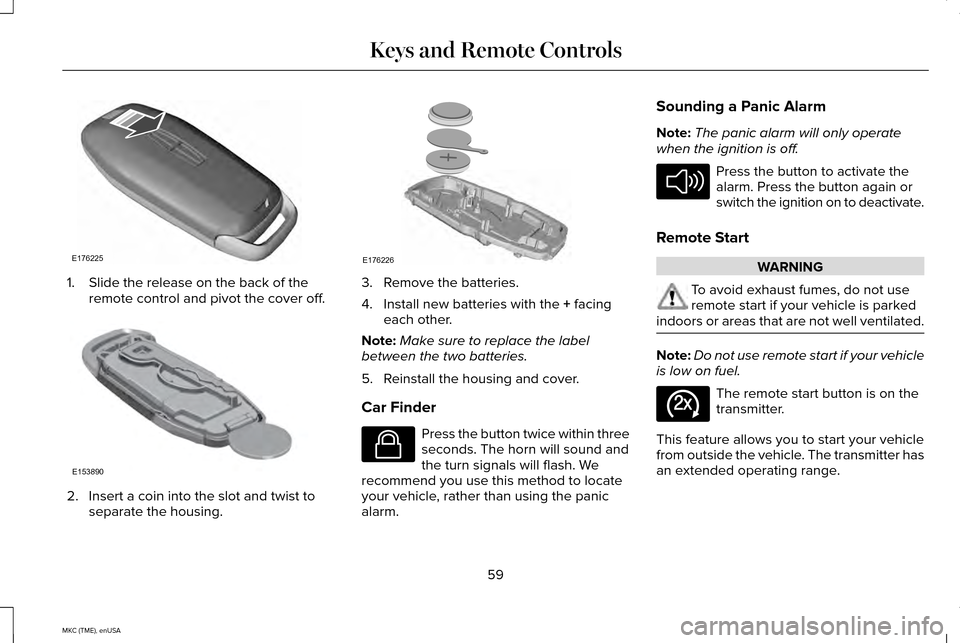
1. Slide the release on the back of the
remote control and pivot the cover off. 2. Insert a coin into the slot and twist to
separate the housing. 3. Remove the batteries.
4. Install new batteries with the + facing
each other.
Note: Make sure to replace the label
between the two batteries.
5. Reinstall the housing and cover.
Car Finder Press the button twice within three
seconds. The horn will sound and
the turn signals will flash. We
recommend you use this method to locate
your vehicle, rather than using the panic
alarm. Sounding a Panic Alarm
Note:
The panic alarm will only operate
when the ignition is off. Press the button to activate the
alarm. Press the button again or
switch the ignition on to deactivate.
Remote Start WARNING
To avoid exhaust fumes, do not use
remote start if your vehicle is parked
indoors or areas that are not well ventilated. Note:
Do not use remote start if your vehicle
is low on fuel. The remote start button is on the
transmitter.
This feature allows you to start your vehicle
from outside the vehicle. The transmitter has
an extended operating range.
59
MKC (TME), enUSA Keys and Remote ControlsE176225 E153890 E176226 E138623 E138624 E138625
Page 65 of 490
PRINCIPLE OF OPERATION
MyKey allows you to program keys with
restricted driving modes to promote good
driving habits. All but one of the keys
programmed to the vehicle can be activated
with these restricted modes.
Any keys that have not been programmed
are referred to as administrator keys or
admin keys. These can be used to:
•
create a MyKey
• program configurable MyKey settings
• clear all MyKey features.
When you have programmed a MyKey, you
can access the following information using
the information display:
• How many admin keys and MyKeys are
programmed to your vehicle.
• The total distance your vehicle has
traveled using a MyKey.
Note: All MyKeys are programmed to the
same settings. You cannot program them
individually. Note:
For vehicles with intelligent access
with push-button start, when both a MyKey
and an admin intelligent access key fob are
present, the admin fob will be recognized by
the vehicle while switching the ignition on to
start the vehicle.
Non-configurable Settings
The following settings cannot be changed
by an admin key user:
• Belt-Minder. You cannot disable this
feature. The audio system will mute when
the front seat occupants ’ safety belts are
not fastened.
• Early low fuel. The low-fuel warning
activates earlier, giving the MyKey user
more time to refuel.
• Driver assist features, if equipped on your
vehicle, are forced on: parking aid, blind
spot information system (BLIS) with cross
traffic alert, lane departure warning and
forward collision warning system. Configurable Settings
With an admin key, you can configure certain
MyKey settings when you first create a
MyKey and before you recycle the key or
restart the vehicle. You can also change the
settings afterward with an admin key.
•
A vehicle speed limit can be set.
Warnings will be shown in the display
followed by an audible tone when your
vehicle reaches the set speed. You
cannot override the set speed by fully
depressing the accelerator pedal or by
setting cruise control.
• Vehicle speed minders of 45, 55 or 65
mph (75, 90 or 105 km/h). Once you
select a speed, it will be shown in the
display, followed by an audible tone
when the preselected vehicle speed is
exceeded.
62
MKC (TME), enUSA MyKey™
Page 72 of 490
Intelligent access at the driver door will
unlock all doors when you disable two-stage
unlocking.
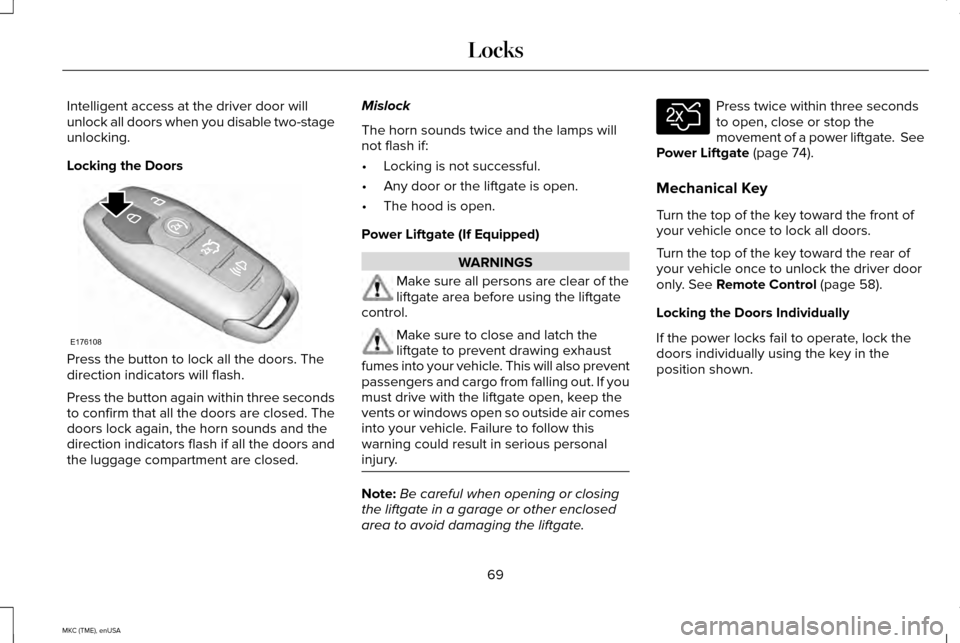
Locking the Doors
Press the button to lock all the doors. The
direction indicators will flash.
Press the button again within three seconds
to confirm that all the doors are closed. The
doors lock again, the horn sounds and the
direction indicators flash if all the doors and
the luggage compartment are closed. Mislock
The horn sounds twice and the lamps will
not flash if:
•
Locking is not successful.
• Any door or the liftgate is open.
• The hood is open.
Power Liftgate (If Equipped) WARNINGS
Make sure all persons are clear of the
liftgate area before using the liftgate
control. Make sure to close and latch the
liftgate to prevent drawing exhaust
fumes into your vehicle. This will also prevent
passengers and cargo from falling out. If you
must drive with the liftgate open, keep the
vents or windows open so outside air comes
into your vehicle. Failure to follow this
warning could result in serious personal
injury. Note:
Be careful when opening or closing
the liftgate in a garage or other enclosed
area to avoid damaging the liftgate. Press twice within three seconds
to open, close or stop the
movement of a power liftgate. See
Power Liftgate (page 74).
Mechanical Key
Turn the top of the key toward the front of
your vehicle once to lock all doors.
Turn the top of the key toward the rear of
your vehicle once to unlock the driver door
only.
See Remote Control (page 58).
Locking the Doors Individually
If the power locks fail to operate, lock the
doors individually using the key in the
position shown.
69
MKC (TME), enUSA LocksE176108 E138630
Page 76 of 490
MANUAL LIFTGATE
WARNINGS
It is extremely dangerous to ride in a
cargo area, inside or outside of a
vehicle. In a crash, people riding in these
areas are more likely to be seriously injured
or killed. Do not allow people to ride in any
area of your vehicle that is not equipped with
seats and safety belts. Be sure everyone in
your vehicle is in a seat and using a safety
belt properly. Failure to follow this warning
could result in serious personal injury or
death. Make sure to close and latch the
liftgate to prevent drawing exhaust
fumes into your vehicle. This will also prevent
passengers and cargo from falling out. If you
must drive with the liftgate open, keep the
vents or windows open so outside air comes
into your vehicle. Failure to follow this
warning could result in serious personal
injury. Note:
Be careful when opening or closing
the liftgate in a garage or other enclosed
area to avoid damaging the liftgate. Note:
Do not hang anything, for example a
bike rack, from the glass or liftgate. This
could damage the liftgate and its
components.
Note: Do not leave the liftgate open while
driving. This could damage the liftgate and
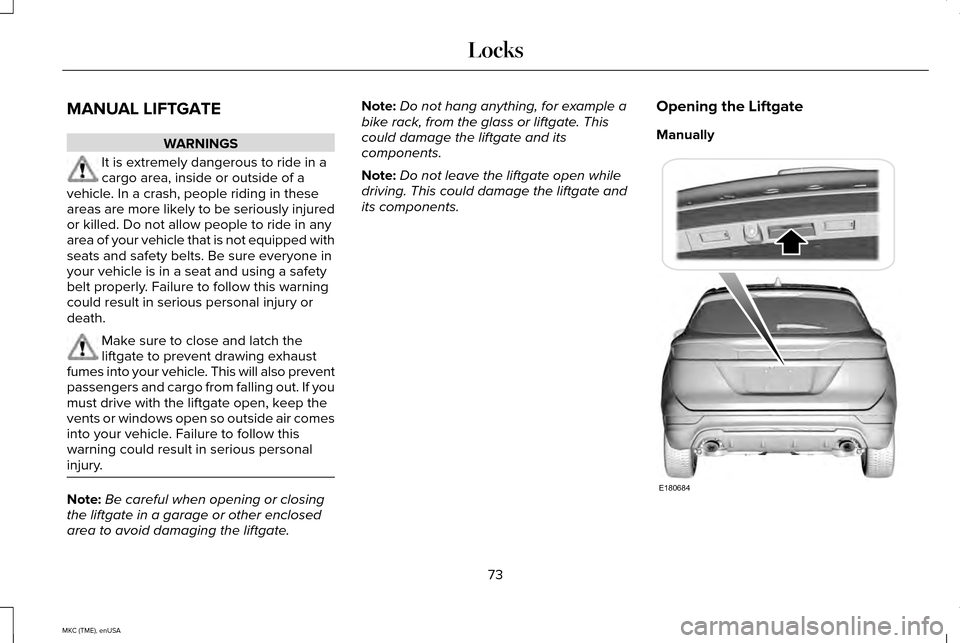
its components. Opening the Liftgate
Manually
73
MKC (TME), enUSA LocksE180684
Page 77 of 490
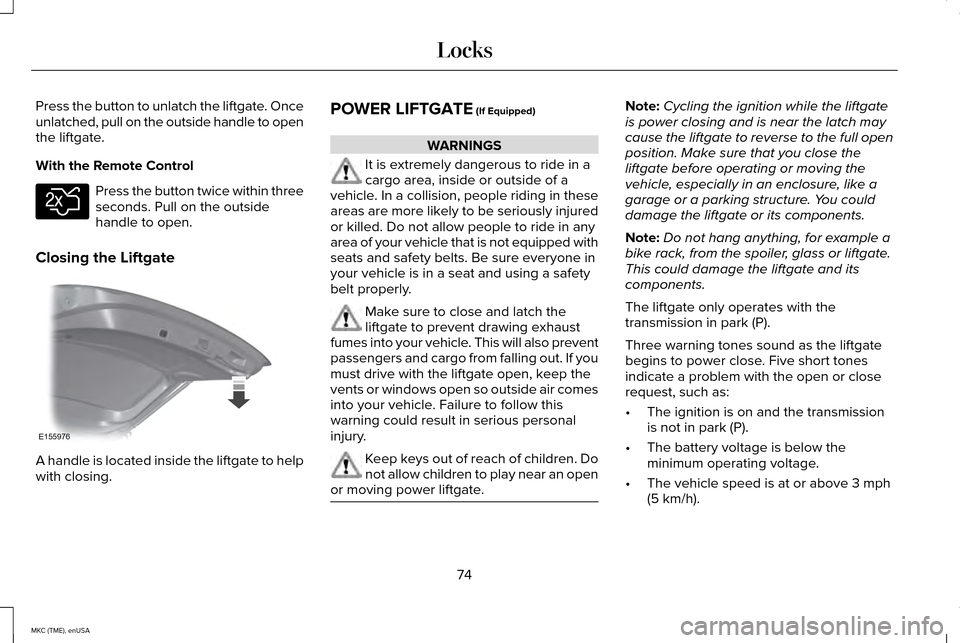
Press the button to unlatch the liftgate. Once
unlatched, pull on the outside handle to open
the liftgate.
With the Remote Control
Press the button twice within three
seconds. Pull on the outside
handle to open.
Closing the Liftgate A handle is located inside the liftgate to help
with closing. POWER LIFTGATE (If Equipped) WARNINGS
It is extremely dangerous to ride in a
cargo area, inside or outside of a
vehicle. In a collision, people riding in these
areas are more likely to be seriously injured
or killed. Do not allow people to ride in any
area of your vehicle that is not equipped with
seats and safety belts. Be sure everyone in
your vehicle is in a seat and using a safety
belt properly. Make sure to close and latch the
liftgate to prevent drawing exhaust
fumes into your vehicle. This will also prevent
passengers and cargo from falling out. If you
must drive with the liftgate open, keep the
vents or windows open so outside air comes
into your vehicle. Failure to follow this
warning could result in serious personal
injury. Keep keys out of reach of children. Do
not allow children to play near an open
or moving power liftgate. Note:
Cycling the ignition while the liftgate
is power closing and is near the latch may
cause the liftgate to reverse to the full open
position. Make sure that you close the
liftgate before operating or moving the
vehicle, especially in an enclosure, like a
garage or a parking structure. You could
damage the liftgate or its components.
Note: Do not hang anything, for example a
bike rack, from the spoiler, glass or liftgate.
This could damage the liftgate and its
components.
The liftgate only operates with the
transmission in park (P).
Three warning tones sound as the liftgate
begins to power close. Five short tones
indicate a problem with the open or close
request, such as:
• The ignition is on and the transmission
is not in park (P).
• The battery voltage is below the
minimum operating voltage.
• The vehicle speed is at or above
3 mph
(5 km/h).
74
MKC (TME), enUSA LocksE138630 E155976
Page 78 of 490
If the liftgate falls after the liftgate has
stopped in the open position, you may hear
four short warning tones. This indicates
excessive weight on the gate or a possible
gas strut failure. Have an authorized dealer
check the system if you still have the issue
after you remove the load.
Opening and Closing the Liftgate
WARNING
Make sure all persons are clear of the
power liftgate area before using the
power liftgate control. Note:
Be careful when opening or closing
the liftgate in a garage or other enclosed
area to avoid damaging the liftgate.
Note: Do not leave the liftgate open while
driving. This could damage the liftgate and
its components. Note:
You can stop the liftgate movement
direction with a second press of the
instrument panel button or the button on the
liftgate trim, a second double press of the
transmitter button, or by using a kicking
motion with your foot for a hands-free liftgate
(if equipped).
From the Instrument Panel Press the instrument panel button.
With the Remote Control Press the remote control button
twice within three seconds.
Hands-Free Feature (If Equipped)
Make sure you have an intelligent access
transmitter within 3 feet (1 meter) of the
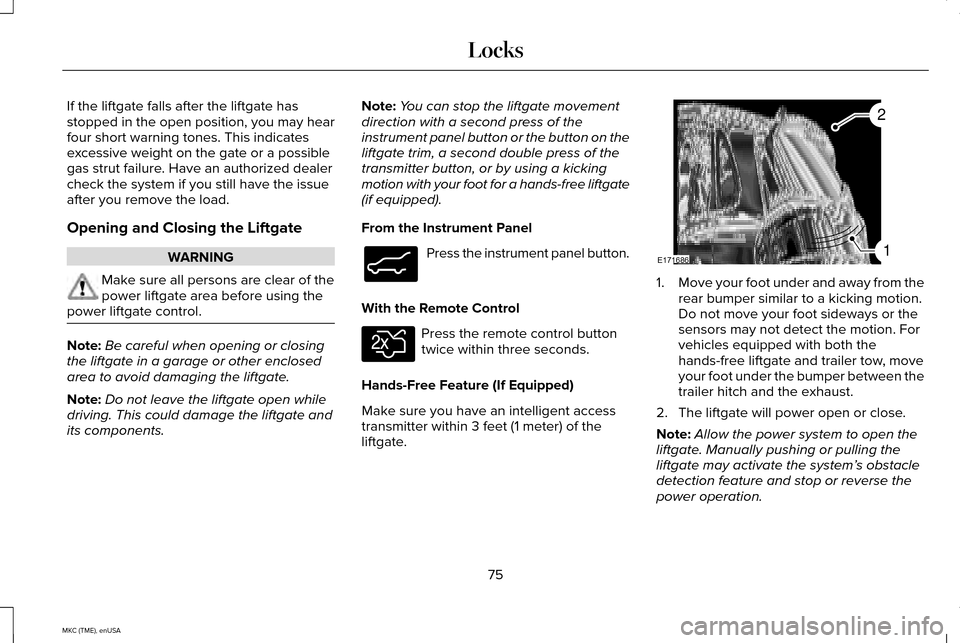
liftgate. 1.
Move your foot under and away from the
rear bumper similar to a kicking motion.
Do not move your foot sideways or the
sensors may not detect the motion. For
vehicles equipped with both the
hands-free liftgate and trailer tow, move
your foot under the bumper between the
trailer hitch and the exhaust.
2. The liftgate will power open or close.
Note: Allow the power system to open the
liftgate. Manually pushing or pulling the
liftgate may activate the system’ s obstacle
detection feature and stop or reverse the
power operation.
75
MKC (TME), enUSA LocksE138633 E138630 E171686
2
1
Page 79 of 490
Note:
Splashing water may cause the
hands-free liftgate to open. Keep the
intelligent access transmitter away from the
rear bumper detection area while washing
your car.
From Outside the Vehicle
Opening
1. Unlock the liftgate with the remote control or power door unlock control. If
an intelligent access transmitter is within
3 feet (1 meter) of the liftgate, the liftgate
will unlock when you press the button in
the liftgate pull cup handle. 2.
Press the button located in the top of the
liftgate pull-cup handle.
Note: Allow the power system to open the
liftgate after pressing the button. Manually
pushing or pulling the liftgate may activate
the system’ s obstacle detection feature and
stop or reverse the power operation.
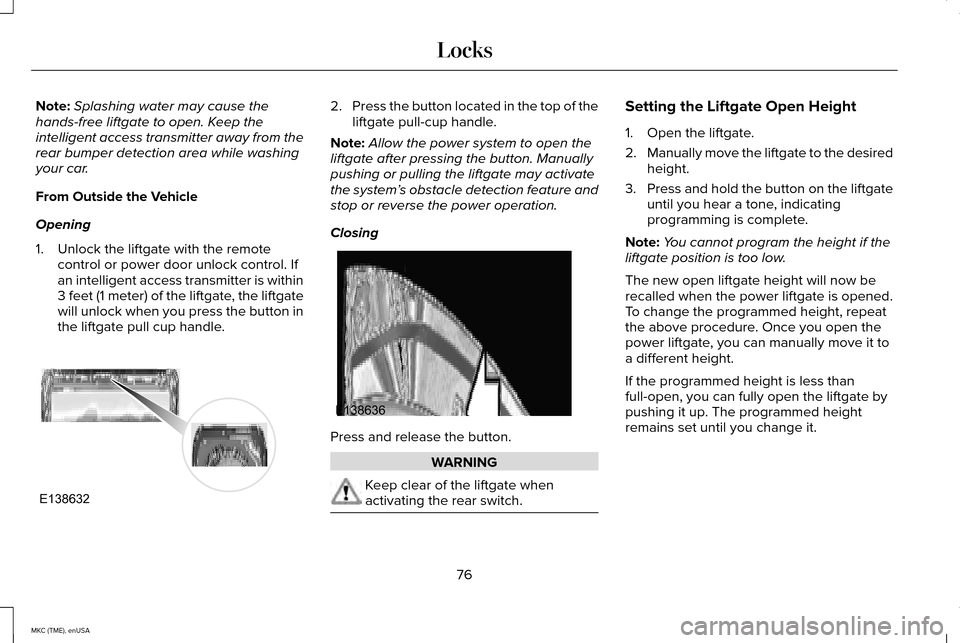
Closing Press and release the button.
WARNING
Keep clear of the liftgate when
activating the rear switch. Setting the Liftgate Open Height
1. Open the liftgate.
2.
Manually move the liftgate to the desired
height.
3. Press and hold the button on the liftgate
until you hear a tone, indicating
programming is complete.
Note: You cannot program the height if the
liftgate position is too low.
The new open liftgate height will now be
recalled when the power liftgate is opened.
To change the programmed height, repeat
the above procedure. Once you open the
power liftgate, you can manually move it to
a different height.
If the programmed height is less than
full-open, you can fully open the liftgate by
pushing it up. The programmed height
remains set until you change it.
76
MKC (TME), enUSA LocksE138632 E138636