146 LINCOLN MKC 2015 Owners Manual
[x] Cancel search | Manufacturer: LINCOLN, Model Year: 2015, Model line: MKC, Model: LINCOLN MKC 2015Pages: 490, PDF Size: 4.74 MB
Page 5 of 490
Security
Passive Anti-Theft System............................80
Anti-Theft Alarm...............................................81
Steering Wheel
Adjusting the Steering Wheel.....................82
Audio Control
...................................................83
Voice Control...................................................84
Cruise Control
..................................................84
Information Display Control.........................84
Heated Steering Wheel
................................85
Wipers and Washers
Windshield Wipers
.........................................86
Autowipers........................................................87
Windshield Washers......................................88
Rear Window Wiper and Washers..............88
Lighting
Lighting Control..............................................90
Autolamps ..........................................................
91
Instrument Lighting Dimmer........................92
Headlamp Exit Delay.....................................92 Daytime Running Lamps...............................92
Automatic High Beam Control....................93
Direction Indicators........................................94
Welcome Lighting...........................................95
Interior Lamps
..................................................95
Ambient Lighting............................................96
Windows and Mirrors
Power Windows
...............................................97
Global Opening and Closing.......................98
Exterior Mirrors
................................................98
Interior Mirror
..................................................101
Sun Visors
.......................................................102
Moonroof.........................................................102
Instrument Cluster
Gauges............................................................105
Warning Lamps and Indicators
..................107
Audible Warnings and Indicators................111
Information Displays
General Information
.......................................112
Information Messages
...................................118 Climate Control
Automatic Climate Control..........................136
Hints on Controlling the Interior
Climate.........................................................138
Heated Windows and Mirrors....................139
Cabin Air Filter
...............................................140
Remote Start
...................................................140
Seats
Sitting in the Correct Position.....................141
Head Restraints
..............................................141
Power Seats....................................................143
Memory Function..........................................145
Rear Seats.......................................................146
Heated Seats
..................................................147
Climate Controlled Seats
............................148
Rear Seat Armrest
.........................................149
Universal Garage Door Opener
Universal Garage Door Opener................150
Auxiliary Power Points
Auxiliary Power Points.................................155
2
MKC (TME), enUSA Table of Contents
Page 21 of 490
See Power Windows (page 97).
C
See
Head Restraints (page 141).
D
See
Fastening the Safety Belts (page 38).
E
See
Rear Seats (page 146).
F
See
Power Seats (page 143).
G
See
Electric Parking Brake (page 183).
H
See
Opening and Closing the Hood (page 279).
I
18
MKC (TME), enUSA At a Glance
Page 73 of 490
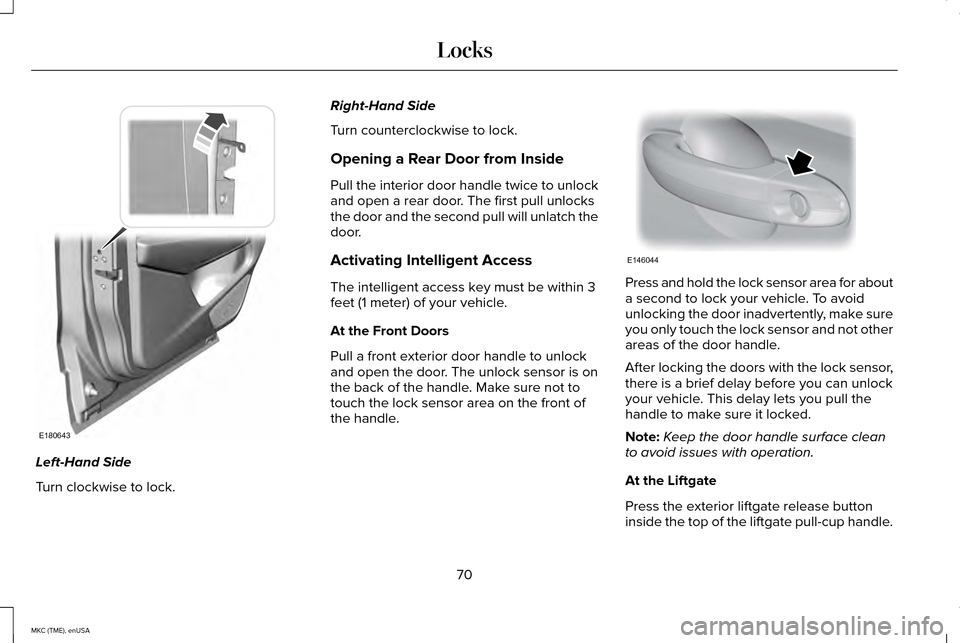
Left-Hand Side
Turn clockwise to lock. Right-Hand Side
Turn counterclockwise to lock.
Opening a Rear Door from Inside
Pull the interior door handle twice to unlock
and open a rear door. The first pull unlocks
the door and the second pull will unlatch the
door.
Activating Intelligent Access
The intelligent access key must be within 3
feet (1 meter) of your vehicle.
At the Front Doors
Pull a front exterior door handle to unlock
and open the door. The unlock sensor is on
the back of the handle. Make sure not to
touch the lock sensor area on the front of
the handle.
Press and hold the lock sensor area for about
a second to lock your vehicle. To avoid
unlocking the door inadvertently, make sure
you only touch the lock sensor and not other
areas of the door handle.
After locking the doors with the lock sensor,
there is a brief delay before you can unlock
your vehicle. This delay lets you pull the
handle to make sure it locked.
Note:
Keep the door handle surface clean
to avoid issues with operation.
At the Liftgate
Press the exterior liftgate release button
inside the top of the liftgate pull-cup handle.
70
MKC (TME), enUSA LocksE180643 E146044
Page 100 of 490
POWER WINDOWS
WARNINGS
Do not leave children unattended in
your vehicle and do not let them play
with the power windows. They may seriously
injure themselves. When closing the power windows, you
should verify they are free of
obstructions and make sure that children and
pets are not in the proximity of the window
openings. Note:
You may hear a pulsing noise when
just one of the windows is open. Lower the
opposite window slightly to reduce this
noise.
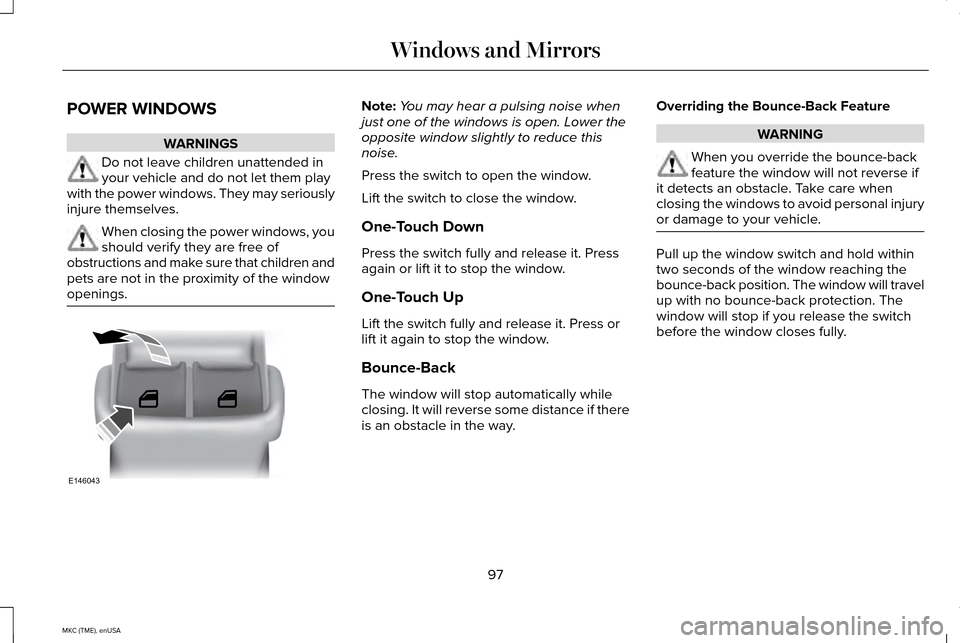
Press the switch to open the window.
Lift the switch to close the window.
One-Touch Down
Press the switch fully and release it. Press
again or lift it to stop the window.
One-Touch Up
Lift the switch fully and release it. Press or
lift it again to stop the window.
Bounce-Back
The window will stop automatically while
closing. It will reverse some distance if there
is an obstacle in the way. Overriding the Bounce-Back Feature WARNING
When you override the bounce-back
feature the window will not reverse if
it detects an obstacle. Take care when
closing the windows to avoid personal injury
or damage to your vehicle. Pull up the window switch and hold within
two seconds of the window reaching the
bounce-back position. The window will travel
up with no bounce-back protection. The
window will stop if you release the switch
before the window closes fully.
97
MKC (TME), enUSA Windows and MirrorsE146043
Page 111 of 490
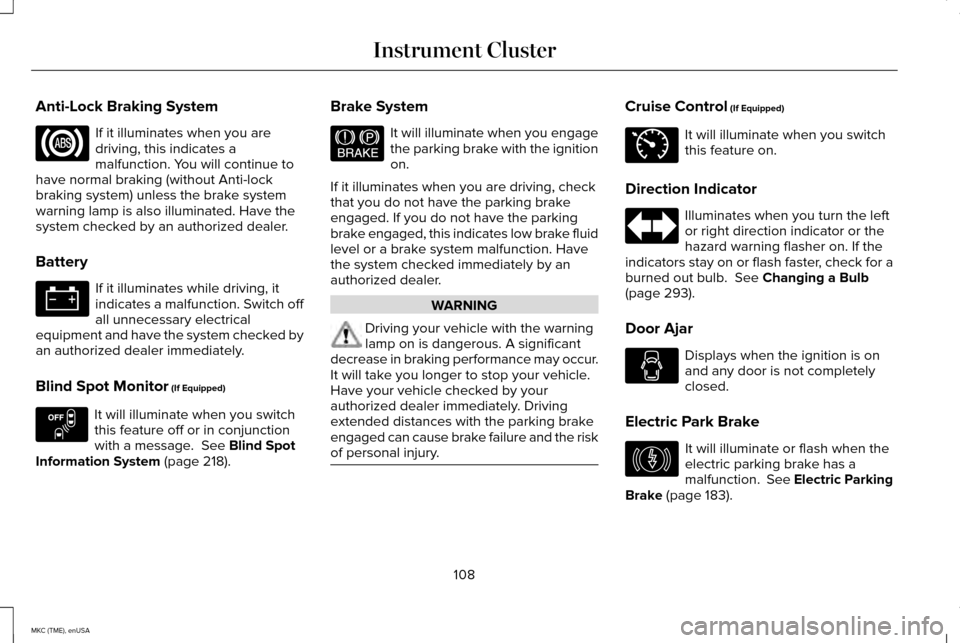
Anti-Lock Braking System
If it illuminates when you are
driving, this indicates a
malfunction. You will continue to
have normal braking (without Anti-lock
braking system) unless the brake system
warning lamp is also illuminated. Have the
system checked by an authorized dealer.
Battery If it illuminates while driving, it
indicates a malfunction. Switch off
all unnecessary electrical
equipment and have the system checked by
an authorized dealer immediately.
Blind Spot Monitor (If Equipped) It will illuminate when you switch
this feature off or in conjunction
with a message.
See Blind Spot
Information System (page 218). Brake System It will illuminate when you engage
the parking brake with the ignition
on.
If it illuminates when you are driving, check
that you do not have the parking brake
engaged. If you do not have the parking
brake engaged, this indicates low brake fluid
level or a brake system malfunction. Have
the system checked immediately by an
authorized dealer. WARNING
Driving your vehicle with the warning
lamp on is dangerous. A significant
decrease in braking performance may occur.
It will take you longer to stop your vehicle.
Have your vehicle checked by your
authorized dealer immediately. Driving
extended distances with the parking brake
engaged can cause brake failure and the risk
of personal injury. Cruise Control
(If Equipped)
It will illuminate when you switch
this feature on.
Direction Indicator Illuminates when you turn the left
or right direction indicator or the
hazard warning flasher on. If the
indicators stay on or flash faster, check for a
burned out bulb.
See Changing a Bulb
(page 293).
Door Ajar Displays when the ignition is on
and any door is not completely
closed.
Electric Park Brake It will illuminate or flash when the
electric parking brake has a
malfunction. See Electric Parking
Brake
(page 183).
108
MKC (TME), enUSA Instrument Cluster E151262 E144522 E71340 E146190
Page 149 of 490
A pre-set memory position can also be
recalled by:
•
Pressing the unlock button on your
intelligent access key fob if it is linked to
a pre-set position.
• Unlocking the intelligent driver door
handle if a linked key fob is present.
• Entering a personal entry code on the
Securicode keypad. See Locks (page
68).
Note: Using a linked key fob to recall your
memory position when the ignition is off will
move the seat and steering column to the
Easy Entry position.
Linking a Pre-Set Position to your
Remote Control or Intelligent Access
Key
Your vehicle can save the pre-set memory
positions for up to three remote controls or
intelligent access (IA) keys.
1. With the ignition on, move the memory positions to the desired positions. 2.
Press and hold the desired pre-set button
for about five seconds. A chime will
sound after about two seconds. Continue
holding until a second chime is heard.
3. Within three seconds, press the lock button on the remote control you are
linking.
To unlink a remote control, follow the same
procedure – except in Step 3, press the
unlock button on the remote control.
Easy Entry and Exit Feature
If you enable the easy entry and exit feature,
it automatically moves the driver seat
position rearward up to two inches (five
centimeters) when you switch the ignition
off. The driver seat will return to the previous
position when you switch the ignition on.
You can enable or disable this feature in the
information display.
See Information
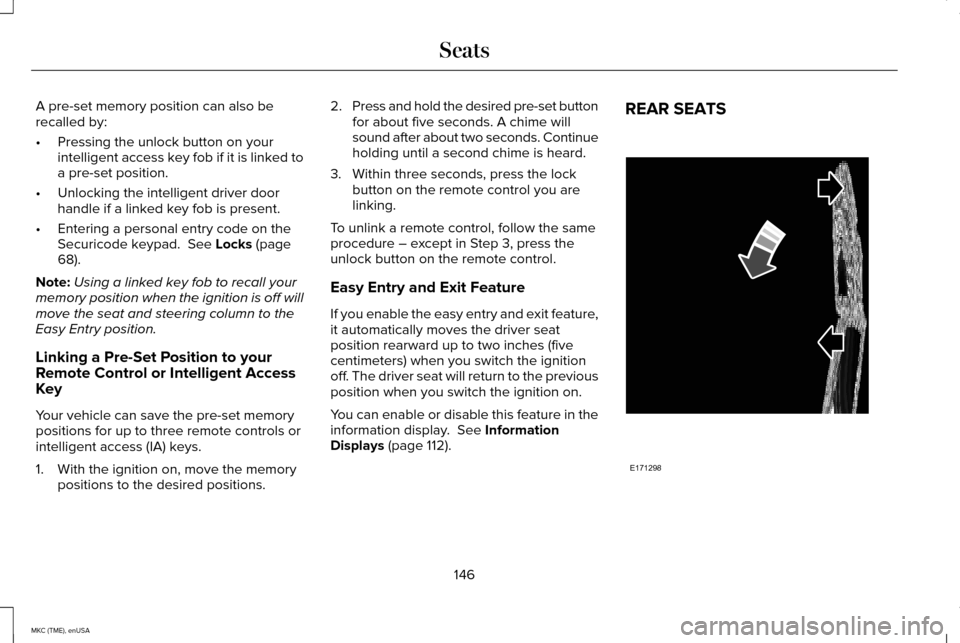
Displays (page 112). REAR SEATS
146
MKC (TME), enUSA SeatsE171298
Page 150 of 490
Folding the Seatback
With the seat empty, pull the lever up to fold
the seatback forward. You may need to fold
the outboard head restraints and lower the
center head restraint first.
Unfolding the Seatback
Pull the seatback upward to unfold the
seatback.
Recline Adjustment
With the seat occupied, pull the lever up to
recline the seatback.
HEATED SEATS
Front Seats
WARNING
People who are unable to feel pain to
their skin because of advanced age,
chronic illness, diabetes, spinal cord injury,
medication, alcohol use, exhaustion or other
physical conditions, must exercise care when
using the heated seat. The heated seat may
cause burns even at low temperatures,
especially if used for long periods of time.
Do not place anything on the seat that
insulates against heat, such as a blanket or
cushion. This may cause the heated seat to
overheat. Do not puncture the seat with pins,
needles or other pointed objects. This may
damage the heating element which may
cause the heated seat to overheat. An
overheated seat may cause serious personal
injury. Do not do the following:
•
Place heavy objects on the seat.
• Operate the heated seat if water or any
other liquid is spilled on the seat. Allow
the seat to dry thoroughly.
• Operate the heated seats unless the
engine is running. Doing so can cause
the battery to lose charge. Touch the heated seat symbol to cycle
through the various heat settings and off.
Warmer settings are indicated by more
indicator lights.
147
MKC (TME), enUSA SeatsE146322
Page 151 of 490
Rear Heated Seats (If Equipped)
WARNING
Persons who are unable to feel pain to
the skin because of advanced age,
chronic illness, diabetes, spinal cord injury,
medication, alcohol use, exhaustion, or other
physical conditions, must exercise care when
using the seat heater. The seat heater may
cause burns even at low temperatures,
especially if used for long periods of time.
Do not place anything on the seat that
insulates against heat, such as a blanket or
cushion, because this may cause the seat
heater to overheat. Do not puncture the seat
with pins, needles, or other pointed objects
because this may damage the heating
element which may cause the seat heater to
overheat. An overheated seat may cause
serious personal injury. Note:
Do not do the following:
• Place heavy objects on the seat.
• Operate the seat heater if water or any
other liquid is spilled on the seat. Allow
the seat to dry thoroughly. The rear seat heat controls are located on
the rear of the center console.
The heated seats only operate when the
ignition is on.
•
Press the heated seat symbol to cycle
through the various heat settings and off.
Warmer settings are indicated by more
indicator lights.
• Press again to deactivate.
The heated seat module resets at every
ignition run cycle. While the ignition is on,
press the high or low heated seat switch to
enable heating mode. When activated, they
will turn off automatically when you turn the
engine off. CLIMATE CONTROLLED SEATS (If
Equipped)
Heated Seats WARNING
Persons who are unable to feel pain to
the skin because of advanced age,
chronic illness, diabetes, spinal cord injury,
medication, alcohol use, exhaustion, or other
physical conditions, must exercise care when
using the seat heater. The seat heater may
cause burns even at low temperatures,
especially if used for long periods of time.
Do not place anything on the seat that
insulates against heat, such as a blanket or
cushion, because this may cause the seat
heater to overheat. Do not puncture the seat
with pins, needles, or other pointed objects
because this may damage the heating
element which may cause the seat heater to
overheat. An overheated seat may cause
serious personal injury. Note:
Do not do the following:
148
MKC (TME), enUSA SeatsE146322
Page 152 of 490
•
Place heavy objects on the seat.
• Operate the seat heater if water or any
other liquid is spilled on the seat. Allow
the seat to dry thoroughly.
• Operate the heated seats unless the
engine is running. Doing so can cause
the battery to lose charge. Touch the heated seat symbol on the
touchscreen to cycle through the various
heat settings and off. Warmer settings are
indicated by more indicator lights.
Cooled Seats (If Equipped)
The cooled seats will only function when the
engine is running. To operate the cooled seats:
Press the cooled seat symbol to cycle
through the various cooling settings and off.
Cooler settings are indicated by more
indicator lights.
If the engine falls below 350 RPM while the
ventilated seats are on, the feature will turn
itself off. You will need to reactivate it.
REAR SEAT ARMREST
(If Equipped) Fold the armrest down to use the armrest
and cupholder.
149
MKC (TME), enUSA SeatsE146322 E146309 E138656
Page 174 of 490
AUTOMATIC TRANSMISSION
WARNINGS
Always set the parking brake fully and
make sure your vehicle is in park (P).
Turn the ignition off whenever you leave your
vehicle. Do not apply the brake pedal and
accelerator pedal simultaneously.
Applying both pedals simultaneously for
more than three seconds will limit engine
rpm, which may result in difficulty maintaining
speed in traffic and could lead to serious
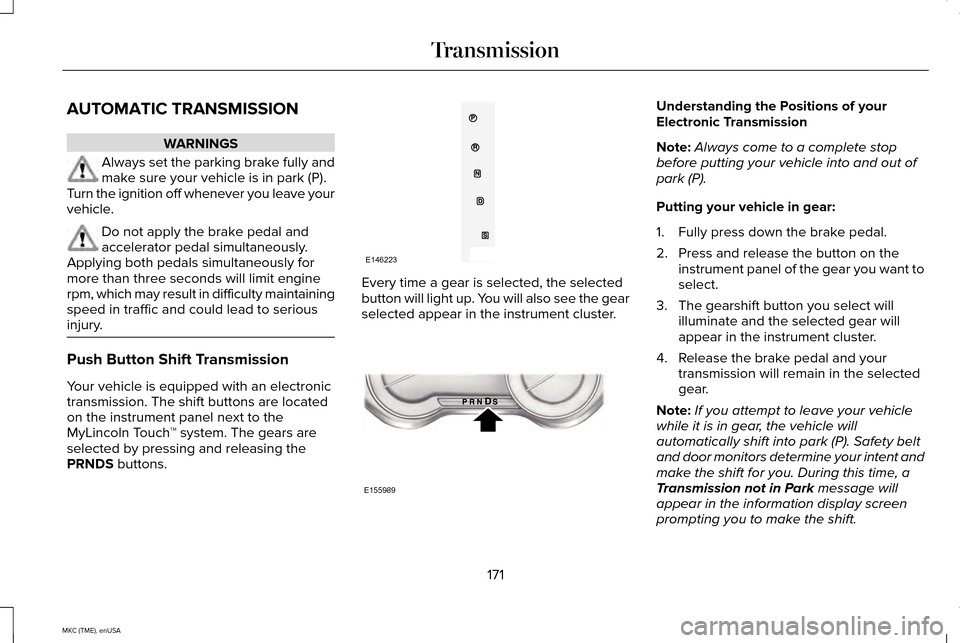
injury. Push Button Shift Transmission
Your vehicle is equipped with an electronic
transmission. The shift buttons are located
on the instrument panel next to the
MyLincoln Touch
™ system. The gears are
selected by pressing and releasing the
PRNDS buttons. Every time a gear is selected, the selected
button will light up. You will also see the gear
selected appear in the instrument cluster. Understanding the Positions of your
Electronic Transmission
Note:
Always come to a complete stop
before putting your vehicle into and out of
park (P).
Putting your vehicle in gear:
1. Fully press down the brake pedal.
2. Press and release the button on the instrument panel of the gear you want to
select.
3. The gearshift button you select will illuminate and the selected gear will
appear in the instrument cluster.
4. Release the brake pedal and your transmission will remain in the selected
gear.
Note: If you attempt to leave your vehicle
while it is in gear, the vehicle will
automatically shift into park (P). Safety belt
and door monitors determine your intent and
make the shift for you. During this time, a
Transmission not in Park
message will
appear in the information display screen
prompting you to make the shift.
171
MKC (TME), enUSA TransmissionE146223 E155989