center console LINCOLN MKC 2015 Owners Manual
[x] Cancel search | Manufacturer: LINCOLN, Model Year: 2015, Model line: MKC, Model: LINCOLN MKC 2015Pages: 490, PDF Size: 4.74 MB
Page 6 of 490
Storage Compartments
Center Console..............................................157
Overhead Console........................................157
Ticket Holders
................................................157
Starting and Stopping the Engine
General Information......................................158
Keyless Starting
.............................................158
Starting a Gasoline Engine.........................159
Engine Block Heater.....................................161
Fuel and Refueling
Safety Precautions
........................................163
Fuel Quality
.....................................................164
Running Out of Fuel
.....................................164
Refueling.........................................................166
Fuel Consumption
.........................................167
Emission Control System
............................168
Transmission
Automatic Transmission................................171 All-Wheel Drive
Using All-Wheel Drive...................................177
Brakes
General Information
......................................182
Hints on Driving With Anti-Lock Brakes
..........................................................182
Electric Parking Brake
..................................183
Hill Start Assist...............................................185
Traction Control
Principle of Operation..................................187
Using Traction Control
.................................187
Stability Control
Principle of Operation..................................189
Using Stability Control.................................190
Parking Aids
Parking Aid
.......................................................191
Active Park Assist..........................................193
Rear View Camera........................................199 Cruise Control
Principle of Operation.................................203
Using Cruise Control...................................203
Using Adaptive Cruise Control.................204
Driving Aids
Driver Alert
......................................................212
Lane Keeping System..................................213
Blind Spot Information System
..................218
Steering..........................................................223
Collision Warning System
..........................224
Drive Control
.................................................227
Load Carrying
Rear Under Floor Storage..........................229
Luggage Covers...........................................229
Roof Racks and Load Carriers
..................229
Load Limit
.......................................................230
Towing
Towing a Trailer
.............................................239
Trailer Sway Control....................................239
Recommended Towing Weights..............240
3
MKC (TME), enUSA Table of Contents
Page 82 of 490
Displaying the Factory-Set Code
Note:
You will need to have two
programmed intelligent access keys for this
procedure.
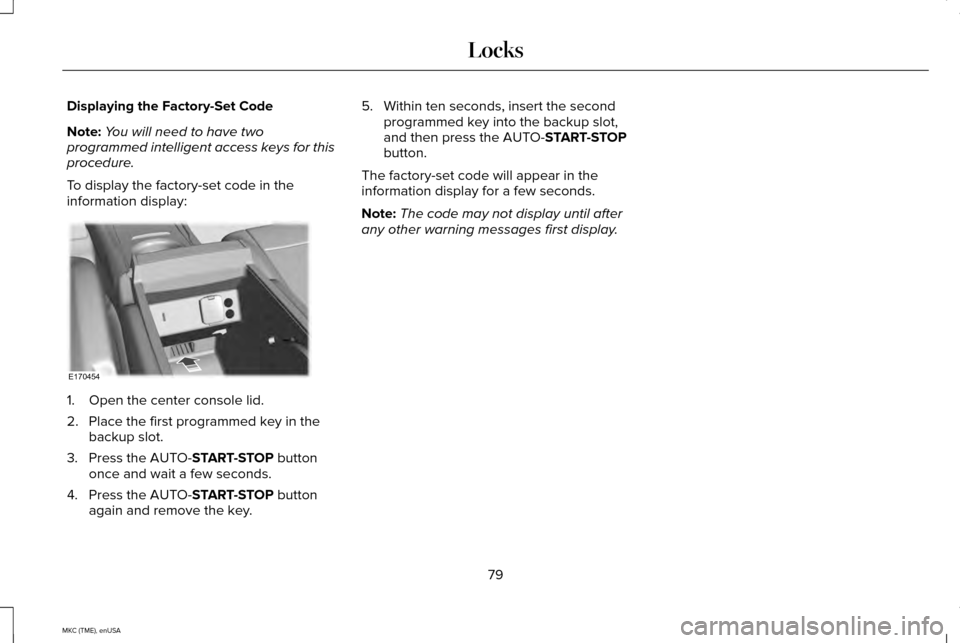
To display the factory-set code in the
information display: 1. Open the center console lid.
2. Place the first programmed key in the
backup slot.
3. Press the AUTO-START-STOP button
once and wait a few seconds.
4. Press the AUTO-
START-STOP button
again and remove the key. 5. Within ten seconds, insert the second
programmed key into the backup slot,
and then press the AUTO-
START-STOP
button.
The factory-set code will appear in the
information display for a few seconds.
Note: The code may not display until after
any other warning messages first display.
79
MKC (TME), enUSA LocksE170454
Page 151 of 490
Rear Heated Seats (If Equipped)
WARNING
Persons who are unable to feel pain to
the skin because of advanced age,
chronic illness, diabetes, spinal cord injury,
medication, alcohol use, exhaustion, or other
physical conditions, must exercise care when
using the seat heater. The seat heater may
cause burns even at low temperatures,
especially if used for long periods of time.
Do not place anything on the seat that
insulates against heat, such as a blanket or
cushion, because this may cause the seat
heater to overheat. Do not puncture the seat
with pins, needles, or other pointed objects
because this may damage the heating
element which may cause the seat heater to
overheat. An overheated seat may cause
serious personal injury. Note:
Do not do the following:
• Place heavy objects on the seat.
• Operate the seat heater if water or any
other liquid is spilled on the seat. Allow
the seat to dry thoroughly. The rear seat heat controls are located on
the rear of the center console.
The heated seats only operate when the
ignition is on.
•
Press the heated seat symbol to cycle
through the various heat settings and off.
Warmer settings are indicated by more
indicator lights.
• Press again to deactivate.
The heated seat module resets at every
ignition run cycle. While the ignition is on,
press the high or low heated seat switch to
enable heating mode. When activated, they
will turn off automatically when you turn the
engine off. CLIMATE CONTROLLED SEATS (If
Equipped)
Heated Seats WARNING
Persons who are unable to feel pain to
the skin because of advanced age,
chronic illness, diabetes, spinal cord injury,
medication, alcohol use, exhaustion, or other
physical conditions, must exercise care when
using the seat heater. The seat heater may
cause burns even at low temperatures,
especially if used for long periods of time.
Do not place anything on the seat that
insulates against heat, such as a blanket or
cushion, because this may cause the seat
heater to overheat. Do not puncture the seat
with pins, needles, or other pointed objects
because this may damage the heating
element which may cause the seat heater to
overheat. An overheated seat may cause
serious personal injury. Note:
Do not do the following:
148
MKC (TME), enUSA SeatsE146322
Page 158 of 490
12 Volt DC Power Point
WARNING
Do not plug optional electrical
accessories into the cigar lighter
socket (if equipped). Improper use of the
lighter can cause damage not covered by
your warranty, and can result in fire or
serious injury. Note:
If used when the engine is not running,
the battery will discharge. There may be
insufficient power to restart your engine.
Note: Do not insert objects other than an
accessory plug into the power point. This
will damage the outlet and blow the fuse.
Note: Do not hang any type of accessory or
accessory bracket from the plug.
Note: Do not use the power point over the
vehicle capacity of 12 volt DC 180 watts or
you may blow a fuse.
Note: Do not use the power point for
operating a cigar lighter element. Note:
Improper use of the power point can
cause damage not covered by your
warranty.
Note: Always keep the power point caps
closed when not in use.
Run the engine for full capacity use of the
power point. To prevent the battery from
being discharged:
• Do not use the power point longer than
necessary when the engine is not
running.
• Do not leave devices plugged in
overnight or while the vehicle remains
parked for extended periods of time.
Locations
Power points may be found:
• In front of the center console.
• Inside the center console storage bin.
• On the rear of the center console (12V or
110V AC)
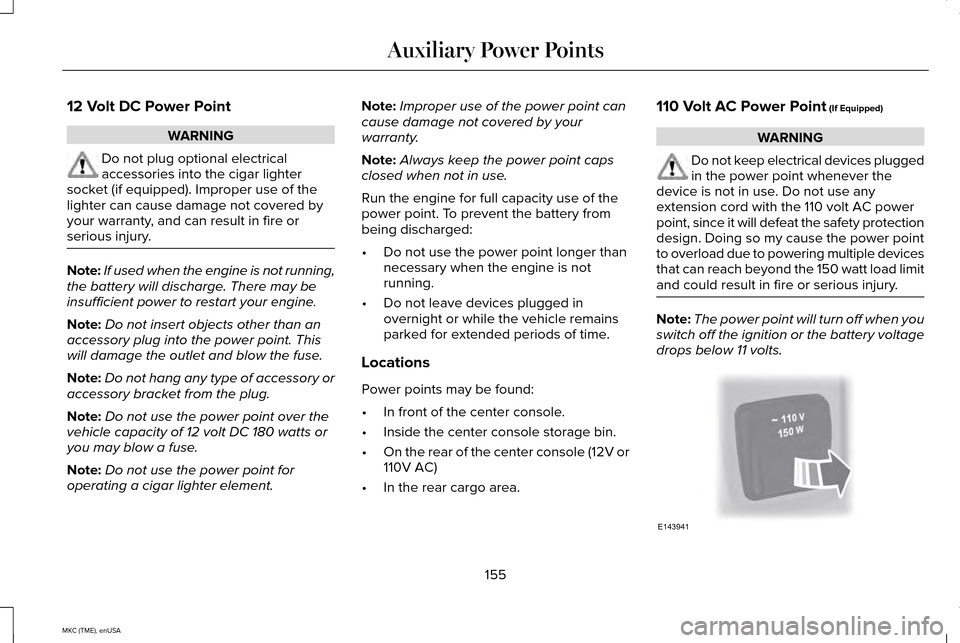
• In the rear cargo area. 110 Volt AC Power Point (If Equipped) WARNING
Do not keep electrical devices plugged
in the power point whenever the
device is not in use. Do not use any
extension cord with the 110 volt AC power
point, since it will defeat the safety protection
design. Doing so my cause the power point
to overload due to powering multiple devices
that can reach beyond the 150 watt load limit
and could result in fire or serious injury. Note:
The power point will turn off when you
switch off the ignition or the battery voltage
drops below 11 volts. 155
MKC (TME), enUSA Auxiliary Power PointsE143941
Page 159 of 490
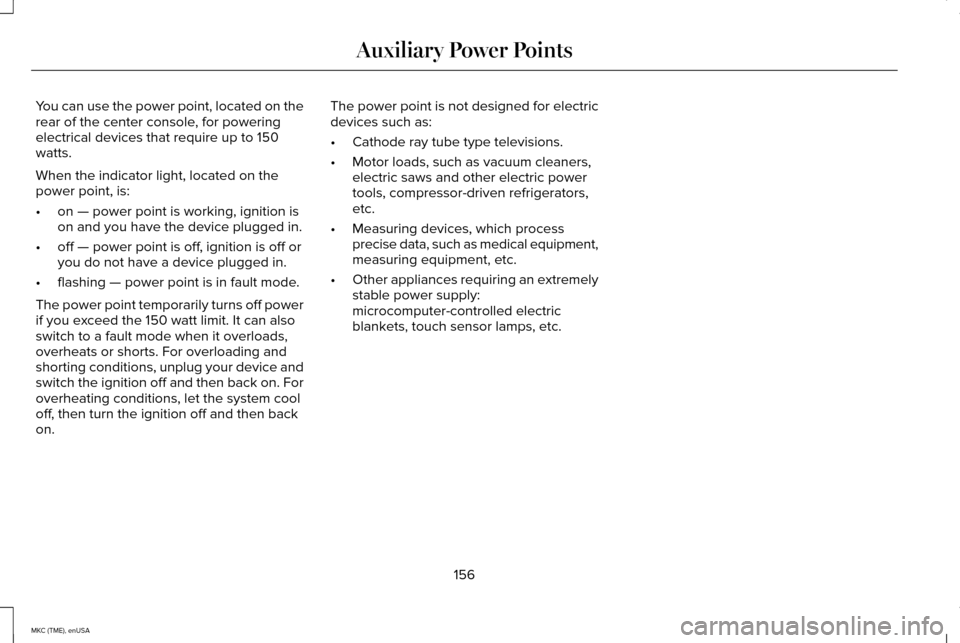
You can use the power point, located on the
rear of the center console, for powering
electrical devices that require up to 150
watts.
When the indicator light, located on the
power point, is:
•
on — power point is working, ignition is
on and you have the device plugged in.
• off — power point is off, ignition is off or
you do not have a device plugged in.
• flashing — power point is in fault mode.
The power point temporarily turns off power
if you exceed the 150 watt limit. It can also
switch to a fault mode when it overloads,
overheats or shorts. For overloading and
shorting conditions, unplug your device and
switch the ignition off and then back on. For
overheating conditions, let the system cool
off, then turn the ignition off and then back
on. The power point is not designed for electric
devices such as:
•
Cathode ray tube type televisions.
• Motor loads, such as vacuum cleaners,
electric saws and other electric power
tools, compressor-driven refrigerators,
etc.
• Measuring devices, which process
precise data, such as medical equipment,
measuring equipment, etc.
• Other appliances requiring an extremely
stable power supply:
microcomputer-controlled electric
blankets, touch sensor lamps, etc.
156
MKC (TME), enUSA Auxiliary Power Points
Page 160 of 490
CENTER CONSOLE
Stow items in the cupholder carefully as
items may become loose during hard
braking, acceleration or collisions, including
hot drinks which may spill.
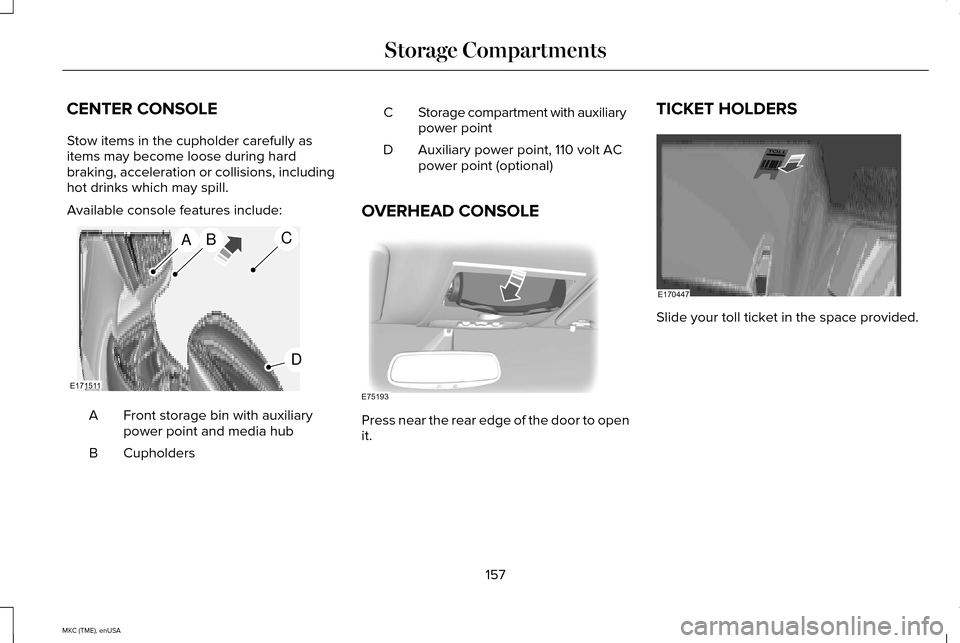
Available console features include:
Front storage bin with auxiliary
power point and media hub
A
Cupholders
B Storage compartment with auxiliary
power point
C
Auxiliary power point, 110 volt AC
power point (optional)
D
OVERHEAD CONSOLE Press near the rear edge of the door to open
it.TICKET HOLDERS
Slide your toll ticket in the space provided.
157
MKC (TME), enUSA Storage CompartmentsABC
D
E171511 E75193 E170447
Page 162 of 490
•
Press the brake pedal, and then press
the button for any length of time. An
indicator light on the button illuminates
when then ignition is on and when the
engine starts.
STARTING A GASOLINE ENGINE
When you start the engine, the idle speed
increases, this helps to warm up the engine.
If the engine idle speed does not slow down
automatically, have your vehicle checked by
an authorized dealer.
Note: If your vehicle is equipped with remote
start, you can start your vehicle with the
remote, and then drive away by pressing the
brake pedal and pushing a button on the
transmission. This allows you to drive away
without pressing the engine start button.
Before starting the engine, check the
following:
• Make sure all occupants have fastened
their safety belts.
• Make sure the headlamps and electrical
accessories are off. •
Make sure the parking brake is on.
• Put the transmission in P.
Note: Do not touch the accelerator pedal.
1. Fully press the brake pedal.
2. Press the button.
The system does not function if:
• The key frequencies are jammed.
• The key battery has no charge.
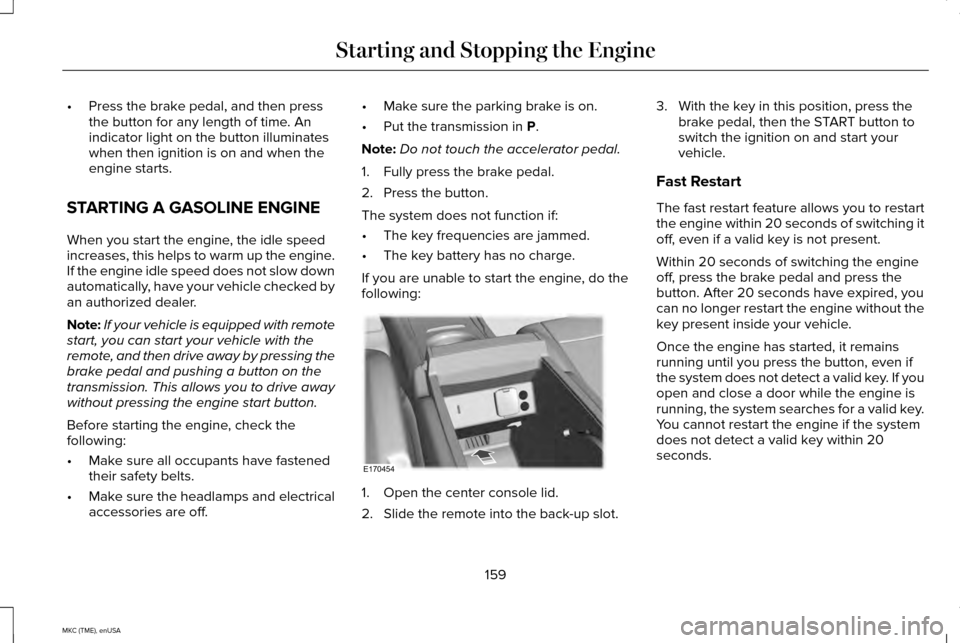
If you are unable to start the engine, do the
following: 1. Open the center console lid.
2. Slide the remote into the back-up slot.3. With the key in this position, press the
brake pedal, then the START button to
switch the ignition on and start your
vehicle.
Fast Restart
The fast restart feature allows you to restart
the engine within 20 seconds of switching it
off, even if a valid key is not present.
Within 20 seconds of switching the engine
off, press the brake pedal and press the
button. After 20 seconds have expired, you
can no longer restart the engine without the
key present inside your vehicle.
Once the engine has started, it remains
running until you press the button, even if
the system does not detect a valid key. If you
open and close a door while the engine is
running, the system searches for a valid key.
You cannot restart the engine if the system
does not detect a valid key within 20
seconds.
159
MKC (TME), enUSA Starting and Stopping the EngineE170454
Page 178 of 490
WARNINGS
When doing this procedure, you will
be taking the vehicle out of park which
means the vehicle can roll freely. To avoid
unwanted vehicle movement, always fully
set the parking brake prior to doing this
procedure. Use wheel chocks if appropriate. If the parking brake is fully released,
but the brake warning lamp remains
illuminated, the brakes may not be working
properly. See your authorized dealer. Note:
See your authorized dealer as soon
as possible if this procedure is used.
Note: For some markets this feature is
disabled.
Note: This feature will only function if your
12-volt battery has power.
Use the brake-shift interlock override to
move your transmission from the park
position in the event of an electrical
malfunction or if your vehicle has a dead
battery. 1. Apply the parking brake and turn your
ignition off before performing this
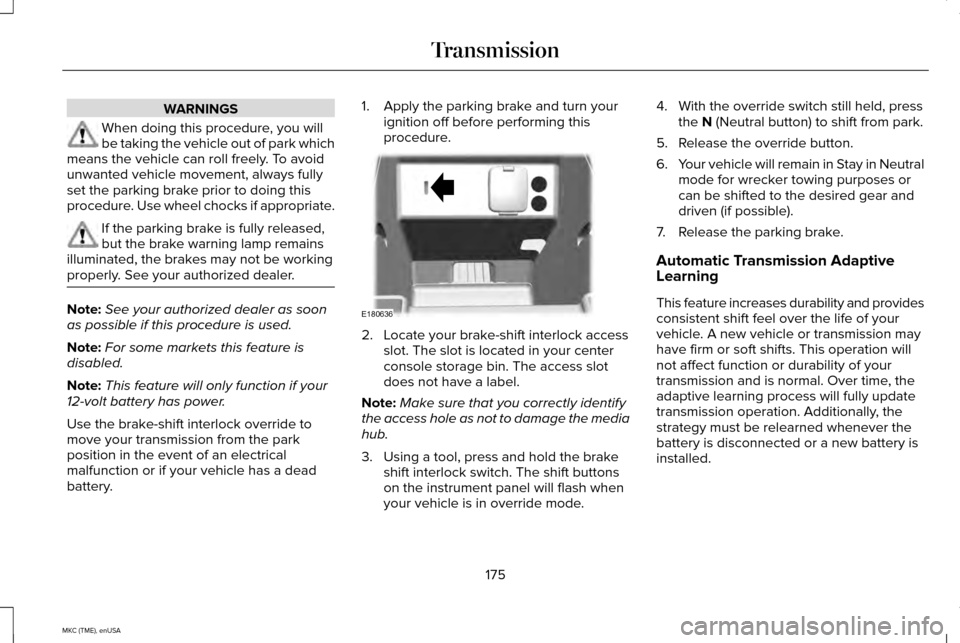
procedure. 2. Locate your brake-shift interlock access
slot. The slot is located in your center
console storage bin. The access slot
does not have a label.
Note: Make sure that you correctly identify
the access hole as not to damage the media
hub.
3. Using a tool, press and hold the brake shift interlock switch. The shift buttons
on the instrument panel will flash when
your vehicle is in override mode. 4. With the override switch still held, press
the N (Neutral button) to shift from park.
5. Release the override button.
6. Your vehicle will remain in Stay in Neutral
mode for wrecker towing purposes or
can be shifted to the desired gear and
driven (if possible).
7. Release the parking brake.
Automatic Transmission Adaptive
Learning
This feature increases durability and provides
consistent shift feel over the life of your
vehicle. A new vehicle or transmission may
have firm or soft shifts. This operation will
not affect function or durability of your
transmission and is normal. Over time, the
adaptive learning process will fully update
transmission operation. Additionally, the
strategy must be relearned whenever the
battery is disconnected or a new battery is
installed.
175
MKC (TME), enUSA TransmissionE180636
Page 192 of 490
PRINCIPLE OF OPERATION
WARNINGS
Vehicle modifications involving braking
system, aftermarket roof racks,
suspension, steering system, tire
construction and wheel and tire size may
change the handling characteristics of your
vehicle and may adversely affect the
performance of the AdvanceTrac system. In
addition, installing any stereo loudspeakers
may interfere with and adversely affect the
AdvanceTrac system. Install any aftermarket
stereo loudspeaker as far as possible from
the front center console, the tunnel, and the
front seats in order to minimize the risk of
interfering with the AdvanceTrac sensors.
Reducing the effectiveness of the
AdvanceTrac system could lead to an
increased risk of loss of vehicle control,
vehicle rollover, personal injury and death. Remember that even advanced
technology cannot defy the laws of
physics. It’ s always possible to lose control
of a vehicle due to inappropriate driver input
for the conditions. Aggressive driving on any
road condition can cause you to lose control WARNINGS
of your vehicle increasing the risk of personal
injury or property damage. Activation of the
AdvanceTrac system is an indication that at
least some of the tires have exceeded their
ability to grip the road; this could reduce the
operator’ s ability to control the vehicle
potentially resulting in a loss of vehicle
control, vehicle rollover, personal injury and
death. If your AdvanceTrac system activates,
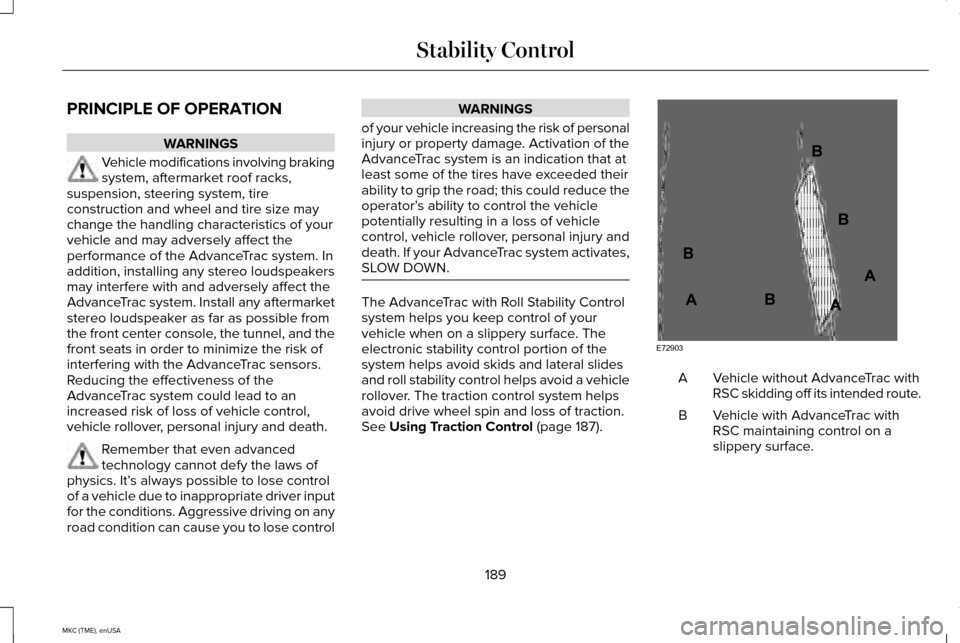
SLOW DOWN. The AdvanceTrac with Roll Stability Control
system helps you keep control of your
vehicle when on a slippery surface. The
electronic stability control portion of the
system helps avoid skids and lateral slides
and roll stability control helps avoid a vehicle
rollover. The traction control system helps
avoid drive wheel spin and loss of traction.
See Using Traction Control (page 187).
Vehicle without AdvanceTrac with
RSC skidding off its intended route.
A
Vehicle with AdvanceTrac with
RSC maintaining control on a
slippery surface.
B
189
MKC (TME), enUSA Stability ControlE72903A
AA
B
BB
B
Page 398 of 490
WARNINGS
Store the portable music player in a
secure location, such as the center
console or the glove box, when your vehicle
is moving. Hard objects may become
projectiles in a crash or sudden stop, which
may increase the risk of serious injury. The
audio extension cable must be long enough
to allow the portable music player to be
safely stored while your vehicle is moving. The auxiliary input jack allows you to connect
and play music from your portable music
player through your vehicle speakers. You
can use any portable music player designed
for use with headphones. Your audio
extension cable must have male 1/8th-inch
(3.5 millimeter) connectors at each end.
1.
Switch off the engine, radio and portable
music player. Set the parking brake and
put the transmission in position P.
2. Plug the extension cable from the portable music player into the auxiliary
input jack. 3.
Switch the radio on. Select either a tuned
FM station or a CD.
4. Adjust the volume as desired.
5. Switch your portable music player on and
adjust its volume to half its maximum
level.
6. Press
AUX until LINE or LINE IN appears
in the display. You should hear music
from your device even if it is low.
7. Adjust the volume on your portable music
player until it reaches the volume level
of the FM station or CD. Do this by
switching back and forth between the
AUX and FM or CD controls.
395
MKC (TME), enUSA MyLincoln Touch™