lights LINCOLN MKC 2016 Owner's Manual
[x] Cancel search | Manufacturer: LINCOLN, Model Year: 2016, Model line: MKC, Model: LINCOLN MKC 2016Pages: 432, PDF Size: 4.89 MB
Page 227 of 432
System Lights, Messages and Audible
Alerts
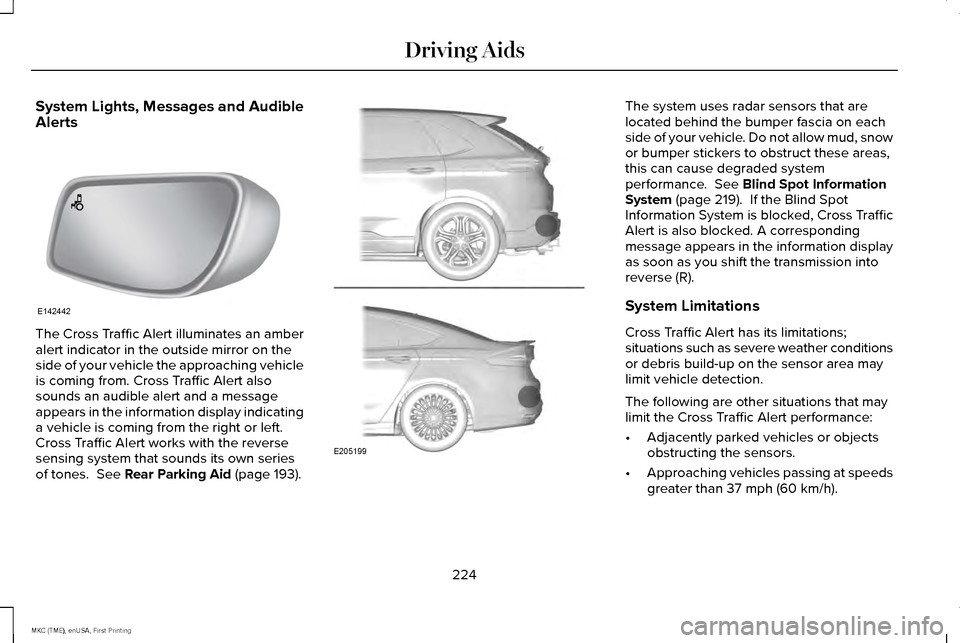
The Cross Traffic Alert illuminates an amber
alert indicator in the outside mirror on the
side of your vehicle the approaching vehicle
is coming from. Cross Traffic Alert also
sounds an audible alert and a message
appears in the information display indicating
a vehicle is coming from the right or left.
Cross Traffic Alert works with the reverse
sensing system that sounds its own series
of tones. See Rear Parking Aid (page 193). The system uses radar sensors that are
located behind the bumper fascia on each
side of your vehicle. Do not allow mud, snow
or bumper stickers to obstruct these areas,
this can cause degraded system
performance.
See Blind Spot Information
System (page 219). If the Blind Spot
Information System is blocked, Cross Traffic
Alert is also blocked. A corresponding
message appears in the information display
as soon as you shift the transmission into
reverse (R).
System Limitations
Cross Traffic Alert has its limitations;
situations such as severe weather conditions
or debris build-up on the sensor area may
limit vehicle detection.
The following are other situations that may
limit the Cross Traffic Alert performance:
• Adjacently parked vehicles or objects
obstructing the sensors.
• Approaching vehicles passing at speeds
greater than
37 mph (60 km/h).
224
MKC (TME), enUSA, First Printing Driving AidsE142442 E205199
Page 248 of 432
Safety Chains
Note:
Never attach safety chains to the
bumper.
Always connect the safety chains to the hook
retainers of your vehicle hitch.
To connect the trailer’ s safety chains, cross
them under the trailer tongue and allow
enough slack for turning tight corners. Do
not allow the chains to drag on the ground.
Trailer Brakes WARNING
Do not connect a trailer's hydraulic
brake system directly to your vehicle's
brake system. Your vehicle may not have
enough braking power and your chances of
having a collision greatly increase. Electric brakes and manual, automatic or
surge-type trailer brakes are safe if you install
them properly and adjust them to the
manufacturer's specifications. The trailer
brakes must meet local and federal
regulations. The rating for the tow vehicle's braking
system operation is at the gross vehicle
weight rating, not the gross combined
weight rating.
Separate functioning brake systems are
required for safe control of towed vehicles
and trailers weighing more than 1500
pounds (680 kilograms) when loaded.
Trailer Lamps
WARNING
Never connect any trailer lamp wiring
to the vehicle's tail lamp wiring; this
may damage the electrical system resulting
in fire. Contact your authorized dealer as
soon as possible for assistance in proper
trailer tow wiring installation. Additional
electrical equipment may be required. Trailer lamps are required on most towed
vehicles. Make sure all running lights, brake
lights, turn signals and hazard lights are
working.Before Towing a Trailer
Practice turning, stopping and backing up to
get the feel of your vehicle-trailer
combination before starting on a trip. When
turning, make wider turns so the trailer
wheels clear curbs and other obstacles.
When Towing a Trailer
•
Do not drive faster than 70 mph (113
km/h) during the first 500 miles (800
kilometers).
• Do not make full-throttle starts.
• Check your hitch, electrical connections
and trailer wheel lug nuts thoroughly after
you have traveled 50 miles (80
kilometers).
• When stopped in congested or heavy
traffic during hot weather, place the
gearshift in position P to aid engine and
transmission cooling and to help A/C
performance.
• Turn off the speed control with heavy
loads or in hilly terrain. The speed control
may turn off automatically when you are
towing on long, steep grades.
245
MKC (TME), enUSA, First Printing Towing
Page 253 of 432
•
Driving on flat terrain offers improved fuel
economy as compared to driving on hilly
terrain.
• Transmissions give their best fuel
economy when operated in the top cruise
gear and with steady pressure on the gas
pedal.
• Four-wheel-drive operation (if equipped)
is less fuel efficient than two-wheel-drive
operation.
• Close the windows for high-speed
driving.
DRIVING THROUGH WATER WARNING
Do not drive through flowing or deep
water as you may lose control of your
vehicle. Note:
Driving through standing water can
cause vehicle damage.
Note: Engine damage can occur if water
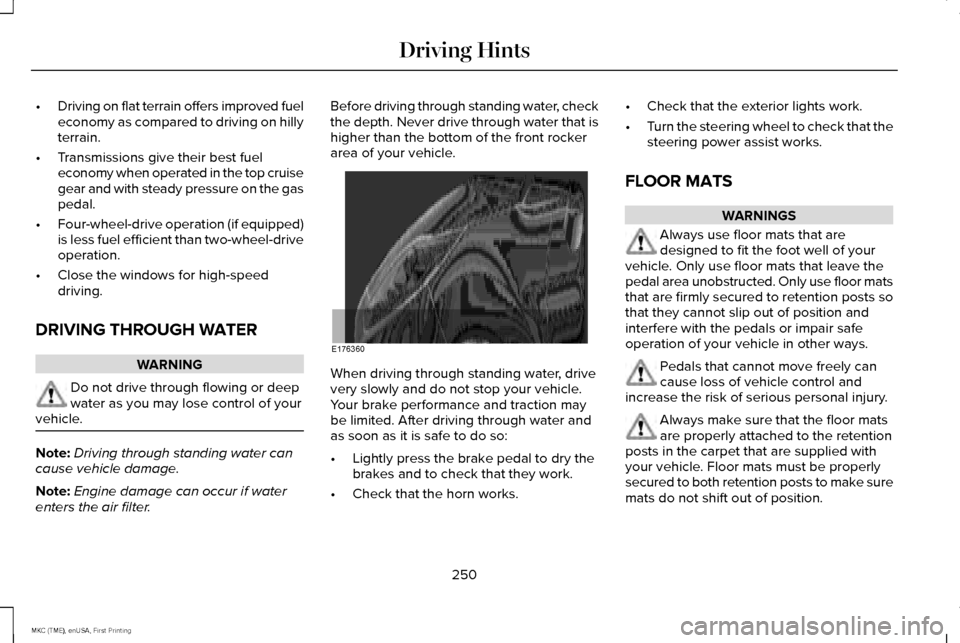
enters the air filter. Before driving through standing water, check
the depth. Never drive through water that is
higher than the bottom of the front rocker
area of your vehicle.
When driving through standing water, drive
very slowly and do not stop your vehicle.
Your brake performance and traction may
be limited. After driving through water and
as soon as it is safe to do so:
•
Lightly press the brake pedal to dry the
brakes and to check that they work.
• Check that the horn works. •
Check that the exterior lights work.
• Turn the steering wheel to check that the
steering power assist works.
FLOOR MATS WARNINGS
Always use floor mats that are
designed to fit the foot well of your
vehicle. Only use floor mats that leave the
pedal area unobstructed. Only use floor mats
that are firmly secured to retention posts so
that they cannot slip out of position and
interfere with the pedals or impair safe
operation of your vehicle in other ways. Pedals that cannot move freely can
cause loss of vehicle control and
increase the risk of serious personal injury. Always make sure that the floor mats
are properly attached to the retention
posts in the carpet that are supplied with
your vehicle. Floor mats must be properly
secured to both retention posts to make sure
mats do not shift out of position.
250
MKC (TME), enUSA, First Printing Driving HintsE176360
Page 304 of 432
Trade number
Function
LED
* High-mount brake lamp
LED
* Interior lamps
* To replace these lamps, see your authorized dealer.
To replace instrument panel lights, see your authorized dealer.
301
MKC (TME), enUSA, First Printing Maintenance
Page 372 of 432
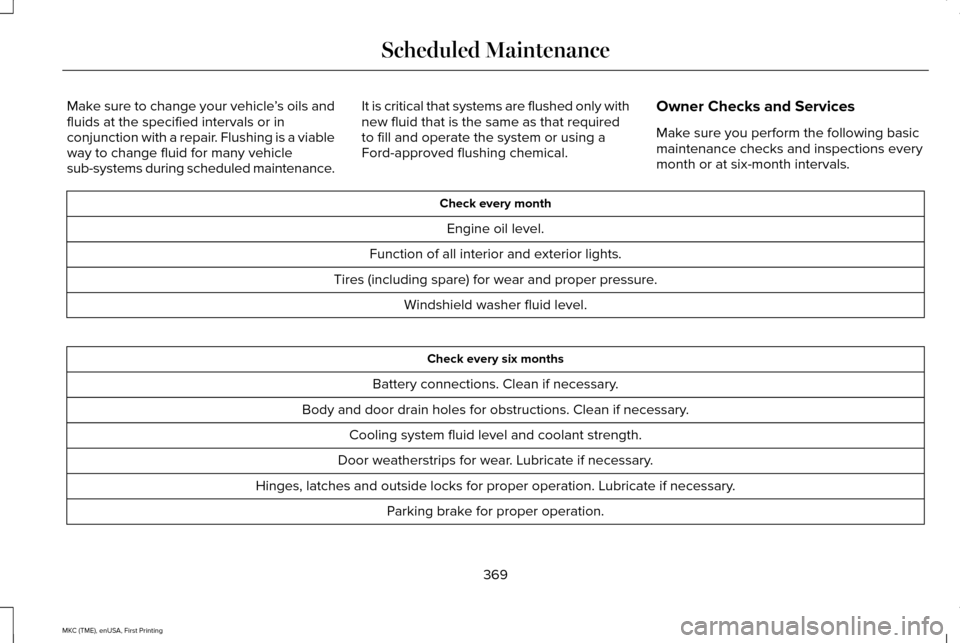
Make sure to change your vehicle
’s oils and
fluids at the specified intervals or in
conjunction with a repair. Flushing is a viable
way to change fluid for many vehicle
sub-systems during scheduled maintenance. It is critical that systems are flushed only with
new fluid that is the same as that required
to fill and operate the system or using a
Ford-approved flushing chemical.
Owner Checks and Services
Make sure you perform the following basic
maintenance checks and inspections every
month or at six-month intervals. Check every month
Engine oil level.
Function of all interior and exterior lights.
Tires (including spare) for wear and proper pressure. Windshield washer fluid level. Check every six months
Battery connections. Clean if necessary.
Body and door drain holes for obstructions. Clean if necessary. Cooling system fluid level and coolant strength.
Door weatherstrips for wear. Lubricate if necessary.
Hinges, latches and outside locks for proper operation. Lubricate if necessary. Parking brake for proper operation.
369
MKC (TME), enUSA, First Printing Scheduled Maintenance
Page 424 of 432
Cross Traffic Alert..........................................221
False Alerts..........................................................225
Switching the System Off and On..................225
System Errors......................................................225
System Lights, Messages and Audible
Alerts.................................................................224
System Limitations.............................................224
Using the System................................................221
Cruise Control...................................................81 Principle of Operation.......................................203
Type 1........................................................................\
81
Type 2.......................................................................81
Cruise control See: Using Cruise Control...............................203
Customer Assistance..................................258
D
Data Recording
..................................................9
Event Data Recording...........................................10
Service Data Recording.........................................9
Daytime Running Lamps...............................90 Type 1 - Conventional
(Non-Configurable)..........................................90
Type 2 - Configurable..........................................90
Direction Indicators
........................................92
Drive Control.................................................229 LINCOLN DRIVE CONTROL............................229 Driver Alert......................................................213
Using Driver Alert................................................213
Driver and Passenger Airbags
....................42
Children and Airbags...........................................43
Proper Driver and Front Passenger Seating
Adjustment.........................................................43
Driver Knee Airbag.........................................48
Driving Aids
.....................................................213
Driving Hints..................................................249
Driving Through Water...............................250
DRL See: Daytime Running Lamps...........................90
E
Economical Driving......................................249
Electric Parking Brake..................................184 Applying the electric parking brake...............184
Applying the electric parking brake when the
vehicle is moving............................................185
Battery With No Charge....................................186
Releasing the electric parking brake.............
185
Emission Control System
............................169
On-Board Diagnostics (OBD-II)........................170
Readiness for Inspection/Maintenance (I/M)
Testing.................................................................171 End User License Agreement...................399
VEHICLE SOFTWARE END USER LICENSE
AGREEMENT (EULA) ....................................
399
Engine Block Heater....................................162 Using the Engine Block Heater.......................
162
Engine Coolant Check................................289 Adding Engine Coolant.....................................291
Checking the Engine Coolant.........................289
Recycled Engine Coolant..................................291
Severe Climates..................................................291
What You Should Know About Fail-Safe
Cooling.............................................................292
Engine Immobilizer See: Passive Anti-Theft System.........................77
Engine Oil Check.........................................288 Adding Engine Oil..............................................288
Engine Oil Dipstick......................................288
Engine Specifications..................................342 Drivebelt Routing................................................342
Environment......................................................15
EPB See: Electric Parking Brake..............................
184
421
MKC (TME), enUSA, First Printing Index
Page 431 of 432
Towing the Vehicle on Four Wheels........247
Emergency Towing.............................................247
Recreational Towing..........................................248
Towing.............................................................240
Traction Control.............................................188
Principle of Operation........................................188
Trailer Sway Control.....................................241
Transmission Code Designation
..............345
Transmission...................................................172
Transmission See: Transmission................................................172
Transporting the Vehicle.............................247
U
Under Hood Overview - 2.0L EcoBoost™....................................................284
Under Hood Overview - 2.3L EcoBoost™...................................................286
Universal Garage Door Opener................150 HomeLink Wireless Control System...............150 Using Adaptive Cruise Control.................204
Automatic Cancellation....................................208
Blocked Sensor...................................................210
Canceling the Set Speed.................................208
Changing the Set Speed..................................208
Detection Issues.................................................209
Disengaging the System..................................207
Following a Vehicle...........................................205
Hilly Condition Usage.......................................208
Overriding the System......................................207
Resuming the Set Speed.................................208
Setting a Speed..................................................205
Setting the Gap Distance.................................206
Switching the System Off.................................208
Switching the System On.................................204
Switching to Normal Cruise Control................211
System Not Available.........................................210
Using All-Wheel Drive
..................................178
Driving in Special Conditions With All-Wheel
Drive...................................................................178
Using Cruise Control...................................203 Switching Cruise Control Off...........................204
Switching Cruise Control On...........................203
Using MyKey With Remote Start Systems..........................................................62
Using Snow Chains......................................329 Using Stability Control..................................191
AdvanceTrac® with Roll Stability Control™
(RSC®)..................................................................191
Using Traction Control.................................188 Switching the System Off..................................188
System Indicator Lights and Messages.........188
Using a Switch.....................................................188
Using the Information Display Controls........
188
Utilizing the Mediation/Arbitration Program (Canada Only)
..............................................261
V
Vehicle Care
..................................................304
General Information...........................................304
Vehicle Certification Label.........................344
Vehicle Identification Number...................344
Vehicle Storage
...............................................311
Battery....................................................................312
Body........................................................................\
.311
Brakes....................................................................312
Cooling system....................................................312
Engine.....................................................................311
Fuel system............................................................311
General....................................................................311
Miscellaneous......................................................312
Removing Vehicle From Storage.....................312
Tires........................................................................\
312
428
MKC (TME), enUSA, First Printing Index