trans LINCOLN MKC 2016 Owner's Manual
[x] Cancel search | Manufacturer: LINCOLN, Model Year: 2016, Model line: MKC, Model: LINCOLN MKC 2016Pages: 432, PDF Size: 4.89 MB
Page 101 of 432
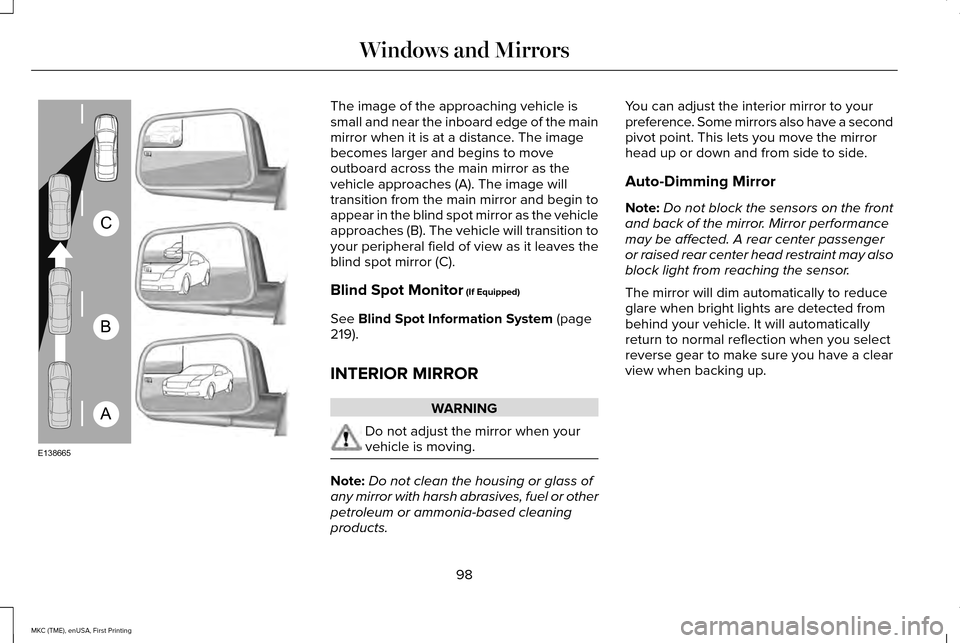
The image of the approaching vehicle is
small and near the inboard edge of the main
mirror when it is at a distance. The image
becomes larger and begins to move
outboard across the main mirror as the
vehicle approaches (A). The image will
transition from the main mirror and begin to
appear in the blind spot mirror as the vehicle
approaches (B). The vehicle will transition to
your peripheral field of view as it leaves the
blind spot mirror (C).
Blind Spot Monitor (If Equipped)
See
Blind Spot Information System (page
219).
INTERIOR MIRROR WARNING
Do not adjust the mirror when your
vehicle is moving.
Note:
Do not clean the housing or glass of
any mirror with harsh abrasives, fuel or other
petroleum or ammonia-based cleaning
products. You can adjust the interior mirror to your
preference. Some mirrors also have a second
pivot point. This lets you move the mirror
head up or down and from side to side.
Auto-Dimming Mirror
Note:
Do not block the sensors on the front
and back of the mirror. Mirror performance
may be affected. A rear center passenger
or raised rear center head restraint may also
block light from reaching the sensor.
The mirror will dim automatically to reduce
glare when bright lights are detected from
behind your vehicle. It will automatically
return to normal reflection when you select
reverse gear to make sure you have a clear
view when backing up.
98
MKC (TME), enUSA, First Printing Windows and MirrorsA
B
C
E138665
Page 119 of 432
.
Adaptive Cruise Malfunction
A condi")
Adaptive Cruise Control
Action
Message
A radar malfunction is preventing the adaptive cruise control from engag\
ing. See Using Adaptive
Cruise Control (page 204).
Adaptive Cruise Malfunction
A condition exists such that the adaptive cruise cannot function properl\
y.
See Using Adaptive
Cruise Control (page 204).
Adaptive Cruise Not Available
You have a blocked sensor due to bad weather, ice, mud or water in front of the radar sensor.
You can typically clean the sensor to resolve.
See Using Adaptive Cruise Control (page 204).
Adaptive Cruise Not Available Sensor
Blocked See Manual
The system has disabled the automatic braking.
Normal Cruise Active Automatic Braking
Turned Off
A radar malfunction is preventing the adaptive cruise control from engag\
ing.
Front Sensor Not Aligned
The adaptive cruise has reinstated controls to the driver.
Adaptive Cruise - Driver Resume Control
The vehicle speed is too slow to activate the adaptive cruise.
Adaptive Cruise Speed Too Low to
Activate
The adaptive cruise is automatically adjusting the gap distance and the \
driver needs to shift the transmission into a lower gear.
Adaptive Cruise Shift Down
116
MKC (TME), enUSA, First Printing Information Displays
Page 127 of 432

Maintenance
Action
Message
Stop your vehicle as soon as safely possible and turn off the engine. Check the oil level. If the
warning stays on or continues to come on with your engine running, conta\
ct an authorized dealer as soon as possible.
LOW Engine Oil Pressure
The engine oil life remaining is 10% or less. See Engine Oil Check (page 288).
Change Engine Oil Soon
The oil life left is at 0%.
See Engine Oil Check (page 288).
Oil Change Required
The brake fluid level is low, inspected the brake system immediately.
See Brake Fluid Check
(page 293).
Brake Fluid Level LOW
The brake system needs servicing. Stop your vehicle in a safe place. Contact an authorized dealer.
Check Brake System
The engine coolant temperature is excessively high.
Engine Coolant Overtemperature
The washer fluid is low, refill washer fluid.
Washer Fluid Level Low
The engine has reduced power to help reduce high engine temperature.
Power Reduced to Lower Engine Temp
Your vehicle is still in Transport or Factory mode. This may not allow some features to operateproperly. See an authorized dealer.
Transport / Factory Mode
The powertrain needs service due to a powertrain malfunction.
See Manual
124
MKC (TME), enUSA, First Printing Information Displays
Page 133 of 432
Trailer
Action
Message
Displays when the trailer sway control has detected a trailer sway. See Trailer Sway Control
(page 241).
Trailer Sway Reduce Speed
Transmission Action
Message
See an authorized dealer.
Transmission Malfunction Service Now
The transmission is overheating and needs to cool. Stop in a safe place as soon as possible.
Transmission Overheating Stop Safely
See an authorized dealer.
Transmission Service Required
The transmission is getting hot. Stop to let it cool.
Transmission Too Hot Press Brake
The transmission has overheated and has limited functionality.
See Automatic Transmission
(page 172).
Transmission Limited Function See Manual
The transmission is too cold. Wait for it to warm up before you drive.
Transmission Warming Up Please Wait
A reminder to shift into park. In addition, this message is typical afte\
r reconnecting or rechargingthe battery until you cycle the ignition to the on mode.
See Changing the 12V Battery (page
294).
Transmission Not in Park
The transmission has adjusted the shift strategy.
Transmission Adjusted
130
MKC (TME), enUSA, First Printing Information Displays
Page 134 of 432
Action
Message
The transmission is adjusting the shift strategy.
Transmission Adapt Mode
The transmission is locked and unable to select gears.
Transmission Indicate Mode Lockup On
The transmission is unlocked and free to select gears.
Transmission Indicate Mode Lockup Off
You have selected an invalid gear.
Invalid Gear Selection
You need to depress the brake pedal.
Press Brake Pedal
You need to depress the brake pedal before you can shift from P park.
Depress Brake to Shift from Park
You need to press the N neutral button again to enter neutral hold. See Automatic Transmission (page
172).
Press N again to Enter Stay in Neutral
Mode
Neutral hold is active.
See Automatic Transmission (page 172).
Stay in Neutral Mode Engaged
Neutral hold is active.
See Towing the Vehicle on Four Wheels (page 247).
Stay in Neutral Tow Engaged See Manual
to Disable
There is a system fault and you need to depress the park brake before you exit your vehicle. See an authorized dealer.
SHIFT SYS FAULT Confirm Park Brake
Apply Before Exiting the Vehicle
There is a system fault and you need to depress the park brake before you exit your vehicle.See an authorized dealer.
SHIFT SYS FAULT Cannot Shift Trans Use
Park Brake to Secure Vehicle
See an authorized dealer.
SHIFT SYS FAULT Service Required
There is a system fault while you are shifting your vehicle to
P park. See an authorized dealer.
SHIFT SYS FAULT Vehicle is Shifting to
Park
131
MKC (TME), enUSA, First Printing Information Displays
Page 147 of 432
Power Lumbar
MEMORY FUNCTION
WARNINGS
Before activating the seat memory,
make sure that the area immediately
surrounding the seat is clear of obstructions
and that all occupants are clear of moving
parts. Do not use the memory function when
your vehicle is moving. This feature will automatically recall the
position of the driver seat, power mirrors and
optional power steering column. The memory
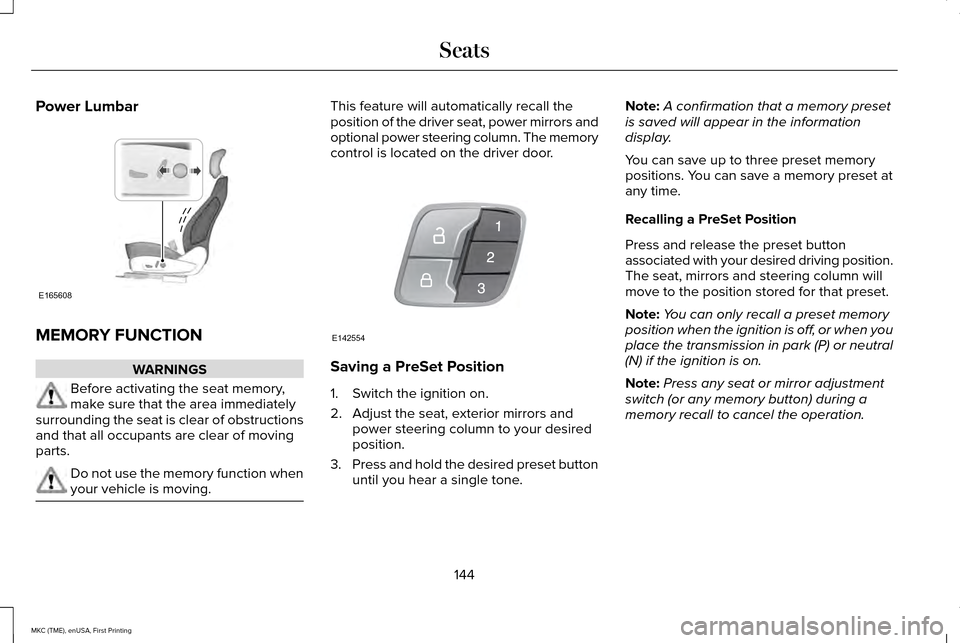
control is located on the driver door.
Saving a PreSet Position
1. Switch the ignition on.
2. Adjust the seat, exterior mirrors and
power steering column to your desired
position.
3. Press and hold the desired preset button
until you hear a single tone. Note:
A confirmation that a memory preset
is saved will appear in the information
display.
You can save up to three preset memory
positions. You can save a memory preset at
any time.
Recalling a PreSet Position
Press and release the preset button
associated with your desired driving position.
The seat, mirrors and steering column will
move to the position stored for that preset.
Note: You can only recall a preset memory
position when the ignition is off, or when you
place the transmission in park (P) or neutral
(N) if the ignition is on.
Note: Press any seat or mirror adjustment
switch (or any memory button) during a
memory recall to cancel the operation.
144
MKC (TME), enUSA, First Printing SeatsE165608 E142554
Page 153 of 432
HomeLink Wireless Control System
WARNINGS
Make sure that the garage door and
security device are free from
obstruction when you are programming. Do
not program the system with the vehicle in
the garage. Do not use the system with any garage
door opener that does not have the
safety stop and reverse feature as required
by U.S. Federal Safety Standards (this
includes any garage door opener
manufactured before April 1, 1982). A garage
door opener which cannot detect an object,
signaling the door to stop and reverse, does
not meet current federal safety standards.
Using a garage door opener without these
features increases the risk of serious injury
or death. Note:
Make sure you keep the original
remote control transmitter for use in other
vehicles as well as for future system
programming. Note:
We recommend that upon the sale or
lease termination of your vehicle, you erase
the programmed function buttons for security
reasons. See Erasing the Function Button
Codes.
Note: You can program a maximum of three
devices. To change or replace any of the
three devices after it has been initially
programmed, you must first erase the current
settings. See
Erasing the Function Button
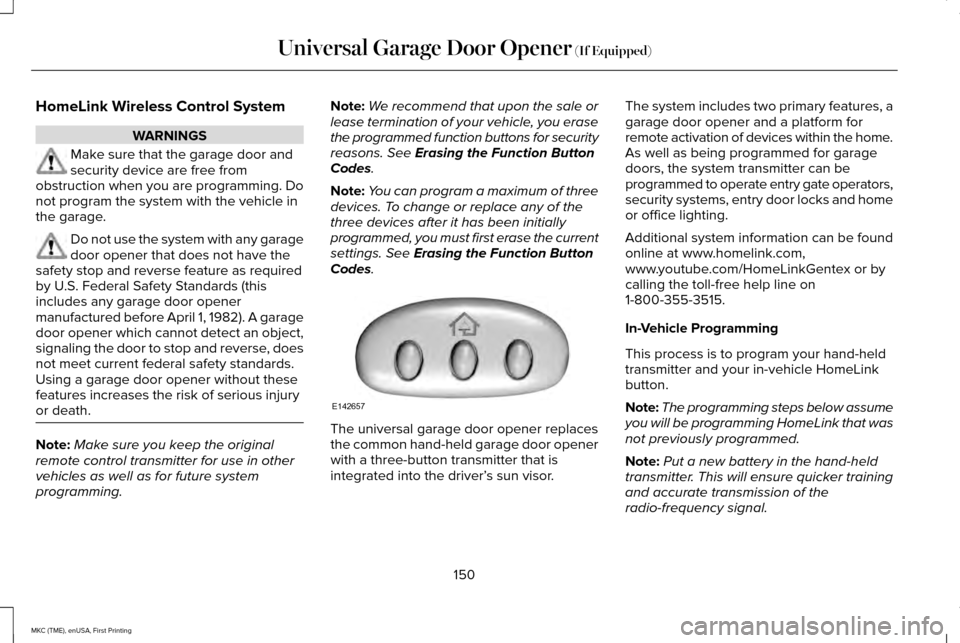
Codes. The universal garage door opener replaces
the common hand-held garage door opener
with a three-button transmitter that is
integrated into the driver’
s sun visor.The system includes two primary features, a
garage door opener and a platform for
remote activation of devices within the home.
As well as being programmed for garage
doors, the system transmitter can be
programmed to operate entry gate operators,
security systems, entry door locks and home
or office lighting.
Additional system information can be found
online at www.homelink.com,
www.youtube.com/HomeLinkGentex or by
calling the toll-free help line on
1-800-355-3515.
In-Vehicle Programming
This process is to program your hand-held
transmitter and your in-vehicle HomeLink
button.
Note:
The programming steps below assume
you will be programming HomeLink that was
not previously programmed.
Note: Put a new battery in the hand-held
transmitter. This will ensure quicker training
and accurate transmission of the
radio-frequency signal.
150
MKC (TME), enUSA, First Printing Universal Garage Door Opener
(If Equipped)E142657
Page 154 of 432
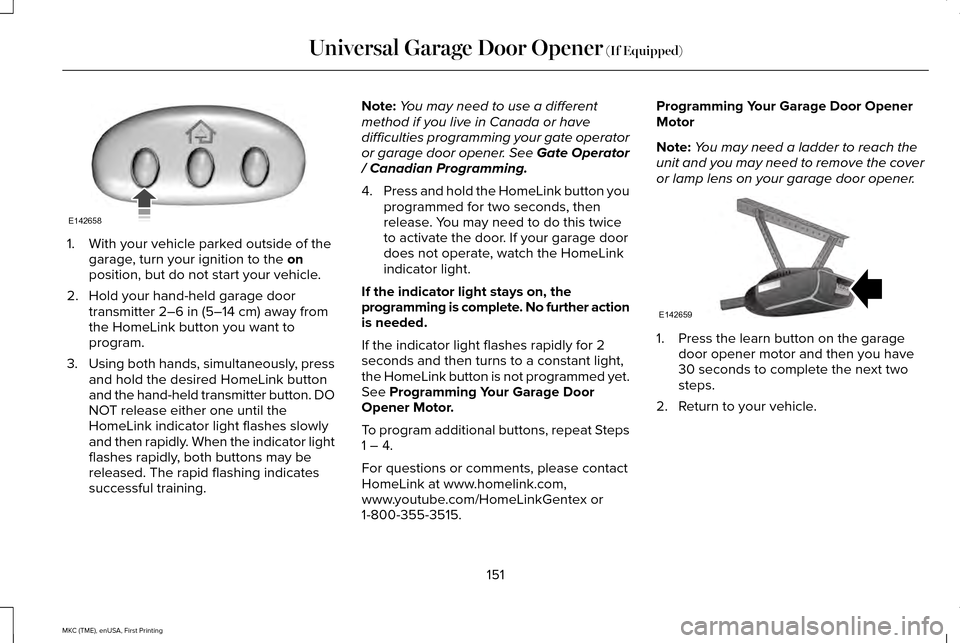
1. With your vehicle parked outside of the
garage, turn your ignition to the on
position, but do not start your vehicle.
2. Hold your hand-held garage door transmitter
2–6 in (5–14 cm) away from
the HomeLink button you want to
program.
3. Using both hands, simultaneously, press
and hold the desired HomeLink button
and the hand-held transmitter button. DO
NOT release either one until the
HomeLink indicator light flashes slowly
and then rapidly. When the indicator light
flashes rapidly, both buttons may be
released. The rapid flashing indicates
successful training. Note:
You may need to use a different
method if you live in Canada or have
difficulties programming your gate operator
or garage door opener. See Gate Operator
/ Canadian Programming.
4. Press and hold the HomeLink button you
programmed for two seconds, then
release. You may need to do this twice
to activate the door. If your garage door
does not operate, watch the HomeLink
indicator light.
If the indicator light stays on, the
programming is complete. No further action
is needed.
If the indicator light flashes rapidly for 2
seconds and then turns to a constant light,
the HomeLink button is not programmed yet.
See
Programming Your Garage Door
Opener Motor.
To program additional buttons, repeat Steps
1 – 4.
For questions or comments, please contact
HomeLink at www.homelink.com,
www.youtube.com/HomeLinkGentex or
1-800-355-3515. Programming Your Garage Door Opener
Motor
Note:
You may need a ladder to reach the
unit and you may need to remove the cover
or lamp lens on your garage door opener. 1. Press the learn button on the garage
door opener motor and then you have
30 seconds to complete the next two
steps.
2. Return to your vehicle.
151
MKC (TME), enUSA, First Printing Universal Garage Door Opener
(If Equipped)E142658 E142659
Page 155 of 432
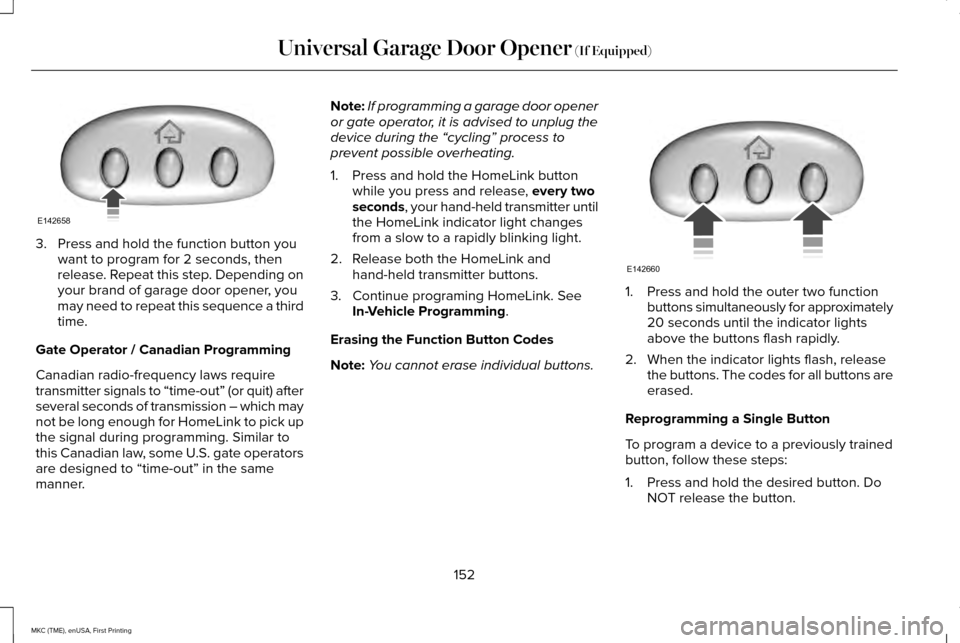
3. Press and hold the function button you
want to program for 2 seconds, then
release. Repeat this step. Depending on
your brand of garage door opener, you
may need to repeat this sequence a third
time.
Gate Operator / Canadian Programming
Canadian radio-frequency laws require
transmitter signals to “time-out” (or quit) after
several seconds of transmission – which may
not be long enough for HomeLink to pick up
the signal during programming. Similar to
this Canadian law, some U.S. gate operators
are designed to “time-out” in the same
manner. Note:
If programming a garage door opener
or gate operator, it is advised to unplug the
device during the “cycling” process to
prevent possible overheating.
1. Press and hold the HomeLink button while you press and release, every two
seconds, your hand-held transmitter until
the HomeLink indicator light changes
from a slow to a rapidly blinking light.
2. Release both the HomeLink and hand-held transmitter buttons.
3. Continue programing HomeLink. See In-Vehicle Programming
.
Erasing the Function Button Codes
Note: You cannot erase individual buttons. 1. Press and hold the outer two function
buttons simultaneously for approximately
20 seconds until the indicator lights
above the buttons flash rapidly.
2. When the indicator lights flash, release the buttons. The codes for all buttons are
erased.
Reprogramming a Single Button
To program a device to a previously trained
button, follow these steps:
1. Press and hold the desired button. Do NOT release the button.
152
MKC (TME), enUSA, First Printing Universal Garage Door Opener
(If Equipped)E142658 E142660
Page 156 of 432
2.
The indicator light will begin to flash after
20 seconds. Without releasing the
button, follow Step 1 in the Programming
section.
For questions or comments, contact
HomeLink at www.homelink.com,
www.youtube.com/HomeLinkGentex or
1-800-355-3515.
Programming to a Genie Intellicode 2
Garage Door Opener
Note: The Genie Intellicode 2 transmitter
must already be programmed to operate
with the garage door opener.
Note: To program HomeLink to the
transmitter you must first put the transmitter
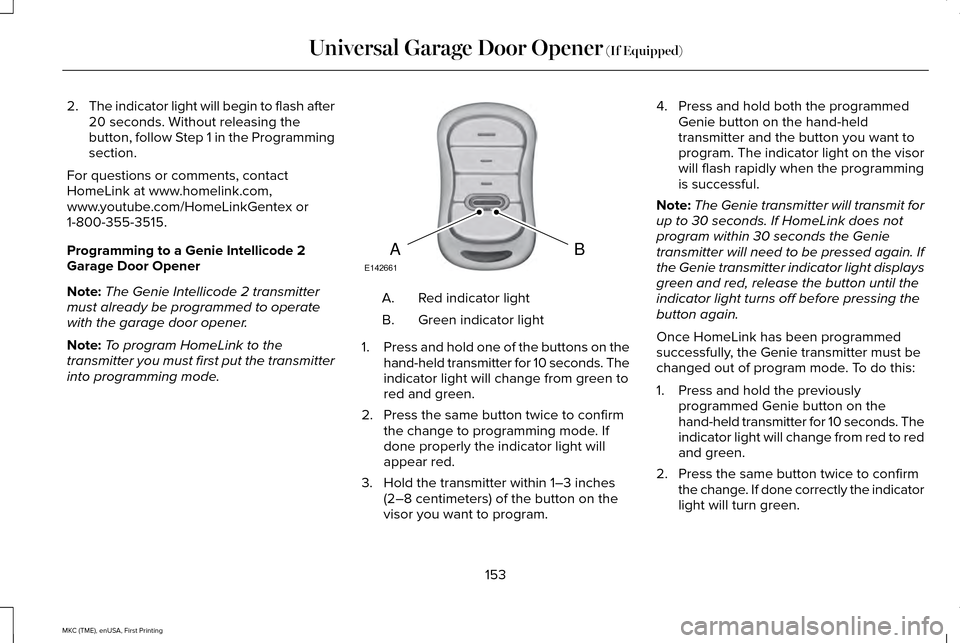
into programming mode. Red indicator light
A.
Green indicator light
B.
1. Press and hold one of the buttons on the
hand-held transmitter for 10 seconds. The
indicator light will change from green to
red and green.
2. Press the same button twice to confirm the change to programming mode. If
done properly the indicator light will
appear red.
3. Hold the transmitter within 1–3 inches (2–8 centimeters) of the button on the
visor you want to program. 4. Press and hold both the programmed
Genie button on the hand-held
transmitter and the button you want to
program. The indicator light on the visor
will flash rapidly when the programming
is successful.
Note: The Genie transmitter will transmit for
up to 30 seconds. If HomeLink does not
program within 30 seconds the Genie
transmitter will need to be pressed again. If
the Genie transmitter indicator light displays
green and red, release the button until the
indicator light turns off before pressing the
button again.
Once HomeLink has been programmed
successfully, the Genie transmitter must be
changed out of program mode. To do this:
1. Press and hold the previously programmed Genie button on the
hand-held transmitter for 10 seconds. The
indicator light will change from red to red
and green.
2. Press the same button twice to confirm the change. If done correctly the indicator
light will turn green.
153
MKC (TME), enUSA, First Printing Universal Garage Door Opener (If Equipped)BAE142661