Hood LINCOLN MKC 2016 Owners Manual
[x] Cancel search | Manufacturer: LINCOLN, Model Year: 2016, Model line: MKC, Model: LINCOLN MKC 2016Pages: 432, PDF Size: 4.89 MB
Page 7 of 432
Load Limit.......................................................232
Towing
Towing a Trailer.............................................240
Trailer Sway Control.....................................241
Recommended Towing Weights...............241
Essential Towing Checks............................244
Transporting the Vehicle.............................247
Towing the Vehicle on Four Wheels........247
Driving Hints
Breaking-In.....................................................249
Economical Driving......................................249
Driving Through Water
...............................250
Floor Mats......................................................250
Roadside Emergencies
Roadside Assistance
...................................252
Hazard Warning Flashers
...........................253
Fuel Shutoff...................................................253
Jump Starting the Vehicle
..........................254
Post-Crash Alert System............................256 Customer Assistance
Getting the Services You Need................258
In California (U.S. Only)...............................259
The Better Business Bureau (BBB) Auto
Line Program (U.S. Only)
........................260
Utilizing the Mediation/Arbitration Program (Canada Only)............................................261
Getting Assistance Outside the U.S. and Canada........................................................261
Ordering Additional Owner's Literature....................................................263
Reporting Safety Defects (U.S. Only)......263
Reporting Safety Defects (Canada Only)............................................................264
Fuses
Fuse Specification Chart............................265
Changing a Fuse...........................................281
Maintenance
General Information.....................................282
Opening and Closing the Hood...............282
Under Hood Overview -
2.0L
EcoBoost™..................................................284 Under Hood Overview -
2.3L
EcoBoost™..................................................286
Engine Oil Dipstick......................................288
Engine Oil Check.........................................288
Oil Change Indicator Reset.......................289
Engine Coolant Check................................289
Automatic Transmission Fluid Check......293
Brake Fluid Check........................................293
Washer Fluid Check....................................293
Fuel Filter
........................................................294
Changing the 12V Battery..........................294
Checking the Wiper Blades.......................296
Changing the Wiper Blades......................296
Adjusting the Headlamps...........................297
Removing a Headlamp
...............................298
Changing a Bulb
...........................................299
Bulb Specification Chart
.............................300
Changing the Engine Air Filter.................302
Vehicle Care
General Information
.....................................304
Cleaning Products
........................................304
Cleaning the Exterior
..................................304
4
MKC (TME), enUSA, First Printing Table of Contents
Page 30 of 432
If the booster seat slides on the vehicle seat
upon which it is being used, placing a
rubberized mesh sold as shelf or carpet liner
under the booster seat may improve this
condition. Do not introduce any item thicker
than this under the booster seat. Check with
the booster seat manufacturer's instructions.
CHILD SEAT POSITIONING
WARNINGS
Airbags can kill or injure a child in a
child seat. Never place a rear-facing
child seat in front of an active airbag. If you
must use a forward-facing child seat in the
front seat, move the vehicle seat upon which
the child seat is installed all the way back.
When possible, all children age 12 and under
should be properly restrained in a rear
seating position. If all children cannot be
seated and restrained properly in a rear
seating position, properly restrain the largest
child in the front seat. WARNINGS
Always carefully follow the instructions
and warnings provided by the
manufacturer of any child restraint to
determine if the restraint device is
appropriate for your child's size, height,
weight, or age. Follow the child restraint
manufacturer's instructions and warnings
provided for installation and use in
conjunction with the instructions and
warnings provided by your vehicle
manufacturer. A safety seat that is improperly
installed or utilized, is inappropriate for your
child's height, age, or weight or does not
properly fit the child may increase the risk of
serious injury or death. Never let a passenger hold a child on
his or her lap while your vehicle is
moving. The passenger cannot protect the
child from injury in a crash, which may result
in serious injury or death. WARNINGS
Never use pillows, books, or towels to
boost a child. They can slide around
and increase the likelihood of injury or death
in a crash. Always restrain an unoccupied child
seat or booster seat. These objects
may become projectiles in a crash or sudden
stop, which may increase the risk of serious
injury. Never place, or allow a child to place,
the shoulder belt under a child's arm
or behind the back because it reduces the
protection for the upper part of the body and
may increase the risk of injury or death in a
crash. To avoid risk of injury, do not leave
children or pets unattended in your
vehicle. 27
MKC (TME), enUSA, First Printing Child Safety
Page 51 of 432
Note:
The passenger sensing system will
deactivate the passenger seat-mounted side
airbag if it detects an empty passenger seat.
The design and development of the side
airbag system included recommended
testing procedures that were developed by
a group of automotive safety experts known
as the Side Airbag Technical Working Group.
These recommended testing procedures
help reduce the risk of injuries related to the
deployment of side airbags.
DRIVER KNEE AIRBAG
A driver's knee airbag is located under the
instrument panel. During a crash, the
restraints control module may activate the
driver's knee airbag based on crash severity
and occupant conditions. Under certain crash
and occupant conditions, the driver’ s knee
airbag may deploy but the driver’ s front
airbag may not activate. As with front and
side airbags, it is important to be properly
seated and restrained to reduce the risk of
death or serious injury. Make sure the knee airbag is
operating properly. See Crash
Sensors and Airbag Indicator
(page
49).
SAFETY CANOPY™ WARNINGS
Do not place objects or mount
equipment on or near the headliner at
the siderail that may come into contact with
a deploying curtain airbag. Failure to follow
these instructions may increase the risk of
personal injury in the event of a crash. Do not lean your head on the door. The
curtain airbag could injure you as it
deploys from the headliner. Do not attempt to service, repair, or
modify the curtain airbags, its fuses,
the A, B, or C pillar trim, or the headliner on
a vehicle containing curtain airbags as you
could be seriously injured or killed. Contact
your authorized dealer as soon as possible. WARNINGS
All occupants of your vehicle including
the driver should always wear their
safety belts even when an airbag
supplemental restraint system and curtain
airbag is provided. Failure to properly wear
your safety belt could seriously increase the
risk of injury or death. To reduce risk of injury, do not obstruct
or place objects in the deployment
path of the curtain airbag. If the curtain airbags have deployed,
the curtain airbags will not function
again. The curtain airbags (including the A,
B and C pillar trim and headliner) must be
inspected and serviced by an authorized
dealer. If the curtain airbag is not replaced,
the unrepaired area will increase the risk of
injury in a crash. The Safety Canopy will deploy during
significant side crashes or when a certain
likelihood of a rollover event is detected by
the rollover sensor. The Safety Canopy is
mounted to the roof side-rail sheet metal,
behind the headliner, above each row of
48
MKC (TME), enUSA, First Printing Supplementary Restraints System
Page 53 of 432
Your vehicle has a collection of crash and
occupant sensors which provide information
to the restraints control module which
deploys (activates) the front safety belt
pretensioners, driver airbag, passenger
airbag, knee airbag(s), seat mounted side
airbags, and the Safety Canopy. Based on
the type of accident (frontal impact, side
impact or rollover) the restraints control
module will deploy the appropriate safety
devices.
The restraints control module also monitors
the readiness of the above safety devices
plus the crash and occupant sensors. A
warning indicator light in the instrument
cluster indicates the readiness of the safety
system. If this warning indicator light is not
functioning and there is another fault within
the system, the message cluster may display
an airbag failure warning. See Information
Displays (page 109). You will hear five tones
that repeat periodically until you repair the
problem, the warning indicator light or both.
Routine maintenance of the airbag is not
required.
A difficulty with the system is indicated by
one or more of the following: •
The readiness light will not illuminate
immediately after the ignition is turned
on.
• The readiness light will either flash or
stay lit.
• A series of five beeps will be heard. The
tone pattern will repeat periodically until
the problem, the light or both are
repaired.
If any of these things happen, even
intermittently, have the supplemental
restraint system serviced at an authorized
dealer immediately. Unless serviced, the
system may not function properly in the
event of a crash.
The safety belt pretensioners and the airbag
supplemental restraint system is designed
to activate when your vehicle sustains frontal
or sideways deceleration sufficient to cause
the restraints control module to deploy a
safety device or when a certain likelihood of
a rollover event is detected by the rollover
sensor. The fact that the safety belt pretensioners or
airbags did not activate for both front seat
occupants in a crash does not mean that
something is wrong with the system. Rather,
it means the restraints control module
determined the accident conditions (for
example, crash severity, belt usage) were
not appropriate to activate these safety
devices.
•
The design of the front airbags is to
activate only in frontal and near-frontal
crashes (not rollovers, side impacts or
rear impacts) unless the crash causes
sufficient frontal deceleration.
• The safety belt pretensioners are
designed to activate in frontal,
near-frontal, side and rollover crashes.
• The design of the side airbags is to inflate
in certain side crashes. Side airbags may
activate in other types of crashes if the
vehicle experiences sufficient sideways
motion or deformation.
50
MKC (TME), enUSA, First Printing Supplementary Restraints System
Page 54 of 432
•
The knee airbag(s) may deploy based on
crash severity and occupant conditions.
• The design of the Safety Canopy is to
inflate in certain side impact crashes and
when a certain likelihood of rollover is
detected by the rollover sensor. The
Safety Canopy may activate in other
types of crashes if the vehicle
experiences sufficient sideways motion
or deformation, or a certain likelihood of
rollover.
AIRBAG DISPOSAL
Contact your authorized dealer as soon as
possible. Airbags must be disposed of by
qualified personnel.
51
MKC (TME), enUSA, First Printing Supplementary Restraints System
Page 58 of 432
Vehicles with automatic climate control can
be configured to operate when the vehicle
is remote started. See Automatic Climate
Control (page 133).
Many states and provinces have restrictions
for the use of remote start. Check your local
and state or provincial laws for specific
requirements regarding remote start
systems.
The remote start system will not work if:
• The ignition is on.
• The alarm system is triggered.
• You switch off the feature in the
information display.
See General
Information (page 109).
• The hood is open.
• The transmission is not in
P.
• The vehicle battery voltage is too low.
• The service engine soon light is on. Remote Starting the Vehicle
Note:
You must press each button within
three seconds of each other. Your vehicle
will not remote start if you do not follow this
sequence. The tag with your transmitter details the
starting procedure.
To remote start your vehicle:
1. Press the lock button.
2.
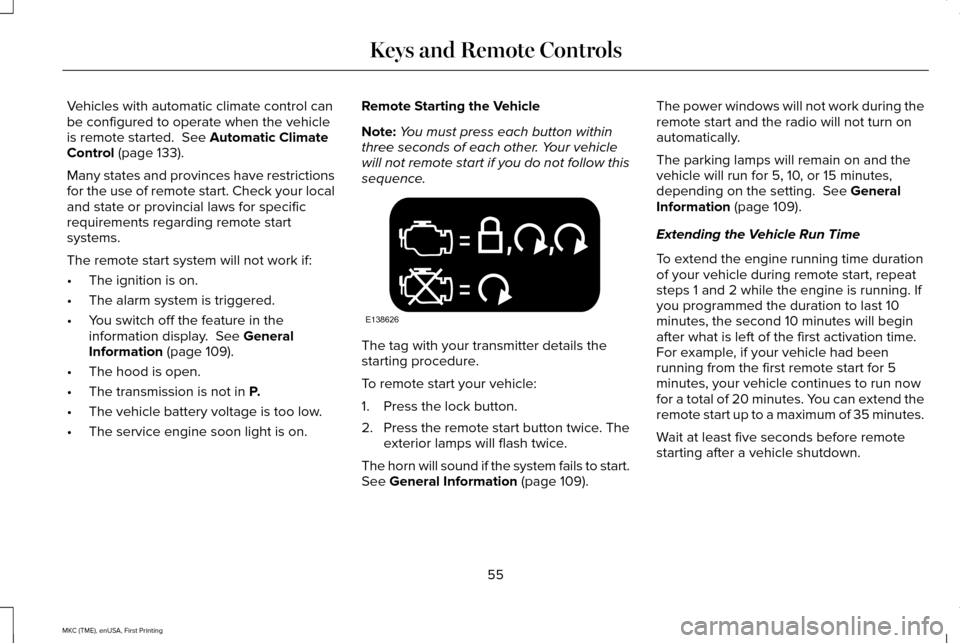
Press the remote start button twice. The
exterior lamps will flash twice.
The horn will sound if the system fails to start.
See
General Information (page 109). The power windows will not work during the
remote start and the radio will not turn on
automatically.
The parking lamps will remain on and the
vehicle will run for 5, 10, or 15 minutes,
depending on the setting.
See General
Information (page 109).
Extending the Vehicle Run Time
To extend the engine running time duration
of your vehicle during remote start, repeat
steps 1 and 2 while the engine is running. If
you programmed the duration to last 10
minutes, the second 10 minutes will begin
after what is left of the first activation time.
For example, if your vehicle had been
running from the first remote start for 5
minutes, your vehicle continues to run now
for a total of 20 minutes. You can extend the
remote start up to a maximum of 35 minutes.
Wait at least five seconds before remote
starting after a vehicle shutdown.
55
MKC (TME), enUSA, First Printing Keys and Remote ControlsE138626
Page 68 of 432
Intelligent access at the driver door will
unlock all doors when you disable two-stage
unlocking.
Locking the Doors
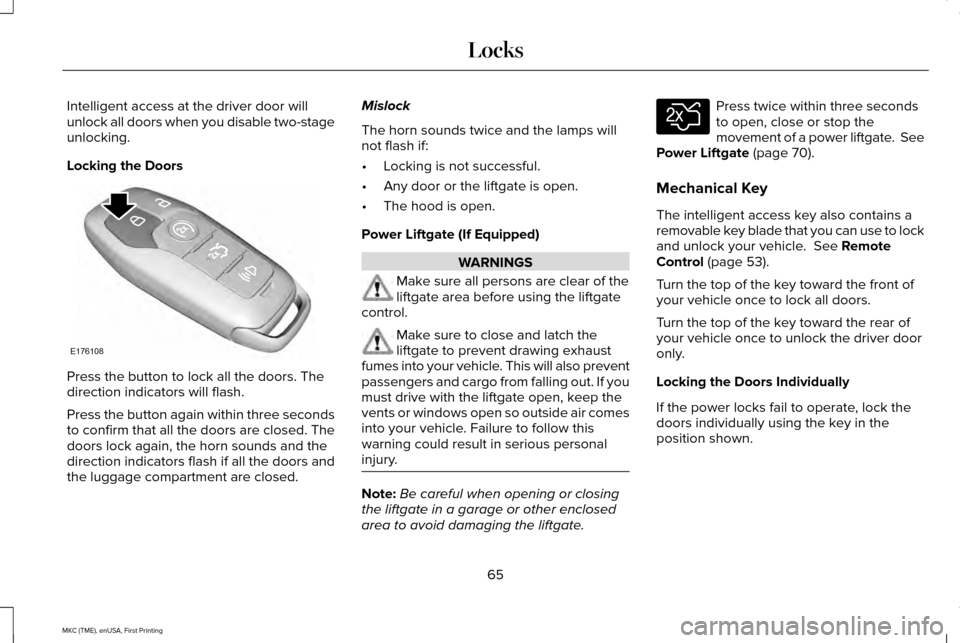
Press the button to lock all the doors. The
direction indicators will flash.
Press the button again within three seconds
to confirm that all the doors are closed. The
doors lock again, the horn sounds and the
direction indicators flash if all the doors and
the luggage compartment are closed. Mislock
The horn sounds twice and the lamps will
not flash if:
•
Locking is not successful.
• Any door or the liftgate is open.
• The hood is open.
Power Liftgate (If Equipped) WARNINGS
Make sure all persons are clear of the
liftgate area before using the liftgate
control. Make sure to close and latch the
liftgate to prevent drawing exhaust
fumes into your vehicle. This will also prevent
passengers and cargo from falling out. If you
must drive with the liftgate open, keep the
vents or windows open so outside air comes
into your vehicle. Failure to follow this
warning could result in serious personal
injury. Note:
Be careful when opening or closing
the liftgate in a garage or other enclosed
area to avoid damaging the liftgate. Press twice within three seconds
to open, close or stop the
movement of a power liftgate. See
Power Liftgate (page 70).
Mechanical Key
The intelligent access key also contains a
removable key blade that you can use to lock
and unlock your vehicle.
See Remote
Control (page 53).
Turn the top of the key toward the front of
your vehicle once to lock all doors.
Turn the top of the key toward the rear of
your vehicle once to unlock the driver door
only.
Locking the Doors Individually
If the power locks fail to operate, lock the
doors individually using the key in the
position shown.
65
MKC (TME), enUSA, First Printing LocksE176108 E138630
Page 81 of 432
ANTI-THEFT ALARM
The system will warn you of an unauthorized
entry to your vehicle. It will be triggered if
any door, the luggage compartment or the
hood is opened without using the key,
remote control or keyless entry keypad.
The direction indicators will flash and the
horn will sound if unauthorized entry is
attempted while the alarm is armed.
Take all remote controls to an authorized
dealer if there is any potential alarm problem
with your vehicle.
Arming the Alarm
The alarm is ready to arm when there is not
a key in your vehicle. Electronically lock your
vehicle to arm the alarm.
Disarming the Alarm
Disarm the alarm by any of the following
actions:
•
Unlock the doors or luggage
compartment with the remote control or
keyless entry keypad.
• Switch your vehicle on or start your
vehicle.
• Use a key in the driver door to unlock
your vehicle, then switch your vehicle on
within 12 seconds.
Note: Pressing the panic button on the
remote control will stop the horn and signal
indicators, but will not disarm the system.
78
MKC (TME), enUSA, First Printing Security
Page 109 of 432
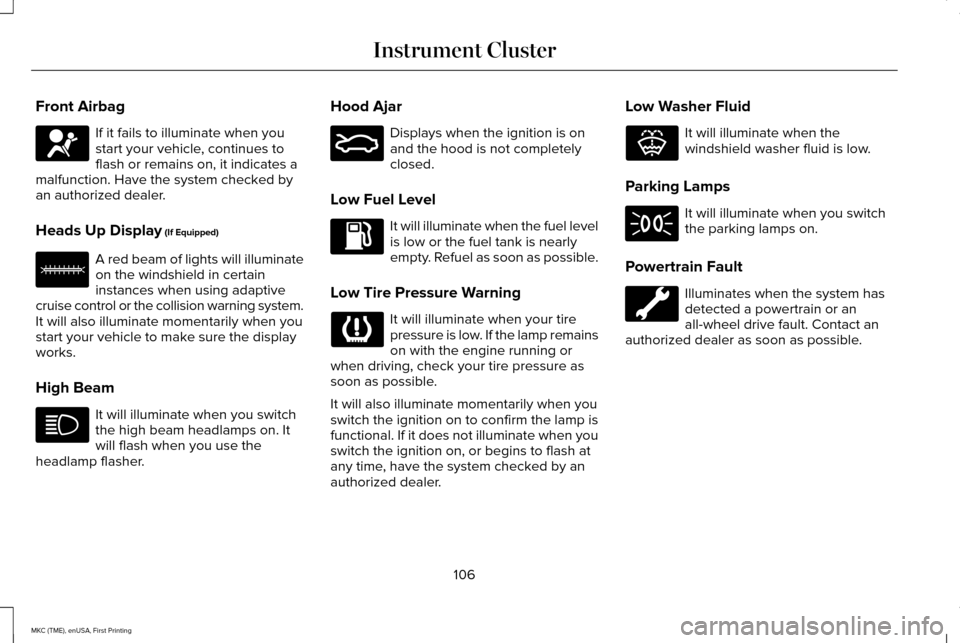
Front Airbag
If it fails to illuminate when you
start your vehicle, continues to
flash or remains on, it indicates a
malfunction. Have the system checked by
an authorized dealer.
Heads Up Display (If Equipped) A red beam of lights will illuminate
on the windshield in certain
instances when using adaptive
cruise control or the collision warning system.
It will also illuminate momentarily when you
start your vehicle to make sure the display
works.
High Beam It will illuminate when you switch
the high beam headlamps on. It
will flash when you use the
headlamp flasher. Hood Ajar Displays when the ignition is on
and the hood is not completely
closed.
Low Fuel Level It will illuminate when the fuel level
is low or the fuel tank is nearly
empty. Refuel as soon as possible.
Low Tire Pressure Warning It will illuminate when your tire
pressure is low. If the lamp remains
on with the engine running or
when driving, check your tire pressure as
soon as possible.
It will also illuminate momentarily when you
switch the ignition on to confirm the lamp is
functional. If it does not illuminate when you
switch the ignition on, or begins to flash at
any time, have the system checked by an
authorized dealer. Low Washer Fluid It will illuminate when the
windshield washer fluid is low.
Parking Lamps It will illuminate when you switch
the parking lamps on.
Powertrain Fault Illuminates when the system has
detected a powertrain or an
all-wheel drive fault. Contact an
authorized dealer as soon as possible.
106
MKC (TME), enUSA, First Printing Instrument Cluster E156133 E159324 E132353
Page 124 of 432
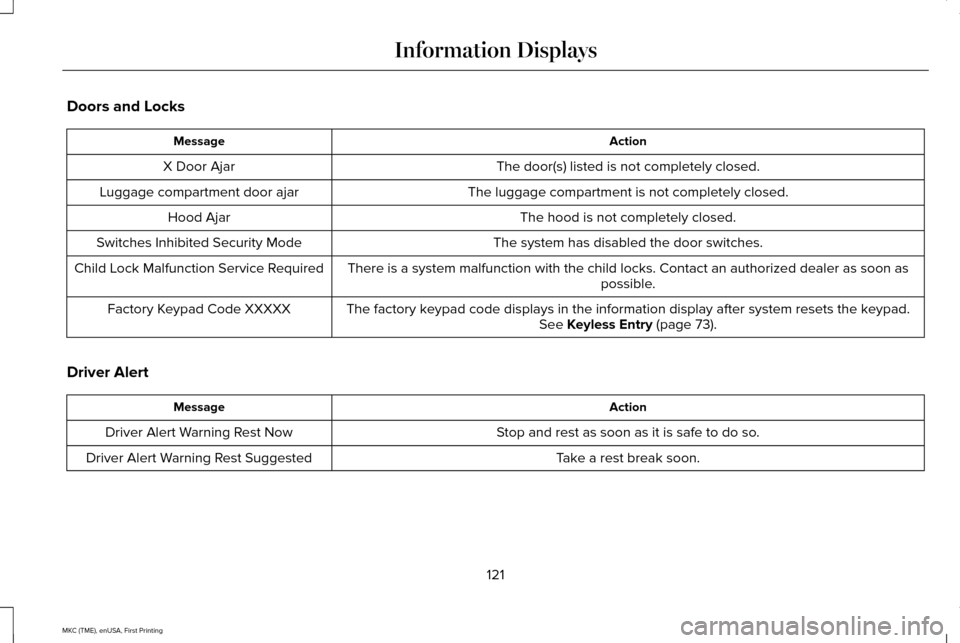
Doors and Locks
Action
Message
The door(s) listed is not completely closed.
X Door Ajar
The luggage compartment is not completely closed.
Luggage compartment door ajar
The hood is not completely closed.
Hood Ajar
The system has disabled the door switches.
Switches Inhibited Security Mode
There is a system malfunction with the child locks. Contact an authorize\
d dealer as soon as possible.
Child Lock Malfunction Service Required
The factory keypad code displays in the information display after system resets the k\
eypad.See Keyless Entry (page 73).
Factory Keypad Code XXXXX
Driver Alert Action
Message
Stop and rest as soon as it is safe to do so.
Driver Alert Warning Rest Now
Take a rest break soon.
Driver Alert Warning Rest Suggested
121
MKC (TME), enUSA, First Printing Information Displays