reset LINCOLN MKC 2016 Owners Manual
[x] Cancel search | Manufacturer: LINCOLN, Model Year: 2016, Model line: MKC, Model: LINCOLN MKC 2016Pages: 432, PDF Size: 4.89 MB
Page 7 of 432
Load Limit.......................................................232
Towing
Towing a Trailer.............................................240
Trailer Sway Control.....................................241
Recommended Towing Weights...............241
Essential Towing Checks............................244
Transporting the Vehicle.............................247
Towing the Vehicle on Four Wheels........247
Driving Hints
Breaking-In.....................................................249
Economical Driving......................................249
Driving Through Water
...............................250
Floor Mats......................................................250
Roadside Emergencies
Roadside Assistance
...................................252
Hazard Warning Flashers
...........................253
Fuel Shutoff...................................................253
Jump Starting the Vehicle
..........................254
Post-Crash Alert System............................256 Customer Assistance
Getting the Services You Need................258
In California (U.S. Only)...............................259
The Better Business Bureau (BBB) Auto
Line Program (U.S. Only)
........................260
Utilizing the Mediation/Arbitration Program (Canada Only)............................................261
Getting Assistance Outside the U.S. and Canada........................................................261
Ordering Additional Owner's Literature....................................................263
Reporting Safety Defects (U.S. Only)......263
Reporting Safety Defects (Canada Only)............................................................264
Fuses
Fuse Specification Chart............................265
Changing a Fuse...........................................281
Maintenance
General Information.....................................282
Opening and Closing the Hood...............282
Under Hood Overview -
2.0L
EcoBoost™..................................................284 Under Hood Overview -
2.3L
EcoBoost™..................................................286
Engine Oil Dipstick......................................288
Engine Oil Check.........................................288
Oil Change Indicator Reset.......................289
Engine Coolant Check................................289
Automatic Transmission Fluid Check......293
Brake Fluid Check........................................293
Washer Fluid Check....................................293
Fuel Filter
........................................................294
Changing the 12V Battery..........................294
Checking the Wiper Blades.......................296
Changing the Wiper Blades......................296
Adjusting the Headlamps...........................297
Removing a Headlamp
...............................298
Changing a Bulb
...........................................299
Bulb Specification Chart
.............................300
Changing the Engine Air Filter.................302
Vehicle Care
General Information
.....................................304
Cleaning Products
........................................304
Cleaning the Exterior
..................................304
4
MKC (TME), enUSA, First Printing Table of Contents
Page 11 of 432
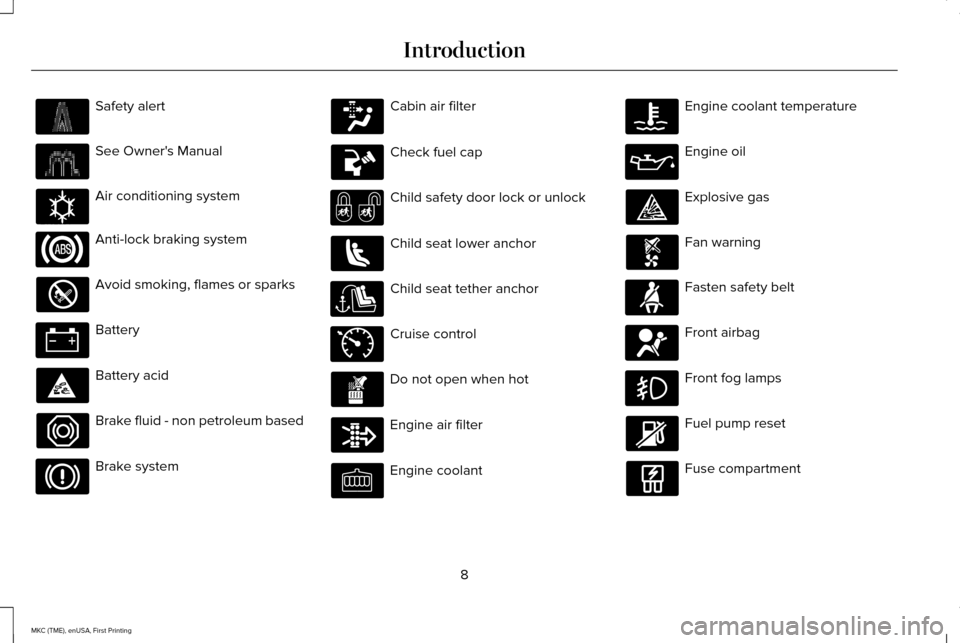
Safety alert
See Owner's Manual
Air conditioning system
Anti-lock braking system
Avoid smoking, flames or sparks
Battery
Battery acid
Brake fluid - non petroleum based
Brake system Cabin air filter
Check fuel cap
Child safety door lock or unlock
Child seat lower anchor
Child seat tether anchor
Cruise control
Do not open when hot
Engine air filter
Engine coolant Engine coolant temperature
Engine oil
Explosive gas
Fan warning
Fasten safety belt
Front airbag
Front fog lamps
Fuel pump reset
Fuse compartment
8
MKC (TME), enUSA, First Printing Introduction E162384 E71340
Page 66 of 432
Potential Causes
Condition
Program a spare key. See Passive Anti-Theft System (page 77).
I lost a key.
MyKey distances do not accumulate. •The MyKey user is not using the MyKey.
• An admin key holder cleared the MyKeys and created new MyKeys.
• The key system has been reset.
• An admin transmitter is present at vehicle start.
• No MyKeys are created.
See Creating a MyKey (page 58).
No MyKey functions with the keyless
entry transmitter.
63
MKC (TME), enUSA, First Printing MyKey™
Page 71 of 432
Illuminated Entry
The interior lamps and select exterior lamps
will light when you unlock the doors with the
remote control.
The system turns off the lights if:
•
You start your vehicle.
• You press the remote control lock button.
• They are on for 25 seconds.
The lights will not turn off if:
• You switch them on with the lamp
control.
• Any door is open.
Illuminated Exit
The interior lamps and select exterior lamps
will light when all doors are closed and you
switch the ignition off.
The lamps turn off if all the doors remain
closed and either of the following occurs:
• After 25 seconds elapse.
• You lock your vehicle from the outside. Battery Saver
If you leave the courtesy lamps or dome
lamps on and switch the ignition off, this
feature turns them off after some time.
Accessory Mode Battery Saver for
Intelligent Access Keys
If you leave your vehicle with the ignition on,
it will turn off 15 minutes after you close all
of the doors.
Welcome Lighting
This feature lights select exterior lighting as
you approach your vehicle. You must have
an intelligent access key with you. The
feature turns off when you open a door,
liftgate, or unlock your vehicle. Welcome
lighting remains on for 25 seconds or until
you start your vehicle.
The feature is active when:
•
The feature is configured on in the
information display. See General
Information (page 109).
• The ignition is off. •
All doors and the liftgate are closed.
• You lock your vehicle.
The feature is not active when:
• Your vehicle detects the intelligent
access key is inside.
• The intelligent access key is in close
range of the vehicle for more than two
minutes.
• The anti-theft alarm triggers.
• You do not start your vehicle for more
than five days.
• The vehicle battery charge is low.
Note: When this feature is disabled, you
must switch the ignition on to reset it.
Note: This feature may not correctly operate
if the intelligent access key is stored within
8–15 ft (2.4–4.6 m)
of your vehicle while not
in use.
68
MKC (TME), enUSA, First Printing Locks
Page 83 of 432
Use the control on the side of the steering
column to adjust the position.
To adjust:
•
Tilt: press the top or bottom of the
control.
• Telescope: press the front or rear of the
control.
Memory Feature
You can save and recall the steering column
position with the memory function. See
Memory Function (page 144).
Pressing the adjustment control during
memory recall cancels the operation. The
column responds to the adjustment control.
The steering column sets a stopping position
just short of the end of the column position
to prevent damage to the steering column.
A new stopping position sets if the steering
column encounters an object when tilting or
telescoping.
To reset the steering column to its normal
stopping position: 1. Press the steering column control again
after encountering the new stopping
position.
2. Continue pressing the control until it reaches the end of the column position.
A new stopping position is set. The next time
you tilt or telescope the steering column, it
will stop just short of the end of the column
position.
Easy Entry and Exit Feature
When you switch the ignition off, the steering
column will move to the full up position to
allow extra room to exit your vehicle. The
column will return to the previous setting
when you switch the ignition on. You can
enable or disable this feature in the
information display.
See Information
Displays (page 109).
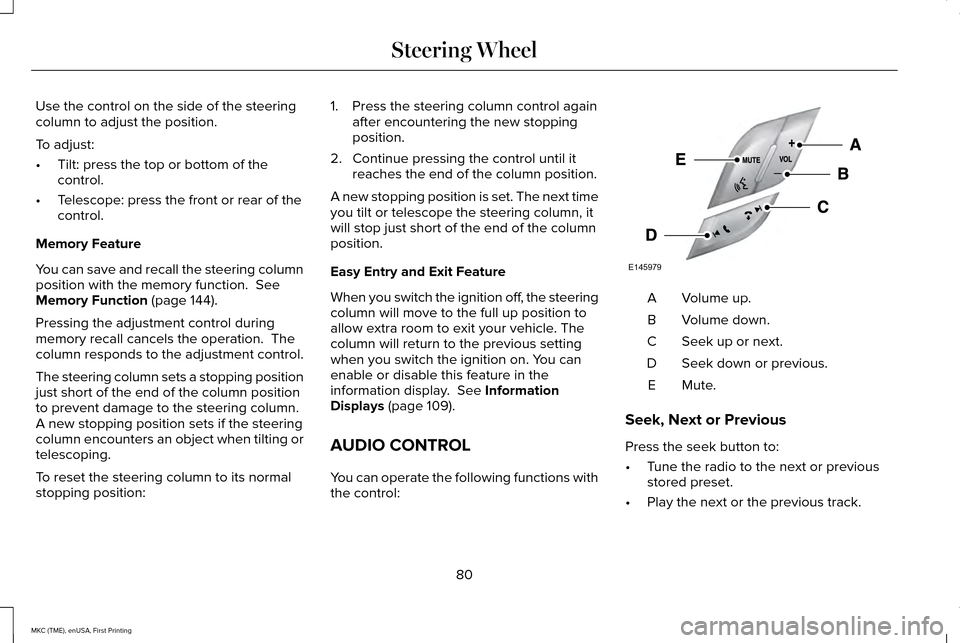
AUDIO CONTROL
You can operate the following functions with
the control: Volume up.
A
Volume down.
B
Seek up or next.
C
Seek down or previous.
D
Mute.E
Seek, Next or Previous
Press the seek button to:
• Tune the radio to the next or previous
stored preset.
• Play the next or the previous track.
80
MKC (TME), enUSA, First Printing Steering WheelE145979
Page 113 of 432
Trip 1 & 2 Choose between the standard or
enhanced trip display.
Trip 1 & 2
Normal or Towing
Distance to E
Average fuel economy
Trip timer
Press and hold OK to reset the currently displayed trip information.
• Trip odometer — shows the accumulated trip distance.
• Trip Timer— when you switch your vehicle off the timer stops and then restarts when\
you restart your vehicle.
• Average fuel economy — shows the average fuel economy for a given trip.
Fuel Economy Use the left or right arrow buttons
to choose the desired fuel
economy display.
Fuel Economy
Instantaneous Fuel Economy
• Instantaneous Fuel Economy: This display shows a visual graph of your in\
stantaneous fuel economy.
110
MKC (TME), enUSA, First Printing Information DisplaysE138660 E144640
Page 116 of 432
Settings
Switches Inhibit - check enabled or uncheck disabled
Autofold - check enabled or uncheck disabled
Mirror
Remaining Life XXX% - Hold OK to Reset
Oil Life
Power Liftgate - check enabled or uncheck disabled
Auto or Last Settings
Climate Control
Remote Start
Auto Heated or Off
Front and Wheel
5, 10 or 15 minutes
Duration
System - check enabled or uncheck disabled
Remote - check enabled or uncheck disabled
Windows
Courtesy Wipe - check enabled or uncheck disabled
Wipers
Rain Sensing - check enabled or uncheck disabled —
Hold OK to Create MyKey
Create MyKey
MyKey
—
Always On or User Select-
able
911 Assist
—
Always On or User Select-
able
Traction Control
—
Choose desired speed or off
Max Speed
113
MKC (TME), enUSA, First Printing Information Displays
Page 124 of 432
Doors and Locks
Action
Message
The door(s) listed is not completely closed.
X Door Ajar
The luggage compartment is not completely closed.
Luggage compartment door ajar
The hood is not completely closed.
Hood Ajar
The system has disabled the door switches.
Switches Inhibited Security Mode
There is a system malfunction with the child locks. Contact an authorize\
d dealer as soon as possible.
Child Lock Malfunction Service Required
The factory keypad code displays in the information display after system resets the k\
eypad.See Keyless Entry (page 73).
Factory Keypad Code XXXXX
Driver Alert Action
Message
Stop and rest as soon as it is safe to do so.
Driver Alert Warning Rest Now
Take a rest break soon.
Driver Alert Warning Rest Suggested
121
MKC (TME), enUSA, First Printing Information Displays
Page 144 of 432
The rear center head restraint consists of:
An energy absorbing head
restraint.
A
Two steel stems.
B
Guide sleeve unlock and remove
button.
C
Adjusting the Head Restraint
Raising the Front Seat Head Restraint
Pull the head restraint up.
Lowering the Front Seat Head Restraint
1. Press and hold button C.
2. Push the head restraint down.
Removing the Head Restraint
1. Pull the head restraint up until it reaches
its highest position.
2. Press and hold buttons C and D.
3. Pull the head restraint up. Installing the Head Restraint
Align the steel stems into the guide sleeves
and push the head restraint down until it
locks.
Folding the Rear Seat Head Restraint
1. Press and hold button E.
2. Pull it back up to reset.
Tilting Head Restraints
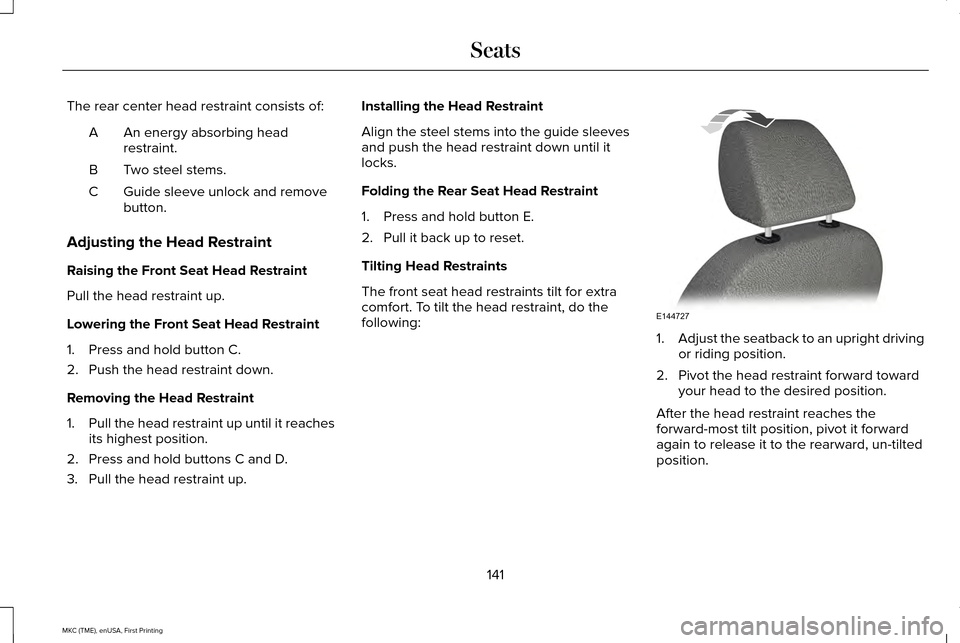
The front seat head restraints tilt for extra
comfort. To tilt the head restraint, do the
following:
1.
Adjust the seatback to an upright driving
or riding position.
2. Pivot the head restraint forward toward your head to the desired position.
After the head restraint reaches the
forward-most tilt position, pivot it forward
again to release it to the rearward, un-tilted
position.
141
MKC (TME), enUSA, First Printing SeatsE144727
Page 147 of 432
Power Lumbar
MEMORY FUNCTION
WARNINGS
Before activating the seat memory,
make sure that the area immediately
surrounding the seat is clear of obstructions
and that all occupants are clear of moving
parts. Do not use the memory function when
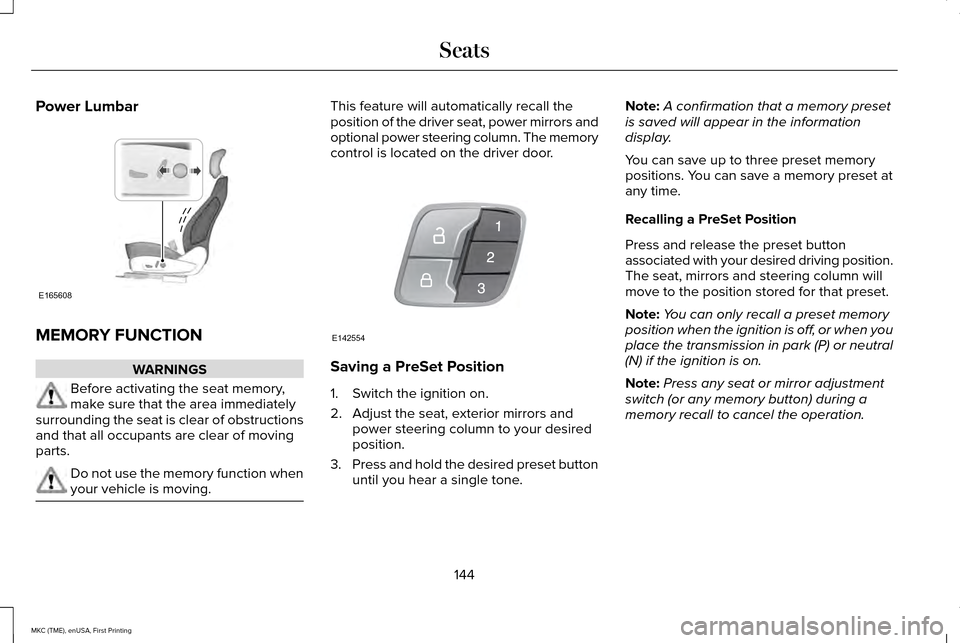
your vehicle is moving. This feature will automatically recall the
position of the driver seat, power mirrors and
optional power steering column. The memory
control is located on the driver door.
Saving a PreSet Position
1. Switch the ignition on.
2. Adjust the seat, exterior mirrors and
power steering column to your desired
position.
3. Press and hold the desired preset button
until you hear a single tone. Note:
A confirmation that a memory preset
is saved will appear in the information
display.
You can save up to three preset memory
positions. You can save a memory preset at
any time.
Recalling a PreSet Position
Press and release the preset button
associated with your desired driving position.
The seat, mirrors and steering column will
move to the position stored for that preset.
Note: You can only recall a preset memory
position when the ignition is off, or when you
place the transmission in park (P) or neutral
(N) if the ignition is on.
Note: Press any seat or mirror adjustment
switch (or any memory button) during a
memory recall to cancel the operation.
144
MKC (TME), enUSA, First Printing SeatsE165608 E142554