towing LINCOLN MKC 2016 Owners Manual
[x] Cancel search | Manufacturer: LINCOLN, Model Year: 2016, Model line: MKC, Model: LINCOLN MKC 2016Pages: 432, PDF Size: 4.89 MB
Page 7 of 432
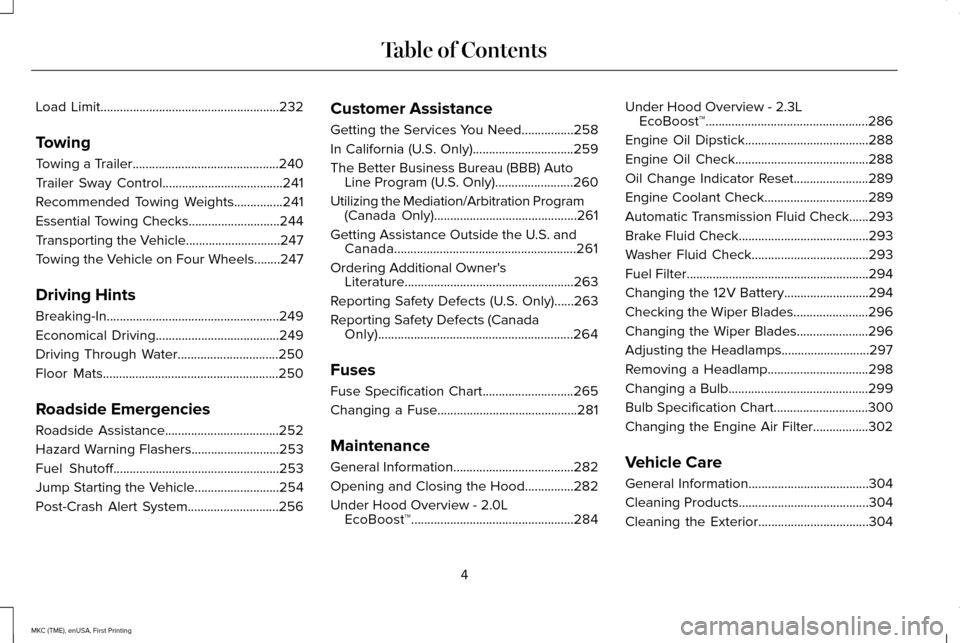
Load Limit.......................................................232
Towing
Towing a Trailer.............................................240
Trailer Sway Control.....................................241
Recommended Towing Weights...............241
Essential Towing Checks............................244
Transporting the Vehicle.............................247
Towing the Vehicle on Four Wheels........247
Driving Hints
Breaking-In.....................................................249
Economical Driving......................................249
Driving Through Water
...............................250
Floor Mats......................................................250
Roadside Emergencies
Roadside Assistance
...................................252
Hazard Warning Flashers
...........................253
Fuel Shutoff...................................................253
Jump Starting the Vehicle
..........................254
Post-Crash Alert System............................256 Customer Assistance
Getting the Services You Need................258
In California (U.S. Only)...............................259
The Better Business Bureau (BBB) Auto
Line Program (U.S. Only)
........................260
Utilizing the Mediation/Arbitration Program (Canada Only)............................................261
Getting Assistance Outside the U.S. and Canada........................................................261
Ordering Additional Owner's Literature....................................................263
Reporting Safety Defects (U.S. Only)......263
Reporting Safety Defects (Canada Only)............................................................264
Fuses
Fuse Specification Chart............................265
Changing a Fuse...........................................281
Maintenance
General Information.....................................282
Opening and Closing the Hood...............282
Under Hood Overview -
2.0L
EcoBoost™..................................................284 Under Hood Overview -
2.3L
EcoBoost™..................................................286
Engine Oil Dipstick......................................288
Engine Oil Check.........................................288
Oil Change Indicator Reset.......................289
Engine Coolant Check................................289
Automatic Transmission Fluid Check......293
Brake Fluid Check........................................293
Washer Fluid Check....................................293
Fuel Filter
........................................................294
Changing the 12V Battery..........................294
Checking the Wiper Blades.......................296
Changing the Wiper Blades......................296
Adjusting the Headlamps...........................297
Removing a Headlamp
...............................298
Changing a Bulb
...........................................299
Bulb Specification Chart
.............................300
Changing the Engine Air Filter.................302
Vehicle Care
General Information
.....................................304
Cleaning Products
........................................304
Cleaning the Exterior
..................................304
4
MKC (TME), enUSA, First Printing Table of Contents
Page 113 of 432
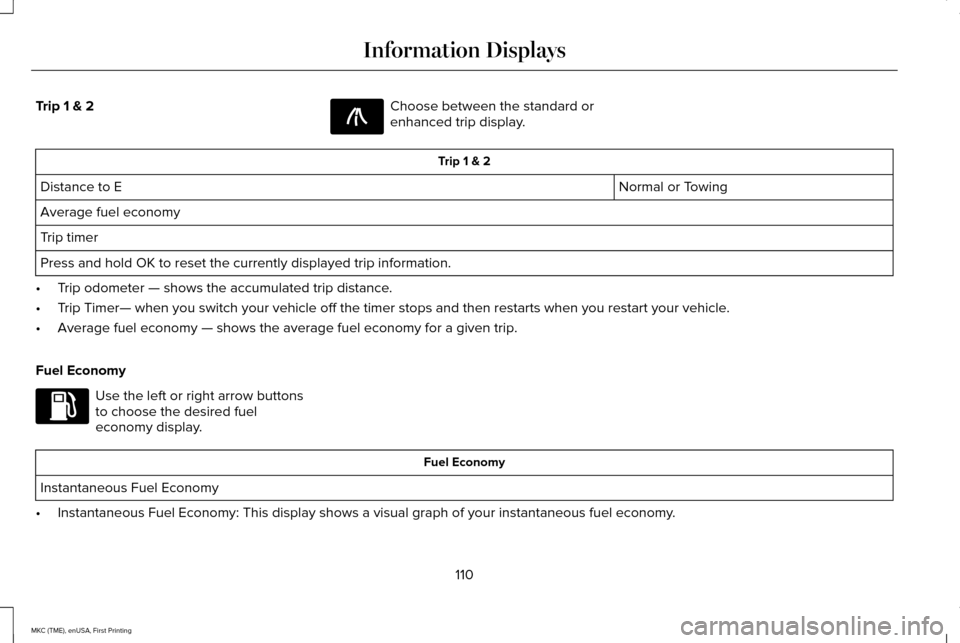
Trip 1 & 2 Choose between the standard or
enhanced trip display.
Trip 1 & 2
Normal or Towing
Distance to E
Average fuel economy
Trip timer
Press and hold OK to reset the currently displayed trip information.
• Trip odometer — shows the accumulated trip distance.
• Trip Timer— when you switch your vehicle off the timer stops and then restarts when\
you restart your vehicle.
• Average fuel economy — shows the average fuel economy for a given trip.
Fuel Economy Use the left or right arrow buttons
to choose the desired fuel
economy display.
Fuel Economy
Instantaneous Fuel Economy
• Instantaneous Fuel Economy: This display shows a visual graph of your in\
stantaneous fuel economy.
110
MKC (TME), enUSA, First Printing Information DisplaysE138660 E144640
Page 115 of 432
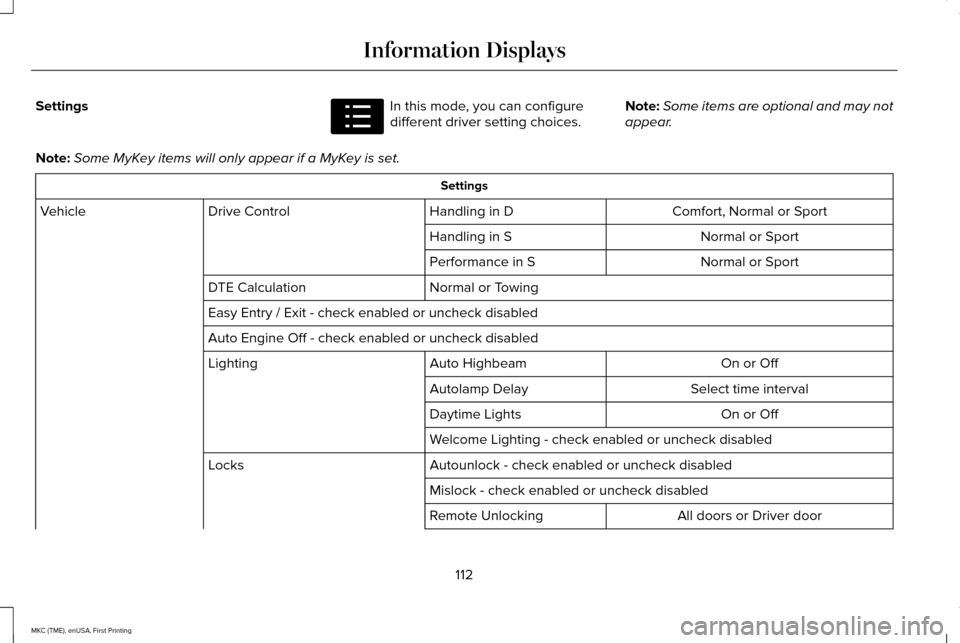
Settings In this mode, you can configure
different driver setting choices.
Note:
Some items are optional and may not
appear.
Note: Some MyKey items will only appear if a MyKey is set. Settings
Comfort, Normal or Sport
Handling in D
Drive Control
Vehicle
Normal or Sport
Handling in S
Normal or Sport
Performance in S
Normal or Towing
DTE Calculation
Easy Entry / Exit - check enabled or uncheck disabled
Auto Engine Off - check enabled or uncheck disabled
On or Off
Auto Highbeam
Lighting
Select time interval
Autolamp Delay
On or Off
Daytime Lights
Welcome Lighting - check enabled or uncheck disabled
Autounlock - check enabled or uncheck disabled
Locks
Mislock - check enabled or uncheck disabled All doors or Driver door
Remote Unlocking
112
MKC (TME), enUSA, First Printing Information DisplaysE100023
Page 134 of 432
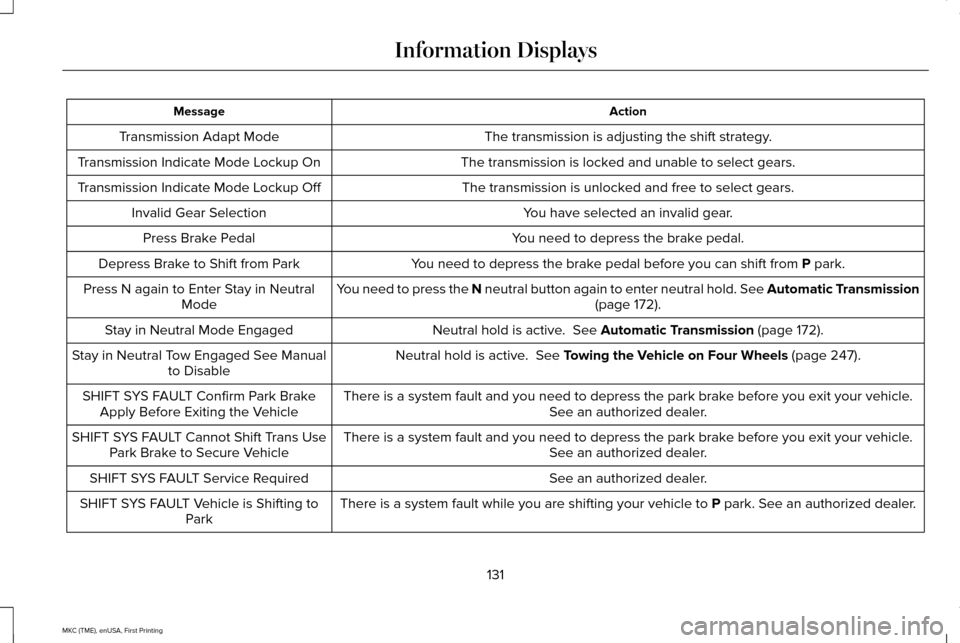
Action
Message
The transmission is adjusting the shift strategy.
Transmission Adapt Mode
The transmission is locked and unable to select gears.
Transmission Indicate Mode Lockup On
The transmission is unlocked and free to select gears.
Transmission Indicate Mode Lockup Off
You have selected an invalid gear.
Invalid Gear Selection
You need to depress the brake pedal.
Press Brake Pedal
You need to depress the brake pedal before you can shift from P park.
Depress Brake to Shift from Park
You need to press the N neutral button again to enter neutral hold. See Automatic Transmission (page
172).
Press N again to Enter Stay in Neutral
Mode
Neutral hold is active.
See Automatic Transmission (page 172).
Stay in Neutral Mode Engaged
Neutral hold is active.
See Towing the Vehicle on Four Wheels (page 247).
Stay in Neutral Tow Engaged See Manual
to Disable
There is a system fault and you need to depress the park brake before you exit your vehicle. See an authorized dealer.
SHIFT SYS FAULT Confirm Park Brake
Apply Before Exiting the Vehicle
There is a system fault and you need to depress the park brake before you exit your vehicle.See an authorized dealer.
SHIFT SYS FAULT Cannot Shift Trans Use
Park Brake to Secure Vehicle
See an authorized dealer.
SHIFT SYS FAULT Service Required
There is a system fault while you are shifting your vehicle to
P park. See an authorized dealer.
SHIFT SYS FAULT Vehicle is Shifting to
Park
131
MKC (TME), enUSA, First Printing Information Displays
Page 135 of 432
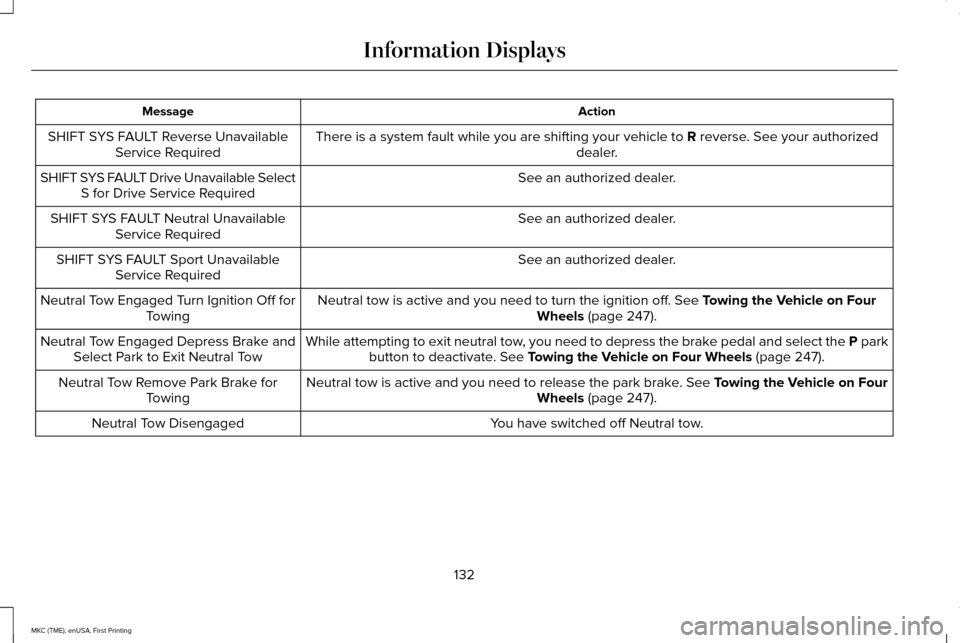
Action
Message
There is a system fault while you are shifting your vehicle to R reverse. See your authorized
dealer.
SHIFT SYS FAULT Reverse Unavailable
Service Required
See an authorized dealer.
SHIFT SYS FAULT Drive Unavailable Select
S for Drive Service Required
See an authorized dealer.
SHIFT SYS FAULT Neutral Unavailable
Service Required
See an authorized dealer.
SHIFT SYS FAULT Sport Unavailable
Service Required
Neutral tow is active and you need to turn the ignition off.
See Towing the Vehicle on Four
Wheels (page 247).
Neutral Tow Engaged Turn Ignition Off for
Towing
While attempting to exit neutral tow, you need to depress the brake pedal and select the P parkbutton to deactivate.
See Towing the Vehicle on Four Wheels (page 247).
Neutral Tow Engaged Depress Brake and
Select Park to Exit Neutral Tow
Neutral tow is active and you need to release the park brake.
See Towing the Vehicle on Four
Wheels (page 247).
Neutral Tow Remove Park Brake for
Towing
You have switched off Neutral tow.
Neutral Tow Disengaged
132
MKC (TME), enUSA, First Printing Information Displays
Page 179 of 432
WARNINGS
When doing this procedure, you will
be taking the vehicle out of park which
means the vehicle can roll freely. To avoid
unwanted vehicle movement, always fully
set the parking brake prior to doing this
procedure. Use wheel chocks if appropriate. If the parking brake is fully released,
but the brake warning lamp remains
illuminated, the brakes may not be working
properly. See your authorized dealer. Note:
See your authorized dealer as soon
as possible if this procedure is used.
Note: For some markets this feature is
disabled.
Use the brake-shift interlock override to
move your transmission from the park
position in the event of an electrical
malfunction or if your vehicle has a dead
battery.
1. Apply the parking brake and turn your ignition off before performing this
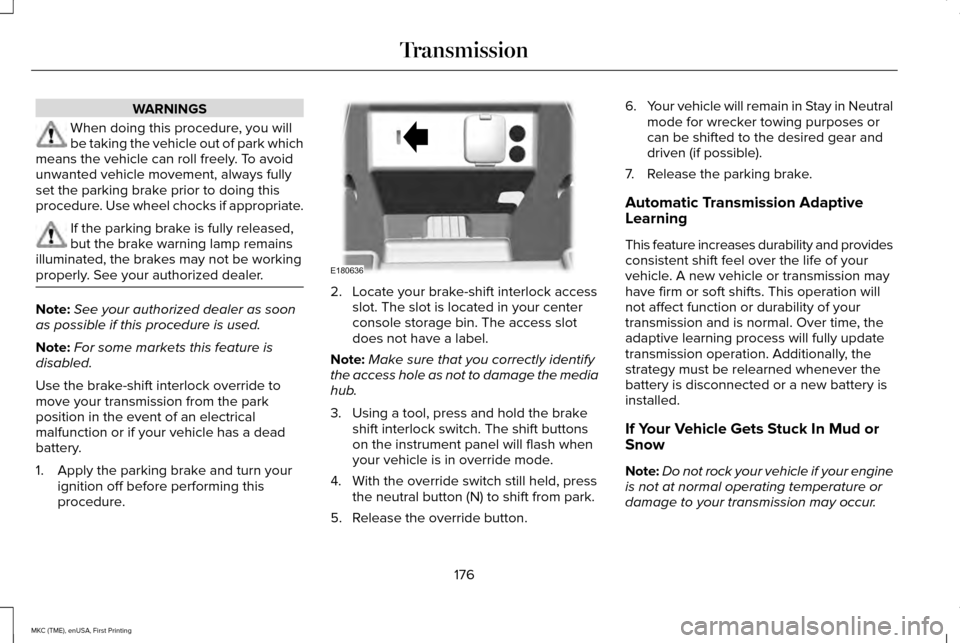
procedure. 2. Locate your brake-shift interlock access
slot. The slot is located in your center
console storage bin. The access slot
does not have a label.
Note: Make sure that you correctly identify
the access hole as not to damage the media
hub.
3. Using a tool, press and hold the brake shift interlock switch. The shift buttons
on the instrument panel will flash when
your vehicle is in override mode.
4. With the override switch still held, press the neutral button (N) to shift from park.
5. Release the override button. 6.
Your vehicle will remain in Stay in Neutral
mode for wrecker towing purposes or
can be shifted to the desired gear and
driven (if possible).
7. Release the parking brake.
Automatic Transmission Adaptive
Learning
This feature increases durability and provides
consistent shift feel over the life of your
vehicle. A new vehicle or transmission may
have firm or soft shifts. This operation will
not affect function or durability of your
transmission and is normal. Over time, the
adaptive learning process will fully update
transmission operation. Additionally, the
strategy must be relearned whenever the
battery is disconnected or a new battery is
installed.
If Your Vehicle Gets Stuck In Mud or
Snow
Note: Do not rock your vehicle if your engine
is not at normal operating temperature or
damage to your transmission may occur.
176
MKC (TME), enUSA, First Printing TransmissionE180636
Page 203 of 432
WARNINGS
Use caution when turning camera
features on or off. Make sure your
vehicle is not moving. The rear view camera system provides a
video image of the area behind your vehicle.
During operation, lines appear in the display
which represent your vehicle
’s path and
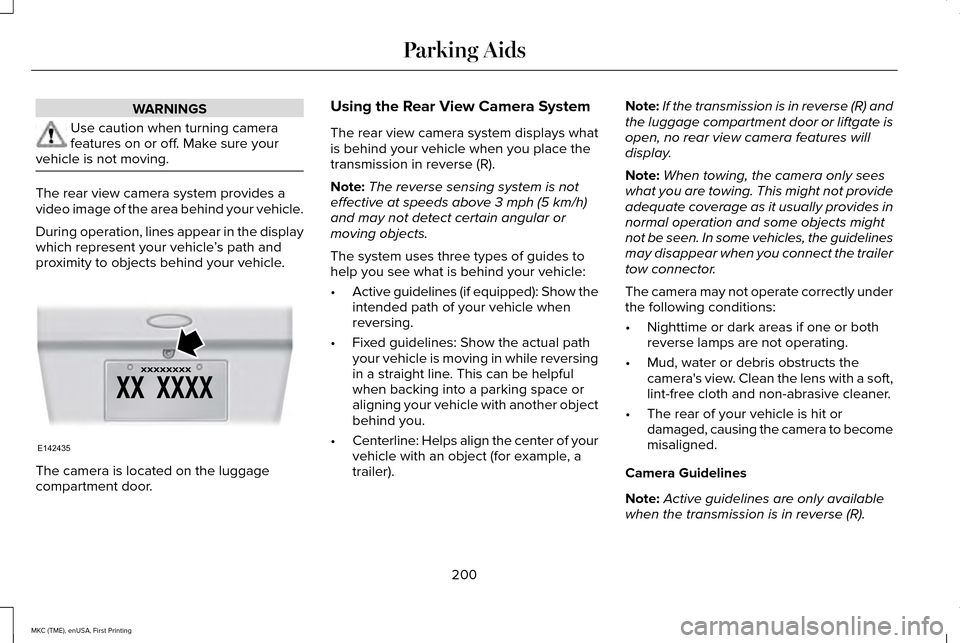
proximity to objects behind your vehicle. The camera is located on the luggage
compartment door. Using the Rear View Camera System
The rear view camera system displays what
is behind your vehicle when you place the
transmission in reverse (R).
Note:
The reverse sensing system is not
effective at speeds above 3 mph (5 km/h)
and may not detect certain angular or
moving objects.
The system uses three types of guides to
help you see what is behind your vehicle:
• Active guidelines (if equipped): Show the
intended path of your vehicle when
reversing.
• Fixed guidelines: Show the actual path
your vehicle is moving in while reversing
in a straight line. This can be helpful
when backing into a parking space or
aligning your vehicle with another object
behind you.
• Centerline: Helps align the center of your
vehicle with an object (for example, a
trailer). Note:
If the transmission is in reverse (R) and
the luggage compartment door or liftgate is
open, no rear view camera features will
display.
Note: When towing, the camera only sees
what you are towing. This might not provide
adequate coverage as it usually provides in
normal operation and some objects might
not be seen. In some vehicles, the guidelines
may disappear when you connect the trailer
tow connector.
The camera may not operate correctly under
the following conditions:
• Nighttime or dark areas if one or both
reverse lamps are not operating.
• Mud, water or debris obstructs the
camera's view. Clean the lens with a soft,
lint-free cloth and non-abrasive cleaner.
• The rear of your vehicle is hit or
damaged, causing the camera to become
misaligned.
Camera Guidelines
Note: Active guidelines are only available
when the transmission is in reverse (R).
200
MKC (TME), enUSA, First Printing Parking AidsE142435
Page 213 of 432
System Not Available
Conditions that can cause the system to
deactivate or prevent the system from
activating when requested include:
•
A blocked sensor.
• High brake temperature.
• A failure in the system or a related
system. Blocked Sensor WARNINGS
Do not use the system when towing a
trailer with aftermarked trailer brake
controls. Aftermarket trailer brakes do not
function properly when you switch the
system on because the brakes are
electronically controlled. Failing to do so may
result in loss of vehicle control, which could
result in serious injury. Do not use tire sizes other than those
recommended because this can affect
the normal operation of the system. Failing
to do so may result in a loss of vehicle
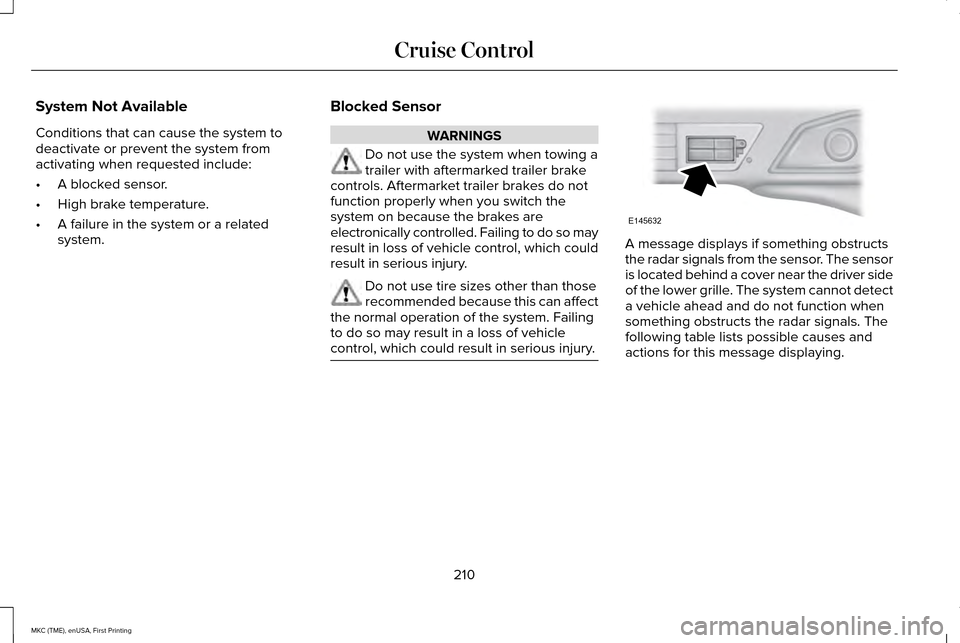
control, which could result in serious injury. A message displays if something obstructs
the radar signals from the sensor. The sensor
is located behind a cover near the driver side
of the lower grille. The system cannot detect
a vehicle ahead and do not function when
something obstructs the radar signals. The
following table lists possible causes and
actions for this message displaying.
210
MKC (TME), enUSA, First Printing Cruise ControlE145632
Page 224 of 432
A "blocked" condition can be cleared in two
ways:
•
After the blockage in front of the sensors
is removed or the rainfall/snowfall rate
decreases or stops, drive for a few
minutes in traffic to allow the sensors to
detect passing vehicles.
• By cycling the ignition from ON to OFF
and then back ON.
Note: If your vehicle has a tow bar with a
factory equipped trailer tow module and it
is towing a trailer, the sensors will
automatically turn the Blind Spot Information
System off. If your vehicle has a tow bar but
no factory equipped trailer tow module, it is
recommended to turn the Blind Spot
Information System off manually. Operating
the Blind Spot Information System with a
trailer attached will cause poor system
performance. System Errors
If the system senses a problem with the left
or right sensor, the telltale will illuminate and
a message will appear in the information
display. See Information Messages (page
115).
Switching the System Off and On
You can temporarily switch the Blind Spot
Information System off in the information
display. See General Information (page 109).
When the Blind Spot Information System
switches off, you will not receive alerts and
the information display shows a system off
message. The telltale in the cluster also
illuminates. When you switch the Blind Spot
Information System on or off, the alert
indicators flash twice.
Note: The Blind Spot Information System
remembers the last selected on or off setting.
You can also have the Blind Spot Information
System switched off permanently at an
authorized dealer. Once switched off
permanently, the system can only be
switched back on at an authorized dealer. CROSS TRAFFIC ALERT WARNING
To help avoid personal injury, NEVER
use the Cross Traffic Alert system as a
replacement for using the interior and
exterior mirrors and looking over your
shoulder before backing out of a parking
space. Cross Traffic Alert is not a
replacement for careful driving. Cross Traffic Alert is designed to warn you
of vehicles approaching from the sides when
the transmission is in reverse (R).
Using the System
Cross Traffic Alert turns on when you start
the engine and you shift into reverse (R).
Once shifted out of reverse (R), Cross Traffic
Alert turns off.
Note:
Cross Traffic Alert only functions while
your transmission is in reverse (R).
221
MKC (TME), enUSA, First Printing Driving Aids
Page 228 of 432
•
Driving in reverse faster than 7 mph
(12 km/h).
• Backing out of an angled parking spot.
False Alerts
Note: If your vehicle has a tow bar with a
factory equipped trailer tow module and it
is towing a trailer, the sensors will
automatically turn the Cross Traffic Alert off.
If your vehicle has a tow bar but no factory
equipped trailer tow module, it is
recommended to turn the Cross Traffic Alert
off manually. Operating Cross Traffic Alert
with a trailer attached will cause poor Cross
Traffic Alert performance.
There may be certain instances when there
is a false alert by the Cross Traffic Alert
system that illuminates the alert indicator
with no vehicle in the coverage zone. Some
amount of false alerts are normal; they are
temporary and self-correct. System Errors
If Cross Traffic Alert senses a problem with
the left or right sensor a message will appear
in the information display.
See Information
Messages (page 115).
Switching the System Off and On
You can temporarily switch Cross Traffic Alert
off in the information display.
See General
Information (page 109). When you switch
Cross Traffic Alert off, you will not receive
alerts and the information display will display
a system off message.
Note: The Cross Traffic Alert switches on
whenever the ignition is switched on and
ready to provide appropriate alerts when
the transmission is in reverse (R). Cross
Traffic Alert will not remember the last
selected on or off setting.
You can also have Cross Traffic Alert
switched off permanently at an authorized
dealer. Once switched off permanently, the
system can only be switched back on at an
authorized dealer. STEERING
Electric Power Steering WARNINGS
The electric power steering system has
diagnostic checks that continuously
monitor the system. If a fault is detected, a
message displays in the information display.
Stop your vehicle as soon as it is safe to do
so. Switch the ignition off. After at least 10
seconds, switch the ignition on and watch
the information display for a steering system
warning message. If a steering system
warning message returns, have the system
checked by an authorized dealer. If the system detects an error, you may
not feel a difference in the steering,
however a serious condition may exist.
Obtain immediate service from an authorized
dealer, failure to do so may result in loss of
steering control. Your vehicle has an electric power steering
system. There is no fluid reservoir. No
maintenance is required.
225
MKC (TME), enUSA, First Printing Driving Aids