lights LINCOLN MKC 2018 User Guide
[x] Cancel search | Manufacturer: LINCOLN, Model Year: 2018, Model line: MKC, Model: LINCOLN MKC 2018Pages: 571, PDF Size: 4.39 MB
Page 110 of 571
Heads Up Display (If Equipped)
A red beam of lights will illuminateon the windshield in certaininstances when using adaptivecruise control or the collision warning system.It will also illuminate momentarily when youstart your vehicle to make sure the displayworks.
Headlamp High Beam Indicator
It illuminates when you switch theheadlamp high beam on.
Hood Ajar
Displays when the ignition is onand the hood is not completelyclosed.
Lane Keeping System Lamp (If Equipped)
It illuminates when the systemactivates.
Low Fuel Level Warning Lamp
If it illuminates when you aredriving, refuel as soon as possible.
Low Tire Pressure Warning Lamp
It illuminates when your tirepressure is low. If the lamp remainson with the engine running orwhen driving, check your tire pressure assoon as possible.
It also illuminates momentarily when youswitch the ignition on to confirm the lamp isfunctional. If it does not illuminate when youswitch the ignition on, or begins to flash atany time, have the system checked by yourauthorized dealer.
Low Washer Fluid Level Warning Lamp
It illuminates when the washer fluidis low.
Oil Pressure Warning Lamp
It illuminates when you switch theignition on.
If it illuminates when the engine isrunning this indicates a malfunction. Stopyour vehicle as soon as it is safe to do soand switch the engine off. Check the engineoil level. If the oil level is sufficient, thisindicates a system malfunction. Have yourvehicle checked as soon as possible.
See Engine Oil Check (page 289).
Parking Lamps
It will illuminate when you switchthe parking lamps on.
Powertrain Fault
Illuminates when the system hasdetected a powertrain or anall-wheel drive fault. Contact anauthorized dealer as soon as possible.
107
MKC (TME) Canada/United States of America, JJ7J 19A321 AA enUSA, Edition date: 201707, Second Printing
Instrument ClusterE156133 E159324 E144813 E132353
Page 149 of 571
HEATED SEATS (If Equipped)
Front Seats
WARNING
People who are unable to feel pain totheir skin because of advanced age,chronic illness, diabetes, spinal cord injury,medication, alcohol use, exhaustion or otherphysical conditions, must exercise care whenusing the heated seat. The heated seat maycause burns even at low temperatures,especially if used for long periods of time.Do not place anything on the seat thatinsulates against heat, such as a blanket orcushion. This may cause the heated seat tooverheat. Do not puncture the seat with pins,needles or other pointed objects. This maydamage the heating element which maycause the heated seat to overheat. Anoverheated seat may cause serious personalinjury.
Do not do the following:
•Place heavy objects on the seat.
•Operate the heated seat if water or anyother liquid spills on the seat. Allow theseat to dry thoroughly.
Note:The heated seats will only functionwhen the engine is running.
Press the heated seat symbol to cyclethrough the various heat settings and off.More indicator lights indicate warmersettings.
Note:After 90 minutes of operation, theheated seats switch off. Press the heatedseat symbol to switch the heated seats on.
Note:Depending on your remote startsettings, the heated seats may remain onafter you remote start your vehicle. Theheated seats may also turn on when youstart your vehicle if they were on when yourvehicle was turned off.
Rear Seats (If Equipped)
WARNING
Persons who are unable to feel pain tothe skin because of advanced age,chronic illness, diabetes, spinal cord injury,medication, alcohol use, exhaustion, or otherphysical conditions, must exercise care whenusing the seat heater. The seat heater maycause burns even at low temperatures,especially if used for long periods of time.Do not place anything on the seat thatinsulates against heat, such as a blanket orcushion, because this may cause the seatheater to overheat. Do not puncture the seatwith pins, needles, or other pointed objectsbecause this may damage the heatingelement which may cause the seat heater tooverheat. An overheated seat may causeserious personal injury.
146
MKC (TME) Canada/United States of America, JJ7J 19A321 AA enUSA, Edition date: 201707, Second Printing
SeatsE146322
Page 150 of 571
Do not do the following:
•Place heavy objects on the seat.
•Operate the seat heater if water or anyother liquid spills on the seat. Allow theseat to dry thoroughly.
Note:The heated seats will only functionwhen the engine is running.
The rear seat heat controls are located onthe rear of the center console.
Press the heated seat symbol to cyclethrough the various heat settings and off.More indicator lights indicate warmersettings.
CLIMATE CONTROLLED SEATS (If
Equipped)
Heated Seats
WARNING
People who are unable to feel pain totheir skin because of advanced age,chronic illness, diabetes, spinal cord injury,medication, alcohol use, exhaustion or otherphysical conditions, must use caution whenusing the heated seat. The heated seat maycause burns even at low temperatures,especially if used for long periods of time.Do not place anything on the seat that mayblock the heat, such as a blanket or cushion.This can cause the heated seat to overheat.Do not puncture the seat with pins, needlesor other pointed objects. This damages theheating element and can cause the heatedseat to overheat. An overheated seat maycause serious personal injury.
Do not do the following:
•Place heavy objects on the seat.
•Operate the seat heater if water or anyother liquid spills on the seat. Allow theseat to dry thoroughly.
Note:The heated seats only function whenthe engine is running.
Press the heated seat symbol to cyclethrough the various heat settings and off.More indicator lights indicate warmersettings.
Note:After 90 minutes of operation, theheated seats switch off. Press the heatedseat symbol to switch the heated seats on.
147
MKC (TME) Canada/United States of America, JJ7J 19A321 AA enUSA, Edition date: 201707, Second Printing
SeatsE146322 E146322
Page 151 of 571
Note:Depending on your remote startsettings, the heated seats may remain onafter you remote start your vehicle. Theheated seats may also turn on when youstart your vehicle if they were on when yourvehicle was turned off.
Cooled Seats
Note:The cooled seats only function whenthe engine is running.
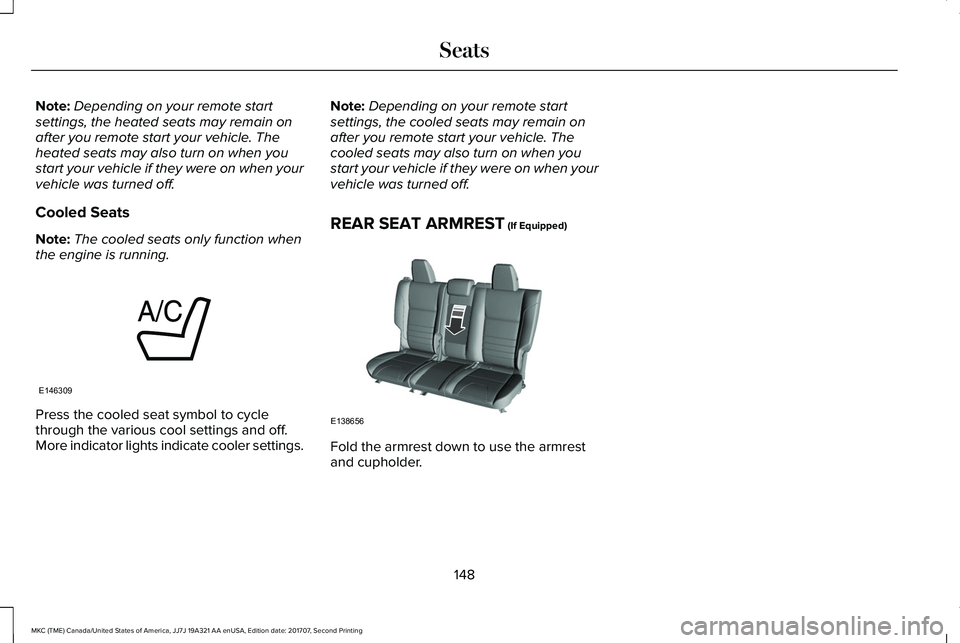
Press the cooled seat symbol to cyclethrough the various cool settings and off.More indicator lights indicate cooler settings.
Note:Depending on your remote startsettings, the cooled seats may remain onafter you remote start your vehicle. Thecooled seats may also turn on when youstart your vehicle if they were on when yourvehicle was turned off.
REAR SEAT ARMREST (If Equipped)
Fold the armrest down to use the armrestand cupholder.
148
MKC (TME) Canada/United States of America, JJ7J 19A321 AA enUSA, Edition date: 201707, Second Printing
SeatsE146309 E138656
Page 193 of 571
When the system is active, your vehicle willremain stationary on the slope for two tothree seconds after you release the brakepedal. This allows you time to move yourfoot from the brake to the accelerator pedal. The brakes release automatically when theengine has sufficient torque to prevent yourvehicle from rolling down the grade. This isan advantage when pulling away on a slope,for example from a car park ramp, trafficlights or when reversing uphill into a parkingspace.
The system will activate automatically on anyslope that will cause significant vehiclerollback. For vehicles with a manualtransmission, you can switch this feature offusing the information display. SeeInformation Displays (page 109). The systemwill remain on or off depending on how itwas last set.
Note:There is no warning lamp to indicatethe system is either on or off.
Note:If your vehicle is equipped with AutoHold, Hill Start Assist will not be availablewhile Auto Hold is active.
Using Hill Start Assist
1. Bring your vehicle to a completestandstill. Keep the brake pedal pressedand select an uphill gear (for example,drive (D) or first (1) when facing uphill orreverse (R) when facing downhill).
2. If the sensors detect that your vehicle ison a slope, the system will activateautomatically.
3. When you remove your foot from thebrake pedal, your vehicle will remain onthe slope without rolling away for abouttwo or three seconds. This hold time willautomatically be extended if you are inthe process of driving off.
4. Drive off in the normal manner. Thebrakes will release automatically.
Switching the System On and Off
You can switch this feature on or off if yourvehicle is equipped with a manualtransmission and an information display. SeeGeneral Information (page 109). The systemremembers the last setting when you startyour vehicle.
If your vehicle is not equipped with a manualtransmission and an information display, youcannot turn the system on or off. When youswitch the ignition on, the systemautomatically turns on.
AUTO HOLD
WARNINGS
The system does not replace theparking brake. When you leave yourvehicle, always apply the parking brake.
You must remain in your vehicle whenthe system turns on. At all times, youare responsible for controlling your vehicle,supervising the system and intervening, ifrequired. Failure to take care may result inthe loss of control of your vehicle, seriouspersonal injury or death.
The system will turn off if a malfunctionis apparent. Failure to take care mayresult in the loss of control of your vehicle,serious personal injury or death.
190
MKC (TME) Canada/United States of America, JJ7J 19A321 AA enUSA, Edition date: 201707, Second Printing
Brakes
Page 194 of 571
Auto Hold uses your vehicle's brakes to holdyour vehicle at a stop once your vehicle hasreached a standstill condition. For example,Auto Hold can assist you while stopping attraffic lights or while in traffic jams by holdingthe brake pressure for you once you bringyour vehicle to a stop.
Switch Auto Hold off during vehicle or trailertowing.
Note:In case of a malfunction in the systemwhile Auto Hold actively holds the vehicle(for example, low power supply), a messageappears in the information display askingyou to press the brake pedal. If you see thismessage, press the brake pedalimmediately.
Note:Auto Hold only activates if the systemrecognizes it is applying enough brakepressure. On a steep hill or incline, you mayneed to make sure the brake pedal ispressed sufficiently to activate the Auto Holdsystem.
Note:In some cases, Auto Hold might handover to the parking brake. When the parkingbrake automatically applies, the red brakelamp appears. This is normal. When youpress the accelerator pedal, the drive awayrelease feature automatically releases theparking brake.
Note:Auto Hold works on all road grades.
Press the Auto Hold button to switch thesystem on and off. The Auto Hold indicatorlight illuminates in the Auto Hold buttonwhen the system is on.
Note:You can only switch Auto Hold on ifyou close the door and fasten your seatbelt.
191
MKC (TME) Canada/United States of America, JJ7J 19A321 AA enUSA, Edition date: 201707, Second Printing
BrakesE227185
Page 196 of 571
PRINCIPLE OF OPERATION
The traction control system helps avoid drivewheel spin and loss of traction.
If your vehicle begins to slide, the systemapplies the brakes to individual wheels and,when needed, reduces engine power at thesame time. If the wheels spin whenaccelerating on slippery or loose surfaces,the system reduces engine power in orderto increase traction.
USING TRACTION CONTROL
WARNING
The stability and traction control lightilluminates steadily if the systemdetects a failure. Make sure you did notmanually disable the traction control systemusing the information display controls or theswitch. If the stability control and tractioncontrol light is still illuminating steadily, havethe system serviced by an authorized dealerimmediately. Operating your vehicle with thetraction control disabled could lead to anincreased risk of loss of vehicle control,vehicle rollover, personal injury and death.
The system automatically turns on each timeyou switch the ignition on.
If your vehicle is stuck in mud or snow,switching traction control off may bebeneficial as this allows the wheels to spin.
Note:When you switch traction control off,stability control remains fully active.
Switching the System Off
When you switch the system off or on, amessage appears in the information displayshowing system status.
You can switch the system off by either usingthe information display controls or the switch.
Using the Information Display Controls
You can switch this feature off or on in theinformation display. See General Information(page 109).
Using a Switch (If Equipped)
Use the traction control switch on theinstrument panel to switch the system off oron.
System Indicator Lights and Messages
The stability and traction controllight:
193
MKC (TME) Canada/United States of America, JJ7J 19A321 AA enUSA, Edition date: 201707, Second Printing
Traction ControlE138639
Page 211 of 571
Fixed guideline: Yellow zoneD
Fixed guideline: Red zoneE
Rear bumperF
Active guidelines are only shown with fixedguidelines. To use active guidelines, turnthe steering wheel to point the guidelinestoward an intended path. If you change thesteering wheel position while reversing, yourvehicle might deviate from the originalintended path.
The fixed and active guidelines fade in andout depending on the steering wheelposition. The active guidelines do notdisplay when the steering wheel position isstraight.
Always use caution while reversing. Objectsin the red zone are closest to your vehicleand objects in the green zone are fartheraway. Objects are getting closer to yourvehicle as they move from the green zoneto the yellow or red zones. Use the side viewmirrors and rear view mirror to get bettercoverage on both sides and rear of thevehicle.
Manual Zoom
WARNING
When manual zoom is on, the full areabehind your vehicle may not show. Beaware of your surroundings when using themanual zoom feature.
Note:Manual zoom is only available whenthe transmission is in reverse (R).
Note:When you enable manual zoom, onlythe centerline is shown.
Selectable settings for this feature are Zoomin (+) and Zoom out (-). Press the symbol inthe camera screen to change the view. Thedefault setting is Zoom OFF.
This allows you to get a closer view of anobject behind your vehicle. The zoomedimage keeps the bumper in the image toprovide a reference. The zoom is only activewhile the transmission is in reverse (R).
Camera System Settings
The rear view camera system settings canbe changed in the display screen. SeeSettings (page 438).
Enhanced Park Aids or Park Pilot
Selectable settings for this feature are ONand OFF.
The system uses red, yellow and greenhighlights that appear on top of the videoimage when any of the sensing systemsdetect an object.
Rear Camera Delay
Selectable settings for this feature are ONand OFF.
The default setting for the rear camera delayis OFF.
When shifting the transmission out of reverse(R) and into any gear other than park (P), thecamera image remains in the display until:
•Your vehicle speed sufficiently increases.
•You shift your vehicle into park (P).
208
MKC (TME) Canada/United States of America, JJ7J 19A321 AA enUSA, Edition date: 201707, Second Printing
Parking Aids
Page 228 of 571
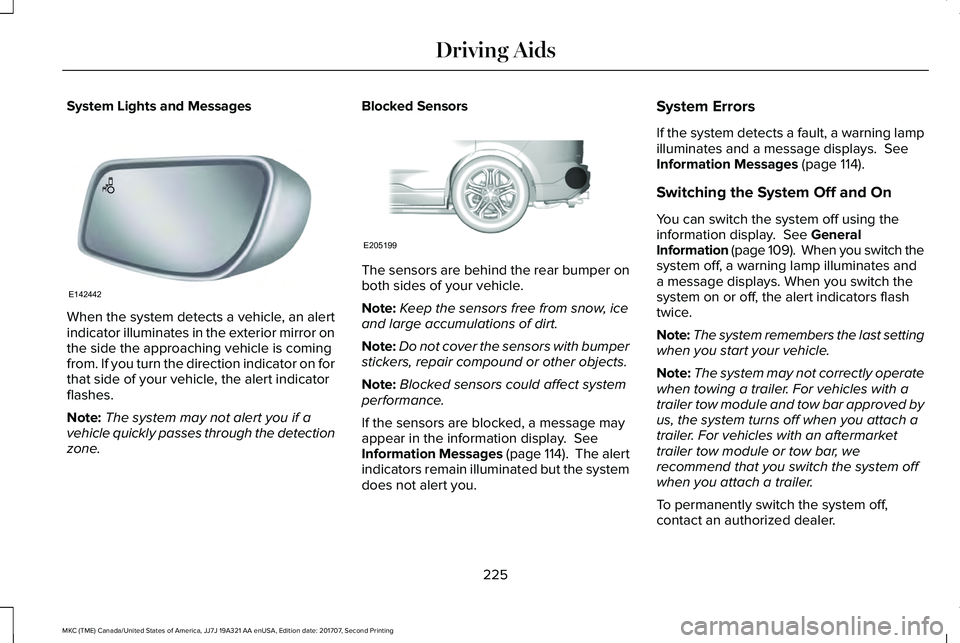
System Lights and Messages
When the system detects a vehicle, an alertindicator illuminates in the exterior mirror onthe side the approaching vehicle is comingfrom. If you turn the direction indicator on forthat side of your vehicle, the alert indicatorflashes.
Note:The system may not alert you if avehicle quickly passes through the detectionzone.
Blocked Sensors
The sensors are behind the rear bumper onboth sides of your vehicle.
Note:Keep the sensors free from snow, iceand large accumulations of dirt.
Note:Do not cover the sensors with bumperstickers, repair compound or other objects.
Note:Blocked sensors could affect systemperformance.
If the sensors are blocked, a message mayappear in the information display. SeeInformation Messages (page 114). The alertindicators remain illuminated but the systemdoes not alert you.
System Errors
If the system detects a fault, a warning lampilluminates and a message displays. SeeInformation Messages (page 114).
Switching the System Off and On
You can switch the system off using theinformation display. See GeneralInformation (page 109). When you switch thesystem off, a warning lamp illuminates anda message displays. When you switch thesystem on or off, the alert indicators flashtwice.
Note:The system remembers the last settingwhen you start your vehicle.
Note:The system may not correctly operatewhen towing a trailer. For vehicles with atrailer tow module and tow bar approved byus, the system turns off when you attach atrailer. For vehicles with an aftermarkettrailer tow module or tow bar, werecommend that you switch the system offwhen you attach a trailer.
To permanently switch the system off,contact an authorized dealer.
225
MKC (TME) Canada/United States of America, JJ7J 19A321 AA enUSA, Edition date: 201707, Second Printing
Driving AidsE142442 E205199
Page 232 of 571
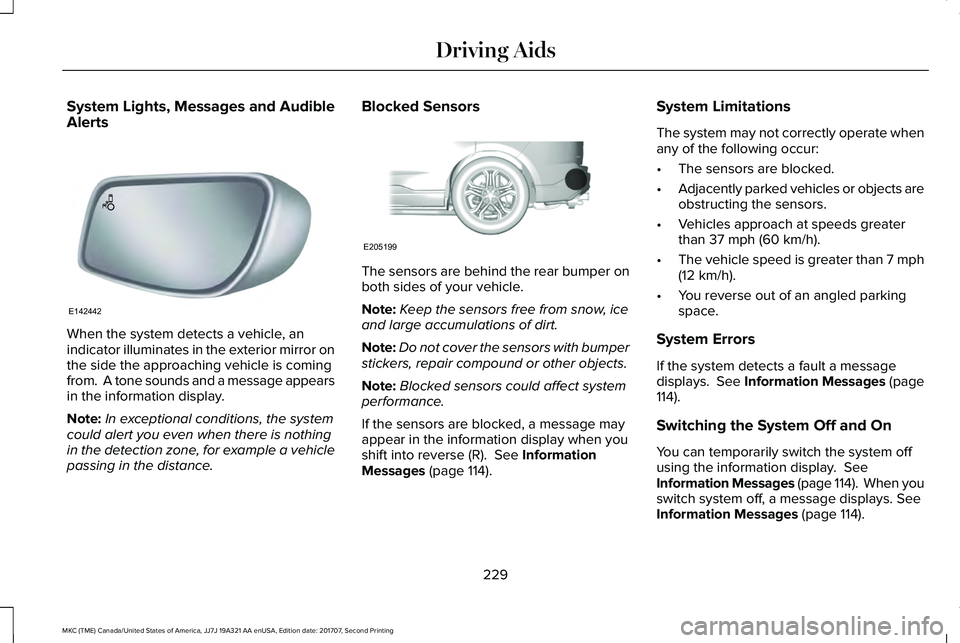
System Lights, Messages and AudibleAlerts
When the system detects a vehicle, anindicator illuminates in the exterior mirror onthe side the approaching vehicle is comingfrom. A tone sounds and a message appearsin the information display.
Note:In exceptional conditions, the systemcould alert you even when there is nothingin the detection zone, for example a vehiclepassing in the distance.
Blocked Sensors
The sensors are behind the rear bumper onboth sides of your vehicle.
Note:Keep the sensors free from snow, iceand large accumulations of dirt.
Note:Do not cover the sensors with bumperstickers, repair compound or other objects.
Note:Blocked sensors could affect systemperformance.
If the sensors are blocked, a message mayappear in the information display when youshift into reverse (R). See InformationMessages (page 114).
System Limitations
The system may not correctly operate whenany of the following occur:
•The sensors are blocked.
•Adjacently parked vehicles or objects areobstructing the sensors.
•Vehicles approach at speeds greaterthan 37 mph (60 km/h).
•The vehicle speed is greater than 7 mph(12 km/h).
•You reverse out of an angled parkingspace.
System Errors
If the system detects a fault a messagedisplays. See Information Messages (page114).
Switching the System Off and On
You can temporarily switch the system offusing the information display. SeeInformation Messages (page 114). When youswitch system off, a message displays. SeeInformation Messages (page 114).
229
MKC (TME) Canada/United States of America, JJ7J 19A321 AA enUSA, Edition date: 201707, Second Printing
Driving AidsE142442 E205199