wheel LINCOLN MKC 2018 Service Manual
[x] Cancel search | Manufacturer: LINCOLN, Model Year: 2018, Model line: MKC, Model: LINCOLN MKC 2018Pages: 571, PDF Size: 4.39 MB
Page 213 of 571
Switching Cruise Control Off
Note:You erase the set speed when youswitch the system off.
Press OFF when the system is in stand bymode, or switch the ignition off.
USING ADAPTIVE CRUISE
CONTROL
WARNINGS
Always pay close attention to changingroad conditions when using adaptivecruise control. The system does not replaceattentive driving. Failing to pay attention tothe road may result in a crash, serious injuryor death.
Do not use the adaptive cruise controlwhen entering or leaving a highway,on roads with intersections or roundaboutsor non-vehicular traffic or roads that arewinding, slippery, unpaved, or steep slopes.
Do not use the system in poor visibility,for example fog, heavy rain, spray orsnow.
WARNINGS
Do not use the system when towing atrailer with aftermarket trailer brakecontrols. Aftermarket trailer brakes will notfunction properly when you switch thesystem on because the brakes areelectronically controlled. Failing to do so mayresult in loss of vehicle control, which couldresult in serious injury.
Do not use tire sizes other than thoserecommended because this can affectthe normal operation of the system. Failureto do so may result in a loss of vehiclecontrol, which could result in serious injury.
Adaptive cruise control may not detectstationary or slow moving vehiclesbelow 6 mph (10 km/h).
Adaptive cruise control does not detectpedestrians or objects in the road.
Adaptive cruise control does not detectoncoming vehicles in the same lane.
Adaptive cruise control is not a crashwarning or avoidance system.
Note:It is your responsibility to stay alert,drive safely and be in control of the vehicleat all times.
The system adjusts your vehicle speed tomaintain the set gap between you and thevehicle in front of you in the same lane. Youcan select four gap settings.
The system uses a radar sensor that projectsa beam directly in front of your vehicle.
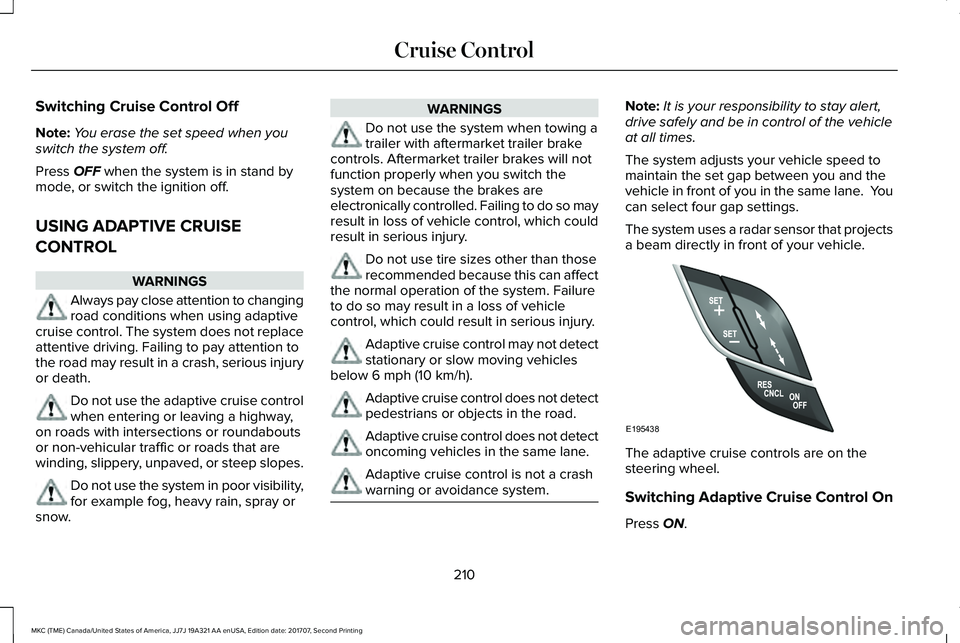
The adaptive cruise controls are on thesteering wheel.
Switching Adaptive Cruise Control On
Press ON.
210
MKC (TME) Canada/United States of America, JJ7J 19A321 AA enUSA, Edition date: 201707, Second Printing
Cruise ControlE195438
Page 221 of 571
When active, the system monitors youralertness level based upon your drivingbehavior in relation to the lane markings andother factors.
System Warnings
Note:The system does not issue warningsbelow approximately 40 mph (64 km/h).
The warning system has two stages. First,the system issues a temporary warning thatyou need to take a rest. This message onlyappears for a short time. If the systemdetects further reduction in driving alertness,it may issue another warning that remains inthe information display for a longer time. Youcan press OK on the steering wheel controlto clear the warning.
System Display
When active, the system runs automaticallyin the background and only issues a warningif required. You can view the status at anytime using the information display. SeeGeneral Information (page 109).
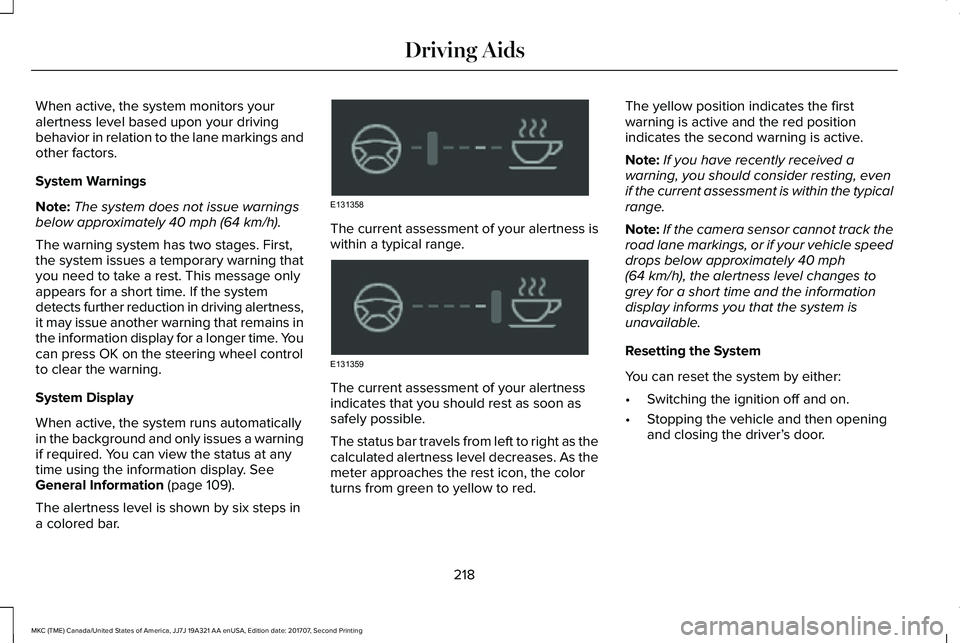
The alertness level is shown by six steps ina colored bar.
The current assessment of your alertness iswithin a typical range.
The current assessment of your alertnessindicates that you should rest as soon assafely possible.
The status bar travels from left to right as thecalculated alertness level decreases. As themeter approaches the rest icon, the colorturns from green to yellow to red.
The yellow position indicates the firstwarning is active and the red positionindicates the second warning is active.
Note:If you have recently received awarning, you should consider resting, evenif the current assessment is within the typicalrange.
Note:If the camera sensor cannot track theroad lane markings, or if your vehicle speeddrops below approximately 40 mph(64 km/h), the alertness level changes togrey for a short time and the informationdisplay informs you that the system isunavailable.
Resetting the System
You can reset the system by either:
•Switching the ignition off and on.
•Stopping the vehicle and then openingand closing the driver’s door.
218
MKC (TME) Canada/United States of America, JJ7J 19A321 AA enUSA, Edition date: 201707, Second Printing
Driving AidsE131358 E131359
Page 222 of 571
LANE KEEPING SYSTEM (If Equipped)
WARNINGS
The system is designed to aid thedriver. It is not intended to replace yourattention and judgment. You are stillresponsible to drive with due care andattention.
Always drive with due care andattention when using and operating thecontrols and features on your vehicle.
At all times, you are responsible forcontrolling your vehicle, supervisingthe system and intervening, if required.Failure to take care may result in the loss ofcontrol of your vehicle, serious personalinjury or death.
In cold and severe weather conditionsthe system may not function. Rain,snow and spray can all limit sensorperformance.
The system will not operate if thesensor cannot track the road lanemarkings.
WARNINGS
The sensor may incorrectly track lanemarkings as other structures or objects.This can result in a false or missed warning.
The system may not operate properlyif the sensor is blocked. Keep thewindshield free from obstruction.
If damage occurs in the immediate areasurrounding the sensor, have yourvehicle checked as soon as possible.
Note:The system works above 40 mph(64 km/h).
Note:The system works as long as thecamera can detect one lane marking.
Note:When you select aid or alert and aidmode and the system detects no steeringactivity for a short period, the system alertsyou to put your hands on the steering wheel.The system may detect a light grip or touchon the steering wheel as hands off driving.
Note:The system may not function if thecamera is blocked, or if the windshield isdamaged or dirty.
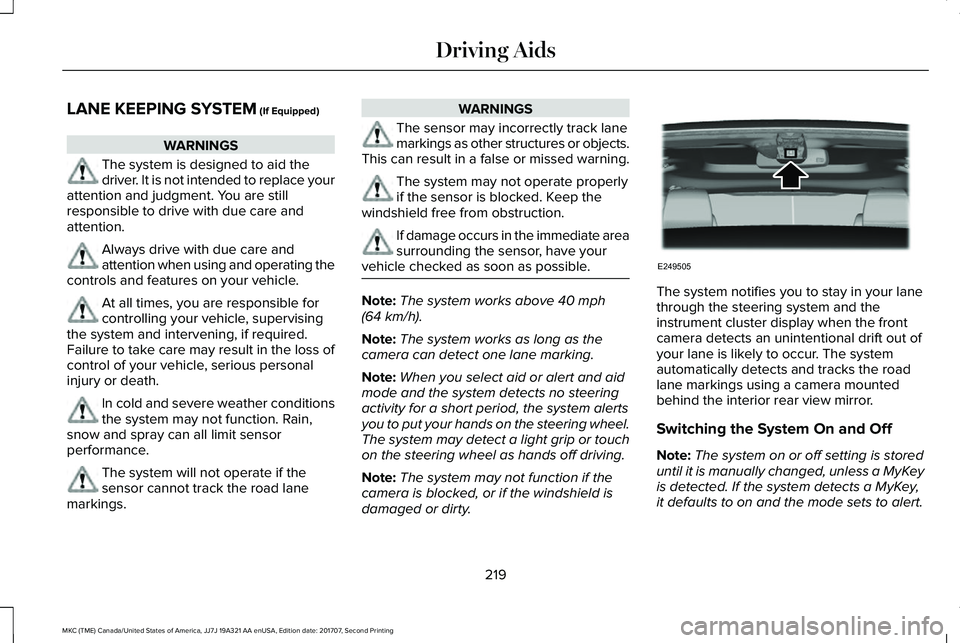
The system notifies you to stay in your lanethrough the steering system and theinstrument cluster display when the frontcamera detects an unintentional drift out ofyour lane is likely to occur. The systemautomatically detects and tracks the roadlane markings using a camera mountedbehind the interior rear view mirror.
Switching the System On and Off
Note:The system on or off setting is storeduntil it is manually changed, unless a MyKeyis detected. If the system detects a MyKey,it defaults to on and the mode sets to alert.
219
MKC (TME) Canada/United States of America, JJ7J 19A321 AA enUSA, Edition date: 201707, Second Printing
Driving AidsE249505
Page 223 of 571
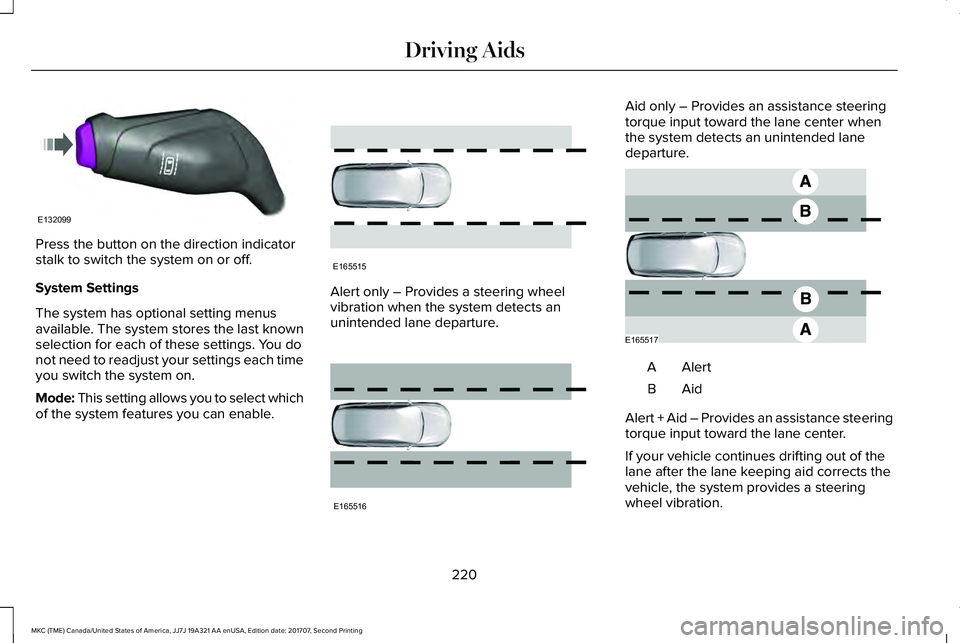
Press the button on the direction indicatorstalk to switch the system on or off.
System Settings
The system has optional setting menusavailable. The system stores the last knownselection for each of these settings. You donot need to readjust your settings each timeyou switch the system on.
Mode: This setting allows you to select whichof the system features you can enable.
Alert only – Provides a steering wheelvibration when the system detects anunintended lane departure.
Aid only – Provides an assistance steeringtorque input toward the lane center whenthe system detects an unintended lanedeparture.
AlertA
AidB
Alert + Aid – Provides an assistance steeringtorque input toward the lane center.
If your vehicle continues drifting out of thelane after the lane keeping aid corrects thevehicle, the system provides a steeringwheel vibration.
220
MKC (TME) Canada/United States of America, JJ7J 19A321 AA enUSA, Edition date: 201707, Second Printing
Driving AidsE132099 E165515 E165516 E165517
Page 224 of 571
Note:The alert and aid diagrams illustrategeneral zone coverage. They do not provideexact zone parameters.
Intensity: This setting affects the intensity ofthe steering wheel vibration used for the alertand alert + aid modes. This setting does notaffect the aid mode.
•Low
•Normal
•High
System Display
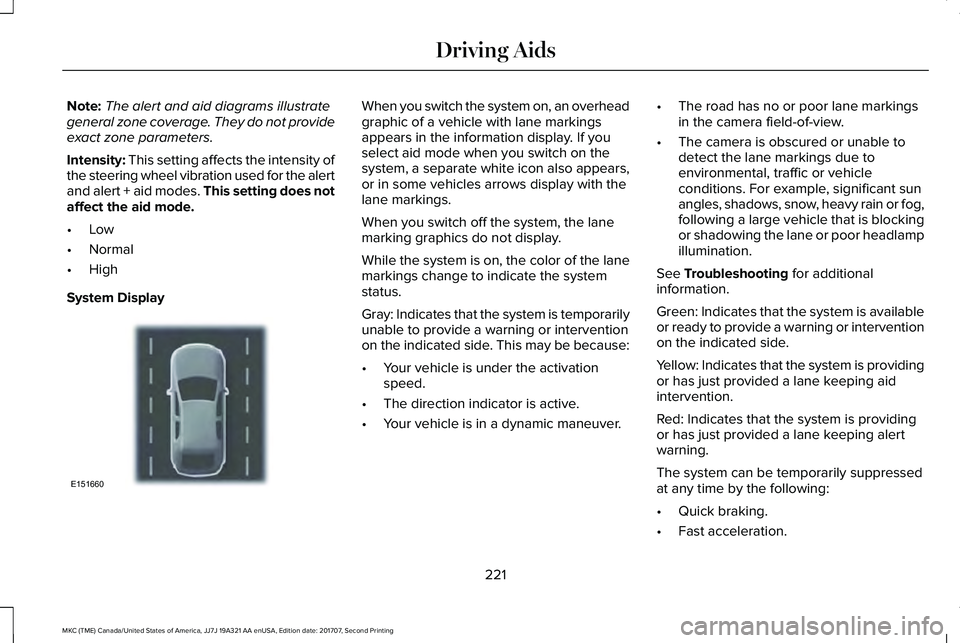
When you switch the system on, an overheadgraphic of a vehicle with lane markingsappears in the information display. If youselect aid mode when you switch on thesystem, a separate white icon also appears,or in some vehicles arrows display with thelane markings.
When you switch off the system, the lanemarking graphics do not display.
While the system is on, the color of the lanemarkings change to indicate the systemstatus.
Gray: Indicates that the system is temporarilyunable to provide a warning or interventionon the indicated side. This may be because:
•Your vehicle is under the activationspeed.
•The direction indicator is active.
•Your vehicle is in a dynamic maneuver.
•The road has no or poor lane markingsin the camera field-of-view.
•The camera is obscured or unable todetect the lane markings due toenvironmental, traffic or vehicleconditions. For example, significant sunangles, shadows, snow, heavy rain or fog,following a large vehicle that is blockingor shadowing the lane or poor headlampillumination.
See Troubleshooting for additionalinformation.
Green: Indicates that the system is availableor ready to provide a warning or interventionon the indicated side.
Yellow: Indicates that the system is providingor has just provided a lane keeping aidintervention.
Red: Indicates that the system is providingor has just provided a lane keeping alertwarning.
The system can be temporarily suppressedat any time by the following:
•Quick braking.
•Fast acceleration.
221
MKC (TME) Canada/United States of America, JJ7J 19A321 AA enUSA, Edition date: 201707, Second Printing
Driving AidsE151660
Page 236 of 571
ActionCause
Clean the radar sensor cover or remove the obstruction.The radar sensor cover in the grille is dirty or obstructed.
Wait a short time. The radar may take several minutes to reset afteryou remove the obstruction.The surface of the radar sensor cover is clean but the messageremains in the display.
The collision warning system is temporarily disabled. Shortly afterweather conditions improve, the collision warning system automaticallyreactivates.
Heavy rain, spray, snow or fog in the air interferes with the radarsignals.
The collision warning system is temporarily disabled. Shortly afterweather conditions improve, the collision warning system automaticallyreactivates.
Swirling water, snow or ice on the road surface interferes with theradar signals.
System Limitations
Due to the nature of radar technology, theremay be certain instances where vehicles donot provide a collision warning. Theseinclude:
•Stationary vehicles or vehicles movingbelow 6 mph (10 km/h).
•Pedestrians or objects in the roadway.
•Oncoming vehicles in the same lane.
•Severe weather conditions (see blockedsensor section).
•Debris build-up on the grille near theheadlamps (see blocked sensor section).
•Small distance to vehicle ahead.
•Large steering wheel and pedalmovements (very active driving style).
Damage to the front end of the vehicle mayalter the radar sensor's coverage area. Thismay result in missed or false collisionwarnings. Have an authorized dealer checkyour radar sensor for proper coverage andoperation.
233
MKC (TME) Canada/United States of America, JJ7J 19A321 AA enUSA, Edition date: 201707, Second Printing
Driving Aids
Page 246 of 571
RV & Trailer Towing Guide Online
http://www.fleet.ford.com/towing-guides/Website
TRAILER SWAY CONTROL (If Equipped)
WARNING
Turning off trailer sway controlincreases the risk of loss of vehiclecontrol, serious injury or death. Ford doesnot recommend disabling this feature exceptin situations where speed reduction may bedetrimental (such as hill climbing), the driverhas significant trailer towing experience, andcan control trailer sway and maintain safeoperation.
Note:This feature does not prevent trailersway, but reduces it when it begins.
Note:This feature cannot stop all trailersfrom swaying.
Note:In some cases, if your vehicle speedis too high, the system may turn on multipletimes, gradually reducing your vehicle speed.
The system applies the brakes to theindividual wheels and reduces engine torqueto aid vehicle stability. If the trailer beginsto sway, the stability control warning lampflashes and a message appears in theinformation display. See InformationMessages (page 114). Slow your vehicledown, pull safely to the side of the road andcheck for correct load distribution.
You can switch this feature off in theinformation display. When you switch theignition on, the system automatically turnson.
RECOMMENDED TOWING
WEIGHTS
Note:Do not exceed the trailer weightfor your vehicle configuration listed inthe chart below.
Note:Be sure to take into considerationtrailer frontal area. Do not exceed 20feet2 (1.86 meters2) if your vehicle is not
equipped with a towing package or 30feet2 (2.79 meters2) if your vehicle is
equipped with a towing package.
Note:For high altitude operation,reduce the gross combined weight by2% per 1,000 ft (300 m) starting at the1,000 ft (300 m) elevation point.
243
MKC (TME) Canada/United States of America, JJ7J 19A321 AA enUSA, Edition date: 201707, Second Printing
Towing
Page 250 of 571
Trailer lamps are required on most towedvehicles. Make sure all running lights, brakelights, turn signals and hazard lights areworking.
Before Towing a Trailer
Practice turning, stopping and backing up toget the feel of your vehicle-trailercombination before starting on a trip. Whenturning, make wider turns so the trailerwheels clear curbs and other obstacles.
When Towing a Trailer
•Do not drive faster than 70 mph(113 km/h) during the first 500 mi(800 km).
•Do not make full-throttle starts.
•Check your hitch, electrical connectionsand trailer wheel lug nuts thoroughly afteryou have traveled 50 mi (80 km).
•When stopped in congested or heavytraffic during hot weather, place thetransmission in park (P) to aid engine andtransmission cooling and to help A/Cperformance.
•Turn off the speed control with heavyloads or in hilly terrain. The speed controlmay turn off automatically when you aretowing on long, steep grades.
•Shift to a lower gear when driving downa long or steep hill. Do not apply thebrakes continuously, as they mayoverheat and become less effective.
•If your transmission is equipped with aGrade Assist or Tow/Haul feature, usethis feature when towing. This providesengine braking and helps eliminateexcessive transmission shifting foroptimum fuel economy and transmissioncooling.
•Allow more distance for stopping with atrailer attached. Anticipate stops andbrake gradually.
•Avoid parking on a grade. However, ifyou must park on a grade:
1. Turn the steering wheel to point yourvehicle tires away from traffic flow.
2. Set your vehicle parking brake.
3. Place the transmission in park (P).
4. Place wheel chocks in front and back ofthe trailer wheels. Chocks are notincluded with your vehicle.
Launching or Retrieving a Boat orPersonal Watercraft (PWC)
Note:Disconnect the wiring to the trailerbefore backing the trailer into the water.
Note:Reconnect the wiring to the trailerafter removing the trailer from the water.
When backing down a ramp during boatlaunching or retrieval:
•Do not allow the static water level to riseabove the bottom edge of the rearbumper.
•Do not allow waves to break higher than6 in (15 cm) above the bottom edge ofthe rear bumper.
Exceeding these limits may allow water toenter vehicle components:
•Causing internal damage to thecomponents.
•Affecting driveability, emissions, andreliability.
247
MKC (TME) Canada/United States of America, JJ7J 19A321 AA enUSA, Edition date: 201707, Second Printing
Towing
Page 251 of 571
Replace the rear axle lubricant anytime yousubmerge the rear axle in water. Water maycontaminate the rear axle lubricant, which isnot a normal maintenance inspection itemunless there is a possibility of a leak or otheraxle repair is required.
TOWING THE VEHICLE ON FOUR
WHEELS
Emergency Towing
WARNING
If your vehicle has a steering wheellock make sure the ignition is in theaccessory or on position when being towed.
If your vehicle becomes inoperable (withoutaccess to wheel dollies, car-hauling trailer,or flatbed transport vehicle), it can beflat-towed (all wheels on the ground,regardless of the powertrain andtransmission configuration) under thefollowing conditions:
•Your vehicle is facing forward for towingin a forward direction.
•You place the vehicle in Stay in Neutralmode. See Placing Your Vehicle in Stayin Neutral Mode. In addition, make sureto read the brake-shift interlock overrideprocedure. See Automatic Transmission(page 175).
•Maximum speed is 35 mph (56 km/h).
•Maximum distance is 50 mi (80 km).
Placing Your Vehicle in Stay in NeutralMode
1. Press the N button on the shifterassembly.
2. When Press N again to Enter Stay inNeutral Mode appears in the informationdisplay, press the N button again.
Note:The message Stay in Neutral ModeEngaged appears in the information displaywhen you successfully complete theprocedure.
Note:Keeping the vehicle in Stay in Neutralmode eventually causes your vehicle batteryto lose charge. Exit the mode as soon assafely possible.
Recreational Towing
Note:Put your climate control system inrecirculated air mode to prevent exhaustfumes from entering the vehicle. SeeClimate Control (page 133).
Follow these guidelines if you have a needfor recreational (RV) towing. An example ofrecreational towing would be towing yourvehicle behind a motorhome. We designedthese guidelines to prevent damage to yourtransmission.
248
MKC (TME) Canada/United States of America, JJ7J 19A321 AA enUSA, Edition date: 201707, Second Printing
Towing
Page 252 of 571
Front-wheel drive vehicles CANNOT beflat-towed (all wheels on the ground) asvehicle or transmission damage may occur.You must place the front wheels on atwo-wheel tow dolly. If you are using a towdolly, follow the instructions specified by theequipment provider.
All-wheel drive vehicles CANNOT beflat-towed (all wheels on the ground), asvehicle or transmission damage may occur.It is recommended to tow your vehicle withall four (4) wheels off the ground such aswhen using a car-hauling trailer. Otherwise,you cannot recreational tow your vehicle.
249
MKC (TME) Canada/United States of America, JJ7J 19A321 AA enUSA, Edition date: 201707, Second Printing
Towing